Page 70 of 340
Downloaded from www.Manualslib.com manuals search engine Automatic Transaxle
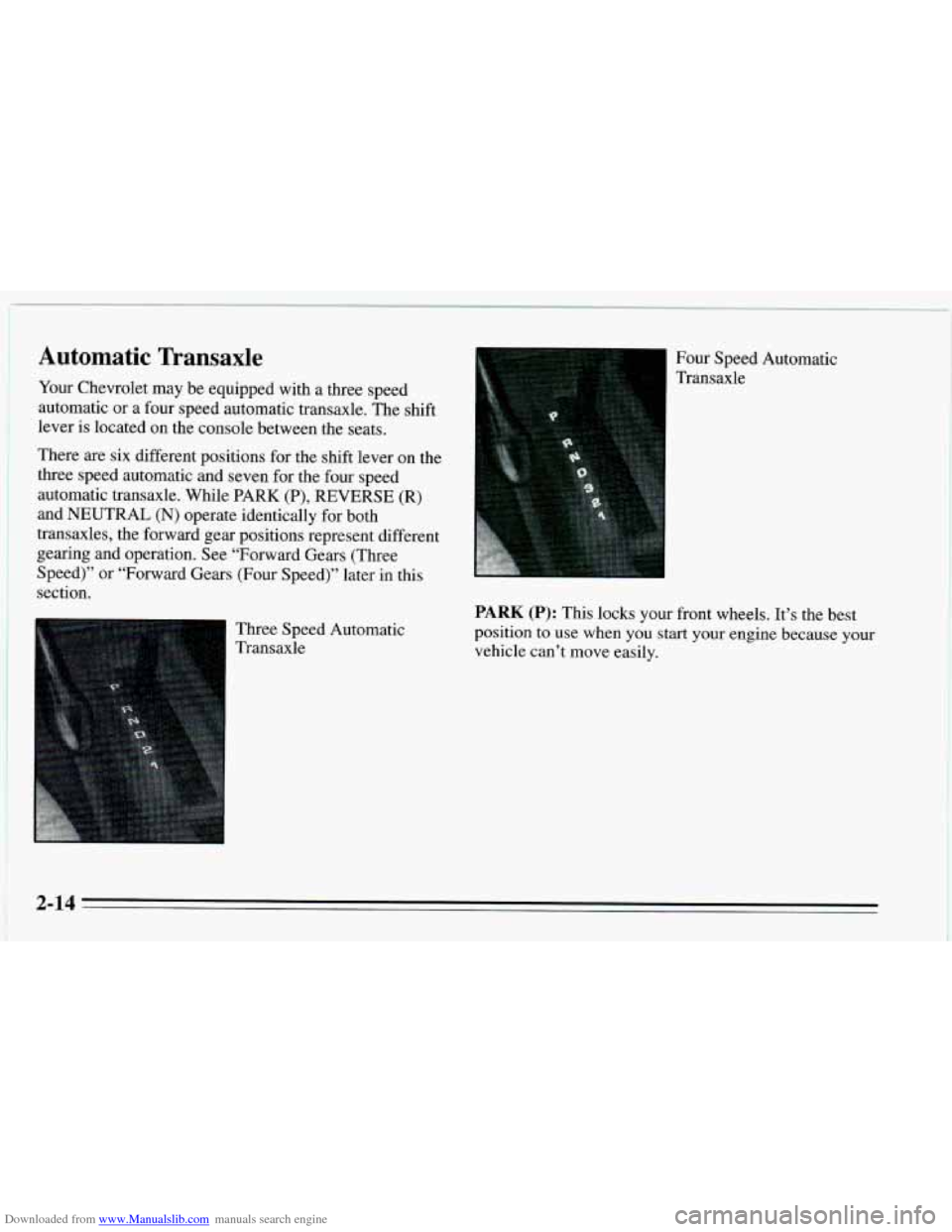
Your Chevrolet may be equipped with a three speed
automatic or a four speed automatic transaxle. The shift
lever is located on the console between the seats.
There are six different positions for the shift lever on the
three speed automatic and seven for the four speed
automatic transaxle. While PARK
(P), REVERSE (R)
and NEUTRAL (N) operate identically for both
transaxles, the forward gear positions represent different
gearing and operation. See “Forward Gears (Three
Speed)” or “Forward Gears (Four Speed)” later in this
section.
Three Speed Automatic
1 Transaxle Four Speed Automatic
Transaxle
PARK (P): This locks your front wheels. It’s the best
position to use when you start your engine because
your
vehicle can’t move easily.
2-14
Page 71 of 340
Downloaded from www.Manualslib.com manuals search engine Ensure the shift lever is fully in PARK (P) range before
starting the engine. Your Chevrolet has
a
brake-transaxle shift interlock. You have to fully apply
your regular brakes before you can shift from PARK (P)
when the ignition key is in the RUN position. If you
cannot shift out of PARK (P), ease pressure on the shift
lever
-- push the shift lever all the way into PARK (P)
and also release the shift lever button on floor shift
console models as
you maintain brake application. Then
move the shift lever into the gear you
wish. (Press the
shift lever button before moving the shift lever.) See
“Shifting
Out of PARK (P)” in the Index.
REVERSE (R): Use this gear to back up.
NOTICE:
Shifting to REVERSE (R) while your vehicle is
moving forward could damage your transaxle. Shift to REVERSE
(R) only after your vehicle is
stopped.
To rock your vehicle back and forth to get out of snow,
ice or sand without damaging your transaxle, see “If
You’re Stuck: In Sand,
Mud, Ice or Snow” in the Index.
NEUTRAL (N): In this position, your engine doesn’t
connect with the wheels.
To restart when you’re
already moving, use NEUTRAL (N) only. Also, use
NEUTRAL (N) when your vehicle
is being towed.
2-15
Page 73 of 340
Downloaded from www.Manualslib.com manuals search engine NOTICE:
If your front wheels can’t rotate, don’t try to
drive. This might happen if you were stuck in
very deep sand or mud or were up against a solid
object.
You could damage your transaxle. Also, if
you stop when going uphill, don’t hold your
vehicle there with only the accelerator pedal. This
could overheat and damage the transaxle. Use
your brakes or shift into
PARK (P) to hold your
vehicle in position on
a hill.
Forward Gears (Four Speed)
AUTOMATIC OVERDRIVE (D): This position is for
normal driving with
the four speed automatic transaxle.
If
you need more power for passing, and you’re:
0 Going less than about 35 mph (56 km/h), push your
accelerator pedal about halfway down.
0 Going about 35 mph (56 kmh), push your
accelerator all
the way down.
THIRD (3): This position is also used for normal
driving, however,
it offers more power and lower fuel
economy than AUTOMATIC OVERDRIVE (D). Here
are some times you might choose THIRD
(3) instead of
AUTOMATIC OVERDRIVE (D):
0 When driving on hilly, winding roads.
0 When towing a trailer, so there is less shifting
between gears.
0 When going down a steep hill.
SECOND (2): This position gives you more power out
lower fuel economy. You can use SECOND
(2) on hills.
It can help control your speed as you
go down steep
mountain roads, but then
you would also want to use
your brakes off and on.
NOTICE:
Don’t drive in SECOND (2) for more than
5 miles (8 km), or at speeds over 55 mph
(88 km/h), or you can damage your transaxle.
Use AUTOMATIC OVERDRIVE
(D), THIRD (3)
or DRIVE (D) as much as possible. Don’t shift into
SECOND
(2) unless you are going slower than 65
mph (105 km/h), or you can damage your engine.
2-17
Page 74 of 340
Downloaded from www.Manualslib.com manuals search engine FIRST (1): This position gives you even more power
(but lower fuel economy) than SECOND (2). You can
use it
on very steep hills, or in deep snow or mud. If the
selector lever is
put in FIRST (1)’ the transaxle won’t
shift into first gear until the vehicle is going slowly
enough.
NOTICE:
If your front wheels can’t rotate, don’t try to
drive. This might happen
if you were stuck in
very deep sand or mud or were up against a solid
object.
You could damage your transaxle. Also, if
you stop when going uphill, don’t hold your
vehicle there with only the accelerator pedal. This
could overheat and damage the transaxle. Use
your brakes or shift into
PARK (P) to hold your
vehicle in position on
a hill.
Manual Transaxle
2-18
Page 84 of 340
Downloaded from www.Manualslib.com manuals search engine Horn
You can SOM~ the horn by pressing the center of your
steering wheel.
Tilt Steering Wheel (Option)
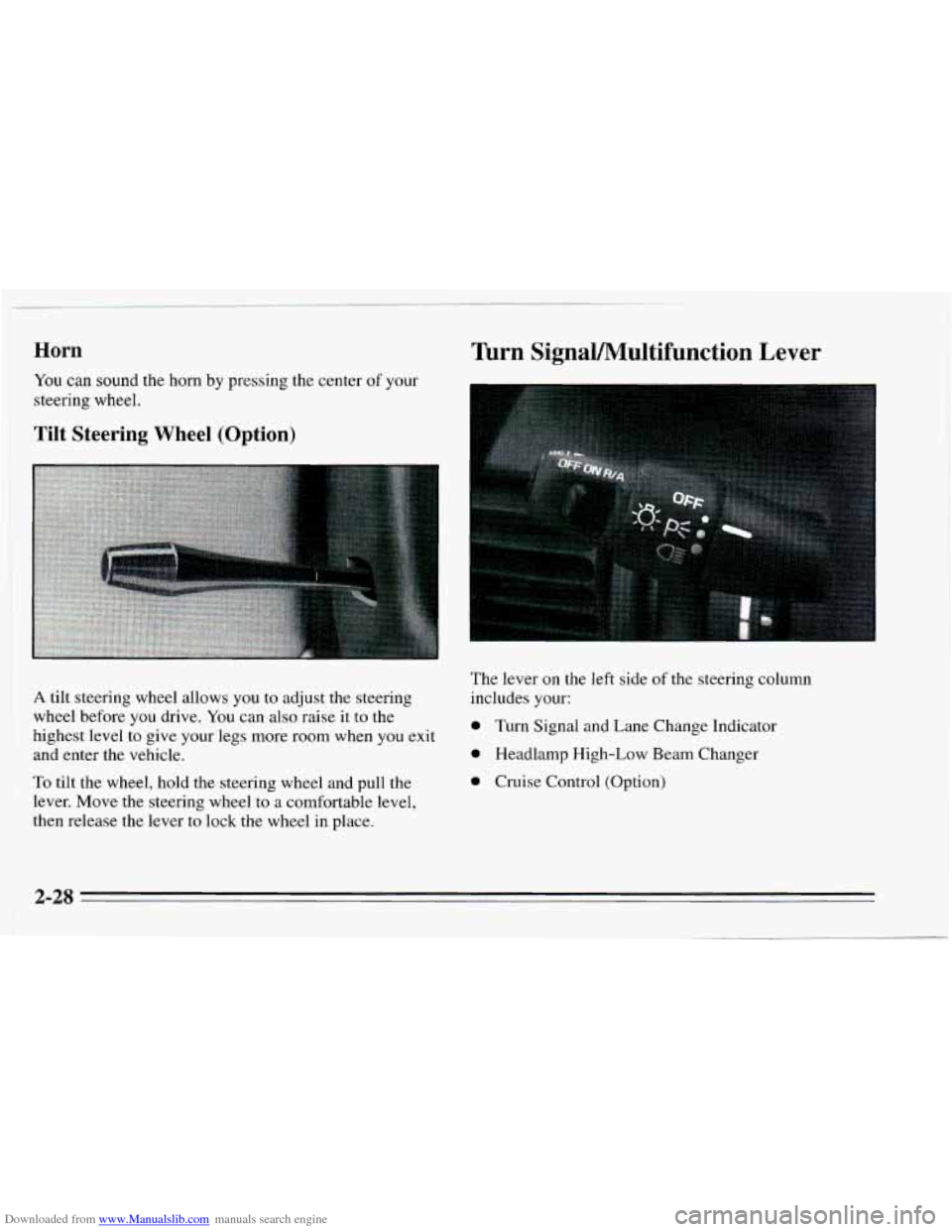
Turn SignaVMultifunction Lever
A tilt steering wheel allows you to adjust the steering
wheel before you drive. You can
also raise it to the
highest level to give your legs more room when
you exit
and enter the vehicle.
To tilt the wheel, hold the steering wheel and pull the
lever. Move the steering wheel to
a comfortable level,
then release the lever to lock the wheel in place. The
lever
on the left side of the steering column
includes your:
0 Turn Signal and Lane Change Indicator
0 Headlamp High-Low Beam Changer
0 Cruise Control (Option)
2-28
Page 112 of 340
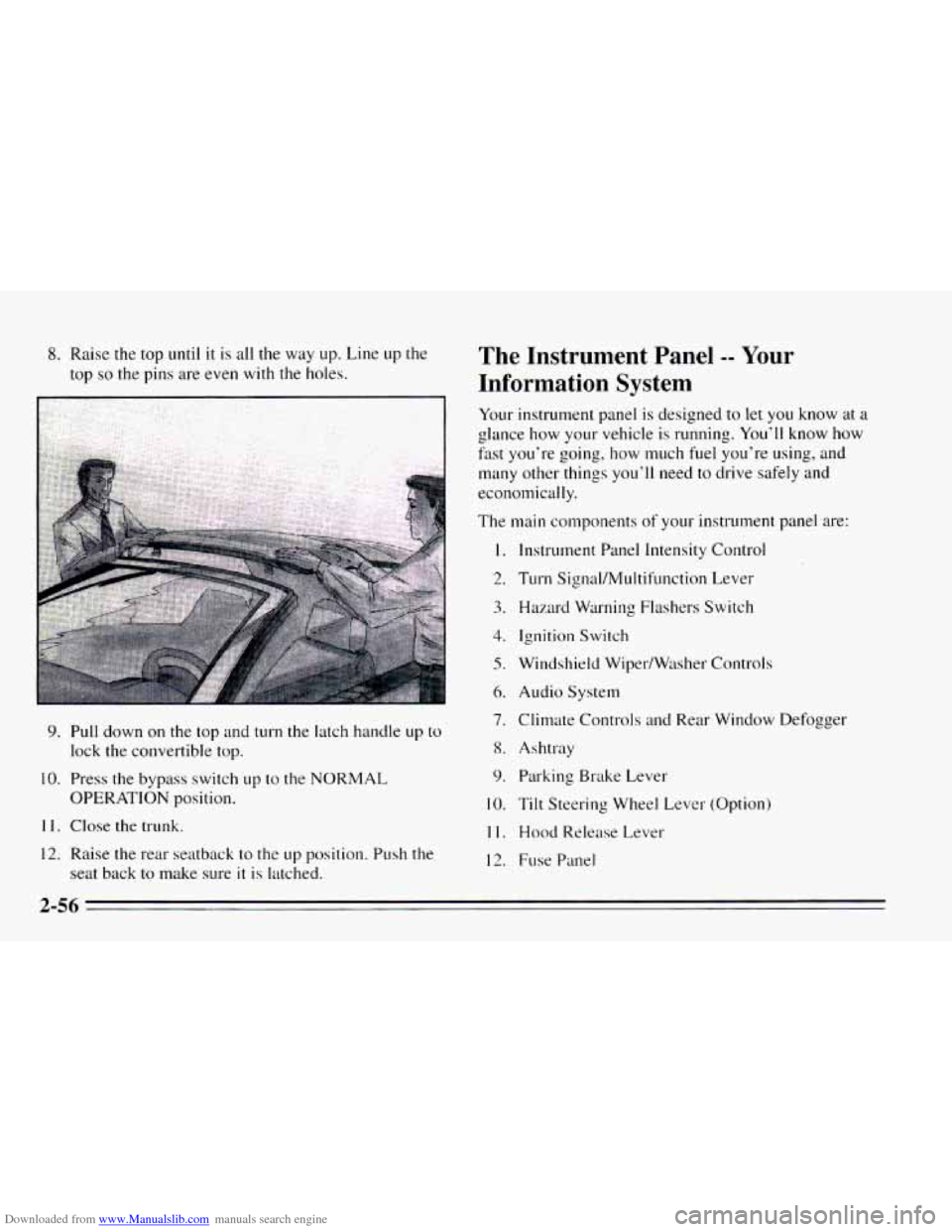
Downloaded from www.Manualslib.com manuals search engine 8. Raise the top until it is all the way up. Line up the
top
so the pins are even with the holes.
9. Pull down on the top and turn the latch handle up to
lock the convertible top.
10. Press the bypass switch up to the NORMAL
OPERATION position.
11. Close the trunk.
12. Raise the rear seatback to the up position. Push the
seat back to make sure
it is latched.
The Instrument Panel -- Your
Information System
Your instrument panel is designed to let you know at a
glance how your vehicle is running. You’ll know how
fast you‘re going, how much fuel you’re using, and
many other things you’ll need to drive safely and
economically.
The main components
of your instrutnent panel are:
1.
2.
3.
4.
5.
6.
7.
8.
9.
10.
11.
12.
Instrument Panel Intensity Control
Turn Signal/MuItifunction Lever
Hazard Warning Flashers Switch
Ignition Switch
Windshield Wiper/Wtlsher Controls
Audio System
Climate Controls
and Rear Window Defogger
Ashtray Parking Brake Lever
Tilt Steering Wheel Lever (Option)
Hood Release Lever
Fuse Panel
2-56
Page 147 of 340
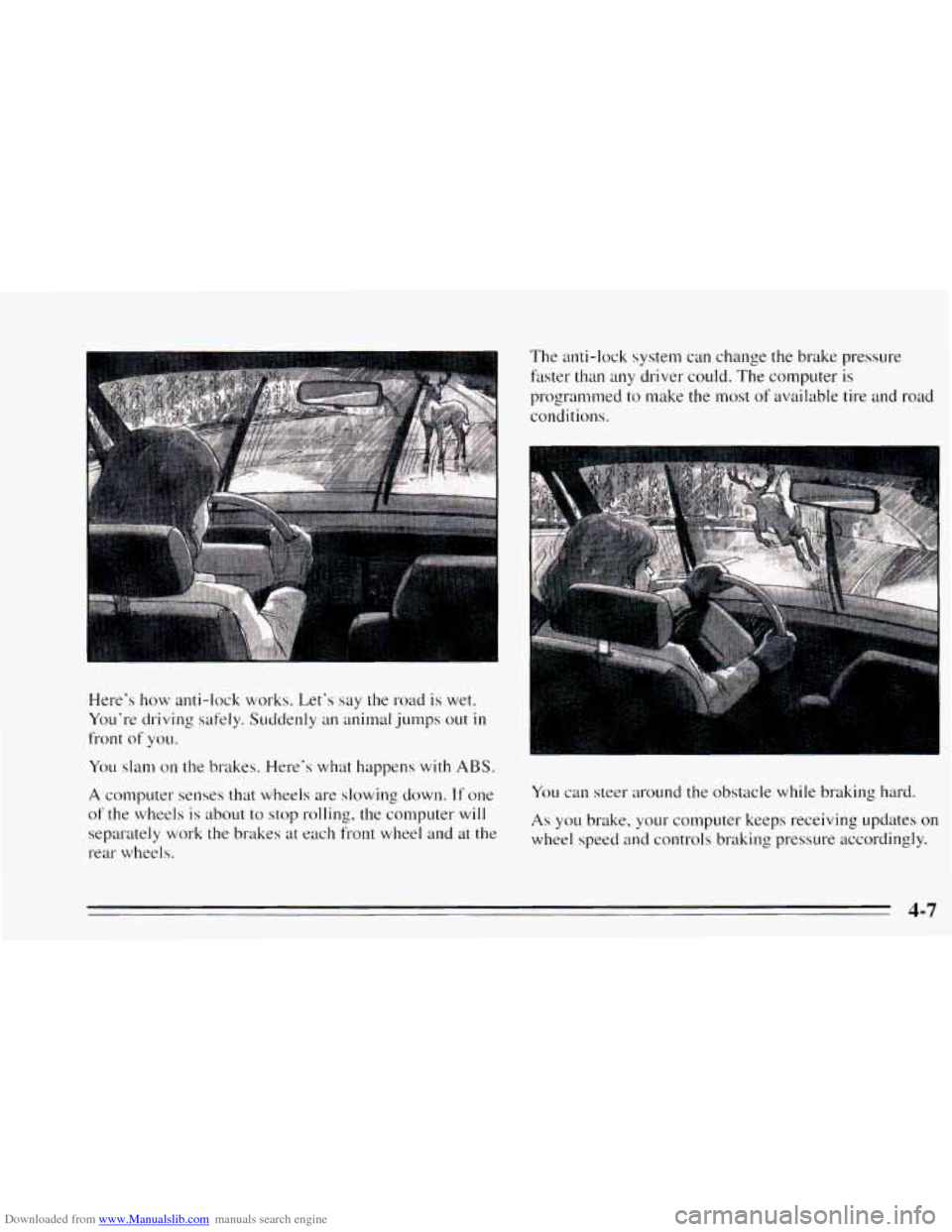
Downloaded from www.Manualslib.com manuals search engine Here's how anti-lock works. Let's say the road is wet.
Yo~1'1-e driving safely. Suddenly an animal jumps out
in
front of YOLI.
You slam on the brakes. Here's what happens with ABS.
A computer senses that wheels are slowing down. If one
of the wheels is about to stop rolling, the computer will
separately work
the brakes at each front wheel and at the
rear wheels. The anti-lock
system can change the brake pressure
faster than any driver could. The computer is
programmed to make the most
of available tire and road
conditions.
You can steer around the obstacle while braking hard.
As you brake, your computer keeps receiving updates on
wheel speed and controls braking pressure accordingly.
Page 148 of 340
Downloaded from www.Manualslib.com manuals search engine Remember: Anti-lock doesn’t change the time you need
to get your foot up
to the brake pedal. If you get too
close to the vehicle in front of you, you won’t have time
to apply your brakes if that vehicle suddenly slows or
stops. Always leave enough room up ahead to stop, even
though
you have anti-lock brakes.
To Use Anti-Lock
Don’t pump the brakes. Just hold the brake pedal down
and let anti-lock work for you. You may feel the system
working, or you may notice some noise, but this
is
normal.
Braking in Emergencies
Use your anti-lock braking system when you need to.
With anti-lock,
you can steer and brake at the same
time. In many emergencies, steering can help you more
than even the very best braking.
Steering
Power Steering
If you lose power steering assist because the engine
stops or the system is
not functioning, you can steer but
it will take much more effort.
Steering Tips
Driving on Curves
It’s important to take curves at a reasonable speed.
A lot of the “driver lost control” accidents mentioned on
the news happen on curves. Here’s why:
Experienced driver or beginner, each
of us is subject to
the same laws of physics when driving
on curves. The
traction
of the tires against the road surface makes it
possible for the vehicle to change its path when you turn
the front wheels. If there’s no traction, inertia will keep
the vehicle going in the same direction. If you’ve ever
tried
to steer a vehicle on wet ice, you’ll understand this.
The traction
you can get in a curve depends on the
condition of your tires and the road surface, the angle at
which the curve is banked, and your speed. While you’re in
a curve, speed
is the one factor you can control.
Suppose you’re steering through
a sharp curve. Then you
suddenly accelerate. Both control systems -- steering and
acceleration
-- have to do their work where the tires meet
the road. Adding the sudden acceleration can demand too
much
of those places. You can lose control.
What should
you do if this ever happens? Ease up on the
accelerator pedal, steer the vehicle the way you want it
to go, and slow down.
4-8