1995 CHEVROLET CAVALIER door lock
[x] Cancel search: door lockPage 62 of 340
Downloaded from www.Manualslib.com manuals search engine Theft Parking at Night
Vehicle theft is big business, especially in some cities.
Although your Chevrolet has a number
of theft-deterrent
features, we know that nothing we put on it can make it
impossible to steal. However, there are ways
you can
help.
Key in the Ignition
If you walk away from your vehicle with the keys
inside, it’s an easy target for
joy riders or professional
thieves
-- so don’t do it.
When
you park your Chevrolet and open the driver’s
door,
you’ll hear a chime reminding you to remove your
key
from the ignition and take it with you. Always do
this. Your steering wheel will be locked, and so will
your ignition.
If you have an automatic transaxle, taking
your key out also locks your transaxle. And remember
to lock the doors. Park
in a
lighted spot, close all windows and lock your
vehicle. Remember to keep your valuables out
of sight.
Put them in
a storage area, or take them with you.
Parking Lots
If you park in a lot where someone will be watching
your vehicle, it’s best to lock it up and take your keys.
But what
if you have to leave your ignition key? What if
you have to leave something valuable in your vehicle?
Put your valuables in a storage area, like your trunk
or glove box.
Lock all the doors except the driver’s.
Then take the door key with you.
Page 64 of 340
Downloaded from www.Manualslib.com manuals search engine Ignition Switch
E
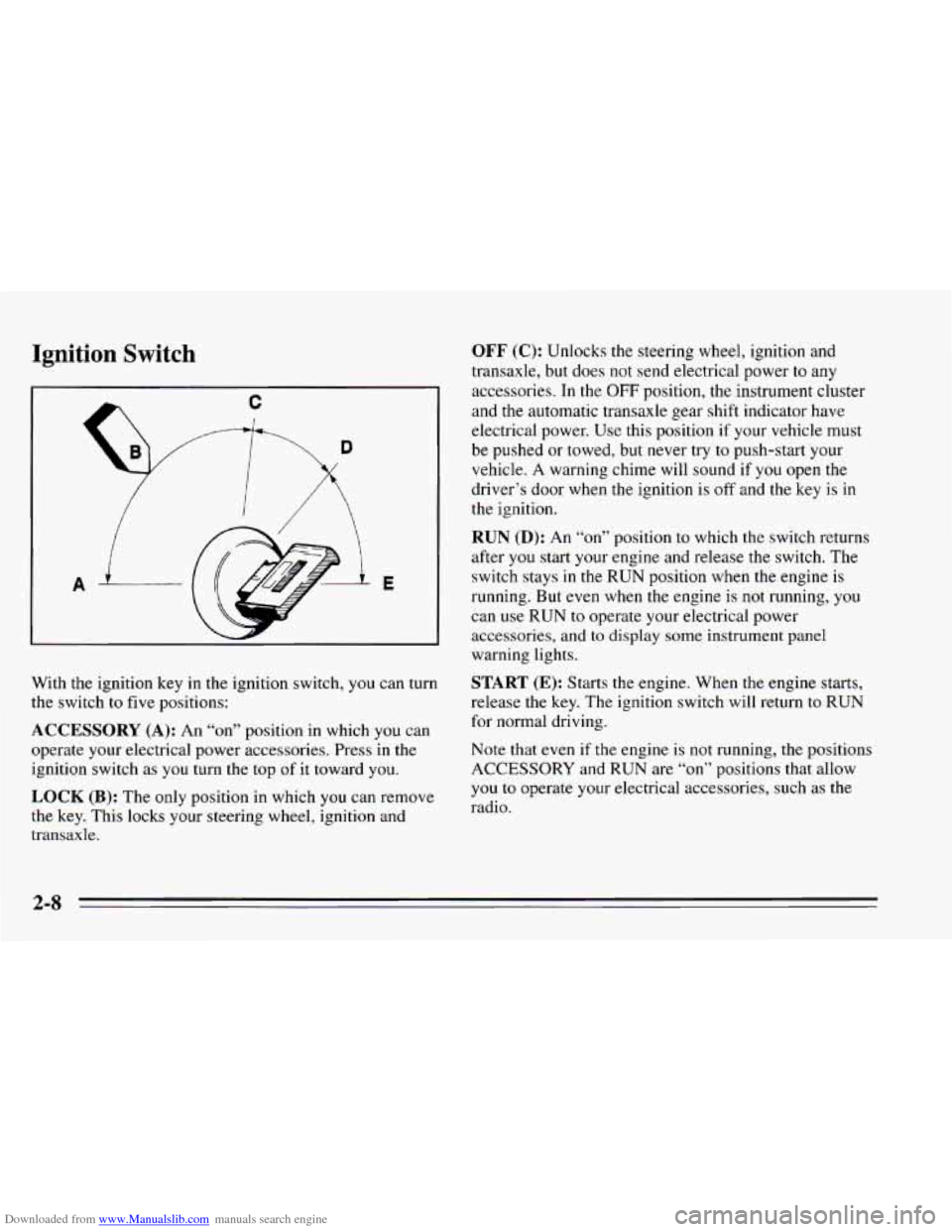
With the ignition key in the ignition switch, you can turn
the switch to five positions:
ACCESSORY (A): An “on” position in which you can
operate your electrical power accessories. Press in the
ignition switch as
you turn the top of it toward you.
LOCK (B): The only position in which you can remove
the key. This locks your steering wheel, ignition and
transaxle.
OFF (C): Unlocks the steering wheel, ignition and
transaxle, but does not send electrical power
to any
accessories. In the
OFF position, the instrument cluster
and the automatic transaxle gear shift indicator have
electrical power. Use this position if your vehicle must
be pushed or towed, but never try
to push-start your
vehicle. A warning chime will sound if
you open the
driver’s door when the ignition is
off and the key is in
the ignition.
RUN (D): An “on7’ position to which the switch returns
after
you start your engine and release the switch. The
switch stays
in the RUN position when the engine is
running. But
even when the engine is not running, you
can use
RUN to operate your electrical power
accessories,
and to display some instrument panel
warning lights.
START (E): Starts the engine. When the engine starts,
release the key. The ignition switch will return
to RUN
for normal driving.
Note that even if
the engine is not running, the positions
ACCESSORY and RUN are
“on” positions that allow
you
to operate your electrical accessories, such as the
radio.
Page 83 of 340
Downloaded from www.Manualslib.com manuals search engine Power Windows (Option)
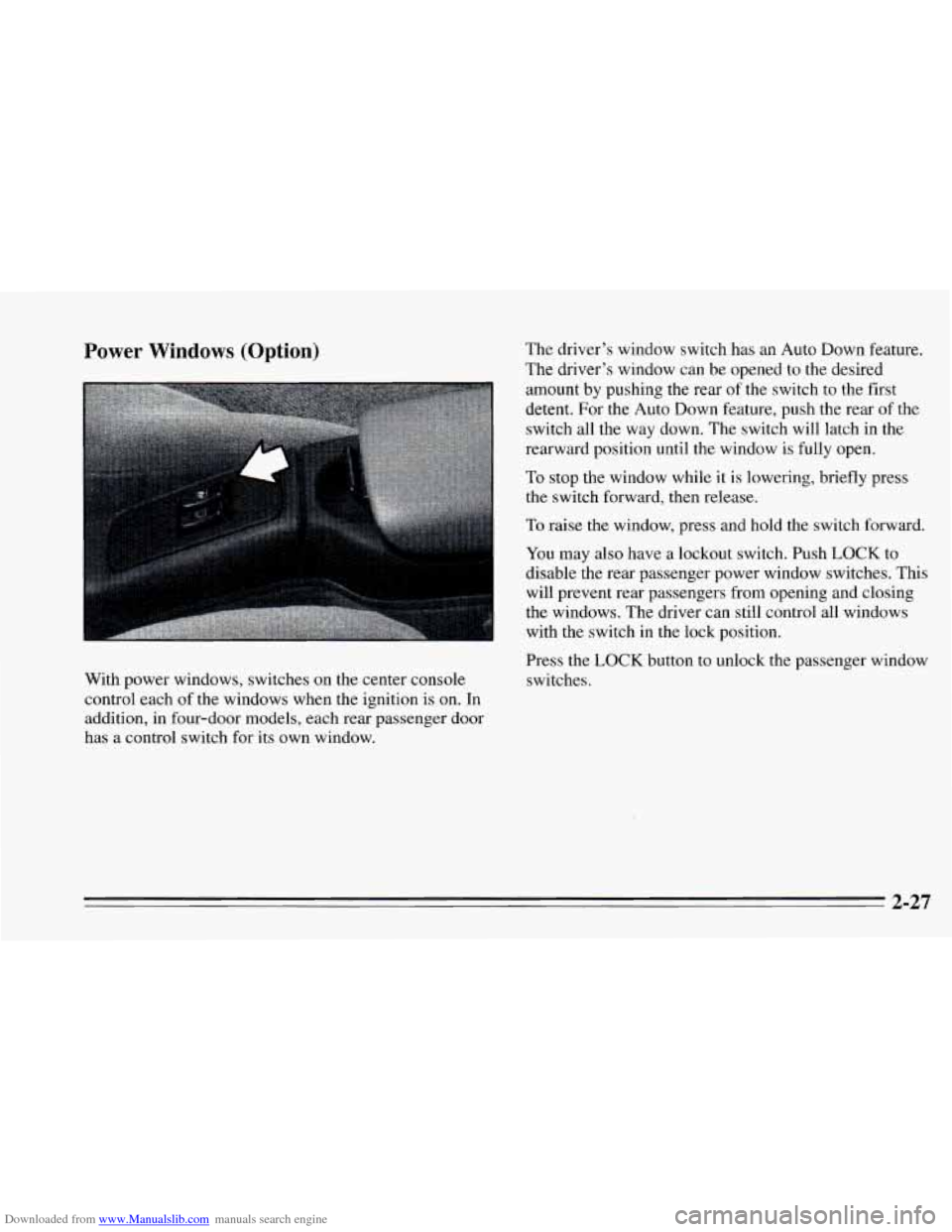
With power windows, switches on the center console
control each of the windows when the ignition is on. In
addition, in four-door models, each rear passenger door
has a control switch for its own window. The
driver’s window switch has an Auto Down feamre.
The driver’s window can be opened to the desired
amount by pushing the rear
of the switch to the first
detent. For the Auto
Down feature, push the rear of the
switch all the way down. The switch will latch in the
rearward position until the window is fully open.
To stop the window while it is lowering, briefly press
the switch forward, then release.
To raise the window, press and hold the switch forward.
You may also have a lockout switch. Push LOCK
to
disable the rear passenger power window switches. This
will prevent rear passengers from opening and closing
the windows. The driver can still control all windows
with the switch in the lock position.
Press the LOCK button to unlock
the passenger window
switches.
2-27
Page 93 of 340
Downloaded from www.Manualslib.com manuals search engine Lamp Controls
I I
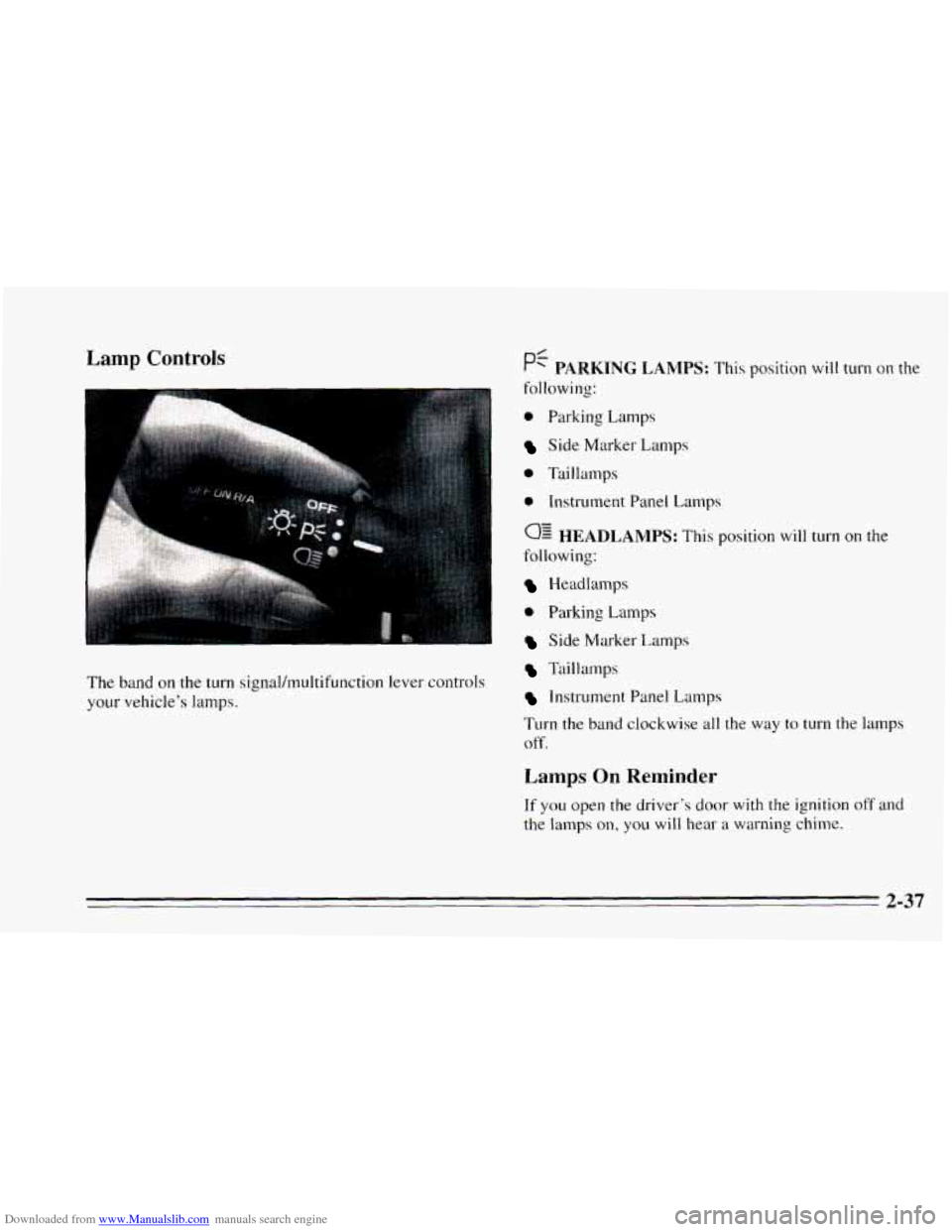
The band on the turn signal/multifunction lever controls
your vehicle’s lamps.
0 Parking Lamps
Side Marker Lamps
0 Taillamps
e Instrument Panel Lamps
0: HEADLAMPS: This position will turn on the
following:
Headlamps
0 Parking Lamps
Side Marker Lamps
Taillamps
Instrument Panel Lamps
Turn the
band clockwise all the way to turn the lamps
off.
Lamps On Reminder
If you open the driver’s door with the ignition off and
the lamps on, you will hear a warning chime.
2-37
Page 97 of 340
Downloaded from www.Manualslib.com manuals search engine Illuminated EntryLExit System
When you open either front door, or open a rear door,
the lamps inside your vehicle will go
on. These lamps
will fade off after about
40 seconds, or when the ignition
is turned on.
If the ignition has been off for less than two minutes,
the lamps inside your vehicle will stay on for about
15 seconds to provide an illuminated exit when you
remove the key from the ignition.
After you exit the vehicle and all of the doors have been
closed,
the lamps will stay on for an additional four
seconds before fading
off.
Battery Rundown Protection
Your Chevrolet is equipped with a Battery Rundown
Protection feature designed
to protect your vehicle’s
battery.
When any interior lamp (trunk, reading, dome, glove
box, etc.) is left
on and the ignition is turned OFF, the
Battery Rundown Protection system will automatically
turn the lamp
off after 20 minutes. This will avoid
draining the battery. This system does not protect
against leaving on the headlamps.
To reactivate the interior lamps, either:
The ignition must be turned on,
The activated lamp switch must be turned off, then
on, OR
A door must be opened.
The Battery
Rundown Protection feature will also be
activated when any door is
left open.
If your vehicle is left with the ignition off for over
24 days, the battery power to the clock and audio
system will turn off to reduce the battery drain. When
the ignition is turned on again, battery power will be
resupplied. Under these conditions it will be necessary
to reset the clock and audio system settings.
2-41
Page 173 of 340
Downloaded from www.Manualslib.com manuals search engine If you’re using a “dead-weight” hitch, the trailer tongue
(A) should weigh 10% of the total loaded trailer weight
(B). If you have a “weight-distributing” hitch, the trailer
tongue
(A) should weigh 12% of the total loaded trailer
weight
(B).
After you’ve loaded your trailer, weigh the trailer and
then the tongue, separately,
to see if the weights are
proper. If they aren’t, you may be able to get them right
simply by moving some items around in the trailer.
Total Weight on Your Vehicle’s Tires
Be sure your vehicle’s tires are inflated to the
recommended pressure for cold tires. You’ll find these
numbers on the Certification label at the rear edge
of the
driver’s door or see “Loading Your Vehicle’’ in
the Index.
Then be sure you don’t go over the GVW limit for your
vehicle, including the weight
of the trailer tongue.
Hitches
It’s important to have the correct hitch equipment.
Crosswinds, large trucks going by, and rough roads are
a
few reasons why you’ll need the right hitch. Here are
some rules
to follow:
0 Will you have to make any holes in the body of your
vehicle when you install a trailer hitch? If
you do,
then be sure
to seal the holes later when you remove
the hitch.
If you don’t seal them, deadly carbon monoxide
(CO) from your exhaust can get into your
vehicle (see “Carbon Monoxide” in the Index). Dirt
and water
can, too.
The bumpers on your vehicle are not intended for hitches.
Do not attach rental hitches or other bumper-type hitches
to them. Use only a frame-mounted hitch that does not
attach to
the bumper.
Safety Chains
You should always attach chains between your vehicle
and your trailer. Cross
the safety chains under the tongue
of the trailer
so that the tongue will not drop to the road
if it becomes separated from the hitch. Instructions
about safety chains may be provided by the hitch
manufacturer or by the trailer manufacturer. Follow the
manufacturer’s recommendation for attaching safety
chains and do not attach them to the bumper. Always
leave just enough slack
so you can turn with your rig.
And, never allow safety chains
to drag on the ground.
Trailer Brakes
Does your trailer have its own brakes? Be sure to read
and follow the instructions for the trailer brakes
so
you’ll be able to install, adjust and maintain them
properly. Because you have anti-lock brakes, do
not try
to tap into your vehicle’s brake system. If you do, both
brake systems won’t work well, or at all.
4-33
Page 209 of 340
Downloaded from www.Manualslib.com manuals search engine P
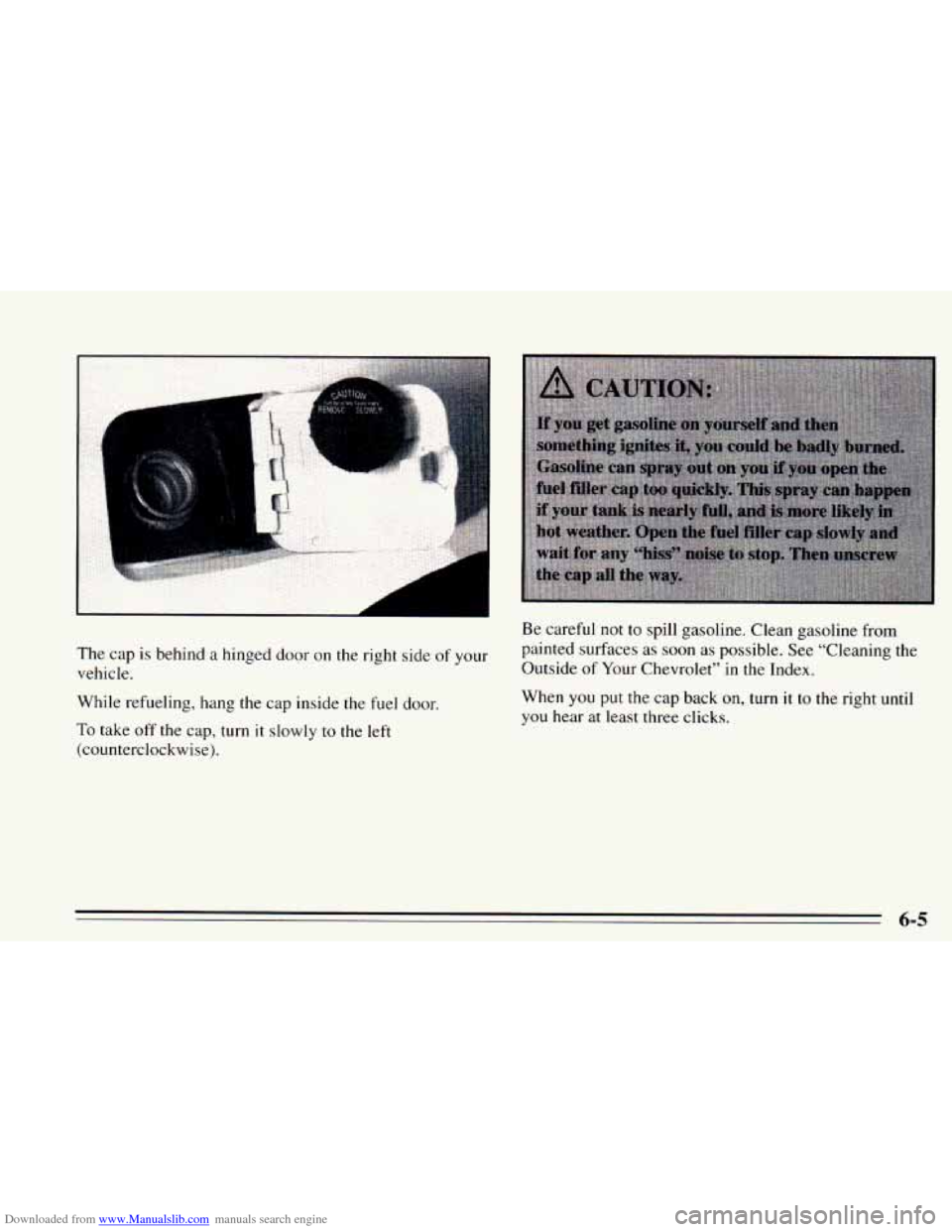
The cap is behind a hinged door on the right side of your
vehicle.
While refueling, hang the cap inside the
fuel door.
To take off the cap, turn it slowly to the left
(counterclockwise).
Be careful not to spill gasoline. Clean gasoline from
painted surfaces as soon
as possible. See “Cleaning the
Outside of
Your Chevrolet” in the Index.
When
you put the cap back on, turn it to the right until
you hear at least three clicks.
6-5
Page 256 of 340
Downloaded from www.Manualslib.com manuals search engine Fuses and Circuit Breakers There is also a fuse block at the driver’s side in the
engine compartment. Lift off the cover to check the
fuses.
To identify and check fuses, refer to the Fuse Usage
chart.
The wiring circuits
in your vehicle are protected from
short circuits by
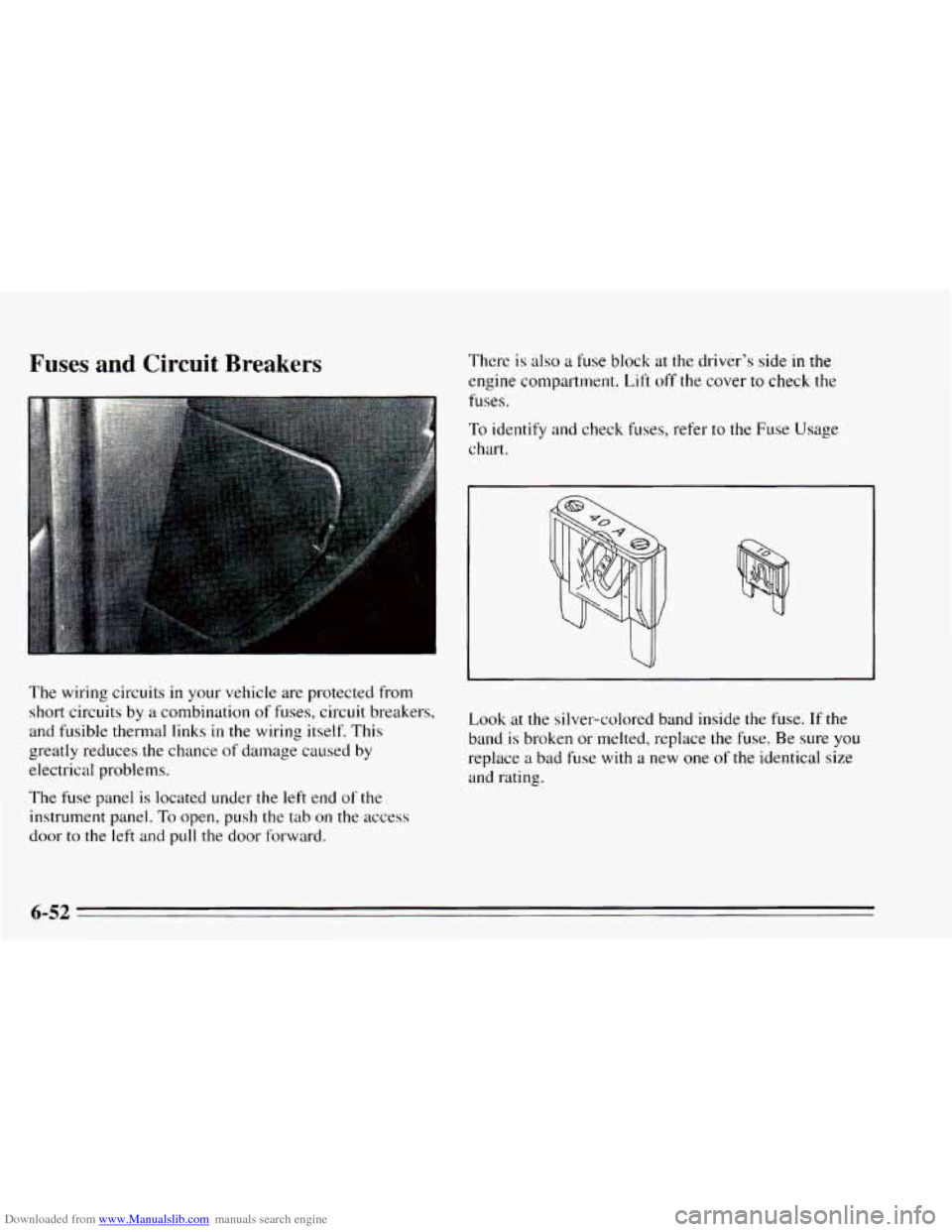
a combination of fuses, circuit breakers, Look at the silver-colored band inside the fuse. If the
and fusible thermal links in the wiring itself. This
band is broken or melted, replace the fuse. Be sure you greatly reduces the chance of damage caused by
replace a bad fuse with a new one of the identical size
electrical problems. and rating.
The fuse panel is located under the left end of the
instrument panel.
To open, push the tab on the access
door
to the left and pull the door forward.
6-52