Page 103 of 342
Downloaded from www.Manualslib.com manuals search engine Instrument Cluster
Your instrument cluster is designed to let you know at a glance how your
vehicle is running. You’ll know how fast you’re going, about
how much
fuel remains, and many other things you’ll need to know to drive safely and
economically.
The optional digital cluster on your vehicle’s instrument panel
is displayed
electronically and will tell you everything the standard cluster does.
The digital cluster will give readings in either English or Metric. To switch
from English to Metric, just press the
EM button.
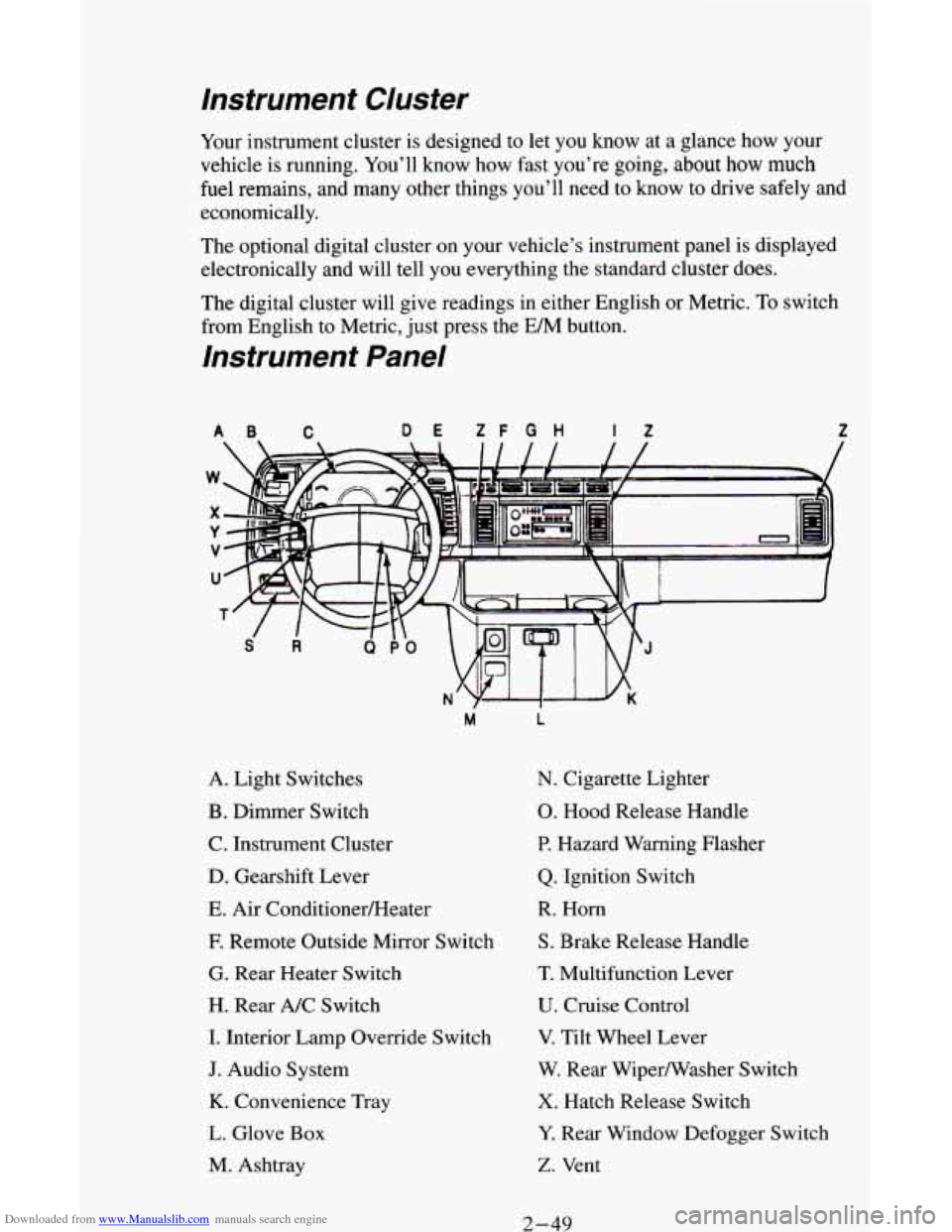
Instrument Panel
AB C DE ZF G H If Z
A. Light Switches
B. Dimmer Switch
C. Instrument Cluster
D. Gearshift Lever
E. Air ConditionerEIeater
E Remote Outside Mirror Switch
G. Rear Heater Switch
H. Rear A/C Switch
I. Interior Lamp Override Switch
J. Audio System
K. Convenience Tray
L. Glove Box
M. Ashtray
M L
N. Cigarette Lighter
0. Hood Release Handle
P. Hazard Warning Flasher
Q. Ignition Switch
R. Horn
S. Brake Release Handle
T. Multifunction Lever
U. Cruise Control
V. Tilt Wheel Lever
W. Rear Wipermasher Switch
X. Hatch Release Switch
Y. Rear Window Defogger Switch
Z. Vent
2-49
Page 110 of 342
Downloaded from www.Manualslib.com manuals search engine Charging System Light
Standard Cluster
m
Digital Cluster
1
I
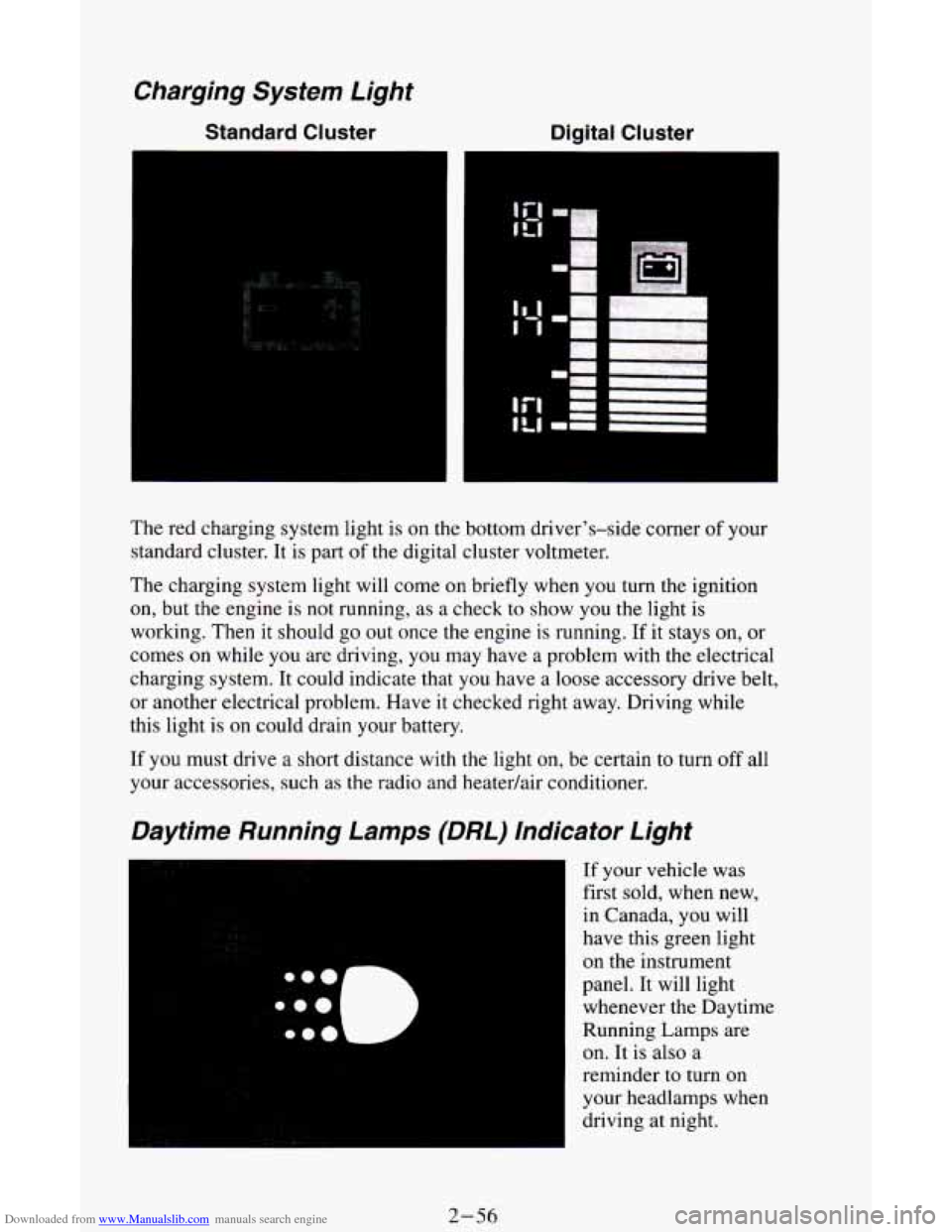
The red charging system light is on the bottom driver's-side corner of your
standard cluster. It is part
of the digital cluster voltmeter.
The charging system light will come on briefly when you
turn the ignition
on, but the engine is not running, as a check
to show you the light is
working.
Then it should go out once the engine is running. If it stays on, or
comes
on while you are driving, you may have a problem with the electrical
charging system. It could indicate that you have a loose accessory drive belt,
or another electrical problem. Have it checked right away. Driving while
this light is
on could drain your battery.
If you must drive
a short distance with the light on, be certain to turn off all
your accessories, such as the radio and heatedair conditioner.
Daytime Running Lamps (DRL) Indicator Light
If your vehicle was
first sold, when new,
in Canada, you will
have this green light
on the instrument
panel. It will light
whenever the Daytime
Running Lamps are
on.
It is also a
reminder to turn on
your headlamps when
driving at night.
2-56
Page 121 of 342
Downloaded from www.Manualslib.com manuals search engine BLEND - With this setting, the heated outside air comes out both the
heater
vents and defroster vents, with some air coming through the side
window vents. Adjust the temperature lever
for warmer or cooler air. This
setting
is useful for cold weather with a large number of passengers or very
humid conditions
to help keep the windshield clear. The A/C compressor
may operate in this setting
to dehumidify the air.
HTR (Heater)
- Most of the air comes out near the floor. The rest comes
out from the defroster vents under the windshield and at the front side
windows. This
is best for cold weather.
VENT
- The air comes out at the vents on your instrument panel. The air
conditioner will not run. Adjust the temperature lever for warmer or cooler air.
BI-LEV A/C - With this, outside air comes out through the heater floor
vent and the instrument panel vents. If you move your temperature control
lever between cold and hot, cooler air
will come out of the upper vents
while warmer air comes
out of the floor vent. This setting is useful in cool
weather with bright sunlight.
NORM A/C - This setting cools the outside air. If you first used MAX
A/C, use NORM A/C
as soon as the vehicle has cooled down, so outside air
will be going through your vehicle.
MAX A/C -This cools the air the fastest. Move
the other lever all the way to
Cold. MAX A/C lets in only a little air from the outside. You can use MAX A/C
at first when
it's really hot outside and you need to cool off quickly.
When
the air conditioning, defrost or BLEND is on, you may notice a slight
increase or decrease in engine speed, due
to compressor operation.
Engine Coolant Heater (Option)
If you use the optional engine coolant heater before starting your engine,
your heating system will produce warmer air faster to heat the passenger
compartment
in cold weather. See "Engine Coolant Heater" in the Index.
Rear Heater (Option)
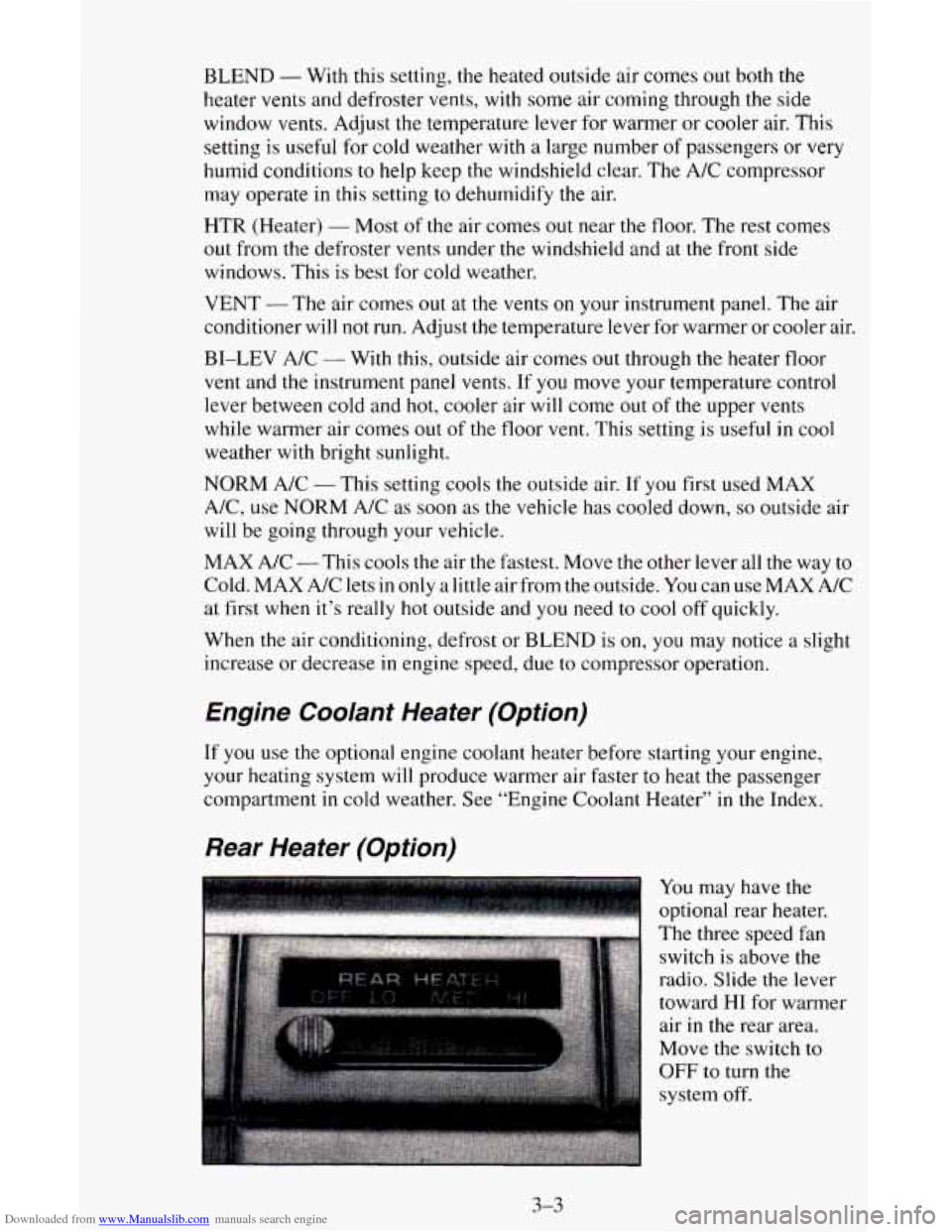
You may have the
optional rear heater.
The three speed fan
switch is above the
radio. Slide
the lever
toward
HI for warmer
air in the rear area.
Move the switch to
OFF to turn the
system off.
3-3
Page 186 of 342
Downloaded from www.Manualslib.com manuals search engine If No Steam Is Coming From Your Engine
If you get the overheat warning but see or hear no steam, the problem may
not be too serious. Sometimes the engine can get a little too hot when you:
Climb a long hill on a hot day.
Stop after high speed driving.
Idle for long periods in traffic.
Tow a trailer.
See “Driving on Grades”
in the Index.
If
you get the overheat warning with no sign of steam, try this for a minute
or
so:
1. If you have an air conditioner, turn it off.
2. Turn on your heater to full hot at the highest fan speed and open the
3. If you’re in a traffic jam, shift to NEUTRAL (N); otherwise, shift to the
highest gear while driving
- AUTOMATIC OVERDRIVE (a) or
DRIVE
(D).
window as necessary.
If you no longer have the overheat warning, you can drive. Just to be safe,
drive slower
for about ten minutes. If the warning doesn’t come back on,
you can drive normally.
If the warning continues, pull over, stop, and park your vehicle right away.
If there’s still no sign
of steam, push the accelerator until the engine speed is
about twice
as fast as normal idle speed. Bring the engine speed back to
normal idle speed after two or three minutes. Now see
if the warning stops.
But then, if you still have the warning, turn @‘the engine and get everyone
out of the vehicle until it cools down.
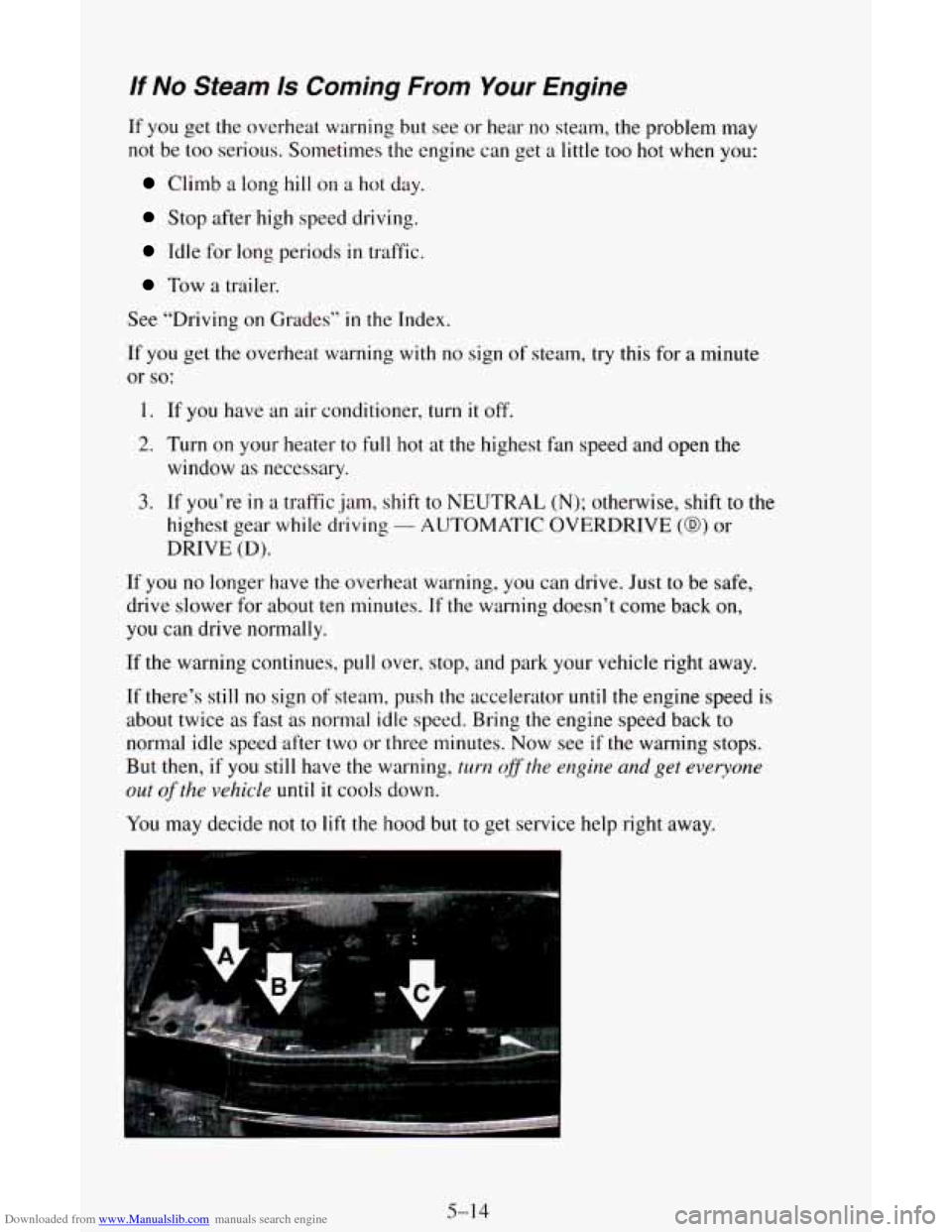
You may decide not to lift the hood but to get service help right away.