Page 133 of 342
Downloaded from www.Manualslib.com manuals search engine Rear/Front Speaker Control - The control ring behind the lower knob
fades the sound between your rear and front speakers. Fade
levels will be
briefly displayed.
SEEK
- Press the SEEK button to cause the receiver to seek the next
higher station.
Press the
4 SEEK button to cause the receiver to seek the next lower
station.
SCAN
- Press the SCAN button to hear each station for a few seconds.
Push it again when you reach the station you want
to listen to and the radio
will stop scanning. “SC” appears in the display.
Pushbuttons
- The five pushbuttons let you return to favorite stations.
They are also used when you play a disc. (See “To Play A Compact Disc”.)
To set the pushbuttons for up to ten favorite stations
(5 AM and 5 FM):
1. Tune in the desired station.
2. Push the SET button. “SET” is displayed briefly.
3. Within 5 seconds, push one of the five pushbuttons to store the station.
Whenever you press that button, the preset station will return. Repeat
the steps for each of the
5 AM and 5 FM stations.
MUTE
- Press the MUTE button and all sound from the radio or CD
player stops. By pressing the button again sound
will begin again.
RCL
- Press the RCL button to change between the clock and the radio
station frequency displayed when the radio is on. RCL may be pressed
when
the ignition is off to see the time.
BASS
- Press the BASS A to increase the bass tones and v BASS to
decrease bass tones. Press
the center of the control for a preset bass position.
The bass level
will be displayed briefly when using this control.
TREBLE
- Press the TREB A to increase the treble tones and v TREB to
decrease the treble tones. Press the center
of the control for a preset treble
position. The treble level
will be displayed briefly when using this control.
To Play A Compact Disc (CD)
I NOTICE:
DO NOT use mini-discs that are called singles. They won’t eject.
USE FULL-SIZE COMPACT DISCS.
I
Press the PWR button to turn the player on. Inserting a disc partway with
the power off and ignition on will also turn the player on. Insert
a disc into
the
slot, label side up. The player will pull it in. Wait a few seconds and the
disc should play.
3-15
Page 146 of 342
Downloaded from www.Manualslib.com manuals search engine What should you do if this ever happens? Ease up on the accelerator pedal,
steer the vehicle the way you want it to go, and slow down.
Speed limit signs near curves warn that
you should adjust your speed. Of
course, the posted speeds are based on good weather and road conditions.
Under less favorable conditions you’ll want to go slower.
If you need to reduce your speed as you approach a curve, do it before you
enter the curve, while your front wheels are straight ahead.
Try to adjust your speed so you can “drive” through the curve. Maintain a
reasonable, steady speed. Wait to accelerate until you are
out of the curve,
and then accelerate gently into the straightaway.
Steering in Emergencies
There are times when steering can be more effective than braking. For
example,
you come over a hill and find a truck stopped in your lane, or a car
suddenly pulls out from nowhere, or a child darts out from between parked
cars and stops right in front
of you. You can avoid these problems by
braking
- if you can stop in time. But sometimes you can’t; there isn’t
room. That’s the time for evasive action - steering around the problem.
Your vehicle can perform very well
in emergencies like these. First apply
your brakes. It is better to remove as much speed as
you can from a possible
collision. Then steer around the problem, to the left or right depending
on
the space available.
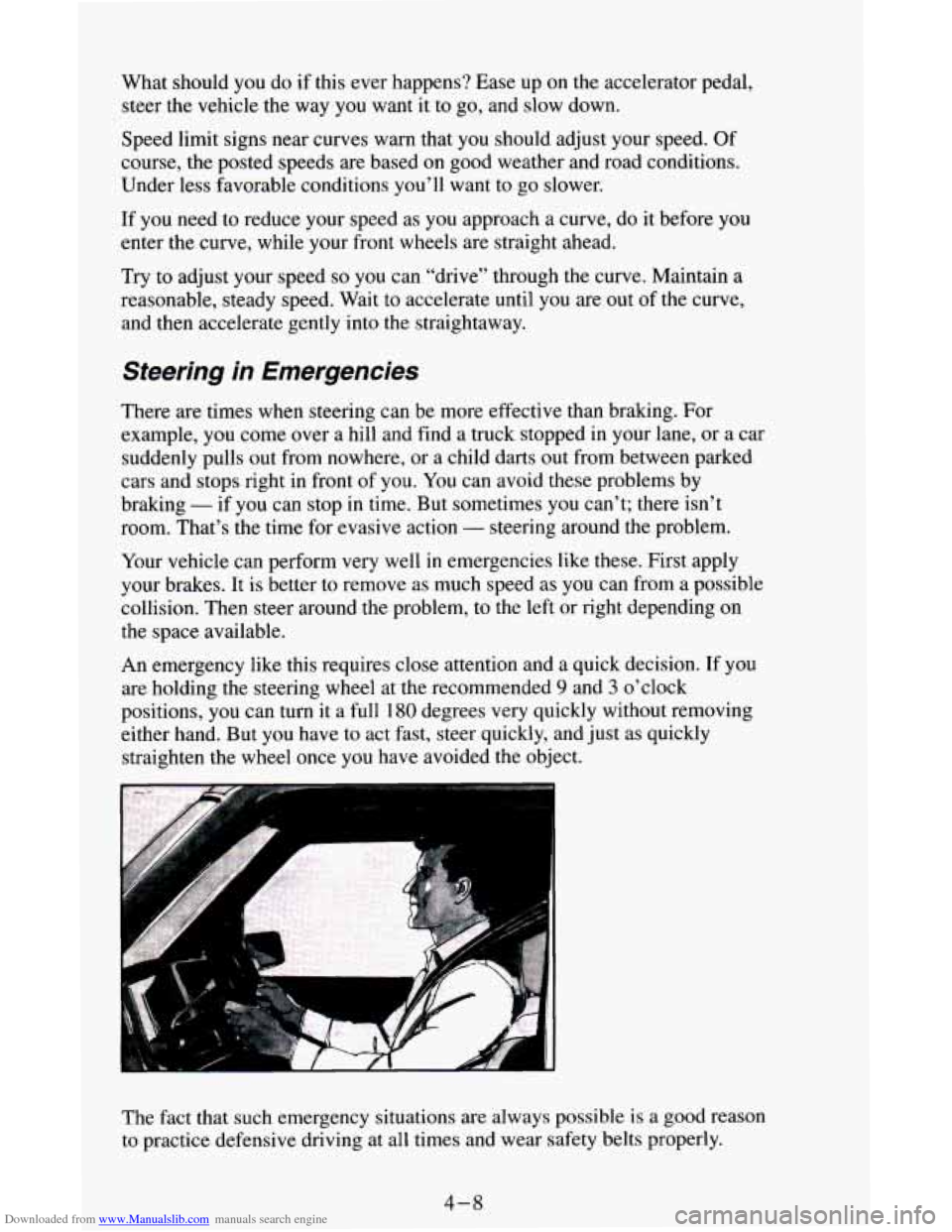
An emergency like this requires close attention and
a quick decision. If you
are holding the steering wheel at the recommended
9 and 3 o’clock
positions, you can turn it a full
180 degrees very quickly without removing
either hand. But you have
to act fast, steer quickly, and just as quickly
straighten the wheel once
you have avoided the object.
The fact that such emergency situations are always possible
is a good reason
to practice defensive driving at all times and wear safety belts properly.
4-8
Page 194 of 342
Downloaded from www.Manualslib.com manuals search engine The following steps will tell you how to use the jack and change a tire.
Jack Storage
Thejacking equipment you'll need is stored by your vehicle's rear doors,
along the passenger side
wall.
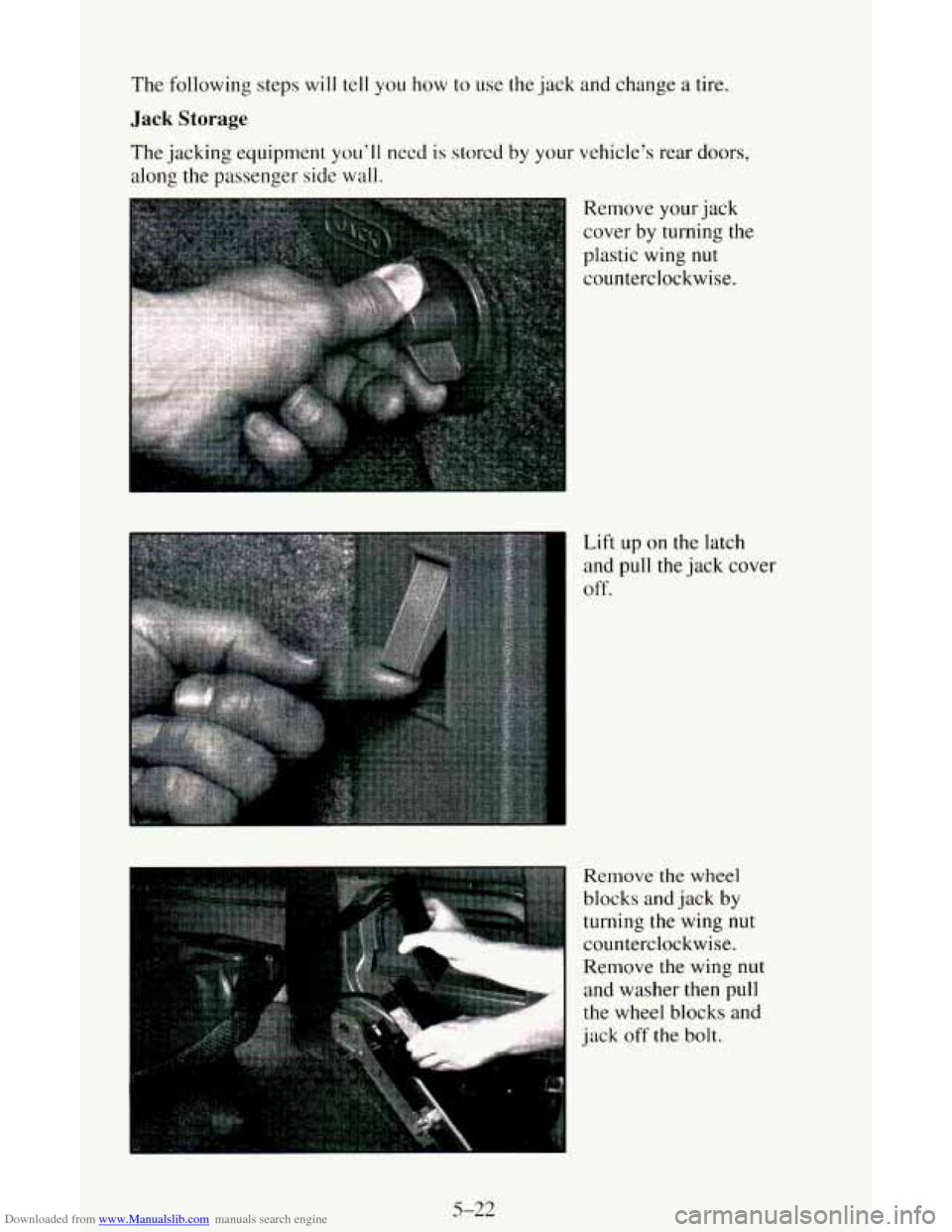
Remove your jack
cover
by turning the
plastic wing
nut
counterclockwise.
Lift
up on the latch
and pull
the jack cover
off
e
Remove the wheel
blocks and jack
by
turning the wing nut
.- counterclockwise. *b "' "" 1 Remove the wing nut
and washer then pull
the wheel blocks and
jack
off the bolt.
5-22
Page 195 of 342
Downloaded from www.Manualslib.com manuals search engine c
Remove the ratchet
and extension by
turning the wing nut
counterclockwise.
Remove the wing nut
and retainer and take
out the ratchet and
extension.
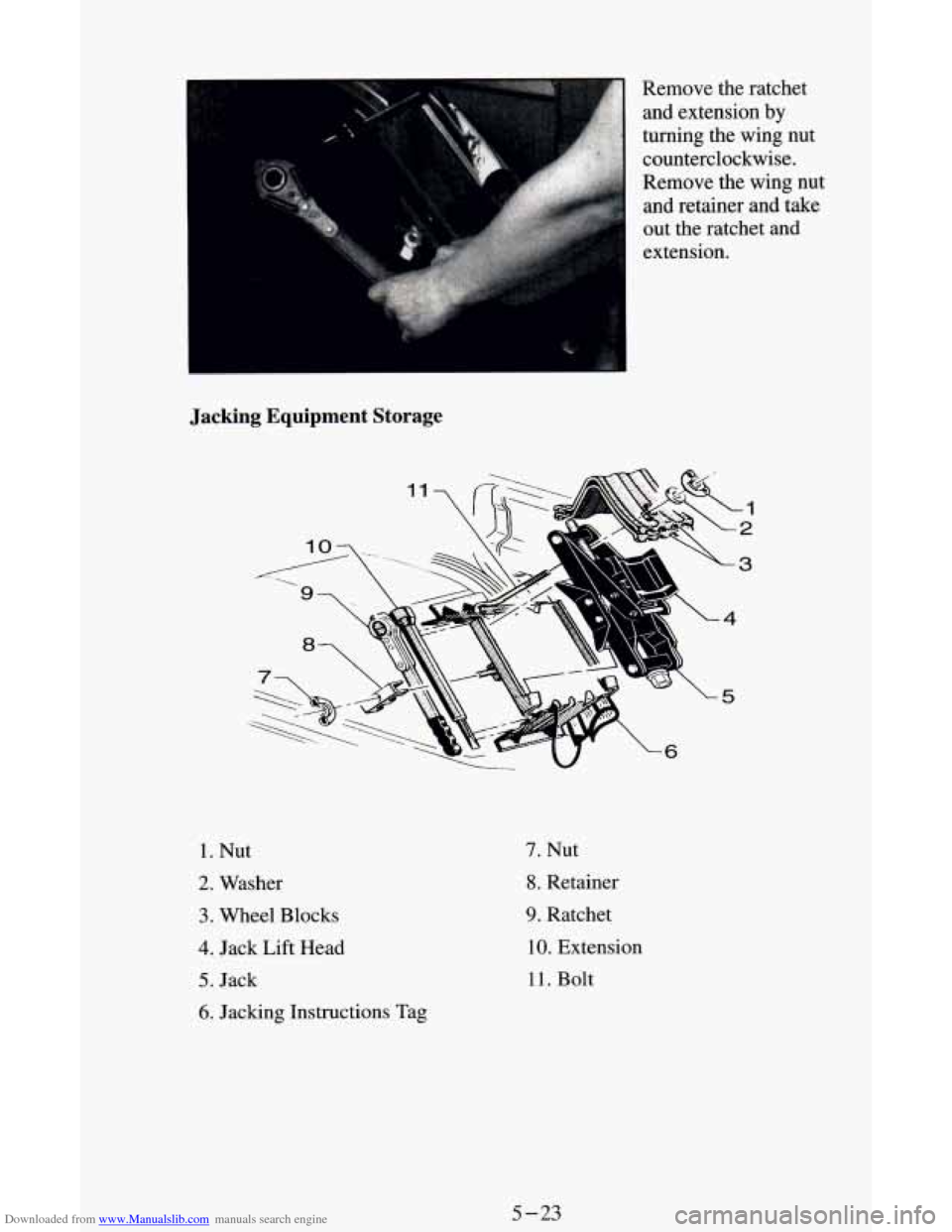
Jacking Equipment Storage
1. Nut
2. Washer
3. Wheel Blocks
4. Jack Lift Head
5. Jack
6. Jacking Instructions Tag
7. Nut
8. Retainer
9. Ratchet
10. Extension
11. Bolt
5-23
Page 197 of 342
Downloaded from www.Manualslib.com manuals search engine And a DOWN side.
To Remove the Spare Tire
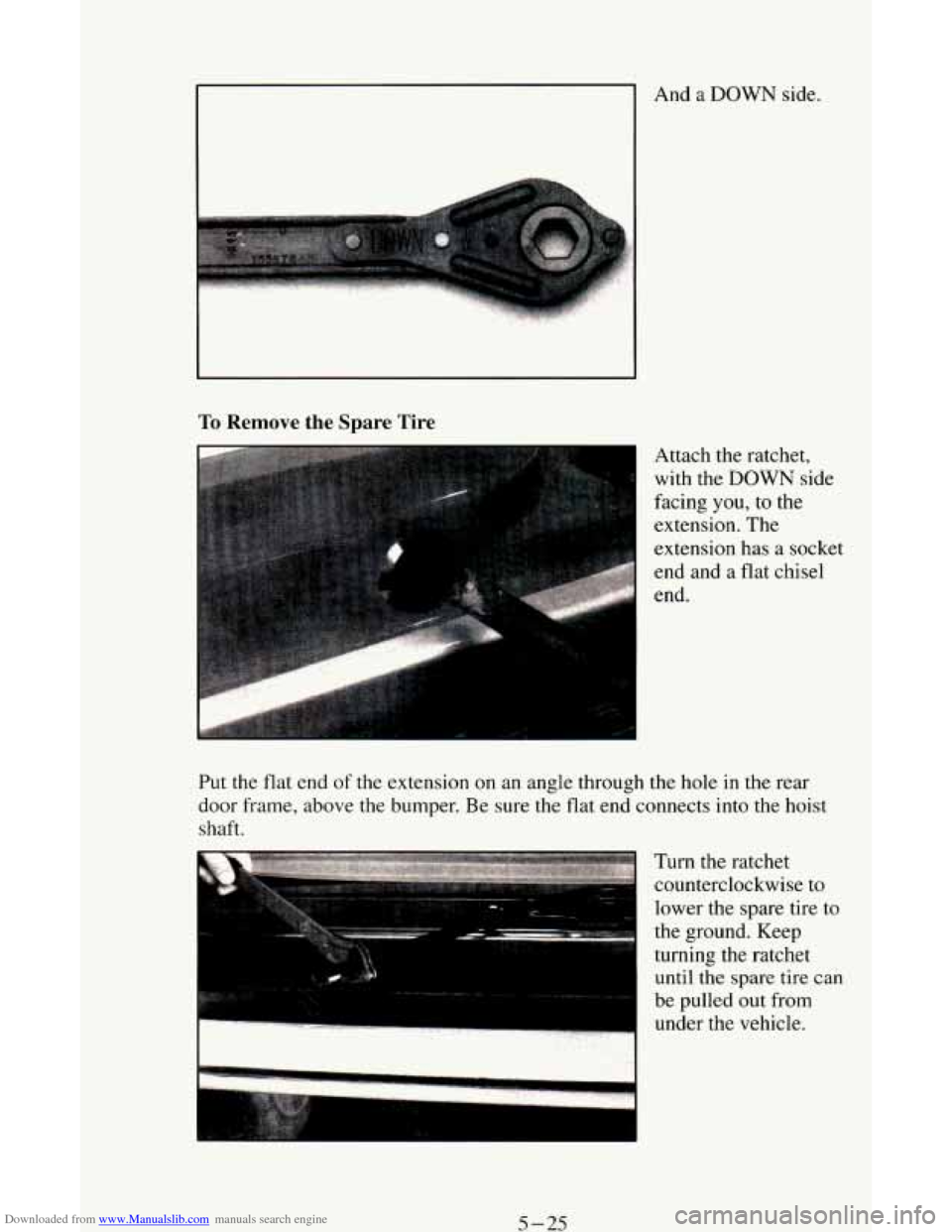
Attach the ratchet,
with the
DOWN side
facing you,
to the
extension. The
extension has a socket
3
Put the flat end of the extension on an angle through the hole in the rear
door frame, above the bumper. Be sure the flat end connects into the hoist
shaft.
Turn the ratchet
counterclockwise to
- lower the spare tire to
the ground, Keep
turning the ratchet
until the spare tire can
be pulled out from
under the vehicle.
5-25
Page 202 of 342
Downloaded from www.Manualslib.com manuals search engine 5
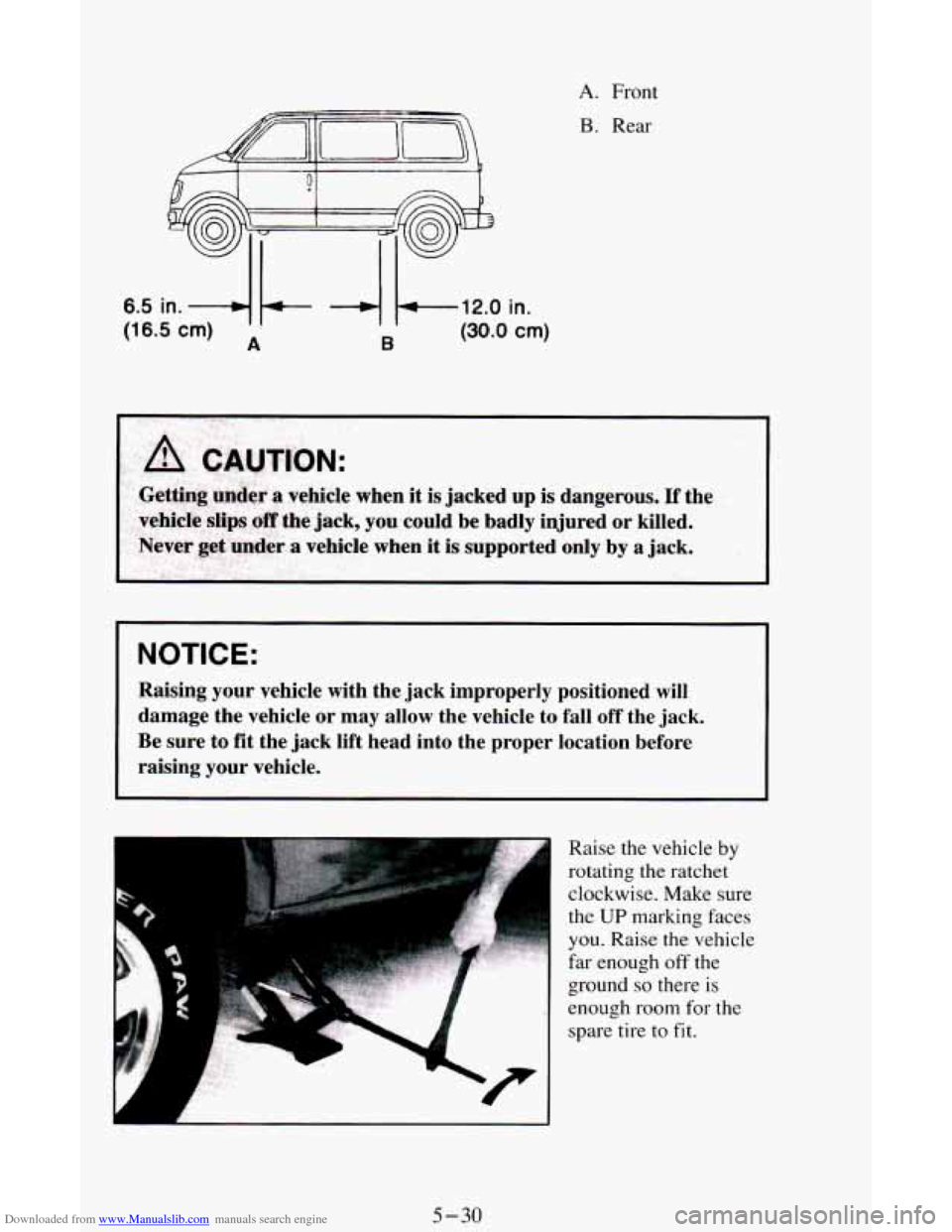
6.5 in. -4 b- -4 k-,l2.0 in.
(16.5 cm) A B (30.0 em)
A. Front
B. Rear
NOTICE:
Raising your vehicle with the jack improperly positioned will
damage the vehicle or may allow the vehicle to fall off the \
jack.
Be sure to fit the jack lift head into the proper location b\
efore
raising your vehicle.
I
Raise the vehicle by
rotating the ratchet
clockwise. Make sure
the
UP marking faces
you. Raise the vehicle
far enough
off the
ground
so there is
enough room for the
spare tire
to fit.
5-30
Page 204 of 342
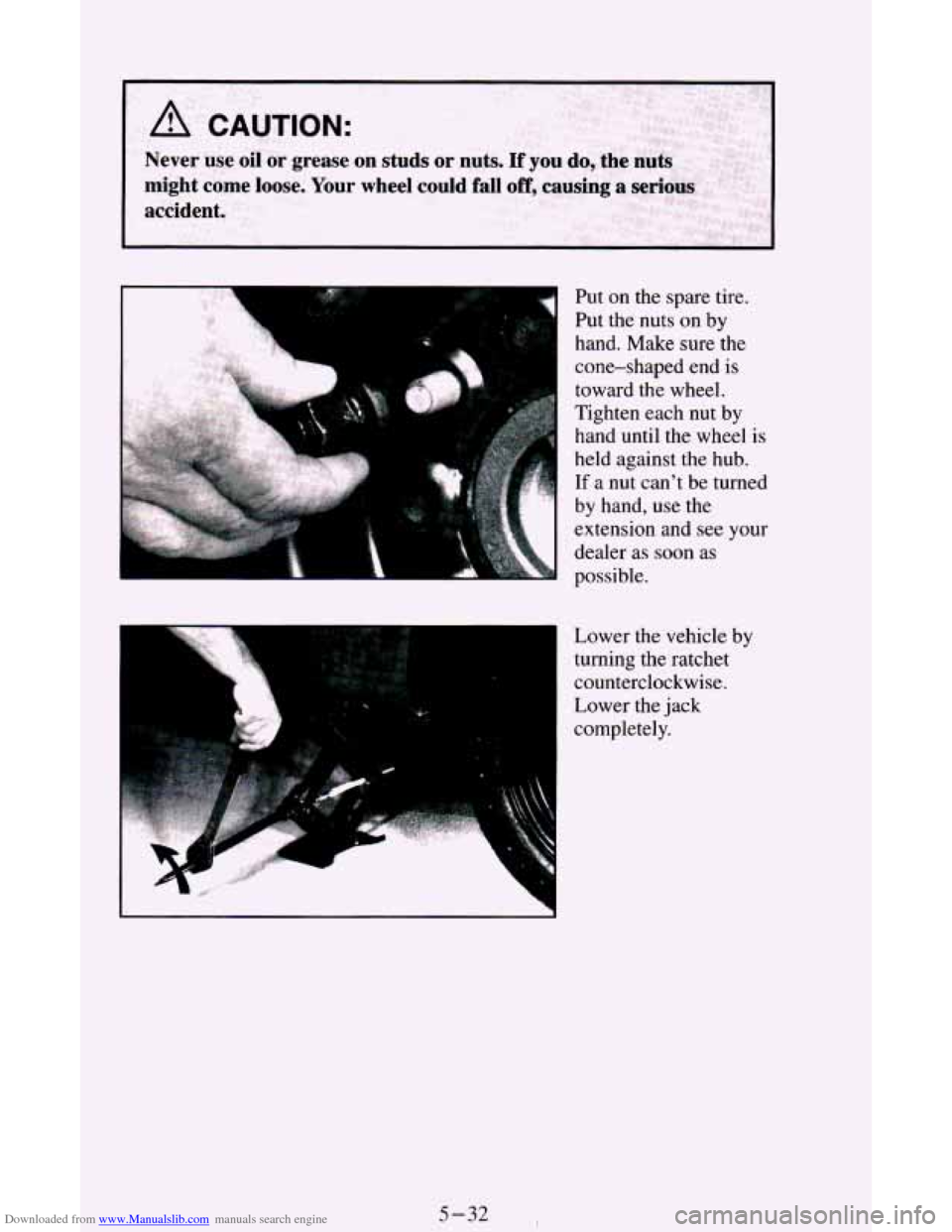
Downloaded from www.Manualslib.com manuals search engine Put on the spare tire.
Put the nuts
on by
hand. Make sure the
cone-shaped end
is
toward the wheel.
Tighten each nut by
hand until the wheel
is
held against the hub.
c If a nut can't be turned
by hand, use the
extension
and see your
dealer as soon
as
possible.
Lower the vehicle by
turning the ratchet
counterclockwise.
Lower the jack
completely.
5-32
Page 205 of 342
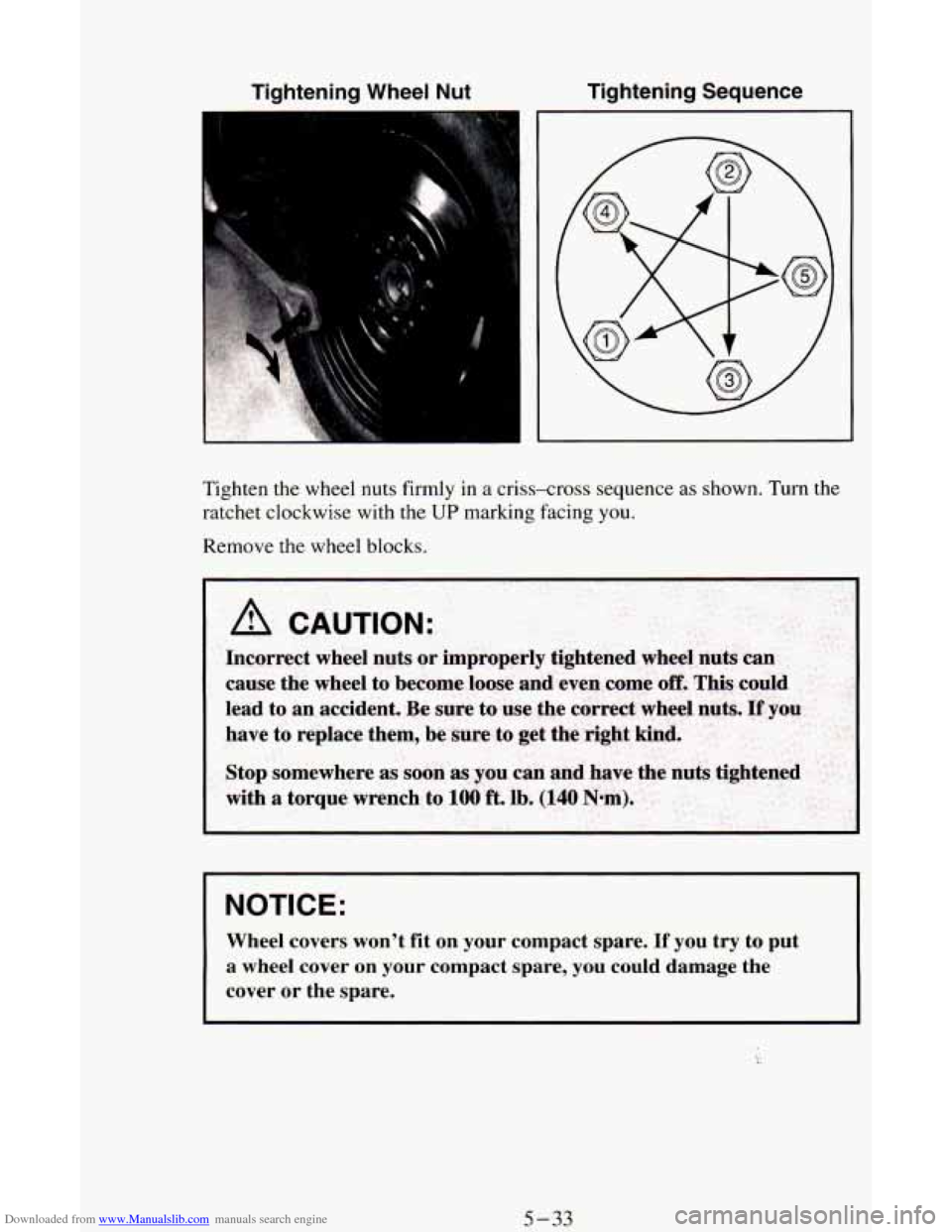
Downloaded from www.Manualslib.com manuals search engine Tightening Wheel Nut Tightening Sequence
I
Tighten the wheel nuts firmly in a criss-cross sequence as shown. Turn the
ratchet clockwise with the
UP marking facing you.
Remove the wheel blocks.
A CAUTION:
I NOTICE:
Wheel covers won’t fit on your compact spare. If you try to put
a wheel cover on your compact spare, you could damage the
cover or the spare.
5-33