1995 BUICK REGAL light
[x] Cancel search: lightPage 112 of 340
Engine Coolant Temperature Gage
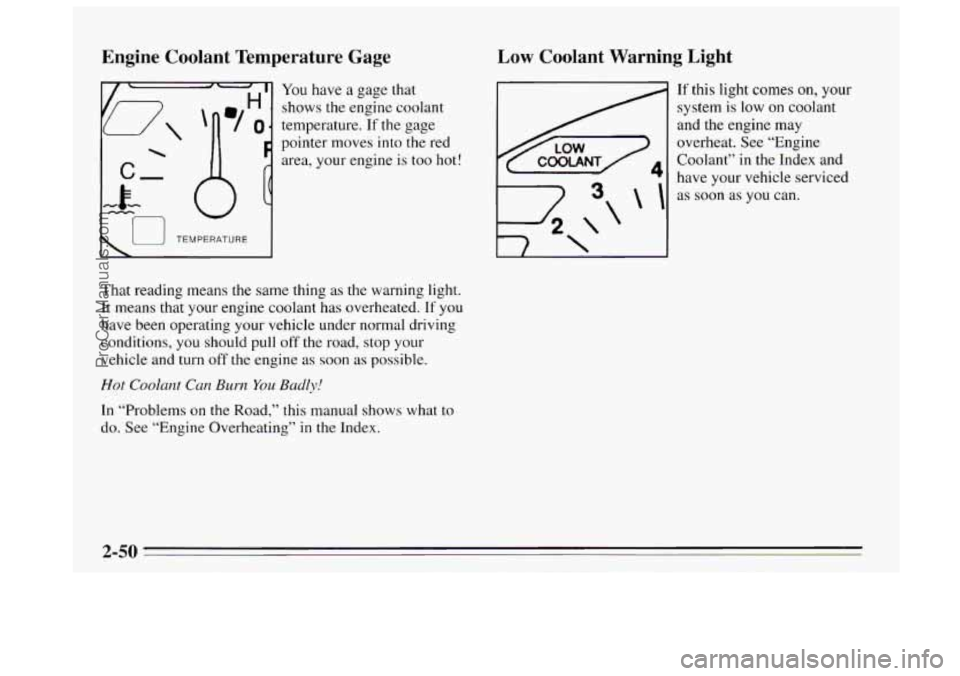
You have a gage that
shows the engine coolant
temperature.
If the gage
pointer moves into the red
area, your engine is too hot!
I u TEMPERATURE I
That reading means the same thing as the warning light.
It means that your engine coolant has overheated.
If you
have been operating your vehicle under normal driving
conditions, you should pull
off the road, stop your
vehicle
and turn off the engine as soon as possible.
Hot Coolant Can Burn You Badly!
In “Problems on the Road,” this manual shows what to
do. See “Engine Overheating” in the Index.
Low Coolant Warning Light
\I
4 \‘
If this light comes on, your
system
is low on coolant
and the engine may
overheat. See “Engine
Coolant” in the Index and
have your vehicle serviced
as soon as you can.
2-50
ProCarManuals.com
Page 113 of 340

Malfunction Indicator Lamp (Check Engine Light)
111 A computer monitors
operation of your fuel,
ignition and
emission
control systems. This light
should come on when the
SOON ignition is on, but the
engine is not running, as a
check to show you it is
working.
If it does not come on at all, have it fixed right away. If
it stays on, or it comes on while you are driving, the
computer is indicating that you have a problem. You
should take your vehicle in for service soon.
NOTICE:
If you keep driving your vehicle with this light on,
after a while the emission controls won’t work as
well, your fuel economy won’t be as good and your
engine may
not run as smoothly. This could lead to
costly repairs not covered by your warranty.
Oil Warning Light
If you have a problem with
your oil, this light may stay
on after you start your
engine, or come on when
you are driving.
This indicates that oil is not going through your engine
quickly enough to keep it lubricated. The engine could
be low on oil or could have some other oil problem.
Have it fixed right away.
The oil light could also come on in three other
situations:
0 When the ignition is on but the engine is not running,
the light will come on as a test to show you
it is
working, but the light will go out when you turn the
ignition to START. If it doesn’t come
on with the
ignition on, you may have a problem with the fuse or
bulb. Have it fixed right away.
2-51
ProCarManuals.com
Page 114 of 340

Sometimes when the engine is idling at a stop, the
0 If you make a hard stop, the light may come on for a
light
may blink
011 and off. This is normal.
moment. This is normal.
1 NOTICE:
Damage to your engine from neglected oil
problems can be costly and
is not covered by your
warranty.
Low Oil Level Light
Your engine is equipped
with an oil level monitoring
system. When the ignition
key
is turned on, the LOW
OIL LEVEL light will
briefly flash. If the light
does not flash, have it fixed
so it will be ready to warn
you
if there’s a problem.
If the light stays on, stop the vehicle on a level surface
and turn
the engine off. Check the oil level using the
engine oil dipstick. (See “Engine Oil” in the Index.) If
the light does not flash, have the low oil level sensor
system repaired
so it will be ready to warn you if there’s
a problem.
The oil level monitoring system only checks oil level
during
the brief period between key on and engine
crank. It does not monitor engine oil level when the
engine is running. Additionally, an oil level check is
only performed if the engine has been turned off for a
considerable period of time, allowing the oil normally in
circulation
to drain back into the oil pan.
ProCarManuals.com
Page 115 of 340
Security Light
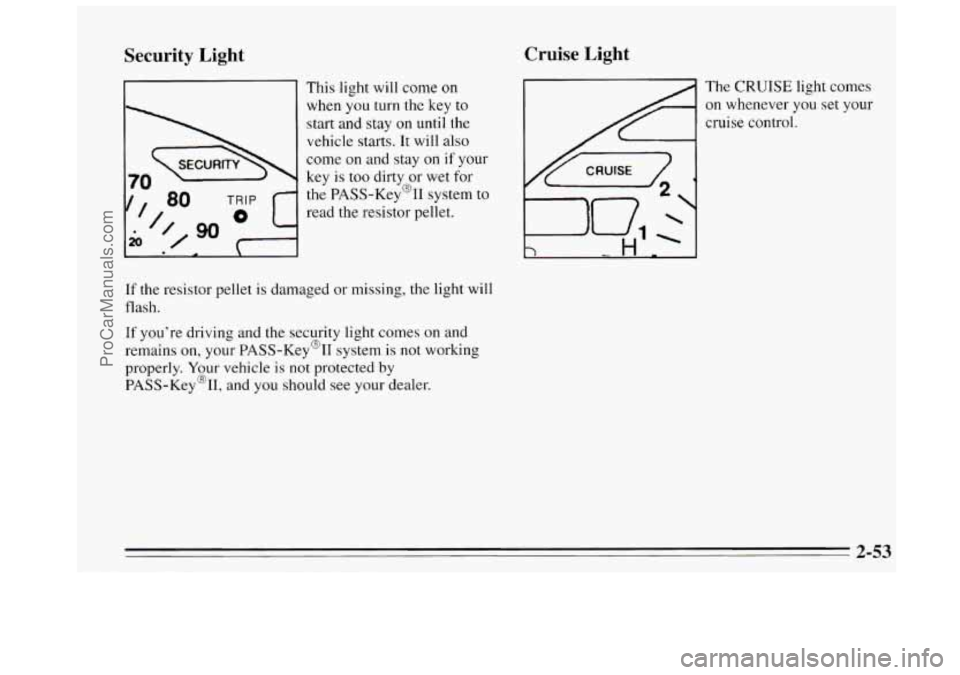
' This light will come on
when you turn the
key to
start and stay on until the
vehicle starts.
It will also
come on and stay
on if your
key is too dirty or wet for
the PASS-Key@% system to
read the resistor pellet.
If the resistor pellet is damaged or missing, the light will
flash.
If you're driving and the security light comes on and
remains on, your PASS-Key@II system is not working
properly. Your vehicle
is not protected by
PASS-Key%,
and you should see your dealer.
Cruise Light
The CRUISE light comes
on whenever
you set your
cruise control.
2-53
ProCarManuals.com
Page 118 of 340
System Controls
Fan Lever
The bottom lever selects the force of air you want.
Temperature Lever
The upper lever changes the temperature of the air coming
through the system. Slide the lever toward
WARM for
warmer air. Slide the lever toward
COOL for cooler air. If
your system has the auxiliary temperature control option,
this lever controls the temperature for
the whole vehicle
unless
DUAL is pressed. When DUAL is pressed, this
lever controls the temperature for the driver.
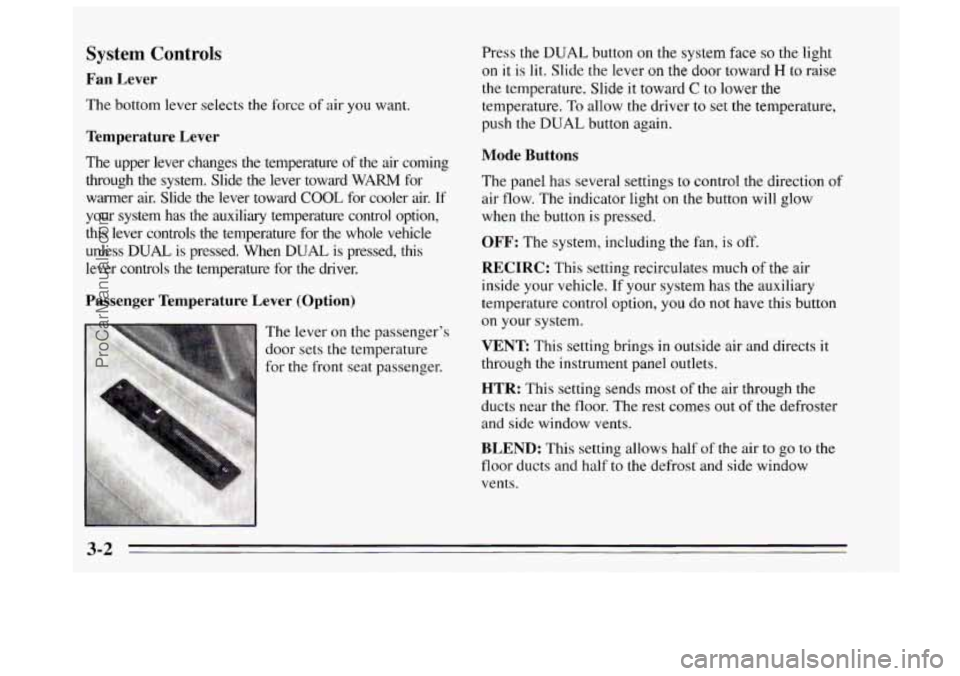
Passenger Temperature Lever (Option)
Press the DUAL button on the system face so the light
on it is lit. Slide the lever on the door toward H to raise
the temperature. Slide it toward
C to lower the
temperature. To allow the driver
to set the temperature,
push the
DUAL button again.
Mode Buttons
The panel has several settings to control the direction of
air flow. The indicator light
on the button will glow
when the button
is pressed.
OFF: The system, including the fan, is off.
RECIRC: This setting recirculates much or tne air
inside your vehicle.
If your system has the auxiliary
temperature control option, you do not have this button
on your system.
VENT This setting brings in outside air and directs it
through the instrument panel outlets.
HTR: This setting sends most of the air through the
ducts near the floor. The rest comes out of the defroster
and side window vents.
BLEND: This setting allows half of the air to go to the
floor ducts and half to
the defrost and side window
vents.
3-2
ProCarManuals.com
Page 119 of 340
FRONT This setting directs most of the air through the
defroster and side window vents. Some
of the air goes to
the floor ducts. The air conditioning compressor will run
automatically in this setting unless the outside
temperature is below 40°F (4.5"C).
MAX: This setting recirculates much of the air inside
your vehicle and sends it through the instrument panel
outlets. The air conditioning compressor will run
automatically in this setting unless the outside
temperature is below 40°F (4.5"C).
NORM: This setting brings in outside air and sends it
through the instrument panel outlets. The air
conditioning compressor will run automatically in this
setting unless the outside temperature
is below 40°F
(4.5
" C).
BI-LEV This setting brings in the outside air and
directs it two ways. Half of the air is directed through
the instrument panel outlets. Most
of the remaining air is
directed through the floor ducts and a little
to the defrost
and side window vents. The air conditioning compressor
will run automatically
in this setting unless the outside
temperature
is below 40°F (4.5"C).
Air Conditioning
On very hot days, open the windows long enough to
let hot inside air escape. This reduces the time
the
compressor has to run, which should help fuel economy.
For quick cool-down on very hot days, use
MAX with
the temperature lever all the way to
COOL. If this
setting is used for long periods of time, the air in your
vehicle may become too dry.
For normal cooling on hot days, use
NORM with the
temperature lever all the way to
COOL. The system will
bring in outside air and cool
it.
On cool but sunny days, the sun may warm your upper
body, but your lower body may not be warm enough.
You can use
BI-LEV with the temperature knob in the
middle. The system will bring
in outside air and direct it
to your upper body, while sending slightly warmed air to
your lower body.
You may notice this temperature
difference more at some times than others.
3-3
ProCarManuals.com
Page 123 of 340
Presets: The six pushbuttons let you return to your
favorite stations. You can set up
to 18 stations (6 AM,
6 FMl and 6 FM2).
1. Press AM-FM to select the band.
2. Find the station you want.
3. Press and hold one of the six numbered buttons.
4. The sound will mute. When it returns, release the
button.
Whenever you press that numbered button, the station
you set will return.
P SCAN: Press P SCAN to listen to each of your preset
stations for a few seconds. The radio will
go to the first
preset station, stop for a few seconds, then
go on to the
next preset station. Press
P SCAN again to stop
scanning. The radio will not stop at a preset
if the station
is weak.
Setting the Tone
BASS:
Press this knob lightly so it extends. Turn the
knob to increase or decrease bass. The middle position is
a detent.
TREB: Press this button lightly so it extends. Turn the
knob
to increase or decrease treble. The middle position
is a detent.
Push the knobs back
in when you’re not using them.
Adjusting the Speakers
BAL:
Turn the control behind the upper Knob to move
the sound to the left or right speakers. The middle
position
is a detent and balances the speakers.
FADE: Turn the control behind the lower knob to move
the sound to the front or rear speakers. The middle
position is
a detent and balances the speakers.
ProCarManuals.com
Page 126 of 340
TUNE: Press the up or down arrow to choose radio
stations.
SEEK: Press the up or down arrow to go to the next
higher or lower station. The sound will be muted while
seeking.
SCAN: Press one of the SEEK arrows for two seconds,
and SCAN will appear
in the display. Use SCAN to
listen to stations for a few seconds. The radio will go to
a station, stop for
a few seconds, then go on to the next
station. Press
SEEK again to stop scanning.
Presets: The six pushbuttons let you return to your
favorite stations. You can set up to
18 stations (6 AM,
6 FMl and 6 FM2). You can also set an equalization
setting with each preset station.
1. Press AMaFM to select the band.
2. Find the station you want.
I 3. Press TONE to choose the equalization setting for
the station.
AUTO SET Press this button and the system will set
the
12 strongest FM or the 6 strongest AM stations on
your preset buttons.
To return to the stations you
manually set, press the AUTO SET button again.
P SCAN: Press P SCAN to listen to each of your preset
stations for a few seconds. The radio will go to
the first
preset station, stop for a few seconds, then go on to the
next preset station. Press
P SCAN again to stop
scanning. The radio will not
stop at a preset if the station
is weak.
Setting the Tone
BASS: Press this knob lightly so it extends. Turn the
knob to increase or decrease bass. The middle position is
a detent.
TREB: Press this button lightly so it extends. Turn the
knob
to increase or decrease treble. The middle position
is a detent.
Push the knobs back in when you’re not using them.
4. Press and hold one of the six numbered buttons.
5. The sound will mute. When it returns, release the
button.
Whenever
you press that numbered button, the station
you set will return.
3-10
ProCarManuals.com