1994 PONTIAC GRAND-AM ignition
[x] Cancel search: ignitionPage 96 of 274

LOW
COOLANT
Low Coolant Warning
Light
F this light comes on and stays on, the
ehicle should be promptly pulled off the
Dad and the coolant level checked. See
Engine Coolant” in the Index. If there
re visible signs of steam see “Engine
herheating” in the Index before opening
le hood.
V6 Engine
Low Engine
Oil Level
Warning Light
Your vehicle may be equipped with an oil
level monitoring system. When the
ignition key is turned on, the light will
briefly flash. If the light stays on, stop the
vehicle on a level surface and turn the
engine off. Check the oil level using the
engine oil dipstick. (See the Index under
“Engine Oil.”) If the light does not flash,
have the low oil level sensor system
repaired
so it will be ready to warn you if
there’s a problem.
NOTE: The oil level monitoring system
only checks oil level during the brief
period between key on and and engine
crank.. It does not monitor engine ail level
when the engine
is running. Additionally,
an oil level check is only performed if the
engine has been turned off for a
considerable period of time allowing the
oil normally in circulation to drain back
into the oil pan.
Oiil Warning Light
If you have a problem with your oil, this
light may stay on after you start your
engine, or come on when you are driving.
This indicates that oil is not going through
your engine quickly enough to
keep it
lubricated. The engine could be low on
oil, or could have some other oil problem.
Have
it fixed right away.
The oil light could also come on in three
other situations:
0 When the ignition is on but the engine
is not running, the light will come on
as a test to show you it is working, but
the light will go out when you turn the
ignition to “Start”. If it doesn’t come
ProCarManuals.com
Page 97 of 274

Features & Controls
Oil Warning Light (CONT.)
on with the ignition on, you may have
a problem with the fuse or bulb. Have
it fixed right away.
0 Sometimes when the engine is idling
at a stop, the light may blink
on and
off. This is normal.
0 If you make a hard stop; the light may
come
on for a moment. This is normal.
NOTICE:
Damage to your engine from
neglected oil problems can be costly
and is
not covered by your warranty.
?heck Oil Light
’his light should come on briefly when
‘ou turn your ignition key to
RUN. It alsi
omes
on and stays on when the oil level
n your vehicle is low. If this happens,
ark your vehicle
in a level place, check
our oil level and bring the engine oil up
its proper level. See “Engine Oil” in th
Idex.
ENQINE
SOON
Oil Pressure Gage
The oil pressure gage shows the engine
oil pressure
in psi (pounds per square
inch) when the engine is running.
Canadian vehicles indicate pressure in
kPa. Oil pressure may vary with engine
speed, outside temperature and oil
viscosity, but readings above the red
warning zone indicate the normal
operating range.
... 96
ProCarManuals.com
Page 98 of 274

A reading in the red zone may be caused
by a dangerously low oil level or other
problem causing low oil pressure. Have
your vehicle serviced immediately.
NOTICE:
Damage to your engine from
neglected oil problems can be costly
and is not covered
by your warranty.
-
-
(
T
b
tt
SI
0
rl
dl
el
ir
dl
H
th
If
li;
ac
C(
3harging System Light
'he charging system light will come on
riefly when you turn on
the ignition, but
le engine is not running, as a check to
low you
it is working. Then it should gc
ut. If it stays on when your engine is
Inning, or comes on while you are
riving, you may have a problem
with thc
lectrical charging system. It could
tdicate that you have a loose generator
rive belt or another electrical problem.
ave
it checked right away. Driving whih
lis light is on could drain your battery.
'you must drive a short distance with thc
ght on, be certain to turn off all your
xessories, such as the radio and air
mditioner.
Voltmeter (OPTION)
When your engine is not running, this
gage shows the condition
of your
charging system.
When your engine is not running, but the
ignition is on (in the Run position), the
gage shows your battery's state
of charge
in DC volts. Readings between the red
warning zones indicate the normal
operating range.
Readings in either red warning zone
indicate a possible problem in the
electrical system. Have your vehicle
serviced immediately.
970..
ProCarManuals.com
Page 100 of 274

anti-Lock Brake System
Naming Light
Vith anti-lock, this light will come on
{hen you start your engine and it will
tay on for three seconds. That’s normal.
F the light doesn’t come on, have it fixed
D it will be ready to warn you if there is 2
roblem.
1 the light flashes when you’re driving,
ou don’t have anti-lock brakes and
lere’s a problem with your regular
rakes. Pull off the road and stop arefully. You may notice that the pedal
is
arder to push. Or, the pedal may go
loser to the floor. It may take longer to
:op. Have the vehicle towed for service.
See “Towing Your Car”
in the Index.)
If the anti-lock brake system warning
light stays on longer than normal after
you’ve started your engine, turn the
ignition
off. Or, if the light comes on and
stays on when you’re driving, stop as
soon as possible and turn the ignition off.
Then start the engine again to reset the
system.
If the light still stays on, or comes
3n again while you’re driving, your
Pontiac needs service.
If the light is on
but not flashing and the regular brake
system warning light isn’t on, you still
nave brakes, but you don’t have anti-lock
xakes.
Shift Light
(MANUAL TRA NSAXL E)
This light comes on when you need to
shift to the next higher gear. See “Manual
Transaxle”
in the Index.
99. ..
ProCarManuals.com
Page 101 of 274

Features & Controls
SERVICE
ENGINE
SOON
‘Malfunction Indicator
Lamp (Service Engine
Soon Light)
1 computer monitors operation of your
uel, ignition and emission control
,ystems. This light should come on when
he ignition is
on, but the engine is not
,unning, as a check to show you it is
working. If
it does not come on at all,
lave
it fixed right away. If it stays on, or
t comes on while you are driving, the
:omputer is indicating that you have a
aoblem.
You should take your vehicle in
or service soon.
NOTICE:
If you keep driving your vehicle
with
this light on, after a while the
emission controls won’t work as
well, your fuel economy won’t be as
good and your engine may not
run
as smoothly. This could lead to
costly repairs not covered by your
warranty.
CHECK
GAUGES
Check Gauges Light
(OPTION)
This light will come on briefly when you
are starting the engine. If the
light comes
on and stays
on while you are driving,
check your various gauges to see
if they
are
in the warning zones.
e.. 100
ProCarManuals.com
Page 106 of 274
1
1
tl
a
f
U
0
Y
('
C
0
tl
'OPTION)
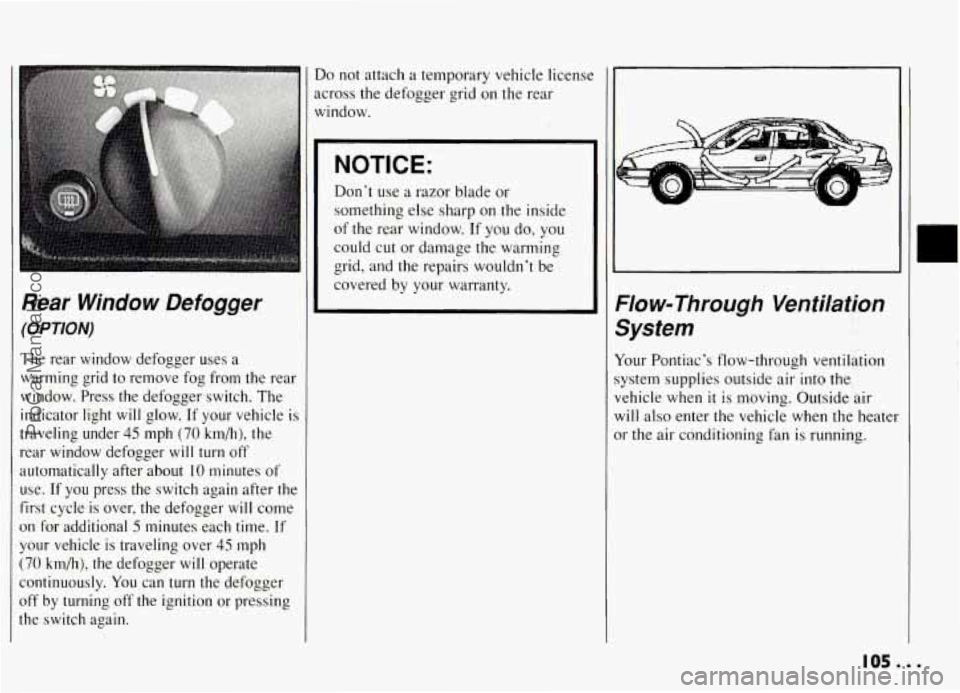
The rear window defogger uses a
varming grid to remove fog from the rear
vindow. Press the defogger switch. The
ndicator light
will glow. If your vehicle is
raveling under
45 mph (70 km/h), the
ear window defogger will turn off
utomatically after about
10 minutes of
lse. If
you press the switch again after the
irst cycle is over, the defogger
will come
In for additional 5 minutes each time. If
'our vehicle is traveling over
45 mph
70 km/h), the defogger will operate
ontinuously.
You can turn the defogger
iff by turning off the ignition or pressing
?e switch again.
Do not attach a temporary vehicle licenst
across the defogger grid on the rear
window.
NOTICE:
Don't use a razor blade or
something else sharp on the inside
of the rear window. If
you do, you
could cut or damage the warming
grid, and the repairs wouldn't be
covered by your warranty.
Flow-Through Ventilation
System
Your Pontiac's flow-through ventilation
system supplies outside air into the
vehicle when
it is moving. Outside air
will also enter the vehicle when the heater
or the air conditioning fan is running.
105...
ProCarManuals.com
Page 108 of 274
Hearing damage from loud noise is
almost undetectable until
it is too late.
Your hearing can adapt to higher volumes
of sound. Sound that seems normal can be
loud and harmful to your hearing. Take
precautions by adjusting the volume control on your radio to a safe sound level
before your hearing adapts to
it.
To help avoid hearing loss or damage:
a
a
Adjust the volume control to the
lowest setting.
Increase volume slowly
until you hear
comfortably and clearly.
NOTICE:
Before you add any sound
equipment to your vehicle
-- like a
tape player,
CB radio, mobile
telephone or two-way radio
-- be
sure
you can add what you want. If
you can, it’s very important to do
it
properly. Added sound equipment
may interfere with
the operation of
your vehicle’s engine,
DelcoB radio
or other systems, and even damage
them. And, your vehicle’s systems
may interfere with the operation of
sound equipment that has been
added improperly.
For the best performance, an
external cellular telephone antenna
is recommended for cellular
telephone applications.
So, before adding sound equipment,
check
with your dealer and be sure
to check Federal rules covering
mobile radio and telephone units.
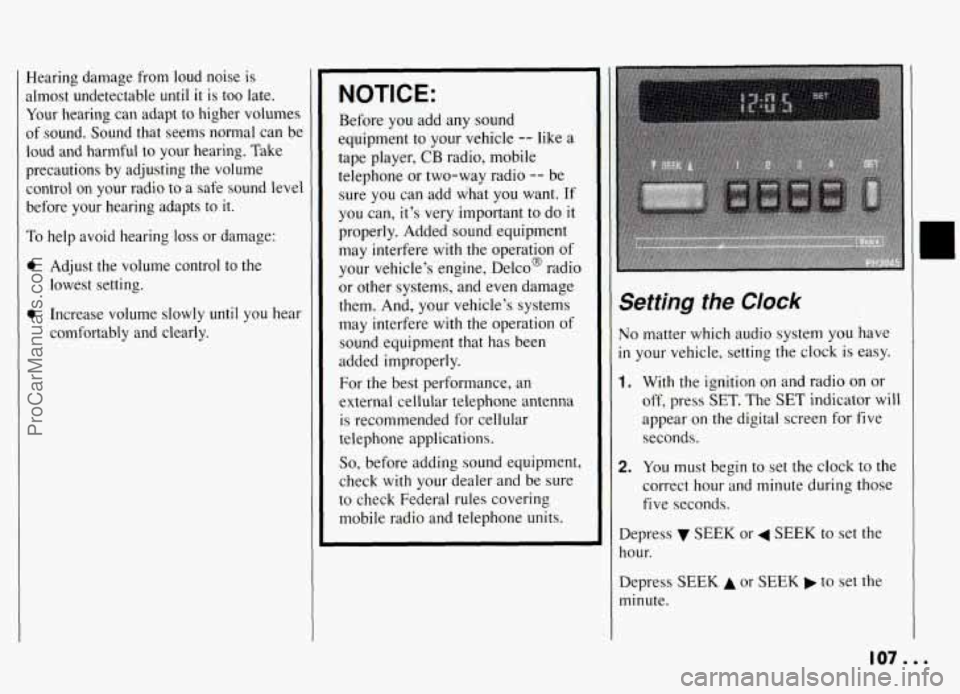
Setting the CIock
No matter which audio system you have
in your vehicle, setting the clock is easy.
1. With the ignition on and radio on or
off, press
SET. The SET indicator will
appear on the digital screen
for five
seconds.
2. You must begin to set the clock to the
correct hour and minute during those
five seconds.
Depress SEEK or 4 SEEK to set the
hour.
Depress
SEEK A or SEEK to set the
minute.
107...
ProCarManuals.com
Page 109 of 274
Comfort Controls & Audio Systems
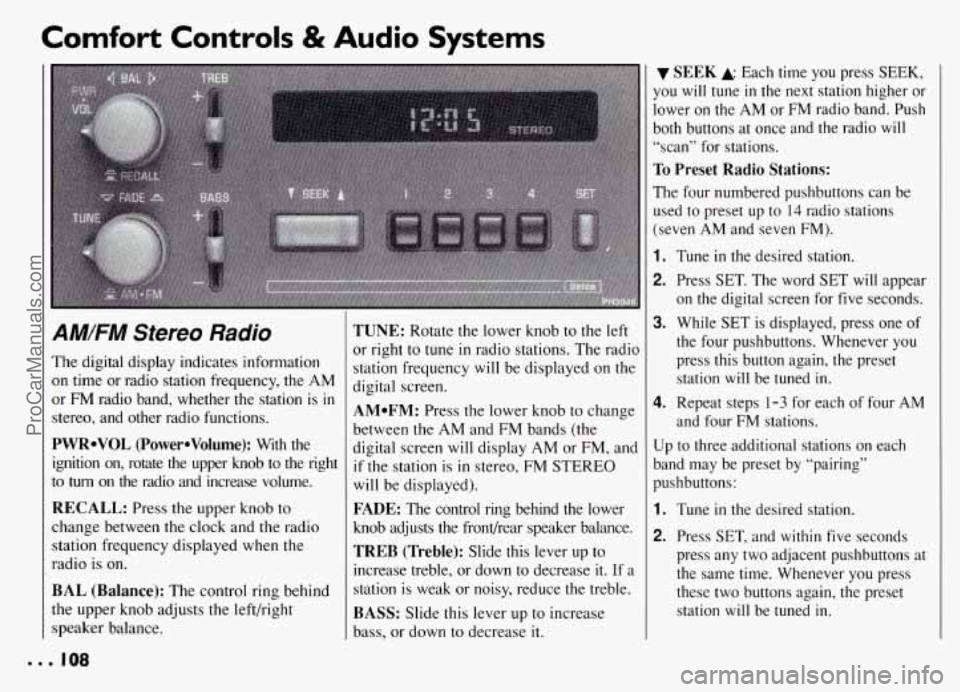
AM/FM Stereo Radio
The digital display indicates information
on time or radio station frequency, the AM
or FM radio band, whether the station is
in
stereo, and other radio functions.
PWRoVOL (PowerOVolume): With the
ignition on, rotate the upper knob to the right
to
turn on the radio and increase volume.
RECALL: Press the upper knob to
change between the clock and the radio
station frequency displayed when the
radio is on.
BAL (Balance): The control ring behind
the upper knob adjusts the left/right
speaker balance.
TUNE: Rotate the lower knob to the left
or right to
tune in radio stations. The radio
station frequency will be displayed
on the
digital screen.
AMoFM: Press the lower knob to change
between the AM and FM bands (the
digital screen will display AM or FM, and
if the station is in stereo, FM STEREO
will be displayed).
FADE: The control ring behind the lower
knob adjusts the frondrear speaker balance.
TREB (Treble): Slide this lever up to
increase treble, or down to decrease it. If a
station is weak or noisy, reduce the treble.
BASS: Slide this lever up to increase
bass, or down to decrease it.
SEEK A Each time you press SEEK,
you
will tune in the next station higher or
lower on the AM or
FM radio band. Push
both buttons at once and the radio
will
“scan” for stations.
To Preset Radio Stations:
The four numbered pushbuttons can be
used to preset up to
14 radio stations
(seven AM and seven FM).
1.
2.
3.
4.
Tune in the desired station.
Press SET. The word SET will appear
on the digital screen for five seconds.
While
SET is displayed, press one of
the four pushbuttons. Whenever you press this button again, the preset station will be tuned in.
Repeat steps 1-3 for each of four AM
and four FM stations.
Up to three additional stations on each
band may be preset by “pairing”
pushbuttons:
1.
2.
Tune in the desired station.
Press SET, and within five seconds
press any two adjacent pushbuttons at
the same time. Whenever you press
these two buttons again, the preset station
will be tuned in.
ProCarManuals.com