1994 PONTIAC BONNEVILLE engine
[x] Cancel search: enginePage 102 of 290
HOTCOOLANTCANBURNYOU BADLY!
In “Problems on the Road”, this manual
shows what to
do. See “Engine
Overheating”
in the Index.
H2a
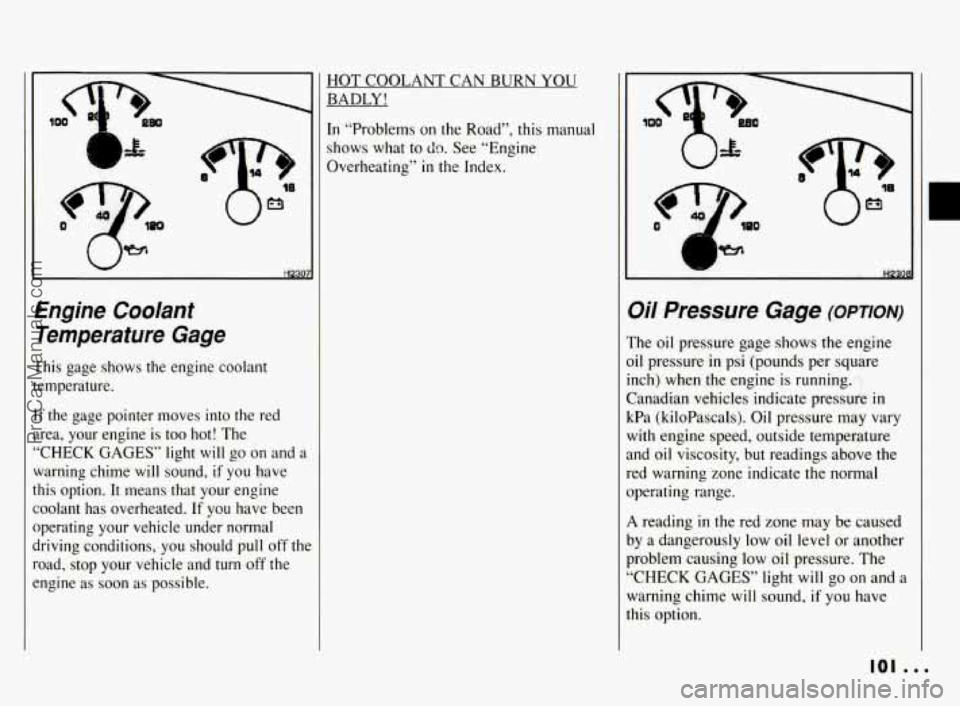
Engine Coolant
Temperature Gage
This gage shows the engine coolant
temperature.
If the gage pointer moves into the red
area, your engine is too hot! The
“CHECK GAGES” light
will go on and a
warning chime will sound, if you have
this option.
It means that your engine
coolant has overheated.
If you have been
operating your vehicle under normal
driving conditions, you should pull off
thc
road, stop your vehicle and turn off the
engine
as soon as possible.
Oil Pressure Gage (omom-)
The oil pressure gage shows the engine
oil pressure
in psi (pounds per square
inch) when the engine is running.
Canadian vehicles indicate pressure
in
kPa (kiloPascals). Oil pressure may vary
with engine speed, outside temperature
and oil viscosity, but readings above the
red warning zone indicate the normal
operating range.
A reading in the red zone may be caused
by a dangerously
low oil level or another
problem causing low oil pressure. The
“CHECK GAGES” light
will go on and a
warning chime will sound,
if you have
this option.
101 ...
ProCarManuals.com
Page 103 of 290
Features & Controls
Oi/ Pressure Gage (OPTION)
(CONK)
Driving your vehicle with low oil
pressure can cause extensive engine
damage.
Ih
I I NOTICE:
I
Damage to your engine from
neglected oil problems can be costly
and is not covered by your warranty.
. . . 102
lo
il
s:
a
ir
SI
H230!
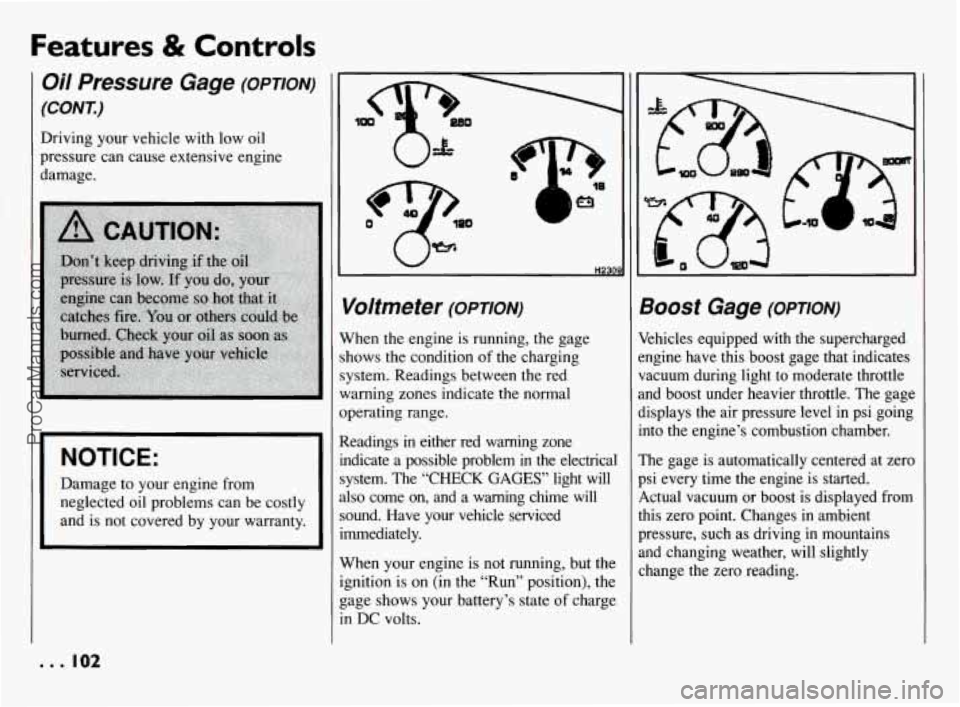
Voltmeter (omoN)
Vhen the engine is running, the gage
hows the condition of the charging
ystem. Readings between the red
Iarning zones indicate the normal
perating range.
Leadings
in either red warning zone
ldicate
a possible problem in the electrical
ystem. The “CHECK
GAGES’ light will
lso come on, and a warning chime will
ound. Have your vehcle serviced
mediately.
Vhen your engine is not running, but the
pition is on (in the “Run” position), the
age shows your battery’s state
of charge
I DC volts.
300St Gage (OPTION)
khicles equipped with the supercharged
ngine have this boost gage that indicates
acuum during light to moderate throttle
nd boost under heavier throttle. The gage
isplays the air pressure level in psi going
]to the engine’s combustion chamber.
‘he gage is automatically centered at zero
si every time the engine is started.
,ctual vacuum or boost is displayed from
lis zero point. Changes in ambient
ressure, such as driving in mountains
nd changing weather, will slightly
hange the zero reading.
ProCarManuals.com
Page 109 of 290
Features & Controls
Head-Up Display
(OPTION) (CONI)
When you sit straight in your seat, the
HUD image
will appear directly in front
of the driver.
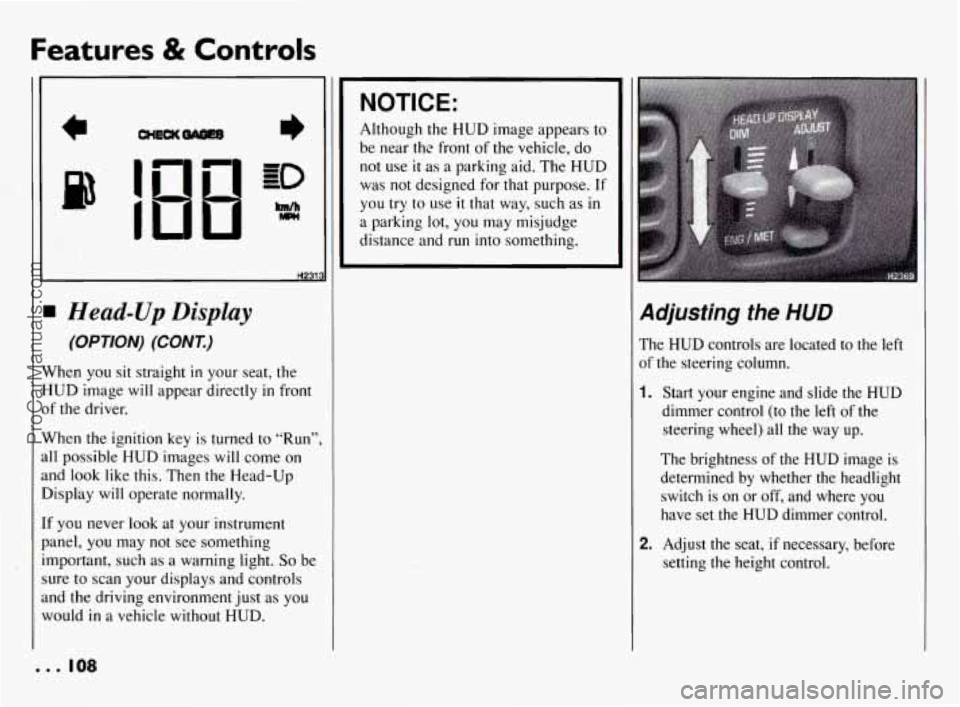
When the ignition key is turned
to “Run”,
all possible HUD images will come
on
and look like this. Then the Head-Up
Display will operate normally.
If you never
look at your instrument
panel,
you may not see something
important, such as a warning light.
So be
sure
to scan your displays and controls
and the driving environment just as you
would
in a vehicle without HUD.
NOTICE:
Although the HUD image appears to
be near thc front
of the vehicle, do
not use it as a parking aid. The HUD
was
not designed for that purpose. If
you try to use it that way, such as in
a parking lot, you may misjudge
distance and run into something.
Adjusting the HUD
The HUD controls are located to the left
of
the steering column.
1. Start your engine and slide the HUD
dimmer control (to the left of the
steering wheel) all the way up.
The brightness of the HUD image is
determined by whether the headlight
switch is on or off, and where you
have set
the HUD dimmer control.
2. Adjust the seat, if necessary, before
setting
the height control.
. .. 108
ProCarManuals.com
Page 113 of 290
Comfort Controls & Audio Systems
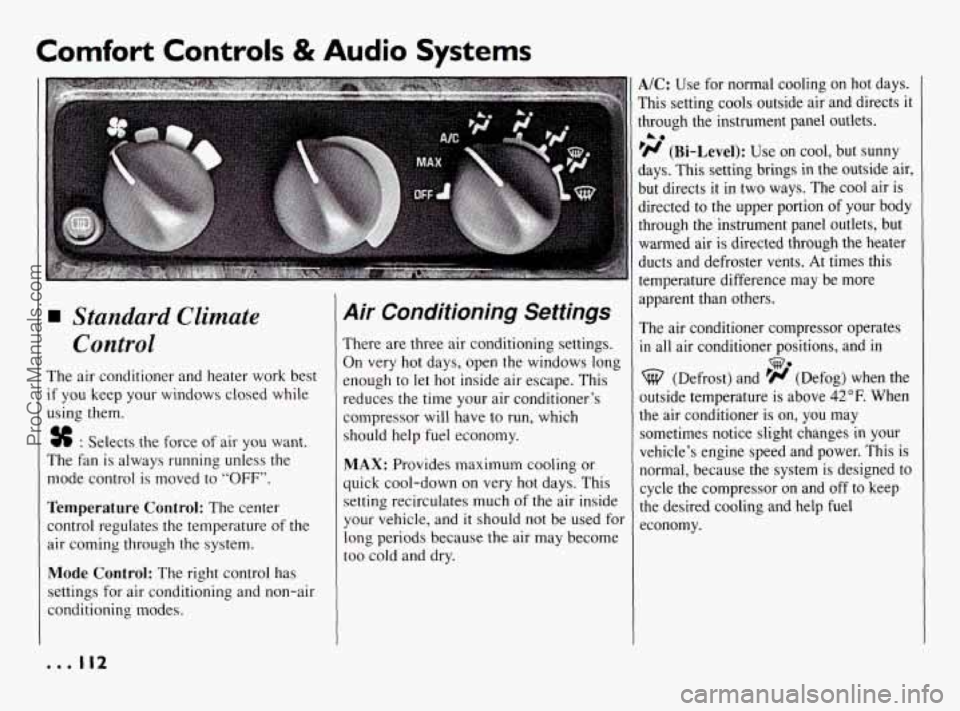
Standard Climate
Control
The air conditioner and heater work best
if you keep your windows closed while
using them.
% : Selects the force of air you want.
The fan is always running unless the
mode control is moved to
“OFF”.
Temperature Control: The center
control regulates the temperature of the
air coming through the system.
Mode Control: The right control has
settings for air conditioning and non-air
conditioning modes.
Air Conditioning Settings
There are three air conditioning settings.
On very hot days, open the windows long
enough
to let hot inside air escape. This
reduces the time your air conditioner’s
compressor will have to run, which
should help fuel economy.
MAX: Provides maximum cooling or
quick cool-down
on very hot days. This
setting recirculates much of the air inside
your vehicle, and
it should not be used for
long periods because the air may become
too cold and dry.
A/C: Use for normal cooling on hot days.
This setting cools outside air and directs
it
through the instrument panel outlets.
‘H (Bi-Level): Use on cool, but sunny
days. This setting brings in the outside air,
but directs it in two ways. The cool air is
directed to the upper portion
of your body
through the instrument panel outlets, but
warmed air
is directed through the heater
ducts and defroster vents. At times this
temperature difference may be more
apparent than others.
The air conditioner compressor operates
in all air conditioner positions, and in
A0
we
(Defrost) and ’# (Defog) when the
outside temperature is above
42°F. When
the air conditioner is on,
you may
sometimes notice slight changes
in your
vehicle’s engine speed and power. This is
normal, because the system is designed to
cycle the compressor
on and off to keep
the desired cooling and help fuel
economy.
... 112
ProCarManuals.com
Page 114 of 290
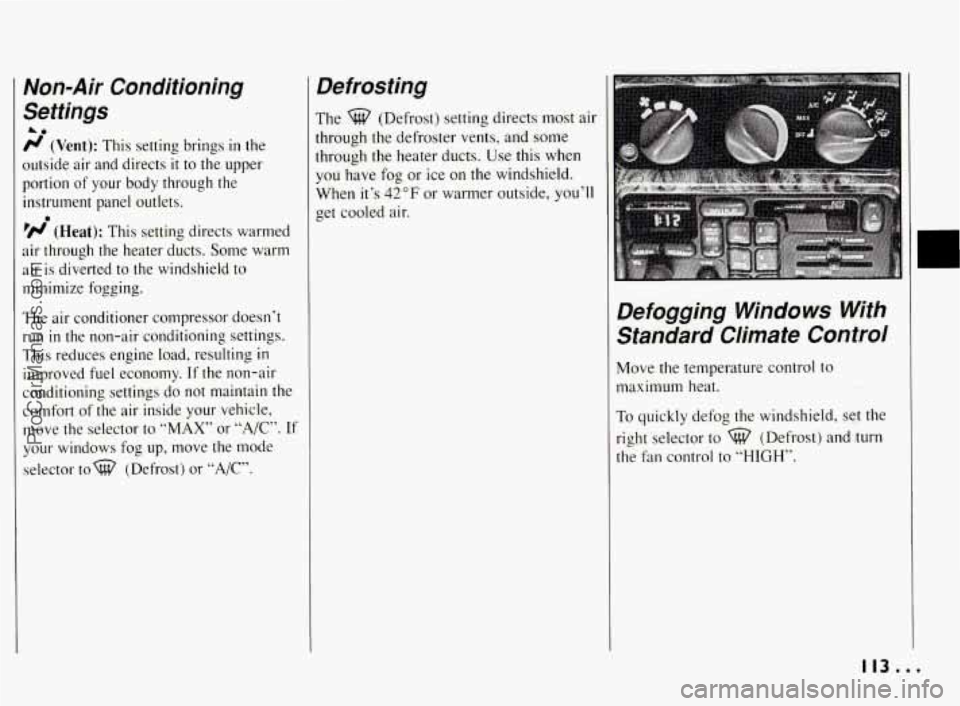
Non-Air Conditioning
Settings
A0
r/ (Vent): This setting brings in the
outside air and directs
it to the upper
portion of your body through the
instrument panel outlets.
’N (Heat): This setting directs warmed
air through the heater ducts. Some warm
air is diverted to the windshield to
minimize fogging.
The air conditioner compressor doesn’t
run in the non-air conditioning settings.
This reduces engine load, resulting
in
improved fuel economy. If the non-air
conditioning settings do not maintain the
comfort of the air inside your vehicle,
move the selector to
“MAX” or “A/,”. If
your windows fog up, move the mode
selector tow (Defrost) or
“A/C”.
0
Defrosting
The %? (Defrost) setting directs most air
through the defroster vents, and some
through the heater ducts. Use this when
you have fog or ice on the windshield.
When it’s
42°F or warmer outside, you’ll
get cooled air.
Defogging Windows With Standard Climate Control
Move the temperature control to
maximum heat.
To quickly defog the windshield, set the
right selector to
%? (Defrost) and turn
the fan control to “HIGH’’.
113...
ProCarManuals.com
Page 117 of 290
Comfort Controls & Audio Systems
0
0 0
Electronic Climate Control
(OPTION)
When the engine is cold, the “AUTO’
blower is delayed/reduced until warm
air is available. Immediately selecting
90°F farenheit will NOT get the car
warmer any sooner than selecting
75
“AUTO”. The “DEFROST” blower
speed starts low to reduce windshield
fogging from any snow on the hood as
you start driving. The blower will
increase briefly after short stops when
the car had been turned
off to reduce
any stuffy feeling.
The A/C will only work when the
outside temperature gets above
42°F.
A “click” noise means the A/C
compressor is turned on. Besides
cooling, this is used to dehumidify and
filter the air for inside the car.
A hot, sunny parking lot or city traffic
will cause the system to start
re-circulating A/C air for quicker
cooling. The system is more efficient
by cooling the air already inside the
car.
EZ-Kool Glass is very effective in
filtering out the sun’s heat.
0 The direction of the cold A/C air can
be controlled by adjusting the outlets
in the dash. Aiming them just over
your shoulder will benefit both front
and rear passengers. Back-seat
passengers can also redirect airflow at
the rear of center console.
The air conditioner compressor operates
in all “AUTO” setting positions, and in
%? (Defrost) when the outside
temperature is above
42°F. When the air
conditioner is on, you may sometimes
notice slight changes in your vehicle’s
engine speed and power. This is normal,
because the system
is designed to cycle
the compressor on and off to keep the
desired cooling and help fuel economy.
TEMP: Sets the interior temperature you
want. The temperature you set will be
displayed on the digital screen.
Once you set the temperature, the system
will try to maintain the set temperature,
whether or not
you are using the heating
or cooling controls. But
if you set the
temperature for
60°F ( 16°C) or 90°F
(32”C), the fan will stay on “HI” speed
unless you select a different speed.
AUTO: To allow the system to
automatically control the temperature, air
Jistribution and fan speed:
1. Set the temperature you want with the
“TEMP” switch.
2. Press the “AUTO” switch.
EXT. TEMP: Press to have the exterior
temperature displayed
on the digital
screen (unless the system is off). Press
again to return to the inside temperature
setting. When the system is off, the
outside temperature will be displayed.
Use the following controls when “AUTO’
is not desired.
% : Sets the fan speed. Press the top of
the switch to raise the fan speed, the
bottom of the switch to lower the fan
speed.
“F/C: Press this to read the temperature in
degrees Fahrenheit or Celsius.
OFF: Shuts the system off. The outside
temperature will be displayed. Air
will
still flow through your vehicle if it is
moving. Also, the system will try to
maintain the temperature you set, but,may
... 116
ProCarManuals.com
Page 118 of 290
not be able to if it’s very warm or cold
outside.
ECON: Use in cold or cool weather. This
saves fuel because the air conditioner
compressor doesn’t run. But this setting
doesn’t remove humidity from the air.
(Defrost): Press this to remove fog
or ice from the windshield. It will start at
the mediumhigh fan speed, but you can
select another speed
if you want. It’s a
good idea to remove any ice or snow from
the hood and from the air inlet between
the hood and windshield.
(Rear Window Defogger): Press tc
warm the defogger grid on the rear
window. On some models, the outside
rearview mirrors are also warmed. The
rear window defogger will turn off
automatically after about 10 minutes of
use. If you turn it on again, the defogger
will operate for about five minutes only.
You can also turn the defogger off by
turning off the ignition or pressing the
switch again.
Do not attach a temporary vehicle licensc
across the defogger grid on the rear
window.
NOTICE:
Don’t use a razor blade or
something else sharp on the inside
of the rear window.
If you do, you
could cut or damage the warming
grid, and the repairs wouldn’t be
covered by your warranty.
Extended Idling With
Electronic Climate Control
When the engine idles for a long time, the
outside temperature sensor may cause the
system to blow air that is too cool.
This
should stop once the vehicle is moving
again. Extended idling is not
recommended, See “Engine Exhaust’’
in
the Index.
11/...
ProCarManuals.com
Page 121 of 290
Comfort Controls 8i Audio Systems
Audio Systems (CONT.)
NOTICE: c’
Before you add any sound
equipment to your vehicle
-- like a
tape player,
CB radio, mobile
telephone or two-way radio
-- be
sure you can add what you want.
If
you can, it’s very important to do it
properly. Added sound equipment
may interfere with the operation
of
your vehicle’s engine, Delco@ radio
or other systems, and even damage
them. And, your vehicle’s systems
may interfere with the operation
of
sound equipment that has been
added improperly.
So, before adding sound equipment,
check with your dealer and be sure
to check Federal rules covering
mobile radio and telephone units.
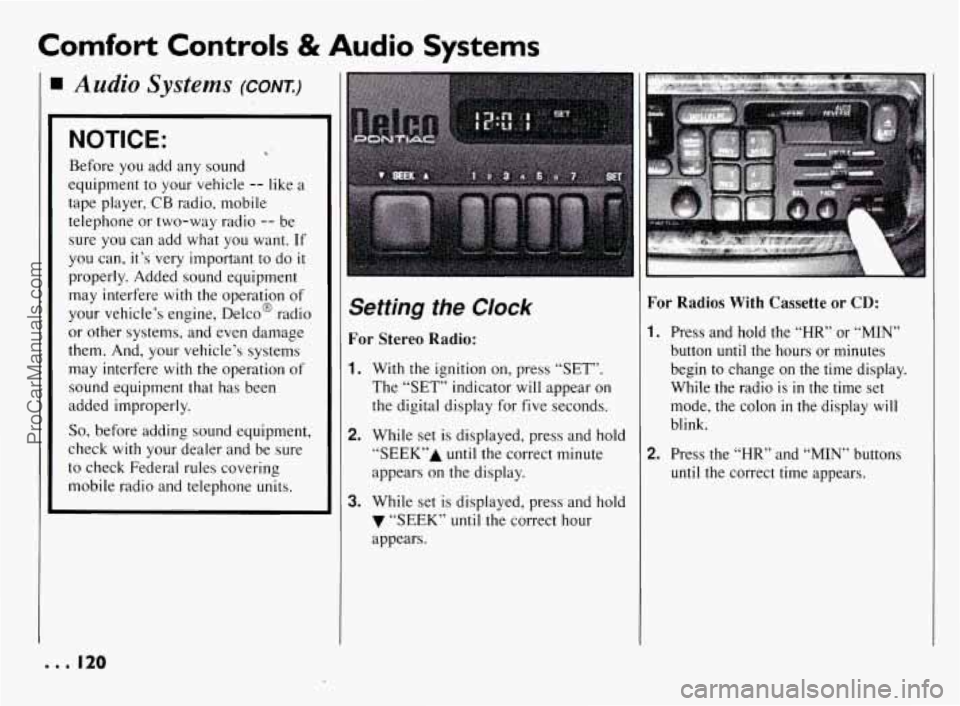
Setting the Clock
For Stereo Radio:
1. With the ignition on, press “SET”.
The “SET” indicator will appear on
the digital display for five seconds.
2. While set is displayed, press and hold
“SEEK7’A until the correct minute
appears on the display.
3. While set is displayed, press and hold
7 “SEEK” until the correct hour
appears.
For Radios With Cassette or CD:
I. Press and hold the “HR” or “MIN”
button until the hours or minutes
begin to change on the time display.
While the radio is
in the time set
mode, the colon
in the display will
blink.
2. Press the “HR” and “MIN” buttons
until the correct time appears.
e.. I20
ProCarManuals.com