Page 77 of 276
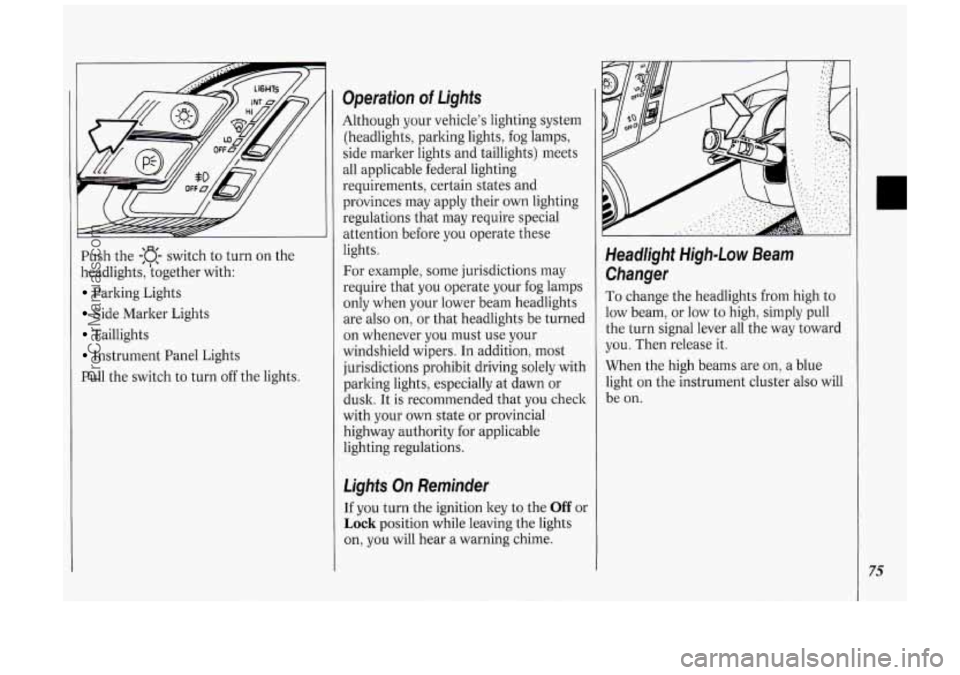
Push the -:a- switch to turn on the
headlights, kogether with:
Parking Lights
Side Marker Lights
Taillights
Instrument Panel Lights
Pull the switch to turn off the lights.
Operation of Lights
Although your vehicle’s lighting system
(headlights, parking lights, fog lamps,
side marker lights and taillights) meets
all applicable federal lighting
requirements, certain states and
provinces may apply their own lighting
regulations that may require special
attention before you operate these
lights.
For example, some jurisdictions may
require that you operate your fog lamps
only when your lower beam headlights
are also on, or that headlights be turned
on whenever you must use your
windshield wipers.
In addition, most
jurisdictions prohibit driving solely with
parking lights, especially at dawn or
dusk. It is recommended that you check
with your
own state or provincial
highway authority for applicable
lighting regulations.
Lights On Reminder
If you turn the ignition key to the Off or
Lock position while leaving the lights
on, you will hear
a warning chime.
Headlight High-Low Beam
Changer
To change the headlights from high to
low beam, or low to high, simply pull
the turn signal lever all the way toward
you. Then release it.
When the high beams are
on, a blue
light on the instrument cluster also will
be on.
75
ProCarManuals.com
Page 78 of 276
Features & Controls
76
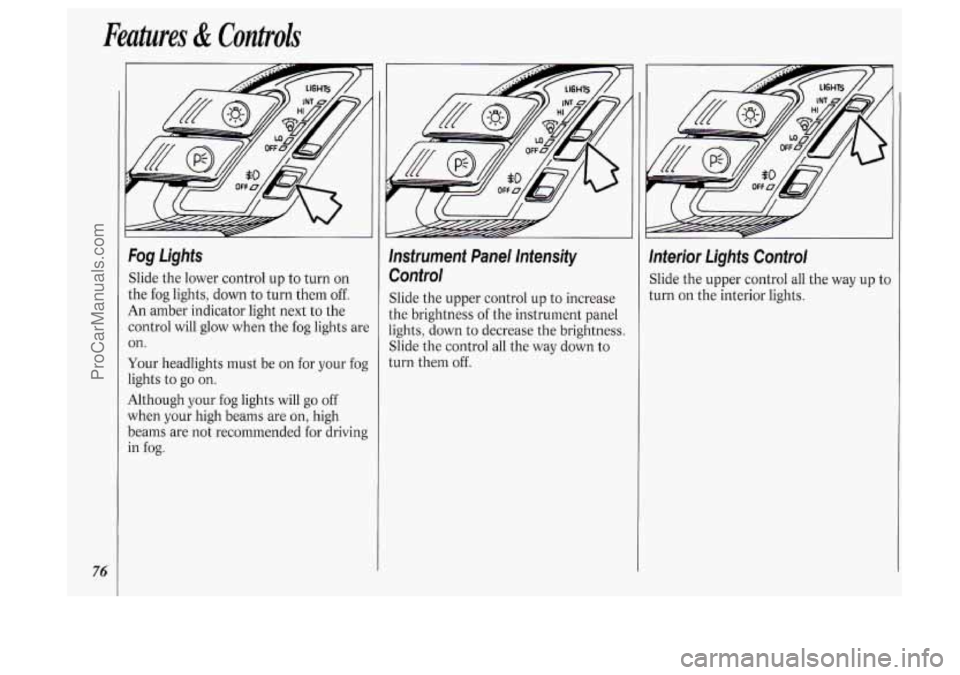
Fog Lights
Slide the lower control up to turn on
the fog lights, down to turn them
off.
An amber indicator light next to the
control will glow when the fog lights are
on.
Your headlights must be on for your fog
lights to
go on.
Although your fog lights will go off
when your high beams are on, high
beams are not recommended for driving
in
fog.
lnsfrument Panel lntensify
Control
Slide the upper control up to increase
the brightness of the instrument panel
lights, down to decrease the brightness.
Slide the control all the way down to
turn them off.
lnterior Lights Control
Slide the upper control all the way up tc
turn on the interior lights.
ProCarManuals.com
Page 85 of 276
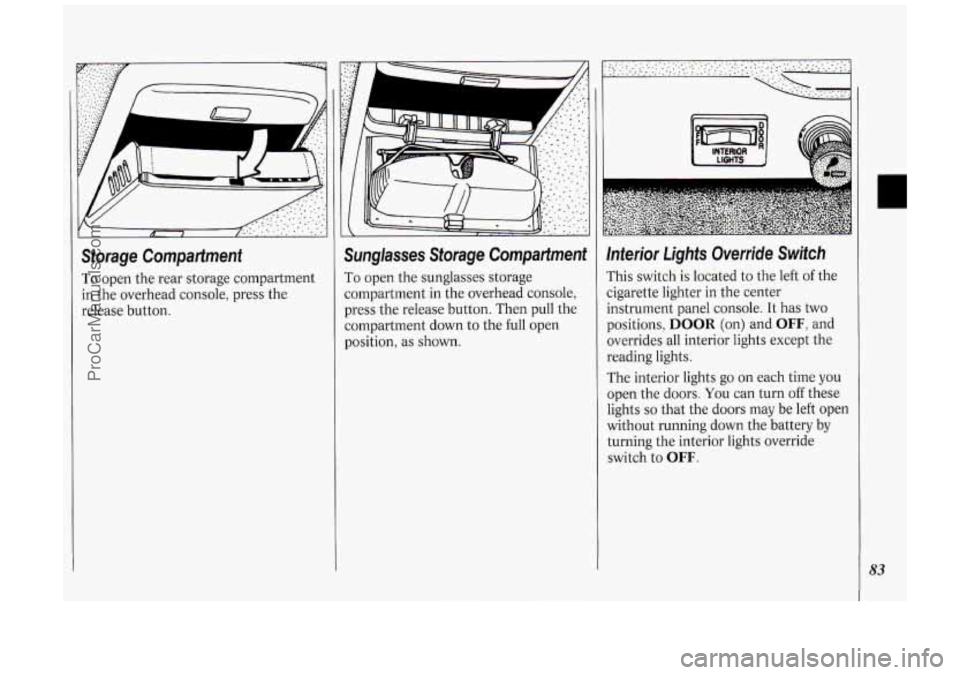
Storage Compartment
To open the rear storage compartment
in the overhead console, press the
release button.
Sunglasses Storage Compartment
To open the sunglasses storage
compartment in the overhead console,
press the release button. Then pull the
compartment down to the full open
position, as shown.
Inferior Lights Override Switch
rhis switch is located to the left of the
zigarette lighter in the center
instrument panel console. It has two
positions,
DOOR (on) and OFF, and
overrides all interior lights except the
reading lights.
The interior lights go
on each time you
open the doors. You can turn off these
lights
so that the doors may be left open
without running down the battery by
turning the interior lights override
switch
to OFF.
83
ProCarManuals.com
Page 86 of 276
Features & Controls
84
Center Dome Light
Located in the center of your vehicle,
this light has no switch of its
own. It
will go on each time you open the
doors, unless you turn the interior lights
override switch in the center instrument
panel console to
OFF.
If you have the optional rear climate
control, you will not have a center dome
light.
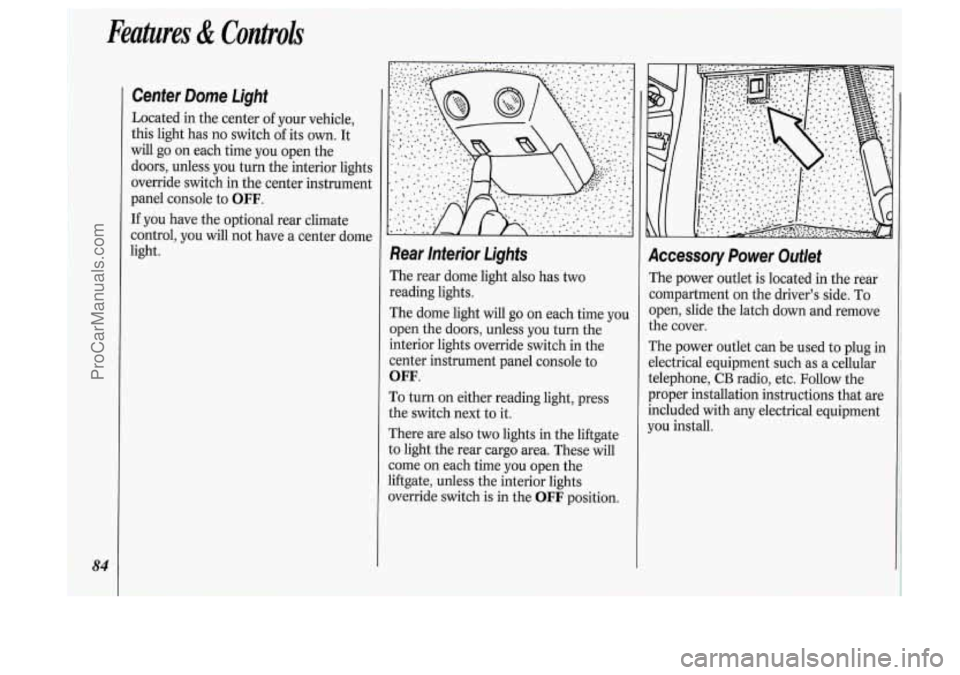
Rear lnterior Lights
The rear dome light also has two
reading lights.
The dome light will go
on each time you
open the doors, unless you turn the
interior lights override switch in the
center instrument panel console to
OFF.
To turn on either reading light, press
the switch next to it.
There are also
two lights in the liftgate
to light the rear cargo area. These will
come
on each time you open the
liftgate, unless the interior lights
override switch is in the
OFF position.
Accessory Power Outlet
The power outlet is located in the rear
compartment on the driver’s side. To
open, slide the latch down and remove
the cover.
The power outlet can be used to plug in
electrical equipment such as a cellular
telephone,
CB radio, etc. Follow the
proper installation instructions that are
included with any electrical equipment
you install.
ProCarManuals.com
Page 92 of 276
Features & Controls
90
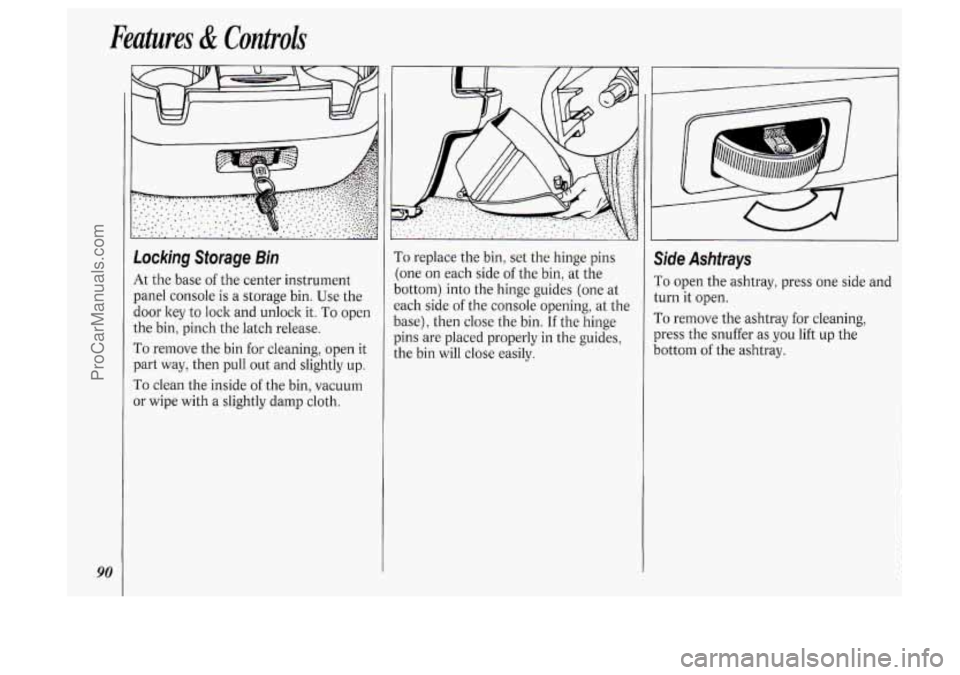
Locking Storage Bin
At the base of the center instrument
panel console is a storage bin. Use the
door key
to lock and unlock it. To open
the bin, pinch the latch release.
To remove the bin for cleaning, open it
part way, then pull out and slightly up.
To clean the inside of the bin, vacuum
or wipe with a slightly damp cloth.
To replace the bin, set the hinge pins
:one on each side
of the bin, at the
lottom) into the hinge guides (one at
:ach side
of the console opening, at the
lase), then close the bin.
If the hinge
)ins are placed properly in the guides,
he bin will close easily.
Side Ashtrays
To open the ashtray, press one side and
turn it open.
To remove the ashtray for cleaning,
press the snuffer as
you lift up the
bottom
of the ashtray.
ProCarManuals.com
Page 99 of 276
The Instrument Panel-Your
Information System
Your instrument panel is designed to let
you know at
a glance how your vehicle
is running. You’ll know how fast you’re
going, how much fuel you’re using, and
many other things you’ll need
to drive
safely
and economically.
Refer to the accompanying diagram
of
your instrument panel to locate the
components listed below.
1. Side Vents
2. Light Controls
3. Turn Signal/Multifunction Lever
4. Tilt Steering Wheel Lever
5. Instrument Cluster
6. Gearshift Lever
7. Wipermasher Controls
8. Center Vents
9. Storage Compartment
IO. Side Vents
11. Circuit Brealter/Relay Panel
12. Glove Box/Fuse Panel
13. Audio System
14. Rear Fan Controls
15. Cup Holders/Ashtray
16. Locking Storage Bin
17. Lighter
18. Interior Lights Override Switch
19. Traction Control Switch
20. Climate Controls
21. Hazard Warning Flashers Switch
22. Ignition Switch
23. Horn
24. Steering Wheel Touch Controls
(Option)
97
ProCarManuals.com
Page 100 of 276
Features & Controls
98
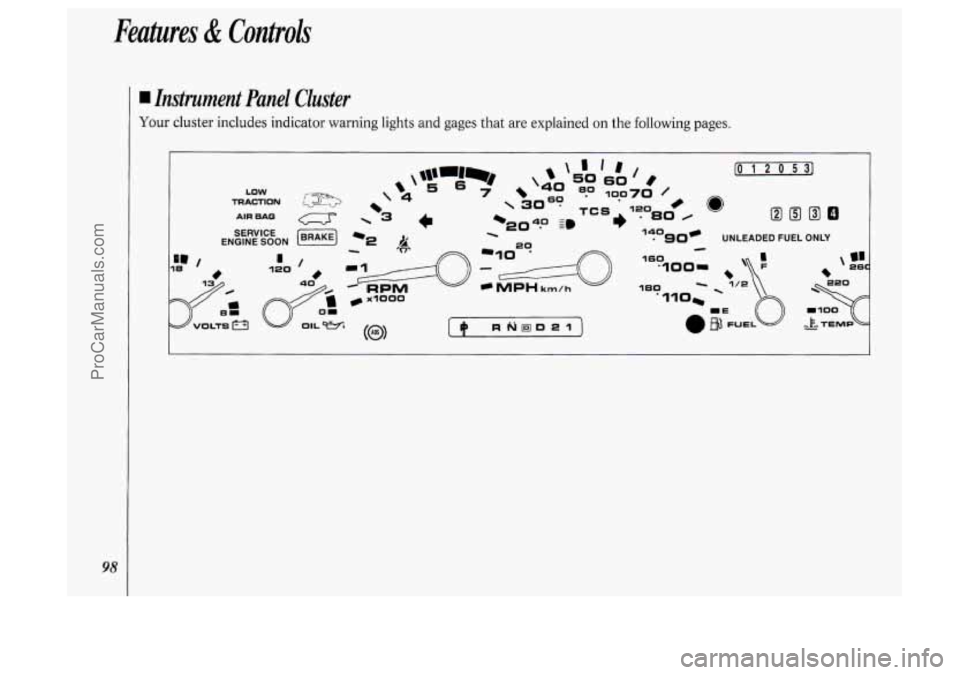
I Instrument Panel Cluster
Your cluster includes indicator warning lights and gages that are explained on the following pages.
ProCarManuals.com
Page 107 of 276
(J LOW
TRACTION -'I
AIR BAG
SERVICE
ENGINE
SOON
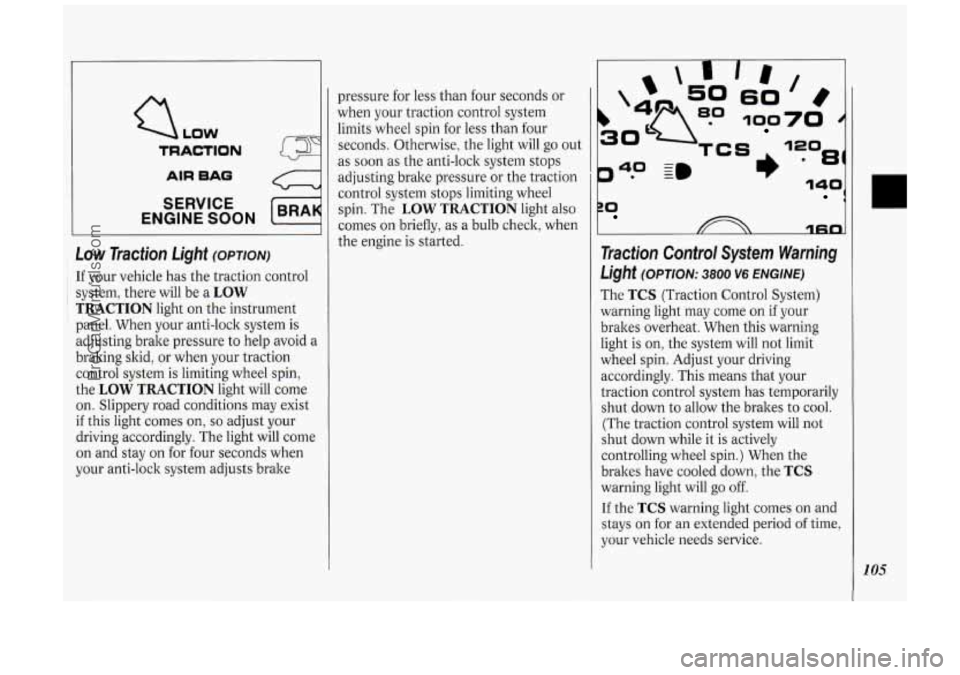
Low Traction Light (OPTION)
: If your vehicle has the traction control
~ i system, there will be a LOW
TRACTION light on the instrument
panel. When your anti-lock system is
adjusting brake pressure to help avoid a
braking skid, or when your traction
control system is limiting wheel spin,
the
LOW TRACTION light will come
on. Slippery road conditions may exist
if this light comes on, so adjust your
driving accordingly. The light will come
on and stay on for four seconds when
your anti-lock system adjusts brake pressure
for less than four seconds or
when your traction control system
limits wheel spin for less than four
seconds. Otherwise, the light will go out
as soon as the anti-lock system stops
adjusting brake pressure or the traction
control system stops limiting wheel
spin. The
LOW TRACTION light also
comes on briefly,
as a bulb check, when
the engine is started.
P* -
40 ~m
rn
60
100
81)
ZO 1
1fin
Traction Control System Warning
Light (OPTION: 3800 V6 ENGINE)
The TCS (Traction Control System)
warning light may come on if your
brakes overheat. When this warning
light is on, the system will not limit
wheel spin. Adjust your driving
accordingly. This means that your
traction control system has temporarily
shut down to allow the brakes to cool.
(The traction control system will not
shut down while it is actively
controlling wheel spin.) When the
brakes have cooled down, the
TCS
warning light will go off.
If the TCS warning light comes on and
stays on for an extended period of time,
your vehicle needs service.
105
ProCarManuals.com