1994 CHEVROLET CORVETTE manual radio set
[x] Cancel search: manual radio setPage 117 of 274
Downloaded from www.Manualslib.com manuals search engine Comfort Controls and Audio Systems
Fade: Turn the “FADE” knob to move
the sound between the front and rear
speakers. Note that if you turn the knob
all the way to
“F” or “R,” you may still
get some sound from the opposite
speakers.
To Play a Cassette Tape
Your tape player is built to work best with
tapes that are
30 to 45 minutes long on
each side. Tapes longer than that are
so
thin they may not work well in this player.
The longer side with the tape visible goes
in first.
If you hear nothing or hear just a
garbled sound, it may not be in squarely.
Press “EJCT” to remove the tape and
start over.
Once the tape is playing, use the knobs
for volume and fade, just as you do for
radio. If both a tape and a compact disc
are loaded into
the system, press
“CNCD’ to select
the one you want.
Reverse: Press “REV” to return to a
favorite passage rapidly. Press it again to
play the passage. The radio will play
while the tape is rewinding.
Fast Forward: Press “FF” to advance
the tape rapidly. Press it again to play.
The radio will play while the tape is
advancing.
. . .I16
Repeat: Press “REPT” to go to the
beginning of
the current selection after
ten seconds or more of play. After five
seconds or less of play,
the player will
return to
the beginning of the previous
selection.
Search: Press “SRCH’ to go to the
beginning of the next selection.
Scan: Press “SCAN’ to listen to the first
eight seconds of each passage. Press it
again to stop scanning.
Program: Press the upper knob to change
the side of the tape that is playing. The
lighted arrows show which side is
currently playing.
Eject: Press “EJCT” to remove the tape.
Stop: Press “STOP-PLAY” to listen to the
radio without ejecting the cassette tape.
Press it again to go back to the tape.
Metal Tapes: Press “CrO;! ” when
playing high bias chrome or metal tapes.
To Play a Compact Disc
Don’t use the mini-discs (3” singles).
They will eject, but they won’t play. Use
only full-size compact discs. With
the audio system
on, insert a disc
into
the slot with the label side up. “CD”
will appear on the display and track
1 will
begin to play. If both
a tape and a
compact disc are loaded into the system,
press “CNCD’ to select the one you
want.
If the disc comes back out and “ERR”
appears on the display, it could be that:
The disc is upside down.
It is dirty, scratched, or wet.
0 There’s too much moisture in the air.
(Wait about an hour and try again.)
You are driving on a very rough road.
The temperature is too hot or too cold.
Recall: Press “RCL“’ to see what track is
playing. Press it again within five seconds
to see how long it has been playing, the
elapsed time (“EL TIME’).
Reverse: Press and hold “REV” to return
to a favorite passage rapidly. The
decreasing elapsed time will show on
the
display.
Fast Forward: Press and hold “FF” to
advance through passages. The increasing
elapsed time will show on the display.
Page 118 of 274

Downloaded from www.Manualslib.com manuals search engine Repeat: Press “REPT” to go to the
beginning of the current track after eight
seconds or more
of play. After eight
seconds or less of play, the player will
return to the beginning of the previous
track.
Search: Press “SRCH’ to go to the
beginning of the next track.
Scan: Press “SCAN” to listen to the first
eight seconds of each track. Press it again
to stop scanning.
Compression: Press “COMP” to make
loud and soft passages more nearly equal
in volume. Press
it again for normal play.
To Stop the Disc Player
0
0
0
Turn the power off or turn the ignition
key
off. The disc stays in the player
and will resume playing at the point
where it stopped.
Press “STOP-PLAY” to stop playing
the disc and switch to radio. Press it
again to restart the disc at the point
where it stopped.
Press “EJCT” to eject the disc and
switch to radio. If the ignition or audio
system is turned
off, the player will
pull the disc back in if you don’t
remove it from the opening within
30 seconds.
Understanding Radio Reception
FM Stereo
FM stereo will give you the best sound.
But FM signals will reach only about
10 to 40 miles (16 to 65 km). And, tall
buildings or hills can interfere with
FM signals, causing the sound to come
and go.
AM
The range for most AM stations is greater
than for
FM, especially at night. The
longer range, however, can cause stations
to interfere with each other. AM can pick
up noise from things like storms and
power lines. Try reducing the treble to
reduce this noise if you ever get it. Care of Your Cassette Tape
Player
A tape player that is not cleaned regularly
can cause reduced sound quality, ruined
cassettes, or a damaged mechanism.
Cassette tapes should be stored in their
cases away from contaminants, direct
sunlight, and extreme heat. If they aren’t,
they may not operate properly or cause
failure of the tape player.
Your tape player should be cleaned
regularly each month or after every 15
hours of use. If
you notice a reduction in
sound quality, try a known good cassette
to see if the tape or the tape player
is
at fault. If this other cassette has no
improvement in sound quality, clean the
tape player.
117.. .
Page 119 of 274
Downloaded from www.Manualslib.com manuals search engine Comfort Controls and Audio Systems
Clean your tape player with a
wiping-action, non-abrasive cleaning
cassette
(GM Part No. 12344600), and
follow the directions provided with
it.
Cassettes are subject to wear and the
sound quality may degrade over time.
Always make sure that the cassette tape is
in good condition before you have your
tape player serviced.
. . .I18
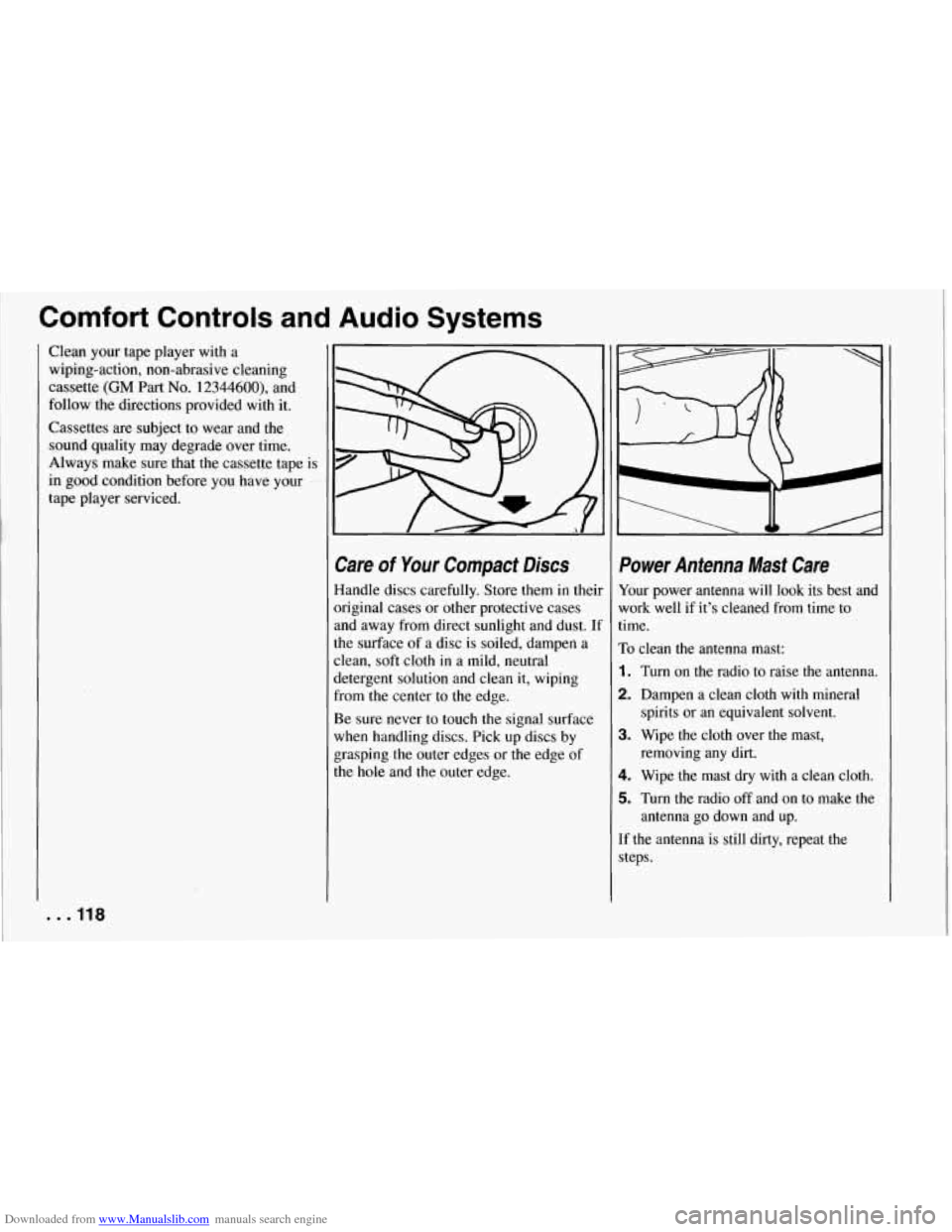
Care of Your Compact Discs
Handle discs carefully. Store them in theil
original cases or other protective cases
and away from direct sunlight and dust.
U
the surface of a disc is soiled, dampen a
clean, soft cloth in a mild, neutral
detergent solution and clean it, wiping
from the center to
the edge.
Be sure never to touch the signal surface
when handling discs. Pick up discs by
grasping the outer edges or the edge of
the
hole and the outer edge.
Power Antenna Mast Care
Your power antenna will look its best and
work well if it’s cleaned from time to
time.
To clean the antenna mast:
1. Turn on the radio to raise the antenna.
2. Dampen a clean cloth with mineral
spirits or an equivalent solvent.
3. Wipe the cloth over the mast, removing any dirt.
4. Wipe the mast dry with a clean cloth.
5. Turn the radio off and on to make the
antenna go down and up.
If the antenna is still dirty, repeat the steps.
Page 267 of 274
Downloaded from www.Manualslib.com manuals search engine Index
New Vehicle “Break-In” ........ 46
Night. Driving at
............... 131
Night Vision
................... 131
Noise Reduction
................ 113
Numeric Gauge Readings
......... 83
Odometer. Speedometer and
...... 80
Odometer. Trip .................. 81
Off-Road Recovery
............. 129
Off-Road Track Use
.............. 49
Oil Pressure Gauge. Engine
........ 91
Oil Temperature Gauge. Engine
..... 93
Oil. Engine
.................... 178
Operation of Lights
.............. 66
Overheating. Engine
............ 150
Owner Checks and Services
....... 238
P (Park). Shifting into ........... 57
P (Park). Shifting out of ........... 58
Paint
Chemical Spotting
............ 2 16
Finish Care
.................. 2 14
Finish Damage
............... 2 15
Foreign Material
.............. 2 1 5
One to Four Light ................ 55
Parking
AtNight
..................... 43
Brake
....................... 56
Brake Indicator Light
........... 85
Lots ........................ 43
I . . 266
Parking
Over Things That Bum
......... 59
Your Vehicle
.................. 58
PASS-Key ..................... 45
Passenger Position (Safety Belts)
... 27
Passenger Seat. Securing a Child Restraint in the
........... 30
Passing
....................... 129
Passive Keyless Entry Light
....... 95
Passive Keyless Entry System
...... 38
Pedal Travel. Brake
............. 194
Periodic Maintenance Inspections
. . 242
Plug. Accessory
................. 76
PKE .......................... 38
Power Antenna Mast Care
............ 118
Door Locks
................... 38
Remote Control Mirrors
......... 69
Seat
......................... 12
Steering
.................... 127
Steering Fluid
................ 19 1
Switch. Engine ................ 49
Windows
.................... 60
Pregnancy. Safety Belt Use during
....................... 27
Problems on the Road
........... 141
Publications. Service
............ 256
Questions Many People Ask about
Safety Belts
- and the Answers.
Here are
................... 18 Radio
Reception.
Radio. To Play the
Understanding
............... 117
AM/FM Stereo with Cassette AM/FM Stereo with Cassette Tape Player
................ 113
Tape and Compact Disc Player
................ 115
Rain. Driving
in the ............. 132
Rainy Weather Tips. Some
Other
...................... 133
Rear Axle
..................... 188
Rear Axle. Limited-Slip
........... 56
Rear Storage Compartment
........ 73
Rear Towing Hook-Ups
.......... 149
Rear Window Defogger
.......... 111
Rearview Mirror. Inside Daymight
.............. 69
Reclining Seatbacks. Manual
....... 13
Recommended Fluids and Lubricants
............... 244
Recovery. Off-Road
............. 129
Release Button. Key
.............. 47
Release. Hood
................. 175
Release. Remote Hatch
........... 41
Reminder Light. Safety Belt
....... 19
Reminder. Lights On
............. 67
Remote Control Mirrors. Power ..... 69
Remote Hatch Release
............ 41