1994 CHEVROLET BLAZER ESP
[x] Cancel search: ESPPage 25 of 348
Downloaded from www.Manualslib.com manuals search engine Here Are Questions Many People Ask About
Safety Belts
- and fhe Answers
Q:
Won’t I be trapped in the vehicle after an accident if I’m wearing a
safety belt?
A: You could be - whether you’re wearing a safety belt or not. But you
can easily unbuckle
a safety belt, even if you’re upside down. And
your chance
of being conscious during and after an accident, so you
can unbuckle and get out, is much greater if you are belted.
Q: Why don’t they just put in air bags so people won’t have to wear
safety belts?
A: Air bags are in some vehicles today and will be in more of them in the
future. But they are supplemental systems only
- so they work with
safety belts, not instead of them. Every air bag system ever offered for
sale has required the use of safety belts. Even if you’re in
a vehicle that
has air bags, you still have to buckle up
to get the most protection.
That’s true not only
in frontal collisions, but especially in side and
other collisions.
Q: If I’m a good driver, and I never drive far from home, why should I
wear safety belts?
A: You may be an excellent driver, but if you’re in an accident - even
one that isn’t your fault
- you and your passengers can be hurt. Being
a
good driver doesn’t protect you from things beyond your control,
such
as bad drivers.
Most accidents occur within
25 miles (40 km) of home. And the
greatest number of serious iniuries and deaths occur at speeds of less
than
40 mph (65 kdh).
Safety belts are for everyone.
I I3
Page 68 of 348
Downloaded from www.Manualslib.com manuals search engine Theft
Vehicle theft is big business, especially in some cities. Although your
vehicle has a number of theft deterrent features, we know that nothing we
put on
it can make it impossible to steal. However, there are ways you can
help.
Key in the Ignition
If you walk away from your vehicle with the keys inside, it’s an easy target
for joy riders or professional thieves
- so don’t do it.
When you park your vehicle and open the driver’s door, you’ll hear a tone
reminding you to remove your key from the ignition and take
it with you.
Always
do this. Your steering wheel will be locked, and so will your
ignition. If you have an automatic transmission, taking your key out
also
locks your transmission. And remember to lock the doors.
Parking at Night
Park in a lighted spot, close all windows and lock your vehicle. Remember
to keep your valuables out of sight. Put them
in a storage area, or take them
with you.
Parking Lots
If you park in a lot where someone will be watching your vehicle, it’s best
to lock
it up and take your keys. But what if you have to leave your ignition
key? What
if you have to leave something valuable in your vehicle?
0 Put your valuables in a storage area, like your glove box.
Lock the glove box.
Lock all the doors except the driver’s.
Then take the door key with you.
2-14
Page 94 of 348

Downloaded from www.Manualslib.com manuals search engine Operation of Lights
Although your vehicle's lighting system (headlights, parking lig\
hts, fog
lamps, side marker lights and taillights) meets
all applicable federal lighting
requirements, certain states and provinces may apply their own lighting
regulations that may require special
attention before you operate these
lights.
For example, some jurisdictions may require that you operate your fog
lamps
only when your lower beam headlights are also on, or that headlights
be turned
on whenever you must use your windshield wipers. In addition,
most jurisdictions prohibit driving solely with parking lights, especially at
dawn or dusk. It is recommended that
you check with your own state or
provincial highway authority for applicable lighting regulations.
Headlight High-Low Beam
To change the
headlights from low
beam to high or high
to
low, pull the turn
signal lever all the
way toward you. Then
release
it.
When the high beams
are
on, this blue
indicator light on the
instrument panel also
will be on.
2-40
Page 141 of 348
Downloaded from www.Manualslib.com manuals search engine FM Stereo
FM stereo will give you the best sound. But FM signals will reach only
about
10 to 40 miles (16 to 65 km). Tall buildings or hills can interfere with
FM signals, causing the sound to come and go.
AM
The range for most AM stations is greater than for FM, especially at night.
The longer range, however, can cause stations to interfere
with each other.
AM can pick up noise from things like storms and power lines. Try reducing
the treble to reduce this noise if you ever get it.
AM Stereo
This means the Delco@ system can receive C-QUAM@ stereo broadcasts.
Many AM stations around the country use C-QUAM@ to produce stereo,
though some do not. (C-QUAM’ is a registered trademark
of Motorola,
Inc.)
If your Delco@ system can get C-QUAM@, your “STEREO” light will
come on when you’re receiving
it.
NOTICE:
Before you add any sound equipment to your vehicle - like a
1 tape player, CB radio, mobile telephone or two-way radio - be
sure you can add what you want.
If you can, it’s very important
to do it properly. Added sound equipment may interfere with the
operation
of your vehicle’s engine, Delco@ radio or other
systems, and even damage them. And, your vehicle’s systems
may interfere with the operation of sound equipment that has
been added improperly.
So, before adding sound equipment, check with your dealer and
be sure to check Federal rules covering mobile radio and
telephone units.
3-7
Page 142 of 348
Downloaded from www.Manualslib.com manuals search engine How to Operate Your ETW AM Radio
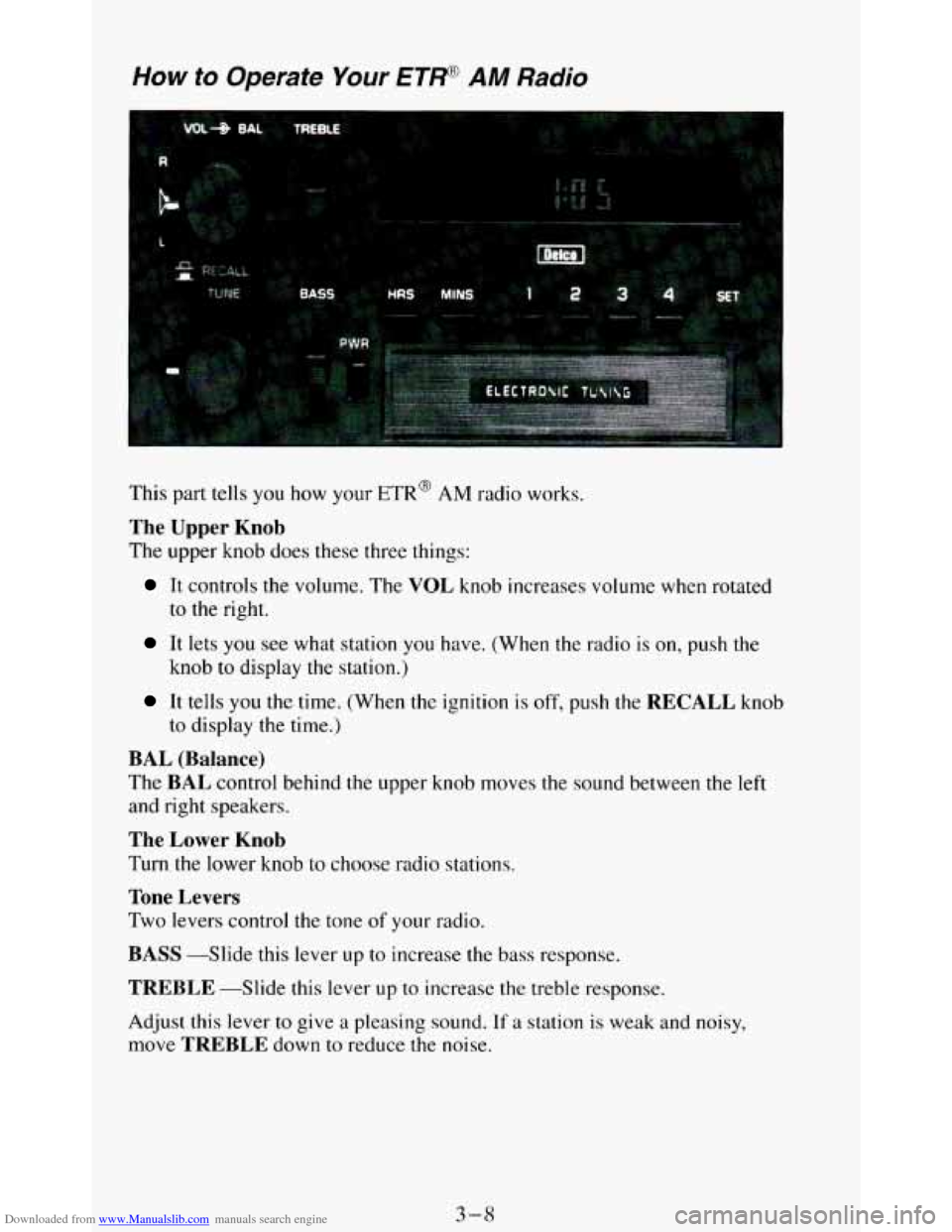
This part tells you how your ETR@ AM radio works.
The Upper Knob
The upper knob does these three things:
It controls the volume. The VOL knob increases volume when rotated
to the right.
It lets you see what station you have. (When the radio is on, push the
knob to display the station.)
It tells you the time. (When the ignition is off, push the RECALL knob
to display the time.)
BAL (Balance)
The BAL control behind the upper knob moves the sound between the left
and right speakers.
The Lower Knob
Turn the lower knob to choose radio stations.
Tone Levers
Two levers control the tone of your radio.
BASS --Slide this lever up to increase the bass response.
TREBLE -Slide this lever up to increase the treble response.
Adjust this lever to give a pleasing sound.
If a station is weak and noisy,
move
TREBLE down to reduce the noise.
3-8
Page 144 of 348
Downloaded from www.Manualslib.com manuals search engine How to Operate Your
ETW AM-FM Siereo Audio Sysiem
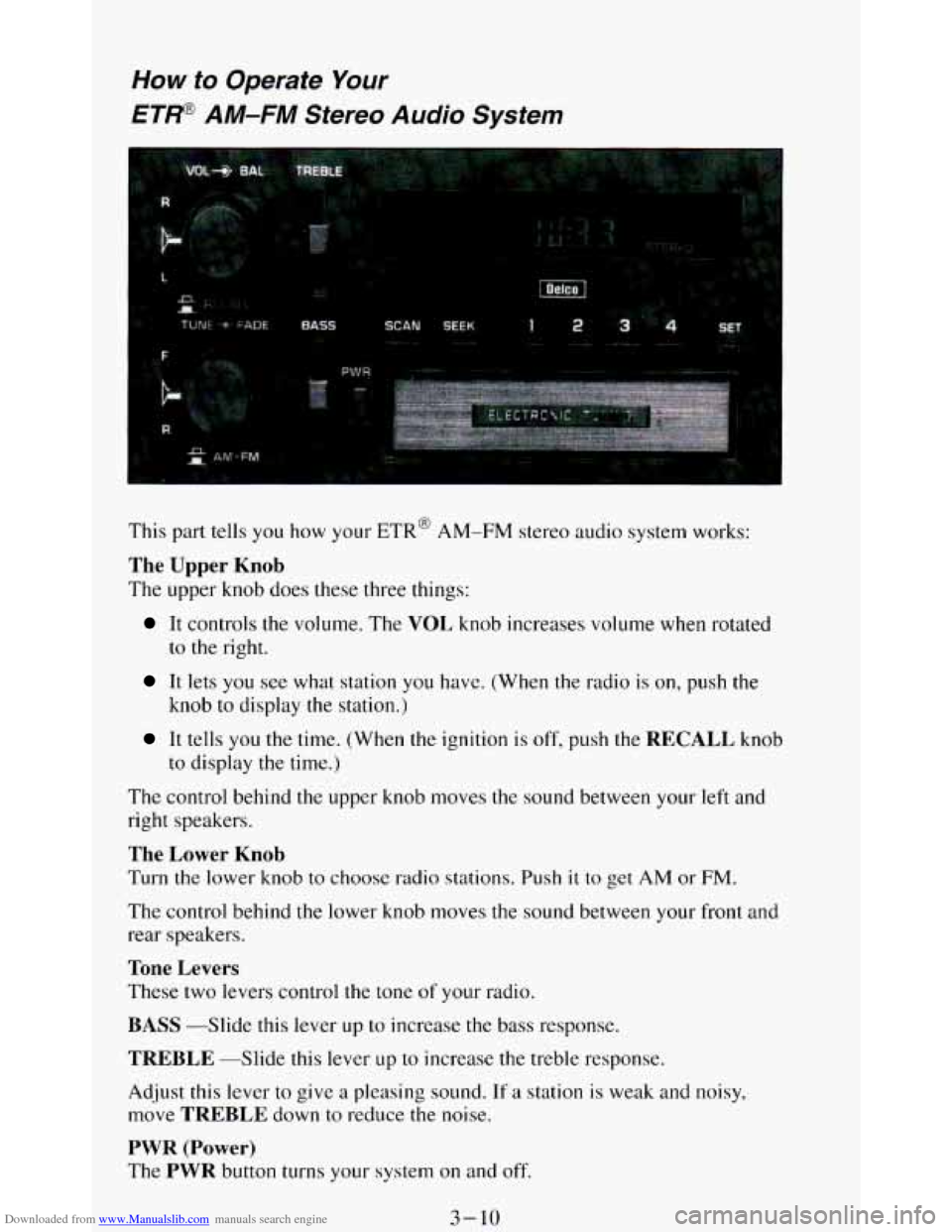
This part tells you how your ETR@ AM-FM stereo audio system works:
The Upper Knob
The upper knob does these three things:
It controls the volume. The VOL knob increases volume when rotated
to
the right.
It lets you see what station you have. (When the radio is on, push the
knob
to display the station.)
It tells you the time. (When the ignition is off, push the RECALL knob
to display
the time.)
The control behind the upper knob moves the sound between your left and
right speakers.
The Lower Knob
Turn the lower knob to choose radio stations. Push it to get AM or FM.
The control behind the lower knob moves the sound between your front and
rear speakers.
Tone Levers
These two levers control the tone of your radio.
BASS -Slide this lever up to increase the bass response.
TREBLE --Slide this lever LIP to increase the treble response.
Adjust this lever to give
a pleasing sound. If a station is weak and noisy,
move
TREBLE down to reduce the noise.
PWR (Power)
The PWR button turns your system on and off.
3-10
Page 146 of 348
Downloaded from www.Manualslib.com manuals search engine How to Operate Your
ETP AM-FM Stereo Audio Cassette System
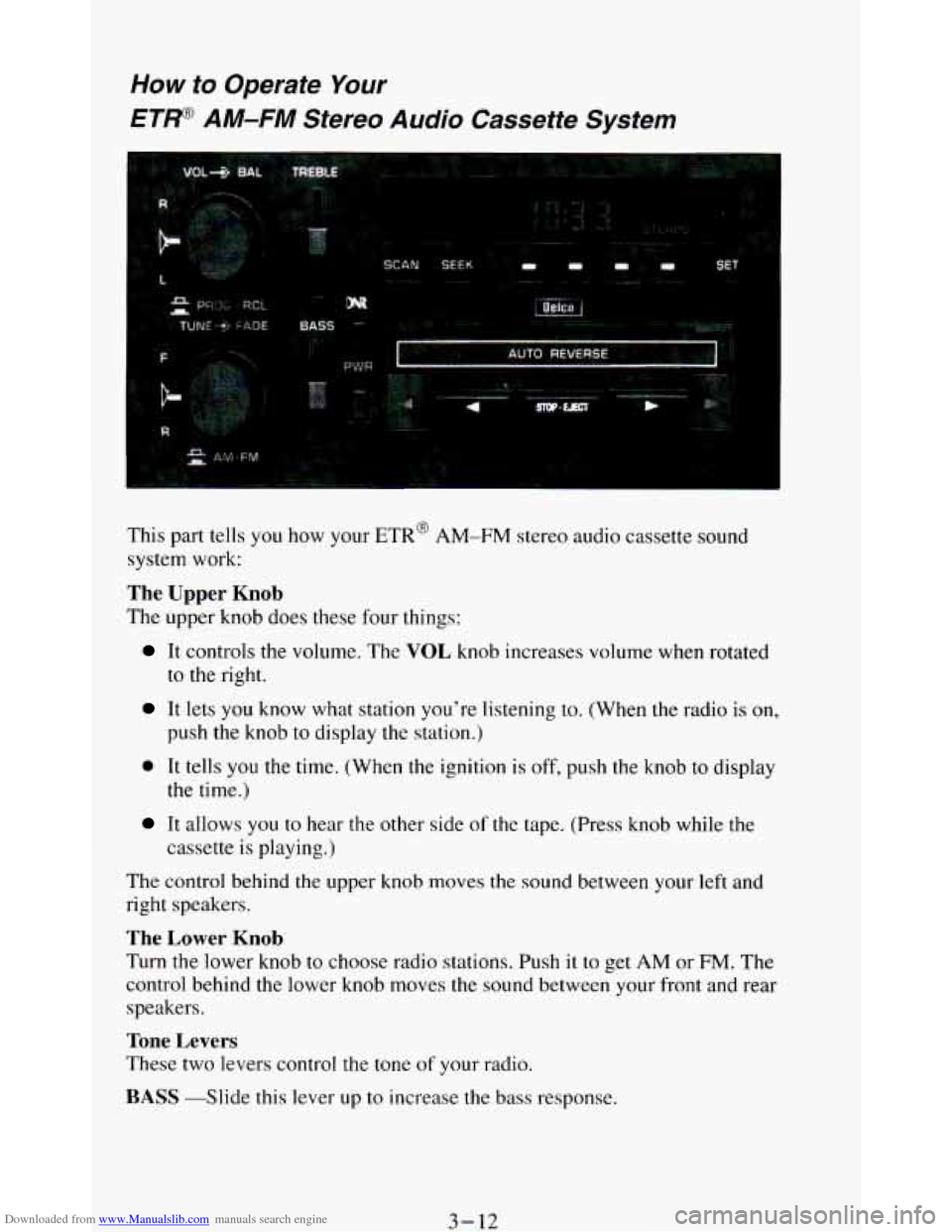
This part tells you how your ETR’ AM-FM stereo audio cassette sound
system work:
The Upper Knob
The upper knob does these four things:
It controls the volume. The VOL knob increases volume when rotated
to the right.
It lets you know what station you’re listening to. (When the radio is on,
push the knob to display the station.)
0 It tells you the time. (When the ignition is off, push the knob to display
It allows you to near the other side of the tape. (Press knob while the
the time.)
cassette
is playing.)
The control behind the upper knob moves
the sound between your left and
right speakers.
The Lower Knob
Turn the lower knob to choose radio stations. Push it to get AM or FM. The
control behind the lower knob moves the sound between your front and rear
speakers.
Tone Levers
These two levers control the tone of your radio.
BASS -Slide this lever up to increase the bass response.
3-12
Page 147 of 348
Downloaded from www.Manualslib.com manuals search engine TREBLE -Slide this lever up to increase the treble response.
Adjust these levers to give
a pleasing sound. If a station is weak and noisy,
move
TREBLE down to reduce the noise.
PWR (Power)
The PWR button turns your system on and off.
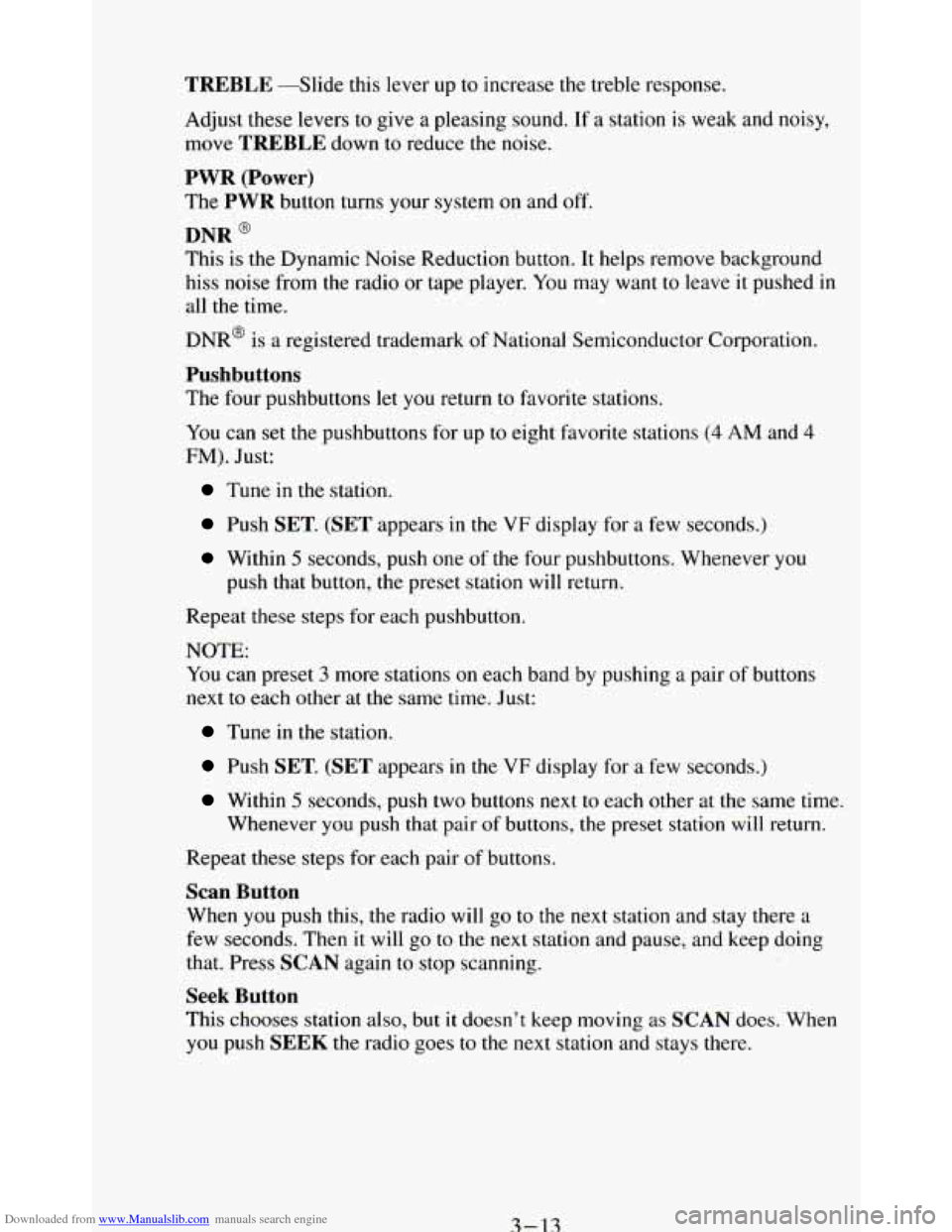
DNR @
This is the Dynamic Noise Reduction button. It helps remove background
hiss noise from the radio or tape player. You may want
to leave it pushed in
all the time.
DNR@ is
a registered trademark of National Semiconductor Corporation.
Pushbuttons
The four pushbuttons let you return to favorite stations.
You
can set the pushbuttons for up to eight favorite stations (4 AM and 4
FM). Just:
Tune in the station.
Push SET. (SET appears in the VF display for a few seconds.)
Within 5 seconds, push one of the four pushbuttons. Whenever you
push that button, the preset station will return.
Repeat these steps for each pushbutton.
NOTE: You can preset
3 more stations on each band by pushing a pair of buttons
next to each other at the same time.
Just:
Tune in the station.
Push SET. (SET appears in the VF display for a few seconds.)
Within 5 seconds, push two buttons next to each other at the same time.
Whenever
you push that pair of buttons, the preset station will return.
Repeat these steps for each pair of buttons.
Scan Button
When you push this, the radio will go to the next station and stay there a
few seconds. Then it will go to the next station and pause, and keep doing
that. Press
SCAN again to stop scanning.
Seek Button
This chooses station also, but it doesn’t keep moving as SCAN does. When
you push
SEEK the radio goes to the next station and stays there.
3-13