1994 CADILLAC SEVILLE ignition
[x] Cancel search: ignitionPage 153 of 399
Downloaded from www.Manualslib.com manuals search engine Fuel Gage
I
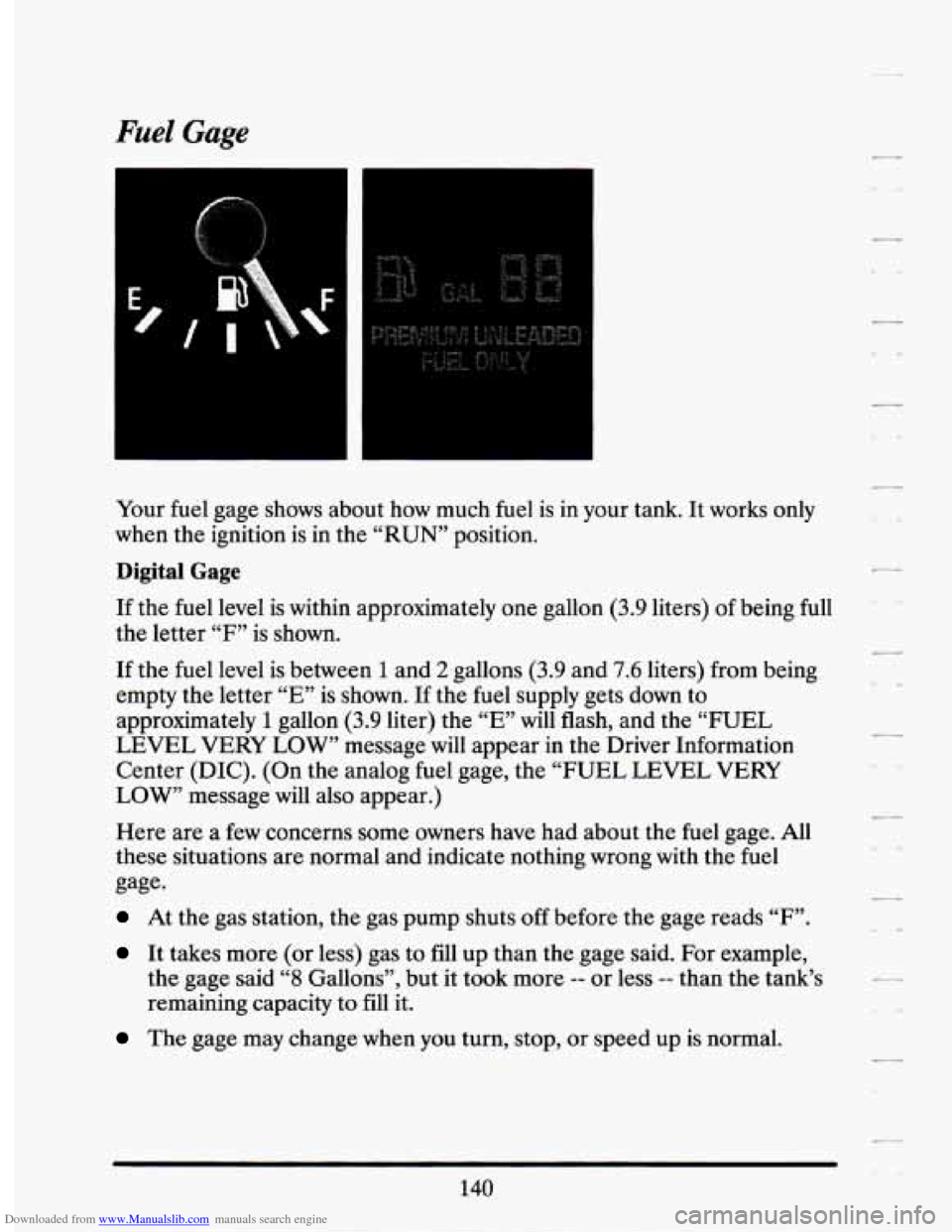
Your fuel gage shows about how much fuel is in your tank. It works only
when the ignition is
in the “RUN” position.
Digital Gage
If the fuel level is within approximately one gallon (3.9 liters) of being full
the letter “F” is shown.
If the fuel level is between
1 and 2 gallons (3.9 and 7.6 liters) from being
empty the letter “E” is shown. If the
fuel supply gets down to
approximately
1 gallon (3.9 liter) the “E” will flash, and the “FUEL
LEVEL VERY LOW” message will appear
in the Driver Information
Center (DIC). (On the analog fuel gage, the “FUEL LEVEL VERY
LOW” message will also appear.)
Here are a
few concerns some owners have had about the fuel gage. All
these situations are normal and indicate nothing wrong with the fuel
gage.
At the gas station, the gas pump shuts off before the gage reads “F”.
It takes more (or less) gas to fill up than the gage said. For example,
the gage said
“8 Gallons”, but it took more -- or less -- than the tank’s
remaining capacity to
fill it.
The gage may change when you turn, stop, or speed up is normal.
140
Page 160 of 399
Downloaded from www.Manualslib.com manuals search engine ENGINE COOLANT HOT - 44
This message will appear when your engine coolant temperature is over
126 C (248 F). To avoid added strain on a hot engine, turn off your
Climate Control system and stop and allow your vehicle to idle until it
cools down or the message is removed.
If it does not cool down, turn off
your engine and have it serviced before driving it again. Severe engine
damage can result from an overheated engine. See “Engine Overheating”
in the Index.
ENGINE HOT - A/C COMPRESSOR OFF - 16
This message will appear when the Climate Control is in “Auto” or
Defrost and the engine coolant is hotter than the normal operating
temperature.
To avoid added strain on a hot engine the air conditioning
compressor is automatically turned
off. When that happens, air
conditioned air is not delivered.
If the coolant temperature returns to
normal, you must select “AUTO”,
“DEFOG” or Defrost to return to a
normal A/C compressor operation.
FUEL LEVEL VERY LOW - 11
This message serves as a warning that the fuel level in your tank is
critically low.
It means you should stop for fuel immediately.
SERVICE A/C SYSTEM A/C COMPRESSOR OFF - 14
This message appears when the electronic sensors that control the A/C
and heating system are no longer working.
You may notice a drop in
heating and A/C efficiency when this message appears. Have your
Climate Control system serviced if this message appears.
STARTING DISABLED DUE TO THEFT SYSTEM REMOVE
IGNITION
KEY - 33
This message will appear when the Personalized Automotive Security
System
(PASS Key II@) senses that an improper ignition key is being used
to try to start the vehicle. Check the ignition key
for damage. If it is
damaged, it may need to be replaced. If you see no damage, clean the
pellet contacts with a soft cloth or napkin. Remove the ignition key and
wait for the Driver Information Center to display “WAIT
3 MINUTES”.
The Instrument Panel Cluster will then run a timer and change the
messages to “WAIT
2 MINUTES”, “WAIT 1 MINUTE”, and then
“START CAR”. When the “START CAR” message is displayed, try again
to start the engine.
Page 162 of 399
Downloaded from www.Manualslib.com manuals search engine TRACTION ACTIVE - 91
If your vehicle is equipped with Traction Control, this message will be
displayed
if Traction Control is being used to reduce wheel slippage.
TRACTION DISABLED - 88
If your vehicle is equipped with Traction Control, this message will be
displayed if a problem is noted in the Traction Control System. Have your
vehicle serviced as soon as possible.
TRANS FLUID RESET - 48
With the engine not running and the ignition ON, press and hold the
OFF and REAR DEFOG buttons until the TRANS FLUID RESET
message appears in the Information Center (between
5 and 20 seconds).
TURN SIGNAL ON - 20
This message is a reminder, after driving about a mile that you have your
turn signal on.
TRUNK OPEN - 24
This message indicates that your trunk is open when the Ignition is ON.
VERY LOW REFRIGERANT A/C COMPRESSOR OFF - 12
This message means that the Air Conditioning system detects a
refrigerant level that is low enough to cause damage to the A/C
compressor. To avoid damage, the A/C compressor automatically turns
off and the Electronic Climate Control will automatically switch from
“AUTO” to “ECON” and remain there. Have your A/C system serviced if
this message appears.
149
Page 165 of 399
Downloaded from www.Manualslib.com manuals search engine There are two things the system doesn’t do:
It can’t sense heavy dust in the places where you drive. If you drive in
a dusty area, you should change your oil
every 3000 miles (5000 km)
or 3 months (whichever comes first), unless the display says to change
it even sooner than that.
0 It doesn’t check how much oil you have, so you’ll still have to check
for that. To see how, see Index under “Engine Oil.”
When You’ve Changed the Oil
When new oil is put in, you’ll need to reset your system. To do it, display
the “OIL
LIFE INDEX” by pressing the INFORMATION button. Then
press and hold the RESET buttons until the display shows
“100 OIL
LIFE LEFT”
Electronic Level Control
This keeps your car level.
The ignition has to be “ON” for
the level control to work. When you turn
the ignition off, you may hear the level control exhausting.
The system
consists
of an electronic rear position sensor, a small electric air
compressor, and air adjustable shock absorbers mounted on the rear
of
the vehicle.
If the system has a slight leak, the air compressor will run frequently for a
few seconds each time.
For a massive air leak, the air compressor will stay on for approximately
7 minutes. You should see your dealer for service, but you can keep
driving your Cadillac, though.
.,
Page 177 of 399
Downloaded from www.Manualslib.com manuals search engine 1 =waJPim
TUNE
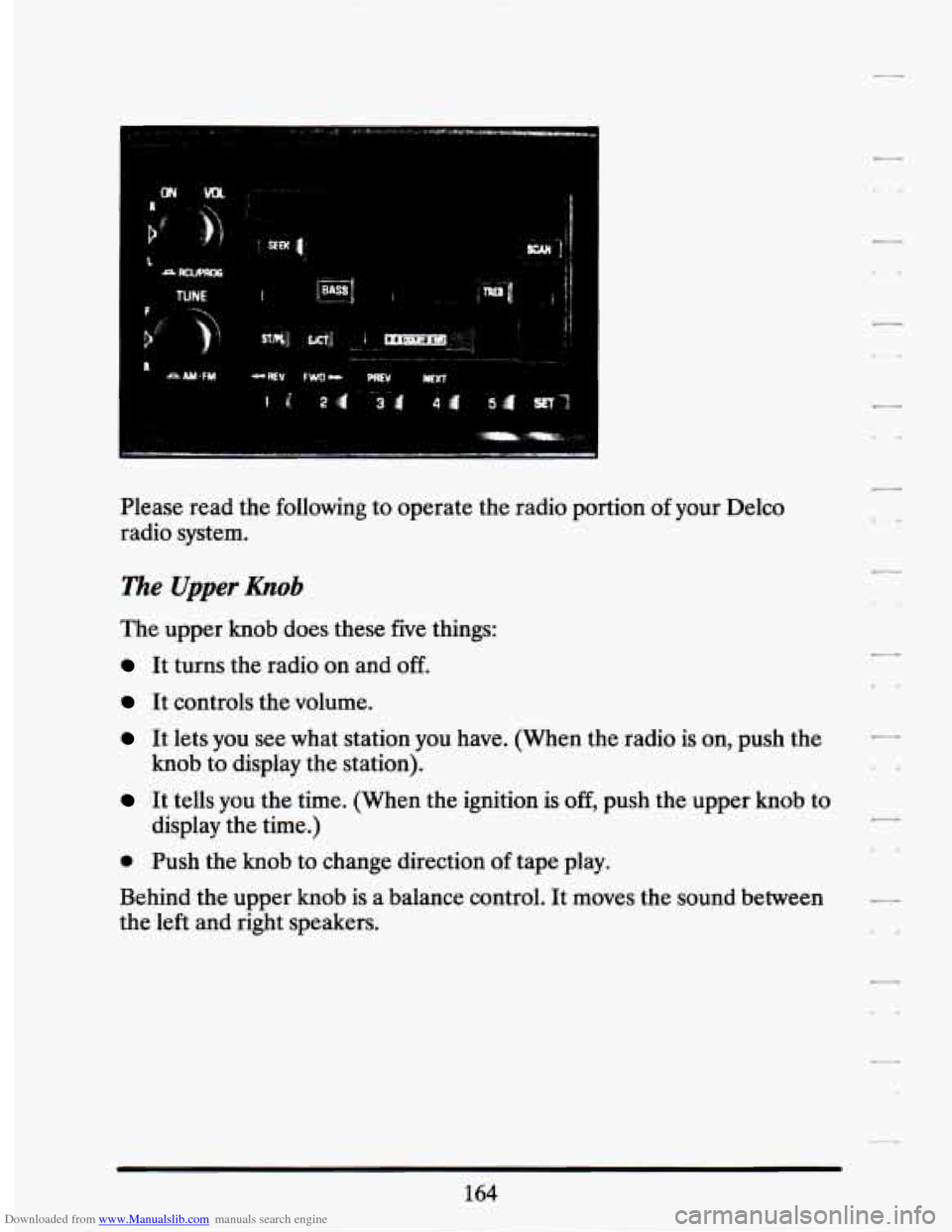
Please read the following to operate the radio portion of your Delco
radio system.
The Upper &ob
The upper knob does these five things:
It turns the radio on and off.
It controls the volume.
It lets you see what station you have. (When the radio is on, push the
It tells you the time. (When the ignition is off, push the upper knob to
knob
to display the station).
display the time.)
@ Push the knob to change direction af tape play.
Behind the upper
knob is a balance control. It moves the sound between
the left and right speakers.
Page 180 of 399
Downloaded from www.Manualslib.com manuals search engine Once the tape is playing, use the upper and lower knobs to adjust the
volume and balance, just as you do
for the radio. Push the upper knob
to change tape direction. The arrow in the display show which
direction the tape is being played.
FWI (Forward)
Push the FWD button to move forward rapidly to another part of the
tape. The radio will play during fast forward.
To stop the tape push the
same button and the tape will start to play again.
REV (Reverse)
Push the REV button to move the tape rapidly backward. To stop the
tape, push the same button lightly or any
of the other buttons. The radio
will play during this reverse function.
To go from one side of the tape to the other, push in the upper knob on
your radio. To remove the tape, push EJCT The tape can be ejected when
the ignition is turned
off.
NEXT
Push the NEXT button up to jump quickly to the next selection. If the
selection is at the end of the tape, the tape will reverse directions and
begin playing at a normal speed.
PREV
Push the PREV button up to quickly go to the beginning of the last
selection.
If the player has played less than 10 seconds into the current selection,
depressing the PREV button will cause the player to find the beginning of
the previous selection
and resume play from that point. If the player is
more than
10 seconds into the current selection, pressing PREV button
will cause the player to find the beginning of the current selection and
resume play from that point. If PREV is issued while the first selection on
the tape is being played, the player will return
to the beginning of that
side of the tape.
167
Page 183 of 399
Downloaded from www.Manualslib.com manuals search engine Comp (Compression)
Pressing COMP makes soft and loud passages more nearly equal in
volume. For example, playing classical or
jazz music with very quiet and
very loud passages in the same tune. The COMP display will light as long
as COMP is on.
Turn the ignition on. Then:
To Set the Hour:
Press SET, and within 5 seconds,
0 Press and hold SEEK. When the clock gets to the correct hour, let go.
To Set the Minutes:
Press SET, and within 5 seconds,
Press and hold SCAN. When the clock gets to the correct minute, let
Your clock is set.
go.
Care of Your Cassette Tape Player
A tape
player that is not cleaned regularly can cause reduced sound
quality, ruined cassettes, or a damaged mechanism. Cassette tapes should
be stored in their cases away from contaminants, direct sunlight, and
extreme heat.
If they aren’t, they may not operate properly or cause
failure of the tape player.
Your tape player should be cleaned regularly each month or after every
15 hours of use. If you notice a reduction in sound quality, try a known
good cassette
to see if the tape or the tape player is at fault. If this other
cassette has no improvement in sound quality, clean the tape player.
Clean your tape player with a wiping-action, non-abrasive cleaning
cassette, and follow the directions provided with it.
Cassettes are subject to wear and the sound quality may degrade over
time. Always make sure that the cassette tape is in good condition before
you have your tape player serviced.
170
Page 184 of 399
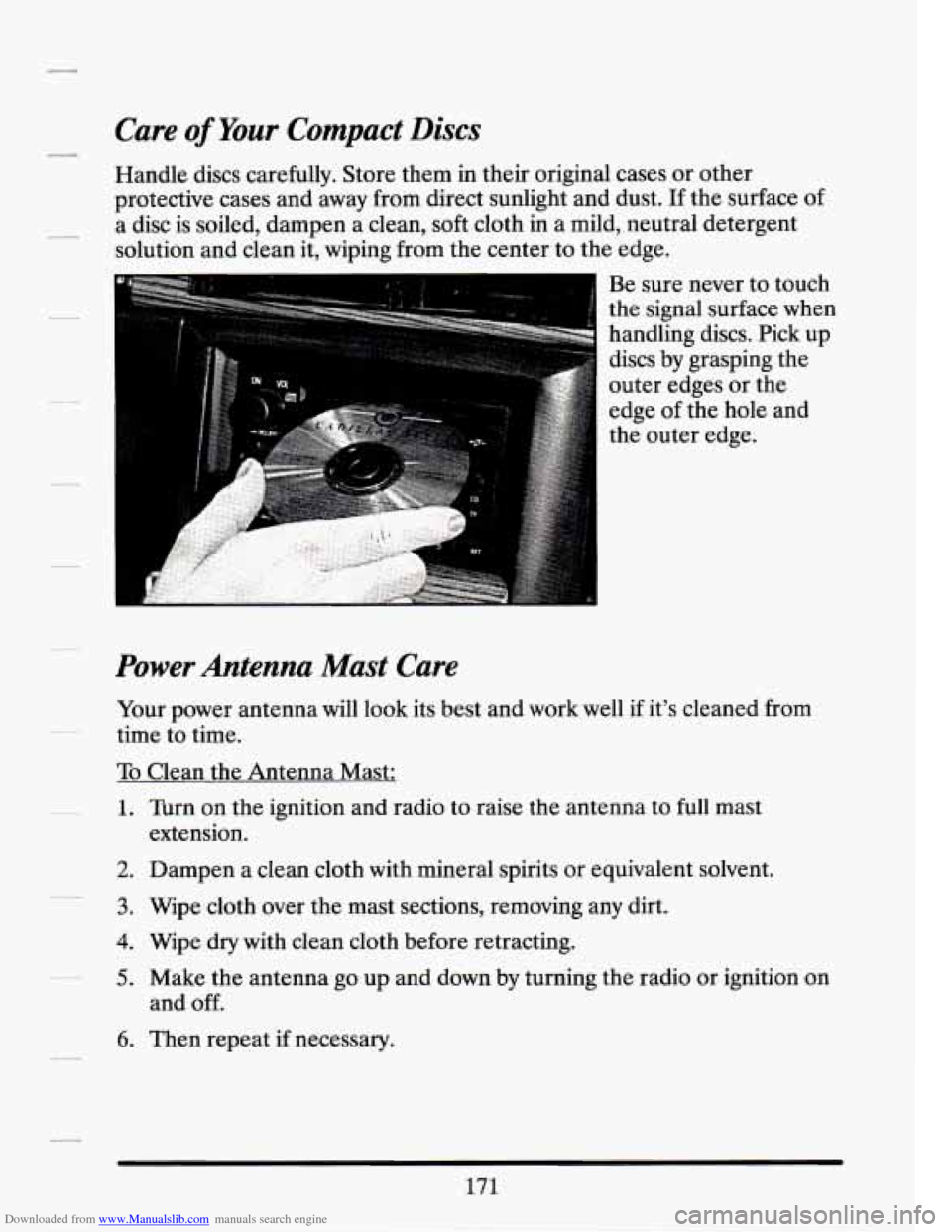
Downloaded from www.Manualslib.com manuals search engine Power Antenna Mast Care
Your power antenna will look its best and work well if it’s cleaned from
time to time.
To Clean the Antenna Mast:
1. Turn on the ignition and radio to raise the antenna to full mast
2. Dampen a clean cloth with mineral spirits or equivalent solvent.
3. Wipe cloth over the mast sections, removing any dirt.
4. Wipe dry with clean cloth before retracting.
5. Make the antenna go up and down by turning the radio or ignition on
extension.
and
off.
6. Then repeat if necessary.
171