1993 PONTIAC BONNEVILLE display
[x] Cancel search: displayPage 117 of 322
Features & Controls
pH2119
Head-Up Display (omorq
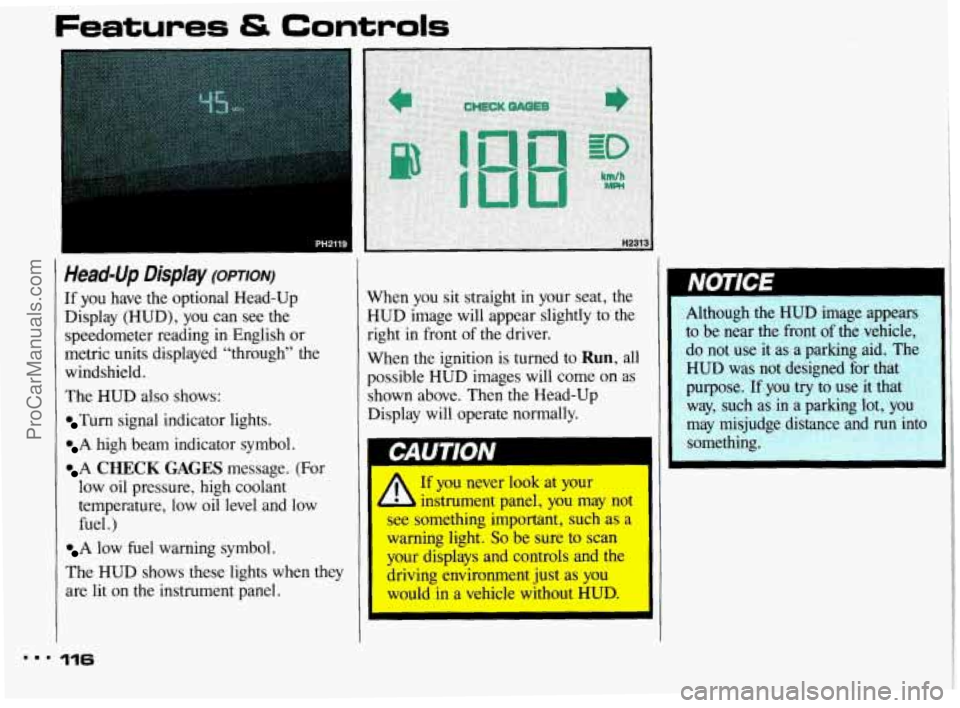
If you have the optional Head-Up
Display (HUD), you can see the
speedometer reading in English or
metric units displayed “through” the
windshield.
The HUD
also shows:
Turn signal indicator lights.
A high beam indicator symbol.
A CHECK GAGES message. (For
low oil pressure, high coolant
temperature, low oil level and low
fuel .)
A low fuel warning symbol.
The HUD shows these lights when they
are lit
on the instrument panel.
... 116
When you sit straight in your seat, the
HUD image will appear slightly to the
right in front
of the driver.
When the ignition is turned
to Run, all
possible HUD images will come on as
shown above. Then the Head-Up
Display will operate normally.
14
NOTEE
Although the HUD image appears
to be near the front
of the vehicle,
do not use it as a parking aid. The
HUD was not designed
for that
purpose.
If you try to use it that
way, such as in a parking lot,
you
may misjudge distance and run into
something.
If you never look at your
b instrument panel, you may not
see something important, such as a
warning light. So be sure to scan
your displays and controls and the
driving environment just
as you
would in a vehicle without
HUD.
ProCarManuals.com
Page 119 of 322
Care of the Head-Up Display
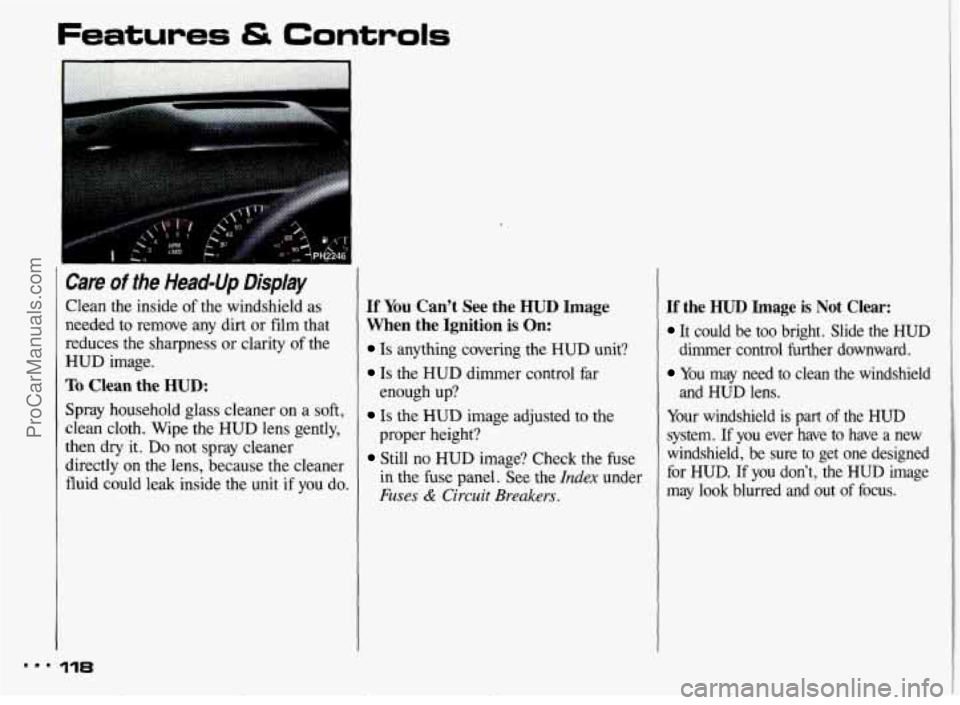
Clean the inside of the windshield as
needed to remove any dirt or film that
reduces the sharpness or clarity
of the
HUD image.
To Clean the HUD:
Spray household glass cleaner on a soft,
clean cloth. Wipe the HUD lens gently,
then
dry it. Do not spray cleaner
directly on the lens, because the cleaner
fluid could leak inside the unit
if you do.
If You Can’t See the HUD Image
When the Ignition
is On:
Is anything covering the HUD unit?
Is the HUD dimmer control far
Is the HUD image adjusted to the
Still no HUD image? Check the fuse
enough
up?
proper
height?
in the
fuse panel. See the Index under
Fuses & Circuit Breakers.
Ifthe HUD Image is Not Clear:
It could be too bright. Slide the HUD
dimmer control further downward.
You may need to clean the windshield
and HUD lens.
Your windshield is part
of the HUD
system.
If you ever have to have a new
windshield, be sure to get one designed
for HUD.
If you don’t, the HUD image
may
look blurred and out of focus.
ProCarManuals.com
Page 124 of 322
., . .. -.
Electronic Climate Control
(OPTION)
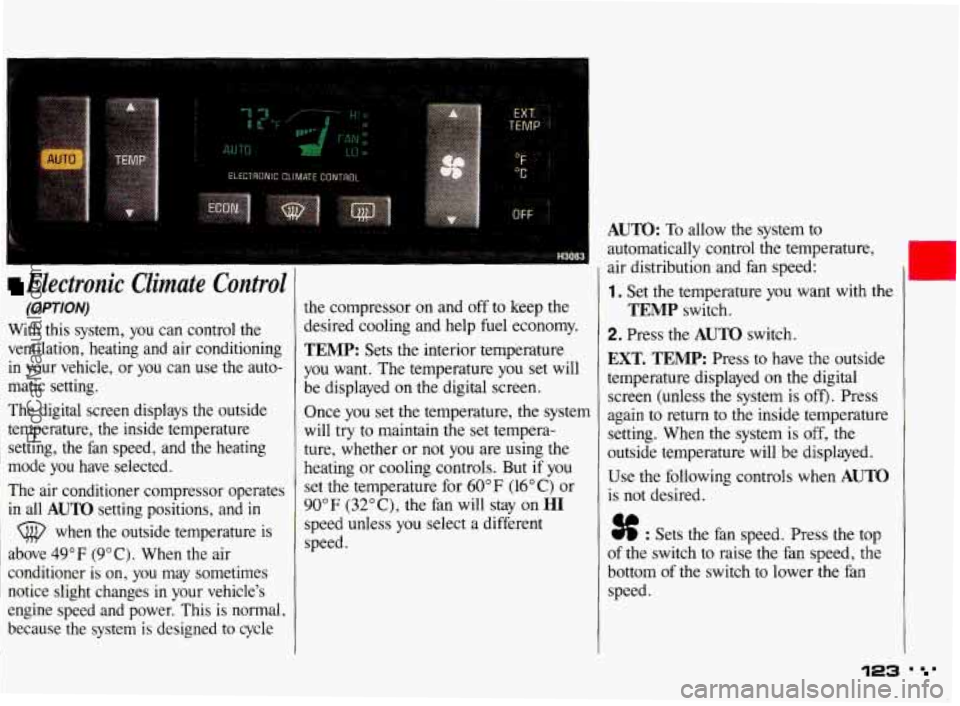
With this system, you can control the
ventilation, heating and air conditioning
in your vehicle, or you can use the auto-
matic setting.
The digital screen displays the outside
temperature, the inside temperature setting, the fan speed, and the heating
mode you have selected.
The air conditioner compressor operates
in all
AUTO setting positions, and in
(@ when the outside temperature is
above 49°F (9°C). When the air
conditioner is on, you may sometimes
notice slight changes
in your vehicle's
engine speed and power. This is normal,
because the system
is designed to cycle
the compressor on and off to keep the
desired cooling and help
fuel economy.
TEMP: Sets the interior temperature
you want. The temperature you set will
be displayed on the digital screen.
Once you set the temperature, the system
will
try to maintain the set tempera-
ture, whether or not you are using the
heating or cooling controls. But
if you
set the temperature for 60°F (16°C) or
90"
F (32" C), the fan will stay on HI
speed unless you select a different
speed.
AUTO: To allow the system to
automatically control the temperature,
air distribution and fan speed:
1. Set the temperature you want with the
2. Press the AUTO switch.
TEMP switch.
EXT. TEMP: Press to have the outside
temperature displayed on the digital
screen (unless the system is
off). Press
again to return to the inside temperature
setting. When the system is
off, the
outside temperature will be displayed.
Use the following controls when
AUTO
is not desired.
% : Sets the fan speed. Press the top
of the switch to raise the fan speed, the
bottom of the switch to lower the fan
speed.
123 ' '
ProCarManuals.com
Page 125 of 322
Comfort Controls & Audio Systems
Electronic Climate Control
(Cont.)
OF/” C: Press this to read the temperature
in degrees Fahrenheit or Celsius.
OFF: Shuts the system off. The outside
temperature will be displayed. Air will
still
flow through your vehicle if it is
moving. Also, the system will try to
maintain the temperature you set, but
may not be able to if it’s very warm or
cold outside.
ECON: Use in cold or cool weather.
This saves
fuel because the air
conditioner compressor doesn’t
run. But
this setting doesn’t remove humidity
from the air.
(Defrost): Press this to remove
fog or ice from the windshield. It will
start at the high fan speed, but you can
select another speed
if you want. It’s a
good idea to remove any ice or snow
from the hood and from
the air inlet
between the hood and windshield.
@ (Rear Window Defogger): Press
to warm the defogger grid
on the rear
window.
On some models, the outside
rearview mirrors are also warmed. The
rear window defogger will turn off
automatically after about
10 minutes of
use.
If you turn it on again, the defogger
will operate for about five minutes
only.
You can also turn the defogger off by
turning off the ignition or pressing the
switch again.
Do not attach a temporary vehicle
license across the defogger grid
on the
rear window.
Don’t
use a razor blade or something
else sharp on the inside
of the rear
window.
If you do, you could cut
or damage the warming grid, and
the repairs wouldn’t be covered by
your warranty.
1.1 124
ProCarManuals.com
Page 128 of 322
Before you add any sound equipment to your vehicle-like a
tape player, CB radio, mobile
telephone or two-way radio-be
sure you can add what
you want. If
you can, it’s very important to do it
properly. Added sound equipment
may interfere with the operation
of
your vehicle’s engine, Delco@ radio
or other systems, and can even
damage them. And, your vehicle’s systems may interfere with the
operation of sound equipment that
has been added improperly.
So, before adding sound
equipment, check with your dealer and be sure to check federal rules
covering mobile radio and
telephone units.
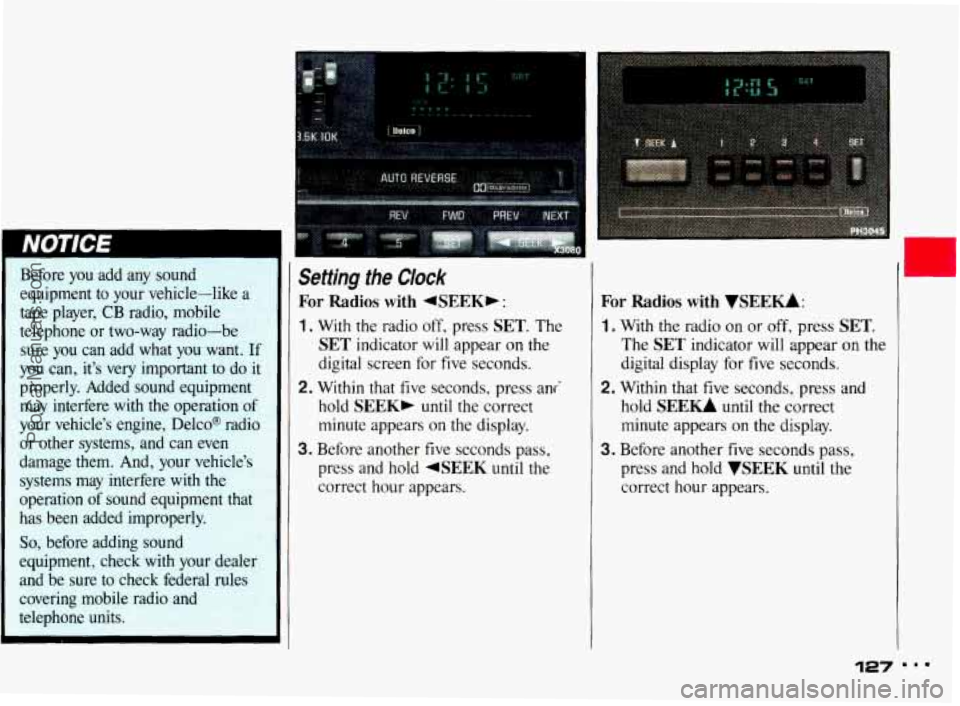
Setting the Clock
For Radios with 4SEEKb :
1. With the radio off, press SET. The
SET indicator will appear on the
digital screen for five seconds.
2. Within that five seconds, press ani
hold
SEEK, until the correct
minute appears
on the display.
3. Before another five seconds pass,
press and hold
4SEEK until the
correct hour appears.
For Radios with VSEEU:
1. With the radio on or off, press SET.
The SET indicator will appear on the
digital display for five seconds.
2. Within that five seconds, press and
hold
SEE- until the correct
minute appears
on the display.
3. Before another five seconds pass,
press and hold
WEEK until the
correct hour appears.
127 ...
ProCarManuals.com
Page 129 of 322
m..
Comfort Controls & Audio Systems
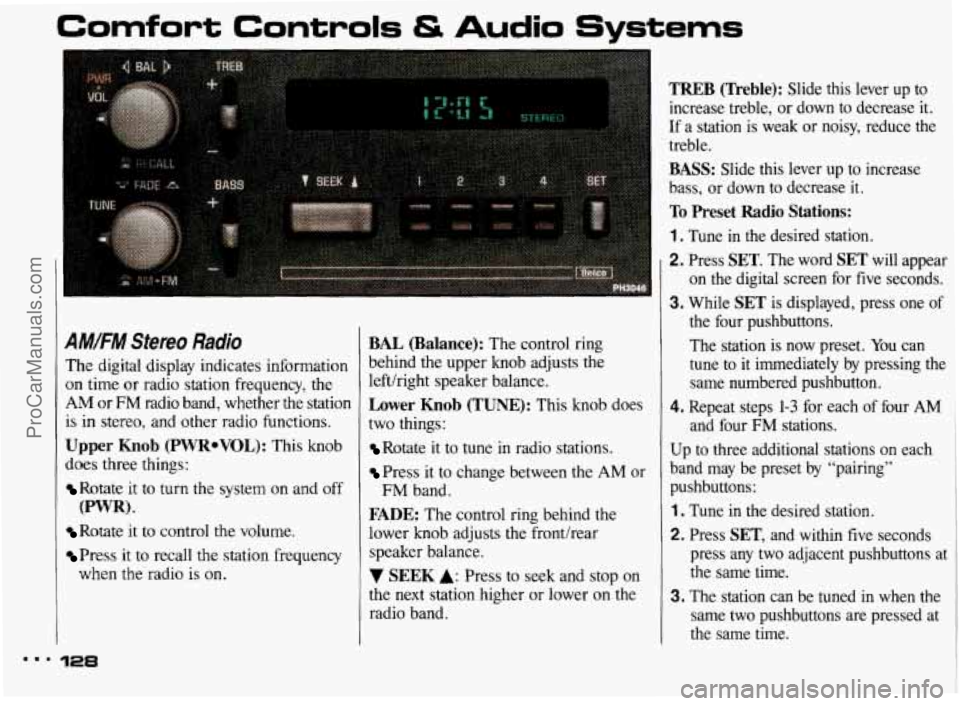
A#.FM Stereo Radio
The digital display indicates information
on time or radio station frequency, the
AM or FM radio band, whether the station
is
in stereo, and other radio functions.
Upper Knob (PWRoVOL): This knob
does three things:
Rotate it to turn the system on and off
Rotate it to control the volume.
Press it to recall the station frequency
(PWR).
when the radio is on.
128
BAL (Balance): The control ring
behind the upper knob adjusts the
lefthight speaker balance.
Lower Knob (TUNE): This knob does
two things:
Rotate it to tune in radio stations.
Press it to change between the AM or
FADE: The control ring behind the
lower knob adjusts the fronthear
speaker balance.
7 SEEK A: Press to seek and stop on
the next station higher or lower
on the
radio band.
FM band.
TREB (Treble): Slide this lever up to
increase treble, or down to decrease it.
If a station is weak or noisy, reduce the
treble.
BASS: Slide this lever up to increase
bass, or down to decrease
it.
To Preset Radio Stations:
1 . Tune in the desired station.
2. Press SET. The word SET will appear
on the digital screen for five seconds.
3. While SET is displayed, press one of
the four pushbuttons.
The station is now preset. You can
tune to
it immediately by pressing the
same numbered pushbutton.
4. Repeat steps 1-3 for each of four AM
and four FM stations.
Up to three additional stations on each
band may be preset by “pairing”
pushbuttons:
1 . Tune in the desired station.
2. Press SET, and within five seconds
press any two adjacent pushbuttons at
the same time.
3. The station can be tuned in when the
same two pushbuttons are pressed at
the same time.
ProCarManuals.com
Page 130 of 322
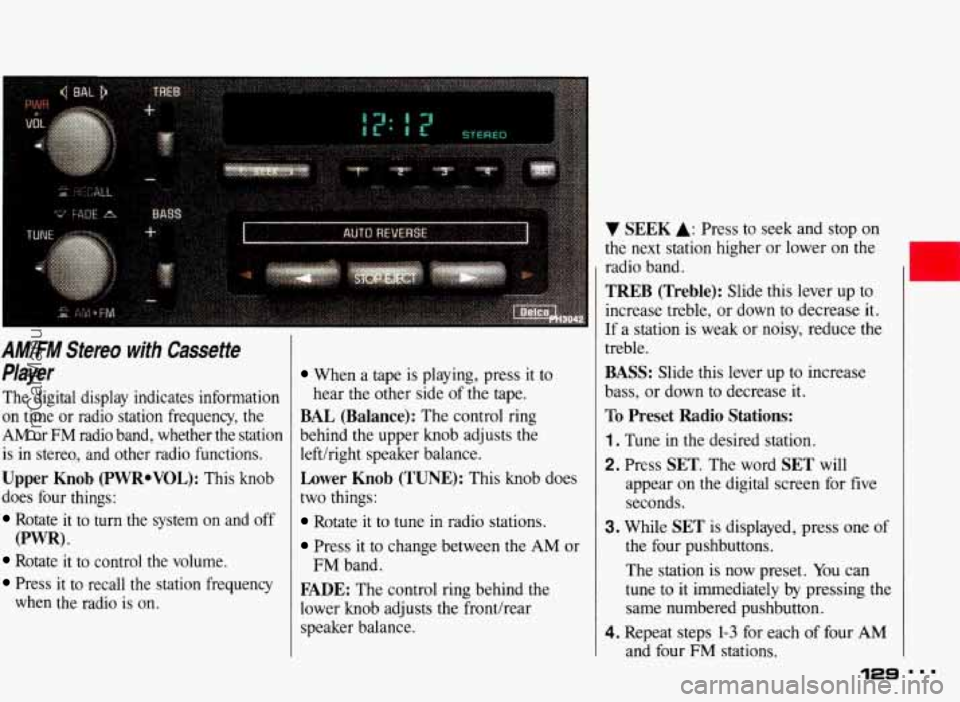
AM/FM Stereo with Cassette
Player
The digital display indicates information
on time or radio station frequency, the
AM or FM radio band, whether the station
is in stereo, and other radio functions.
Upper Knob (PWRoVOL): This knob
does four things:
Rotate it to turn the system on and off
Rotate it to control the volume.
Press it to recall the station frequency
(PWR) *
when the radio is on.
When a tape is playing, press it to
hear the other side
of the tape.
BAL (Balance): The control ring
behind the upper knob adjusts the
lefthight speaker balance.
Lower Knob (TUNE): This knob does
two things:
Rotate it to tune in radio stations.
Press it to change between the AM or
FADE: The control ring behind the
lower knob adjusts the fronthear
speaker balance.
FM band.
V SEEK A: Press to seek and stop on
the next station higher or lower
on the
radio band.
TREB (Treble): Slide this lever up to
increase treble, or down
to decrease it.
If a station is weak or noisy, reduce the
treble.
BASS: Slide this lever up to increase
bass, or down to decrease it.
To Preset Radio Stations:
1. Tune in the desired station.
2. Press SET. The word SET will
appear
on the digital screen for five
seconds.
3. While SET is displayed, press one of
the four pushbuttons.
The station is
now preset. You can
tune
to it immediately by pressing the
same numbered pushbutton.
4. Repeat steps 1-3 for each of four AM
and four FM stations.
129 ...
ProCarManuals.com
Page 132 of 322
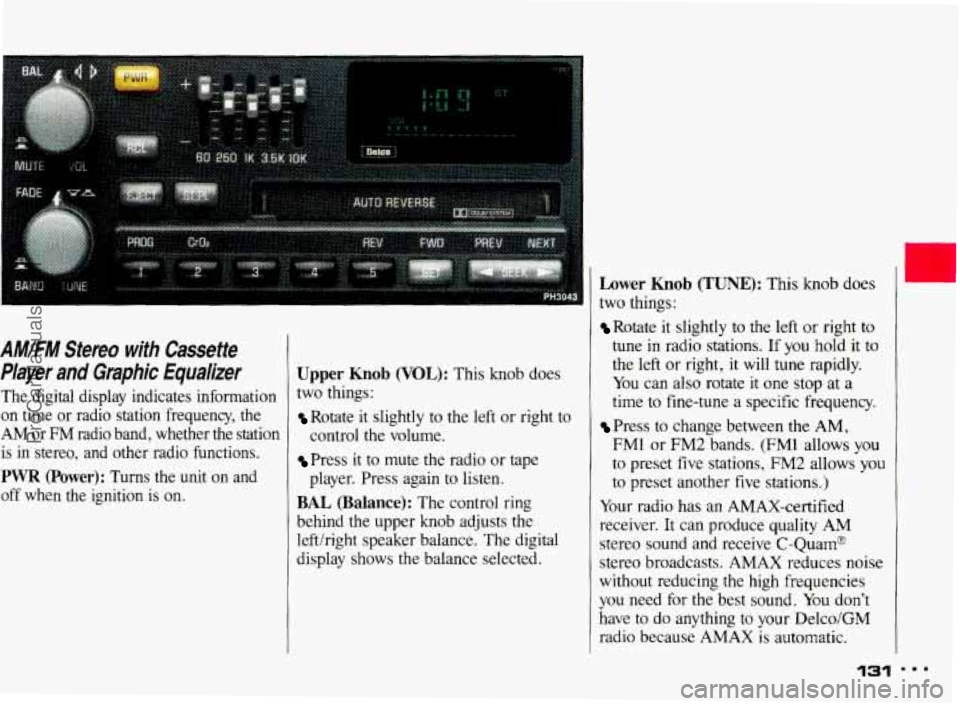
AM/FM Stereo with Cassette
Player and Graphic Equalizer
The digital display indicates information
on time
or radio station frequency, the
AM or FM radio band, whether the station is in stereo, and other radio functions.
PWR (Power): Turns the unit on and
off when the ignition
is on.
Upper Knob (VOL): This knob does
two things:
Rotate it slightly to the left or right to
control the volume.
Press it to mute the radio or tape
BAL (Balance): The control ring
behind the upper knob adjusts the
lefthight speaker balance. The digital
display shows the balance selected. player.
Press again to listen.
Lower Knob (TUNE): This knob does
two things:
Rotate it slightly to the left or right to
tune in radio stations. If you hold it to
the
left or right, it will tune rapidly.
You can also rotate
it one stop at a
time to fine-tune a specific frequency.
Press to change between the AM,
FM1 or FM2 bands. (FM1 allows
you
to preset five stations, FM2 allows you
to preset another five stations.)
Your radio has an AMAX-certified
receiver. It can produce quality AM
stereo sound and receive C-Quam@
stereo broadcasts. AMAX reduces noise
without reducing the high frequencies
you need for the best sound. You don’t
have
to do anything to your Delco/GM
radio because AMAX is automatic.
1,
131
ProCarManuals.com