1993 CADILLAC SEVILLE check engine
[x] Cancel search: check enginePage 125 of 407
Downloaded from www.Manualslib.com manuals search engine Twilight Sentinel
I
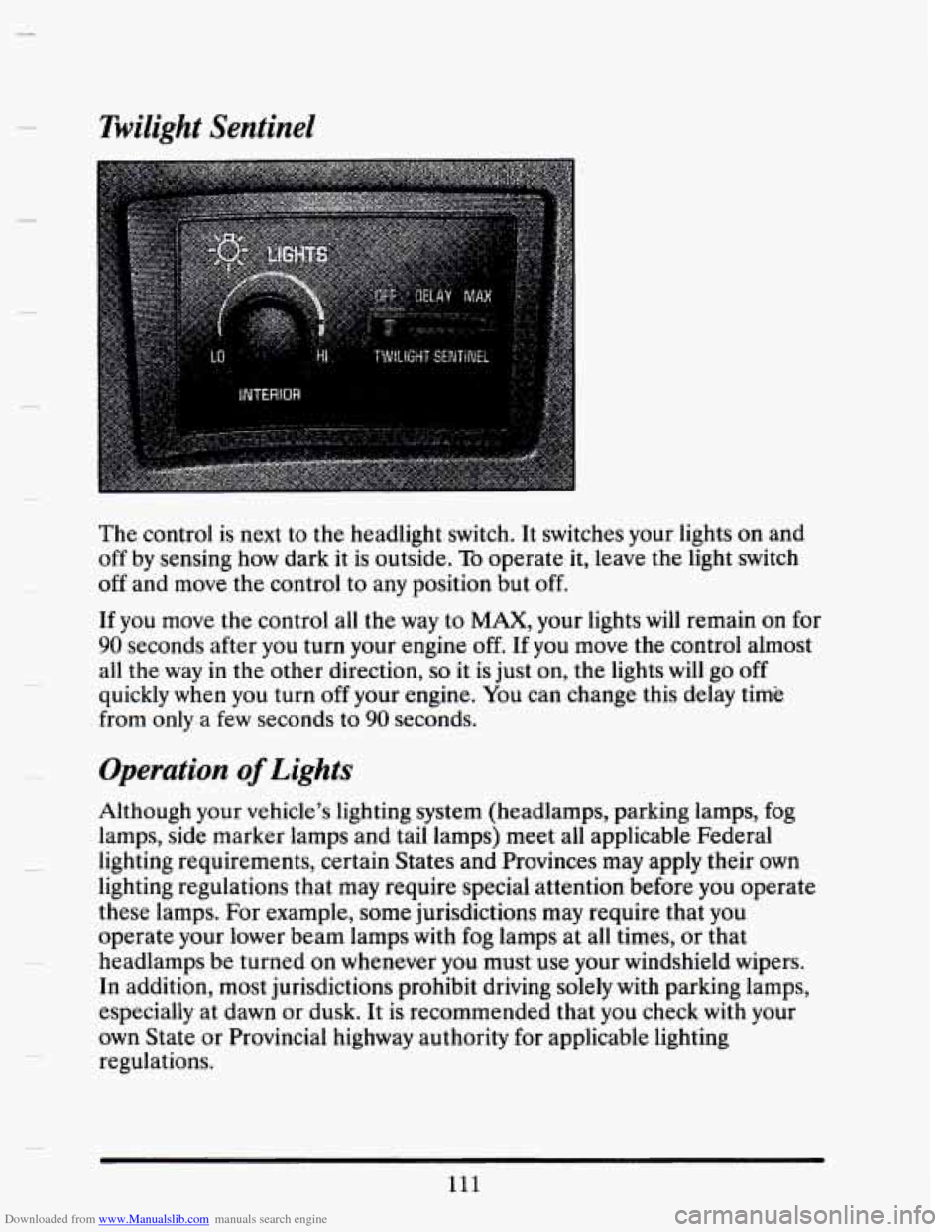
The control is next to the headlight switch. It switches your lights on and
off by sensing how dark it is outside. To operate it, leave the light switch
off and move the control to any position but off.
If you move the control all the way to MAX, your lights will remain on for
90 seconds after you turn your engine off. If you move the control almost
all the way in the other direction,
so it is just on, the lights will go off
quickly when you turn off your engine. You can change this delay time
from
only a few seconds to 90 seconds.
Operation of Lights
Although your vehicle’s lighting system (headlamps, parking lamps, fog
lamps, side marker lamps and tail lamps) meet all applicable Federal
lighting requirements, certain States and Provinces may apply their own
lighting regulations that may require special attention before you operate
these lamps. For example, some jurisdictions may require that you
operate your lower beam lamps with fog lamps at all times, or that
headlamps be turned on whenever you must use your windshield wipers.
In addition, most jurisdictions prohibit driving solely with parking lamps,
especially at dawn or dusk.
It is recommended that you check with your
own State or Provincial highway authority for applicable lighting
regulations.
111
Page 133 of 407
Downloaded from www.Manualslib.com manuals search engine A CAUTION:
If you aren’t used to a convex mirror, you can hit another
vchicie. A convex mirror can make things (like other vehicles)
look farther away than they really are, if you cut tou sharply
into the right lane, you cuuld hit a vehicle on your right. Check
your inside mirror or glance over your shoulder before changing
lanes,
BREAK-AWAY OUTSIDE MIRROR (EXPORT)
The mirrors will collapse in either the forward or rearward direction, and
then return to the normal position.
ASTROROOF - EXPRESS OPEN
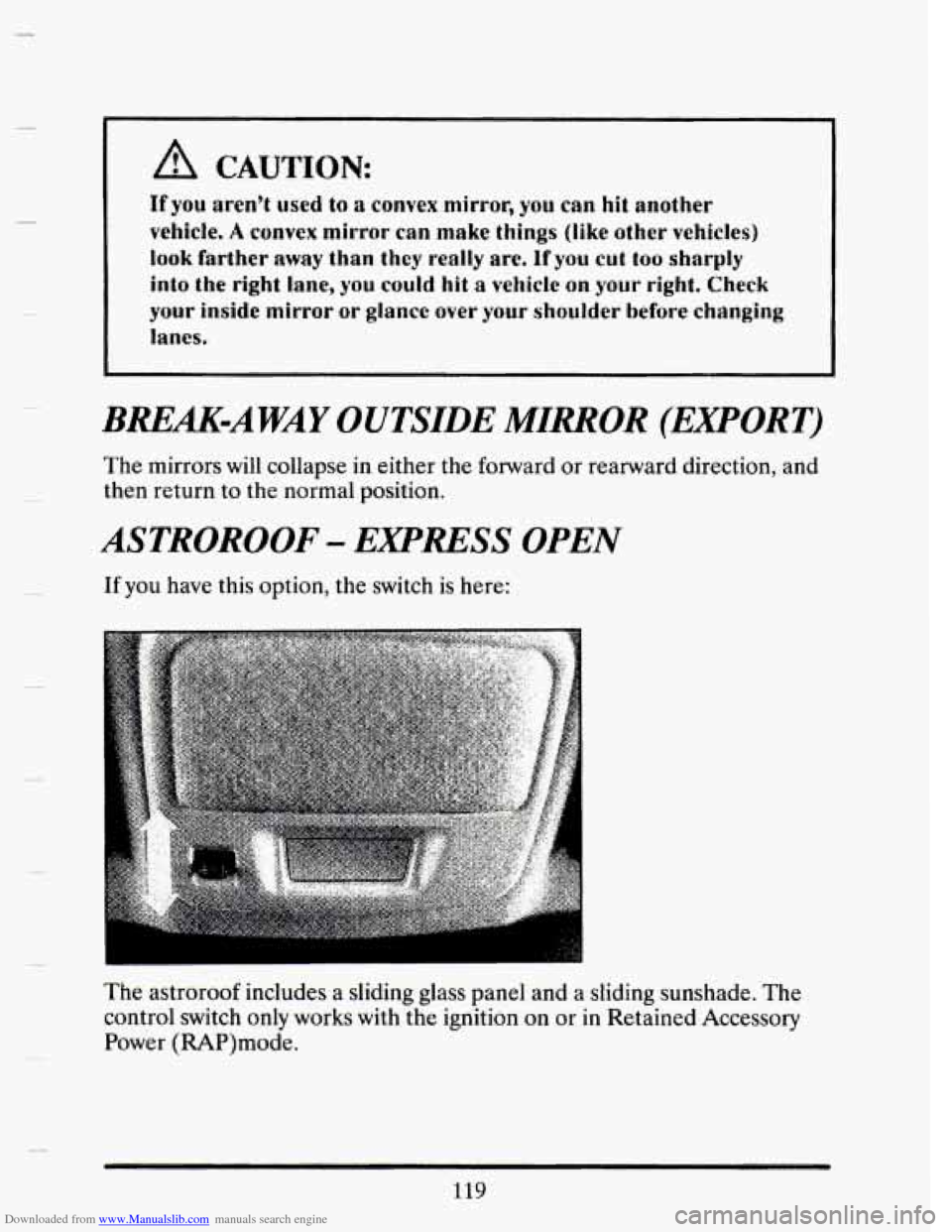
If you have this option, the switch is here:
The astroroof includes a sliding glass panel and a sliding sunshade. The
control switch
only works with the ignition on or in Retained Accessory
Power (RAP)mode.
119
Page 141 of 407
Downloaded from www.Manualslib.com manuals search engine Odometer
You may wonder what happens if a car has to have a new odometer
installed. The new one may read the correct mileage. This
is because your
car’s computer
has stored the mileage in memory. If it isn’t stored, then
this odometer
is set at zero, but a label on the driver’s door must show the
old reading and when the new one was installed.
WARNING LIGHTS
This section describes the warning lights that may De on your vehicle. The
pictures will help you locate them.
Warning lights can signal that something is wrong before
it becomes
serious enough
to cause an expensive repair or replacement. Paying
attention to your warning lights could also save you
or others from injury.
Warning lights go on when there may be or is a problem with one
of your
vehicle’s functions.
As you will see in the details on the next few pages,
some warning lights come on briefly when you turn the ignition key just to
let you
know they’re working. If you are familiar with this section, you
should not be alarmed when this happens.
When one
of the warning lights comes on and stays on when you are
driving, check the section that tells you what to do about it. Please follow
the manual’s advice. Waiting to do repairs can be costly
-- and even
dangerous.
So please get to know your warning lights. They’re a big help.
Your vehicle may also have a driver information system that works along
with.
. the ,. warning lights. See “Driver Information System” in the Index.
Page 144 of 407
Downloaded from www.Manualslib.com manuals search engine Engine Temperature Warning Light (Export Only)
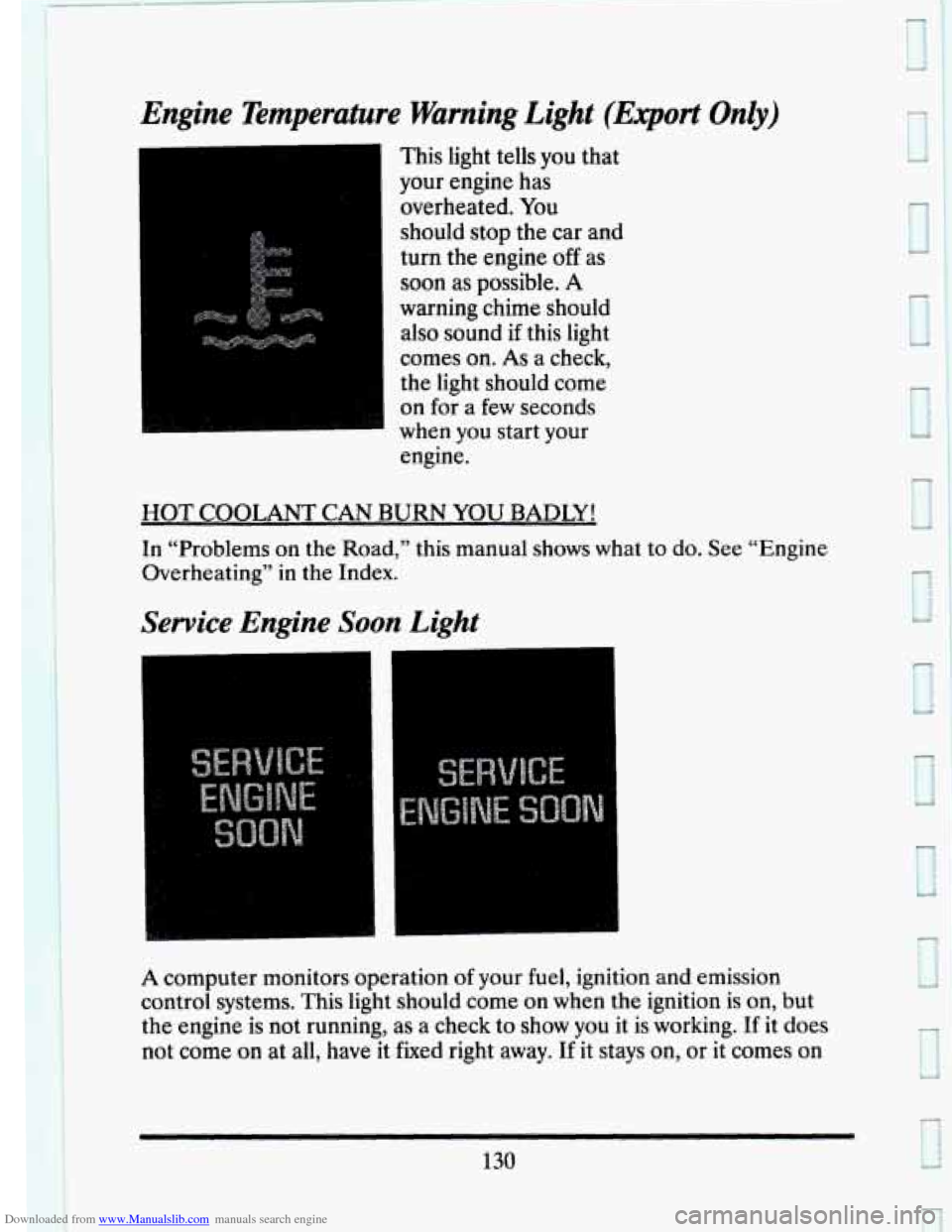
This light tells you that
your engine has
overheated. You
should stop the car and
turn the engine
off as
soon
as possible. A
warning chime should also sound if this light
comes on.
As a check,
the light should come
on for
a few seconds
when you start your
engine.
HOT COOLANT CAN BURN YOU BADLY!
In “Problems on the Road,” this manual shows what to do. See “Engine
Overheating”
in the Index.
Service Engine Soon Light
A computer monitors operation of your fuel, ignition and emission
control systems. This light should come on when the ignition is on, but
the engine is not running, as a check to show
you it is working. If it does
not come
on at all, have it fixed right away. If it stays on, or it comes on
130
e
Page 146 of 407
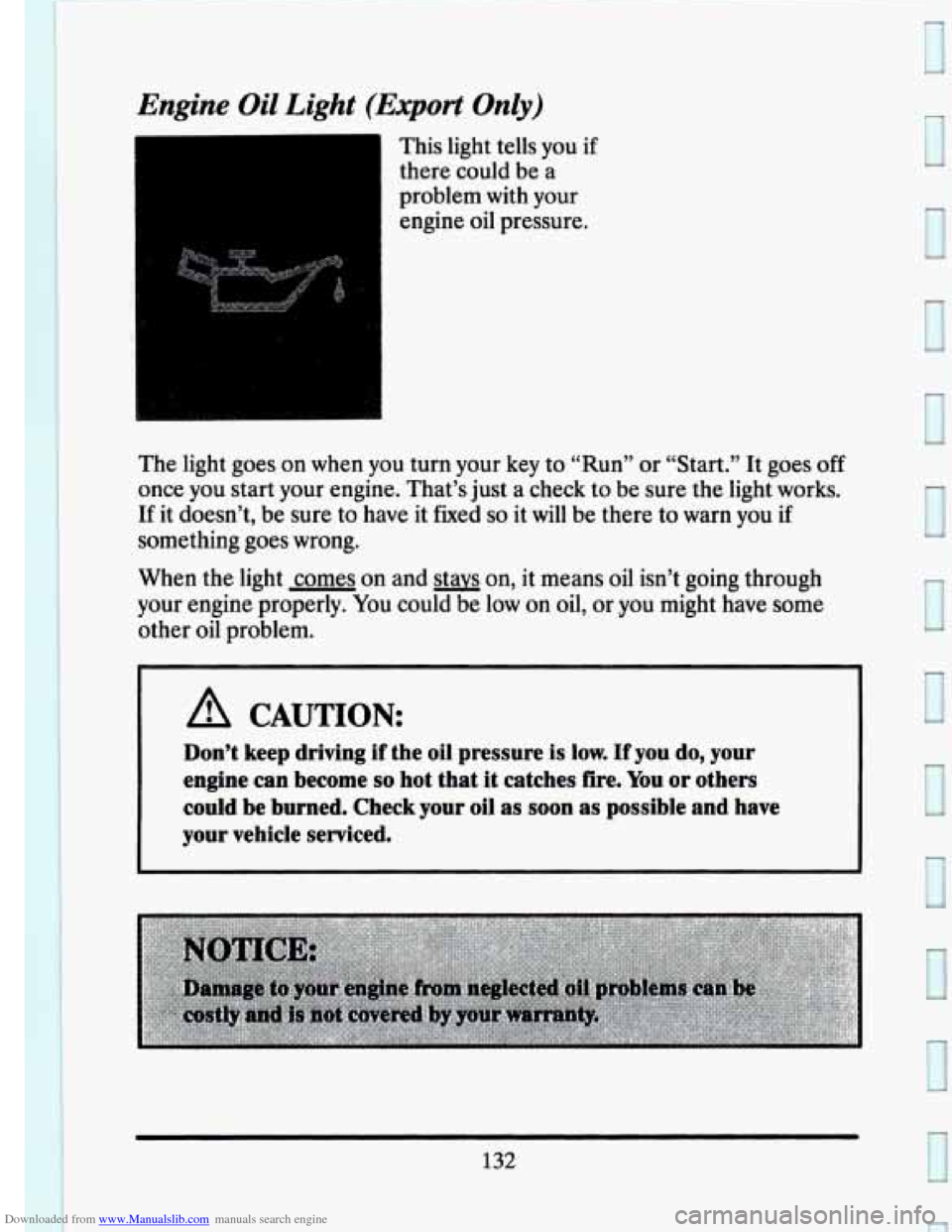
Downloaded from www.Manualslib.com manuals search engine Engine Oil Light (Export Only)
This light tells you if
there could be
a
j ’ problem with your
engine oil pressure.
The light goes on when
you turn your key to “Run” or “Start.” It goes off
once you start your engine. That’s just a check to be sure the light works.
If it doesn’t, be sure to have it fixed so it will be there to warn you if
something goes wrong.
When the light
comes on and stavs on, it means oil isn’t going through
your engine properly. You could be low on oil, or you might have some
other oil problem.
A CAUTION:
Don’t keep driving if the oil pressure is low. If you do, your
engine
can become so hot that it catches fire. You or others
could be burned. Check your oil as
soon as possible and have
your vehicle serviced.
132
I
I
I
Page 151 of 407
Downloaded from www.Manualslib.com manuals search engine DISPLAY ON/OFF
Pressing this button will turn off the Driver Information Center,
Electronic Climate Control and Fuel Data Center displays. While
displays are off, pressing the “INFORMATION” button
will turn on only
the Driver Information Center. If any other button is pressed or a driving
warning message needs to be displayed, or fuel level falls below
4 gallons,
all the displays
will come back on.
TRIP SET
Press and hold this button to set the Trip Odometer back to zero.
ENG/MET (English/Metric)
Press this button to switch from English (miles) to metric (kilometers).
Driver Information Center Messages
These messages will appear if there is a problem sensed in one of your
vehicle’s systems. Vehicles that are first sold
in Canada or are export
vehicles
will have a number after each message. This number helps to
identify that message, which is only displayed in English.
APPLY BRAKE TO SHIFT
This message will appear if your vehicle is in “P” (Park) for about 5
seconds and the brake is not depressed. If you do not want this message
to appear, you can cancel this message by pressing the
OFF and the Blue
(cooler) button
on the Electronic Climate control panel. Push the same 2
buttons again to have this message displayed again.
If the refrigerant system ever reaches an over-pressure condition, this
message will appear to tell you that the air conditioning compressor has
been turned off. Air conditioned air
will not be delivered to cool your
vehicle. If the pressure returns to a normal operating range, you must
select “AUTO”, “DEFOG”
, or Defrost to start the compressor. If this
message continues to appear, have the system repaired as soon as
possible to avoid compressor damage.
A/C OVERHEATED - A/C COMPRESSOR OFF
BATTERY NO CHARGE
This message will appear if your battery is not being charged. Have your
electrical system checked by your Cadillac dealership at your earliest
convenience.
137
Page 152 of 407
Downloaded from www.Manualslib.com manuals search engine BATTERY VOLTS HIGH
This message shows that the electrical charging system is overcharging,
(more than 16 volts). To avoid being stranded have the electrical system
checked by your Cadillac dealership at your earliest convenience. You can
reduce the charging overload
by using the accessories. Turn on the lights,
radio, set the Climate Control on
“AUTO” and the fan speed on “HI”
and turn the rear window defogger on. You can monitor battery voltage
on the Driver Information Center by toggling the “INFORMATION”
button. When the engine is running, the normal range
is 11.5 to 15.5
volts.
c
BATTERY VOLTS LOW
This message will appear when the electrical system is charging less than
10 volts, or if the battery has been drained. If this message appears
immediately after starting it is possible that the generator can still
recharge the battery. The battery should recharge after driving a few
miles and the message should go out. If this message appears while
driving or after starting your vehicle and stays on, have it checked
immediately to determine the cause
of this problem. To help the
generator recharge the battery quickly,
you can reduce the load on the
electrical system by turning
off your accessories. You can monitor battery
voltage on the Driver Information Center by toggling the
“INFORMATION’’ button. The normal range is
11.5 to 15.5 volts.
CHANGE TRANS FLUID (Northstar Only)
This message will appear when it is time to replace the transaxle fluid.
See your maintenance booklet
for the proper fluid and change intervals.
CHECK BRAKE FLUID
This message is displayed to inform the driver that the brake reservoir
fluid level is low. Check the brake reservoir level and add as needed.
Have the brake system serviced by a Cadillac technician as soon as
possible.
If the brake warning light is on, follow the directions in that
section.
CHECK COOLANT LEVEL (Northstar Only)
This message will appear when there is a low level of engine coolant.
Have the cooling system serviced by a Cadillac technician as soon as
possible.
138
I
. -’
L
c
Page 153 of 407
Downloaded from www.Manualslib.com manuals search engine CHECK FUEL GAGE
This message will appear when your fuel supply is less than 4 gallons and
your display
is turned off.
CHECK OIL LEVEL (Northstar Only)
This message will appear when your engine oil is approximately a quart
low. If this message is displayed, check the
oil and add as needed.
CHANGE OIL SOON
This message will appear when your engine oil is less than 10 percent or
the mileage since
the last oil change is more than 6750 miles.
CHANGE ENGINE OIL
This means that the life of your engine oil has expired and it should be
changed immediately. See engine oil and filter recommendations
in the
Maintenance Schedule. After an oil change, the Oil Life Index must be
reset. See “Oil Life Indicator”
in the index on how to reset it.
ENGINE COOLANT HOT IDLE ENGINE
This message will appear when your engine coolant temperature is over
126°C (248°F). To avoid added strain on a hot engine, turn off your
Climate Control system and stop and allow your vehicle to idle until
it
cools down or the message is removed. If it does not cool down, turn off
your engine and have it serviced before driving it again. Severe engine
damage can result from an overheated engine. See “Engine Overheating”
in the Index.
ENGINE HOT - A/C COMPRESSOR OFF
This message will appear when the Climate Control is in “Auto” or
Defrost and the engine coolant is hotter than
the normal operating
temperature. To avoid added strain on a hot engine the air conditioning
compressor is automatically turned
off. When that happens, air
conditioned air
is not delivered. If the coolant temperature returns to
normal, you must select
“AUTO”, “DEFOG” or Defrost to return to a
normal A/C compressor operation.
FUEL LEVEL VERY LOW
This message serves as a warning that the fuel level in your tank is
critically low. It means you shwld stop for fuel immediately.
139