Page 107 of 308
Don’t keep driving if the oil pressure is low. If &I
you do, your engine can become so hot that it
catches fire. You or others could be burned.
Check your oil as soon
as possible and have
your vehicle serviced.
problems can be cost
Low Oil Warning Light
LO
1L
When the “LOW OIL”
light comes on you
should check your
engine oil level and
add engine
oil. See
“Engine Oil” in
the
Index.
105
ProCarManuals.com
Page 108 of 308
Volts Gage
The “VOLTS” gage shows
voltage in the electrical
system. The normal range
is
11 to 15 volts. If the gage
reading stays in either red
range, have your Buick
dealer check the electrical
system.
., .
VOLTS
Check Gages Light
CHECK
GAGES
The “CHECK GAGES”
light indicates that there is
an engine or electrical
problem.
If the “TEMP,”
“OIL” or “VOLTS” gages
read properly, there may
still be an electrical
problem which should be
checked by your Buick
dealer.
106
ProCarManuals.com
Page 109 of 308
Malfunction Indicator Lamp
(Service Engine Soon Light)
A computer monitors operation of your fuel, ignition
and emission control systems. This light should come
on
when the ignition is on, but the engine is not running, as
a check
to show you it is working. If it does not come on
at all, have it fixed right away.
If it stays on, or it comes
on while you are driving, the computer is indicating that
you have a problem. You should take your vehicle in for
service soon.
NOTICE:
If you keep drivln
after a while the em-ission controls won’t work as
well, your fuel economy won’t be
as good and
your engine may not run as smoothly. This could
I
lead to costly repairs not covered by yo
warranty. I
I
107
ProCarManuals.com
Page 113 of 308
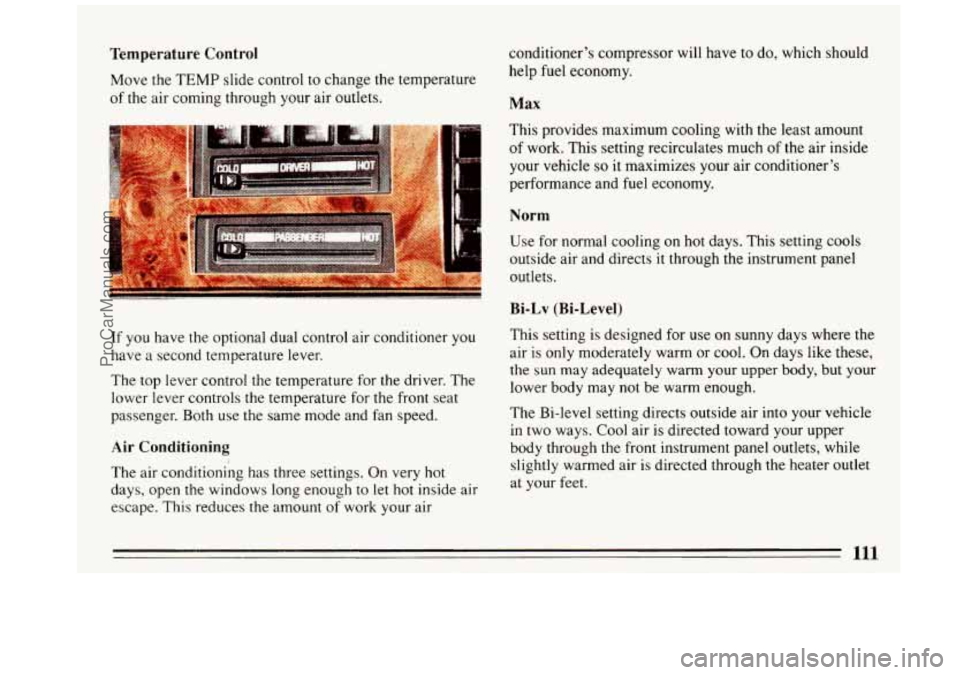
Temperature Control
Move the TEMP slide control to change the temperature
of the air coming through your air outlets. conditioner’s
compressor will have to do, which should
help fuel economy. Max
This provides maximum cooling with the least amount
of work. This setting recirculates much of the air inside
your vehicle
so it maximizes your air conditioner’s
performance and fuel economy.
Norm
Use for normal cooling on hot days. This setting cools
outside air and directs it through the instrument panel
outlets.
Bi-Lv (Bi-Level)
If you have the optional dual control air conditioner you
have a second temperature lever.
The top lever control the temperature for the driver. The
lower lever controls the temperature for the front seat
passenger. Both use
the same mode and fan speed.
Air Conditioning
The air conditioning has three settings. On very hot
days, open
the windows long enough to let hot inside air
escape.. This reduces the amount of work your air This setting
is designed for
use on sunny days where the
air is only moderately warm or cool. On days like these,
the
sun may adequately warm your upper body, but your
lower body may not be warm enough.
The Bi-level setting directs outside air into your vehicle
in two ways.
Cool air is directed toward your upper
body through the front instrument panel outlets, while
slightly warmed air is directed through the heater outlet
at your feet.
111
ProCarManuals.com
Page 116 of 308

AM Stereo
This means the DelcoB system can receive C-QUAM@
stereo broadcasts. Many AM stations around the country
use C-QUAM@
to produce stereo, though some do not.
(C-QUAM@ is a registered trademark
of Motorola, Inc.)
If your Delcoa system can get C-QUAM@, your
“STEREO” light will come on when you’re receiving it.
A CAUTION:
Hearing damage from loud noise is ZIIH IOSl
undetectable until it is too late. Your hearing can
adapt
to higher volumes of sound. Sound that
seems normal can be loud and harmful
to your
hearing. Take precautions by adjusting the
volume control on your radio
to a safe sound
level before your hearing adapts to
it.
To help avoid hearing loss or damage:
Adjust the volum
Increase volume
setting.
comfortably and
clear11
;i
Before you add any sound eqi me your
vehicle
-- like a tape player, CB radio, mobile
telephone or two-way radio
-- be sure you c I
add what you want. If you can, it’s very importan
to
do it properly. Added sound equipment may
interfere with the operation
of your vehicle’s
engine, Delco@ radio or other systems, and even
damage them.
And, your vehicle’s systems may
interfere with the operation of
so
that has been added improperly.
So, before adding sound equipment, check with
your dealer and be sure to check Federal
r
covering mobile radio and telephone units
1
ProCarManuals.com
Page 117 of 308
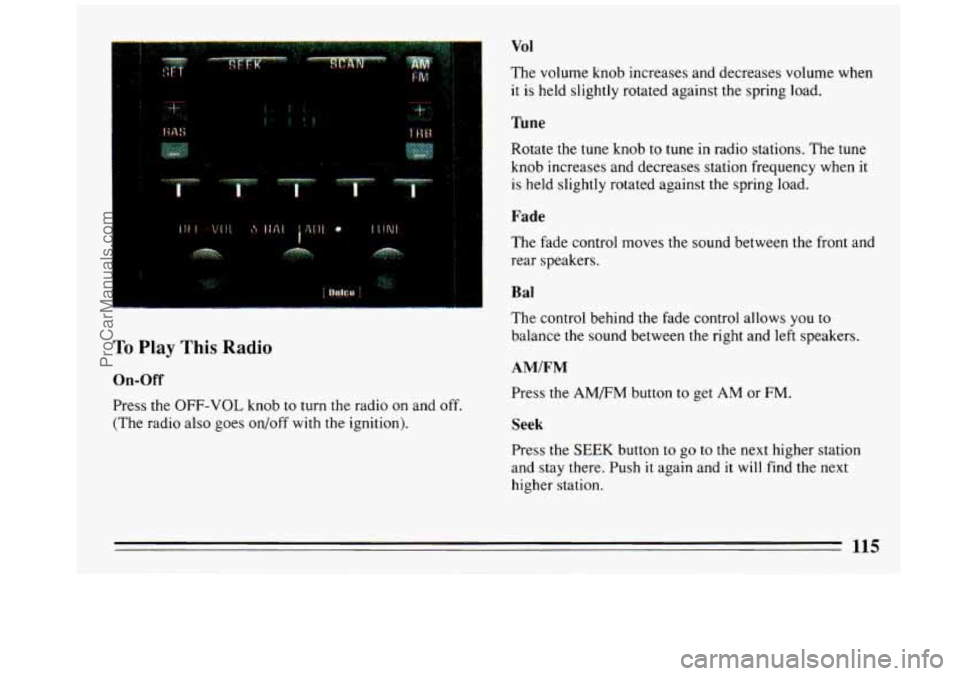
To Play This Radio
On-Off
Press the OFF-VOL knob to turn the radio on and off.
(The radio also goes on/off with the ignition).
Vol
The volume knob increases and decreases volume when
it is held slightly rotated against the spring load.
Tune
Rotate the tune knob to tune in radio stations. The tune
knob increases and decreases station frequency when it
is held slightly rotated against the spring load.
Fade
The fade control moves the sound between the front and
rear speakers.
B a1
The control behind the fade control allows you to
balance
the sound between the right and left speakers.
AM/FM
Press the AM/FM button to get AM or FM.
Seek
Press the SEEK button to go to the next higher station
and stay there. Push
it again and it will find the next
higher station.
115
ProCarManuals.com
Page 119 of 308

With the radio on, press a tape into the slot marked
AUTO REVERSE (tape side goes
in first).
Once the tape
is playing, use the volume, balance and
fade just
as you did for the radio. The arrows indicate
which side of the tape
is being played.
Program
To go from one side of the tape to the other, press the
PROG button.
Fwd
To advance the tape, press FWD and the tape will
rapidly go forward
until you press the REV button
lightly.
Rev
To reverse the tape, press REV and the tape will rapidly
go backward until you press the FWD button lightly.
Eject
To remove the tape and switch to the radio, press EJCT
button.
To Play A Compact Disc
Use full -size compact discs. DO NOT use mini-discs
that are called singles. They won't eject.
To turn the system on, the radio power must be on.
Insert a disc partway into the slot, label side up. The
player will pull
it in. The word CD IN will appear in the
graphic display. Wait a few seconds and the disc should
play.
If
the disc comes back out, check whether:
0 The disc is upside down.
0 It is dirty, scratched, or wet.
0 There's too much moisture in the air. (If there is,
wait about one hour and try again.)
117
ProCarManuals.com
Page 121 of 308
To Play This Radio
On-Off
Press Off-Vol knob to turn the radio on or off when the
ignition is on.
Volume
The volume knob increases and decreases volume when
it is held slightly rotated against the spring load.
%ne
The tune knob increases and decreases station frequency
when it is held slightly rotated against the spring load.
Fade
The fade control fades the sound between your front and
rear speakers. It operates like the volume and tune
controls.
Balance
The control behind the fade control allows you to
balance the sound between the right and
left speakers. It
operates like the fade control.
AMIFM
Press the AM/FM button to select either AM or FM
radio band. The band you select will be displayed along
with
the frequency of the station. If the station is in
stereo, a
STEREO indicator will also be displayed.
Seek
Press the SEEK button to search for the next station up
the AM or FM radio band. Press it again to go to the
next higher station.
119
ProCarManuals.com