1964 CHEVROLET CORVETTE lights
[x] Cancel search: lightsPage 11 of 52
10
Pushing and Towing Tips
PUSHING CAR TO START
Should it ever beco me necessary to start the engine by
pu shing the car (towing to start is not recommended as car being towed may accelerate into tow car), pro
ceed as fo llows: Turn off all e lect rical loads su ch as radio, heater
and, if possible, lights until the engine st arts.
MANUAL TRANSMISSION - T
urn ignition switch
to "on." Place shift leve r in high (3rd on 3-spee d
transmissions, 4th on four-speed) and depress clutch. When car reaches 25-30 miles per hour, slowly re
l ease clutch to sta rt e ng ine.
POWERGLlDE TRANSMISSION -
Turn ignit io n
switch to "on" and place sel ector lever in "N." W h e n
car reac hes a spee d of 25-30 mph, place th e selecto r
l ever in
A DISABLED CAR
If your Corvette must be towed, the following pre
cautions must be observed:
MANUAL TRANSMISSION
-Release parking brake
and place shift lever in neutral.
POWERGLIDE TRANSMISSION -Release
parking brake and place selector lever in "N." DO NOT TOW IN EXCESS OF 30 MPH. II the transmission is inoperative, or not operating properly, the propeller shaft must b e d isconnected or car must be
towe d with rear wheels off the ground.
TOWING WITH REAR WHEELS
RAISED-When a
vehicle is being towed on its front wheels, the steer
ing whee l shou ld be secured to maintain a straight
forward position.
Do
not use tire chains on the rear wheels of your Corvette . Clearance between
USE OF TIRE CHAINS
AND SNOW TIRES
• tire and wheelhouse is insufficient to permit operation with chains insta!led.
Many [ire manufa cturers market tires for the Corvette which have specialized
tread designs for mud and snow use.
Page 16 of 52
FUEL
GAUGE
..
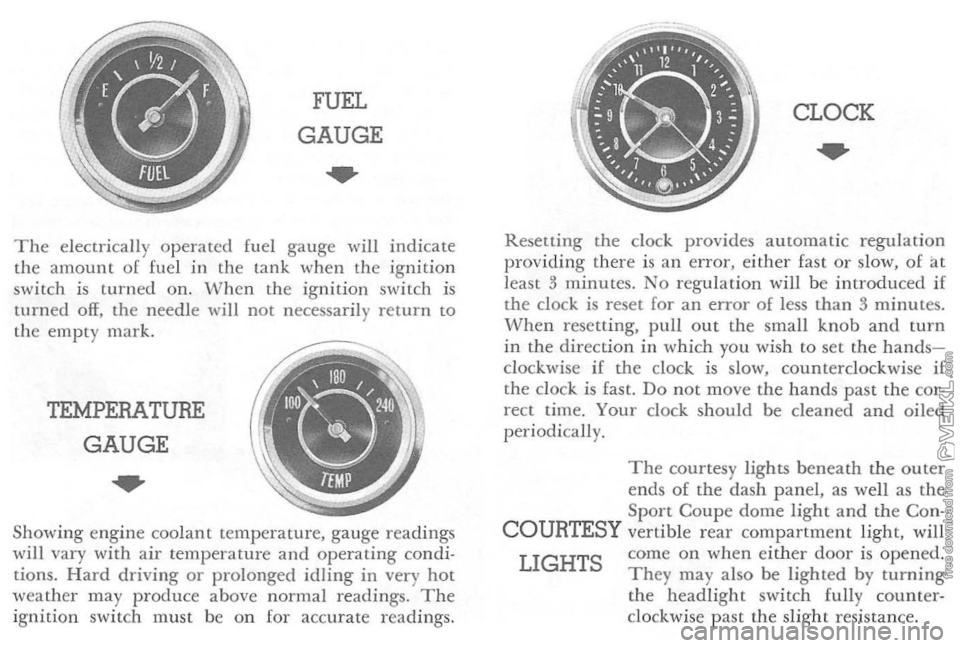
The ele ctr ically o p erated fuel gauge will indicate
th e amoun t o f fuel in the lan k when th e ig nition
switc h i s turned on. W hen the ignition switch is
turned off, the nee dle will not necessar ily retur n to the em pty mark.
TEMPERATURE
GAUGE
..
Showing engin e coo lant temperature, gauge readings w ill vary with air temp eratur e and operating condi
tions. Hard driving or prolonged idling in very hot
weather may produc e above normal readings. The ignitio n swit ch must be o n [or accur ate r eadings.
CLOCK
..
Resetting the dock provides a utomatic regulat io n
providing ther e is an error, either fast o r slow, of at
lea st 3 minu tes. No regulat ion will be introd uced if
the clock is reset for an error of less than 3 minutes. When resetting, pull out the small knob and turn in the direction in whi ch you wi sh to set the handsclockwise if the clock is slow, counterclockwi se if the clo ck is fast. Do not move the hand s pas t the cor
rect time. Your clock should be cleaned and oiled periodi cally.
The courtesy lights beneath the o u ter
en ds of the dash p a nel, as well as the Sport Coupe dome light and the Con-
COURTESY vertible r ear compartment light, will
LIGHTS come on when eithe r door is opened. They may a lso be lighted by turning the headlight switch fully counterclockwise past the slight resi stan ce.
Page 18 of 52
The retractable dual headlights contribute much to the long, low appearance 01 your Corvette and also
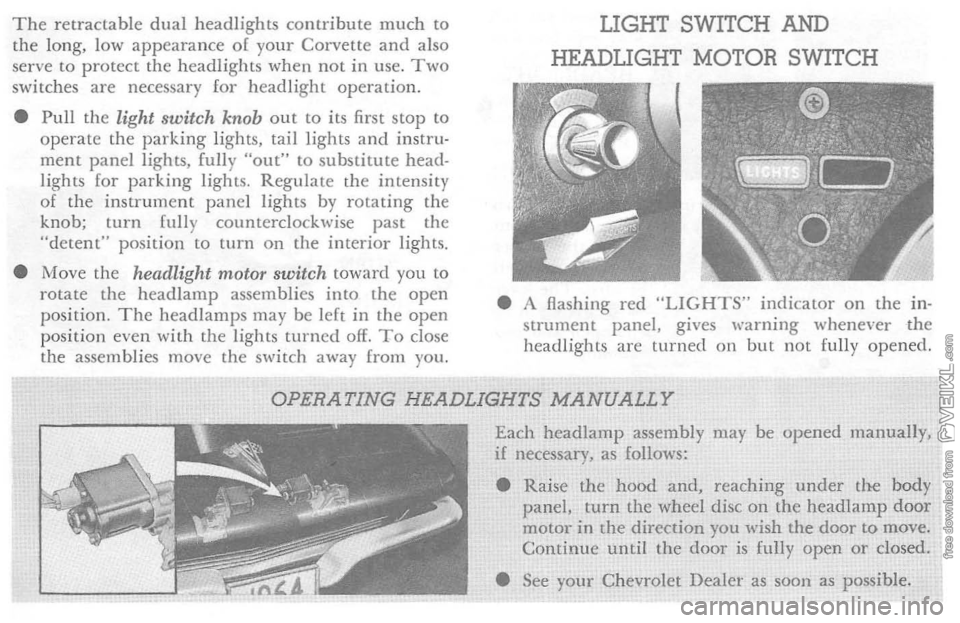
serve to protect the headlights when not in use . Two switches are necessary for headlight operation.
• Pull
the light switch knob out to its first stop to operate the parking lights, tail lights and instru· ment panel lights, fully "out" to substitute head·
lights lor parking lights. Regulate th e intensity 01 the instrument panel lights by rotating the
knob; turn fully counterclockwise past the
"detent" position
to turn on the interior lights.
• Move
the headlight motor switch toward you to
rotate the head lamp assemblies into the open
position. The headlamps may be lelt in the open
position even WiLh the lights turned off. To close
the assemblies move the switch away from you.
LIGHT SWITCH AND
HEADLIGHT MOTOR SWITCH
• A flashing red "LIGHTS" indicator on the in·
strument panel, gives warning whenever the
headlights are
turned on but not fully opened.
OPERATING HEADLIGHTS MANUALLY
Each headlamp assembly may be opened manuaJly, if necessary, as follows:
• Raise
the hood and, reaching under the body panel, turn the wheel disc on the headlamp door motor in the direction you wish the door to move. Continue until the door is fully open or closed .
• See
your Chevrolet Dealer as sOOn as possible.
Page 19 of 52
HEADLIGHT
BEAM •
SWITCH
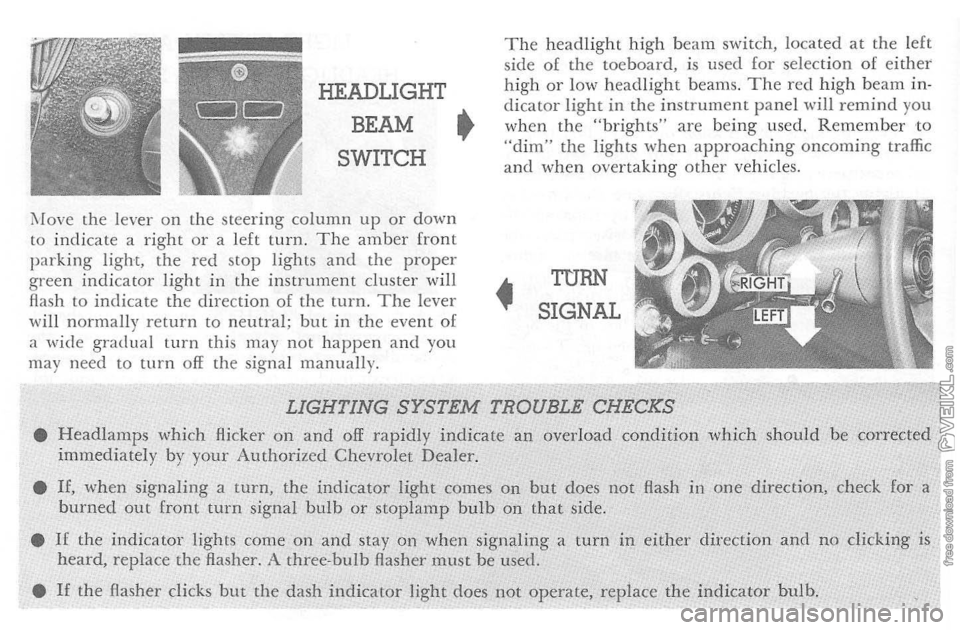
i\fove the lever on t h e steering column up or down to indicate a right o r a left turn. The amber front parking light, the red stop lights and the proper green indicator light in the instrument cluster will
flash to indicate the d irection of the turn. The lever
wi ll normally return to neutral; but in the event of
a wide gradual turn this may not happen and you
may nee d to turn off the signa l manually.
The headlight high beam switch, located at the left
side of the toeboard. is used for selection of either high or low headlight beams. The red high beam indicator light in the instrument p a nel will remind you when the "brights" are being used. Remember to "dim" the lights when approaching oncoming traffic and when overtaking other vehicles .
•
TURN
SIGNAL
LIGHTING SYSTEM TROUBLE CHECKS • Headlamps which Hickel' on and off rapidly indicate an overload condition which should be corrected immediately by your Authorized Chevrolet Dealer.
•
If, when signaling a turn, the indicator light comes on but does not Hash in one direction, check for a burned out front turn signal bulb or stoplamp bulb on that side.
•
If the indicator lights come on and stay on when signaling a turn in either direction and no clicking is heard, replace the flasher. A three-bulb Aasher must be used.
•
If the Hasher clicks but the dash indicator light does not operate, replace the indicator bulb.
Page 43 of 52

(E) If the car will start but sta lls w h e n hot or has a roug h idle, you can sus pect a f aulty IDLE ADJUSTMENT, a malfunctioning AUTOMATIC CHOKE or an extremely
dirty and blocked AIR CLEANER ELEMENT. Clean
your air cleaner element if necessary. If the above Fuel Syste m checks and the checks suggested under the Electr ica l System followi ng do not corre ct the malfunction , i t is recommended that you turTI to your Authorized Chevrolet Dealer for further checks, adjust
ments or repairs.
ELECTRICAL SYSTEM If, when the ignition key is turned to "Star t," the engine
will not turn over, you have good reason to sus pec t elec
trical trouble.
(F) '
Vhen there is
no response at all to attempts to star t
the car , check the obv ious-your AUTOMATIC TRANS· M ISSION SELECTOR LEVER mus t be in Neutral or Park position befor e the engine can be started. Turning
the IGNITION SvVITCH rapidly back and forth several
times will sometimes correct a poor internal switch contact.
(G) The BATTER Y may be discha rged. If so, lights will
be dim and the horn will have a poor tone if it will blow a t
all. Usually a
garage recharge will be nece ssary to return the battery to operation. Occasiona lly, however, a p u sh start and long driv e will recharge the battery .
POOR BATTERY CONNECTIONS may be suspec ted if
th e car has operated prope rly a short time befor e and now not eve n the horn will operate. Check both ends o f both battery cables. If the connections are corroded, a car ma y
som etimes be restore d to operation by removing all cab le
e n ds, scraping all contacting surfaces clean with a pen
knife, and reassembling. If the cables a r e broken, they
must be replaced. The power supply should now b e restored
unless the battery is dead.
(H)
If, however, the lights and horn work properly but
th e starter will still not turn ove r , c heck the STARTER connections. A "click " from the starter soleno id indicates
th a t the wirin g to the starter is properly install ed. If the
wiring seems to be clean and tightly installed, the trouble
is proba bly in the starter itself and sho uld be referred to
your Authorized Chevr olet Dealer.
When the e ngine will "turn ove r " but will not start, [h e
foll owin g items may b e checked along with the Fuel Syst em
Checks listed previous ly.
(I) With a clean dry cloth wipe the ceramic portions o f
t he spark plugs dry. In particul arly damp or rainy weather dampness may be the cause of not starting, espec ially when the e ngin e is cold.
0) C heck the cables
at the top of the distributor and coil as well as eac h spark plug cable for tightness.
(K)
If the car w ill stilI not st art. ch eck for spark at the
spark plugs in th e foll owing manner:
Pull o n e of the spark plug wi res off its spark plug. Insert a
short piece of bare wir e (such as a bobby pin) between the
Page 49 of 52
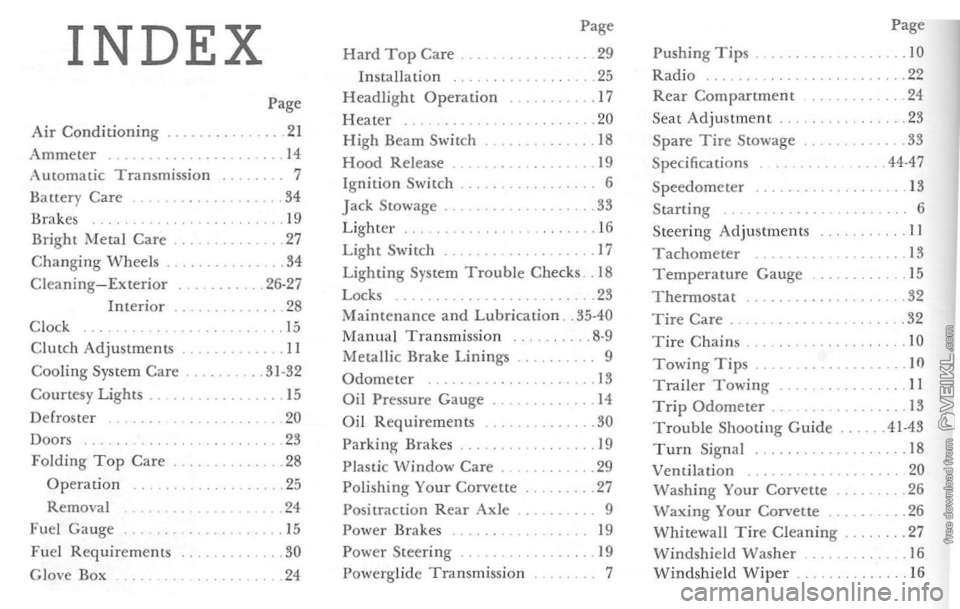
INDEX Page
Page Hard Top Care
. 29 Pushing Tips. .10 Installation .25 Radio .22
Headlight Operation .17 Rear Compartment 24
Page
Heater .20
Seat
Adjustment .23
Air
Conditioning . .21 High Beam Switch .... 18 Spare Tire Stowage .
33
Ammeter 14 Hood Release . 19 Specificat ions .44-47 Automatic Transmission 7
Ignition Switch . 6 Speedometer 13
Batter y Care .. 34
Jack Stowage . .... 33 Starting 6 Brakes . 19
Lighter 16 Steering Adjustments II Bright Metal Care . .... 27 Light Switch . .. 17 Tachometer .13 Changing
Wheels .34 Lighting System Trouble Checks. 18 Temperature Gauge . 15 Cleaning-Exterior .26-27 Locks . .... 23 T h ermostac .32 Interior
.28 Maintenance and Lubrication . .
35-40 Tire Care .
32
C l ock . 15
Manual Transmission .8-9 10 Tire Chains Cililch Adjustments . .... 11 Metallic Brake Linings 9
. . 10 Towing Tips . Cooling System Care . . 31-32 Odometer 13 Trailer Towing II Courtesy Lights. ... 15 Oil Pressure Gauge. . .. 14 Trip Odometer . .13 D e f
roster
20 Oil Requirements .... 30 Troubl e Shooting Guide .41·43
Doors ... 23 Parking Brakes 19 Turn Signal .18 Folding Top Care .... 28
Plastic \oVindow Care . .. 29 Ventilation 20 Operation ... 25 Polishing Your Corvette . .27 Washing Your Corvette .
26
Removal ... 24 Positraction Rear Axle. Waxing Your Corvette .26
Fuel Gauge ... 15 Power Brakes 19 Whitewall Tire Cleaning .27
Fuel Requirements . 30 Power
Steering . . 19 Windshield Washer .
. 16 G love Box
.24 Powerglide Transmission
7 Windshield Wiper 16