2024 PEUGEOT 308 drive assistan plus
[x] Cancel search: drive assistan plusPage 5 of 280

3
Contents
Driving and manoeuvring aids - General
recommendations 11 9
Steering wheel with hands-on detection 121
Shortcuts for driving aids 121
Road signs recognition 122
Speed limiter 126
Cruise control - Specific recommendations 128
Cruise control 128
Drive Assist Plus 130
Drive Assist 2.0 130
Adaptive cruise control 131
Lane positioning assist 135
Semi-automatic lane changing 138
Active Safety Brake with Collision Risk Alert and
Intelligent emergency braking assistance
142
Distraction detection 146
Lane keeping assist 148
Long-distance blind spot monitoring 150
Parking sensors 151
Visiopark 1 153
Visiopark 3 155
Rear cross traffic alert 157
7Practical informationCompatibility of fuels 160
Refuelling 160
Misfuel prevention (Diesel) 161
Electrified vehicles
- General
recommendations
162
Hybrid system 163
Rechargeable hybrid or electric vehicles
-
Specific recommendations
164
Rechargeable hybrid system 167
Charging the traction battery
(Rechargeable hybrid)
170
Charging system (Electric) 173
Charging the traction battery (Electric) 177
Towing device 180
Towing device with quickly detachable
towball
181
Roof bars 184
Very cold climate screens 185
Snow chains 186
Energy economy mode 187
Bonnet 188
Engine compartment 189
Checking levels 189
Checks 191
AdBlue® (BlueHDi) 193
Free-wheeling 195
Advice on care and maintenance 196
8In the event of a breakdownWarning triangle 199
Running out of fuel (Diesel) 199
Tool kit 199
Temporary puncture repair kit 201
Spare wheel 204
Changing a bulb 207
Fuses 209
12
V battery/Accessory batteries 209
Towing the vehicle 217
9Technical dataEngine technical data and towed loads 220
Petrol engines 221
Diesel engines 222
Hybrid engines 223
Rechargeable hybrid engines 224
Electric engines 226
Dimensions 227
Identification markings 228
10 PEUGEOT i-Connect Advanced -PEUGEOT i-Connect
First steps 229
Customisation 232
Steering mounted controls 233
Applications 234
Voice commands 234
Navigation 236
Connectivity 236
Mirror Screen 238
Media 240
Phone 242
Settings 243
Help 243
11Vehicle data recording and privacy
■
Alphabetical index
■
Appendix
Page 103 of 280
101
Driving
6activation of the rechargeable hybrid system
(confirmed by an audible signal).
To exit Park mode, wait for the READY indicator lamp to come on.
By default, the system starts in Electric mode.
Depending on certain parameters (battery
charge level or outside temperature), the system
determines whether it is necessary to start the
petrol engine.
It is possible to change the driving mode at any
time using the mode selector.
When the vehicle starts in electric mode,
it makes no noise.
Pay particular attention to pedestrians and
cyclists who may not hear the vehicle coming
despite the pedestrian horn.
Switching off
► Deactivate cruise control alone or Drive
Assist Plus (depending on version).
►
Immobilise the vehicle using the parking
brake.
►
With a
manual gearbox, ideally put the gear
lever into neutral.
►
With an
automatic gearbox, ideally select
mode
P or N.
►
Press the
START/STOP button.
►
For rechargeable hybrid vehicles, before
leaving the vehicle, check that the READY
indicator lamp is switched off.
The automatic gearbox locks in mode P.
In some circumstances, it is necessary to turn
the steering wheel to lock the steering column.
If the vehicle is not immobilised, the
engine will not stop.
With the engine off, the braking and
steering assistance systems are also cut
off - risk of loss of control of the vehicle!
Never leave your vehicle with the
electronic key still inside.
Starting/Switching off
electric vehicles
Starting
The drive selector must be in mode P.
► Fully depress the brake pedal and briefly
press the
START/STOP button.
►
Keep the foot on the brake pedal until the
READY
indicator lamp comes on and an audible
signal is emitted, indicating that the vehicle is
ready to drive.
►
With the foot on the brake, select the
mode
D/B or R.
►
Release the brake pedal, then accelerate.
On starting, the instrument panel lights up and
the power indicator cursor moves to the "neutral"
position.
The steering column automatically
unlocks (you may hear a sound and feel the
steering wheel move).
Switching off
► Press the START/STOP button.
Before exiting the vehicle, check that:
–
The drive selector is in mode P
.
–
The READY indicator lamp is off.
If the driver's door is opened while the
required conditions for stopping are not
satisfied, an audible signal is emitted,
accompanied by the display of a warning
message.
Switching on the ignition
without starting the engine
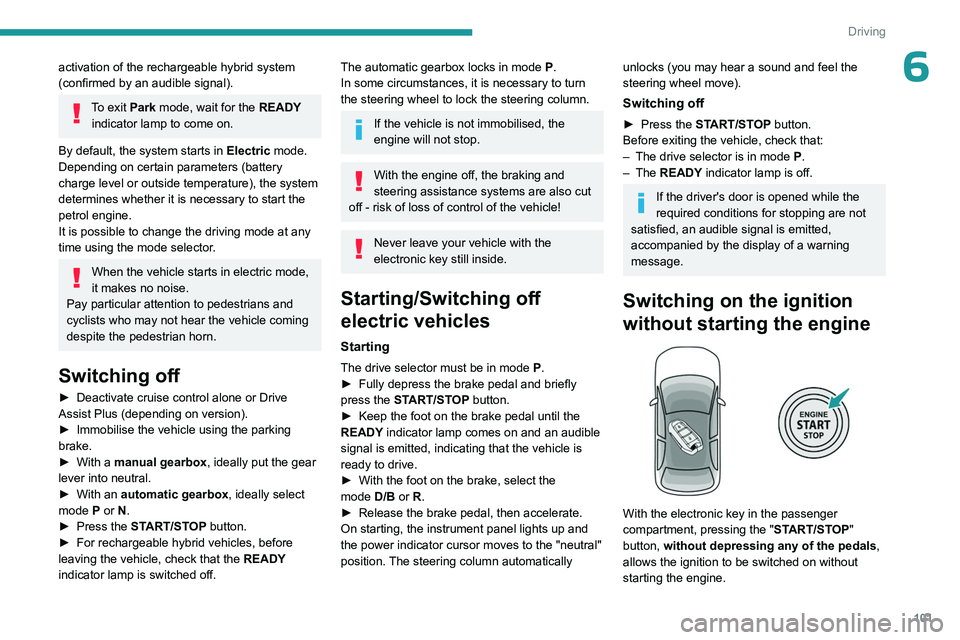
With the electronic key in the passenger
compartment, pressing the " START/STOP"
button, without depressing any of the pedals ,
allows the ignition to be switched on without
starting the engine.
Page 123 of 280
121
Driving
6Steering wheel with
hands-on detection
(with Drive Assist 2.0)
For more information, refer to the
General recommendations on the use
of driving and manoeuvring aids .
The steering wheel is equipped with a hands-on
detection system to avoid distraction on the part
of the driver.
It is prohibited to cover or attach anything to the
steering wheel.
The driver must always check the surroundings of the vehicle and
supervise the whole manoeuvre.
Any use of a system built into
Drive Assist
2.0
must remain under the driver’s vigilance.
The system also detects the presence of
hands when using the Lane Positioning assist
system with Drive Assist Plus.
The system may suffer interference or not work correctly if:
–
the steering wheel is covered by some
protection.
–
the driver wears thick gloves (e.g.
ski
gloves).
In the event of improper detection of hands
on the steering wheel, Drive Assist 2.0 is
not activated or is deactivated after a few
seconds.
Installation of mechanical anti-theft
devices on the steering wheel is
prohibited - risk of damage!
Shortcuts for driving aids
The full list of available driving aids can be found
in the Functions tab.
Driving aids can be accessed directly to quickly
activate/deactivate them.
By default, driving aids are already stored in the
Shortcuts tab (e.g.
Stop & Start, Lane keeping
assist).
Other driving aids can be added or deleted from
this tab.
It is configured in the ADAS>Functions
touch screen application.
► Press the button corresponding to the
driving assistance concerned:
•
Full symbol: the function is added to the
Shortcuts
tab.
•
Empty symbol: the function is deleted from
the
Shortcuts tab.
►
Check the modification in the Shortcuts
tab.
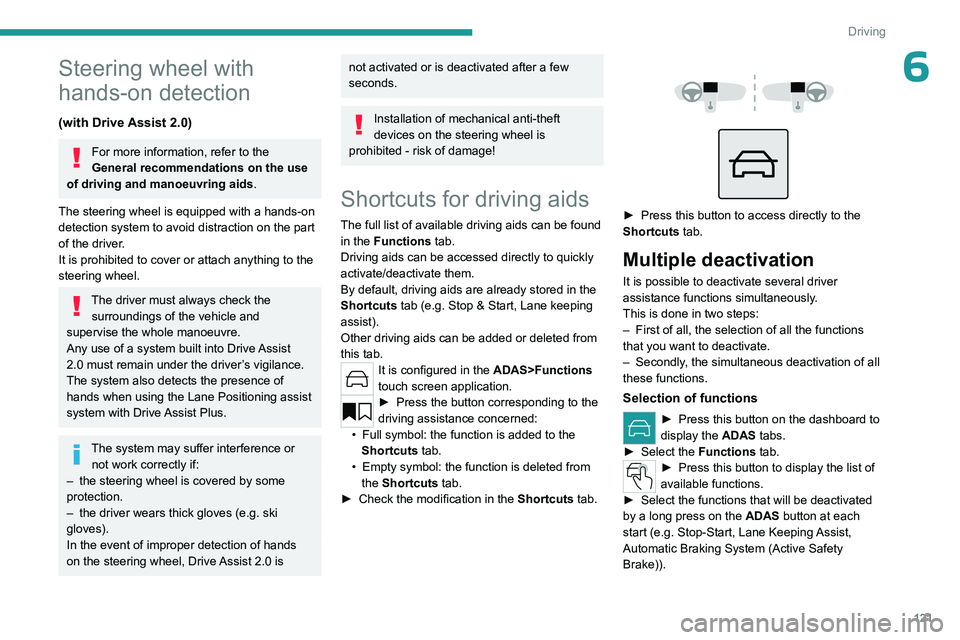
► Press this button to access directly to the
Shortcuts tab.
Multiple deactivation
It is possible to deactivate several driver
assistance functions simultaneously.
This is done in two steps:
–
First of all, the selection of all the functions
that you want to deactivate.
–
Secondly
, the simultaneous deactivation of all
these functions.
Selection of functions
► Press this button on the dashboard to
display the ADAS
tabs.
►
Select the
Functions tab.
► Press this button to display the list of
available functions.
►
Select the functions that will be deactivated
by a long press on the ADAS
button at each
start (e.g.
Stop - Start, Lane Keeping Assist,
Automatic Braking System (Active Safety
Brake)).