2024 PEUGEOT 308 steering
[x] Cancel search: steeringPage 123 of 280
121
Driving
6Steering wheel with
hands-on detection
(with Drive Assist 2.0)
For more information, refer to the
General recommendations on the use
of driving and manoeuvring aids .
The steering wheel is equipped with a hands-on
detection system to avoid distraction on the part
of the driver.
It is prohibited to cover or attach anything to the
steering wheel.
The driver must always check the surroundings of the vehicle and
supervise the whole manoeuvre.
Any use of a system built into
Drive Assist
2.0
must remain under the driver’s vigilance.
The system also detects the presence of
hands when using the Lane Positioning assist
system with Drive Assist Plus.
The system may suffer interference or not work correctly if:
–
the steering wheel is covered by some
protection.
–
the driver wears thick gloves (e.g.
ski
gloves).
In the event of improper detection of hands
on the steering wheel, Drive Assist 2.0 is
not activated or is deactivated after a few
seconds.
Installation of mechanical anti-theft
devices on the steering wheel is
prohibited - risk of damage!
Shortcuts for driving aids
The full list of available driving aids can be found
in the Functions tab.
Driving aids can be accessed directly to quickly
activate/deactivate them.
By default, driving aids are already stored in the
Shortcuts tab (e.g.
Stop & Start, Lane keeping
assist).
Other driving aids can be added or deleted from
this tab.
It is configured in the ADAS>Functions
touch screen application.
► Press the button corresponding to the
driving assistance concerned:
•
Full symbol: the function is added to the
Shortcuts
tab.
•
Empty symbol: the function is deleted from
the
Shortcuts tab.
►
Check the modification in the Shortcuts
tab.
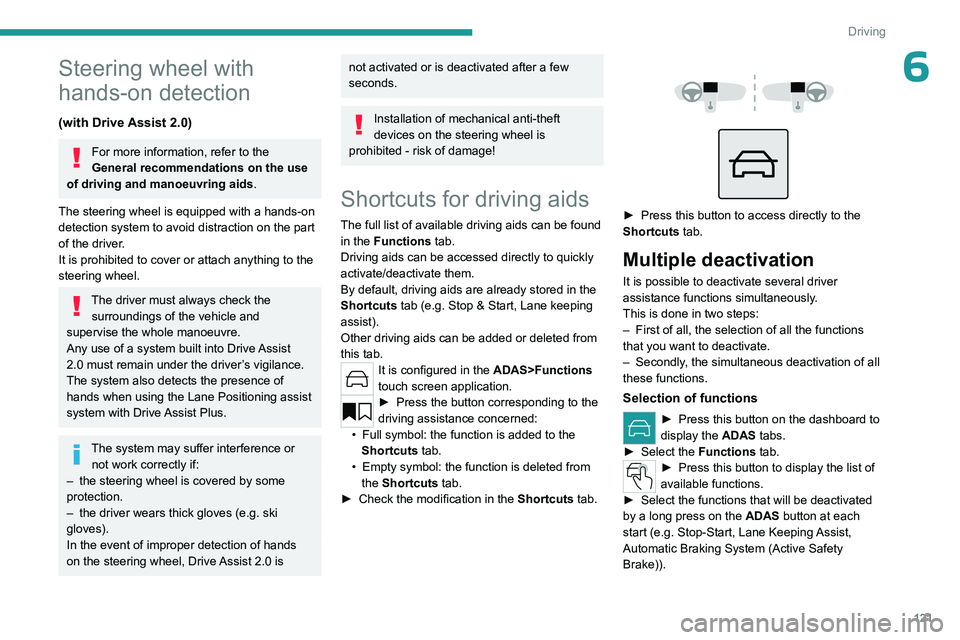
► Press this button to access directly to the
Shortcuts tab.
Multiple deactivation
It is possible to deactivate several driver
assistance functions simultaneously.
This is done in two steps:
–
First of all, the selection of all the functions
that you want to deactivate.
–
Secondly
, the simultaneous deactivation of all
these functions.
Selection of functions
► Press this button on the dashboard to
display the ADAS
tabs.
►
Select the
Functions tab.
► Press this button to display the list of
available functions.
►
Select the functions that will be deactivated
by a long press on the ADAS
button at each
start (e.g.
Stop - Start, Lane Keeping Assist,
Automatic Braking System (Active Safety
Brake)).
Page 127 of 280
125
Driving
6If rain is detected, the system proposes a speed
setting to the driver which is lower than the
speed read/sent from the mapping system in
order to adapt to the weather conditions (e.g. on
motorways, the proposed speed is 68 mph (110
km/h) instead of 81 mph (130 km/h).
For more information on the Speed
limiter, Cruise control or Adaptive
cruise control, refer to the corresponding
sections.
Speed setting advance recommendations
With Drive Assist 2.0 activated, the system
detects the next speed limit sign, displays it in
the background and proposes this new speed as
the speed setting.
Once memorised:
–
If the speed setting is lower than the previous
one, the vehicle slows down to reach this new
speed when it gets to the sign.
–
If the speed setting is higher than the previous
one, the vehicle speeds up to reach this new
speed when it passes the sign.
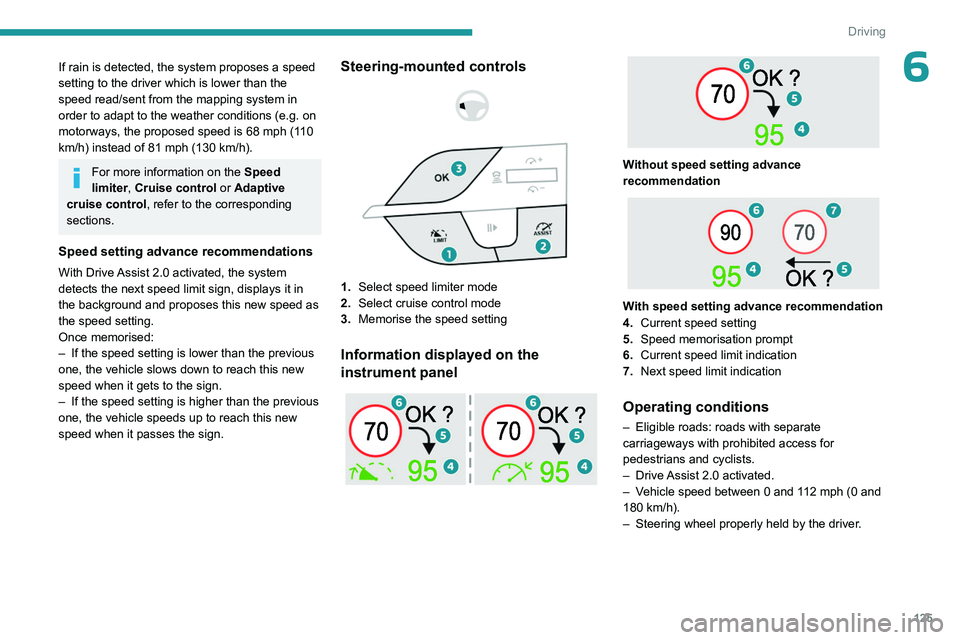
Steering-mounted controls
1. Select speed limiter mode
2. Select cruise control mode
3. Memorise the speed setting
Information displayed on the
instrument panel
Without speed setting advance
recommendation
With speed setting advance recommendation
4. Current speed setting
5. Speed memorisation prompt
6. Current speed limit indication
7. Next speed limit indication
Operating conditions
– Eligible roads: roads with separate
carriageways with prohibited access for
pedestrians and cyclists.
–
Drive
Assist 2.0 activated.
–
V
ehicle speed between 0 and 112 mph (0 and
180 km/h).
–
Steering wheel properly held by the driver
.
Page 128 of 280
126
Driving
Memorising the speed setting
► Switch on the speed limiter 1-LIMIT or cruise
control 2.
Information related to the speed limiter or cruise
control is displayed.
When a new speed setting is detected, the
system displays the value and “ OK?" to suggest
saving it as a new speed setting.
If there is a difference of less than 3 mph
(5 km/h) between the speed setting and
the speed displayed by the Road signs
recognition, the " OK?“ symbol is not
displayed.
Depending on the road conditions, several
speeds may be displayed.
►
Press
3-OK to confirm the new speed setting.
The display then reverts to its previous state.
Extended Traffic Sign
Recognition
For more information, refer to the
General recommendations on the use
of driving and manoeuvring aids .
This additional system recognises these road
signs and displays them on the instrument panel.
As you approach it, the symbol of the
corresponding sign is displayed on the
instrument panel.
The selected display mode must be " Driving".
The actual road signs always take priority
over those displayed by the system.
The signs must comply with the Vienna
Convention on road signs.
Activation/Deactivation
It is configured in the ADAS touch screen
application.
Speed limiter
For more information, refer to the
General recommendations on the use
of driving and manoeuvring aids .
This system prevents the vehicle from
exceeding the speed programmed by the
driver (speed setting).
The speed limiter is switched on manually.
The minimum speed setting is 19 mph (30
km/h).
The speed setting remains in the system
memory when the ignition is switched off.
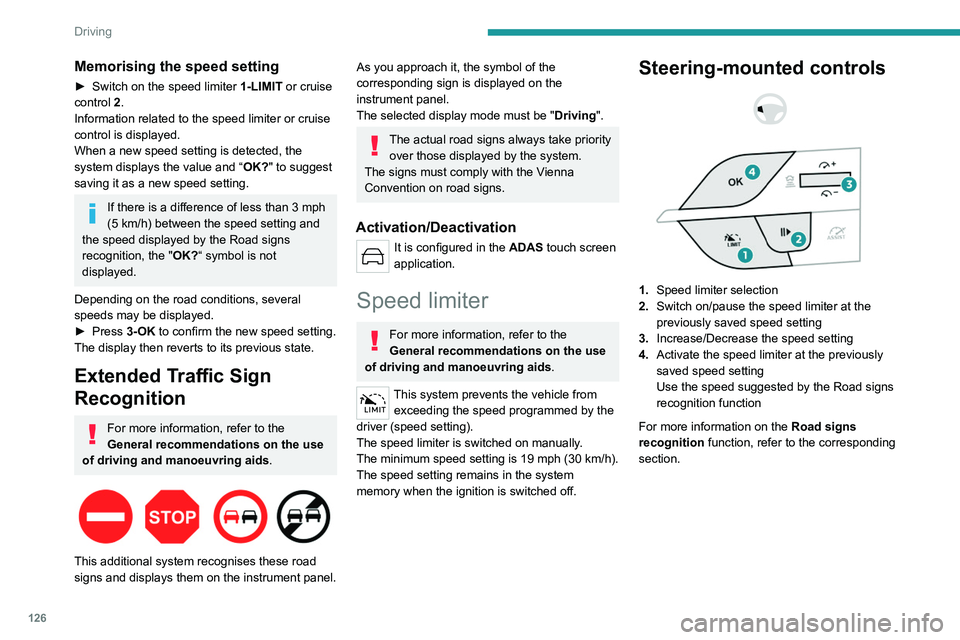
Steering-mounted controls
1. Speed limiter selection
2. Switch on/pause the speed limiter at the
previously saved speed setting
3. Increase/Decrease the speed setting
4. Activate the speed limiter at the previously
saved speed setting
Use the speed suggested by the Road signs
recognition function
For more information on the Road signs
recognition
function, refer to the corresponding
section.
Page 130 of 280

128
Driving
Cruise control - Specific
recommendations
The cruise control function does not guarantee compliance with the maximum
authorised speed and the safety distance
between vehicles, the driver remains
responsible for their driving.
In the interest of public safety, only use cruise
control if the traffic conditions enable vehicles
to drive at a steady speed and maintain an
adequate safety distance.
Remain vigilant while cruise control is
activated. If you press and hold one of the
speed setting modification buttons, your
vehicle may change speed very abruptly.
When descending a steep hill , the cruise
control system cannot prevent the vehicle
from exceeding the set speed. Brake if
necessary to control the vehicle speed.
On steep climbs or when towing, the set
speed may not be reached or maintained.
Exceeding the programmed speed
setting
You can temporarily exceed the speed
setting by pressing the accelerator pedal (the
programmed speed flashes).
To return to the speed setting, release the
accelerator pedal (when the set speed is
reached again, the displayed speed stops
flashing).
Operating limits
Never use the system in the following
situations:
–
In an urban area with the risk of
pedestrians crossing the road.
–
In heavy traffic (except versions with the
Stop
& Go function).
–
On winding or steep roads.
–
On slippery or flooded roads.
–
In poor weather conditions.
–
In the event of restricted visibility for the
driver
.
–
Driving on a speed circuit.
–
Driving on a rolling road.
–
When using a ‘space-saver
’ type spare
wheel.
–
When using snow chains or non-slip
covers.
Cruise control
For more information, refer to the
General recommendations on the use
of driving and manoeuvring aids and the
Specific recommendations on cruise
control.
This system automatically maintains the vehicle’s speed at the value programmed
by the driver (speed setting), without the use of
the accelerator pedal.
Cruise control is switched on manually.
It requires a minimum vehicle speed of 25 mph
(40 km/h).
With a manual gearbox, whichever gear is
engaged.
With an automatic gearbox, mode
D
or second
gear or higher in mode
M
must be engaged.
With a drive selector, mode
D or B must be
engaged.
Cruise control remains active after
changing gear, regardless of the gearbox
type, on engines fitted with the Stop & Start
function.
Switching off the ignition cancels any
speed setting.
Steering-mounted controls
1. Cruise control selection
Page 132 of 280
130
Driving
Off
► Press 1: the cruise control information display
disappears.
Malfunction
In the event of a malfunction, dashes are
displayed flashing and then fixed instead of the
speed setting.
Have it checked by a PEUGEOT dealer or a
qualified workshop.
Drive Assist Plus
Only available on versions with automatic
gearbox and drive selector.
This system automatically adjusts the speed
and corrects the trajectory of the vehicle, using
Adaptive cruise control with Stop&Go function in
conjunction with Lane positioning assist.
These two functions must be activated and in
operation.
For more information on Adaptive cruise
control and Lane positioning assist , refer to
the corresponding sections.
The system assists the driver by acting on the steering, acceleration and braking
within the physical limits and capacities of the
vehicle. Certain road infrastructure elements
or vehicles in the surroundings may not be
properly seen or may be poorly interpreted by
the camera and radar, resulting in an
unexpected change in direction, a lack of
steering correction and/or inappropriate
management of acceleration or braking.
Primarily designed for driving on main
roads and motorways, this system only
works with moving vehicles driving in the
same direction as your vehicle.
Selecting/Deselecting the
system
ASSIST
► Press this button successively until the Drive
Assist Plus mode is displayed on the instrument
panel.
►
After a few seconds, the Drive
Assist Plus
mode is selected. The Driving aids mini-view is
displayed on the instrument panel.
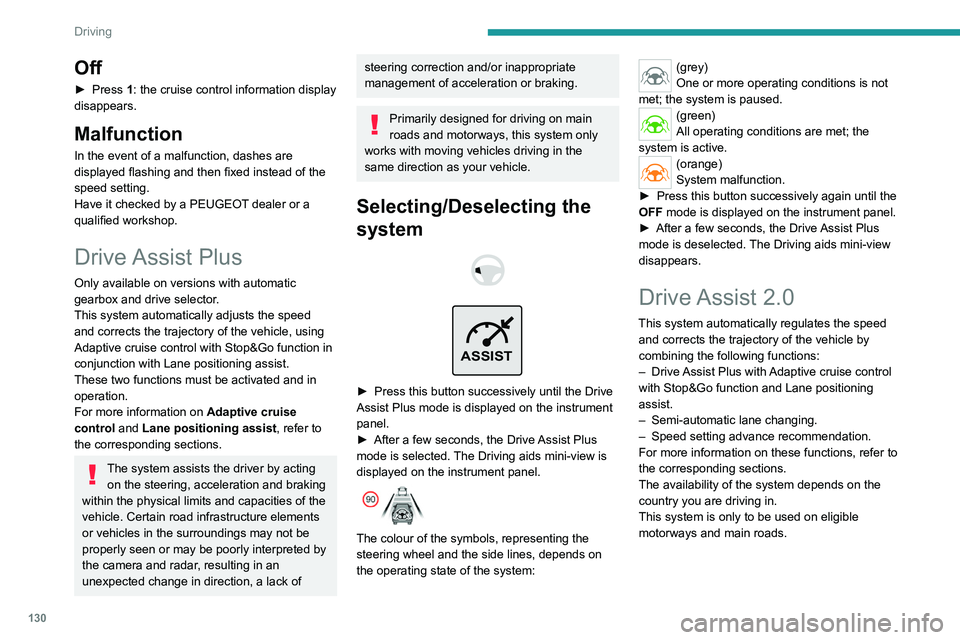
The colour of the symbols, representing the
steering wheel and the side lines, depends on
the operating state of the system:
(grey)
One or more operating conditions is not
met; the system is paused.
(green)
All operating conditions are met; the
system is active.
(orange)
System malfunction.
►
Press this button successively again until the
OFF mode is displayed on the instrument panel.
►
After a few seconds, the Drive
Assist Plus
mode is deselected. The Driving aids mini-view
disappears.
Drive Assist 2.0
This system automatically regulates the speed and corrects the trajectory of the vehicle by
combining the following functions:
–
Drive
Assist Plus with Adaptive cruise control
with Stop&Go function and Lane positioning
assist.
–
Semi-automatic lane changing.
–
Speed setting advance recommendation.
For more information on these functions, refer to
the corresponding sections.
The availability of the system depends on the
country you are driving in.
This system is only to be used on eligible
motorways and main roads.
Page 133 of 280
131
Driving
6Selecting/Deselecting the
system
It is configured in the ADAS touch screen
application.
►
Select the
Functions tab, then select/
deselect Drive Assist.
The system's status is saved when the ignition is
switched off.
Adaptive cruise control
For more information, refer to the
General recommendations on the use
of driving and manoeuvring aids and the
Specific recommendations on cruise
control.
This system automatically maintains the vehicle
speed at a value set by the driver (speed
setting), while respecting a safety distance from
the vehicle in front (target vehicle) previously set
by the driver. The system automatically manages
the acceleration and deceleration of the vehicle.
With a manual gearbox, the system slows the
vehicle down as far as a speed of 19 mph
(30
km/h).
With the Stop
& Go function , the system
manages braking until the vehicle comes to a
complete stop and restarts the vehicle.
The brake lamps come on if the vehicle is slowed down by the system.
The system is not operational in the event of
a brake lamp failure.
To do this, the system uses a camera fitted at
the top of the windscreen and, depending on
version, a radar fitted in the front bumper.
Primarily designed for driving on main
roads and motorways, this system only
works with moving vehicles driving in the
same direction as your vehicle.
If the driver activates the direction
indicator to overtake a slower vehicle,
cruise control may temporarily reduce the
distance to the target vehicle to facilitate
overtaking, without exceeding the speed
setting.
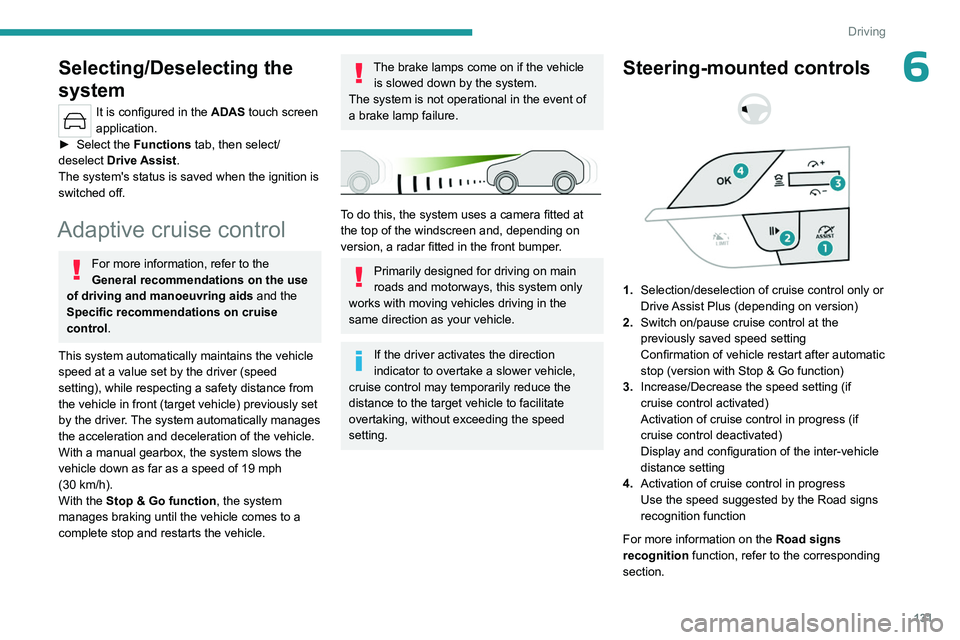
Steering-mounted controls
1. Selection/deselection of cruise control only or
Drive Assist Plus (depending on version)
2. Switch on/pause cruise control at the
previously saved speed setting
Confirmation of vehicle restart after automatic
stop (version with Stop & Go function)
3. Increase/Decrease the speed setting (if
cruise control activated)
Activation of cruise control in progress (if
cruise control deactivated)
Display and configuration of the inter-vehicle
distance setting
4. Activation of cruise control in progress
Use the speed suggested by the Road signs
recognition function
For more information on the Road signs
recognition
function, refer to the corresponding
section.
Page 137 of 280
135
Driving
6can lead to an incorrect evaluation of
distances and result in inappropriate
acceleration or braking of the vehicle.
Pay particular attention:
– When motorcycles are present and
when there are vehicles staggered across the
traffic lane.
–
When entering a tunnel or crossing a
bridge.
If any of the following malfunctions
occurs, do not use the system:
–
Following an impact on the windscreen
close to the camera or on the front bumper
.
–
If a brake lamp is not working.
If the vehicle has undergone any of the
following modifications, do not use the
system:
–
Carrying long objects on roof bars.
–
Towing.
–
Front end of the vehicle modified (for
example by adding long-range headlamps or
painting the front bumper).
–
Obstructed radar and/or camera.
Malfunction
In the event of a malfunction, dashes are
displayed (orange) instead of the speed setting.
This warning lamp comes on, accompanied by a message and an
audible signal, to confirm the malfunction.
Have it checked by a PEUGEOT dealer or a
qualified workshop.
Lane positioning assist
For more information, refer to the
General recommendations on the use
of driving and manoeuvring aids .
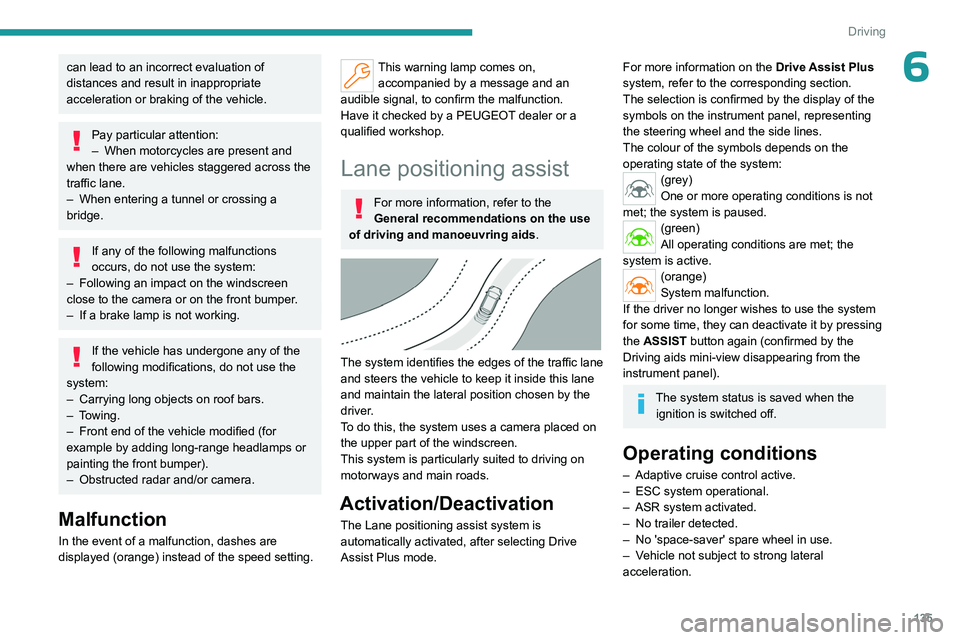
The system identifies the edges of the traffic lane
and steers the vehicle to keep it inside this lane
and maintain the lateral position chosen by the
driver.
To do this, the system uses a camera placed on
the upper part of the windscreen.
This system is particularly suited to driving on
motorways and main roads.
Activation/Deactivation
The Lane positioning assist system is
automatically activated, after selecting Drive
Assist Plus mode.
For more information on the Drive Assist Plus
system, refer to the corresponding section.
The selection is confirmed by the display of the
symbols on the instrument panel, representing
the steering wheel and the side lines.
The colour of the symbols depends on the
operating state of the system:
(grey)
One or more operating conditions is not
met; the system is paused.
(green)
All operating conditions are met; the
system is active.
(orange)
System malfunction.
If the driver no longer wishes to use the system
for some time, they can deactivate it by pressing
the ASSIST button again (confirmed by the
Driving aids mini-view disappearing from the
instrument panel).
The system status is saved when the ignition is switched off.
Operating conditions
– Adaptive cruise control active.
– ESC system operational.
–
ASR system activated.
–
No trailer detected.
–
No 'space-saver' spare wheel in use.
–
V
ehicle not subject to strong lateral
acceleration.
Page 138 of 280
136
Driving
– Direction indicators off upon activation of the
system.
Regulation
The driver must hold the steering wheel
properly.
When regulation is activated, the symbols are
displayed in green: with small steering inputs,
the system steers the vehicle and keeps it in the
position chosen by the driver in the traffic lane.
This position is not necessarily the centre of the
lane.
The driver can feel movements in the steering
wheel.
At any time, the driver can change the position of
the vehicle by intervening on the steering wheel
and maintaining the position until the system has
taken it into account. If the chosen position is too
off-centre, an automatic re-centering manoeuvre
can occur. The system adjusts to the newly
defined position.
Pausing/Suspending the
system
The driver must act promptly if they believe that the traffic conditions or the
state of the road surface require their
intervention, by moving the steering wheel to
temporarily suspend system operation. Any
action on the brake pedal that causes the
Adaptive cruise control
system to be paused
will also cause the system to be paused.
If the system detects that the driver is not
holding the wheel firmly enough, it
triggers a series of gradual alerts and then
deactivates itself if there is no response from
the driver.
If the function is suspended due to the
prolonged release of the force holding
the steering wheel, the system must be
reactivated by pressing the ASSIST button
again.
Automatic suspension
Suspension of the system is accompanied by a
specific audible signal.
–
T
riggering of the ESC system.
–
Insufficient lane detection. In this case, the
Lane keeping assist function can take over
,
and the system will reactivate itself once the
operating conditions are met again.
Paused by the driver
– Travelling outside the lane limits.
– T oo tight a grip on the steering wheel or
dynamic action on the steering wheel.
–
Action on the brake pedal (resulting in a pause
until cruise control is reactivated) or accelerator
pedal (suspension for as long as the pedal is
depressed).
–
Pausing of the
Adaptive cruise control system.
–
Deactivation of the
ASR system.
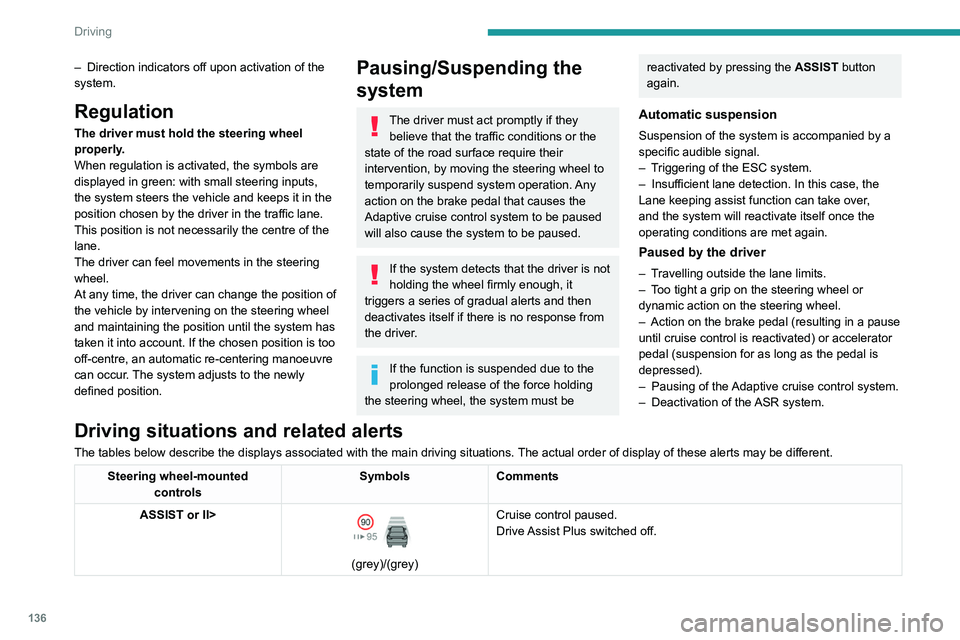
Driving situations and related alerts
The tables below describe the displays associated with the main driving situations. The actual order of display of these alerts may be different.
Steering wheel-mounted
controls Symbols
Comments
ASSIST or II>
(grey)/(grey) Cruise control paused.
Drive Assist Plus switched off.