2024 CHEVROLET SILVERADO bluetooth
[x] Cancel search: bluetoothPage 174 of 433

Chevrolet Silverado 2500 HD/3500 HD Owner Manual (GMNA-Localizing-U.
S./Canada/Mexico-16908339) - 2024 - CRC - 12/5/22
172 Infotainment System
Call Waiting
Call waiting must be supported on the
Bluetooth cell phone and enabled by the
wireless service carrier to work.
Accepting a Call
There are three ways to accept a
call-waiting call:
.Pressgon the steering wheel controls.
.Touch Switch on the infotainment display.
.Select Switch on the instrument cluster
using the select control.
Declining a Call
There are three ways to decline a
call-waiting call:
.Pression the steering wheel controls.
.Touch Ignore on the infotainment display.
.Select Ignore on the instrument cluster
using the select control.
Switching Between Calls (Call Waiting
Calls Only)
To switch between calls, press the phone
icon on the Home Page to display the Call
View. While in Call View, touch the call
information of the call on hold to change
calls.
Three-Way Calling
Three-way calling must be supported on the
Bluetooth phone and enabled by the
wireless service carrier to work.
To start a three-way call while in a
current call: 1. In the Call View, select Add Call to add another call.
2. Initiate the second call by selecting from Recents, Contacts, or Keypad.
3. When the second call is active, press the merge icon to conference the three-way
call together.
Ending a Call
.Pression the steering wheel controls.
.Touchbnext to a call to end only
that call.
.Select End on the instrument cluster using
the select control.
Dual Tone Multi-Frequency (DTMF) Tones
The in-vehicle Bluetooth system can send
numbers during a call. This is used when
calling a menu-driven phone system. Use the
Keypad to enter the number.
Apple CarPlay and Android Auto
(Base Radio)
If equipped, Android Auto and/or Apple
CarPlay capability may be available through
a compatible smartphone. If available, the
Android Auto and Apple CarPlay icons will
change from gray to color on the Home
Page of the infotainment display.
To use Android Auto and/or Apple CarPlay:
For Wired Phone Projection
1. Download the Android Auto app to your smartphone from the Google Play store
for phones running Android 9 and below.
There is no app required for Apple
CarPlay.
2. Connect your Android phone or Apple iPhone by using the factory-provided
phone USB cable and plugging into a
USB data port. For best performance, it is
highly recommended to use the device’s
factory-provided USB cable, which should
be replaced after significant wear to
maintain connection quality. Aftermarket
or third-party cables may not work.
Page 175 of 433

Chevrolet Silverado 2500 HD/3500 HD Owner Manual (GMNA-Localizing-U.
S./Canada/Mexico-16908339) - 2024 - CRC - 12/5/22
Infotainment System 173
3. When the phone is first connected toactivate Apple CarPlay or Android Auto,
accept the terms and conditions on both
the infotainment system and the phone.
4. Follow the instructions on the phone.
The Android Auto and Apple CarPlay icons
on the Home Page will illuminate depending
on the smartphone. Android Auto and/or
Apple CarPlay may automatically launch
upon USB connection. If not, touch the
Android Auto or Apple CarPlay icon on the
Home Page to launch.
Press
{on the center stack to return to the
Home Page.
For Wireless Phone Projection
If equipped, verify your phone is wireless
compatible by visiting the Google Android
Auto or Apple CarPlay support page.
1. Download the Android Auto app to your smartphone from the Google Play store
for phones running Android 9 and below.
There is no app required for Apple
CarPlay. 2. For first time connection, there are two
ways to set up wireless projection:
.Connect your Android phone or Apple
iPhone by using the factory-provided
phone USB cable and plugging into a
USB data port. For best performance,
it is highly recommended to use the
device’s factory-provided USB cable,
which should be replaced after
significant wear to maintain
connection quality. Aftermarket or
third-party cables may not work.
.Connecting the phone over Bluetooth.
See Bluetooth (Pairing and Using a
Phone for Uplevel Radio) 0165 or
Bluetooth (Pairing and Using a Phone
for Base Radio) 0169 or
Bluetooth (Overview) 0165.
3. Make sure Wi-Fi and Bluetooth is turned on the phone for wireless projection
to work.
4. When the phone is first connected to activate Apple CarPlay or Android Auto,
agree to the terms and conditions on
both the infotainment system and the
phone.
5. Follow the instructions on the phone. The Android Auto and Apple CarPlay icons
on the Home Page will illuminate depending
on the smartphone. Android Auto and/or
Apple CarPlay may automatically launch
upon wireless connection. If not, touch the
Android Auto or Apple CarPlay icon on the
Home Page to launch.
Wireless CarPlay and/or Wireless Android
Auto may experience occasional service
disruption due to outside Wi-Fi interference.
To disconnect the phones wireless
projection:
1. Select Settings from the Home Page.
2. Select Phones
3. Touch
4or the pencil icon next to the
phone to be disconnected.
4. Turn off Apple CarPlay or Android Auto.
Press
{on the center stack to return to the
Home Page.
Features are subject to change. For further
information on how to set up Android Auto
and Apple CarPlay in the vehicle, visit your
brand website. See Online Account0401 for
details.
Android Auto is provided by Google and is
subject to Google’s terms and privacy policy.
Apple CarPlay is provided by Apple and is
Page 177 of 433
Chevrolet Silverado 2500 HD/3500 HD Owner Manual (GMNA-Localizing-U.
S./Canada/Mexico-16908339) - 2024 - CRC - 12/5/22
Infotainment System 175
.Connecting the phone over Bluetooth.
SeeBluetooth (Pairing and Using a
Phone for Uplevel Radio) 0165 or
Bluetooth (Pairing and Using a Phone
for Base Radio) 0169 or
Bluetooth (Overview) 0165.
3. Make sure Wi-Fi and Bluetooth is turned on the phone for wireless projection
to work.
4. When the phone is first connected to activate Apple CarPlay or Android Auto,
agree to the terms and conditions on
both the infotainment system and the
phone.
5. Follow the instructions on the phone.
The Android Auto and Apple CarPlay icons
on the Home Page will illuminate depending
on the smartphone. Android Auto and/or
Apple CarPlay may automatically launch
upon wireless connection. If not, touch the
Android Auto or Apple CarPlay icon on the
Home Page to launch.
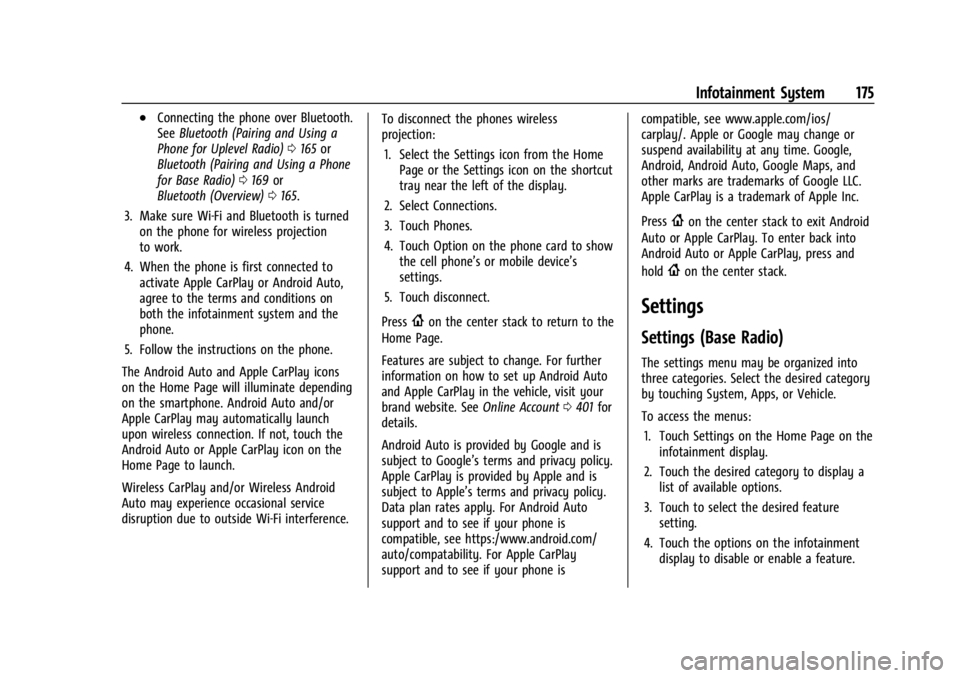
Wireless CarPlay and/or Wireless Android
Auto may experience occasional service
disruption due to outside Wi-Fi interference. To disconnect the phones wireless
projection:
1. Select the Settings icon from the Home Page or the Settings icon on the shortcut
tray near the left of the display.
2. Select Connections.
3. Touch Phones.
4. Touch Option on the phone card to show the cell phone’s or mobile device’s
settings.
5. Touch disconnect.
Press
{on the center stack to return to the
Home Page.
Features are subject to change. For further
information on how to set up Android Auto
and Apple CarPlay in the vehicle, visit your
brand website. See Online Account0401 for
details.
Android Auto is provided by Google and is
subject to Google’s terms and privacy policy.
Apple CarPlay is provided by Apple and is
subject to Apple’s terms and privacy policy.
Data plan rates apply. For Android Auto
support and to see if your phone is
compatible, see https:/www.android.com/
auto/compatability. For Apple CarPlay
support and to see if your phone is compatible, see www.apple.com/ios/
carplay/. Apple or Google may change or
suspend availability at any time. Google,
Android, Android Auto, Google Maps, and
other marks are trademarks of Google LLC.
Apple CarPlay is a trademark of Apple Inc.
Press
{on the center stack to exit Android
Auto or Apple CarPlay. To enter back into
Android Auto or Apple CarPlay, press and
hold
{on the center stack.
Settings
Settings (Base Radio)
The settings menu may be organized into
three categories. Select the desired category
by touching System, Apps, or Vehicle.
To access the menus:
1. Touch Settings on the Home Page on the infotainment display.
2. Touch the desired category to display a list of available options.
3. Touch to select the desired feature setting.
4. Touch the options on the infotainment display to disable or enable a feature.
Page 180 of 433

Chevrolet Silverado 2500 HD/3500 HD Owner Manual (GMNA-Localizing-U.
S./Canada/Mexico-16908339) - 2024 - CRC - 12/5/22
178 Infotainment System
Vehicle-to-Phone Sharing
Trusted Device
Allows for setting a phone as your trusted
device to establish a secure communication
channel between your phone and vehicle
that enables convenient features like instant
profile unlocking and account sign in. When
nearby, your trusted device is recognized
automatically via a unique Bluetooth
connection. Requires the MyBrand
mobile app.
Vehicle
The menu may contain the following:
Teen Driver
SeeTeen Driver 0179.
Rear Seat Reminder
Allows for a chime and a message when the
rear door has been opened before or during
operation of the vehicle.
Buckle to Drive
This feature can prevent shifting out of Park
when the driver, and if applicable the front
passenger, seat belt is not buckled. See
Buckle To Drive 054. Climate and Air Quality
Adjusts different climate settings.
Collision/Detection Systems
Adjusts different driver assistance system
settings.
Comfort and Convenience
Adjusts different comfort and convenience
settings.
Lighting
Adjusts different lighting settings.
Power Door Locks
Adjusts different door lock settings.
Remote Lock, Unlock, and Start
Adjusts different remote lock settings.
Ride Height
Adjusts different ride height settings.
Power Assist Steps
Adjusts different running board settings.
Seating Position
Adjusts different seating position settings.
Suspension
Adjusts different suspension settings. Trailering
Adjusts different trailering settings.
Apps and Notifications
Shows a list of installed apps and the
permissions used.
Date / Time
Allows setting of the clock.
Display
Allows adjustment of the infotainment
display.
Sounds
Allows adjustment of the infotainment
system sounds.
Users
Modifies the infotainment system’s users.
Accounts
Allows adding or adjusting of the user
accounts.
Privacy
The menu may contain the following:
Page 186 of 433
Chevrolet Silverado 2500 HD/3500 HD Owner Manual (GMNA-Localizing-U.
S./Canada/Mexico-16908339) - 2024 - CRC - 12/5/22
184 Infotainment System
Bluetooth
The Bluetooth word mark and logos are
owned by the Bluetooth SIG, Inc. and any
use of such marks by General Motors is
under license. Other trademarks and trade
names are those of their respective owners.
Java
Java is a registered trademark of Oracle
and/or its affiliates.
MPEG4–AVC (H.264)
THIS PRODUCT IS LICENSED UNDER THE AVC
PATENT PORTFOLIO LICENSE FOR THE
PERSONAL AND NON-COMMERCIAL USE OF A
CONSUMER TO (i) ENCODE VIDEO IN
COMPLIANCE WITH THE AVC STANDARD
(“AVC VIDEO”) AND/OR (ii) DECODE AVC
VIDEO THAT WAS ENCODED BY A
CONSUMER ENGAGED IN A PERSONAL AND
NON-COMMERCIAL ACTIVITY AND/OR WAS
OBTAINED FROM A VIDEO PROVIDER
LICENSED TO PROVIDE AVC VIDEO. NO
LICENSE IS GRANTED OR SHALL BE IMPLIED
FOR ANY OTHER USE. ADDITIONAL
INFORMATION MAY BE OBTAINED FROM
MPEG LA, LLC. SEE
HTTPS://WWW.MPEGLA.COM.VC-1
THIS PRODUCT IS LICENSED UNDER THE VC-1
PATENT PORTFOLIO LICENSE FOR THE
PERSONAL AND NON-COMMERCIAL USE OF A
CONSUMER TO (i) ENCODE VIDEO IN
COMPLIANCE WITH THE VC-1 STANDARD
(“VC-1 VIDEO”) AND/OR (ii) DECODE VC-1
VIDEO THAT WAS ENCODED BY A
CONSUMER ENGAGED IN A PERSONAL AND
NON-COMMERCIAL ACTIVITY AND/OR WAS
OBTAINED FROM A VIDEO PROVIDER
LICENSED TO PROVIDE VC-1 VIDEO. NO
LICENSE IS GRANTED OR SHALL BE IMPLIED
FOR ANY OTHER USE. ADDITIONAL
INFORMATION MAY BE OBTAINED FROM
MPEG LA, LLC. SEE
HTTPS://WWW.MPEGLA.COM.
MPEG4–Visual
USE OF THIS PRODUCT IN ANY MANNER
THAT COMPLIES WITH THE MPEG-4 VISUAL
STANDARD IS PROHIBITED, EXCEPT FOR USE
BY A CONSUMER ENGAGING IN PERSONAL
AND NON-COMMERCIAL ACTIVITIES.
MP3
MPEG Layer-3 audio coding technology
licensed from Fraunhofer IIS and Thomson.WMV/WMA
This product includes technology owned by
Microsoft Corporation and under a license
from Microsoft Licensing, GP. Use or
distribution of such technology outside of
this product is prohibited without a license
from Microsoft Corporation and/or Microsoft
Licensing, GP as applicable.
Page 410 of 433
Chevrolet Silverado 2500 HD/3500 HD Owner Manual (GMNA-Localizing-U.
S./Canada/Mexico-16908339) - 2024 - CRC - 12/5/22
408 Customer Information
and notify General Motors of Canada
Company. Call Transport Canada at
1-800-333-0510; go to:
www.tc.gc.ca/recalls (English)
www.tc.gc.ca/rappels (French)
or write to:
Transport Canada
Motor Vehicle Safety Directorate
Defect Investigations and Recalls
Division
80 Noel Street
Gatineau
,QC J8Z 0A1
Reporting Safety Defects to
General Motors
In addition to notifying NHTSA (or Transport
Canada) in a situation like this, notify
General Motors.
In the U.S., call 1-800-222-1020, or write:
Chevrolet Motor Division
Chevrolet Customer Assistance Center
P.O. Box 33170
Detroit, MI 48232-5170
In Canada, call 1-800-263-3777 (English) or
1-800-263-7854 (French), or write:Customer Care Centre
General Motors of Canada Company
500 Wentworth Street W
Oshawa, ON L1J 0C5
In Mexico, call 800-466-0811 or
800-508-0000.
In other Central America and Caribbean
Countries, call 52-555-901-2369.
Vehicle Data Recording and
Privacy
The vehicle has a number of computers that
record information about the vehicle’s
performance and how it is driven or used.
For example, the vehicle uses computer
modules to monitor and control engine and
transmission performance, to monitor the
conditions for airbag deployment and
deploy them in a crash, and, if equipped, to
provide antilock braking to help the driver
control the vehicle. These modules may
store data to help the dealer technician
service the vehicle or to help GM improve
safety or features. Some modules may also
store data about how the vehicle is
operated, such as rate of fuel consumption
or average speed. These modules may retain
personal preferences, such as radio presets,
seat positions, and temperature settings.
Cybersecurity
GM collects information about the use of
your vehicle including operational and safety
related information. We collect this
information to provide, evaluate, improve,
and troubleshoot our products and services
and to develop new products and services.
The protection of vehicle electronics systems
and customer data from unauthorized
outside electronic access or control is
important to GM. GM maintains appropriate
security standards, practices, guidelines and
controls aimed at defending the vehicle and
the vehicle service ecosystem against
unauthorized electronic access, detecting
possible malicious activity in related
networks, and responding to suspected
cybersecurity incidents in a timely,
coordinated and effective manner. Security
incidents could impact your safety or
compromise your private data. To minimize
security risks, please do not connect your
vehicle electronic systems to unauthorized
devices or connect your vehicle to any
unknown or untrusted networks (such as
Bluetooth, WIFI or similar technology). In
Page 421 of 433

Chevrolet Silverado 2500 HD/3500 HD Owner Manual (GMNA-Localizing-U.
S./Canada/Mexico-16908339) - 2024 - CRC - 12/5/22
Index 419
Assistance Program, Roadside . . . . . . . . . . . . 402
Assistance SystemsAdvanced . . . . . . . . . . . . . . . . . . . . . . . . . . . . . . 246
Automatic EmergencyBraking (AEB) . . . . . . . . . . . . . . . . . . . . . . . . 259
Driving . . . . . . . . . . . . . . . . . . . . . . . . . . . . . . . . 257
Forward Collision Alert (FCA) System . . . . . . . . . . . . . . . . . . . . . . . . . . . . . . 257
Front Pedestrian Braking (FPB) . . . . . . . . . 260
Lane Change Alert (LCA) . . . . . . . . . . . . . . . 262
Lane Departure Warning (LDW) . . . . . . . . 264
Parking . . . . . . . . . . . . . . . . . . . . . . . . . . . . . . . . 256
Parking and Backing . . . . . . . . . . . . . . . . . . . 247
Rear Cross Traffic Alert (RCTA) . . . . . . . . . 257
Rear Vision Camera (RVC) . . . . . . . . . . . . . . 247
Surround Vision System . . . . . . . . . . . . . . . 248
Audio Bluetooth . . . . . . . . . . . . . . . . . . . . . . . . . . 158, 159
Automatic Dimming Mirrors . . . . . . . . . . . . . . . . . . . . . . . 34
Door Locks . . . . . . . . . . . . . . . . . . . . . . . . . . . . . . 20
Emergency Braking (AEB) DisabledLight . . . . . . . . . . . . . . . . . . . . . . . . . . . . . . . . . . 121
Headlamp System . . . . . . . . . . . . . . . . . . . . . 140
Transmission . . . . . . . . . . . . . . . . . . . . . . . . . . . 218
Transmission Fluid . . . . . . . . . . . . . . . . . . . . . . 311
Transmission Shift Lock Control Function Check . . . . . . . . . . . . . . . . . . . . . . . 324 Automatic Transmission
Manual Mode . . . . . . . . . . . . . . . . . . . . . . . . . 220
Auxiliary Roof Mounted Lamp . . . . . . . . . . . . . . . . . . . 143
Avoiding Untrusted Media Devices . . . . . . . .158
Axle Front . . . . . . . . . . . . . . . . . . . . . . . . . . . . . . . . . . 323
Rear . . . . . . . . . . . . . . . . . . . . . . . . . . . . . . . . . . . 323
B
BatteryExterior Lighting Battery Saver . . . . . . . . 147
Load Management . . . . . . . . . . . . . . . . . . . . . 146
Power Protection . . . . . . . . . . . . . . . . . . . . . . 147
Battery - North America . . . . . . . . . . . . . 321, 370
Blade Replacement, Wiper . . . . . . . . . . . . . . . 325
Blind Spot Mirrors . . . . . . . . . . . . . . . . . . . . . . . . 34
Bluetooth Audio . . . . . . . . . . . . . . . . . . . . . . . . . . . . . . 158, 159
Overview . . . . . . . . . . . . . . . . . . . . . . . . . 165, 169
Brake
Fluid . . . . . . . . . . . . . . . . . . . . . . . . . . . . . . . . . . . 320
Pad Life System . . . . . . . . . . . . . . . . . . . . . . . 319
System Warning Light . . . . . . . . . . . . . . . . . . 119
Brake Pad Life System . . . . . . . . . . . . . . . . . . . 319
Brakes . . . . . . . . . . . . . . . . . . . . . . . . . . . . . . . . . . . 319 Antilock . . . . . . . . . . . . . . . . . . . . . . . . . . . . . . . . 227
Brake Assist . . . . . . . . . . . . . . . . . . . . . . . . . . . 229 Brakes (cont'd)
Electric Parking Brake . . . . . . . . . . . . . . . . . . 228
Braking . . . . . . . . . . . . . . . . . . . . . . . . . . . . . . . . . . 194 Automatic Emergency (AEB) . . . . . . . . . . . 259
Front Pedestrian (FPB) System . . . . . . . . . 260
Break-In, New Vehicle . . . . . . . . . . . . . . . . . . . . 210
Buckle To Drive . . . . . . . . . . . . . . . . . . . . . . . . . . . 54
Bulb Replacement . . . . . . . . . . . . . . . . . . . . . . . . 327 Center High-Mounted Stoplamp(CHMSL) and Cargo Lamp . . . . . . . . . . . . 329
Halogen Bulbs . . . . . . . . . . . . . . . . . . . . . . . . . 327
Headlamp Aiming . . . . . . . . . . . . . . . . . . . . . . 327
Headlamps, Front Turn Signal, Sidemarker, and Parking Lamps . . . . . . 327
License Plate Lamps . . . . . . . . . . . . . . . . . . . 330
Taillamps, Turn Signal, Stoplamps, and Back-up Lamps . . . . . . . . . . . . . . . . . . 328
Buying New Tires . . . . . . . . . . . . . . . . . . . . . . . . 354
C
Calibration Compass . . . . . . . . . . . . . . . . . . . . . . . . . . . . . . . 102
California Perchlorate MaterialsRequirements . . . . . . . . . . . . . . . . . . . . . . . . 304
California Proposition 65 Warning . . . . . 1, 370
Camera
Rear Vision (RVC) . . . . . . . . . . . . . . . . . . . . . . 247
Page 428 of 433

Chevrolet Silverado 2500 HD/3500 HD Owner Manual (GMNA-Localizing-U.
S./Canada/Mexico-16908339) - 2024 - CRC - 12/5/22
426 Index
PassengerAirbag Status Indicator . . . . . . . . . . . . . . . . . 116
Compartment Air Filter . . . . . . . . . . . . . . . . 190
Sensing System . . . . . . . . . . . . . . . . . . . . . . . . . 65
Pedestrian Ahead Indicator . . . . . . . . . . . . . . . 121
Perchlorate Materials Requirements, California . . . . . . . . . . . . . . . . . . . . . . . . . . . . . . 304
Phone Apple CarPlay andAndroid Auto . . . . . . . . . . . . . . . . . . . . 172, 174
Bluetooth . . . . . . . . . . . . . . . . . . . . . . . . . 165, 169
Pickup Conversion to Chassis Cab . . . . . . . . 302
Port USB . . . . . . . . . . . . . . . . . . . . . . . . . . . . . . . . . . . . 158
Positioning Vehicle . . . . . . . . . . . . . . . . . . . . . . . . . . . . . . . . 162
Power Assist Steps . . . . . . . . . . . . . . . . . . . . . . . . . . . . . 28
Door Locks . . . . . . . . . . . . . . . . . . . . . . . . . . . . . . 20
Mirrors . . . . . . . . . . . . . . . . . . . . . . . . . . . . . . . . . 32
Outlets . . . . . . . . . . . . . . . . . . . . . . . . . . . . . . . . 102
Protection, Battery . . . . . . . . . . . . . . . . . . . . . 147
Retained Accessory (RAP) . . . . . . . . . . . . . . 214
Seat Adjustment . . . . . . . . . . . . . . . . . . . . . . . . 46
Steering Fluid . . . . . . . . . . . . . . . . . . . . . . . . . . . 317
Windows . . . . . . . . . . . . . . . . . . . . . . . . . . . . . . . 39
Pregnancy, Using Seat Belts . . . . . . . . . . . . . . 59 Privacy
Vehicle Data Recording . . . . . . . . . . . . . . . . 408
Problems with Route Guidance . . . . . . . . . . 163
Program Courtesy Transportation . . . . . . . . . . . . . . . 404
Prohibited Fuels . . . . . . . . . . . . . . . . . . . . . . . . . 266
Proposition 65 Warning California . . . . . . . . . . . . . . . . . . . . . . . . . . . . . . . . . 1
Proposition 65 Warning, California . . . . . . . 370
Publication Ordering Information . . . . . . . . 406
R
Radiator . . . . . . . . . . . . . . . . . . . . . . . . . . . . . . . . . . 313
Radio AM-FM Radio . . . . . . . . . . . . . . . . . . . . . . 154, 156
Frequency Statement . . . . . . . . . . . . . . . . . . 407
Reception . . . . . . . . . . . . . . . . . . . . . . . . . . . . . . . 157
Satellite . . . . . . . . . . . . . . . . . . . . . . . . . . . . . . . . . 157
Reading Lamps . . . . . . . . . . . . . . . . . . . . . . . . . . .145
Rear Axle . . . . . . . . . . . . . . . . . . . . . . . . . . . . . . . . . . . 323
Camera Mirror . . . . . . . . . . . . . . . . . . . . . . . . . . 35
Heated Seats . . . . . . . . . . . . . . . . . . . . . . . . . . . 52
Locking Axle . . . . . . . . . . . . . . . . . . . . . . . . . . . 233
Seats . . . . . . . . . . . . . . . . . . . . . . . . . . . . . . . . . . . . 51
Storage . . . . . . . . . . . . . . . . . . . . . . . . . . . . . . . . . 95
Windows . . . . . . . . . . . . . . . . . . . . . . . . . . . . . . . 41 Rearview Mirror
Truck Bed Camera . . . . . . . . . . . . . . . . . . . . . . 38
Rearview Mirrors . . . . . . . . . . . . . . . . . . . . . . . . . .35 Automatic Dimming . . . . . . . . . . . . . . . . . . . . 35
Reclining Seatbacks . . . . . . . . . . . . . . . . . . . . . . . 46
Recognition Voice . . . . . . . . . . . . . . . . . . . . . . . . . . . . . . . . . . 163
Recommended Fuel . . . . . . . . . . . . . . . . . . . . . . . . . . . . . . . . . . . . 266
Recommended Fluids and Lubricants . . . . . 392
Records Maintenance . . . . . . . . . . . . . . . . . . . . . . . . . . . 394
Recreational Vehicle Towing . . . . . . . . . . . . . 374
Reimbursement Program, GM Mobility . . . . . . . . . . . . . . . . . . . . . . . . . . . . . . . 402
Remote
Key . . . . . . . . . . . . . . . . . . . . . . . . . . . . . . . . . . . . . . 12
Key Operation . . . . . . . . . . . . . . . . . . . . . . . . . . . 12
Vehicle Start . . . . . . . . . . . . . . . . . . . . . . . . . . . . 18
Replacement Glass . . . . . . . . . . . . . . . . . . . . . . . . . . . . . . . . . . 325
Replacement Parts Airbags . . . . . . . . . . . . . . . . . . . . . . . . . . . . . . . . . 70
Maintenance . . . . . . . . . . . . . . . . . . . . . . . . . . . 393
Replacing
Airbag System . . . . . . . . . . . . . . . . . . . . . . . . . . 70
LATCH System Parts After a Crash . . . . . . 87