2024 CHEVROLET SILVERADO HUD
[x] Cancel search: HUDPage 136 of 433
Chevrolet Silverado 2500 HD/3500 HD Owner Manual (GMNA-Localizing-U.
S./Canada/Mexico-16908339) - 2024 - CRC - 12/15/22
134 Instruments and Controls
The windshield is part of the HUD system.
SeeWindshield Replacement 0326.
Vehicle Messages
Messages displayed on the Driver
Information Center (DIC) indicate the status
of the vehicle or some action that may be
needed to correct a condition. Multiple
messages may appear one after another.
The messages that do not require
immediate action can be acknowledged and
cleared by pressing the thumbwheel. The
messages that require immediate action
cannot be cleared until that action is
performed.
All messages should be taken seriously;
clearing the message does not correct the
problem.
If a SERVICE message appears, see your
dealer.
Follow the instructions given in the
messages. The system displays messages
regarding the following topics:
.Service Messages
.Fluid Levels
.Vehicle Security
.Brakes
.Steering
.Ride Control Systems
.Advanced Driver Assistance Systems
.Cruise Control
.Lighting and Bulb Replacement
.Wiper/Washer Systems
.Doors and Windows
.Seat Belts
.Airbag Systems
.Engine and Transmission
.Tire Pressure
.Battery
Engine Power Messages
REDUCED ACCELERATION DRIVE
WITH CARE
This message displays when the vehicle's
propulsion power is reduced. A reduction in
propulsion power can affect the vehicle's
ability to accelerate. If this message is on,
but there is no observed reduction in
performance, proceed to your destination.
Under certain conditions the performance
may be reduced the next time the vehicle is
driven. The vehicle may be driven while this
message is on, but maximum acceleration
and speed may be reduced. Anytime this message stays on, or displays repeatedly,
the vehicle should be taken to your dealer
for service as soon as possible.
Under certain operating conditions,
propulsion will be disabled. Try restarting
after the ignition has been off for
two minutes.
Vehicle Speed Messages
SPEED LIMITED TO XXX KM/H (MPH)
This message shows that the vehicle speed
has been limited to the speed displayed. The
limited speed is a protection for various
propulsion and vehicle systems, such as
lubrication, thermal, brakes, suspension,
Teen Driver if equipped, or tires.
(If equipped with a diesel engine, see the
Duramax Diesel supplement.)
–For Diesel
Universal Remote System
See Radio Frequency Statement 0407.
Page 240 of 433
Chevrolet Silverado 2500 HD/3500 HD Owner Manual (GMNA-Localizing-U.
S./Canada/Mexico-16908339) - 2024 - CRC - 12/12/22
238 Driving and Operating
ACC can also be set while the vehicle is
stopped if ACC is on and the brake pedal is
applied.
The ACC indicator displays in the instrument
cluster and Head-Up Display (HUD),
if equipped. When ACC is turned on, the
indicator will be lit white. When the ACC is
active, the indicator turns green.
Be mindful of speed limits, surrounding
traffic speeds, and weather conditions when
selecting the set speed.
Resuming a Set Speed
If the ACC is set at a desired speed and then
the brakes are applied, ACC is disengaged
without erasing the set speed from memory.
To begin using ACC again, press RES+ up
briefly.
.If the vehicle is moving more than 5 km/h
(3 mph), it returns to the previous set
speed.
.If the vehicle is stopped with the brake
pedal applied, press RES+ and release the
brake pedal. ACC will hold the vehicle
until RES+ or the accelerator pedal is
pressed.A green ACC indicator and the set speed
display on the instrument cluster. The
vehicle ahead indicator may be flashing if a
vehicle ahead was present and moved. See
“Approaching and Following a Vehicle”
later
in this section.
Once ACC has resumed, the vehicle speed
will increase to the set speed under the
following conditions:
.There is no vehicle ahead.
.The vehicle ahead is beyond the selected
following gap.
.The vehicle speed is not being limited
because of a sharp turn.
Increasing Speed While ACC Is at a Set Speed
If ACC is already activated, do one of the
following:
.Use the accelerator to get to the higher
speed. Press SET–. Release SET– and the
accelerator pedal. The vehicle will now
cruise at the higher speed.
When the accelerator pedal is pressed,
ACC will not brake because it is
overridden. The ACC indicator will turn
blue on the instrument cluster and HUD,
if equipped.
.Press and hold RES+ until the desired set
speed is displayed, then release it.
.To increase vehicle speed in smaller
increments, press RES+ briefly. For each
press, the vehicle goes about 1 km/h
(1 mph) faster.
.To increase vehicle speed in larger
increments, hold RES+. While holding
RES+, the vehicle speed increases to the
next 5 km/h (5 mph) step, then continues
to increase by 5 km/h (5 mph) at a time.
The set speed can also be increased while
the vehicle is stopped.
.If stopped with the brake pedal applied,
press RES+ until the desired set speed is
displayed.
.If ACC is holding the vehicle at a stop and
there is another vehicle directly ahead,
pressing RES+ will increase the set speed.
.Pressing RES+ when there is no longer a
vehicle ahead or the vehicle ahead is
pulling away and the brake is not applied
with cause the ACC to resume.
When it is determined that there is no
vehicle ahead or the vehicle ahead is beyond
the selected following gap, then the vehicle
speed will increase to the set speed.
Page 241 of 433
Chevrolet Silverado 2500 HD/3500 HD Owner Manual (GMNA-Localizing-U.
S./Canada/Mexico-16908339) - 2024 - CRC - 12/12/22
Driving and Operating 239
Reducing Speed While ACC Is at a Set Speed
If ACC is already activated, do one of the
following:
.Use the brake to get to the desired lower
speed. Release the brake and press SET–.
The vehicle will now cruise at the lower
speed.
.Press and hold SET–until the desired
lower speed is reached, then release it.
.To decrease the vehicle speed in smaller
increments, press SET− briefly. For each
press, the vehicle goes about 1 km/h
(1 mph) slower.
.To decrease the vehicle speed in larger
increments, hold SET−. While holding
SET−, the vehicle speed decreases to the
next 5 km/h (5 mph) step, then continues
to decrease by 5 km/h (5 mph) at a time.
The set speed can also be decreased while
the vehicle is stopped.
.If stopped with the brake applied, press
or hold SET− until the desired set speed is
displayed. Selecting the Follow Distance Gap
When a slower moving vehicle is detected
ahead within the selected following gap,
ACC will adjust the vehicle's speed and
attempt to maintain the follow distance gap
selected.
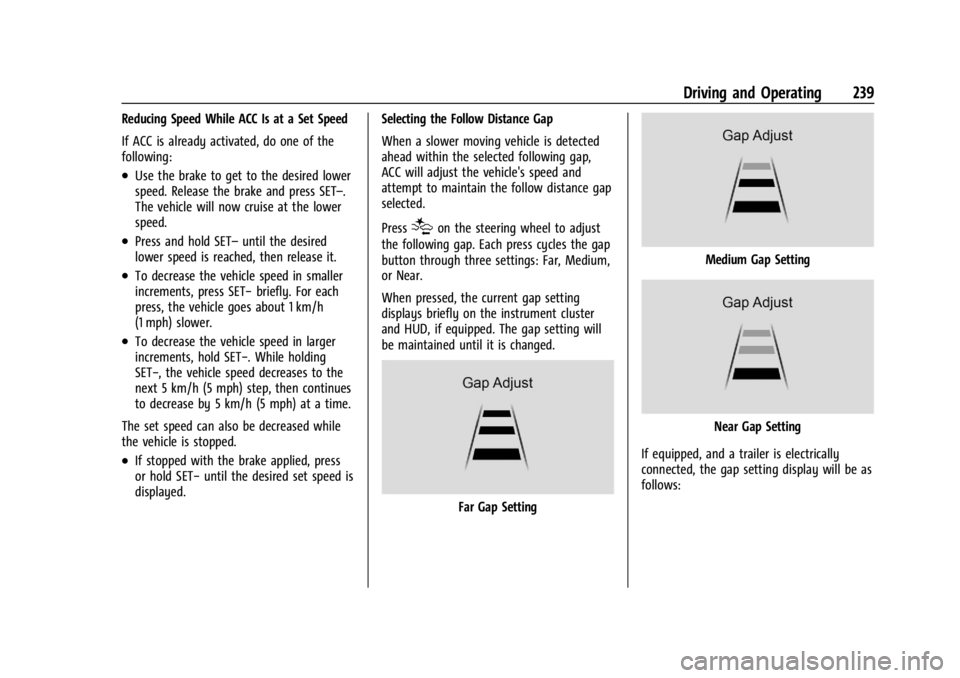
Press
[on the steering wheel to adjust
the following gap. Each press cycles the gap
button through three settings: Far, Medium,
or Near.
When pressed, the current gap setting
displays briefly on the instrument cluster
and HUD, if equipped. The gap setting will
be maintained until it is changed.
Far Gap Setting
Medium Gap Setting
Near Gap Setting
If equipped, and a trailer is electrically
connected, the gap setting display will be as
follows:
Page 243 of 433

Chevrolet Silverado 2500 HD/3500 HD Owner Manual (GMNA-Localizing-U.
S./Canada/Mexico-16908339) - 2024 - CRC - 12/12/22
Driving and Operating 241
Without Head-Up Display
If ACC is engaged, driver action may be
required when ACC cannot apply sufficient
braking because of approaching a vehicle
too rapidly.
When this condition occurs, the collision
alert symbol will flash on the windshield.
Either eight beeps will sound from the front,
or both sides of the Safety Alert Seat,
if equipped, will pulse five times. To view
available settings from the infotainment
screen, touch Settings > Vehicle > Collision/
Detection Systems.
See Defensive Driving 0194.
Approaching and Following a Vehicle
The vehicle ahead indicator is in the
instrument cluster and HUD (if equipped).
It only displays when a vehicle is detected
in your vehicle’s path moving in the same
direction. If this symbol is not displaying,
ACC will not respond to or brake for vehicles
ahead.
ACC automatically slows the vehicle down
and adjusts vehicle speed to follow a
detected vehicle ahead at the selected
following gap. The vehicle speed increases or
decreases to follow a detected vehicle in
front of your vehicle when that vehicle is
traveling slower than your vehicle set speed.
It may apply limited braking, if necessary.
When braking is active, the brake lamps will
come on. The automatic braking may feel or
sound different than if the brakes were
applied manually. This is normal.
Passing a Vehicle While Using ACC
If the set speed is high enough, and the left
turn signal is used to pass a vehicle ahead
in the selected following gap, ACC may
assist by gradually accelerating the vehicle
prior to the lane change.{Warning
When using ACC to pass a vehicle or
perform a lane change, the following
distance to the vehicle being passed may
be reduced. ACC may not apply sufficient
acceleration or braking when passing a
vehicle or performing a lane change.
Always be ready to manually accelerate
or brake to complete the pass or lane
change.
Stationary or Very Slow-Moving Objects
{Warning
ACC may not detect and react to stopped
or slow-moving vehicles ahead of you. For
example, the system may not brake for a
vehicle it has never detected moving. This
can occur in stop-and-go traffic or when a
vehicle suddenly appears due to a vehicle
ahead changing lanes. Your vehicle may
not stop and could cause a crash. Use
caution when using ACC. Your complete
attention is always required while driving
and you should be ready to take action
and apply the brakes.
Page 245 of 433
Chevrolet Silverado 2500 HD/3500 HD Owner Manual (GMNA-Localizing-U.
S./Canada/Mexico-16908339) - 2024 - CRC - 12/12/22
Driving and Operating 243
Warning (Continued)
The vehicle can move. When ACC is
holding the vehicle at a stop, always be
prepared to manually apply the brakes.
{Warning
Leaving the vehicle without placing it in
P (Park) can be dangerous. Do not leave
the vehicle while it is being held at a
stop by ACC. Always place the vehicle in
P (Park) and turn off the ignition before
leaving the vehicle.
ACC Override
If using the accelerator pedal while ACC is
active, the ACC indicator turns blue on the
instrument cluster and in the HUD,
if equipped, to indicate that automatic
braking will not occur. ACC will resume
operation when the accelerator pedal is not
being pressed.
{Warning
The ACC will not automatically apply the
brakes if your foot is resting on the
accelerator pedal. You could crash into a
vehicle ahead of you.
Curves in the Road
{Warning
On curves, ACC may not detect a vehicle
ahead in your lane. You could be startled
if the vehicle accelerates up to the set
speed, especially when following a vehicle
exiting or entering exit ramps. You could
lose control of the vehicle or crash. Do
not use ACC while driving on an entrance
or exit ramp. Always be ready to use the
brakes if necessary.
{Warning
On curves, ACC may respond to a vehicle
in another lane, or may not have time to
react to a vehicle in your lane. You could
crash into a vehicle ahead of you, or lose
control of your vehicle. Give extra (Continued)
Warning (Continued)
attention in curves and be ready to use
the brakes if necessary. Select an
appropriate speed while driving in curves.
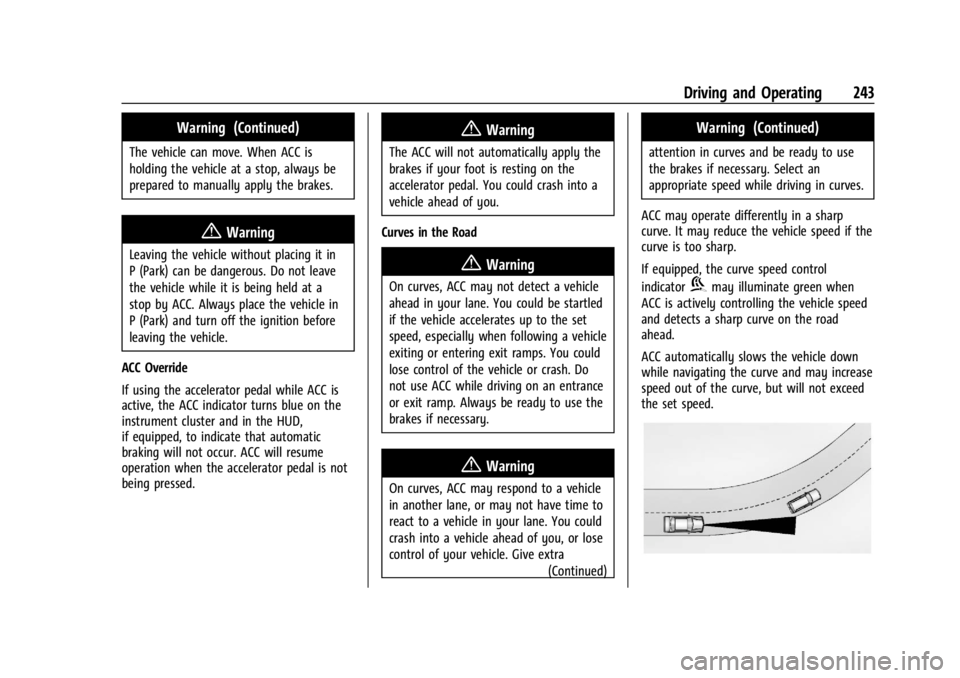
ACC may operate differently in a sharp
curve. It may reduce the vehicle speed if the
curve is too sharp.
If equipped, the curve speed control
indicator
bmay illuminate green when
ACC is actively controlling the vehicle speed
and detects a sharp curve on the road
ahead.
ACC automatically slows the vehicle down
while navigating the curve and may increase
speed out of the curve, but will not exceed
the set speed.
Page 328 of 433

Chevrolet Silverado 2500 HD/3500 HD Owner Manual (GMNA-Localizing-U.
S./Canada/Mexico-16908339) - 2024 - CRC - 12/5/22
326 Vehicle Care
Windshield Replacement
HUD System
If equipped, the windshield is part of the
HUD system. If the windshield must be
replaced, get one that is designed for HUD
or the HUD image may look out of focus.
Driver Assistance Systems
If the windshield needs to be replaced and
the vehicle is equipped with a front camera
sensor for the Driver Assistance Systems, a
GM replacement windshield is
recommended. The replacement windshield
must be installed according to GM
specifications for proper alignment. If it is
not, these systems may not work properly,
they may display messages, or they may
not work at all. See your dealer for proper
windshield replacement.
Gas Strut(s)
Your vehicle may be equipped with gas
strut(s) to provide assistance in lifting and
holding open the hood/trunk/liftgate system
in full open position.
{Warning
If the gas struts that hold open the hood,
trunk, and/or liftgate fail, you or others
could be seriously injured. Take the
vehicle to your dealer for service
immediately. Visually inspect the gas
struts for signs of wear, cracks, or other
damage periodically. Check to make sure
the hood/trunk/liftgate is held open with
enough force. If struts are failing to hold
the hood/trunk/liftgate, do not operate.
Have the vehicle serviced.
Caution
Do not apply tape or hang any objects
from gas struts. Also do not push down
or pull on gas struts. This may cause
damage to the vehicle.
See Maintenance Schedule 0388.
Hood
Trunk
Page 341 of 433

Chevrolet Silverado 2500 HD/3500 HD Owner Manual (GMNA-Localizing-U.
S./Canada/Mexico-16908339) - 2024 - CRC - 12/5/22
Vehicle Care 339
FusesUsage
F22 Heated Steering Wheel
F23 –
F24 –
F25 SPOT LAMP LT/RT (LD)
F26 USB Ports/Special Equipment Option Retained
Accessory Power
F27 Accessory Power Outlet/ Retained Accessory Power
F28 Accessory Power Outlet/ Battery
F30 SDM/ICS/IPC/HUD/HMDTY (HD)/HDLM (LD)
F31 BCM 2 –Body Control
Module 2
F32 RFA WCM AUX JACK/CSM AUX JACK/TBCS
F33 BCM 4 –Body Control
Module 4
F34 –
F40 –
F41 – Fuses
Usage
F42 Electric Park Brake Switch
F43 –
F44 Shifter Interface Board (LD) F45 Radio Lo
F46 –
F47 –
F48 Transmission Control Module
F49 Body Control Module 1 F50 –
F51 Battery 1 (HD)
F52 Battery 2 (HD)
F53 –
F54 Sunroof F55 Driver Power Seat
F56 DC DC TRANS 1 (LD) F57 DC DC TRANS 2 (LD)
F58 – Circuit
Breakers Usage
1 Accessory Power Outlet 1
2 –
3 –
4 –
Relays Usage
K1 –
K2 Retained Accessory Power/ Accessory 1
K4 –
K5 –
Wheels and Tires
Tires
Every new GM vehicle has high-quality
tires made by a leading tire
manufacturer. See the warranty manual
for information regarding the tire
warranty and where to get service. For
additional information refer to the tire
manufacturer.
Page 425 of 433

Chevrolet Silverado 2500 HD/3500 HD Owner Manual (GMNA-Localizing-U.
S./Canada/Mexico-16908339) - 2024 - CRC - 12/5/22
Index 423
General InformationService and Maintenance . . . . . . . . . . . . . . 387
Towing . . . . . . . . . . . . . . . . . . . . . . . . . . . . . . . . 270
Vehicle Care . . . . . . . . . . . . . . . . . . . . . . . . . . . 304
Glass Replacement . . . . . . . . . . . . . . . . . . . . . . . 325
Global Positioning System (GPS) . . . . . . . . . 162
Glove Box . . . . . . . . . . . . . . . . . . . . . . . . . . . . . . . . 94
GM Mobility Reimbursement Program . . . . . . . . . . . . . . . . . . . . . . . . . . . . . . . 402
Guidance Problems with the Route . . . . . . . . . . . . . . 163
H
Halogen Bulbs . . . . . . . . . . . . . . . . . . . . . . . . . . . 327
Hazard Warning Flashers . . . . . . . . . . . . . . . . . 141
Head Restraints . . . . . . . . . . . . . . . . . . . . . . . . . . . 44
Head-Up Display (HUD) . . . . . . . . . . . . . . . . . . 130
Headlamps
Aiming . . . . . . . . . . . . . . . . . . . . . . . . . . . . . . . . 327
Automatic . . . . . . . . . . . . . . . . . . . . . . . . . . . . . 140
Bulb Replacement . . . . . . . . . . . . . . . . . . . . . . 327
Daytime Running Lamps (DRL) . . . . . . . . . 140
Flash-to-Pass . . . . . . . . . . . . . . . . . . . . . . . . . . . 140
Headlamps, Front Turn Signal,Sidemarker, and Parking Lamps . . . . . . 327
High-Beam On Light . . . . . . . . . . . . . . . . . . . 125
High/Low Beam Changer . . . . . . . . . . . . . . 140
Lamps On Reminder . . . . . . . . . . . . . . . . . . . 125 Heated
Mirrors . . . . . . . . . . . . . . . . . . . . . . . . . . . . . . . . . 34
Rear Seats . . . . . . . . . . . . . . . . . . . . . . . . . . . . . . 52
Steering Wheel . . . . . . . . . . . . . . . . . . . . . . . . 100
Ventilated Front Seats . . . . . . . . . . . . . . . . . . 50
Heater Engine . . . . . . . . . . . . . . . . . . . . . . . . . . . . . . . . . 213
Heating . . . . . . . . . . . . . . . . . . . . . . . . . . . . . . 185, 187
High-Beam On Light . . . . . . . . . . . . . . . . . . . . . . 125
Hill Descent Control (HDC) . . . . . . . . . . . . . . . . . 231
Descent Control Light . . . . . . . . . . . . . . . . . . . 121
Hill and Mountain Roads . . . . . . . . . . . . . . . . 201
Hill Start Assist (HSA) . . . . . . . . . . . . . . . . . . . . 229
Hood . . . . . . . . . . . . . . . . . . . . . . . . . . . . . . . . . . . . 305
Horn . . . . . . . . . . . . . . . . . . . . . . . . . . . . . . . . . . . . . .101
How to Wear Seat Belts Properly . . . . . . . . . 54
HVAC . . . . . . . . . . . . . . . . . . . . . . . . . . . . . . . . 185, 187
I
Ignition Positions . . . . . . . . . . . . . . . . . . . . . . . . . 211
Immobilizer . . . . . . . . . . . . . . . . . . . . . . . . . . . . . . . 30
Indicator Pedestrian Ahead . . . . . . . . . . . . . . . . . . . . . . . 121
Vehicle Ahead . . . . . . . . . . . . . . . . . . . . . . . . . . 121
Indicators
Warning Lights and Gauges . . . . . . . . . . . . 106
Infants and Young Children, Restraints . . . . .72 Information
Publication Ordering . . . . . . . . . . . . . . . . . . . 406
Infotainment Using the System . . . . . . . . . . . . . . . . . . . . . . 152
Infotainment System . . . . . . . . . . . . . . . . . . . . 409
Inspection Multi-Point Vehicle . . . . . . . . . . . . . . . . . . . . 390
Instrument Cluster . . . . . . . . . . . . . . . . . . .107, 108
Instrument Panel Overview . . . . . . . . . . . . . . . . .5
Interior Rearview Mirrors . . . . . . . . . . . . . . . . . .35
Introduction . . . . . . . . . . . . . . . . . . . . . . . . . . . 2, 148
J
Jump Starting - North America . . . . . . . . . . . . . . . 370
K
Keys . . . . . . . . . . . . . . . . . . . . . . . . . . . . . . . . . . . . . . . 11Remote . . . . . . . . . . . . . . . . . . . . . . . . . . . . . . . . . . 12
Remote Operation . . . . . . . . . . . . . . . . . . . . . . . 12
L
Labeling, Tire Sidewall . . . . . . . . . . . . . . . . . . . .341
LampsAuxiliary Roof Mounted Lamp . . . . . . . . . 143
Daytime Running (DRL) . . . . . . . . . . . . . . . . 140
Dome . . . . . . . . . . . . . . . . . . . . . . . . . . . . . . . . . . 145
Exterior Cargo . . . . . . . . . . . . . . . . . . . . . . . . . 144
Exterior Controls . . . . . . . . . . . . . . . . . . . . . . . 138