2024 CHEVROLET CORVETTE mirror
[x] Cancel search: mirrorPage 218 of 362

Chevrolet Corvette Owner Manual (GMNA-Localizing-U.S./Canada/Mexico-
17272984) - 2024 - CRC - 2/20/23
Driving and Operating 217
.The back of the vehicle is damaged. The
position and mounting angle of the
camera can change or the camera can be
affected. Be sure to have the camera and
its position and mounting angle checked
at your dealer.
Curb View Camera
If equipped, a view of the area in front of
the vehicle displays in the infotainment
display. The display shows a front, top down
view at the top and left and right front
camera images on the bottom.The front view shows after shifting from
R (Reverse) to a forward gear, or by pressing
the camera button on the center console,
and when the vehicle is moving forward
slower than 12 km/h (8 mph).
The front cameras are on both sides of the
front fascia.
Rear Junction View
Displays a rear cross traffic view that shows
objects directly to the left and right of the
back of the vehicle. Touch Junction View on
the infotainment display when a camera
view is active.
{Warning
The camera(s) do not display children,
pedestrians, bicyclists, crossing traffic,
animals, or any other object outside of
the cameras’
field of view, below the
bumper, or under the vehicle. Shown
distances may be different from actual
distances. Do not drive or park the
vehicle using only these camera(s).
Always check behind and around the
vehicle before driving. Failure to use
proper care may result in injury, death,
or vehicle damage.
Park Assist
With RPA, as the vehicle backs up at speeds
of less than 8 km/h (5 mph), the sensors on
the rear bumper may detect objects up to
2.5 m (8 ft) behind the vehicle within a zone
25 cm (10 in) high off the ground and below
bumper level. These detection distances may
be shorter during warmer or humid weather.
Blocked sensors will not detect objects and
can also cause false detections. Keep the
sensors clean of mud, dirt, snow, ice, and
slush; and clean sensors after a car wash in
freezing temperatures.
{Warning
The Park Assist system does not detect
children, pedestrians, bicyclists, animals,
or objects located below the bumper or
that are too close or too far from the
vehicle. It is not available at speeds
greater than 8 km/h (5 mph). To prevent
injury, death, or vehicle damage, even
with Park Assist, always check the area
around the vehicle and check all mirrors
before moving forward or backing.
Page 221 of 362

Chevrolet Corvette Owner Manual (GMNA-Localizing-U.S./Canada/Mexico-
17272984) - 2024 - CRC - 2/20/23
220 Driving and Operating
The Collision Alert control is on the steering
wheel. Press
[to set the FCA timing to
Far, Medium, or Near. The first button press
shows the current setting on the DIC.
Additional button presses will change this
setting. The chosen setting will remain until
it is changed and will affect the timing of
both the Collision Alert and the Tailgating
Alert features. The timing of both alerts will
vary based on vehicle speed. The faster the
vehicle speed, the farther away the alert will
occur. Consider traffic and weather
conditions when selecting the alert timing.
The range of selectable alert timings may
not be appropriate for all drivers and driving
conditions.
Following Distance Indicator
The following distance to a moving vehicle
ahead in your path is indicated in following
time in seconds on the Driver Information
Center (DIC). The minimum following time is
0.5 seconds away. If there is no vehicle
detected ahead, or the vehicle ahead is out
of sensor range, dashes will be displayed.
Unnecessary Alerts
FCA may provide unnecessary alerts for
turning vehicles, vehicles in other lanes,
objects that are not vehicles, or shadows.
These alerts are normal operation and the
vehicle does not need service.
Cleaning the System
If the FCA system does not seem to operate
properly, this may correct the issue:
.Clean the outside of the windshield in
front of the rearview mirror.
.Clean the entire front of the vehicle.
.Clean the headlamps.
Automatic Emergency
Braking (AEB)
The AEB system may help avoid or reduce
the harm caused by front-end crashes. AEB
also includes Intelligent Brake Assist (IBA).
When the system detects a vehicle ahead in
your path that is traveling in the same
direction that you may be about to crash
into, it can provide a boost to braking or
automatically brake the vehicle. This can
help avoid or lessen the severity of crashes
when driving in a forward gear. Depending
on the situation, the vehicle may automatically brake moderately or hard.
Always wear a seat belt and ensure that all
passengers are properly restrained. This
automatic emergency braking can only occur
if a vehicle is detected. This is shown by the
FCA vehicle ahead indicator being lit. See
Forward Collision Alert (FCA) System
0218.
The system works when driving in a forward
gear between 8 km/h (5 mph) and 135 km/h
(84 mph). It can detect vehicles up to
approximately 60 m (197 ft).
{Warning
AEB is an emergency crash preparation
feature and is not designed to avoid
crashes. Do not rely on AEB to brake the
vehicle. AEB will not brake outside of its
operating speed range and only responds
to detected vehicles.
AEB may not:
.Detect a vehicle ahead on winding or
hilly roads.
.Detect all vehicles, especially vehicles
with a trailer, tractors, muddy
vehicles, etc. (Continued)
Page 224 of 362
Chevrolet Corvette Owner Manual (GMNA-Localizing-U.S./Canada/Mexico-
17272984) - 2024 - CRC - 2/20/23
Driving and Operating 223
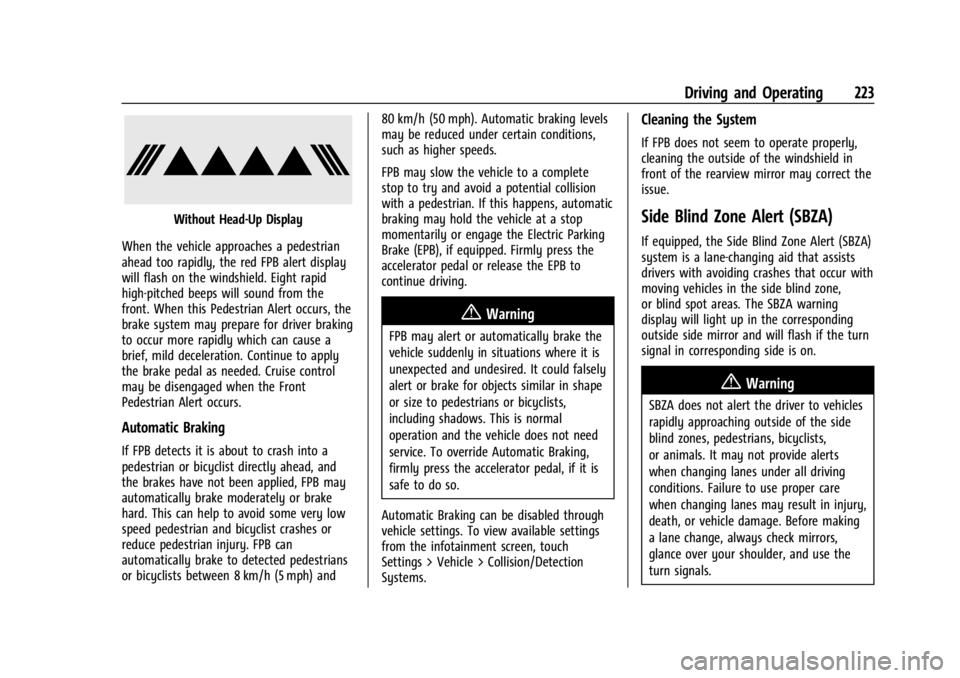
Without Head-Up Display
When the vehicle approaches a pedestrian
ahead too rapidly, the red FPB alert display
will flash on the windshield. Eight rapid
high-pitched beeps will sound from the
front. When this Pedestrian Alert occurs, the
brake system may prepare for driver braking
to occur more rapidly which can cause a
brief, mild deceleration. Continue to apply
the brake pedal as needed. Cruise control
may be disengaged when the Front
Pedestrian Alert occurs.
Automatic Braking
If FPB detects it is about to crash into a
pedestrian or bicyclist directly ahead, and
the brakes have not been applied, FPB may
automatically brake moderately or brake
hard. This can help to avoid some very low
speed pedestrian and bicyclist crashes or
reduce pedestrian injury. FPB can
automatically brake to detected pedestrians
or bicyclists between 8 km/h (5 mph) and 80 km/h (50 mph). Automatic braking levels
may be reduced under certain conditions,
such as higher speeds.
FPB may slow the vehicle to a complete
stop to try and avoid a potential collision
with a pedestrian. If this happens, automatic
braking may hold the vehicle at a stop
momentarily or engage the Electric Parking
Brake (EPB), if equipped. Firmly press the
accelerator pedal or release the EPB to
continue driving.
{Warning
FPB may alert or automatically brake the
vehicle suddenly in situations where it is
unexpected and undesired. It could falsely
alert or brake for objects similar in shape
or size to pedestrians or bicyclists,
including shadows. This is normal
operation and the vehicle does not need
service. To override Automatic Braking,
firmly press the accelerator pedal, if it is
safe to do so.
Automatic Braking can be disabled through
vehicle settings. To view available settings
from the infotainment screen, touch
Settings > Vehicle > Collision/Detection
Systems.
Cleaning the System
If FPB does not seem to operate properly,
cleaning the outside of the windshield in
front of the rearview mirror may correct the
issue.
Side Blind Zone Alert (SBZA)
If equipped, the Side Blind Zone Alert (SBZA)
system is a lane-changing aid that assists
drivers with avoiding crashes that occur with
moving vehicles in the side blind zone,
or blind spot areas. The SBZA warning
display will light up in the corresponding
outside side mirror and will flash if the turn
signal in corresponding side is on.
{Warning
SBZA does not alert the driver to vehicles
rapidly approaching outside of the side
blind zones, pedestrians, bicyclists,
or animals. It may not provide alerts
when changing lanes under all driving
conditions. Failure to use proper care
when changing lanes may result in injury,
death, or vehicle damage. Before making
a lane change, always check mirrors,
glance over your shoulder, and use the
turn signals.
Page 225 of 362

Chevrolet Corvette Owner Manual (GMNA-Localizing-U.S./Canada/Mexico-
17272984) - 2024 - CRC - 2/20/23
224 Driving and Operating
SBZA Detection Zones
The SBZA sensor covers a zone
approximately one lane over from both
sides of the vehicle, or approximately
3.5 m (11 ft). The height of the zone is
approximately between 0.5 m (1.5 ft) and
2 m (6 ft) off the ground. This zone starts at
approximately the middle of the vehicle and
goes back 5 m (16 ft).
How the System Works
The SBZA symbol lights up in the side
mirrors when the system detects a moving
vehicle in the next lane over that is in the
side blind zone. This indicates it may be
unsafe to change lanes. Before making alane change, check the SBZA display, check
mirrors, glance over your shoulder, and use
the turn signals.
Left Side Mirror
DisplayRight Side Mirror Display
When the vehicle is started, both outside
mirror SBZA displays will briefly come on to
indicate the system is operating. When the
vehicle is in a forward gear, the left- or
right-side mirror display will light up if a
moving vehicle is detected in that blind
zone. If the turn signal is activated in the
same direction as a detected vehicle, this
display will flash as an extra warning not to
change lanes.
SBZA can be disabled through vehicle
personalization. To view available settings
from the infotainment screen, touch
Settings > Vehicle > Collision/Detection
Systems. If SBZA is disabled by the driver,
the SBZA mirror displays will not light up.
When the System Does Not Seem to
Work Properly
SBZA displays may not come on when
passing a vehicle quickly, for a stopped
vehicle. SBZA may alert to objects attached
to the vehicle, such as a bicycle, or object
extending out to either side of the vehicle.
This is normal system operation; the vehicle
does not need service.
SBZA may not always alert the driver to
vehicles in the side blind zone, especially in
wet conditions. The system does not need
to be serviced. The system may light up due
to guardrails, signs, trees, shrubs, and other
non-moving objects. This is normal system
operation; the vehicle does not need service.
SBZA may not operate when the SBZA
sensors in the left or right corners of the
rear bumper are covered with mud, dirt,
snow, ice, or slush, or in heavy rainstorms.
For cleaning instructions, see "Washing the
Vehicle" under Exterior Care0306. If the
DIC still displays the system unavailable
message after cleaning both sides of the
vehicle toward the rear corners of the
vehicle, see your dealer.
Page 227 of 362

Chevrolet Corvette Owner Manual (GMNA-Localizing-U.S./Canada/Mexico-
17272984) - 2024 - CRC - 2/20/23
226 Driving and Operating
{Warning
LKA will not alert the driver if a towed
trailer crosses into an adjacent lane of
travel. Serious injury or property damage
may occur if the trailer moves into
another lane. Always monitor the trailer
position while towing to make sure it is
within the same lane as the tow vehicle.
How the System Works
LKA uses a camera sensor installed on the
windshield ahead of the rearview mirror to
detect lane markings. It may provide brief
steering assist if it detects an unintended
lane departure. It may further provide an
audible alert or the driver seat may pulse
indicating that a lane marking has been
crossed. The system does not provide an
LDW when intentionally steering across a
lane marker.
To turn LKA on and off, press
Aon the
overhead console. If equipped, the indicator
light on the button comes on when LKA is
on and turns off when LKA is disabled. In
some vehicles, you must press the button
for more than three seconds to turn LKA off. When attempting to enable LKA in any of
the above conditions, LKA UNAVAILABLE will
display.
When on,
Ais white, if equipped,
indicating that the system is not ready to
assist.
Ais green if LKA is ready to
assist. LKA may assist by gently turning the
steering wheel if the vehicle approaches a
detected lane marking.
Ais amber when
assisting. It may also provide a Lane
Departure Warning (LDW) alert by flashing
Aamber if the vehicle crosses a
detected lane marking. Additionally, there
may be three beeps, or the driver seat may
pulse three times, on the right or left,
depending on the lane departure direction.
Take Steering
The LKA system does not continuously steer
the vehicle. If LKA does not detect active
driver steering, an alert and chime may be
provided. Steer the vehicle to dismiss. LKA
may become temporarily unavailable after
repeated take steering alerts.
When the System Does Not Seem to
Work Properly
The system performance may be
affected by:
.Close vehicles ahead.
.Sudden lighting changes, such as when
driving through tunnels.
.Banked roads.
.Roads with poor lane markings, such as
two-lane roads.
If the LKA system is not functioning
properly when lane markings are clearly
visible, cleaning the windshield may help.
A camera blocked message may display if
the camera is blocked. Some driver
assistance systems may have reduced
performance or not work at all. An LKA or
LDW unavailable message may display if the
systems are temporarily unavailable. This
message could be due to a blocked camera.
The LKA system does not need service. Clean
the outside of the windshield behind the
rearview mirror.
LKA assistance and/or LDW alerts may occur
due to tar marks, shadows, cracks in the
road, temporary or construction lane
markings, or other road imperfections. This
Page 279 of 362

Chevrolet Corvette Owner Manual (GMNA-Localizing-U.S./Canada/Mexico-
17272984) - 2024 - CRC - 2/20/23
278 Vehicle Care
FusesUsage
20 Sensing and Diagnostic Module/Inside Rear
View Mirror
21 Exhaust Valve Solenoid
22 Fuel Pump/Fuel Tank Zone Module 1
23 Tonneau Left
24 Tonneau Right 25 Convertible Top Right
26 Convertible Top Left 27 Electronic Suspension Control
28 Scavenge Coolant Pump Motor
29 CGM
30 O2 Sensor 31 O2 Sensor/Engine Oil/ Canister Purge/Active
Fuel Management
32 Ignition Even
33 Ignition Odd
34 Engine Control Module 1 Fuses
Usage
35 Engine Control Module/ Mass Air Flow Sensor/
O2 Sensor/Air
Conditioning
36 Power Front Closure Module/Front Camera
Module
37 Canister Vent
38 Latch Control Module
39 Right Window Switch/ Door Lock
40 Left Window Switch/ Door Lock
41 Pedestrian Friendly Alert Module/High
Voltage System Lock
Out Switch
42 Engine Control Module 2
43 Charged Air Cooler
44 Air Conditioning Compressor
45 Transmission Control Module
46 – Fuses
Usage
47 DC/DC Battery 1
48 DC/DC Battery 2
49 Auxiliary Cooling Fan Right
50 Virtual Key Back up Module
51 Starter Pinion
52 Auxiliary Pump
53 Starter Solenoid
54 Auxiliary Cooling Fan Left
55 Automatic Leveling Control
56 Energy Storage Coolant Pump/Power Electronics
Coolant Pump
57 Rear Window Defogger
58 –
59 Left/Right Window
60 Passenger Power Seat 61 Driver Power Seat
Page 351 of 362

Chevrolet Corvette Owner Manual (GMNA-Localizing-U.S./Canada/Mexico-
17272984) - 2024 - CRC - 2/20/23
350 Index
Assistance SystemsAdvanced . . . . . . . . . . . . . . . . . . . . . . . . . . . . . . 214
Automatic Emergency
Braking (AEB) . . . . . . . . . . . . . . . . . . . . . . . . 220
Blind Zone Alert (SBZA) . . . . . . . . . . . . . . . . 223
Curb View Camera . . . . . . . . . . . . . . . . . . . . . . 217
Driving . . . . . . . . . . . . . . . . . . . . . . . . . . . . . . . . 218
Forward Collision Alert (FCA) System . . . . . . . . . . . . . . . . . . . . . . . . . . . . . . 218
Front Pedestrian Braking (FPB) . . . . . . . . . 221
Lane Keep Assist (LKA) . . . . . . . . . . . . . . . . . 225
Parking . . . . . . . . . . . . . . . . . . . . . . . . . . . . . . . . . 217
Parking and Backing . . . . . . . . . . . . . . . . . . . 215
Rear Cross Traffic Alert (RCTA) . . . . . . . . . 218
Rear Vision Camera (RVC) . . . . . . . . . . . . . . 215
Audio
Bluetooth . . . . . . . . . . . . . . . . . . . . . . . . . . . . . . 125
Auto Stop Indicator . . . . . . . . . . . . . . . . . . . . . . . . . . . . . . . . 98
Automatic Dimming Mirrors . . . . . . . . . . . . . . . . . . . . . . . 26
Door Locks . . . . . . . . . . . . . . . . . . . . . . . . . . . . . . 16
Emergency Braking (AEB) Disabled
Light . . . . . . . . . . . . . . . . . . . . . . . . . . . . . . . . . . 94
Headlamp System . . . . . . . . . . . . . . . . . . . . . . 111
Auxiliary Jack . . . . . . . . . . . . . . . . . . . . . . . . . . . . . . . . . . . . 125
Avoiding Untrusted Media Devices . . . . . . . .124B
Battery Exterior Lighting Battery Saver . . . . . . . . . 115
Gauge . . . . . . . . . . . . . . . . . . . . . . . . . . . . . . . . . . 86
Power Protection . . . . . . . . . . . . . . . . . . . . . . . 114
Battery - North America . . . . . . . . . . . . 266, 299
Blade Replacement, Wiper . . . . . . . . . . . . . . . 270
Bluetooth Audio . . . . . . . . . . . . . . . . . . . . . . . . . . . . . . . . . . 125
Overview . . . . . . . . . . . . . . . . . . . . . . . . . . . . . . 136
Brake Fluid . . . . . . . . . . . . . . . . . . . . . . . . . . . . . . . . . . . 265
Pad Life System . . . . . . . . . . . . . . . . . . . . . . . 264
System Warning Light . . . . . . . . . . . . . . . . . . 92
Brake Pad Life System . . . . . . . . . . . . . . . . . . . 264
Brakes . . . . . . . . . . . . . . . . . . . . . . . . . . . . . . . . . . . 262 Antilock . . . . . . . . . . . . . . . . . . . . . . . . . . . . . . . . 192
Brake Assist . . . . . . . . . . . . . . . . . . . . . . . . . . . 193
Electric Brake Boost . . . . . . . . . . . . . . . . . . . . 192
Electric Parking Brake . . . . . . . . . . . . . . . . . . 192
Regenerative Braking . . . . . . . . . . . . . . . . . . 194
Braking . . . . . . . . . . . . . . . . . . . . . . . . . . . . . . . . . . . 157 Automatic Emergency (AEB) . . . . . . . . . . . 220
Front Pedestrian (FPB) System . . . . . . . . . 221
Break-In, New Vehicle . . . . . . . . . . . . . . . . . . . . . 177
Buckle To Drive . . . . . . . . . . . . . . . . . . . . . . . . . . . 46
Bulb Replacement Headlamp Aiming . . . . . . . . . . . . . . . . . . . . . . . 271 Buying New Tires . . . . . . . . . . . . . . . . . . . . . . . . 294C
Calibration
Compass . . . . . . . . . . . . . . . . . . . . . . . . . . . . . . . . 76
California Perchlorate Materials Requirements . . . 232
California Proposition 65 Warning . . . . . 1, 299
Camera Curb View . . . . . . . . . . . . . . . . . . . . . . . . . . . . . . 217
Rear Vision (RVC) . . . . . . . . . . . . . . . . . . . . . . 215
Canadian Vehicle Owners . . . . . . . . . . . . . . . . . . .2
Capacities and Specifications . . . . . . . . . . . . . 325
Carbon Monoxide
Engine Exhaust . . . . . . . . . . . . . . . . . . . . . . . . 183
Hatch . . . . . . . . . . . . . . . . . . . . . . . . . . . . . . . . . . . 20
Winter Driving . . . . . . . . . . . . . . . . . . . . . . . . . . 172
Cargo Tie-Downs . . . . . . . . . . . . . . . . . . . . . . . . . . . . . . 73
Caution, Danger, and Warning . . . . . . . . . . . . . .2
Center Console Storage . . . . . . . . . . . . . . . . . . . . . . . . . . . . . . . . . 73
Chains, Tire . . . . . . . . . . . . . . . . . . . . . . . . . . . . . . 298
Charging System Light . . . . . . . . . . . . . . . . . . . . . . . . . . . 90
Wireless . . . . . . . . . . . . . . . . . . . . . . . . . . . . . . . . 78
Check Engine Light (Malfunction Indicator) . . . . . . . . . . . . . . . . . . . . . . . . . . . . . . . 90
Page 352 of 362

Chevrolet Corvette Owner Manual (GMNA-Localizing-U.S./Canada/Mexico-
17272984) - 2024 - CRC - 2/20/23
Index 351
Child RestraintsInfants and Young Children . . . . . . . . . . . . . 63
Lower Anchors and Tethers for
Children . . . . . . . . . . . . . . . . . . . . . . . . . . . . . . . 67
Older Children . . . . . . . . . . . . . . . . . . . . . . . . . . 62
Securing . . . . . . . . . . . . . . . . . . . . . . . . . . . . . . . . 67
Systems . . . . . . . . . . . . . . . . . . . . . . . . . . . . . . . . 65
Circuit Breakers . . . . . . . . . . . . . . . . . . . . . . . . . . 273
Cleaning Exterior Care . . . . . . . . . . . . . . . . . . . . . . . . . . . 306
Interior Care . . . . . . . . . . . . . . . . . . . . . . . . . . . . 311
Climate Control Systems Dual Automatic . . . . . . . . . . . . . . . . . . . . . . . . 150
Clock . . . . . . . . . . . . . . . . . . . . . . . . . . . . . . . . . . . . . 76
Cluster, Instrument . . . . . . . . . . . . . . . . . . . . . . . .81
Collision Alert Forward (FCA) System . . . . . . . . . . . . . . . . . 218
Collision Damage Repair . . . . . . . . . . . . . . . . . 335
Compartment Underhood . . . . . . . . . . . . . . . . . . . . . . . . . . . . 235
Compartments
Storage . . . . . . . . . . . . . . . . . . . . . . . . . . . . . . . . . . 71
Compass . . . . . . . . . . . . . . . . . . . . . . . . . . . . . . . . . . 76
Competition Oriented Tires . . . . . . . . . . . . . . .281
Composite Materials . . . . . . . . . . . . . . . . . . . . . . 177
Connected Services Connections . . . . . . . . . . . . . . . . . . . . . . . . . . . 346
Diagnostics . . . . . . . . . . . . . . . . . . . . . . . . . . . . 348 Connected Services (cont'd)
Navigation . . . . . . . . . . . . . . . . . . . . . . . . . . . . . 346
Connections Connected Services . . . . . . . . . . . . . . . . . . . . 346
Control Hill Rollback . . . . . . . . . . . . . . . . . . . . . . . . . . . 196
Traction and Electronic Stability . . . . . . . 194
Control of a Vehicle . . . . . . . . . . . . . . . . . . . . . . 157
Controls Steering Wheel . . . . . . . . . . . . . . . . . . . . . . . . . 119
Convenience Net . . . . . . . . . . . . . . . . . . . . . . . . . . .73
Convertible Top . . . . . . . . . . . . . . . . . . . . . . . . . . . 34
Convex Mirrors . . . . . . . . . . . . . . . . . . . . . . . . . . . 24
Coolant Engine Temperature Gauge . . . . . . . . . . . . . 87
Engine Temperature Warning Light . . . . . 96
Cooling . . . . . . . . . . . . . . . . . . . . . . . . . . . . . . . . . . 150
Cooling System . . . . . . . . . . . . . . . . . . . . . 257, 260
Courtesy Lamps . . . . . . . . . . . . . . . . . . . . . . . . . . . 113
Courtesy Transportation Program . . . . . . . . 334
Cruise Control . . . . . . . . . . . . . . . . . . . . . . . . . . . . 212 Light . . . . . . . . . . . . . . . . . . . . . . . . . . . . . . . . . . . . 99
Cupholders . . . . . . . . . . . . . . . . . . . . . . . . . . . . . . . . 71
Customer Assistance Offices . . . . . . . . . . . . . . . . . . . . . . . . . . . . . . . . . 331
Text Telephone (TTY) Users . . . . . . . . . . . . 331
Customer Information Publications Ordering Information . . . . . 337 Customer Satisfaction Procedure . . . . . . . . . 329
Cybersecurity . . . . . . . . . . . . . . . . . . . . . . . . . . . . 339
D
Damage Repair, Collision . . . . . . . . . . . . . . . . . 335
Danger, Warning, and Caution . . . . . . . . . . . . . .2
Dashboard . . . . . . . . . . . . . . . . . . . . . . . . . . . . . . . . . 4
Data Collection
Infotainment System . . . . . . . . . . . . . . . . . . 340
OnStar . . . . . . . . . . . . . . . . . . . . . . . . . . . . . . . . . 340
Data Recorder Performance . . . . . . . . . . . . . . . . . . . . . . . . . . . 130
Data Recorders, Event . . . . . . . . . . . . . . . . . . . 339
Daytime Running Lamps (DRL) . . . . . . . . . . . . 111
Defensive Driving . . . . . . . . . . . . . . . . . . . . . . . . . 157
Delayed Locking . . . . . . . . . . . . . . . . . . . . . . . . . . .16
Destination . . . . . . . . . . . . . . . . . . . . . . . . . . . . . . . 127
Diagnostics Connected Services . . . . . . . . . . . . . . . . . . . . 348
Differential, Limited-Slip . . . . . . . . . . . . . . . . . . 211
Disabled Vehicle Transporting . . . . . . . . . . . . . . . . . . . . . . . . . . . 303
Distracted Driving . . . . . . . . . . . . . . . . . . . . . . . . . . . . . . . . 156
Distracted Driving . . . . . . . . . . . . . . . . . . . . . . . . 156
Diversity Antenna System . . . . . . . . . . . . . . . .124
Door Ajar Light . . . . . . . . . . . . . . . . . . . . . . . . . . . . . . . 99