2024 CHEVROLET CORVETTE warning
[x] Cancel search: warningPage 263 of 362
Chevrolet Corvette Owner Manual (GMNA-Localizing-U.S./Canada/Mexico-
17272984) - 2024 - CRC - 2/20/23
262 Vehicle Care
continue to drive normally and have the
cooling system checked for proper fill and
function.
If the warning continues, pull over safely,
and park the vehicle right away.
If there is no sign of steam, idle the engine
for three minutes while parked. If the
warning is still displayed, turn off the
engine until it cools down.
Washer Fluid
What to Use
When the vehicle needs windshield washer
fluid, be sure to read the manufacturer
instructions before use. If the vehicle will be
operating in an area where the temperature
may fall below freezing, use a fluid that has
sufficient protection against freezing.
Adding Washer Fluid
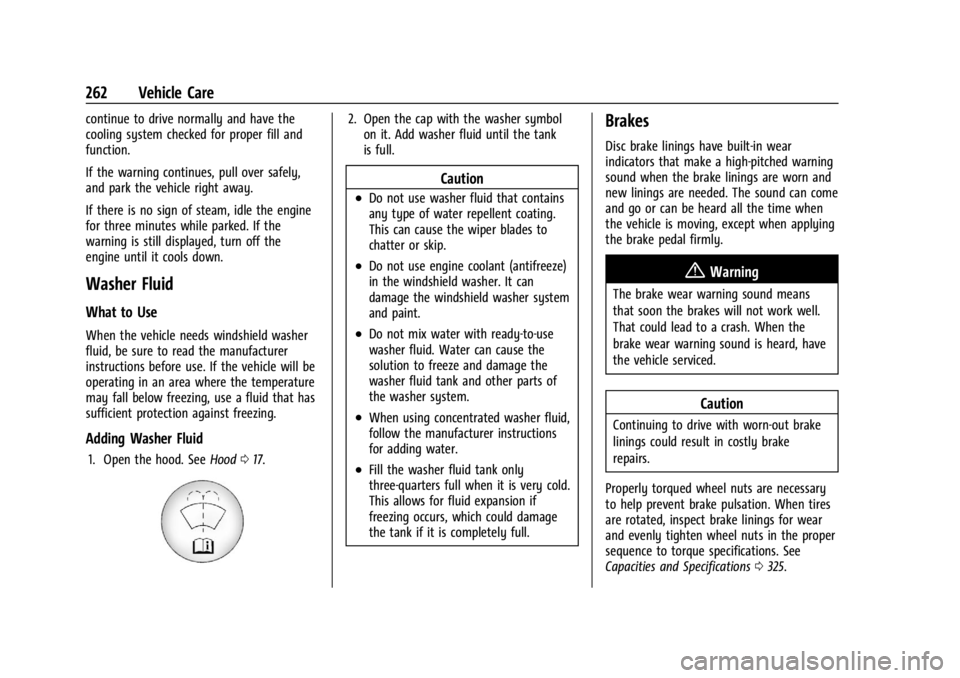
1. Open the hood. SeeHood017.
2. Open the cap with the washer symbol
on it. Add washer fluid until the tank
is full.
Caution
.Do not use washer fluid that contains
any type of water repellent coating.
This can cause the wiper blades to
chatter or skip.
.Do not use engine coolant (antifreeze)
in the windshield washer. It can
damage the windshield washer system
and paint.
.Do not mix water with ready-to-use
washer fluid. Water can cause the
solution to freeze and damage the
washer fluid tank and other parts of
the washer system.
.When using concentrated washer fluid,
follow the manufacturer instructions
for adding water.
.Fill the washer fluid tank only
three-quarters full when it is very cold.
This allows for fluid expansion if
freezing occurs, which could damage
the tank if it is completely full.
Brakes
Disc brake linings have built-in wear
indicators that make a high-pitched warning
sound when the brake linings are worn and
new linings are needed. The sound can come
and go or can be heard all the time when
the vehicle is moving, except when applying
the brake pedal firmly.
{Warning
The brake wear warning sound means
that soon the brakes will not work well.
That could lead to a crash. When the
brake wear warning sound is heard, have
the vehicle serviced.
Caution
Continuing to drive with worn-out brake
linings could result in costly brake
repairs.
Properly torqued wheel nuts are necessary
to help prevent brake pulsation. When tires
are rotated, inspect brake linings for wear
and evenly tighten wheel nuts in the proper
sequence to torque specifications. See
Capacities and Specifications 0325.
Page 264 of 362
Chevrolet Corvette Owner Manual (GMNA-Localizing-U.S./Canada/Mexico-
17272984) - 2024 - CRC - 2/20/23
Vehicle Care 263
Brake linings should be replaced as complete
axle sets.
Brake Squeal and Brake Dust
Some driving conditions or climates can
cause a brake squeal when the brakes are
first applied, clearing up following several
applies. This does not mean something is
wrong with the brakes.
Vehicles equipped with high performance
brake systems provide superior fade
resistance but will produce increased brake
squeal and brake dust on the wheels and
calipers as compared to standard brake
linings. This is normal.
To help reduce squeal, the brake pads are
treated with an anti-squeal paste that may
need to be reapplied periodically as part of
normal vehicle maintenance. The anti-squeal
paste will dissipate over time. Also, the use
of wheel cleaners or power washers directly
on the brake calipers may remove the
anti-squeal paste from the brake pads.
It may be necessary to reapply the
anti-squeal paste if it is removed during
cleaning.If brake squeal is excessive, the anti-squeal
paste should be reapplied. The anti-squeal
paste should always be reapplied whenever
the brake pads are removed or replaced. See
your dealer for service.
Brake Pedal Travel
See your dealer if the brake pedal does not
return to normal height, or if there is a
rapid increase in pedal travel. This could be
a sign that brake service may be required.
Replacing Brake System Parts
Always replace brake system parts with
new, approved replacement parts. If this is
not done, the brakes may not work
properly. The braking performance can
change in many ways if the wrong brake
parts are installed or if parts are improperly
installed.
The Brake Fade Warning Assist system is
designed for use with the factory-installed
brake pads or GM-approved replacement
pads. If the brake pads on the vehicle need
to be replaced, use GM-approved brake pads.
If this is not done, the brake fade warning
system may not function properly.
High Performance Brake Lining Car Wash
and Extended Parking Care
If equipped with high performance brake
components, binding or clunking may be
noticeable after extended parking or in cold
weather when the brakes have been wet,
such as when driving in the rain or after a
car wash. The clunking is normal for brakes
with high performance brake linings and
does not affect the operation of the brakes.
When driving, normal braking will allow for
the brakes to feel smooth and the clunking
to go away. If the vehicle is washed before
overnight parking or long term storage,
drive it and apply the brakes several times
to thoroughly dry the brakes
Brake Rotor Wear (Z06/Z07/E-Ray with
J57 Carbon Ceramic Rotors)
Vehicles with the J57 brake option have
carbon ceramic brake rotors. The rotors
should be visually inspected whenever the
brake pads are replaced. Carbon ceramic
brake rotors also need to be weighed before
brake pads are replaced to confirm that the
rotor mass is greater than the wear-out
mass printed on the rotor. The rotor can be
reused if the weight of the rotor is above
Page 266 of 362

Chevrolet Corvette Owner Manual (GMNA-Localizing-U.S./Canada/Mexico-
17272984) - 2024 - CRC - 2/20/23
Vehicle Care 265
How to Reset the Brake Pad Life System
The system will automatically detect when
significantly worn brake pads are replaced.
When the ignition is turned on after new
pads and wear sensors are installed, a
message will display. Follow the prompts to
reset the system.
The brake pad life system can also be
manually reset:1. Display Brake Pad Life on the DIC. See Driver Information Center (DIC) 099.
2. Select the Brake Pad Life menu.
3. Select front or rear pads as appropriate.
4. Select YES on the confirmation message. Repeat for the pads on the other axle if
they were also replaced.
How to Disable the Brake Pad Life
System
The brake pad life system can be turned off.
This may be necessary if aftermarket brake
pads without wear sensors are installed.
When the system is turned off, the front
and rear brake pad life percentages will not
display. However, the built-in wear
indicators that make a high-pitched warning sound when the brake pads are worn can
still determine when the pads should be
replaced. See
Brakes0262.
To turn off the brake pad life system: 1. Display Brake Pad Life on the DIC. See Driver Information Center (DIC) 099.
2. Select the Brake Pad Life menu.
3. Select DISABLE.
To turn the brake pad life system back on,
follow the above steps but select ENABLE in
Step 2.
Electronic Brake Pad Sensor System
(Z06/Z07/E-Ray with J57 Carbon Ceramic
Brake Rotors)
The brake pads have electronic brake pad
wear sensors, when the brake pads need to
be replaced, a message displays in the
Driver Information Center (DIC) which says
“Service Brakes Worn”.
When the message displays, install new
brake pads and brake pad wear sensors on
the vehicle.
When the ignition is turned on after new
brake pads and brake pad wear sensors are
installed, the message should no longer
display. The brake pad sensor system can only be
reset by replacing the brake pads and brake
pad wear sensors.
Brake Fluid
The brake master cylinder reservoir is filled
with GM approved DOT 4 brake fluid as
indicated on the reservoir cap. See
Underhood Compartment Overview
0235 for
the location of the reservoir.
Checking Brake Fluid
With the vehicle in P (Park) on a level
surface, the brake fluid level should be
between the minimum and maximum marks
on the brake fluid reservoir.
There are only two reasons why the brake
fluid level in the reservoir may go down:
.Normal brake lining wear. When new
linings are installed, the fluid level goes
back up.
Page 267 of 362
Chevrolet Corvette Owner Manual (GMNA-Localizing-U.S./Canada/Mexico-
17272984) - 2024 - CRC - 2/20/23
266 Vehicle Care
.A fluid leak in the brake hydraulic system.
Have the brake hydraulic system fixed.
With a leak, the brakes will not
work well.
Always clean the brake fluid reservoir cap
and the area around the cap before
removing it.
Do not top off the brake fluid. Adding fluid
does not correct a leak. If fluid is added
when the linings are worn, there will be too
much fluid when new brake linings are
installed. Add or remove fluid, as necessary,
only when work is done on the brake
hydraulic system.
Caution
If too much brake fluid is added, the
brake fluid can spill and cause vehicle
damage, including damage to electrical
components and surfaces. Add brake fluid
only when work is done on the brake
hydraulic system.
When the brake fluid falls to a low level,
the brake warning light comes on. See Brake
System Warning Light 092. Brake fluid absorbs water over time which
degrades the effectiveness of the brake fluid.
Replace brake fluid at the specified intervals
to prevent increased stopping distance. See
Maintenance Schedule
0316.
What to Add
Use only GM approved DOT 4 brake fluid
from a clean, sealed container. See
Recommended Fluids and Lubricants 0320.
{Warning
The wrong or contaminated brake fluid
could result in damage to the brake
system. This could result in the loss of
braking leading to a possible injury.
Always use the proper GM approved
brake fluid.
Caution
If brake fluid is spilled on the vehicle's
painted surfaces, the paint finish can be
damaged. Immediately wash off any
painted surface.
Battery - North America
Your vehicle may be equipped with a
standard 12-volt lead acid battery, 12-volt
lithium-ion battery, and/or a high voltage
battery.
See your dealer if the 12-volt lead acid
battery, 12-volt lithium-ion battery, or high
voltage battery need service.
12-Volt Lead Acid Battery
The original equipment battery is
maintenance free. Do not remove the cap
and do not add fluid.
Do not disconnect the 12-volt lead acid
battery during storage.
{Warning
WARNING: Battery posts, terminals and
related accessories can expose you to
chemicals including lead and lead
compounds, which are known to the
State of California to cause cancer and
birth defects or other reproductive harm.
Wash hands after handling. For more
information go to
www.P65Warnings.ca.gov.
See California Proposition 65 Warning 01.
Page 268 of 362
Chevrolet Corvette Owner Manual (GMNA-Localizing-U.S./Canada/Mexico-
17272984) - 2024 - CRC - 2/20/23
Vehicle Care 267
12-Volt Lithium-Ion Battery (E-Ray)
{Warning
WARNING:Battery posts, terminals and
related accessories can expose you to
chemicals including lead and lead
compounds, which are known to the
State of California to cause cancer and
birth defects or other reproductive harm.
Wash hands after handling. For more
information go to
www.P65Warnings.ca.gov.
See California Proposition 65 Warning 01.
Charging the 12-volt Lithium-ion battery
The 12-volt lithium-ion battery can be
charged using a GM approved charger
designed for lithium-Ion batteries. Follow the
instructions that come with the GM
approved charger.
{Warning
Use only GM approved jump start boxes
and charging tools. Use of unapproved
jump start boxes, charging tools, a loose
battery, or battery charger may cause
personal injury, death, or damage to the (Continued)
Warning (Continued)
vehicle. For GM approved jump start
boxes or charging tools, see
https://gmdesolutions.com.
Use the Battery Voltage info tile to
determine if your battery is low and needs
to be charged. See Instrument Cluster081
under the “Info Tiles” section for more
information.
GM recommends charging your 12-volt
lithium-ion battery when storing your
vehicle for long periods of time. See “Vehicle
Storage” later on in this section.
If the vehicle isn’t starting and the 12-volt
lithium-ion battery has run down, charging
the 12-volt lithium-ion battery may solve the
issue. See Jump Starting - North America
0 299.
High Voltage Battery (E-Ray)
Only a trained service technician should
inspect, test, or replace the high voltage
battery. The dealer has information on
how to recycle the high voltage battery.
There is also information available at
https://www.recyclemybattery.com.
{Warning
Damage to the high voltage battery or
high voltage system can create a risk of
electric shock, overheating, or fire.
If the vehicle is damaged from a
moderate to severe crash, flood, fire,
or other event, the vehicle should be
inspected as soon as possible. Until the
vehicle has been inspected, store it
outside at least 15 m (50 ft) from any
structure or anything that can burn.
Ventilate the vehicle by opening a
window or a door.
Contact Customer Assistance as soon as
possible to determine whether an
inspection is needed. See Customer
Assistance Offices 0331.
If the vehicle is in a crash, the sensing
system may shut down the high voltage
system. When this occurs, the high voltage
battery is disconnected and the vehicle will
not start. The SERVICE VEHICLE SOON
message in the Driver Information Center
(DIC) will display. Before the vehicle can
Page 269 of 362
Chevrolet Corvette Owner Manual (GMNA-Localizing-U.S./Canada/Mexico-
17272984) - 2024 - CRC - 2/20/23
268 Vehicle Care
operate again, it must be serviced at your
dealer. If a crash occurs or an airbag(s)
inflates, see“If a Crash Occurs” under
Collision Damage Repair 0335 and
What Will You See after an Airbag Inflates?
0 56 for additional information.
Propulsion power may be reduced in
extremely cold temperatures, or if the high
voltage battery is too cold.
A vehicle cover, which can reduce sun
loading on the vehicle and improve high
voltage battery life, is available from your
dealer.
See Radio Frequency Statement 0337.
Federal Communications Commission (FCC)
Radiation Exposure Statement
This equipment has been evaluated to be
installed and operated at a minimum
distance of 5.7 cm (2.2 in) between the
device and your body. The vehicle design
ensures this distance is maintained during
normal use. Changes or modifications to any
of these systems by other than an
authorized service facility could void
authorization to use this equipment. Innovation, Science, and Economic
Development (ISED) Radiation Exposure
Statement
This equipment complies with RSS-102
radiation exposure limits set forth for an
uncontrolled environment. This equipment
should be installed and operated with a
minimum distance of 5.7 cm (2.2 in) between
the radiator and any part of your body. The
vehicle design ensures this distance is
maintained during normal use. Changes or
modifications to any of these systems by
other than an authorized service facility
could void authorization to use this
equipment.
Vehicle Storage
{Warning
Batteries have acid that can burn you and
gas that can explode. You can be badly
hurt if you are not careful. Always wear
eye protection. See
Jump Starting - North
America 0299 for tips on working
around a battery without getting hurt.
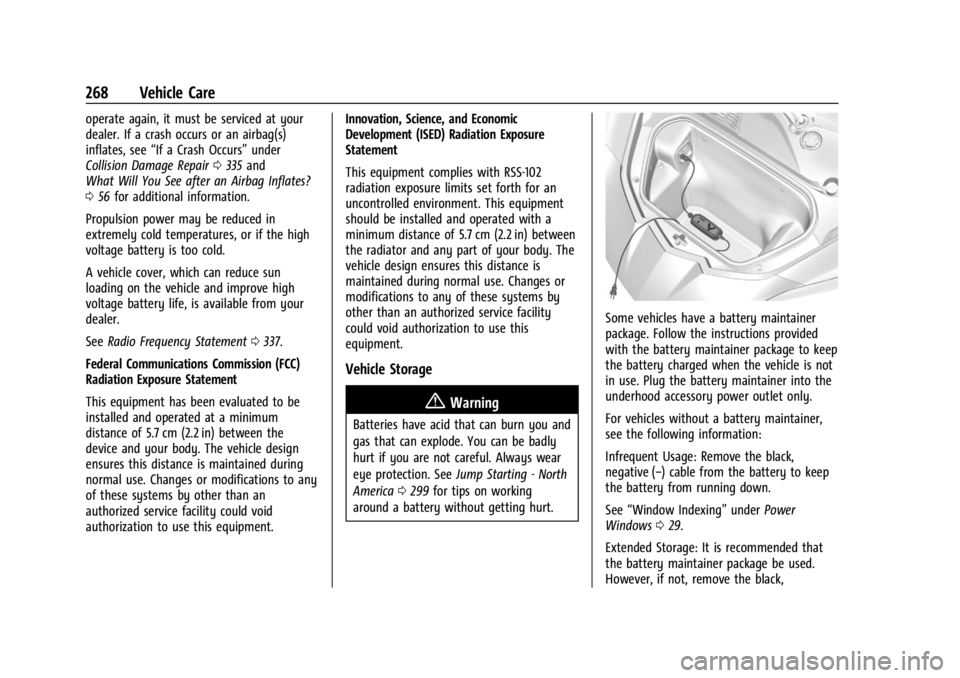
Some vehicles have a battery maintainer
package. Follow the instructions provided
with the battery maintainer package to keep
the battery charged when the vehicle is not
in use. Plug the battery maintainer into the
underhood accessory power outlet only.
For vehicles without a battery maintainer,
see the following information:
Infrequent Usage: Remove the black,
negative (−) cable from the battery to keep
the battery from running down.
See “Window Indexing” underPower
Windows 029.
Extended Storage: It is recommended that
the battery maintainer package be used.
However, if not, remove the black,
Page 270 of 362
Chevrolet Corvette Owner Manual (GMNA-Localizing-U.S./Canada/Mexico-
17272984) - 2024 - CRC - 2/20/23
Vehicle Care 269
negative (−) cable from the battery. All
vehicle memory settings will need to be
reset when battery power is restored.
12-volt Lithium-ion Battery (E-Ray)
When the vehicle is going to be stored for
longer than one week, the 12-volt lithium-ion
battery negative and Controller Area
Network (CAN) signal connectors should be
disconnected to preserve the life of the
12-volt lithium-ion battery. Ensure the signal
connector is facing downwards and shielded
from direct water exposure to prevent
corrosion while disconnected. A battery
maintainer package can be used to keep the
battery charged when the vehicle is not
in use.
{Warning
Lithium-ion battery cells contain
chemicals that can burn you and gas that
can explode under extreme conditions.
Explosive gases can cause blindness and/
or injury. You can be badly hurt if you
are not careful. Always wear eye
protection. SeeJump Starting - North
America 0299 for tips on working
around a lithium-ion battery without
getting hurt.
{Warning
Use only GM approved jump start boxes
and charging tools. Use of unapproved
jump start boxes, charging tools, a loose
battery, or battery charger may cause
personal injury, death, or damage to the
vehicle. For GM approved jump start
boxes or charging tools, see
https://gmdesolutions.com.
When storing the vehicle on a long-term
basis:
‐ Attach a compatible battery tender or
trickle charger to the 12-volt lithium-ion
battery.
‐ Keep the remote key more than 3 m
(10 ft) away from the vehicle.
High Voltage Battery (E-Ray)
After extended storage, it is possible that
the vehicle may not operate. If this happens,
the high voltage battery may need to be
plugged in and charged.
Park Brake and P (Park)
Mechanism Check
{Warning
When you are doing this check, the
vehicle could begin to move. You or
others could be injured and property
could be damaged. Make sure there is
room in front of the vehicle in case it
begins to roll. Be ready to apply the
regular brake at once should the vehicle
begin to move.
Park on a fairly steep hill, with the vehicle
facing downhill. Keeping your foot on the
regular brake, set the parking brake.
.To check the parking brake's holding
ability: With the engine running and the
transmission in N (Neutral), slowly remove
foot pressure from the regular brake
pedal. Do this until the vehicle is held by
the parking brake only.
.To check the P (Park) mechanism's holding
ability: With the engine running, shift to
P (Park). Then release the parking brake
followed by the regular brake.
Contact your dealer if service is required.
Page 271 of 362

Chevrolet Corvette Owner Manual (GMNA-Localizing-U.S./Canada/Mexico-
17272984) - 2024 - CRC - 2/20/23
270 Vehicle Care
Wiper Blade Replacement
Windshield wiper blades should be inspected
for wear and cracking.
Replacement blades come in different types
and are removed in different ways. For
proper type and length, seeMaintenance
Replacement Parts 0321.
To replace the windshield wiper blade: 1. Pull the windshield wiper assembly away from the windshield.
2. Lift up on the latch in the middle of thewiper blade where the wiper arm
attaches. 3. With the latch open, pull the wiper blade
down toward the windshield far enough
to release it from the J-hooked end of
the wiper arm.
4. Remove the wiper blade.
Allowing the wiper blade arm to touch
the windshield when no wiper blade is
installed could damage the windshield.
Any damage that occurs would not be
covered by the vehicle warranty. Do not
allow the wiper blade arm to touch the
windshield.
5. Reverse Steps 1–3 for wiper blade replacement.
Windshield Replacement
HUD System
The windshield is part of the HUD system.
If the windshield needs to be replaced, be
sure to get one that is designed for HUD or
the HUD image may look out of focus.
Driver Assistance Systems
If the windshield needs to be replaced and
the vehicle is equipped with a front camera
sensor for the Driver Assistance Systems,
a GM replacement windshield is
recommended. The replacement windshield must be installed according to GM
specifications for proper alignment. If it is
not, these systems may not work properly,
they may display messages, or they may
not work at all. See your dealer for proper
windshield replacement.
Acoustic Windshield
The vehicle is equipped with an acoustic
windshield. If the windshield needs to be
replaced be sure to get an acoustic
windshield so you will continue to have the
benefits an acoustic windshield can provide.
Gas Strut(s)
Your vehicle may be equipped with gas
strut(s) to provide assistance in lifting and
holding open the hood/trunk/liftgate system
in full open position.
{Warning
If the gas struts that hold open the hood,
trunk, and/or liftgate fail, you or others
could be seriously injured. Take the
vehicle to your dealer for service
immediately. Visually inspect the gas
struts for signs of wear, cracks, or other
damage periodically. Check to make sure
(Continued)