2023 TOYOTA TUNDRA HYBRID oil
[x] Cancel search: oilPage 130 of 618

1303-2. Opening, closing and locking the doors and tailgate
Owners Manual_USA_M0C052_en
■Conditions affecting operation
The smart key system uses weak
radio waves. In the following situa-
tions, the communication between
the electronic key and the vehicle
may be affected, preventing the
smart key system, wireless remote
control and immobilizer system from
operating properly. (Ways of coping:
P.527)
●When the electronic key battery is
depleted
●Near a TV tower, electric power
plant, gas station , radio station,
large display, airpo rt or other facil-
ity that generates strong radio
waves or electrical noise
●When carrying a portable radio,
cellular phone, cordless phone or
other wireless communication
device
●When the electronic key is in con-
tact with, or is covered by the fol-
lowing metallic objects
• Cards to which al uminum foil is
attached
• Cigarette boxes that have alumi- num foil inside
• Metallic wallets or bags
• Coins
• Hand warmers made of metal
• Media such as CDs and DVDs
●When other wireless keys (that
emit radio waves) are being used
nearby
●When carrying the electronic key
together with the following devices
that emit radio waves
• Another electronic key or a wire- less key that emits radio waves
• Personal computers or personal
digital assistants (PDAs)
• Digital audio players
• Portable game systems
●If window tint with a metallic con-
tent or metallic objects are
attached to the rear window
●When the electronic key is placed
near a battery charger or elec-
tronic devices
●When the vehicle is parked in a
pay parking spot where radio
waves are emitted.
■Note for the entry function
●Even when the electronic key is
within the effective range (detec-
tion areas), the system may not
operate properly in the following
cases:
• The electronic key is too close to the window or outside door han-
dle, near the ground, or in a high
place when the doors are locked
or unlocked.
• The electronic key is near the
ground or in a high place, or too
close to the center of the rear
bumper.
• The electronic key is on the instru- ment panel, or floor, or in the door
pockets or glove box when the
hybrid system is started or power
switch modes are changed.
●Do not leave the electronic key on
top of the instrument panel or near
the door pockets when exiting the
vehicle. Depending on the radio
wave reception conditions, it may
be detected by the antenna out-
side the cabin and the doors will
become lockable from the outside,
possibly trapping the electronic
key inside the vehicle.
●As long as the electronic key is
within the effective range, the
doors may be locked or unlocked
by anyone. However, only the
doors detecting the electronic key
can be used to unlock the vehicle.
●Even if the electro nic key is not
inside the vehicle, it may be possi-
ble to start the hybrid system if the
electronic key is near the window.
●The doors may unlock or lock if a
large amount of water splashes on
the door handle, such as in the
rain or in a car wash, when the
electronic key is within the effec-
tive range. (The doors will auto-
matically be locked after
approximately 60 seconds if the
Page 170 of 618

170
Owners Manual_USA_M0C052_en
Driving mode select switch.................................. 358
Four-wheel drive system .................................. 361
AUTO LSD system ...... 363
Rear differentia l lock system
.................................. 364
Crawl Control .............. 365
Multi-terrain Select ...... 369
Downhill assist control sys- tem ............................ 372
Driving assist systems 374
Trailer brake controller 380
Trailer Backup Guide .. 383
Active front spoiler ...... 388
4-6. Driving tips Hybrid Electric Vehicle driv-ing tips ....................... 390
Off-road precautions ... 392
Winter driving tips ....... 395
Page 177 of 618
1774-1. Before driving
Owners Manual_USA_M0C052_en
4
Driving
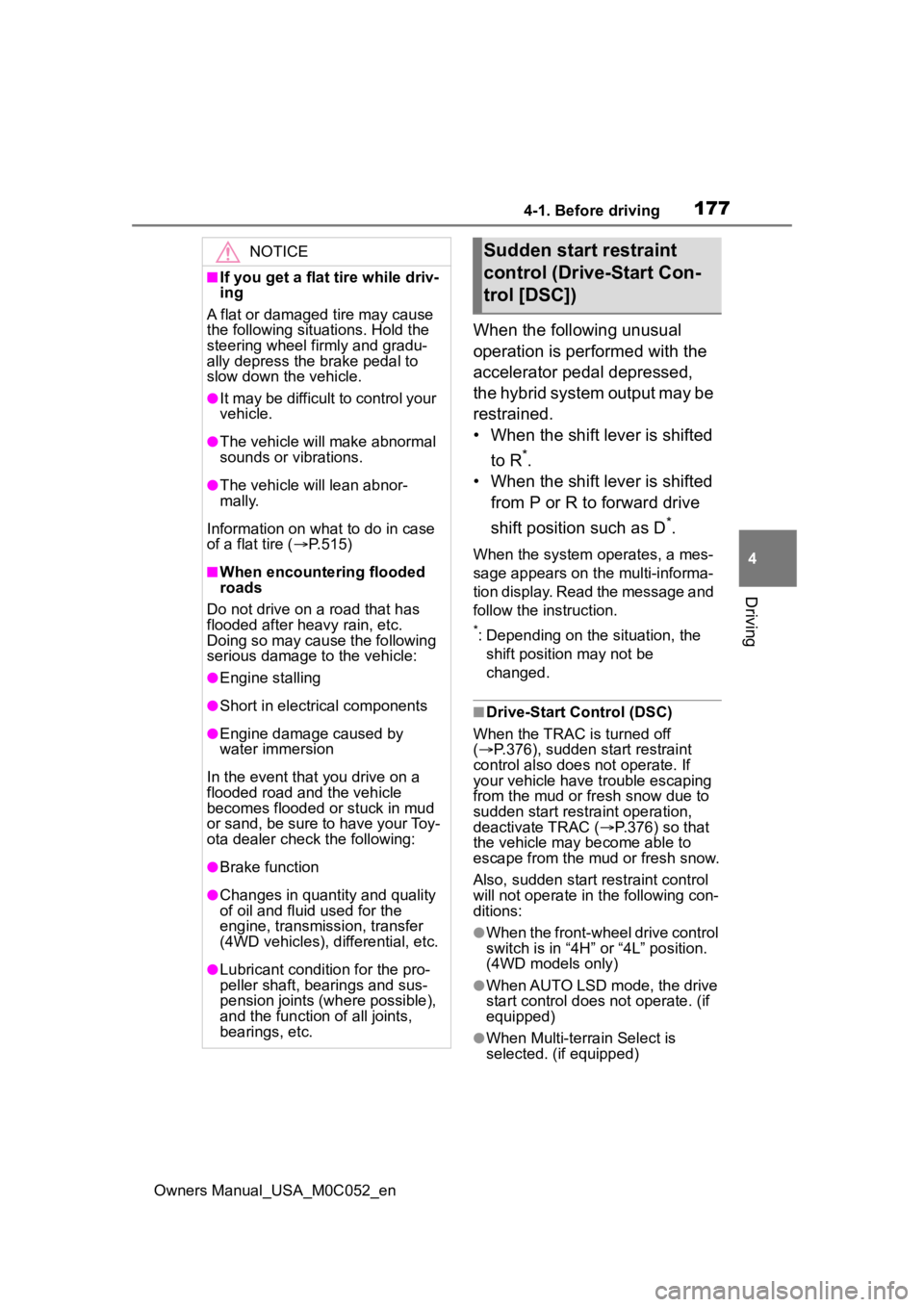
When the following unusual
operation is performed with the
accelerator pedal depressed,
the hybrid system output may be
restrained.
• When the shift lever is shifted to R
*.
• When the shift lever is shifted
from P or R to forward drive
shift position such as D
*.
When the system o perates, a mes-
sage appears on the multi-informa-
tion display. Read the message and
follow the instruction.
*: Depending on the situation, the shift position may not be
changed.
■Drive-Start Control (DSC)
When the TRAC is turned off
( P.376), sudden start restraint
control also does not operate. If
your vehicle have trouble escaping
from the mud or fr esh snow due to
sudden start restraint operation,
deactivate TRAC ( P.376) so that
the vehicle may become able to
escape from the mud or fresh snow.
Also, sudden start restraint control
will not operate in the following con-
ditions:
●When the front-wheel drive control
switch is in “4H” or “4L” position.
(4WD models only)
●When AUTO LSD mode, the drive
start control does not operate. (if
equipped)
●When Multi-terrain Select is
selected. (if equipped)
NOTICE
■If you get a flat tire while driv-
ing
A flat or damaged tire may cause
the following situations. Hold the
steering wheel firmly and gradu-
ally depress the brake pedal to
slow down the vehicle.
●It may be difficult to control your
vehicle.
●The vehicle will make abnormal
sounds or vibrations.
●The vehicle will lean abnor-
mally.
Information on what to do in case
of a flat tire ( P.515)
■When encountering flooded
roads
Do not drive on a road that has
flooded after heavy rain, etc.
Doing so may cause the following
serious damage to the vehicle:
●Engine stalling
●Short in electrical components
●Engine damage caused by
water immersion
In the event that you drive on a
flooded road an d the vehicle
becomes flooded or stuck in mud
or sand, be sure to have your Toy-
ota dealer check the following:
●Brake function
●Changes in quantity and quality
of oil and fluid used for the
engine, transmission, transfer
(4WD vehicles), differential, etc.
●Lubricant condition for the pro-
peller shaft, bearings and sus-
pension joints (where possible),
and the function of all joints,
bearings, etc.
Sudden start restraint
control (Drive-Start Con-
trol [DSC])
Page 200 of 618
2004-2. Driving procedures
Owners Manual_USA_M0C052_en
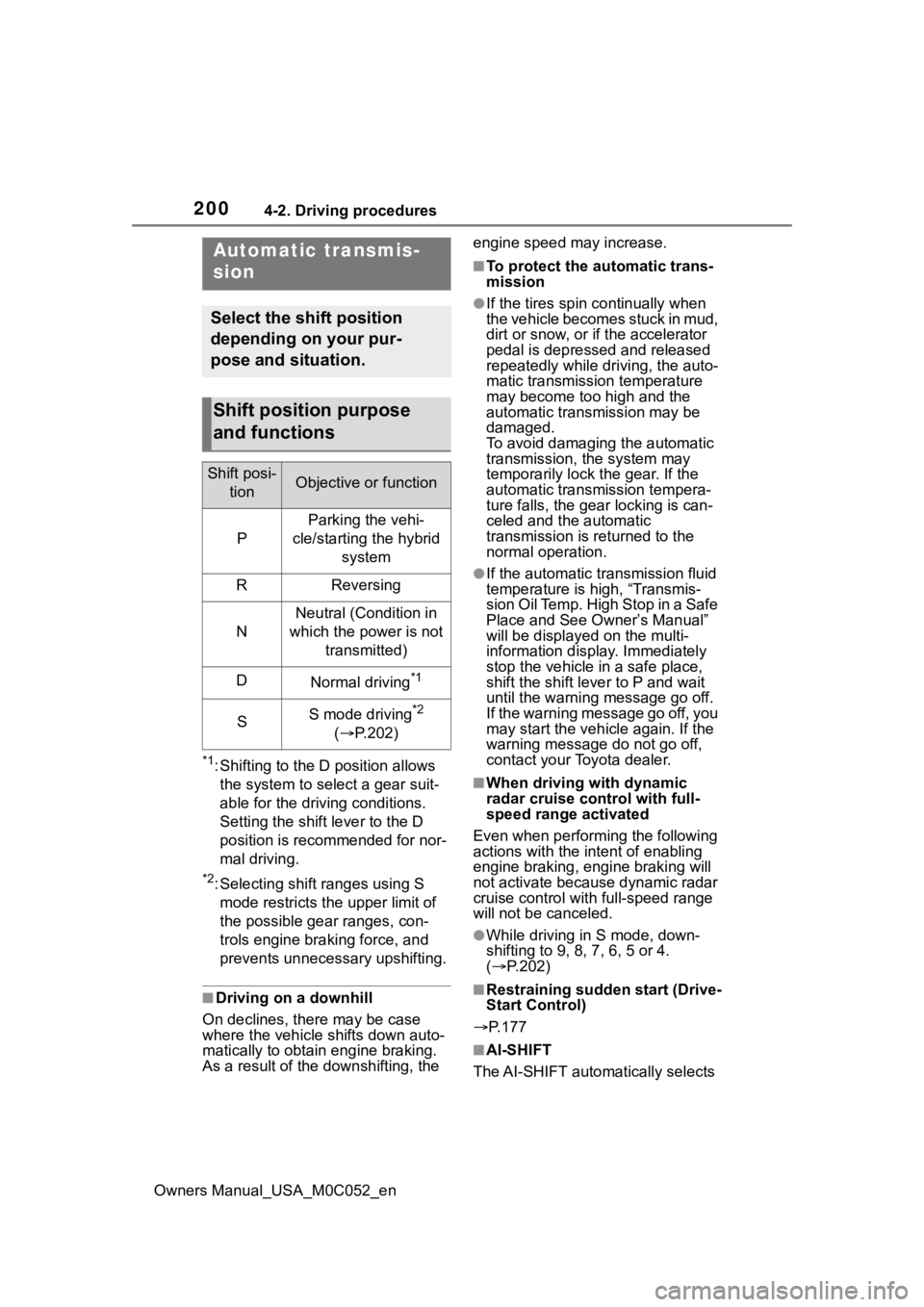
*1: Shifting to the D position allows the system to select a gear suit-
able for the driving conditions.
Setting the shift lever to the D
position is recommended for nor-
mal driving.
*2: Selecting shift ranges using S mode restricts the upper limit of
the possible gear ranges, con-
trols engine brak ing force, and
prevents unnecessary upshifting.
■Driving on a downhill
On declines, there may be case
where the vehicle shifts down auto-
matically to obtain engine braking.
As a result of the downshifting, the engine speed may increase.
■To protect the a
utomatic trans-
mission
●If the tires spin continually when
the vehicle becomes stuck in mud,
dirt or snow, or if the accelerator
pedal is depressed and released
repeatedly while driving, the auto-
matic transmission temperature
may become too high and the
automatic transmission may be
damaged.
To avoid damaging the automatic
transmission, the system may
temporarily lock the gear. If the
automatic transmission tempera-
ture falls, the gear locking is can-
celed and the automatic
transmission is returned to the
normal operation.
●If the automatic tr ansmission fluid
temperature is high, “Transmis-
sion Oil Temp. High Stop in a Safe
Place and See Owner’s Manual”
will be displayed on the multi-
information display. Immediately
stop the vehicle in a safe place,
shift the shift lever to P and wait
until the warning message go off.
If the warning message go off, you
may start the vehicle again. If the
warning message do not go off,
contact your Toyota dealer.
■When driving with dynamic
radar cruise control with full-
speed range activated
Even when perform ing the following
actions with the intent of enabling
engine braking, engine braking will
not activate because dynamic radar
cruise control with full-speed range
will not be canceled.
●While driving in S mode, down-
shifting to 9, 8, 7, 6, 5 or 4.
( P.202)
■Restraining sudden start (Drive-
Start Control)
P.177
■AI-SHIFT
The AI-SHIFT automatically selects
Automatic transmis-
sion
Select the shift position
depending on your pur-
pose and situation.
Shift position purpose
and functions
Shift posi- tionObjective or function
P
Parking the vehi-
cle/starting the hybrid system
RReversing
N
Neutral (Condition in
which the po wer is not
transmitted)
DNormal driving*1
SS mode driving*2
( P.202)
Page 242 of 618
2424-5. Using the driving support systems
Owners Manual_USA_M0C052_en
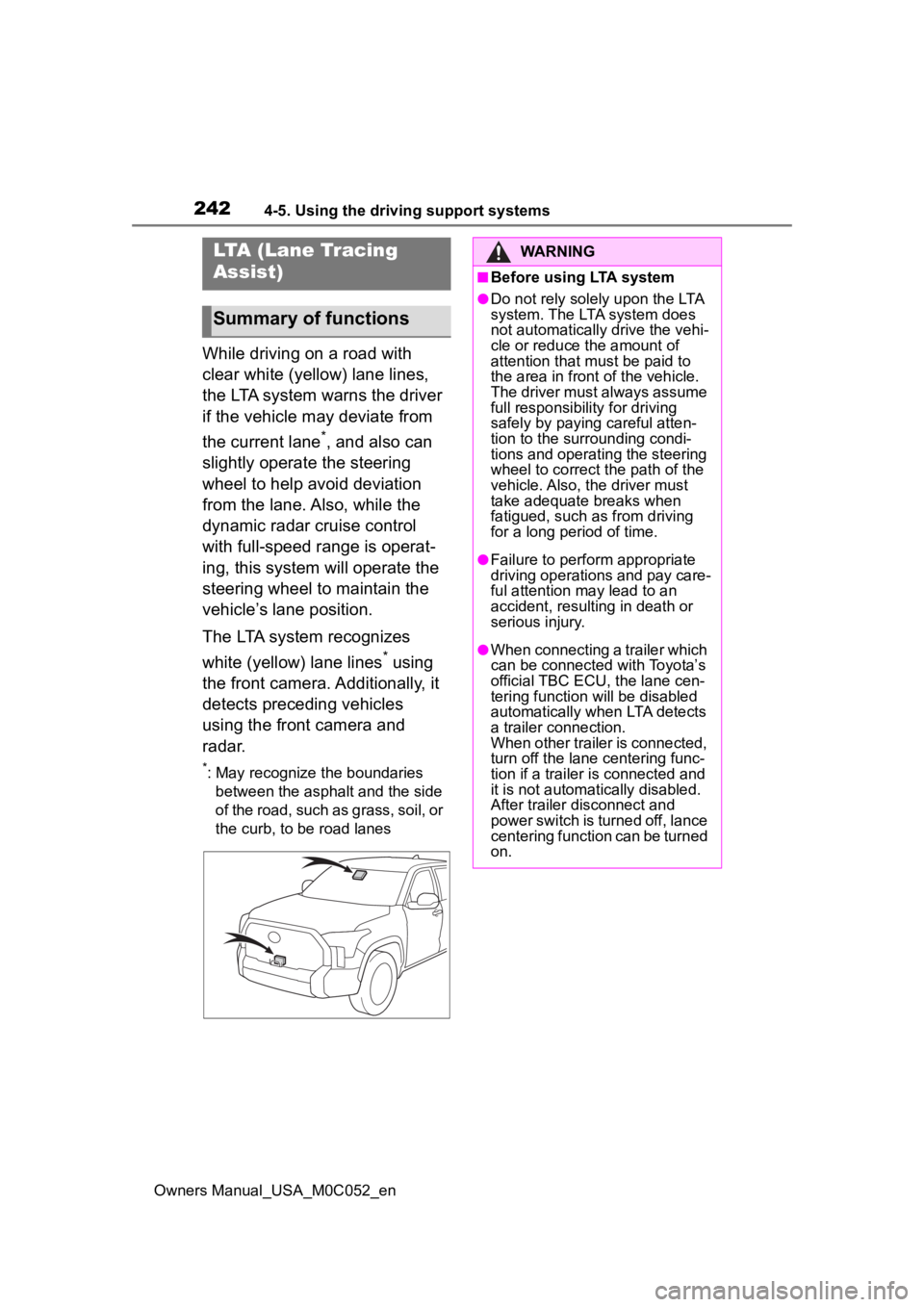
While driving on a road with
clear white (yellow) lane lines,
the LTA system warns the driver
if the vehicle may deviate from
the current lane
*, and also can
slightly operate the steering
wheel to help avoid deviation
from the lane. Also, while the
dynamic radar cruise control
with full-speed range is operat-
ing, this system will operate the
steering wheel to maintain the
vehicle’s lane position.
The LTA system recognizes
white (yellow) lane lines
* using
the front camera. Additionally, it
detects preceding vehicles
using the front camera and
radar.
*: May recognize the boundaries between the asphalt and the side
of the road, such as grass, soil, or
the curb, to be road lanes
LTA (Lane Tracing
Assist)
Summary of functions
WARNING
■Before using LTA system
●Do not rely solely upon the LTA
system. The LTA system does
not automatically drive the vehi-
cle or reduce the amount of
attention that m ust be paid to
the area in front of the vehicle.
The driver must always assume
full responsibilit y for driving
safely by paying careful atten-
tion to the surrounding condi-
tions and operating the steering
wheel to correct the path of the
vehicle. Also, the driver must
take adequate breaks when
fatigued, such as from driving
for a long period of time.
●Failure to perform appropriate
driving operations and pay care-
ful attention may lead to an
accident, resulting in death or
serious injury.
●When connecting a trailer which
can be connected with Toyota’s
official TBC ECU, the lane cen-
tering function will be disabled
automatically when LTA detects
a trailer connection.
When other trailer is connected,
turn off the lane centering func-
tion if a trailer is connected and
it is not automatically disabled.
After trailer disconnect and
power switch is turned off, lance
centering function can be turned
on.
Page 246 of 618
2464-5. Using the driving support systems
Owners Manual_USA_M0C052_en
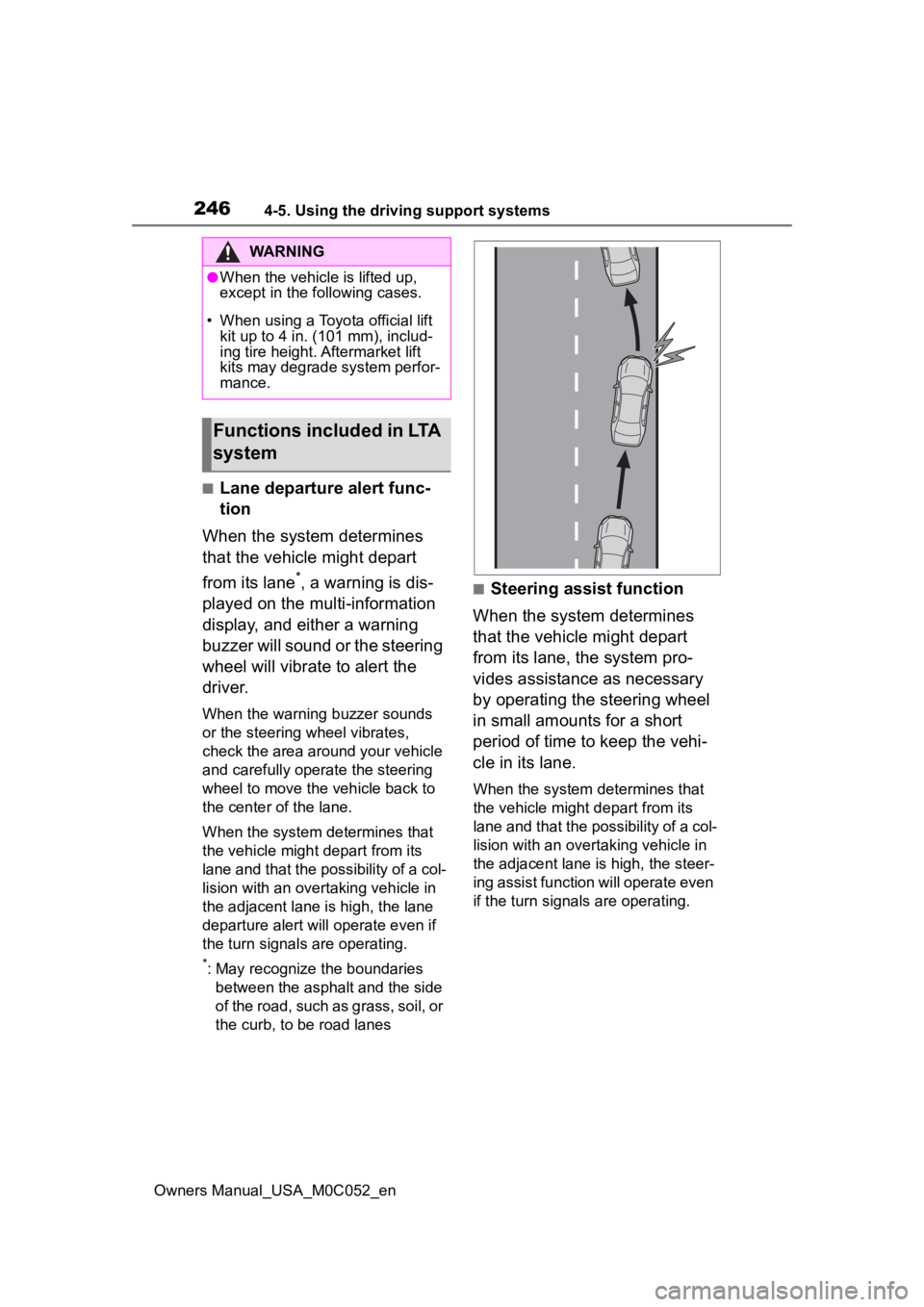
■Lane departure alert func-
tion
When the system determines
that the vehicle might depart
from its lane
*, a warning is dis-
played on the multi-information
display, and either a warning
buzzer will sound or the steering
wheel will vibrate to alert the
driver.
When the warning buzzer sounds
or the steering wheel vibrates,
check the area around your vehicle
and carefully operate the steering
wheel to move the vehicle back to
the center of the lane.
When the system determines that
the vehicle might depart from its
lane and that the possibility of a col-
lision with an overtaking vehicle in
the adjacent lane is high, the lane
departure alert will operate even if
the turn signals are operating.
*: May recognize the boundaries between the asphalt and the side
of the road, such as grass, soil, or
the curb, to be road lanes
■Steering assist function
When the system determines
that the vehicle might depart
from its lane, the system pro-
vides assistance as necessary
by operating the steering wheel
in small amounts for a short
period of time to keep the vehi-
cle in its lane.
When the system determines that
the vehicle might depart from its
lane and that the possibility of a col-
lision with an overta king vehicle in
the adjacent lane is high, the steer-
ing assist function will operate even
if the turn signals are operating.
WARNING
●When the vehicle is lifted up,
except in the following cases.
• When using a Toyota official lift kit up to 4 in. (101 mm), includ-
ing tire height. Aftermarket lift
kits may degrade system perfor-
mance.
Functions included in LTA
system
Page 249 of 618
2494-5. Using the driving support systems
Owners Manual_USA_M0C052_en
4
Driving
played: Indicates that steering
wheel assist of the steering assist
function is operating.
Both outer sides of the lane are
flashing: Alerts the driver that their
input is necessary to stay in the
center of the lane (lane centering
function).
Follow-up cruising display
Displayed when the multi-informa-
tion display is switched to the driv-
ing support system information
screen.
Indicates that steering assist of the
lane centering function is operating
by monitoring the position of a pre-
ceding vehicle.
When the follow-up cruising display
is displayed, if the preceding vehi-
cle moves, your vehicle may move
in the same way. A lways pay care-
ful attention to your surroundings
and operate the steering wheel as
necessary to correct the path of the
vehicle and ensure safety.
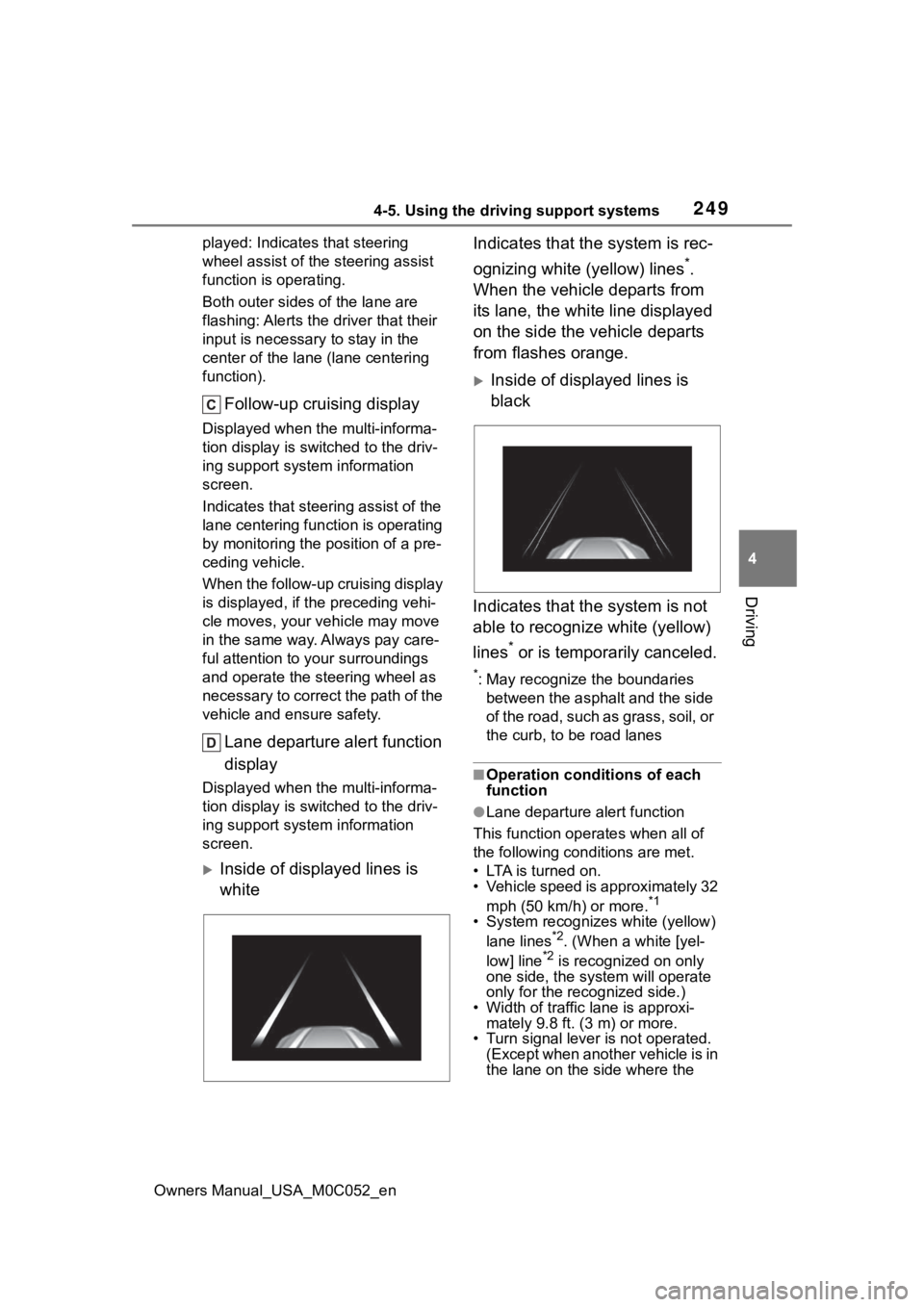
Lane departure alert function
display
Displayed when the multi-informa-
tion display is switched to the driv-
ing support system information
screen.
Inside of displayed lines is
white Indicates that the system is rec-
ognizing white (yellow) lines
*.
When the vehicle departs from
its lane, the white line displayed
on the side the vehicle departs
from flashes orange.
Inside of displayed lines is
black
Indicates that the system is not
able to recognize white (yellow)
lines
* or is temporarily canceled.
*: May recognize the boundaries between the asphalt and the side
of the road, such as grass, soil, or
the curb, to be road lanes
■Operation conditions of each
function
●Lane departure alert function
This function operates when all of
the following conditions are met.
• LTA is turned on.
• Vehicle speed is approximately 32 mph (50 km/h) or more.
*1
• System recognizes white (yellow) lane lines*2. (When a white [yel-
low] line*2 is recognized on only
one side, the system will operate
only for the recognized side.)
• Width of traffic lane is approxi- mately 9.8 ft. (3 m) or more.
• Turn signal lever is not operated.
(Except when another vehicle is in
the lane on the side where the
Page 250 of 618

2504-5. Using the driving support systems
Owners Manual_USA_M0C052_enturn signal was operated)
• Vehicle is not being driven around a sharp curve.
• No system malfunctions are detected. ( P.252)
*1: The function opera tes even if the
vehicle speed is less than
approximately 32 mph (50 km/h)
when the lane centering function
is operating.
*2: May recognize the boundaries between the asphalt and the side
o f t he r oa d, su ch as gr as s, s oil, or
the curb, to be road lanes
●Steering assist function
This function oper ates when all of
the following conditions are met in
addition to the operation conditions
for the lane departure alert function.
• Vehicle is not accelerated or decelerated by a fixed amount or
more.
• Steering wheel is not operated with a steering force level suitable
for changing lanes.
• ABS, VSC, TRAC and PCS are not operating.
• TRAC or VSC is not turned off.
• Hands off steering wheel warning is not displayed. ( P.251)
●Vehicle sway warning function
This function oper ates when all of
the following cond itions are met.
• Setting for “Sway Warning” in of the multi-information display is
set to “ON”. ( P.567)
• Vehicle speed is approximately 32
mph (50 km/h) or more.
• Width of traffic lane is approxi- mately 9.8 ft. ( 3 m) or more.
• No system malfunctions are
detected. ( P.252)
●Lane centering function
This function oper ates when all of
the following cond itions are met.
• LTA is turned on. • Setting for “Lane Center” in of
the multi-informatio n display is set
to “ON”. ( P.567)
• This function recognizes white
(yellow) lane lines or the position
of a preceding v ehicle (except
when the preceding vehicle is
small, such as a motorcycle).
• The dynamic radar cruise control with full-speed ran ge is operating
in vehicle-to-vehicle distance con-
trol mode.
• Width of traffic lane is approxi- mately 10 to 13 ft. (3 to 4 m).
• Turn signal lever is not operated.
• Vehicle is not being driven around a sharp curve.
• No system malfunctions are detected. ( P.252)
• Vehicle does not accelerate or
decelerate by a fixed amount or
more.
• Steering wheel is not operated
with a steering force level suitable
for changing lanes.
• ABS, VSC, TRAC and PCS are
not operating.
• TRAC or VSC is not turned off.
• Hands off steering wheel warning is not displayed. ( P.251)
• The vehicle is being driven in the center of a lane.
• Steering assist function is not operating.
• When your vehicle is not towing a
trailer or during emergency tow-
ing.
■Temporary cancelation of func-
tions
●When operation conditions are no
longer met, a function may be
temporarily canceled. However,
when the operation conditions are
met again, operation of the func-
tion is automatically restored.
( P.249)
●If the operation conditions
( P.249) are no longer met while
the lane centering function is
operating, the steering wheel may
vibrate and the buzzer may sound