2023 TOYOTA SUPRA engine
[x] Cancel search: enginePage 28 of 372
282-1. QUICK REFERENCE
The Auto Start/Stop function
switches the engine off automat-
ically while stationary to save
fuel. The engine starts automati-
cally under the following precon-
ditions:
Manual transmission:
• By pressing the clutch pedal.
Automatic transmission:
• By releasing the brake pedal.
The LED and indicator light go
out.
The parking brake is released.When shifting to a lower gear,
excessive RPM can damage the
engine. There is a risk of dam-
age to property, among other
potential damage. When shifting
into 5th or 6th gear,press the
gear shift lever to the right.
Select only when the vehicle is
stationary.
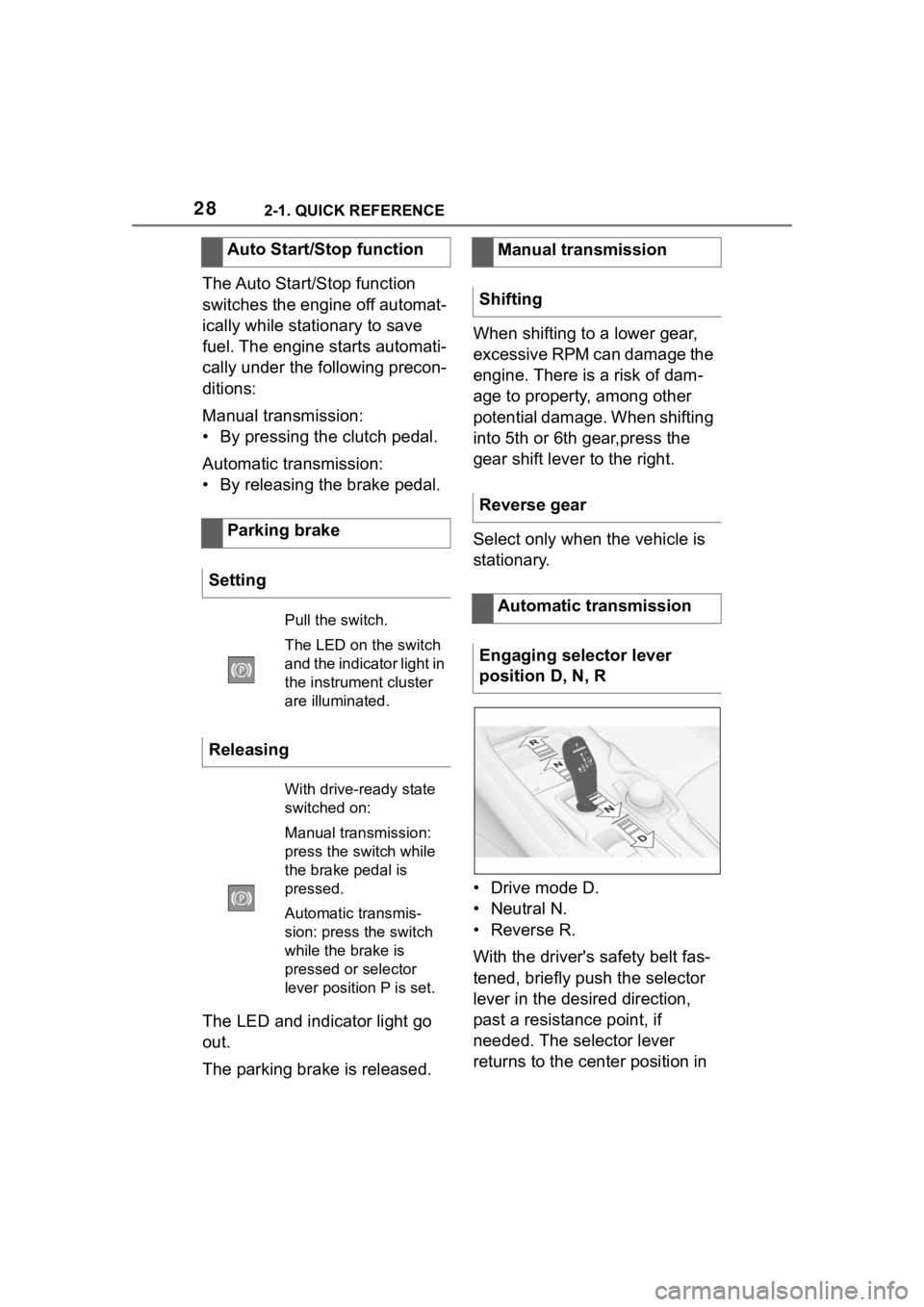
• Drive mode D.
• Neutral N.
•Reverse R.
With the driver's safety belt fas-
tened, briefly push the selector
lever in the desired direction,
past a resistance point, if
needed. The selector lever
returns to the center position in
Auto Start/Stop function
Parking brake
Setting
Pull the switch.
The LED on the switch
and the indicator light in
the instrument cluster
are illuminated.
Releasing
With drive-ready state
switched on:
Manual transmission:
press the switch while
the brake pedal is
pressed.
Automatic transmis-
sion: press the switch
while the brake is
pressed or selector
lever position P is set.
Manual transmission
Shifting
Reverse gear
Automatic transmission
Engaging selector lever
position D, N, R
Page 33 of 372

332-1. QUICK REFERENCE
2
QUICK REFERENCE
gasoline should be sulfur-free or
very low in sulfur content.
Fuels that are marked on the
gas pump as containing metal
must not be used. P.300
The tire inflation pressure speci-
fications can be found in the tire
inflation pressure table in the
printed Owner's Manual.
With Tire Pressure Monitor
TPM:
The corrected tire inflation pres-
sures are applied automatically.
Make sure that the correct tire
settings have been made.
With tires that cannot be found
in the tire pressure values on
the Control Display, reset the
Tire Pressure Monitor TPM.
Regularly check the tire inflation
pressure and correct it as
needed:
• At least twice a month.
• Before embarking on an extended trip. The friction during hard braking
may produce brake dust and
make the rims dirty. Brake dust
can be removed by cleaning the
rims. Toyota recommends using
vehicle care and cleaning prod-
ucts from Toyota.
Depending on the previous dis-
plays, the status display
appears when the engine is run-
ning or after the vehicle has
been driven for at least 30 min-
utes.
Via Toyota Supra Command:
1
"My Vehicle"
2 "Vehicle status"
3 "Engine oil level"
Different messages appear on
the Control Display depending
on the engine oil level. Pay
attention to these messages.
Safely park the vehicle and
Wheels and tires
Tire inflation pressure speci-
fications
After correcting the tire infla-
tion pressure
Checking the tire inflation
pressureCleaning the wheels
Electronic oil measure-
ment
Functional requirements
Displaying the engine oil
level
Adding engine oil
General information
Page 34 of 372

342-1. QUICK REFERENCE
switch off drive-ready state
before adding engine oil.
Only add engine oil when the
message is displayed in the
instrument cluster.
Observe the quantity to be
added in the message.
Take care not to add too much
engine oil.
Observe recommended engine
oil types, refer to page 304.
The button is located in the cen-
ter console.Via Toyota Supra Command:
1
"Toyota Supra Connect"
2 "Toyota Supra Assistance"
3 "Roadside assistance"
A voice connection is established.
The Concierge offers informa-
tion on events, gas stations or
hotels, and provides phone
numbers and addresses. Many
hotels can be booked directly by
the Concierge.
Via Toyota Supra Command:
1"Toyota Supra Connect"
2 "Toyota Supra Assistance"
3 "Concierge"
A voice connection to the Con-
cierge is established.
Remote maintenance are ser-
vices that help to maintain vehi-
cle mobility.
Remote maintenance can com-
prise the following services:
• Roadside assistance.
Adding
Providing assistance
Hazard warning flashers
Roadside assistance
Toyota Supra Connect
Concierge
Remote maintenance
Page 35 of 372
352-1. QUICK REFERENCE
2
QUICK REFERENCE
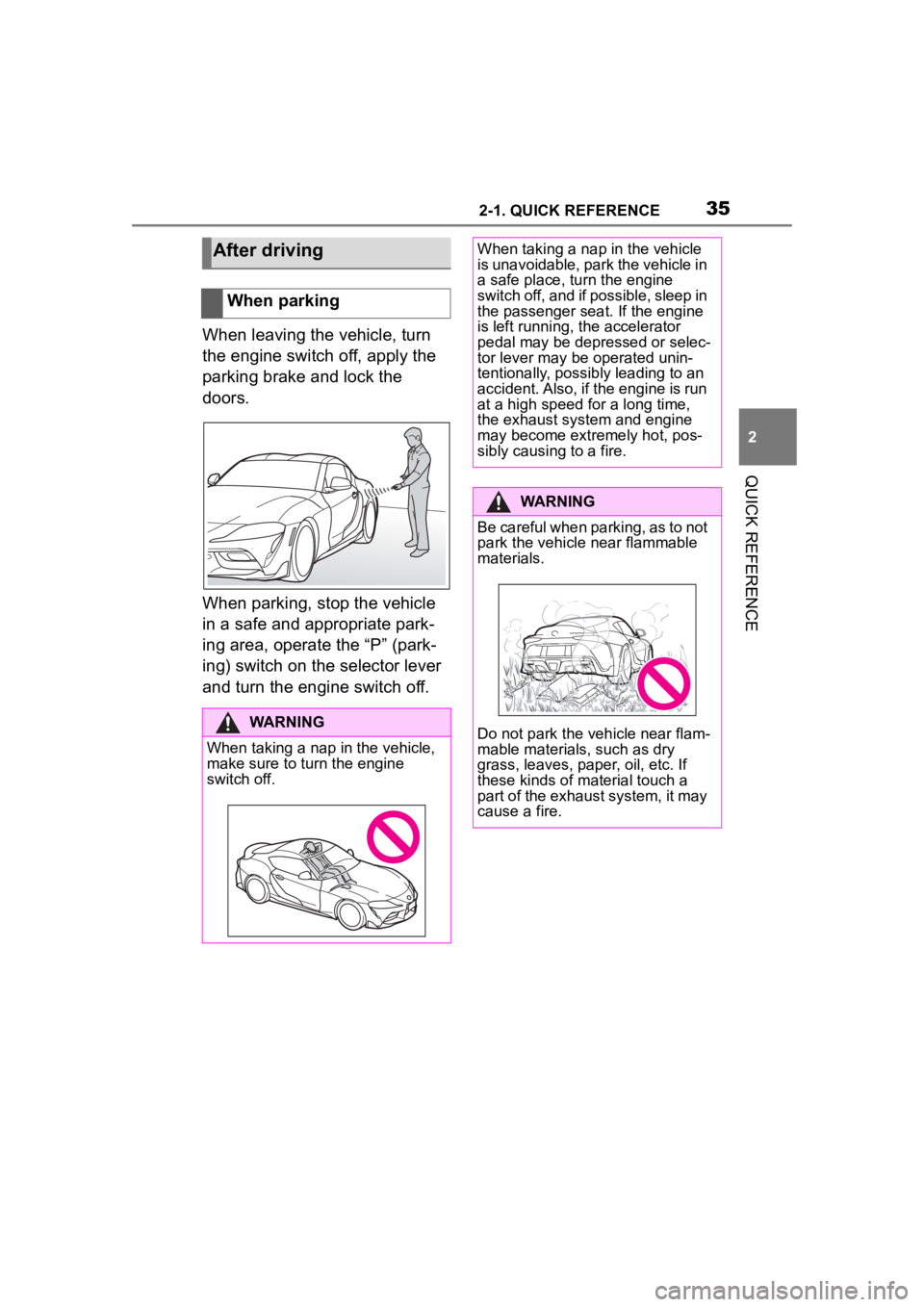
When leaving the vehicle, turn
the engine switch off, apply the
parking brake and lock the
doors.
When parking, stop the vehicle
in a safe and appropriate park-
ing area, operate the “P” (park-
ing) switch on the selector lever
and turn the engine switch off.
After driving
When parking
WARNING
When taking a nap in the vehicle,
make sure to turn the engine
switch off.
When taking a nap in the vehicle
is unavoidable, park the vehicle in
a safe place, turn the engine
switch off, and if possible, sleep in
the passenger seat. If the engine
is left running, the accelerator
pedal may be depressed or selec-
tor lever may be operated unin-
tentionally, possibl y leading to an
accident. Also, if the engine is run
at a high speed for a long time,
the exhaust system and engine
may become extremely hot, pos-
sibly causing to a fire.
WARNING
Be careful when parking, as to not
park the vehicle near flammable
materials.
Do not park the vehicle near flam-
mable materials, such as dry
grass, leaves, paper, oil, etc. If
these kinds of material touch a
part of the exhaust system, it may
cause a fire.
Page 46 of 372

463-1. CONTROLS
To establish idle state in the
vehicle after end of trip:
When standby state is switched
on, most functions can be used
while the vehicle is stationary.
Desired settings can be
adjusted.
The vehicle is in the standby
state after the front doors are
opened from the outside.
Standby can be switched back
on after the vehicle is automati-cally set to idle state.
Switching on drive-ready state
corresponds to starting the
engine.
Some functions, such as VSC
Vehicle Stability Control System,
can only be used with
Manual idle state
Press and hold the
button until the
OFF indicator on
the instrument
cluster goes out.
Standby state
Concept
General information
Standby, manual
General information
Via button on the radio
Press the button
on the radio. The
control display and
the instrument
cluster illuminate.
Via start/stop button
Press the
Start/Stop button.
The control dis-
play and the instru-
ment cluster
illuminate.
Display in the instrument
cluster
OFF is displayed
in the instrument
cluster. The drive-
train is switched off
and standby state
switched on.
Drive-ready state
Concept
General information
Page 47 of 372

473-1. CONTROLS
3
CONTROLS
drive-ready state switched on.1Depress the brake pedal.
2 Press on the clutch pedal
and shift to Neutral.
3 Press the Start/Stop button.
The ignition is activated auto-
matically for a brief time and is
stopped as soon as the engine
starts.
Most of the indicator/warning
lights in the instrument cluster
light up for a varied length of
time.
1 Depress the brake pedal.
2 Press the Start/Stop button.
The ignition is activated auto-
matically for a brief time and is
stopped as soon as the engine
starts.
Most of the indicator/warning
lights in the instrument cluster
light up for a varied length of
time.
Safety information
WARNING
If the exhaust pipe is blocked or
ventilation is insufficient, harmful
exhaust gases can enter into the
vehicle. The exhaust gases con-
tain pollutants which are colorless
and odorless. In enclosed areas,
exhaust gases can also accumu-
late outside of the vehicle. There
is danger to life. Keep the exhaust
pipe free and ensure sufficient
ventilation.
WARNING
An unsecured vehicle can begin
to move and possibly roll away.
There is a risk of an accident.
Before exiting, secure the vehicle
against rolling.
In order to ensure that the vehicle
is secured against rolling away,
follow the following:
Page 48 of 372

483-1. CONTROLS
Depending on the motorization,
full drive power and the entire
speed range may not be avail-
able for approx. 30 seconds
after starting the engine. In this
case, the vehicle will not accel-
erate as usual, refer to page
P.145.
READY in the instrument cluster
indicates that drive-ready state
is switched on.
Manual transmission
1With the vehicle at a stand-
still, press the Start/Stop but-
ton.
The engine is switched off.
The vehicle switches into
standby state.
Shift into first gear or reverse.
2 Set the parking brake.
Automatic transmission
1 Engage selector lever posi-
tion P with the vehicle
stopped.
2 Press the Start/Stop button.
The engine is switched off. The
vehicle switches i nto standby state.
3Set the parking brake. This chapter describes all stan-
dard, country-specific and
optional features offered with
the series. It also describes fea-
tures that are not necessarily
available in your vehicle, e. g.,
due to the selected options or
country versions. This also
applies to safety-related func-
tions and systems. When using
these functions and systems,
the applicable laws and regula-
tions must be observed.
The Toyota Supra Command
combines the functions of many
switches.
Depending on the equipment,
the functions can be operated
as follows:
Via the Controller.
Via the touchscreen.
Via the voice activation sys-
tem.
Gasoline engine
Display in the instrument
cluster
Switching off drive-ready
state
Toyota Supra Com-
mand
Vehicle features and
options
Operating concept
Principle
General information
Page 68 of 372

683-1. CONTROLS
is currently in use.
There is an additional guest pro-
file available that is not assigned
to any vehicle key. It can be
used to apply settings in the
vehicle without changing the
personal driver profiles.
For the system to be able to
identify the driver profile associ-
ated to a particular driver, the
detected remote control must be
clearly allocated to the driver.
This is the case when:
• The driver is only carrying his or her own remote control.
• The driver unlocks the vehi- cle.
• The driver gets into the vehi- cle through the driver's door.
After switching on the Control
Display, the name of the active
driver profile is displayed.
Select driver profile, refer to
page 69.
As soon as the engine is started
or any key is pressed, the last
selected display is shown on the
Control Display.
To exit the welcome screen via
Toyota Supra Command: "OK" The settings for the following
systems and functions are
stored in the active driver profile.
The scope of storable settings
depends on country and equip-
ment.
• Unlocking and locking.
•Lights.
• Climate control.
• Radio.
• Instrument cluster.
• Programmable memory but-
tons.
• Volumes, tone.
• Control Display.
•TV.
• Parking Sensors.
• Rearview camera.
• Head-up Display.
• Sport mode switch.
• Seat position, exterior mirror position.
Both the positions saved via the
seat memory and th e last position
set are saved.
• Toyota Supra Safety.
Regardless of the remote con-
trol in use, a different driver pro-
file may be activated. This
allows you to call up personal
vehicle settings, even if you did
not unlock the vehicle with your
own remote control.
Functional requirements
Active driver profile
Adjusting
Profile management
Selecting a driver profile