2023 TOYOTA RAV4 PRIME fuel consumption
[x] Cancel search: fuel consumptionPage 184 of 662
1843-1. Instrument cluster
even when not driving due to
power consumption by the sys-
tem.
●For details, refer to “EV driving
range” (P.93)
■Manually updating the fuel
gauge and possible driving
range
The fuel gauge and the possible
driving range are linked. If the dis-
plays of the fuel gauge and possible
driving range do not update after
adding a small amount of fuel, the
displays can be u pdated by per-
forming the following procedure.
1 Stop the vehicle on a level sur-
face.
2 Press the “ODO TRIP” switch to
change the odometer and trip
meter display to odometer.
3 Turn the power switch off.
4 While pressing and holding the
“ODO TRIP” switch, turn the
power switch to ON.
5 Continue to hold the “ODO TRIP”
switch for approximately 5 sec-
onds, and then release it once
the odometer begins flashing.
Updating is complete once the
odometer flashes for approximately
5 seconds and th en the display
returns to normal.
■Outside temperature display
●Displays the outside temperature
within the range of -40°F (-40°C)
to 140°F (60°C).
●When the outside temperature is
approximately 37°F (3°C) or
lower, the indicator will flash
for approximately 10 seconds,
then stay on.
●In the following si tuations, the cor-
rect outside tempe rature may not
be displayed, or the display may
take longer than normal to
change:
• When stopped, or driving at low speeds (less than 12 mph [20 km/h])
• When the outside temperature has changed suddenly (at the
entrance/exit of a garage, tunnel,
etc.)
●When “--” or “E” is displayed, the
system may be malfunctioning.
Take your vehicle to your Toyota
dealer.
■Liquid crystal display
P.197
■Free/Open Source Software
Information
This product contains Free/Open
Source Software (FOSS). The
license information and/or the
source code of such FOSS can be
found at the f ollowing URL.
https://www.denso.com/global/en/
opensource/meter/toyota/
■Customization
The gauges and meters can be cus-
tomized on of the multi-informa-
tion display. ( P.203)
WARNING
■The information display at
low temperatures
Allow the interior of the vehicle to
warm up before using the liquid
crystal information display. At
extremely low temperatures, the
information disp lay monitor may
respond slowly, and display
changes may be delayed.
For example, there is a lag
between the driver’s shifting and
the new gear number appearing
on the display. This lag could
cause the driver to downshift
again, causing rapid and exces-
sive engine braking and possibly
an accident resulting in death or
injury.
Page 187 of 662
1873-1. Instrument cluster
3
Vehicle status information and indicators
Press: Enter/Set
Press and hold: Reset/Dis-
play customizable items
Return to the previous screen
Call sending/receiving and
history display (if equipped)
Linked with the hands-free
system, sending or receiving
call is displayed. For details
regarding the hands-free sys-
tem, refer to “MULTIMEDIA
OWNER’S MANUAL”.
*: On screens where the screen can be scrolled and the display can
be switched, a scroll bar or a
round icon that shows the num-
ber of registered screens is dis-
played.
Information related to each icon
can be displayed by selecting
the icon with the meter control
switches.
Some of the information may be
displayed automatically depending
on the situation.
Select to display fuel consump-
tion data in various forms.
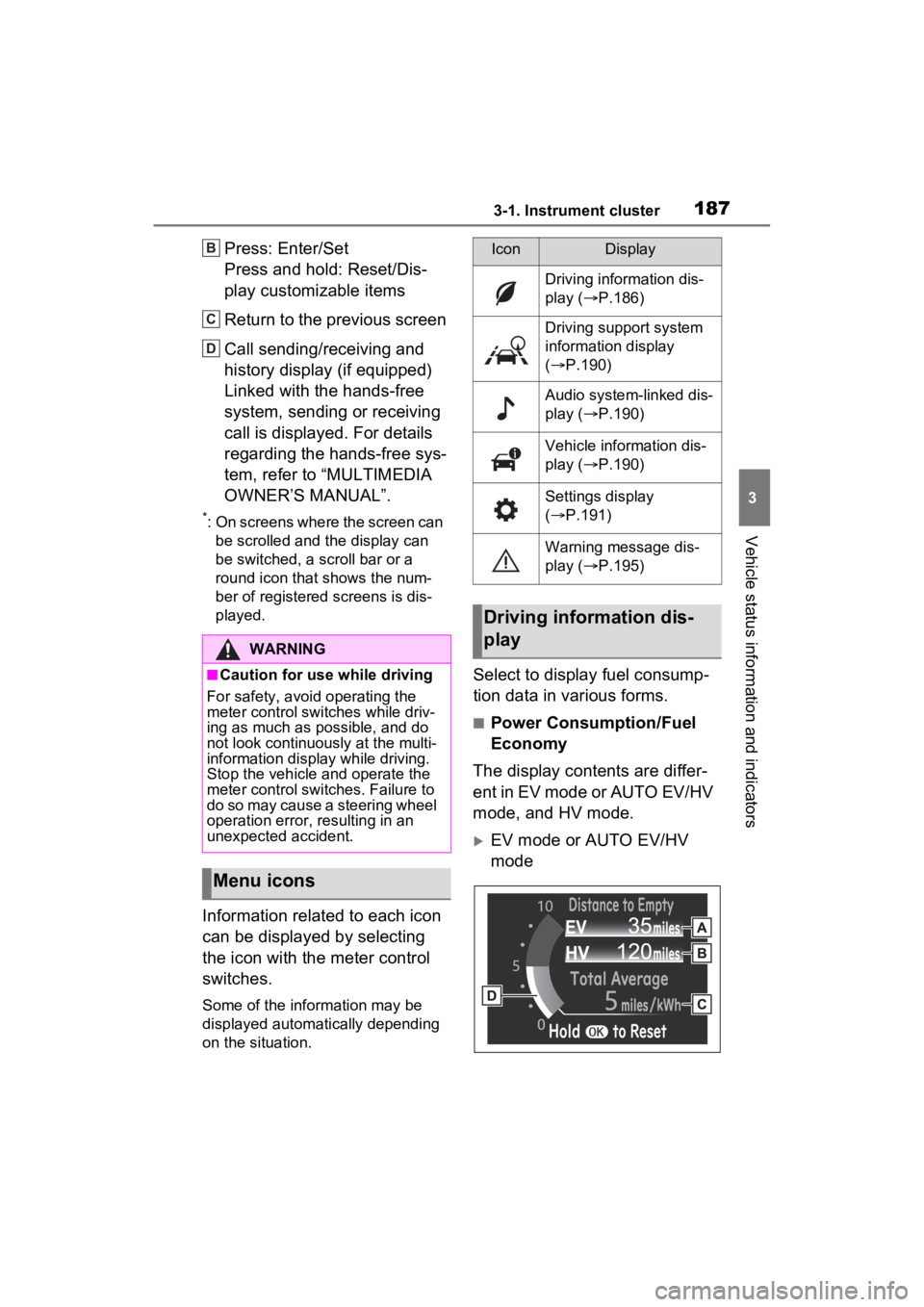
■Power Consumption/Fuel
Economy
The display contents are differ-
ent in EV mode or AUTO EV/HV
mode, and HV mode.
EV mode or AUTO EV/HV
mode
WARNING
■Caution for use while driving
For safety, avoid operating the
meter control swit ches while driv-
ing as much as possible, and do
not look continuously at the multi-
information display while driving.
Stop the vehicle and operate the
meter control swit ches. Failure to
do so may cause a steering wheel
operation error, resulting in an
unexpected accident.
Menu icons
B
C
D
IconDisplay
Driving information dis-
play ( P.186)
Driving support system
information display
( P.190)
Audio system-linked dis-
play ( P.190)
Vehicle information dis-
play ( P.190)
Settings display
( P.191)
Warning message dis-
play ( P.195)
Driving information dis-
play
Page 188 of 662

1883-1. Instrument cluster
EV driving range
Displays the EV driving range with
charge remaining in the hybrid bat-
tery (traction battery). (P.93)
Distance to empty
Displays the driving range with
remaining fuel. ( P.189)
Average power consumption
Displays the aver age power con-
sumption since the function was
reset or the average power con-
sumption after starting.
*1, 2, 3
The average power consumption
selected by “Power Consumption”
on the screen is displayed.
( P.191)
Current power consumption
Displays the instantaneous current
power consumption.
*1: Use the displayed power con-
sumption as a reference only.
*2: Average power consumption since the function was reset can
be reset by pressing and holding
.
*3: Average power consumption after starting is reset each time
the hybrid system stops.
HV mode EV driving range
Displays the EV driving range with
charge remaining in the hybrid bat-
tery (traction
battery). (P.80)
Distance to empty
Displays the driving range with
remaining fuel. ( P.189)
Average fuel economy
Displays the average fuel economy
since the function was reset or the
average fuel economy after starting
or refueling.
*1, 2, 3
The average fuel economy selected
by “Fuel Economy” on the
screen is displayed. ( P.191)
Current fuel economy
Displays the instantaneous current
fuel economy.
*1: Use the displayed fuel consump-
tion as a reference only.
*2: Average fuel economy since the function was res et can be reset
by pressing and holding .
*3: Average fuel economy after starting is reset each time the
hybrid system stops.
■ECO Accelerator Guid-
ance/“Eco Score”
Displays a reference operation
range for using the accelerator
pedal according to driving condi-
tions, and a score result that
evaluates the current driving
status.
A
B
C
D
A
B
C
D
Page 190 of 662

1903-1. Instrument cluster
After starting off, “Eco Score” dis-
play does not start until the vehicle
speed exceeds approximately
19mph (30km/h).
The “Eco Score” is reset each time
the vehicle starts off to start a new
evaluation.
When the hybrid system stops, the
current total score result is dis-
played.
*
*
: The score result is displayed only when “Eco Score” is selected for
“Closing Display”. ( P.191)
■EV Ratio/EV Driving Ratio
Elapsed time after starting
Displays the elapsed time since
hybrid system was started.
*
EV driving ratio after starting
Displays the percen tage of EV driv-
ing since the hybrid system was
started.
*
*
: It is reset each time the hybrid system stops.
■Electricity consumption
When the unit is set to “MPH”:
Electricity consumption is the con-
sumption rate of the electricity when
EV driving is performed and equiva-
lent to the fuel consumption for the
gasoline vehicles. For this vehicle,
driven distance per kWh of electric-
ity consumed (“mile s/kWh”) is dis-
played as electric ity consumption on
each screen.
When the unit is set to “km/h”:
Electricity consumption is the con-
sumption rate of the electricity when
EV driving is performed and equiva-
lent to the fuel consumption for the
gasoline vehicles. For this vehicle,
electricity consumed per 100 km
(“kWh/100 km”) is displayed as
electricity consumption on each
screen.
■EV driving range
●When the air conditioning system
is operating, is displayed next
to the EV driving range and the
EV driving range with the air con-
ditioning system on is displayed.
●The EV driving range may shorten
even when not driving due to
power consumption by the sys-
tem.
●For details, refe r to “EV driving
range” ( P.93)
■Distance to empty
●This distance is computed based
on your average fuel consump-
tion. As a result, the actual dis-
tance that can be driven may
differ from that displayed.
●When only a small amount of fuel
is added to the tank, the display
may not be updated. When refuel-
ing, turn the power switch off. If
the vehicle is refueled without
turning the power switch off, the
display may not be updated.
Low
High
ScoreBar display
A
B
Page 195 of 662
1953-1. Instrument cluster
3
Vehicle status information and indicators
power back door system operates.
*: Vehicles with Hands Free Power Back Door
“TPWS” (Tire Pressure Warn-
ing System) (if equipped)
( P.500)
• “Setting Pressure”
Select to initialize the tire pressure
warning system.
• “Identify Wheel”
Select to register the ID codes of
the tire pressure s ensors to the tire
pressure warning system.
• “Setting Unit”
Select to change t he units of mea-
sure displayed.
“Scheduled Maintenance”
( P.479)
Select to reset the scheduled main-
tenance information (message indi-
cating maintenance is required and
distance until the next mainte-
nance) after all maintenance is per-
formed.
“Rear Seat Reminder”
( P.224)
Select to enable/disable the rear
seat reminder.
■ Settings
“Language”
Select to change the language on
the multi-inform ation display.
“Units”
Select to change t he units of mea-
sure displayed.
“Meter Type”
Select to change the speedometer display.
(EV indicator) ( P.80)
Select to enable/disable the EV
indicator.
(Driving information dis-
play settings)
Select to set up t he following items.
• “Hybrid System”
Select to enable/disable the ECO
Accelerator Guidance (P.187).
• “Fuel Economy”
Select to change the display on
Fuel Economy ( P.186).
• “Power Consumption”
Select to change the display on
Power Consumption ( P.186).
(Audio settings) (if
equipped)
Select to enable/disable
screen.
(Vehicle information dis-
play settings)
• “Display Contents”
Select to set up t he following items.
“Energy monitor”:
Select to enable/disable the Energy
monitor ( P.212)
“AWD”:
Select to enable /disable the AWD
system display ( P.191).
• “Drive Info Type”
Select to change the drive informa-
tion type display between trip and
total. ( P.190).
• “Drive Info Items”
Page 198 of 662
1983-1. Instrument cluster
mation is displayed on the content
display area, the system operating
state will not be displayed in this
area.
RSA (Road Sign Assist) dis-
play area (if equipped)
( P.363)
■Content display area (cen-
ter)
Driving support system infor-
mation display ( P.202)
Settings display ( P.203)
Warning message display
■Content display area
(left/right)
Power Consumption/Fuel
Economy ( P.199)
ECO Accelerator Guid-
ance/“Eco Score” ( P.200)
EV Ratio/EV Driving Ratio
( P.201)
Driving support system infor-
mation display ( P.202)
Audio system-linked display
( P.202)
Drive information ( P.202)
Energy monitor ( P.212)
AWD system display
( P.203)
■The multi-information display is
displayed when
The power swit ch is in ON.
■Liquid crystal display
Small spots or light spots may
appear on the display. This phe-
nomenon is character istic of liquid crystal displays, and there is no
problem continuing to use the dis-
play.
■When changing driving mode
Background color of the multi-infor-
mation display is changed following
the selected driving mode.
( P.404)
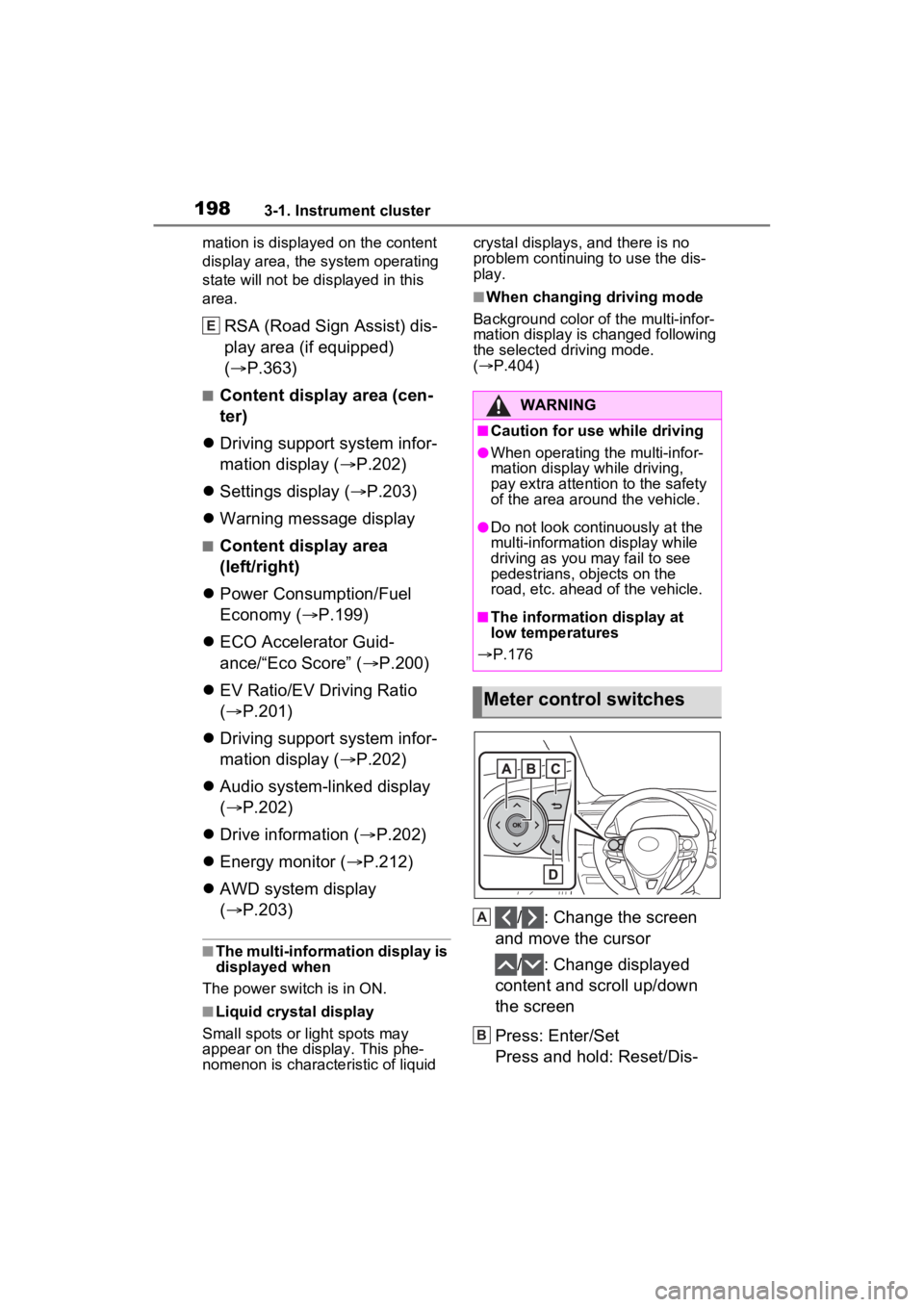
/ : Change the screen
and move the cursor
/ : Change displayed
content and scroll up/down
the screen
Press: Enter/Set
Press and hold: Reset/Dis-
E
WARNING
■Caution for use while driving
●When operating the multi-infor-
mation display while driving,
pay extra attention to the safety
of the area around the vehicle.
●Do not look continuously at the
multi-informatio n display while
driving as you may fail to see
pedestrians, objects on the
road, etc. ahead of the vehicle.
■The information display at
low temperatures
P.176
Meter control switches
A
B
Page 200 of 662

2003-1. Instrument cluster
3Contents display area (left):
Press to display contents
list.
Contents display area (right):
Press to display contents
list.
4 Press or to select the
items.
5 Press to select/deselect
items.
The display contents are differ-
ent in EV mode or AUTO EV/HV
mode, and HV mode.
EV mode or AUTO EV/HV
mode Current power consumption
Displays the instantaneous current
power consumption.
Average power consumption
Displays the average power con-
sumption since the function was
reset or the average power con-
sumption after starting.
*1, 2, 3
The average power consumption
selected by “Power Consumption”
on the screen is displayed.
(
P.191)
*1: Use the displayed power con-
sumption as a reference only.
*2: Average power consumption since the function was reset can
be reset by pressing and holding
.
*3: Average power consumption after starting is reset each time
the hybrid system stops.
HV mode
Current fuel economy
Displays the instantaneous current
fuel economy.
Average fuel economy
Displays the average fuel economy
since the function was reset or the
average fuel economy after starting
or refueling.
*1, 2, 3
WARNING
■Caution for use while driving
For safety, avoid operating the
meter control swit ches while driv-
ing as much as possible, and do
not look continuously at the multi-
information display while driving.
Stop the vehicle and operate the
meter control swit ches. Failure to
do so may cause a steering wheel
operation error, resulting in an
unexpected accident.
Power Consumption/Fuel
Economy
A
B
A
B
Page 201 of 662

2013-1. Instrument cluster
3
Vehicle status information and indicators
The average fuel economy selected
by “Fuel Economy” on the
screen is displayed. (P.191)
*1: Use the displayed fuel consump-
tion as a reference only.
*2: Average fuel economy since the function was reset can be reset
by pressing and holding .
*3: Average fuel economy after starting is reset each time the
hybrid system stops.
■Electricity consumption
When the unit is set to “MPH”:
Electricity consum ption is the con-
sumption rate of the electricity when
EV driving is performed and equiva-
lent to the fuel c onsumption for the
gasoline vehicles. F or this vehicle,
driven distance per kWh of electric-
ity consumed (“mile s/kWh”) is dis-
played as electricity consumption on
each screen.
When the unit is set to “km/h”:
Electricity consum ption is the con-
sumption rate of the electricity when
EV driving is performed and equiva-
lent to the fuel c onsumption for the
gasoline vehicles. F or this vehicle,
electricity consumed per 100 km
(“kWh/100 km”) i s displayed as
electricity consumption on each
screen.
Displays a reference operation
range for using the accelerator
pedal according to driving condi-
tions, and a score result that
evaluates the current driving
status. ECO Accelerator Guidance
“Eco Score”
■ECO Accelerator Guidance
ECO area
Shows that the vehicle is being
driven in an Eco-friendly manner.
Power area
Shows that an Eco-friendly driving
range is being exceeded (during full
power driving etc.).
Current acceleration
Reference operation range
A zone is displayed in blue under
the Eco area which can be used as
a reference operation range for
using the accelerator pedal accord-
ing to driving conditions such as
starting off and cruising.
The ECO Accelerator Guidance
display changes according to the
driving status, such as when start-
ECO Accelerator Guid-
ance/“Eco Score”
[ˆ[¦[²[c[–[¦[²[µ[¨
[–[·[¤[µ[·
[–[·[²[³
[†[µ[¸[¬[¶[¨
A
B
A
B
C
D