Page 351 of 574
3515-3. Using the storage features
5
Interior features
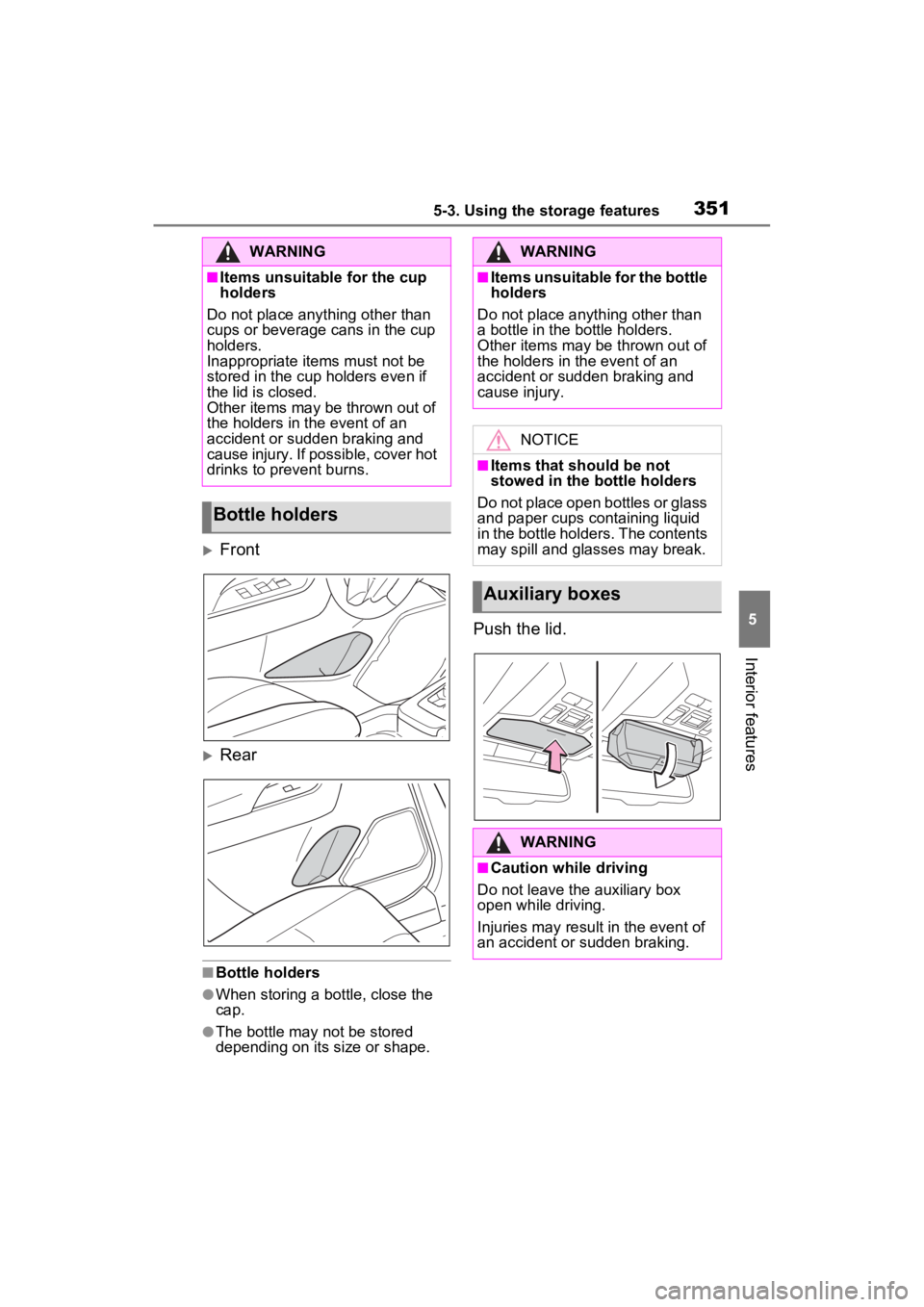
Front
Rear
■Bottle holders
●When storing a bottle, close the
cap.
●The bottle may not be stored
depending on its size or shape.
Push the lid.
WARNING
■Items unsuitable for the cup
holders
Do not place anything other than
cups or beverage cans in the cup
holders.
Inappropriate items must not be
stored in the cup holders even if
the lid is closed.
Other items may be thrown out of
the holders in the event of an
accident or sudden braking and
cause injury. If possible, cover hot
drinks to prevent burns.
Bottle holders
WARNING
■Items unsuitable for the bottle
holders
Do not place anyth ing other than
a bottle in the bottle holders.
Other items may be thrown out of
the holders in the event of an
accident or sudden braking and
cause injury.
NOTICE
■Items that should be not
stowed in the bottle holders
Do not place open bottles or glass
and paper cups containing liquid
in the bottle holders. The contents
may spill and glasses may break.
Auxiliary boxes
WARNING
■Caution while driving
Do not leave the auxiliary box
open while driving.
Injuries may resul t in the event of
an accident or sudden braking.
Page 352 of 574
3525-3. Using the storage features
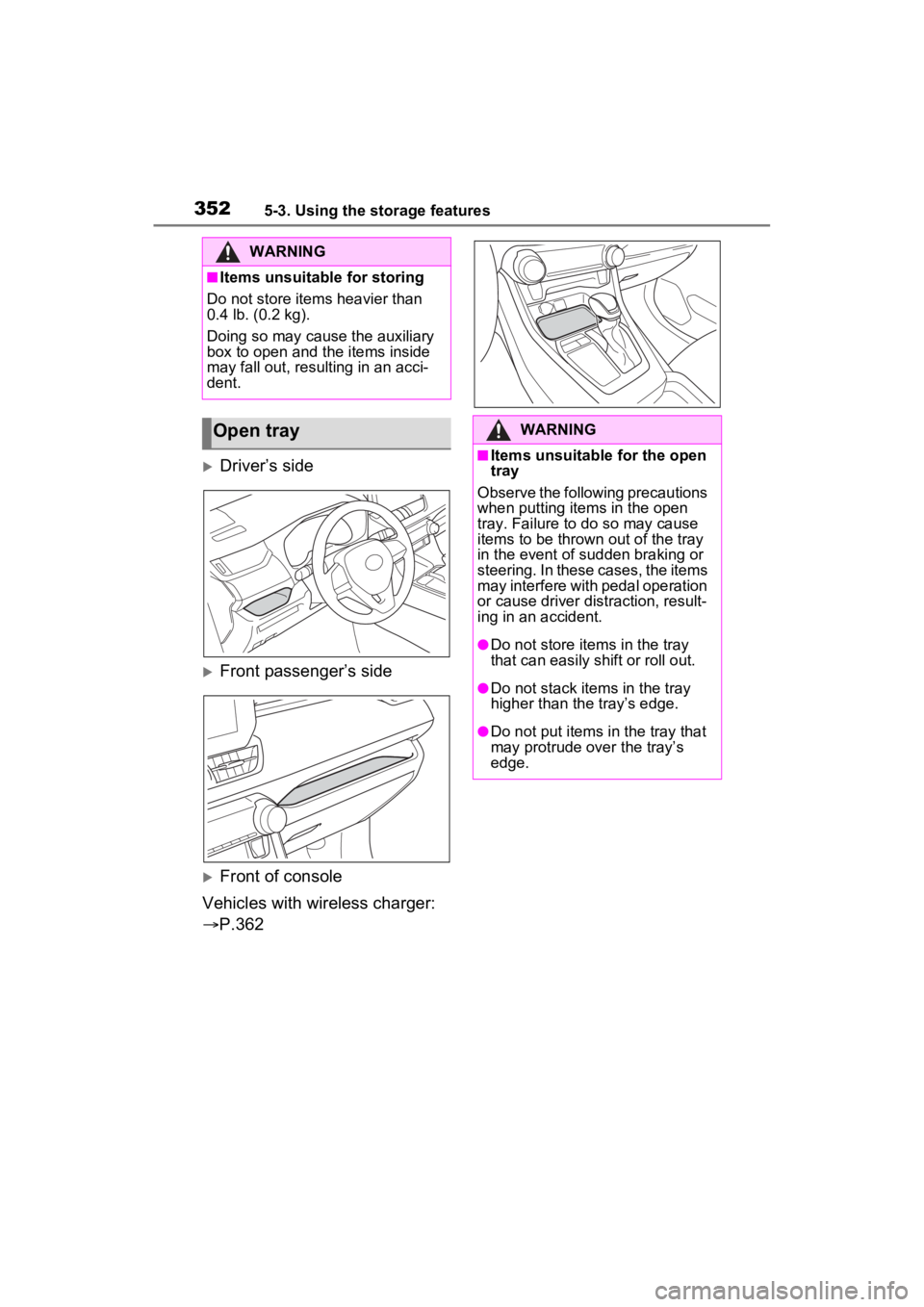
Driver’s side
Front passenger’s side
Front of console
Vehicles with wireless charger:
P.362
WARNING
■Items unsuitable for storing
Do not store items heavier than
0.4 lb. (0.2 kg).
Doing so may cause the auxiliary
box to open and the items inside
may fall out, resulting in an acci-
dent.
Open trayWARNING
■Items unsuitable for the open
tray
Observe the following precautions
when putting items in the open
tray. Failure to d o so may cause
items to be thrown out of the tray
in the event of s udden braking or
steering. In these cases, the items
may interfere with pedal operation
or cause driver distraction, result-
ing in an accident.
●Do not store ite ms in the tray
that can easily shift or roll out.
●Do not stack items in the tray
higher than the tray’s edge.
●Do not put items in the tray that
may protrude over the tray’s
edge.
Page 353 of 574
3535-3. Using the storage features
5
Interior features
Raise the hook to use.
The cargo hooks are provided for
securing loose items.
■Flipping the deck board
upside down
The deck board can be flipped
upside down (resin side up)
depending on the situation. Original position
Underside (resin side)
■Changing the deck board
positions
Height of the deck board can be
changed by setting the deck
board under the floor.
Upper
Lower
Luggage compart-
ment features
Cargo hooks
WARNING
■When cargo hooks are not in
use
To avoid injury, always return the
hooks to their stowed positions
when not in use.
Deck board
A
B
A
B
Page 354 of 574
3545-3. Using the storage features
1Pull up the tab to raise the
deck board and move it
toward you to remove.
2 Place the deck board through
the groove and move for-
ward.
■Setting the deck board
upright
When taking out the tools, the
deck board can be set upright.
When the back surface (resin sur-
face) of the deck board is facing up,
flip it back to the original position.
1 Pull up the tab to raise the
deck board and fold it for-
ward.
2 Place the edge into the
groove ( ), and with the
deck board in a standing
state, put the edge into the
holes ( ).
WARNING
■When operating the deck
board
Do not place anything on the deck
board when operating the board.
Otherwise, your fingers may be
caught or an accident may result
causing injuries.
A
B
Page 355 of 574
3555-3. Using the storage features
5
Interior features
Type A
Type B
■Removing the partition plate
Disengage the claws
■Installing the luggage cover
1 Compress the both ends of
the luggage cover and insert
into the recess to install.
2 Pull out the luggage cover
and hook it onto the anchors.
WARNING
■Caution while driving
Keep the deck board closed.
In the event of sudden braking, an
accident may occur due to an
occupant being struck by the deck
board or the items stored under
the deck board.
Side auxiliary box
Luggage cover (if
equipped)
Page 356 of 574

3565-3. Using the storage features
■Removing the luggage
cover
1 Release the cover from the
left and right anchors and
allow it to retract.
2 Compress the end of the lug-
gage cover and lift the lug-
gage cover up.
■Stowing the luggage cover
1 Open the rear deck board
and remove the side deck
covers.
When the back surface (resin sur-
face) of the deck board is facing up, remove the deck board.
2
Place the both ends of the
luggage cover into the
holder.
WARNING
■Luggage cover
●When installing/stowing the lug-
gage cover, make sure that the
luggage cover is securely
installed/stowed. Failure to do
so may result in serious injury in
the event of sudden braking or a
collision.
●Do not place anything on the
luggage cover. In the event of
sudden braking or turning, the
item may go flying and strike an
occupant. This could lead to an
unexpected accident, resulting
in death or serious injury.
●Do not allow children to climb
on the luggage cover. Climbing
on the luggage cover could
result in damage to the luggage
cover, possibly causing death or
serious injury to the child.
Page 366 of 574

3665-4. Using the other interior features
function.
■Operation sounds
A buzzing noise may be heard when
pressing the power supply switch to
turn the power supply on, when
turning the engine switch to ACC or
ON while the wireless charger
power supply is on, or when detect-
ing a portable device. However, this
is not a malfunction.
■If the smartphone OS has been
updated
If the smartphone OS has been
updated to a newer version, its
charging specifications may have
changed significantly. For details,
check the information on the manu-
facturer’s website.
■Trademark information
iPhone is a trademark of Apple Inc.,
registered in the U.S. and other
countries.
WARNING
■Caution while driving
When charging a portable device,
for safety reasons, the driver
should not operate the main part
of the portable device while driv-
ing.
■Caution while in motion
Do not charge lightweight devices
such as wireless headphones
while in motion. These devices
are very light and may be ejected
from the charging tray, which may
lead to unforeseen accidents.
■Caution regarding interfer-
ence with electronic devices
People with implantable cardiac
pacemakers, cardiac resynchroni-
zation therapy-pacemakers or
implantable cardio verters, as well
as any other electrical medical
device, should consult their physi-
cian about the usage of the wire-
less charger.
■To prevent malfunctions or
burns
Observe the following precau-
tions. Failure to do so may result
in a equipment failure and dam-
age, catch fire, bur ns due to over-
heat or electric shock.
●Do not insert any metallic
objects between the charge
area and the portable device
while charging
●Do not attach a n aluminum
sticker or other metallic object to
the charge area
●Do not attach a n aluminum
sticker or other metallic object to
the side of the portable device
(or to its case or cover) that
touches the charge area
●Do not use the ch arging tray as
a small storage space
●Do not subject to a strong force
or impact
●Do not disassemb le, modify or
remove
●Do not charge devices other
than specified portable devices
●Keep away from magnetic items
●Do not charge devices if the
charge area is covered in dust
●Do not cover with a cloth or sim-
ilar material
NOTICE
■Situations in which the func-
tion may not operate normally
Devices may not be charged nor-
mally in the following situations.
●The portable device is fully
charged
Page 368 of 574
3685-4. Using the other interior features
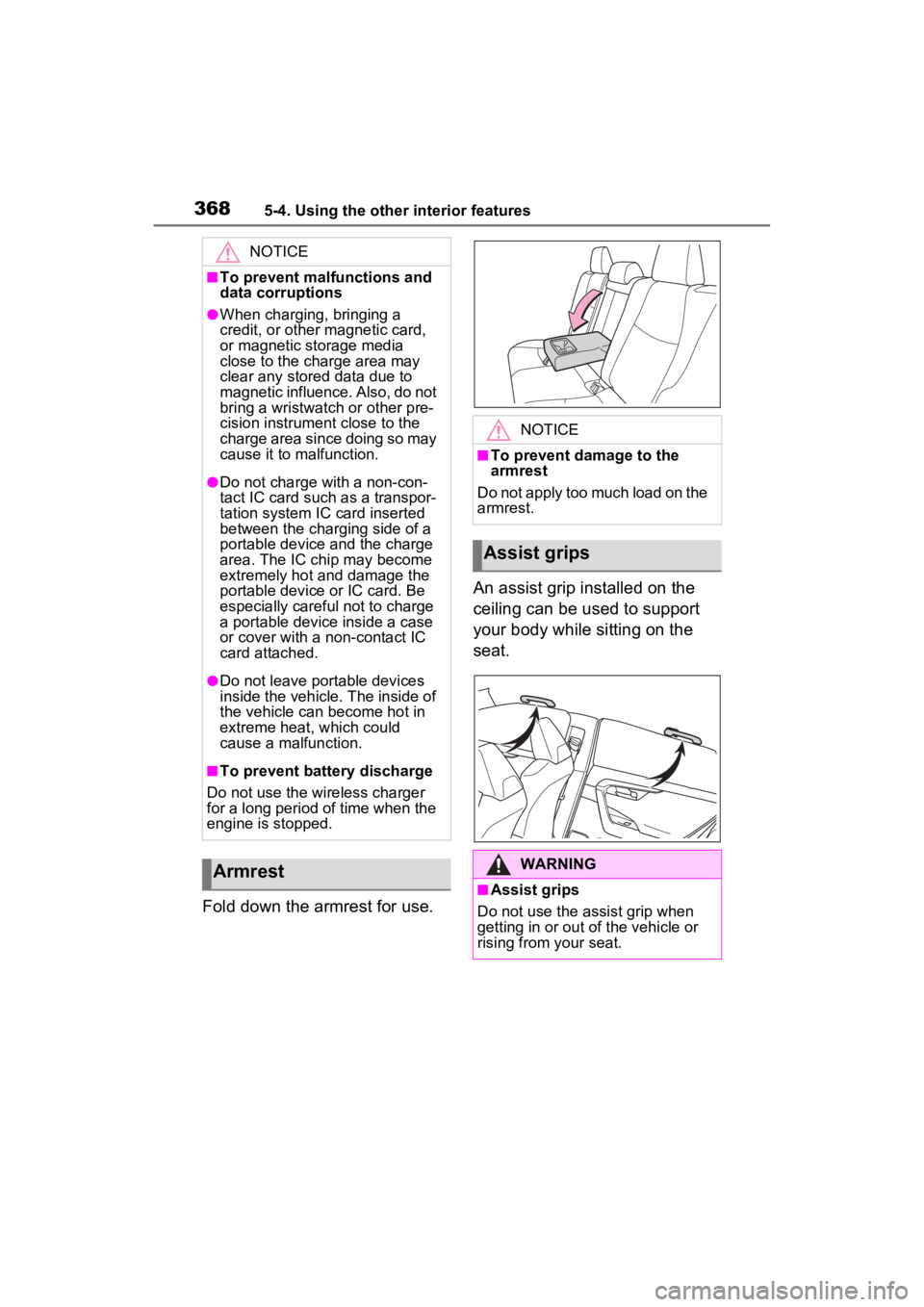
Fold down the armrest for use.An assist grip installed on the
ceiling can be used to support
your body while sitting on the
seat.
NOTICE
■To prevent malfunctions and
data corruptions
●When charging, bringing a
credit, or other magnetic card,
or magnetic storage media
close to the charge area may
clear any stored data due to
magnetic influence. Also, do not
bring a wristwatch or other pre-
cision instrument close to the
charge area since doing so may
cause it to malfunction.
●Do not charge with a non-con-
tact IC card such as a transpor-
tation system IC card inserted
between the charging side of a
portable device and the charge
area. The IC chip may become
extremely hot and damage the
portable device or IC card. Be
especially careful not to charge
a portable device inside a case
or cover with a non-contact IC
card attached.
●Do not leave portable devices
inside the vehicle. The inside of
the vehicle can
become hot in
extreme heat, which could
cause a malfunction.
■To prevent battery discharge
Do not use the wireless charger
for a long period of time when the
engine is stopped.
Armrest
NOTICE
■To prevent damage to the
armrest
Do not apply too much load on the
armrest.
Assist grips
WARNING
■Assist grips
Do not use the assist grip when
getting in or out of the vehicle or
rising from your seat.