2023 TOYOTA RAV4 HYBRID power steering
[x] Cancel search: power steeringPage 180 of 586
1783-4. Adjusting the steering wheel and mirrors
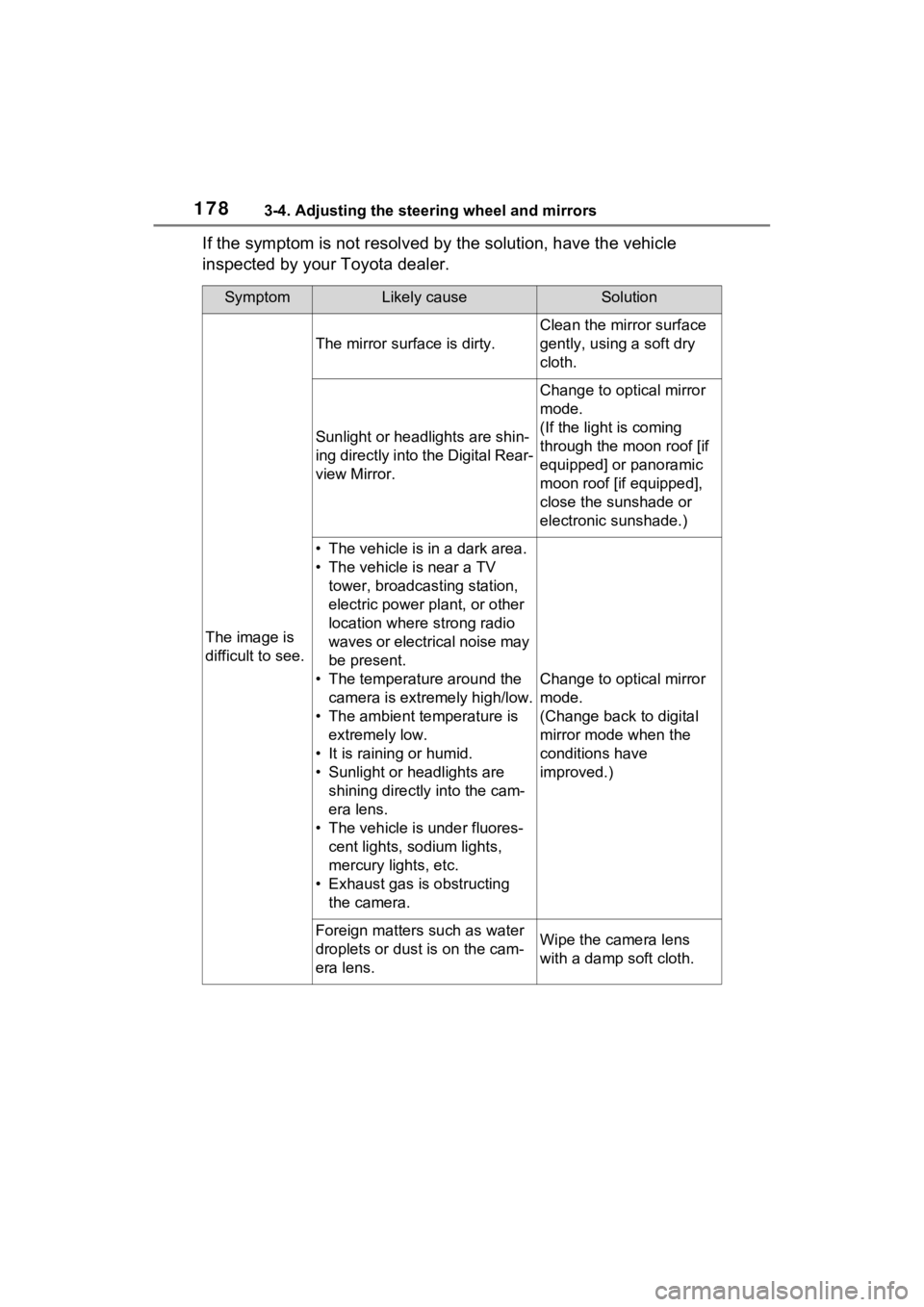
If the symptom is not resolved by the solution, have the vehicle
inspected by your Toyota dealer.
SymptomLikely causeSolution
The image is
difficult to see.
The mirror surface is dirty.
Clean the mirror surface
gently, using a soft dry
cloth.
Sunlight or headlights are shin-
ing directly into the Digital Rear-
view Mirror.
Change to optical mirror
mode.
(If the light is coming
through the moon roof [if
equipped] or panoramic
moon roof [if equipped],
close the sunshade or
electronic sunshade.)
• The vehicle is in a dark area.
• The vehicle is near a TV tower, broadcasting station,
electric power plant, or other
location where strong radio
waves or electrical noise may
be present.
• The temperature around the camera is extremely high/low.
• The ambient te mperature is
extremely low.
• It is raining or humid.
• Sunlight or headlights are shining directly into the cam-
era lens.
• The vehicle is under fluores- cent lights, sodium lights,
mercury lights, etc.
• Exhaust gas is obstructing the camera.
Change to optical mirror
mode.
(Change back to digital
mirror mode when the
conditions have
improved.)
Foreign matters such as water
droplets or dust is on the cam-
era lens.Wipe the camera lens
with a damp soft cloth.
Page 184 of 586
1823-4. Adjusting the steering wheel and mirrors
■Mirror angle can be adjusted
when
The power switch i s in ACC or ON.
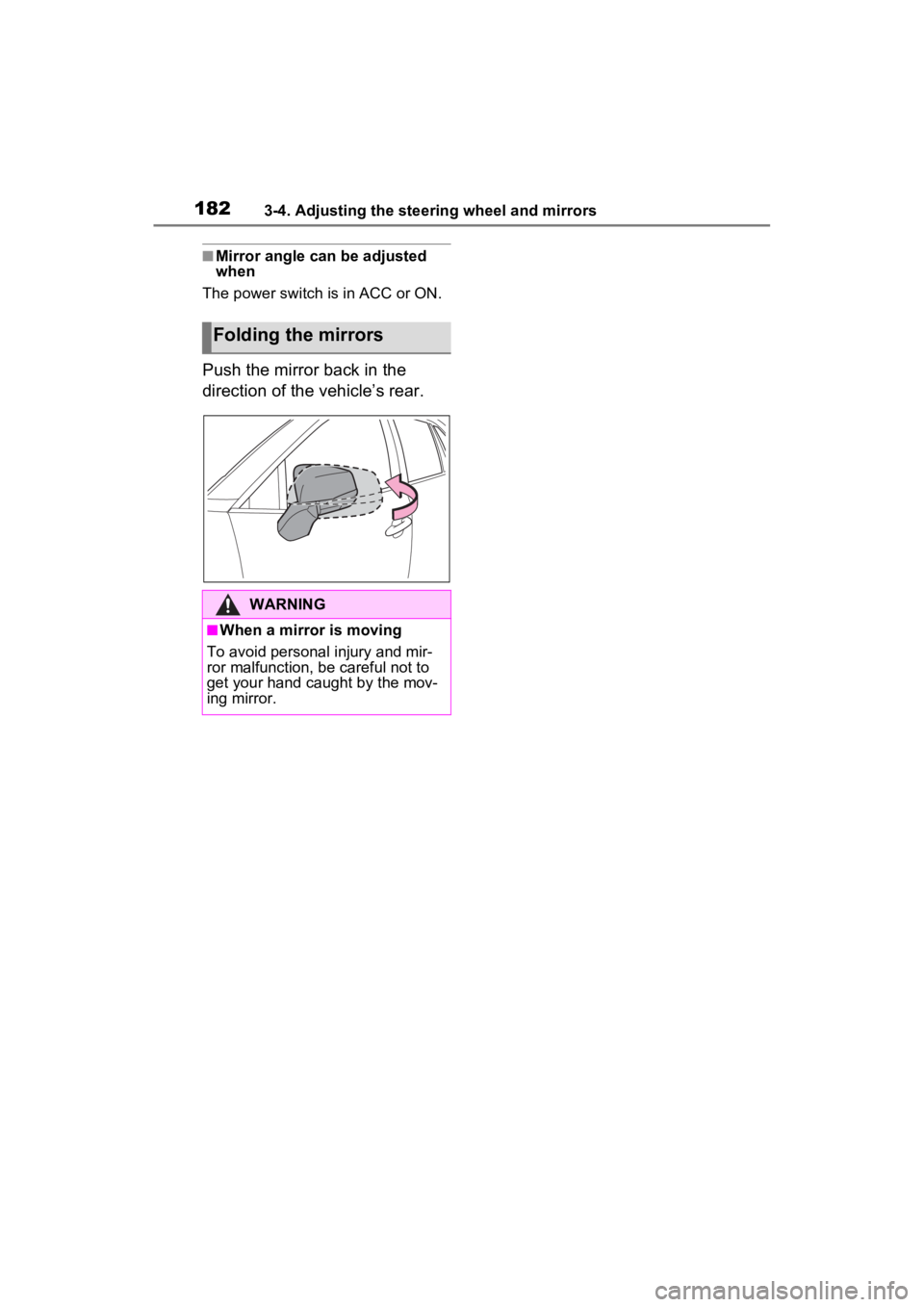
Push the mirror back in the
direction of the vehicle’s rear.
Folding the mirrors
WARNING
■When a mirror is moving
To avoid personal injury and mir-
ror malfunction, be careful not to
get your hand caught by the mov-
ing mirror.
Page 199 of 586

1974-1. Before driving
4
Driving
WARNING
■When driving the vehicle
●Do not drive if y ou are unfamil-
iar with the location of the brake
and accelerator pedals to avoid
depressing the wrong pedal.
• Accidentally depressing the accelerator pedal instead of the
brake pedal will result in sudden
acceleration that may lead to an
accident.
• When backing up, you may twist your body around, leading to a
difficulty in operating the pedals.
Make sure to operate the pedals
properly.
• Make sure to keep a correct driving posture even when mov-
ing the vehicle only slightly. This
allows you to depress the brake
and accelerator pedals properly.
• Depress the brake pedal using your right foot. Depressing the
brake pedal using your left foot
may delay respon se in an emer-
gency, resulting in an accident.
●The driver should pay extra
attention to pedestrians when
the vehicle is powered only by
the electric motor (traction
motor). As there is no engine
noise, the pedestrians may mis-
judge the vehicle’s movement.
Even though the vehicle is
equipped with the Acoustic
Vehicle Alerting System, drive
with care as pedestrians in the
vicinity may still not notice the
vehicle if the surrounding area
is noisy.
●Do not drive the vehicle over or
stop the vehicle near flammable
materials such as leaves, paper
or rags.
The exhaust system and
exhaust gases can be
extremely hot. These hot parts
may cause a fire if there is any
flammable material nearby.
●During normal driving, do not
turn off the hybrid system. Turn-
ing the hybrid s ystem off while
driving will not cause loss of
steering or braking control, how-
ever, power assist to the steer-
ing will be lost. This will make it
more difficult to steer smoothly,
so you should pull over and stop
the vehicle as soon as it is safe
to do so. In the event of an
emergency, such as if it
becomes impossible to stop the
vehicle in the normal way:
P.449
●Use engine braking (downshift)
to maintain a safe speed when
driving down a steep hill.
Using the brakes continuously
may cause the brakes to over-
heat and lose effectiveness.
( P.226)
●Do not adjust the position of the
steering wheel, the seat, or the
inside or outside rear view mir-
rors while driving.
Doing so may result in a loss of
vehicle control.
●Always check that all passen-
gers’ arms, head or other parts
of their body are not outside the
vehicle.
●Do not drive in excess of the
speed limit. Even if the legal
speed limit permits it, do not
drive over 85 mph (140 km/h)
unless your vehicle has high-
speed capability tires. Driving
over 85 mph (140 km/h) may
result in tire fa ilure, loss of con-
trol and possible injury. Be sure
to consult a tire dealer to deter-
mine whether the tires on your
vehicle are high-speed capabil-
ity tires or not before driving at
such speeds.
Page 202 of 586
2004-1. Before driving
WARNING
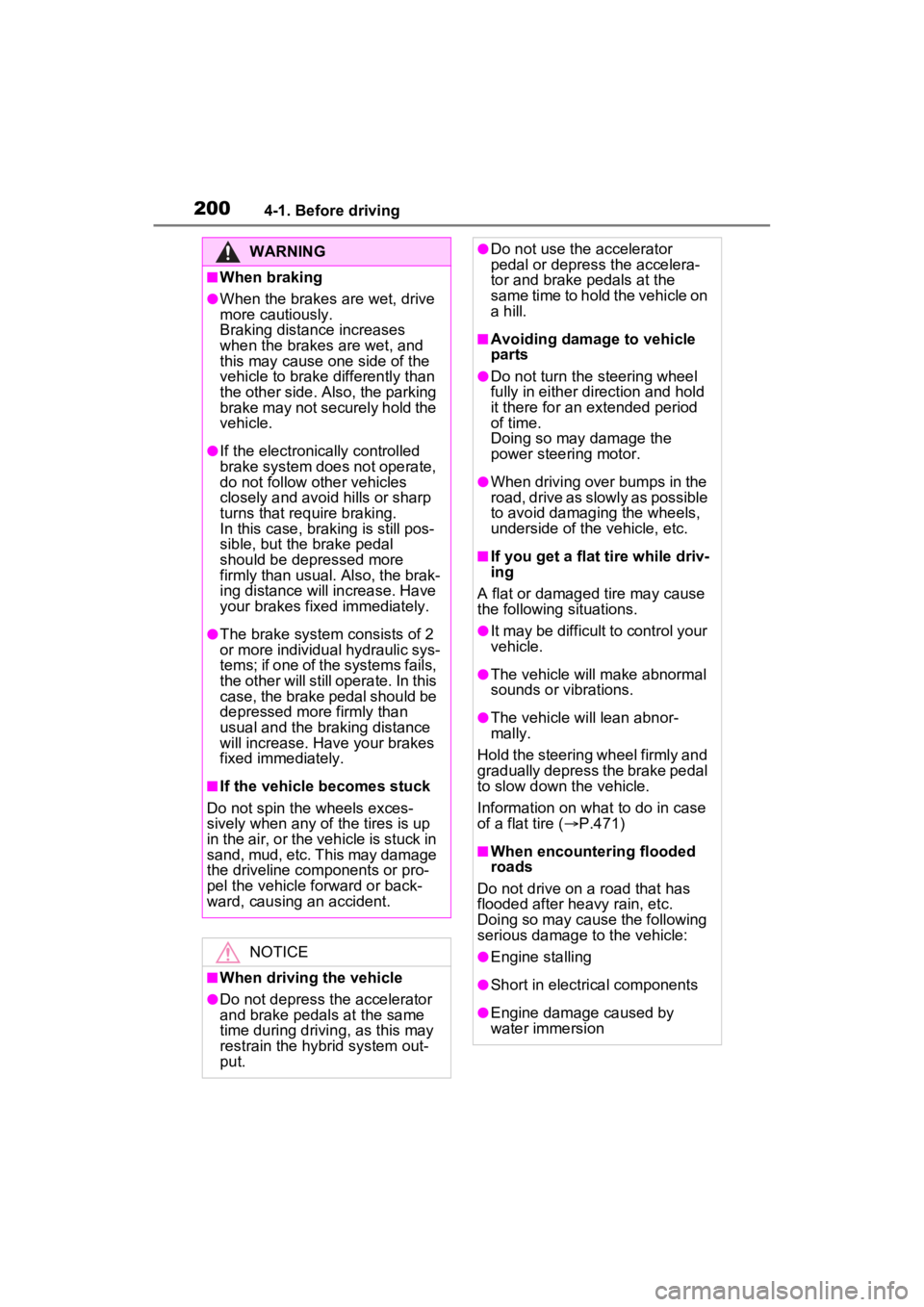
■When braking
●When the brakes are wet, drive
more cautiously.
Braking distance increases
when the brakes are wet, and
this may cause one side of the
vehicle to brake differently than
the other side. Also, the parking
brake may not securely hold the
vehicle.
●If the electroni cally controlled
brake system does not operate,
do not follow other vehicles
closely and avoid hills or sharp
turns that require braking.
In this case, braking is still pos-
sible, but the brake pedal
should be depressed more
firmly than usual. Also, the brak-
ing distance will increase. Have
your brakes fixed immediately.
●The brake system consists of 2
or more individual hydraulic sys-
tems; if one of the systems fails,
the other will still operate. In this
case, the brake pedal should be
depressed more firmly than
usual and the braking distance
will increase. Have your brakes
fixed immediately.
■If the vehicle becomes stuck
Do not spin the wheels exces-
sively when any of the tires is up
in the air, or the vehicle is stuck in
sand, mud, etc. This may damage
the driveline components or pro-
pel the vehicle forward or back-
ward, causing an accident.
NOTICE
■When driving the vehicle
●Do not depress t he accelerator
and brake pedals at the same
time during drivin g, as this may
restrain the hybrid system out-
put.
●Do not use the accelerator
pedal or depress the accelera-
tor and brake pedals at the
same time to hold the vehicle on
a hill.
■Avoiding damage to vehicle
parts
●Do not turn the steering wheel
fully in either direction and hold
it there for an extended period
of time.
Doing so may damage the
power steering motor.
●When driving over bumps in the
road, drive as slowly as possible
to avoid damaging the wheels,
underside of the vehicle, etc.
■If you get a flat tire while driv-
ing
A flat or damaged tire may cause
the following situations.
●It may be difficult to control your
vehicle.
●The vehicle will make abnormal
sounds or vibrations.
●The vehicle will lean abnor-
mally.
Hold the steering wheel firmly and
gradually depress the brake pedal
to slow down the vehicle.
Information on what to do in case
of a flat tire ( P.471)
■When encountering flooded
roads
Do not drive on a road that has
flooded after heavy rain, etc.
Doing so may cause the following
serious damage to the vehicle:
●Engine stalling
●Short in electrical components
●Engine damage caused by
water immersion
Page 219 of 586
2174-2. Driving procedures
4
Driving
4-2.Driving procedures
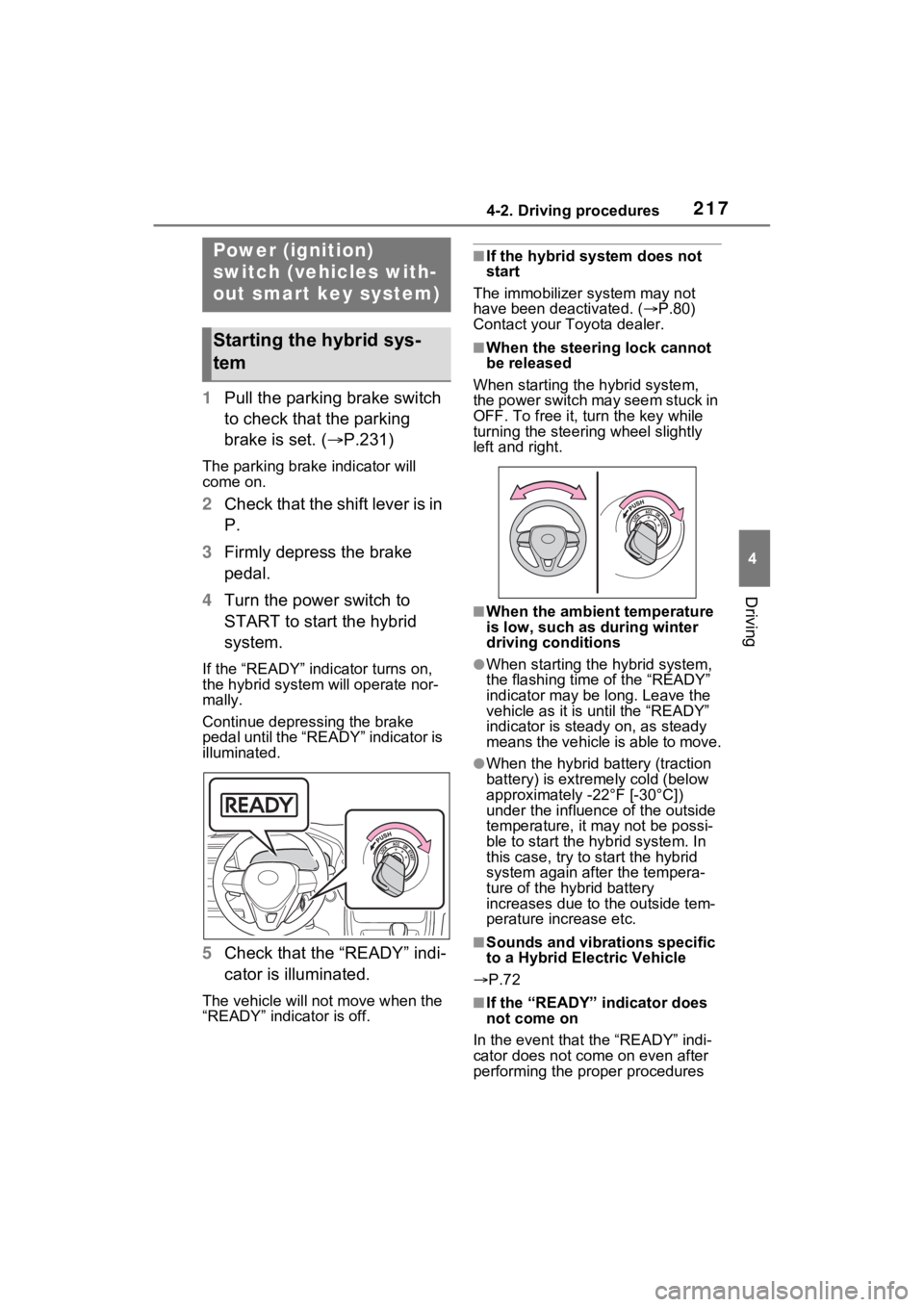
1Pull the parking brake switch
to check that the parking
brake is set. ( P.231)
The parking brake indicator will
come on.
2Check that the shift lever is in
P.
3 Firmly depress the brake
pedal.
4 Turn the power switch to
START to start the hybrid
system.
If the “READY” indicator turns on,
the hybrid system will operate nor-
mally.
Continue depressing the brake
pedal until the “READY” indicator is
illuminated.
5Check that the “READY” indi-
cator is illuminated.
The vehicle will not move when the
“READY” indicator is off.
■If the hybrid system does not
start
The immobilizer system may not
have been deactivated. ( P.80)
Contact your Toyota dealer.
■When the steering lock cannot
be released
When starting the hybrid system,
the power switch may seem stuck in
OFF. To free it, turn the key while
turning the steering wheel slightly
left and right.
■When the ambient temperature
is low, such as during winter
driving conditions
●When starting th e hybrid system,
the flashing time of the “READY”
indicator may be long. Leave the
vehicle as it is until the “READY”
indicator is steady on, as steady
means the vehicle is able to move.
●When the hybrid battery (traction
battery) is extremely cold (below
approximately -22°F [-30°C])
under the influenc e of the outside
temperature, it ma y not be possi-
ble to start the hybrid system. In
this case, try to start the hybrid
system again after the tempera-
ture of the hybrid battery
increases due to the outside tem-
perature increase etc.
■Sounds and vibrations specific
to a Hybrid El ectric Vehicle
P.72
■If the “READY” indicator does
not come on
In the event that the “READY” indi-
cator does not come on even after
performing the proper procedures
Power (ignition)
switch (vehicles with-
out smart key system)
Starting the hybrid sys-
tem
Page 220 of 586

2184-2. Driving procedures
for starting the vehicle, contact your
Toyota dealer immediately.
■When “Check Fuel Cap” is dis-
played on the multi-information
display
P.251
■If the hybrid system is malfunc-
tioning
P.79
OFF (“LOCK” position)
The steering wheel is locked and
the key can be re moved. (The key
can be removed only when the shift
lever is in P.)
ACC (“ACC” position)
Some electrical components such
as the audio sys tem can be used.
ON (“ON” position)
All electrical components can be
used.
START (“START” position)
For starting the hybrid system.
■Turning the key from ACC to
OFF
1 Shift the shift lever to P.
2 Push in the key and turn it to
OFF.
■Key reminder function
A buzzer sounds if the driver’s door
is opened while the power switch is
in OFF or ACC to remind you to
remove the key.
WARNING
■When starting the hybrid sys-
tem
Always start the hybrid system
while sitting in the driver’s seat.
Do not depress the accelerator
pedal while starting the hybrid
system under any circumstances.
Doing so may cause an accident
resulting in dea th or serious
injury.
NOTICE
■When starting the hybrid sys-
tem
If the hybrid system becomes diffi-
cult to start, have your vehicle
checked by your Toyota dealer
immediately.
Changing power switch
modes
A
:$51,1*
■Caution when driving
Do not turn the power switch to
OFF while driving. If, in an emer-
gency and you must turn the
hybrid system off while the vehicle
is moving, turn the power switch
only to ACC to stop the hybrid
system. An accident may result if
the hybrid system is stopped
while driving. ( P.449)
B
C
D
Page 224 of 586

2224-2. Driving procedures
feature will be re-enabled if the
driver’s door is opened.
Modes can be changed by
pressing the power switch with
the brake pedal released. (The
mode changes each time the
switch is pressed.)
WARNING
■Stopping the hybrid system
in an emergency
●If you want to stop the hybrid
system in an emergency while
driving the vehicle, press and
hold the power switch for more
than 2 seconds, or press it
briefly 3 times or more in suc-
cession. (P.449)
However, do not touch the
power switch while driving
except in an emergency. Turn-
ing the hybrid system off while
driving will not cause loss of
steering or braking control, how-
ever, power assist to the steer-
ing will be lost. This will make it
more difficult to steer smoothly,
so you should pull over and stop
the vehicle as soon as it is safe
to do so.
●If the power switch is operated
while the vehicle is running, a
warning message will be shown
on the multi-info rmation display
and a buzzer sounds.
●When restarting the hybrid sys-
tem after an emergency shut-
down, shift the shift lever to N
and press the power switch
shortly and firmly.
■When parking
Exhaust gases include harmful
carbon monoxide (CO), which is
colorless and odorless. Observe
the following precautions.
Failure to do so may cause
exhaust gases to enter the vehicle
and may lead to an accident
caused by light-headedness, or
may lead to death or a serious
health hazard.
●If the vehicle is in a poorly venti-
lated area or a closed area,
such as a garage, stop the
hybrid system.
●Do not leave the vehicle with
the hybrid system operating for
a long time. If such a situation
cannot be avoided, park the
vehicle in an open space and
ensure that exhaust fumes do
not enter the ve hicle interior.
●Do not leave the hybrid system
operating in an area with snow
build-up, or where it is snowing.
If snowbanks build up around
the vehicle while the hybrid sys-
tem is operating, exhaust gases
may collect and enter the vehi-
cle.
Changing power switch
modes
Page 263 of 586
2614-5. Using the driving support systems
4
Driving
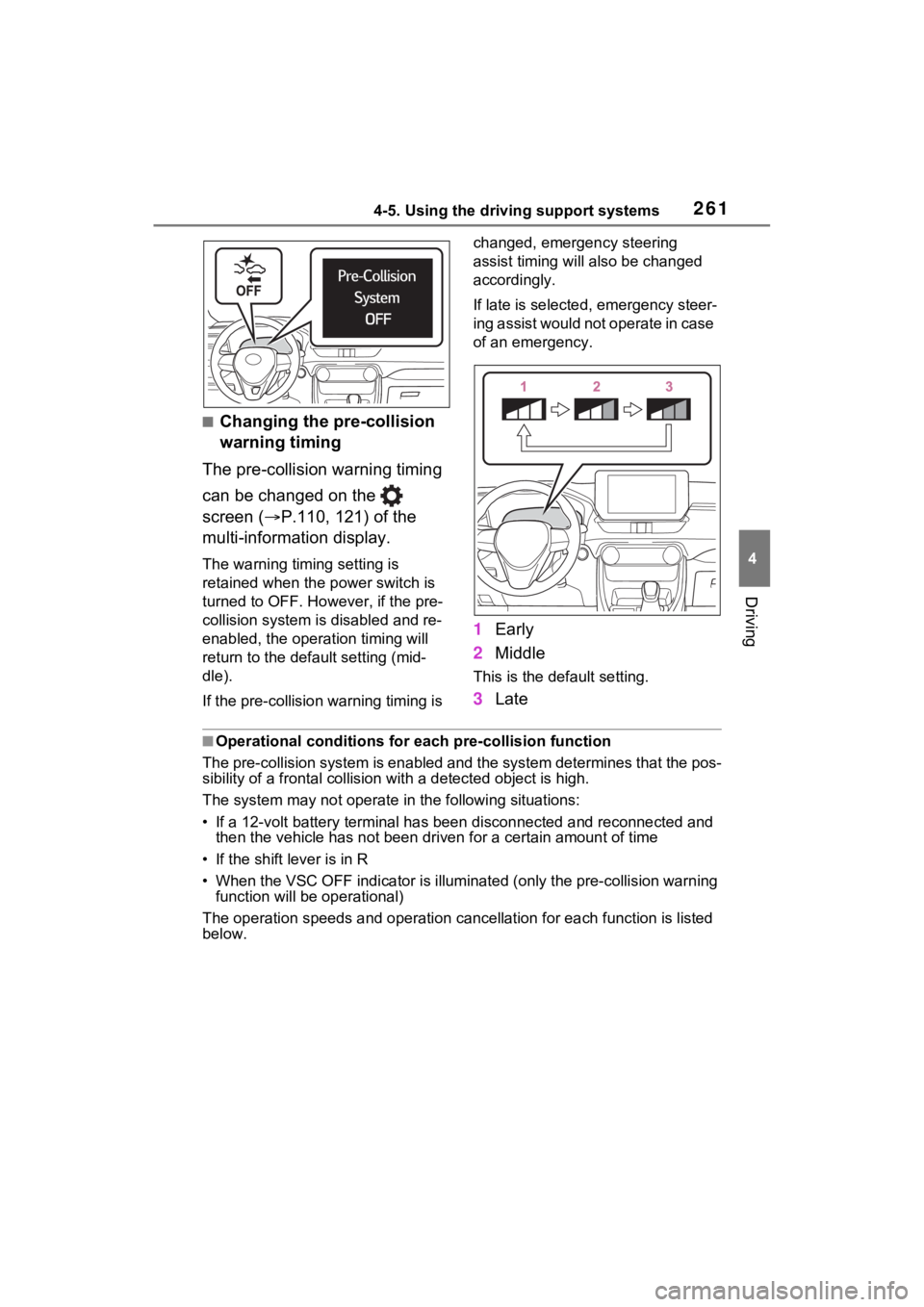
■Changing the pre-collision
warning timing
The pre-collision warning timing
can be changed on the
screen ( P.110, 121) of the
multi-information display.
The warning timing setting is
retained when the power switch is
turned to OFF. Howe ver, if the pre-
collision system is disabled and re-
enabled, the operation timing will
return to the default setting (mid-
dle).
If the pre-collision warning timing is changed, emergency steering
assist timing will also be changed
accordingly.
If late is selected, emergency steer-
ing assist would not
operate in case
of an emergency.
1 Early
2 Middle
This is the default setting.
3Late
■Operational conditions for e ach pre-collision function
The pre-collision syst em is enabled and the system determines t hat the pos-
sibility of a frontal c ollision with a detected object is high.
The system may not operate in the following situations:
• If a 12-volt battery terminal has been di sconnected and reconn ected and
then the vehicle has not been dr iven for a certain amount of time
• If the shift lever is in R
• When the VSC OFF indicator is illuminated (only the pre-collision warning
function will be operational)
The operation speeds and operati on cancellation for each function is listed
below.