2023 TOYOTA COROLLA ESP
[x] Cancel search: ESPPage 230 of 468
2304-5. Using the driving support systems
Operation of this system is sep-
arated into 4 control states.
Emergency Driving
Stop System
The emergency driving stop
system is a system which
automatically decelerates
and stops the vehicle within
its lane if the driver
becomes unable to continue
driving the vehicle, such as
if they have suffered a medi-
cal emergency, etc.
During LTA (Lane Tracing
Assist) control, if the sys-
tem does not detect driving
operations, such as if the
driver is not holding the
steering wheel, and deter-
mines the driver is not
responsive, the vehicle will
be decelerated and stopped
within its current lane to
help avoid a collision or
reduce the impact of a colli-
sion.
WARNING
■For safe use
●Driving safely is solely the
responsibility of the driver. Pay
careful attention to the sur-
rounding conditions in order to
ensure safe driving. The emer-
gency driving stop system is
designed to provide support in
an emergency where it is diffi-
cult for the driver to continue
driving, such as if they have had
a medical emergency. It is not
designed to support driving
while drowsy or in poor physical
health, or inattentive driving.
●Although the emergency driv-
ing stop system is designed to
decelerate the vehicle within its
lane to help avoid or help
reduce the impact of a collision
if the system determines that it
is difficult for the driver to con-
tinue driving, its effectiveness
may change according to vari-
ous conditions. Therefore, it
may not always be able to
achieve the same level of per-
formance. Also, if the operating
conditions are not met, this
function will not operate.
●After the emergency driving
stop system operates, if driving
becomes possible again, imme-
diately begin driving again or, if
necessary, park the vehicle on
the shoulder of the road and set
a warning reflecto r and flare to
warn other drivers of your
stopped vehicle.
●After this system operates, pas-
sengers should attend to the
driver as necessary and take
appropriate hazard prevention
measures, such as moving to a
place where safety can be
ensured, such as the shoulder
of the road or behind a guard-
rail.
●This system detects the condi-
tion of the driver through the
operation of the steering wheel.
This system may operate if the
driver is aware but intentionally
and continuously does not oper-
ate the vehicle. Also, the system
may not operate if it cannot
determine that the driver is not
responsive, such as if they are
leaning on the steering wheel.
Summary of the system
Page 231 of 468
2314-5. Using the driving support systems
4
Driving
Through control state “warning
phase 1” and “warning phase 2”,
the system determines if the
driver is aware and responsive
while outputting a warning and
controlling the vehicle speed. If
the system determines the
driver is not responsive, it will
operate in control state “deceler-
ation stop phase” and “stop hold
phase” and decelerate and stop
the vehicle. It will then operate
continuously in “stop hold
phase”.
■Operating conditions
This system opera tes when all of
the following cond itions are met:
●When the LTA is on
●When the vehicle speed is
approximately 30 mph (50 km/h)
or more
■Operation cancelation condi-
tions
In the following si tuations, system
operation will be canceled:
●When LTA control has been can-
celed (the LTA switch has been
pressed, etc.)
●When the dynamic radar cruise
control has been canceled
●When driver operations are
detected (the steering wheel is
held, the brake pedal, accelerator
pedal, parking brake, hazard light
switch, or turn sig nal lever is oper-
ated)
●When the driving assist switch is
pressed while in the stop and hold
phase
●When the engine switch has been
turned from ON to off
●Situations in whic h some or all of
the functions of the system cannot operate:
P. 1 8 9
■LTA control when operation is
canceled
When emergency driving stop sys-
tem operation is canceled, LTA con-
trol may also be canceled.
If driving operations are not
detected after the hands off
steering wheel warning oper-
ates, a buzzer will sound inter-
mittently and a message will be
displayed to warn the driver, and
the system will judge if the driver
is responsive or not. If driving
operations, such as holding the
steering wheel, are not per-
formed within a certain amount
of time, the system will enter
warning phase 2.
After entering warning phase 2,
a buzzer will sound in short
intervals and a message will be
displayed to warn the driver, and
the vehicle will slowly deceler-
ate. If driving operations, such
as holding the steering wheel,
are not performed within a cer-
tain amount of time, the system
will determine that the driver is
not responsive and enter the
deceleration stop phase.
The audio system will be muted
until the driver becomes respon-
sive.
When the vehicle is decelerating,
Warning phase 1
Warning phase 2
Page 232 of 468

2324-5. Using the driving support systems
the brake lights may illuminate,
depending on the road conditions,
etc.
After entering the deceleration
stop phase, a buzzer will sound
continuously and a message will
be displayed to warn the driver,
and the vehicle will slowly decel-
erate and stop. After the vehicle
stops, the system will enter the
stop and hold phase.
After the vehicle is stopped, the
parking brake will be applied
automatically. After entering the
stop and hold phase, the buzzer
will continue sounding continu-
ously, the emergency flashers
(hazard lights) will flash to warn
other drivers of the emergency.
*: If equippedDeceleration stop phase
Stop hold phase
BSM (Blind Spot Moni-
tor)*
The Blind Spot Monitor is a
system that uses rear side
radar sensors installed on
the inner side of the rear
bumper on the left and right
side to assist the driver in
confirming safety when
changing lanes.
WARNING
■Cautions regarding the use of
the system
●The driver is solely responsible
for safe driving. Always drive
safely, taking care to observe
your surroundings.
●The Blind Spot Monitor is a sup-
plementary function which alerts
the driver that a vehicle is in a
blind spot of the outside rear
view mirrors or is approaching
rapidly from behind into a blind
spot. Do not overly rely on the
Blind Spot Monitor. As the func-
tion cannot judge if it is safe to
change lanes, over reliance
could lead to an accident result-
ing in death or serious injury. As
the system may not function
correctly under certain condi-
tions, the driver’s own visual
confirmation of safety is neces-
sary.
Page 233 of 468

2334-5. Using the driving support systems
4
Driving
Meter control switches
Turning the Blind Spot Monitor
on/off.
Outside rear view mirror indi-
cators
When a vehicle is detected in a
blind spot of the outside rear view
mirrors or approaching rapidly from
behind into a blind spot, the outside
rear view mirror indicator on the
detected side will illuminate. If the
turn signal lever is operated toward
the detected side, the outside rear
view mirror indicator flashes.
Driving assist information
indicator
Illuminates when the Blind Spot
Monitor is turned of f. At this time,
“Blind Spot Monitor OFF” will be
displayed on the multi-information
display.
■Outside rear view mirror indica-
tor visibility
In strong sunlight, the outside rear
view mirror indicato r may be difficult
to see.
■Customization
Some functions can be customized.
( P.412)
System componentsWARNING
■To ensure the system can
operate properly
Blind Spot Monitor sensors are
installed behind the left and right
sides of the rear bumper respec-
tively. Observe the following to
ensure the Blind Spot Monitor can
operate correctly.
●Keep the sensors and the sur-
rounding areas on the rear
bumper clean at all times.
If a sensor or its surrounding area
on the rear bumper is dirty or cov-
ered with snow, the Blind Spot
Monitor may not operate and a
warning message will be dis-
played. In this situation, clear off
the dirt or snow and drive the
vehicle with the operation condi-
tions of the BSM function
(
P.235) satisfied for approxi-
mately 10 minutes. If the warning
message does not disappear,
have the vehicle inspected by
your Toyota dealer.
●Do not attach a ccessories,
stickers (including transparent
stickers), aluminum tape, etc. to
a sensor or its surrounding area
on the rear bumper.
Page 237 of 468

2374-5. Using the driving support systems
4
Driving
Monitor is turned on
• When towing with the vehicle
●Instances of the Blind Spot Moni-
tor unnecessarily d etecting a vehi-
cle and/or object may increase in
the following situations:
• When the sensor is misaligned
due to a strong impact to the sen-
sor or its surrounding area
• When the distance between your vehicle and a guardrail, wall, etc.
that enters the detection area is
short
• When driving up and down con-
secutive steep inclines, such as
hills, dips in the road, etc.
• When vehicle lanes are narrow, or
when driving on the edge of a
lane, and a vehicle traveling in a
lane other than the adjacent lanes
enters the detection area
• When driving on roads with sharp bends, consecutive curves, or
uneven surfaces
• When the tires are slipping or spinning
• When the distance between your vehicle and a following vehicle is
short
• When an accessory (such as a bicycle carrier) is installed to the
rear of the vehicle
• When towing with the vehicle
*: If equipped
Meter control switches
RCTA (Rear Cross Traf-
fic Alert) function*
The RCTA function uses the
BSM rear side radar sensors
installed behind the rear
bumper. This function is
intended to assist the driver
in checking areas that are
not easily visible when
backing up.
WARNING
■Cautions regarding the use of
the system
The driver is solely responsible for
safe driving. Always drive safely,
taking care to observe your sur-
roundings. The RCTA function is
only a supplementary function
which alerts the driver that a vehi-
cle is approaching from the right
or left at the rear of the vehicle. As
the RCTA function may not func-
tion correctly under certain condi-
tions, the driver’s own visual
confirmation of safety is neces-
sary. Over reliance on this func-
tion may lead to an accident
resulting death or serious injury.
System components
Page 243 of 468

2434-5. Using the driving support systems
4
Driving
*: If equipped
Multi-information display
Turning the safe exit assist on/off.
When the system determines that
the possibility of a collision with a
door is high, the target door is dis-
played on the multi-information dis-
play. Also, if the door is opened
when the outside r ear view mirror
indicator is illuminated, a buzzer
will sound as a warning.
Outside rear view mirror indi-
cators
When a vehicle or bicycle which
may collide with a door when
opened is detected, the outside
rear view mirror indicator on the
detected side will illuminate. When
a door on the de tected side is
opened, the outside rear view mir-
ror indicator will flash.
Driving assist information
indicator
Illuminates when the safe exit
assist is turned off. At this time,
“Safe Exit Assist OFF” will be dis-
played on the multi-information dis-
play.
■Outside rear vie w mirror indica-
tor visibility
In strong sunlight, the outside rear
Safe Exit Assist*
The safe exit assist is a sys-
tem that uses rear side
radar sensors installed on
the inner side of the rear
bumper to help occupants
judge if an approaching
vehicle or bicycle may col-
lide with a door when open-
ing it or cancel opening of
the door, to reduce the pos-
sibility of a collision.
WARNING
■Cautions regarding the use of
the system
●The driver is solely responsible
for safe driving. Always drive
safely, taking care to observe
your surroundings.
●The safe exit assist is a supple-
mentary system that, when the
vehicle is stopped, informs
occupants of the existence of
approaching vehicles and bicy-
cles. As this system alone can-
not be used to judge safety,
over-reliance on this system
may lead to an accident result-
ing in death or serious injury.
In certain situations, this system
may not function to its fullest
extent. Therefore it is necessary
for the occupants to visually
check for safety directly and using
the mirrors.
System components
Page 244 of 468

2444-5. Using the driving support systems
view mirror indicator may be difficult
to see.
■Buzzer
If the volume setting of the audio
system is high or the surrounding
area is loud, it may be difficult to
hear the buzzer.
■Customization
Some functions can be customized.
( P.412)
The safe exit assist can be
enabled/disabled on
(4.2-inch display) or (7-inch
display) of the multi-information
display. ( P.412)
When the safe exit assist is off,
the driving assist information
WARNING
■To ensure the system can
operate properly
Safe exit assist sensors are
installed behind the left and right
sides of the rear bumper respec-
tively. Observe the following to
ensure the safe exit assist can
operate correctly.
●Keep the sensors and the sur-
rounding areas on the rear
bumper clean at all times.
If a sensor or its surrounding area
on the rear bumper is dirty or cov-
ered with snow, the Safe Exit
Assist may not operate and a
warning message will be dis-
played. In this situation, clear off
the dirt or snow and drive the
vehicle with the operation condi-
tions of the SEA function satisfied
for approximately 10 minutes. If
the warning message does not
disappear, have the vehicle
inspected by your Toyota dealer.
●Do not attach a ccessories,
stickers (including transparent
stickers), aluminum tape, etc. to
a sensor or its surrounding area
on the rear bumper.
●Do not subject a sensor or its
surrounding area on the rear
bumper to a strong impact.
If a sensor is moved even
slightly off position, the system
may malfunction and vehicles
may not be detected correctly.
In the following si tuations, have
your vehicle inspected by your
Toyota dealer.
• A sensor or its surrounding area is subject to a strong impact.
• If the surrounding area of a sen- sor is scratched or dented, or
part of them h as become dis-
connected.
●Do not disassemble the sensor.
●Do not modify the sensor or sur-
rounding area on the rear
bumper.
●If a sensor or the rear bumper
needs to be removed/installed
or replaced, contact your Toyota
dealer.
●Do not paint the rear bumper
any color other t han an official
Toyota color.
Turning the Safe exit
assist system ON/OFF
Page 247 of 468
2474-5. Using the driving support systems
4
Driving
approaches from behind your
vehicle at an angle
• When the vehicle is stopped at an
angle to the road
• When a vehicle or bicycle approaches from behind a parked
vehicle at an angle
• When a parked vehicle, wall, sign, person or other stationary object
is behind the vehicle
• When an approaching vehicle or bicycle suddenly changes direc-
tion
• When an approaching vehicle or bicycle is traveling along a station-
ary object, such a wall or sign
• When the trunk is open
• When a bicycle carrier, ramp, or other accessory is installed to the
back of the vehicle
• When a vehicle or bicycle is
approaching at high speed
• When towing with the vehicle
• When stopped on a steep slope
• When stopped on a curve or at the exit of a curve
*: If equipped
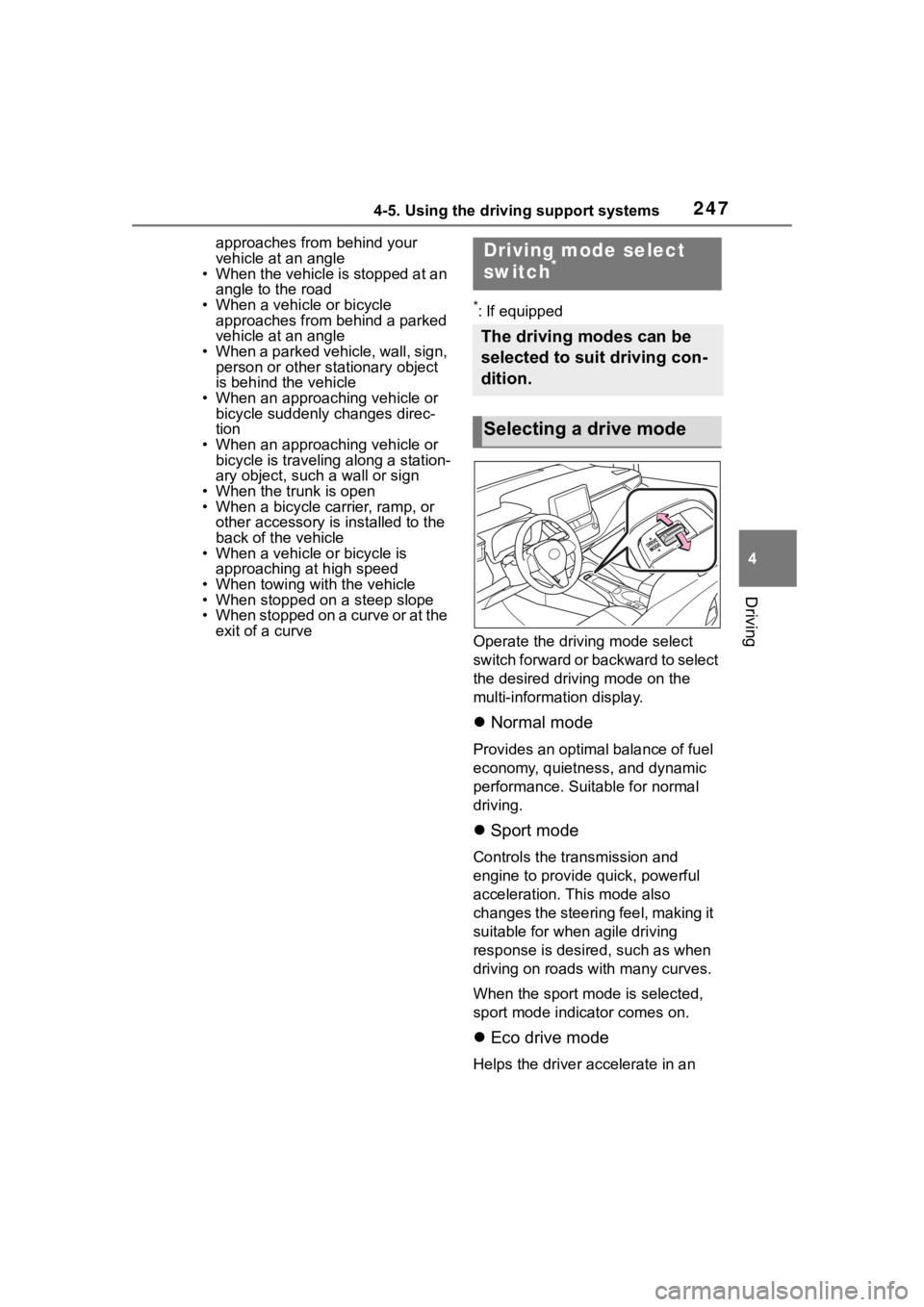
Operate the driv ing mode select
switch forward or backward to select
the desired driving mode on the
multi-information display.
Normal mode
Provides an optimal balance of fuel
economy, quietness, and dynamic
performance. Suitable for normal
driving.
Sport mode
Controls the transmission and
engine to provide quick, powerful
acceleration. This mode also
changes the steering feel, making it
suitable for when agile driving
response is desire d, such as when
driving on roads w ith many curves.
When the sport mode is selected,
sport mode indicator comes on.
Eco drive mode
Helps the driver accelerate in an
Driving mode select
switch*
The driving modes can be
selected to suit driving con-
dition.
Selecting a drive mode