2023 TOYOTA COROLLA HYBRID headlights
[x] Cancel search: headlightsPage 205 of 496

2054-5. Using the driving support systems
4
Driving
■Situations in which the sensors
may not operate properly
●When the height or inclination of
the vehicle has been changed due
to modifications
●When the windshield is dirty,
fogged up, cracked or damaged
●When the ambient temperature is
high or low
●When mud, water, snow, dead
insects, foreign matter, etc., is
attached to the front of the sensor
●When in inclement weather such
as heavy rain, fog, snow, or a
sandstorm
●When water, snow, dust, etc. is
thrown up in front of the vehicle, or
when driving through mist or
smoke
●When the headlig hts are not illu-
minated while driving in the dark,
such as at night o r when in a tun-
nel
●When the lens of a headlight is
dirty and illumination is weak
●When the headlights are mis-
aligned
●When a headlight is malfunction-
ing
●When the headlights of another
vehicle, sunlight, or reflected light
shines directly into the front cam-
era
●When the brightness of the sur-
rounding area changes suddenly
●When driving near a TV tower,
broadcasting station, electric
power plant, radar equipped vehi-
cles, etc., or other location where
strong radio waves or electrical
noise may be present
●When a wiper blade is blocking
the front camera
●When in a location or near objects
which strongly reflect radio waves,
such as the following:
• Tunnels
• Truss bridges
• Gravel roads
• Rutted, snow-covered roads
• Walls
• Large trucks
• Manhole covers
• Guardrail
• Metal plates
●When near a step or protrusion
●When a detectable vehicle is nar-
row, such as a small mobility vehi-
cle
●When a detectable vehicle has a
small front or rear end, such as an
unloaded truck
●When a detectable vehicle has a
low front or rear end, such as a
low bed trailer
●When a detectable vehicle has
extremely high ground clearance
WARNING
■Front camera installation area
on the windshield
If the system determines that the
windshield may be fogged up, it
will automatically operate the
heater to defog the part of the
windshield around the front cam-
era. When cleaning, etc., be care-
ful not to touch the area around
the front camera until the wind-
shield has cooled sufficiently, as
touching it may cause burns.
Page 231 of 496
2314-5. Using the driving support systems
4
Driving
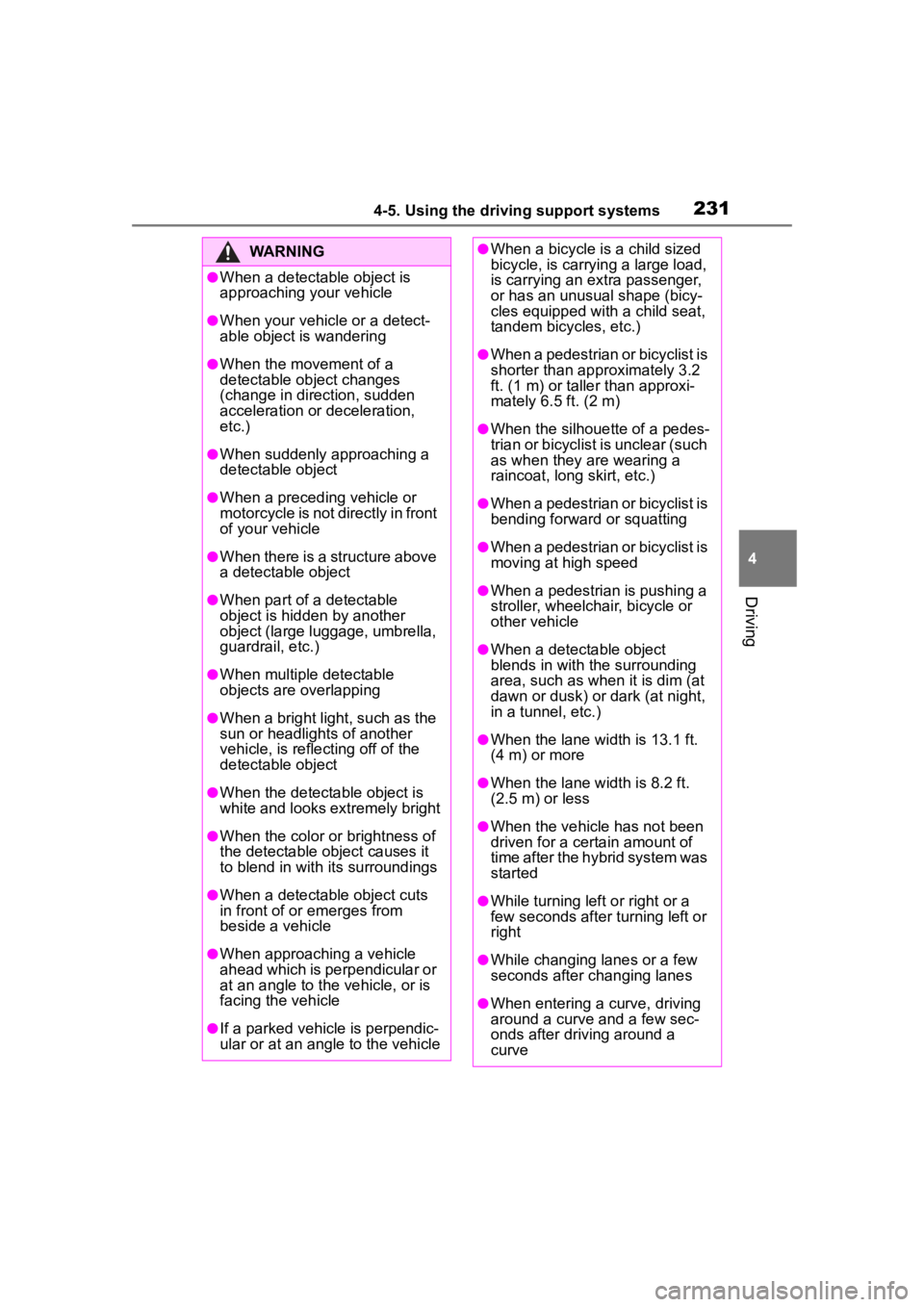
WARNING
●When a detectable object is
approaching your vehicle
●When your vehicle or a detect-
able object is wandering
●When the movement of a
detectable object changes
(change in direction, sudden
acceleration or deceleration,
etc.)
●When suddenly approaching a
detectable object
●When a preceding vehicle or
motorcycle is not directly in front
of your vehicle
●When there is a structure above
a detectable object
●When part of a detectable
object is hidden by another
object (large luggage, umbrella,
guardrail, etc.)
●When multiple detectable
objects are overlapping
●When a bright light, such as the
sun or headlights of another
vehicle, is reflecting off of the
detectable object
●When the detectable object is
white and looks extremely bright
●When the color or brightness of
the detectable object causes it
to blend in with its surroundings
●When a detectable object cuts
in front of or emerges from
beside a vehicle
●When approaching a vehicle
ahead which is perpendicular or
at an angle to the vehicle, or is
facing the vehicle
●If a parked vehicle is perpendic-
ular or at an angle to the vehicle
●When a bicycle is a child sized
bicycle, is carrying a large load,
is carrying an extra passenger,
or has an unusual shape (bicy-
cles equipped with a child seat,
tandem bicycles, etc.)
●When a pedestrian or bicyclist is
shorter than app roximately 3.2
ft. (1 m) or talle r than approxi-
mately 6.5 ft. (2 m)
●When the silhouette of a pedes-
trian or bicyclist is unclear (such
as when they are wearing a
raincoat, long skirt, etc.)
●When a pedestrian or bicyclist is
bending forward or squatting
●When a pedestrian or bicyclist is
moving at high speed
●When a pedestrian is pushing a
stroller, wheelchair, bicycle or
other vehicle
●When a detectable object
blends in with the surrounding
area, such as when it is dim (at
dawn or dusk) or dark (at night,
in a tunnel, etc.)
●When the lane width is 13.1 ft.
(4 m) or more
●When the lane width is 8.2 ft.
(2.5 m) or less
●When the vehicle has not been
driven for a certain amount of
time after the hybrid system was
started
●While turning left or right or a
few seconds after turning left or
right
●While changing lanes or a few
seconds after changing lanes
●When entering a curve, driving
around a curve and a few sec-
onds after driving around a
curve
Page 357 of 496
3576-3. Do-it-yourself maintenance
6
Maintenance and care
■Bulbs that need to be
replaced by your Toyota
dealer
Headlights/daytime running
lights
Parking lights
Front turn signal lights
Front side marker lights
LED accent lights (if
equipped)
Side turn signal lights (if
equipped)
Tail lights
Stop lights
Rear side marker lights (LED
type)
High mounted stoplight
License plate lights
■LED light bulbs
The lights other than the rear turn
signal lights, rear side marker lights
(bulb type) and back-up lights con-
sist of a number of LEDs. If any of
the LEDs burn out, take your vehicle
to your Toyota dealer to have the
light replaced.
■Condensation build-up on the
inside of the lens
In certain situatio ns, such as when
driving in the rain or when washing
the vehicle, condensation may form
on the inner side of the headlight
lens and other li ghts. As each light
has a ventilation hole, moist air may
enter. If the ambient temperature is
low, condensation may form tempo-
rarily, but it will di ssipate as the
inside of the light i s warmed up. As
the condensation is due to a phe-
nomenon similar to windows fogging
in the rain, it doe s not indicate a malfunction.
Contact your Toyota dealer for more
information in t
he following situa-
tions:
●Large drops of water have built up
on the inside of the lens.
●Water has built up inside the
headlight.
■When replacing light bulbs
P.355
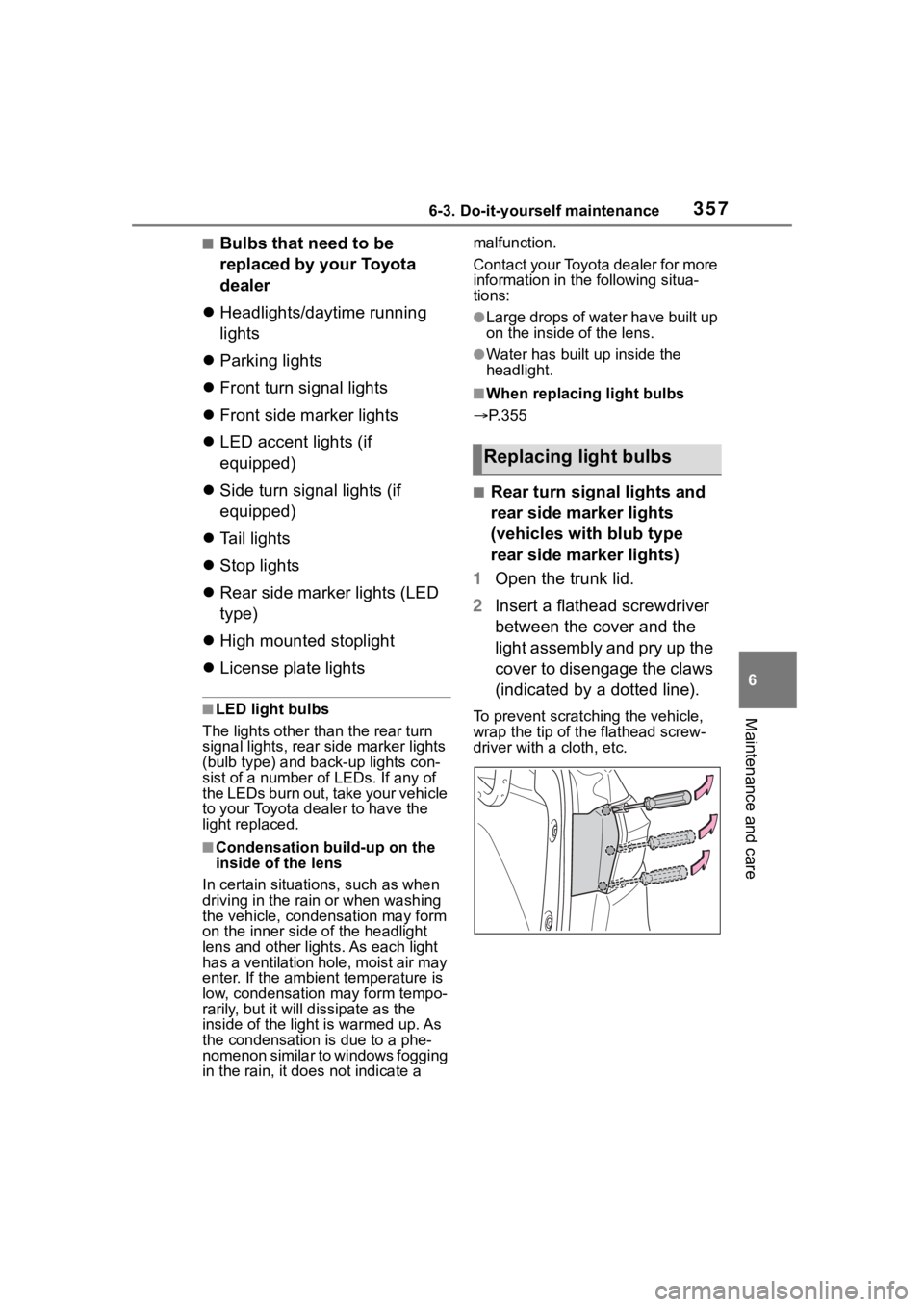
■Rear turn signal lights and
rear side marker lights
(vehicles with blub type
rear side marker lights)
1 Open the trunk lid.
2 Insert a flathead screwdriver
between the cover and the
light assembly and pry up the
cover to disengage the claws
(indicated by a dotted line).
To prevent scratching the vehicle,
wrap the tip of th e flathead screw-
driver with a cloth, etc.
Replacing light bulbs
Page 406 of 496
4067-2. Steps to take in an emergency
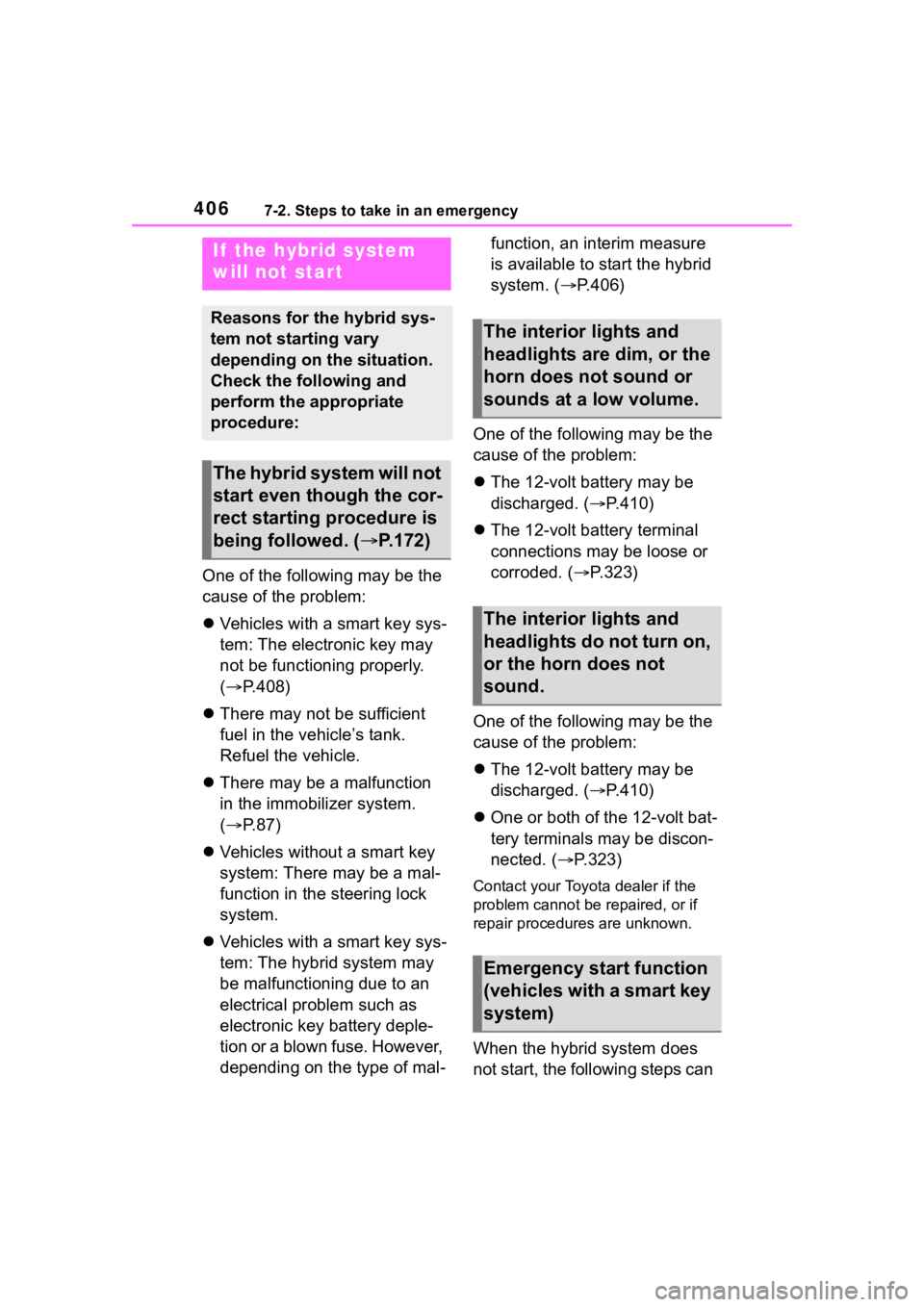
One of the following may be the
cause of the problem:
Vehicles with a smart key sys-
tem: The electronic key may
not be functioning properly.
( P.408)
There may not be sufficient
fuel in the vehicle’s tank.
Refuel the vehicle.
There may be a malfunction
in the immobilizer system.
( P. 8 7 )
Vehicles without a smart key
system: There may be a mal-
function in the steering lock
system.
Vehicles with a smart key sys-
tem: The hybrid system may
be malfunctioning due to an
electrical problem such as
electronic key battery deple-
tion or a blown fuse. However,
depending on the type of mal- function, an interim measure
is available to start the hybrid
system. (
P.406)
One of the following may be the
cause of the problem:
The 12-volt battery may be
discharged. ( P.410)
The 12-volt battery terminal
connections may be loose or
corroded. ( P.323)
One of the following may be the
cause of the problem:
The 12-volt battery may be
discharged. ( P.410)
One or both of the 12-volt bat-
tery terminals may be discon-
nected. ( P.323)
Contact your Toyota dealer if the
problem cannot be repaired, or if
repair procedures are unknown.
When the hybrid system does
not start, the following steps can
If the hybrid system
will not start
Reasons for the hybrid sys-
tem not starting vary
depending on the situation.
Check the following and
perform the appropriate
procedure:
The hybrid system will not
start even though the cor-
rect starting procedure is
being followed. ( P.172)
The interior lights and
headlights are dim, or the
horn does not sound or
sounds at a low volume.
The interior lights and
headlights do not turn on,
or the horn does not
sound.
Emergency start function
(vehicles with a smart key
system)
Page 412 of 496

4127-2. Steps to take in an emergency
■To prevent 12-volt battery dis-
charge
●Turn off the headlights and the
audio system while the hybrid sys-
tem is off.
●Turn off any unnecessary electri-
cal components when the vehicle
is running at a low speed for an
extended period, such as in heavy
traffic.
■When the 12-volt battery is
removed or discharged
●Information stored in the ECU is
cleared. When the 12-volt battery
is depleted, have the vehicle
inspected at you r Toyota dealer.
●Some systems may require initial-
ization. (P.452)
■When removing the 12-volt bat-
tery terminals
When the 12-volt battery terminals
are removed, the information stored
in the ECU is cleared. Before
removing the 12-volt battery termi-
nals, contact your Toyota dealer.
■Charging the 1 2-volt battery
The electricity stor ed in the 12-volt
battery will discharge gradually even
when the vehicle is not in use, due
to natural discharge and the drain-
ing effects of certain electrical appli-
ances. If the vehicle is left for a long
time, the 12-volt battery may dis-
charge, and the hybrid system may
be unable to start. (The 12-volt bat-
tery recharges aut omatically while
the hybrid system is operating.)
■When recharging or replacing
the 12-volt battery (vehicles
with a smart key system)
●In some cases, it may not be pos-
sible to unlock the doors using the
smart key system when the
12-volt battery is discharged. Use
the wireless remote control or the
mechanical key to lock or unlock
the doors.
●The hybrid system may not start
on the first att empt after the 12-volt battery has recharged but
will start normally after the second
attempt. This is not a malfunction.
●The power switch mode is memo-
rized by the vehicle. When the
12-volt battery is reconnected, the
system will return to the mode it
was in before the 12-volt battery
was discharged. Before discon-
necting the 12-volt battery, turn
the power switch off.
If you are unsure what mode the
power switch was in before the
12-volt battery discharged, be
especially careful when recon-
necting the 12-volt battery.
■When replacing t
he 12-volt bat-
tery
●Use a 12-volt battery that con-
forms to European regulations.
●Use a 12-volt battery that the case
size is same as the previous one
(LN1), 20 hour rate capacity
(20HR) is equivalent (45Ah) or
greater, and per formance rating
(CCA) is equivalent (295A) or
greater.
• If the sizes differ, the 12-volt bat-
tery cannot be properly secured.
• If the 20 hour rate capacity is low,
even if the time p eriod where the
vehicle is not used is a short time,
the 12-volt battery may discharge
and the hybrid system may not be
able to start.
●For details, cons ult your Toyota
dealer.
WARNING
■When removing the 12-volt
battery terminals
Always remove the negative (-)
terminal first. If the positive (+) ter-
minal contacts any metal in the
surrounding area when the posi-
tive (+) terminal is removed, a
spark may occur, leading to a fire
in addition to ele ctrical shocks
and death or serious injury.
Page 424 of 496

4248-1. Specifications
*: The fluid capacity is a reference quantity.If replacement is necessary, contact your Toyota dealer.
*: The fluid capacity is a reference quantity.If replacement is necessary, contact your Toyota dealer.
Ignition system (spark plug)
MakeDENSO FC16HR-CY9
Gap0.035 in. (0.9 mm)
NOTICE
■Iridium-tipped spark plugs
Use only iridium-tipped spark plugs. Do not adjust the spark pl ug gap.
Electrical system (12-volt battery)
Open voltage at 68°F (20°C):
12.0 V or higher
(Turn the power switch off and turn on the
high beam headlights for 30 seconds.)
Charging rates5 A max.
Hybrid transmission
Fluid capacity*3.1 qt. (3.0 L, 2.6 Imp. qt.)
Fluid typeToyota Genuine e-Transaxle fluid TE
NOTICE
■Hybrid transmission fluid type
Using transmission fluid other than the above type may cause ab normal
noise or vibration, or ultimately damage the transmission of yo ur vehicle.
Rear differential (AWD models)
Fluid capacity*1.3 qt. (1.2 L, 1.1 Imp. qt.)
Fluid typeToyota Genuine e-Transaxle fluid TE
Page 447 of 496
4478-2. Customization
8
Vehicle specifications
*: If equipped
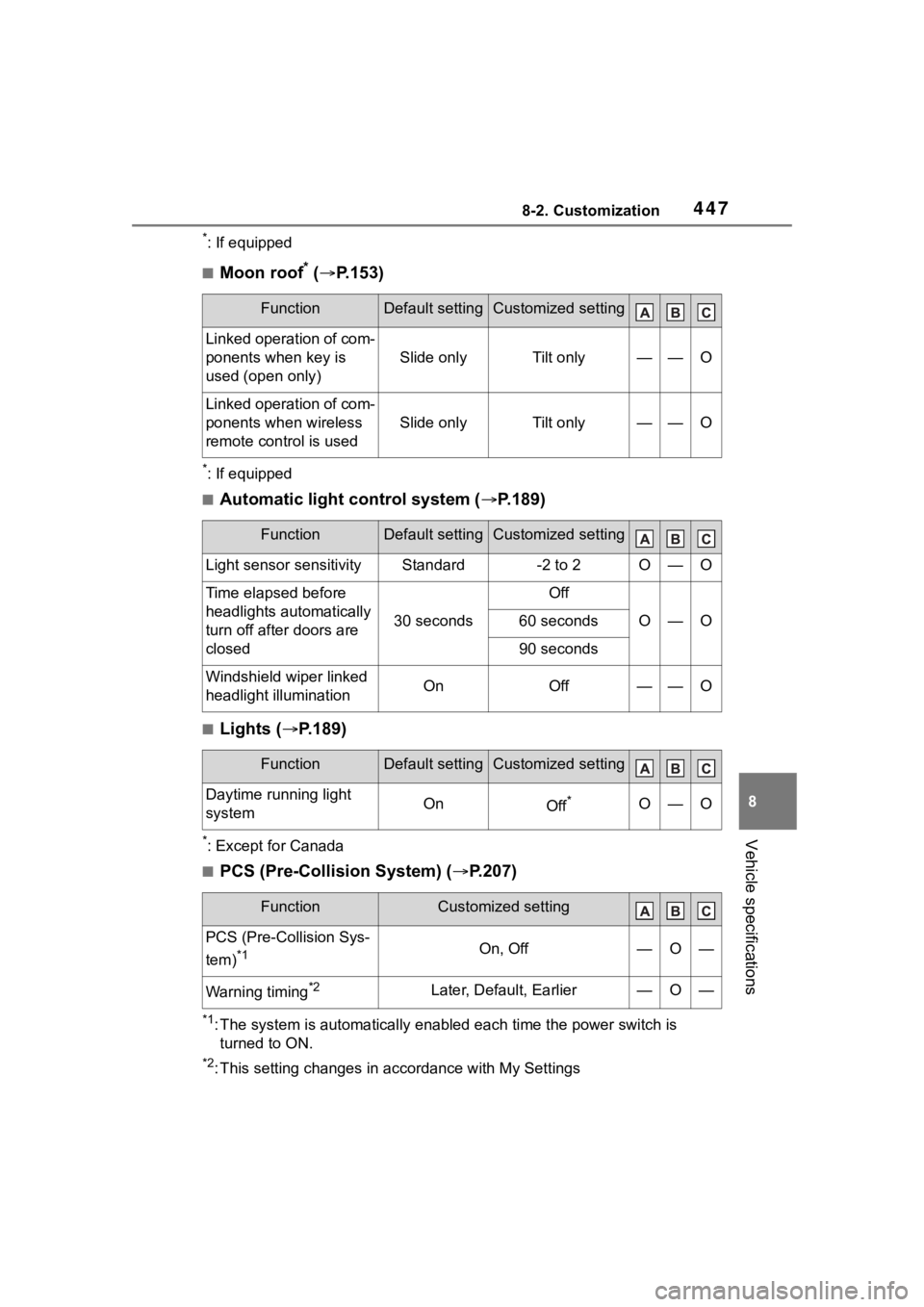
■Moon roof* ( P.153)
*: If equipped
■Automatic light control system ( P.189)
■Lights ( P.189)
*: Except for Canada
■PCS (Pre-Collision System) ( P.207)
*1: The system is automatically enabled each time the power switch is
turned to ON.
*2: This setting changes in ac cordance with My Settings
FunctionDefault settingCustomized setting
Linked operation of com-
ponents when key is
used (open only)
Slide onlyTilt only——O
Linked operation of com-
ponents when wireless
remote control is used
Slide onlyTilt only——O
FunctionDefault settingCustomized setting
Light sensor sensitivityStandard-2 to 2O—O
Time elapsed before
headlights automatically
turn off after doors are
closed
30 seconds
Off
O—O60 seconds
90 seconds
Windshield wiper linked
headlight illuminationOnOff——O
FunctionDefault settingCustomized setting
Daytime running light
systemOnOff*O—O
FunctionCustomized setting
PCS (Pre-Collision Sys-
tem)
*1On, Off—O—
Warning timing*2Later, Default, Earlier—O—
Page 471 of 496

471Alphabetical Index
Fuses ....................................... 354
G
Gauges ................................ 96, 99
Glove box ................................ 289
Glove box light ....................... 289
H
Head restraints ....................... 144
HeadlightsAHB (Automatic High Beam) 191
Light switch .......................... 189
Headlights/daytime running lightsReplacing light bulbs ............ 357
Heated steering wheel ........... 284
Heaters Automatic air conditioning sys-tem ..................................... 278
Heated steering wheel ......... 284
Outside rear view mirrors ..... 280
Seat heaters ......................... 284
High mounted stoplight Replacing light bulbs ............ 357
High-voltage components ....... 82
Hill-start assist control .......... 266
Hood Open .................................... 316
Hooks Coat hooks ........................... 299
Retaining hooks (floor mat) .... 24
Horn ......................................... 146
Hybrid battery (tr action battery)
Location.................................. 82
Specification ......................... 422
Warning message .................. 86
Hybrid battery (traction battery) air intake vent ....................... 347
Hybrid battery (traction battery) air vents .................................. 85 Hybrid system ....
.......................77
Emergency shut off system ....86
Energy monitor/consumption screen................................. 116
EV drive mode ......................178
High voltage components .......82
Hybrid system precautions .....82
If the hybrid sys tem will not start
...........................................406
Overheating ..........................415
Power (ignition) switch .170, 172
Predictive efficient drive .........80
Regenerative braking .............78
Starting the hybrid system ..170, 172
Hybrid System Indicator ........104
Hybrid transmissio n ...............180
Hybrid vehicle dri ving tips.....271
I
I/M test .....................................312
Identification
Engine ..................................421
Vehicle ..................................420
Ignition switch (power switch) .......................................170, 172Auto power off fun ction .........176
Changing the power switch modes.................................176
If your vehicle has to be stopped in an emergency .................363
Illuminated entry system .......287
Immobilizer system ..................87
Indicators ..................................94
Initialization Items to initialize ...................452
Maintenance .........................309
Power windows ....................150
Inside rear view m irror ...........147
Instrument panel light control98, 101