2023 TOYOTA COROLLA CROSS traffic sign
[x] Cancel search: traffic signPage 3 of 500

3TABLE OF CONTENTS
1
2
3
4
5
6
7
8
9
10
Continuously variable transmis-sion .................................. 168
Turn signal lever................. 171
Parking brake ..................... 172
Brake Hold ......................... 175
4-3. Operating the lights and wip- ers
Headlight switch ................. 178
AHB (Automatic High Beam) ......................................... 181
Fog light switch .................. 184
Windshield wipers and washer ......................................... 184
Rear windshield wiper and washer ............................. 186
4-4. Refueling Opening the fuel tank cap .. 188
4-5. Using the driving support sys- tems
Toyota Safety Sense 3 software
update .............................. 190
Toyota Safety Sense 3.0 .... 192
PCS (Pre-Collision System) ......................................... 198
LTA (Lane Tracing Assist)... 208
LDA (Lane Departure Alert) ......................................... 213
RSA (Road Sign Assist) ..... 218
Dynamic radar cruise control ......................................... 220
Cruise control ..................... 231
Emergency Driving Stop System ......................................... 235
Stop & Start system ........... 237
BSM (Blind Spot Monitor)... 243
RCTA (Rear Cross Traffic Alert) ......................................... 248
Safe Exit Assist .................. 254
Intuitive parking assist ........ 259
PKSB (Parking Support Brake) ......................................... 265
Driving assist systems........ 2744-6. Driving tips
Winter driving tips .............. 279
Utility vehicle precautions .. 281
5-1. Using the air conditioning system and defogger
Manual air conditioning system
......................................... 286
Automatic air conditioning sys- tem ................................... 292
Heated steering wheel/seat heaters ............................. 300
5-2. Using the interior lights Interior lights list ................. 302
5-3. Using the storage features List of storage features ...... 304
Luggage compartment features ......................................... 307
5-4. Other interior features Other interior features ........ 309
Garage door opener........... 320
6-1. Maintenance and care Cleaning and protecting the vehicle exterior................. 328
Cleaning and protecting the vehicle interi or.................. 33
1
6-2. Maintenance Maintenance requirements......................................... 334
General maintenance......... 336
Emission inspection and mainte- nance (I/M) programs ...... 338
6-3. Do-it-yourself maintenance Do-it-yourself service precau-tions ................................. 340
Hood .................................. 342
5Interior features
6Maintenance and care
Page 8 of 500
8
technologies
• When providing image data and position information to a company
involved in map creation, etc. for
the purpose of research and
development map related tech-
nologies
• When providing image data and position information to a local
government for the purpose of
road maintenance, etc.
• When providing processed image data and position information to
traffic conditio n communication
individual services
• When providing image data from near a fire, or other area that
emergency services are dis-
patched, to the fire department of
a local government which has
entered a separate contract with
To y o t a
*1: The recorded data varies accord-ing to the vehicle grade level and
options with which it is equipped.
*2: The vehicle has multiple cam-eras. For details on from which
cameras images are recorded,
contact your Toyota dealer.
Image information recorded by the
vehicle can be era sed by your Toy-
ota dealer.
The image recording function can
be disabled. However, if the function
is disabled, data from when systems
operate will not be available.
If you wish to stop the collection of
Toyota Safety Sense 3.0 data by the
Toyota servers for the purpose of
research and development and pro-
vision to individual services, contact
your Toyota dealer.
If your Toyota has Safety Con-
nect and if you have subscribed
to those services, please refer to
the Safety Connect Telematics
Subscription Service Agreement
for information on data collected
and its usage.
To learn more about the vehi-
cle data collected, used and
shared by Toyota, please visit
www.toyota.com/privacyvts/
.
This vehicle is equipped with an
event data recorder (EDR). The
main purpose of an EDR is to
record, in certain crash or near
crash-like situations, such as an
air bag deployment or hitting a
road obstacle, data that will
assist in understanding how a
vehicle’s systems performed.
The EDR is designed to record
data related to vehicle dynamics
and safety systems for a short
period of time, typically 30 sec-
onds or less.
The EDR in this vehicle is
designed to record such data
as:
• How various systems in your vehicle were operating;
• Whether or not the driver and passenger safety belts were
Usage of data collected
through Safety Connect
(U.S. mainland only)
Event data recorder
Page 33 of 500
331-1. For safe use
1
For safety and security
WARNING
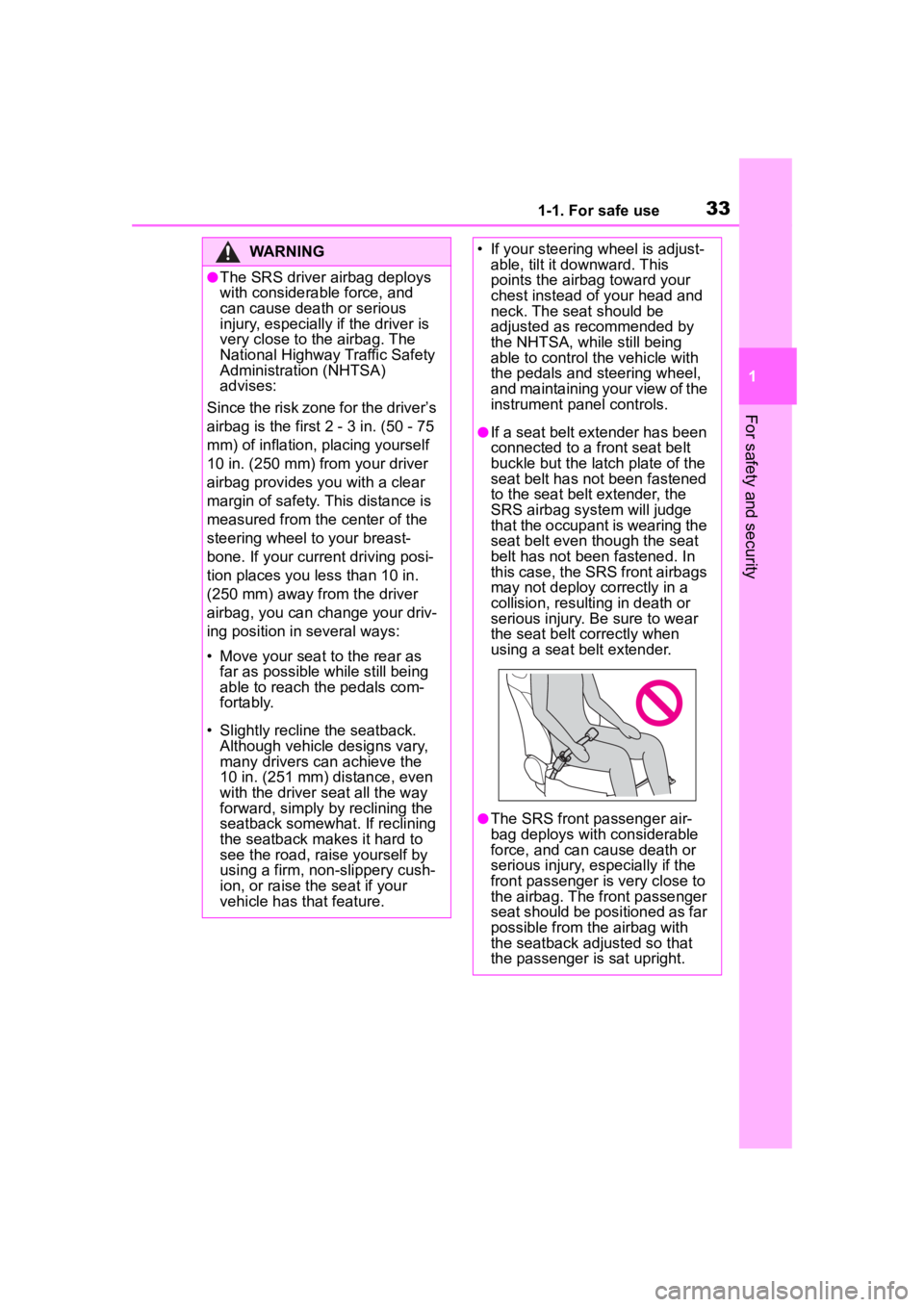
●The SRS driver airbag deploys
with considerable force, and
can cause death or serious
injury, especially if the driver is
very close to the airbag. The
National Highway Traffic Safety
Administration (NHTSA)
advises:
Since the risk zone for the driver’s
airbag is the first 2 - 3 in. (50 - 75
mm) of inflation, placing yourself
10 in. (250 mm) from your driver
airbag provides y ou with a clear
margin of safety. This distance is
measured from the center of the
steering wheel to your breast-
bone. If your current driving posi-
tion places you less than 10 in.
(250 mm) away from the driver
airbag, you can change your driv-
ing position in several ways:
• Move your seat to the rear as far as possible while still being
able to reach the pedals com-
fortably.
• Slightly recline the seatback. Although vehicle designs vary,
many drivers can achieve the
10 in. (251 mm) distance, even
with the driver seat all the way
forward, simply by reclining the
seatback somewhat. If reclining
the seatback makes it hard to
see the road, raise yourself by
using a firm, non-slippery cush-
ion, or raise the seat if your
vehicle has that feature.
• If your steering wheel is adjust- able, tilt it downward. This
points the airbag toward your
chest instead of your head and
neck. The seat should be
adjusted as recommended by
the NHTSA, while still being
able to control the vehicle with
the pedals and steering wheel,
and maintaining your view of the
instrument panel controls.
●If a seat belt extender has been
connected to a front seat belt
buckle but the latch plate of the
seat belt has not been fastened
to the seat belt extender, the
SRS airbag system will judge
that the occupant is wearing the
seat belt even though the seat
belt has not been fastened. In
this case, the SRS front airbags
may not deploy c orrectly in a
collision, resulting in death or
serious injury. Be sure to wear
the seat belt correctly when
using a seat belt extender.
●The SRS front passenger air-
bag deploys with considerable
force, and can cause death or
serious injury, especially if the
front passenger is very close to
the airbag. The front passenger
seat should be positioned as far
possible from the airbag with
the seatback adjusted so that
the passenger is sat upright.
Page 139 of 500
139
4
4
Driving
Driving
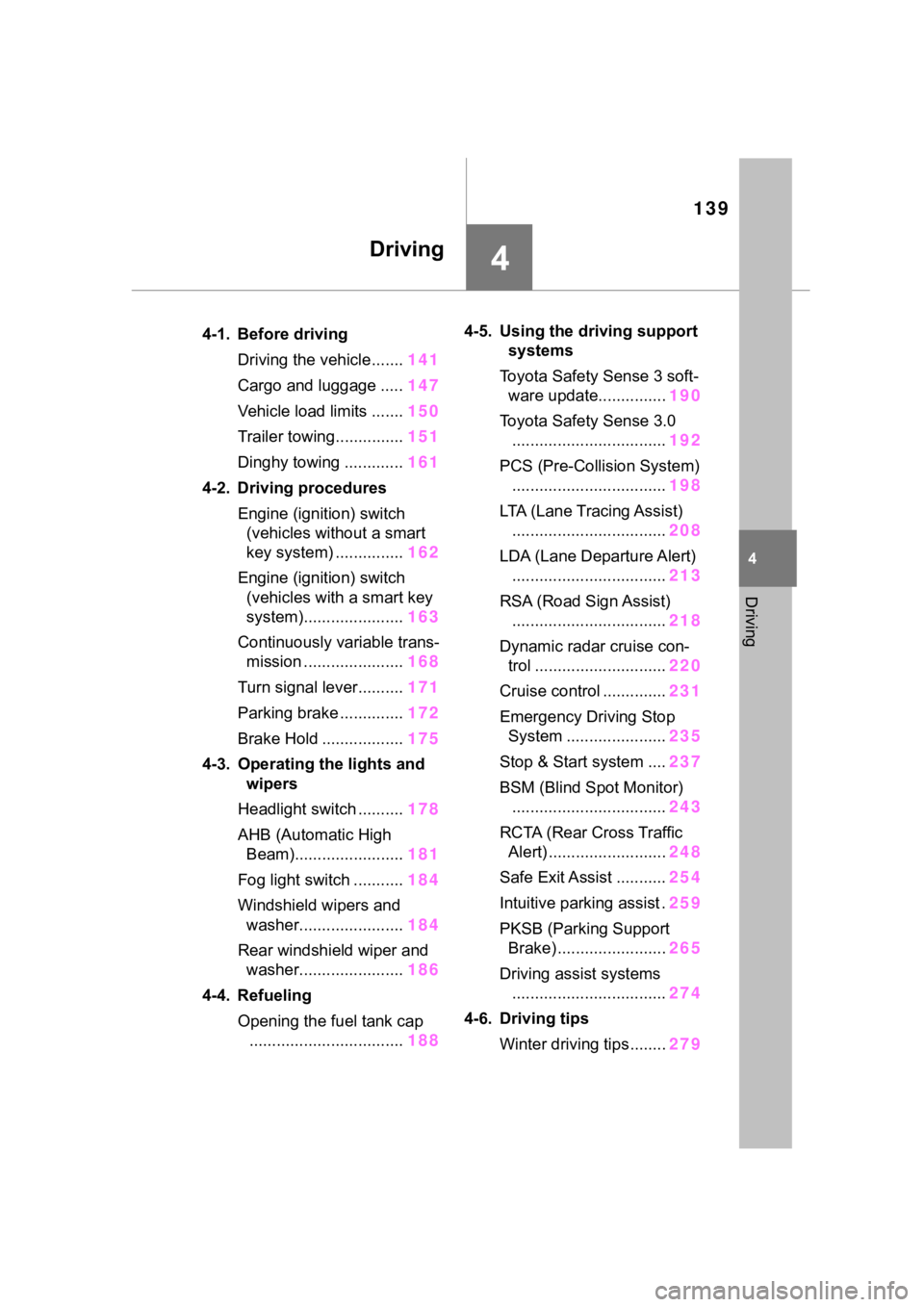
.4-1. Before drivingDriving the vehicle....... 141
Cargo and luggage ..... 147
Vehicle load limits ....... 150
Trailer towing............... 151
Dinghy towing ............. 161
4-2. Driving procedures Engine (ignition) switch (vehicles without a smart
key system) ............... 162
Engine (ignition) switch (vehicles with a smart key
system)...................... 163
Continuously variable trans- mission ...................... 168
Turn signal lever.......... 171
Parking brake .............. 172
Brake Hold .................. 175
4-3. Operating the lights and wipers
Headlight switch .......... 178
AHB (Automatic High Beam)........................ 181
Fog light switch ........... 184
Windshield wipers and washer....................... 184
Rear windshield wiper and washer....................... 186
4-4. Refueling Opening the fuel tank cap.................................. 1884-5. Using the dr
iving support
systems
Toyota Safety Sense 3 soft- ware update............... 190
Toyota Safety Sense 3.0 .................................. 192
PCS (Pre-Collision System) .................................. 198
LTA (Lane Tracing Assist) .................................. 208
LDA (Lane Departure Alert) .................................. 213
RSA (Road Sign Assist) .................................. 218
Dynamic radar cruise con- trol ............................. 220
Cruise control .............. 231
Emergency Driving Stop System ...................... 235
Stop & Start system .... 237
BSM (Blind Spot Monitor) .................................. 243
RCTA (Rear Cross Traffic Alert) .......................... 248
Safe Exit Assist ........... 254
Intuitive parking assist . 259
PKSB (Parking Support Brake) ........................ 265
Driving assist systems .................................. 274
4-6. Driving tips Winter driving tips........ 279
Page 182 of 500
1824-3. Operating the lights and wipers
• When another vehicle crosses in front of the vehicle
• When vehicles ahead are repeat-
edly detected and then hidden
due to repeated curves, road
dividers or roadside trees
• When a vehicle ahead approaches from a far lane
• When a vehicle ahead is far away
• When a vehicle ahead has no
lights
• When the lights of a vehicle ahead
are dim
• When a vehicle ahead is reflecting strong light, such as own head-
lights
• Situations in which the sensors may not operate properly: P. 1 9 6
●The headlights may change to the
low beams if a vehi cle ahead that
is using fog lights without its head-
lights turned on is detected.
●House lights, street lights, traffic
signals, and illumi nated billboards
or signs may cause the high
beams to change to the low
beams, or the low beams to
remain on.
●The following may change the tim-
ing at which the headlights
change to the low beams:
• The brightness of lights of vehi- cles ahead
• The movement and direction of vehicles ahead
• The distance betw een the vehicle
and a vehicle ahead
• When a vehicle ahead only has lights illuminate d on one side
• When a vehicle ahead is a two-wheeled vehicle
• The condition of the road (gradi-
ent, curve, condi tion of the road
surface, etc.)
• The number of passengers and amount of luggage
●The headlights may change
between the high beams and low
beams unexpectedly.
●Bicycles and other small vehicles
may not be detected.
●In the following situations, the sys- tem may not be able to correctly
detect the brightness of the sur-
roundings. This may cause the
low beams to remain on or the
high beams to flash or dazzle
pedestrians or vehicles ahead. In
such a case, it
is necessary to
manually change between the
high beams and low beams.
• When there are lights similar to headlights or tail lights in the sur-
rounding area
• When headlights or tail lights of vehicles ahead are turned off,
dirty, changing color, or not aimed
properly
• When the headlights are repeat- edly changing between the high
beams and low beams.
• When use of the high beams is inappropriate or when the high
beams may be flashing or daz-
zling pedestrians or other drivers.
• When the vehicl e is used in an
area in which vehicles travel on
the opposite side of the road of
the country for which the vehicle
was designed, for example using
a vehicle designed for right-hand
traffic in a left-ha nd traffic area, or
vice versa
• When it is necessary to disable the system: P. 1 9 2
• Situations in which the sensors may not operate properly: P. 1 9 6
■Temporarily reducing front
camera sensitivity
The sensitivity of the front camera
can be temporarily reduced.
1 Turn the engine switch off while
the following conditions are met.
●The headlight switch is in or
.
●The headlight switch lever is in the
low beam position.
●The Automatic High Beam switch
is on.
2 Turn the engine switch to ON.
3 Within 60 seconds after perform-
ing step 2, push the headlight
Page 206 of 500
2064-5. Using the driving support systems
path of the vehicle
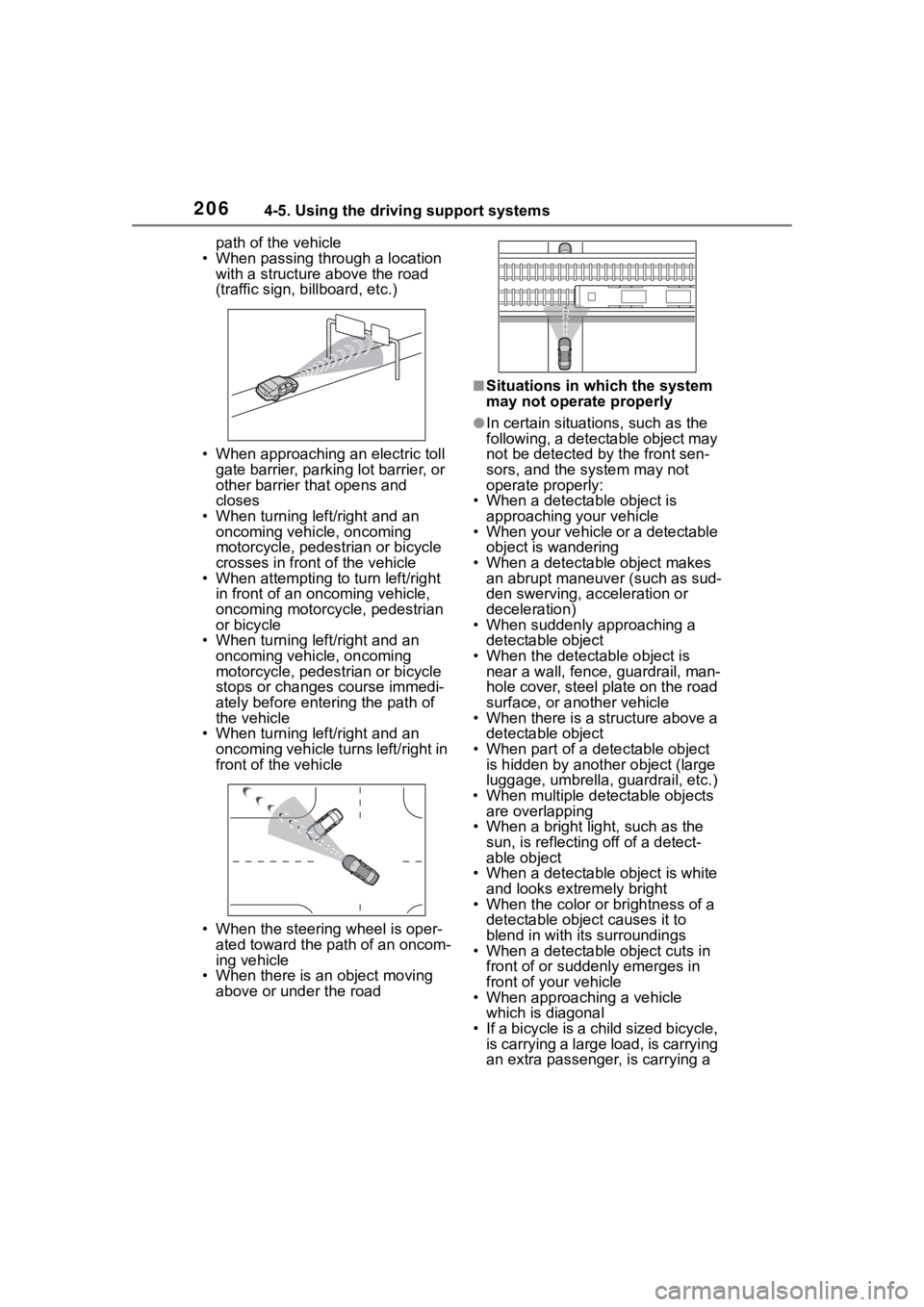
• When passing through a location with a structure above the road
(traffic sign, b illboard, etc.)
• When approaching an electric toll gate barrier, parking lot barrier, or
other barrier that opens and
closes
• When turning left/right and an oncoming vehicle, oncoming
motorcycle, pedestrian or bicycle
crosses in front of the vehicle
• When attempting to turn left/right in front of an oncoming vehicle,
oncoming motorcycle, pedestrian
or bicycle
• When turning left/right and an
oncoming vehicle, oncoming
motorcycle, pedestrian or bicycle
stops or changes course immedi-
ately before entering the path of
the vehicle
• When turning left/right and an
oncoming vehicle turns left/right in
front of the vehicle
• When the steering wheel is oper- ated toward the path of an oncom-
ing vehicle
• When there is an object moving above or under the road
■Situations in which the system
may not operate properly
●In certain situations, such as the
following, a detectable object may
not be detected by the front sen-
sors, and the system may not
operate properly:
• When a detectable object is
approaching your vehicle
• When your vehicle or a detectable object is wandering
• When a detectable object makes an abrupt maneuver (such as sud-
den swerving, acceleration or
deceleration)
• When suddenly approaching a detectable object
• When the detectable object is near a wall, fence, guardrail, man-
hole cover, steel plate on the road
surface, or another vehicle
• When there is a structure above a detectable object
• When part of a detectable object is hidden by another object (large
luggage, umbrella, guardrail, etc.)
• When multiple det ectable objects
are overlapping
• When a bright light, such as the
sun, is reflecting off of a detect-
able object
• When a detectable object is white
and looks extremely bright
• When the color or brightness of a detectable object causes it to
blend in with its surroundings
• When a detectable object cuts in
front of or suddenly emerges in
front of your vehicle
• When approaching a vehicle which is diagonal
• If a bicycle is a child sized bicycle,
is carrying a large load, is carrying
an extra passenger , is carrying a
Page 219 of 500
2194-5. Using the driving support systems
4
Driving
●When a sign is immediately after a
freeway junction or in an adjacent
lane just before merging
●When stickers are attached to the
rear of a preceding vehicle
●When a sign similar to a system
compatible sign is detected as a
system compatible sign
●When a speed limit sign for a
frontage road is within detection
range of the front camera
●When driving around a round-
about
●When a sign intended for trucks,
etc. is detected
●When the navigation system map
data is out of date
●When the navigation system can-
not be used
In this case, the speed limit signs
displayed on the multi-information
display and navigat ion system dis-
play may differ.
In the following situations, the
RSA system will output a warn-
ing to notify the driver.
If the vehicle speed exceeds
the speed warning threshold
of the speed limit sign dis-
played on the display, the sign
display will be emphasized
and a buzzer will sound.
When the RSA system
detects a do not enter sign
and determines that the vehi-
cle has entered a no-entry
area, the do not enter sign
displayed on the display will
flash and a buzzer will sound.
■Operating conditions of the
notification functions
●Excess speed notification function
This function will operate when the
following condition is met:
• A speed limit road sign is recog- nized by the system.
●No entry notification function
This function will operate when all of
the following conditions are met:
• More than one no entry road signs are recognized by the system
simultaneously.
• The vehicle is passing between no entry road signs recognized by the
system.
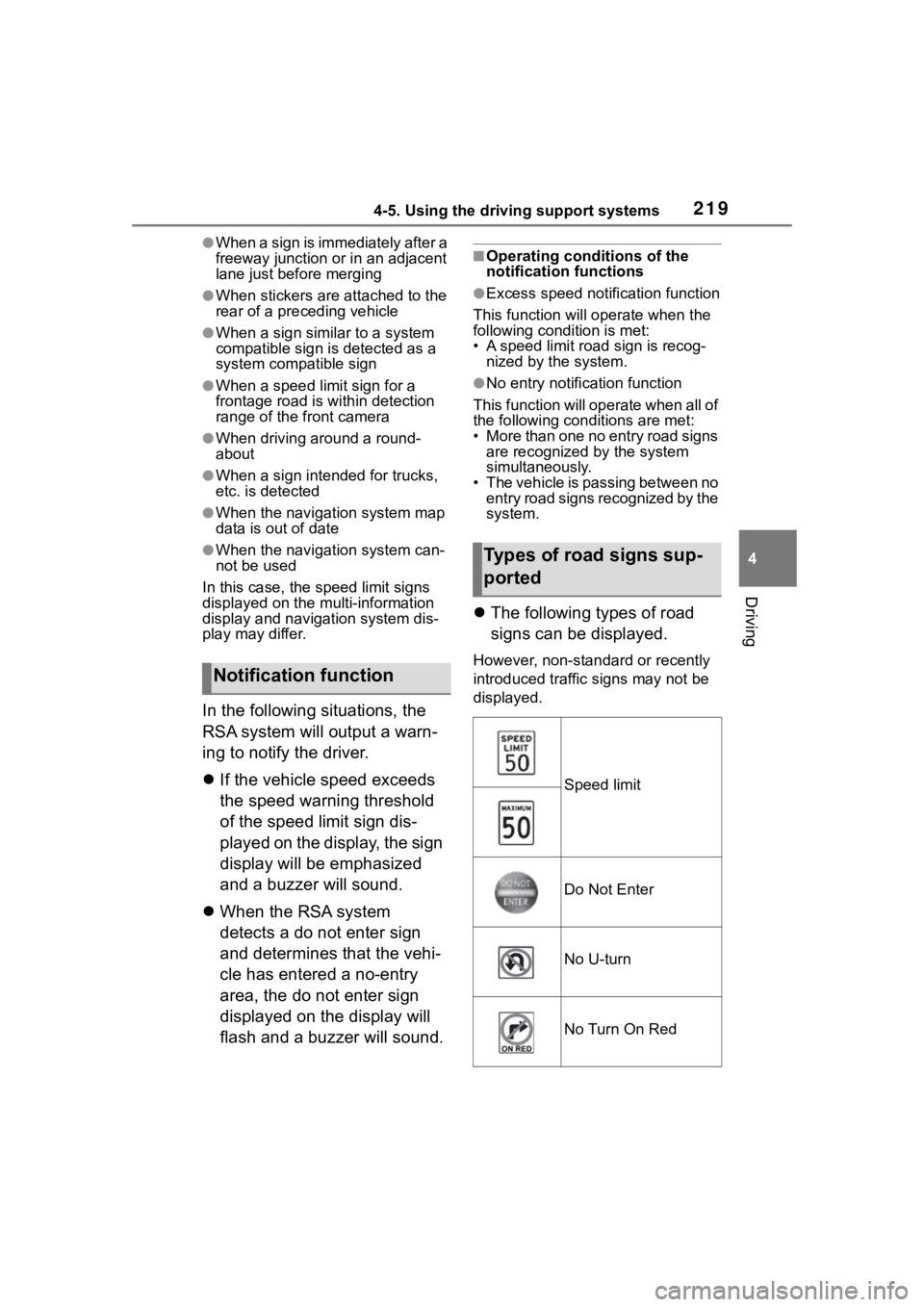
The following types of road
signs can be displayed.
However, non-standard or recently
introduced traffic signs may not be
displayed.
Notification function
Types of road signs sup-
ported
Speed limit
Do Not Enter
No U-turn
No Turn On Red
Page 221 of 500

2214-5. Using the driving support systems
4
Driving
WARNING
●Set the speed appropriately
according to the speed limit,
traffic flow, road conditions,
weather conditions, etc. The
driver is responsible for confirm-
ing the set speed.
●Even if the system is operating
correctly, the condition of a pre-
ceding vehicle as recognized by
the driver and detected by the
system may differ. Therefore, it
is necessary for the driver to
pay attention, assess risks, and
ensure safety. Over-reliance on
this system to drive the vehicle
safely may lead to an accident
resulting in death or serious
injury.
■Precautions for the driving
assist systems
Observe the following precau-
tions, as there are limitations to
the assistance provided by the
system. Over-reliance on this sys-
tem may lead to an accident
resulting in death or serious injury.
●Details of support provided for
the driver’s vision
The dynamic radar cruise control
is only intended to help the driver
in determining the distance
between the driver’s own vehicle
and a designated preceding vehi-
cle. It is not a system which allows
for careless or inattentive driving,
and is not a system which assists
in poor visibilit y conditions.
The driver must pay attention to
their surroundings, even when the
vehicle stops.
●Details of support provided for
the driver’s judgement
The dynamic radar cruise control
determines whether the distance
between the driver’s own vehicle
and a designated preceding vehi-
cle is within a set range. It is not
capable of making any other type
of judgement. Th erefore, it is
absolutely necessary for the
driver to remain vigilant and to
determine whether or not there is
a possibility of danger.
●Details of suppor t provided for
the driver’s operation
The dynamic radar cruise control
does not include functions which
will prevent or avoid collisions
with vehicles ahead of your vehi-
cle. Therefore, if there is ever any
possibility of danger, the driver
must take immediate and direct
control of the vehicle and act
appropriately in order to ensure
safety.
■Situations in which the
dynamic radar cruise control
should not be used
Do not use the d ynamic radar
cruise control in the following situ-
ations. As the system will not be
able to provide appropriate con-
trol, using it may lead to an acci-
dent resulting in death or serious
injury.
●Roads where there are pedes-
trians, cyclists, etc.
●When driving on a highway or
expressway entrance or exit
●When the approach warning
sounds frequently
●Situations in which the sensors
may not operate properly:
P.196
●Situations in which the lane may
not be detected:
P.192