2023 TOYOTA COROLLA CROSS Road Sign Assist
[x] Cancel search: Road Sign AssistPage 3 of 500

3TABLE OF CONTENTS
1
2
3
4
5
6
7
8
9
10
Continuously variable transmis-sion .................................. 168
Turn signal lever................. 171
Parking brake ..................... 172
Brake Hold ......................... 175
4-3. Operating the lights and wip- ers
Headlight switch ................. 178
AHB (Automatic High Beam) ......................................... 181
Fog light switch .................. 184
Windshield wipers and washer ......................................... 184
Rear windshield wiper and washer ............................. 186
4-4. Refueling Opening the fuel tank cap .. 188
4-5. Using the driving support sys- tems
Toyota Safety Sense 3 software
update .............................. 190
Toyota Safety Sense 3.0 .... 192
PCS (Pre-Collision System) ......................................... 198
LTA (Lane Tracing Assist)... 208
LDA (Lane Departure Alert) ......................................... 213
RSA (Road Sign Assist) ..... 218
Dynamic radar cruise control ......................................... 220
Cruise control ..................... 231
Emergency Driving Stop System ......................................... 235
Stop & Start system ........... 237
BSM (Blind Spot Monitor)... 243
RCTA (Rear Cross Traffic Alert) ......................................... 248
Safe Exit Assist .................. 254
Intuitive parking assist ........ 259
PKSB (Parking Support Brake) ......................................... 265
Driving assist systems........ 2744-6. Driving tips
Winter driving tips .............. 279
Utility vehicle precautions .. 281
5-1. Using the air conditioning system and defogger
Manual air conditioning system
......................................... 286
Automatic air conditioning sys- tem ................................... 292
Heated steering wheel/seat heaters ............................. 300
5-2. Using the interior lights Interior lights list ................. 302
5-3. Using the storage features List of storage features ...... 304
Luggage compartment features ......................................... 307
5-4. Other interior features Other interior features ........ 309
Garage door opener........... 320
6-1. Maintenance and care Cleaning and protecting the vehicle exterior................. 328
Cleaning and protecting the vehicle interi or.................. 33
1
6-2. Maintenance Maintenance requirements......................................... 334
General maintenance......... 336
Emission inspection and mainte- nance (I/M) programs ...... 338
6-3. Do-it-yourself maintenance Do-it-yourself service precau-tions ................................. 340
Hood .................................. 342
5Interior features
6Maintenance and care
Page 8 of 500
8
technologies
• When providing image data and position information to a company
involved in map creation, etc. for
the purpose of research and
development map related tech-
nologies
• When providing image data and position information to a local
government for the purpose of
road maintenance, etc.
• When providing processed image data and position information to
traffic conditio n communication
individual services
• When providing image data from near a fire, or other area that
emergency services are dis-
patched, to the fire department of
a local government which has
entered a separate contract with
To y o t a
*1: The recorded data varies accord-ing to the vehicle grade level and
options with which it is equipped.
*2: The vehicle has multiple cam-eras. For details on from which
cameras images are recorded,
contact your Toyota dealer.
Image information recorded by the
vehicle can be era sed by your Toy-
ota dealer.
The image recording function can
be disabled. However, if the function
is disabled, data from when systems
operate will not be available.
If you wish to stop the collection of
Toyota Safety Sense 3.0 data by the
Toyota servers for the purpose of
research and development and pro-
vision to individual services, contact
your Toyota dealer.
If your Toyota has Safety Con-
nect and if you have subscribed
to those services, please refer to
the Safety Connect Telematics
Subscription Service Agreement
for information on data collected
and its usage.
To learn more about the vehi-
cle data collected, used and
shared by Toyota, please visit
www.toyota.com/privacyvts/
.
This vehicle is equipped with an
event data recorder (EDR). The
main purpose of an EDR is to
record, in certain crash or near
crash-like situations, such as an
air bag deployment or hitting a
road obstacle, data that will
assist in understanding how a
vehicle’s systems performed.
The EDR is designed to record
data related to vehicle dynamics
and safety systems for a short
period of time, typically 30 sec-
onds or less.
The EDR in this vehicle is
designed to record such data
as:
• How various systems in your vehicle were operating;
• Whether or not the driver and passenger safety belts were
Usage of data collected
through Safety Connect
(U.S. mainland only)
Event data recorder
Page 64 of 500
641-3. Emergency assistance
1-3.Emergency assistance
*: If equipped
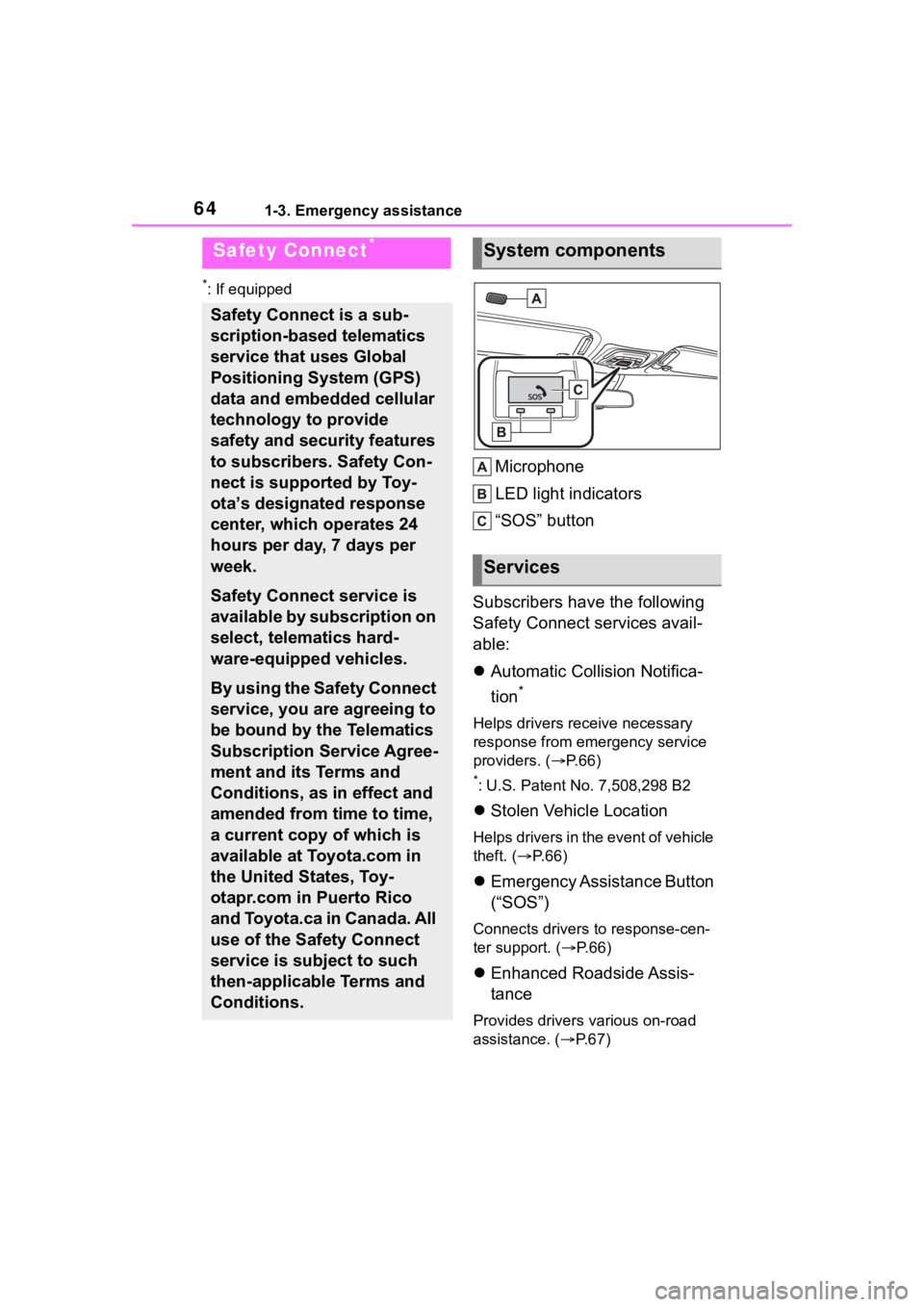
Microphone
LED light indicators
“SOS” button
Subscribers have the following
Safety Connect services avail-
able:
Automatic Collision Notifica-
tion
*
Helps drivers receive necessary
response from emergency service
providers. ( P. 6 6 )
*: U.S. Patent No. 7,508,298 B2
Stolen Vehicle Location
Helps drivers in the event of vehicle
theft. ( P. 6 6 )
Emergency Assistance Button
(“SOS”)
Connects drivers to response-cen-
ter support. ( P. 6 6 )
Enhanced Roadside Assis-
tance
Provides drivers various on-road
assistance. ( P.67)
Safety Connect*
Safety Connect is a sub-
scription-based telematics
service that uses Global
Positioning System (GPS)
data and embedded cellular
technology to provide
safety and security features
to subscribers. Safety Con-
nect is supported by Toy-
ota’s designated response
center, which operates 24
hours per day, 7 days per
week.
Safety Connect service is
available by subscription on
select, telematics hard-
ware-equipped vehicles.
By using the Safety Connect
service, you are agreeing to
be bound by the Telematics
Subscription Service Agree-
ment and its Terms and
Conditions, as in effect and
amended from time to time,
a current copy of which is
available at Toyota.com in
the United States, Toy-
otapr.com in Puerto Rico
and Toyota.ca in Canada. All
use of the Safety Connect
service is subject to such
then-applicable Terms and
Conditions.
System components
Services
Page 65 of 500

651-3. Emergency assistance
1
For safety and security
After you have signed the
Telematics Subscription Service
Agreement and are enrolled,
you can begin receiving ser-
vices.
A variety of subscription terms
are available for purchase. Con-
tact your Toyota dealer, call the
following appropriate Customer
Experience Center or push the
“SOS” button in your vehicle for
further subscription details.
• The United States
1-800-331-4331
• Canada
1-888-869-6828
•Puerto Rico
1-877-855-8377
■Safety Connect Services Infor-
mation
●Phone calls using the vehicle’s
Bluetooth® technology will not be
possible when Safety Connect is
active and in use.
●Safety Connect is available begin-
ning Fall 2009 on select Toyota
models (in the contiguous United
States only). Contact with the
Safety Connect response center
is dependent upon the telematics
device being in operative condi-
tion, cellular connection availabil-
ity, and GPS satellite signal
reception, which can limit the abil-
ity to reach the response center or
receive emergency service sup-
port. Enrollment and Telematics
Subscription Service Agreement
are required. A variety of subscrip-
tion terms are available; charges
vary by subscription term selected
and location.
●Automatic Collision Notification,
Emergency Assistance and Stolen
Vehicle Location are available in
the United States, including
Hawaii and Alaska , Puerto Rico
and Canada, and Enhanced
Roadside Assist ance are avail-
able in the United States, Puerto
Rico and Canada.
●Automatic Collision Notification,
Emergency Assistance, Stolen
Vehicle and Enhanced Road
Assistance are not available in the
U.S. Virgin Islands.
For vehicles first sold in the U.S.
Virgin Islands, no Safety Connect
services will function in or outside
the U.S. Virgin Islands.
●Safety Connect services are not
subject to section 255 of the Tele-
communications Act and the
device is not TTY compatible.
■Languages
The Safety Connect response cen-
ter will offer suppor t in multiple lan-
guages.
The Safety Connect system will
offer voice prompts in English,
Spanish, and French. Please indi-
cate your language of choice when
enrolling.
■When contacting the response
center
You may be unable to contact the
response center if the network is
busy.
When the engine switch is
turned to ON, the red indicator
light comes on for 2 seconds
then turns off. Afterward, the
green indicator light comes on,
indicating that the service is
active.
Subscription
Safety Connect LED light
Indicators
Page 66 of 500
661-3. Emergency assistance
The following indicator light pat-
terns indicate specific system
usage conditions:
Green indicator light on =
Active service
Green indicator light flashing
= Safety Connect call in pro-
cess
Red indicator light (except at
vehicle start-up) = System
malfunction (contact your Toy-
ota dealer)
No indicator light (off) =
Safety Connect service not
active
■Automatic Collision Notifi-
cation
In case of either airbag deploy-
ment or severe rear-end colli-
sion, the system is designed to
automatically call the response
center. The responding agent
receives the vehicle’s location
and attempts to speak with the
vehicle occupants to assess the
level of emergency. If the occu-
pants are unable to communi-
cate, the agent automatically
treats the call as an emergency,
contacts the nearest emer-
gency services provider to
describe the situation, and
requests that assistance be sent
to the location.
■Stolen Vehicle Location
If your vehicle is stolen, Safety
Connect can work with local
authorities to assist them in
locating and recovering the
vehicle. After filing a police
report, call the Customer Experi-
ence Center at 1-800-331-4331
in the United States,
1-877-855-8377 in Puerto Rico
or 1- 888-869-6828 in Canada,
and follow the prompts for
Safety Connect to initiate this
service.
In addition to assisting law
enforcement with recovery of a
stolen vehicle, Safety-Con-
nect-equipped vehicle location
data may, under certain circum-
stances, be shared with third
parties to locate your vehicle.
Further information is available
at Toyota.com in the United
States, Toyotapr.com in Puerto
Rico and Toyota.ca in Canada.
■Emergency Assistance But-
ton (“SOS”)
In the event of an emergency on
the road, push the “SOS” button
to reach the Safety Connect
response center. The answer-
ing agent will determine your
vehicle’s location, assess the
emergency, and dispatch the
necessary assistance required.
If you accidentally press the “SOS”
button, tell the response-center
agent that you are not experiencing
an emergency.
Safety Connect services
Page 67 of 500
671-3. Emergency assistance
1
For safety and security
■Enhanced Roadside Assis-
tance
Enhanced Roadside Assistance
adds GPS data to the already
included warranty-based Toyota
roadside service.
Subscribers can press the
“SOS” button to reach a Safety
Connect response-center agent,
who can help with a wide range
of needs, such as: towing, flat
tire, fuel delivery, etc. For a
description of the Enhanced
Roadside Assistance services
and their limitations, please see
the Safety Connect Terms and
Conditions, which are available
at Toyota.com in the United
States, Toyotapr.com in Puerto
Rico and Toyota.ca in Canada.
Important! Read this informa-
tion before using Safety Con-
nect.
■Exposure to radio fre-
quency signals
The Safety Connect system
installed in your vehicle is a
low-power radio transmitter and
receiver. It receives and also
sends out radio frequency (RF)
signals.
In August 1996, the Federal
Communications Commission
(FCC) adopted RF exposure
guidelines with safety levels for mobile wireless phones. Those
guidelines are consistent with
the safety standards previously
set by the following U.S. and
international standards bodies.
ANSI (American National
Standards Institute) C95.1
[1992]
NCRP (National Council on
Radiation Protection and
Measurement) Report 86
[1986]
ICNIRP (International Com-
mission on Non-Ionizing Radi-
ation Protection) [1996]
Those standards were based on
comprehensive and periodic
evaluations of the relevant sci-
entific literature. Over 120 scien-
tists, engineers, and physicians
from universities, and govern-
ment health agencies and
industries reviewed the avail-
able body of research to
develop the ANSI Standard
(C95.1).
The design of Safety Connect
complies with the FCC guide-
lines in addition to those stan-
dards.
■Free/Open Source Software
Information
This product contains Free/Open
Source Software (FOSS).
The license information and/or the
source code of such FOSS can be
found at the f ollowing URL.
https://opensource.lge.com/osSch/
list?types=ALL&search=TL21BNU
Safety information for
Safety Connect
Page 82 of 500
822-1. Instrument cluster
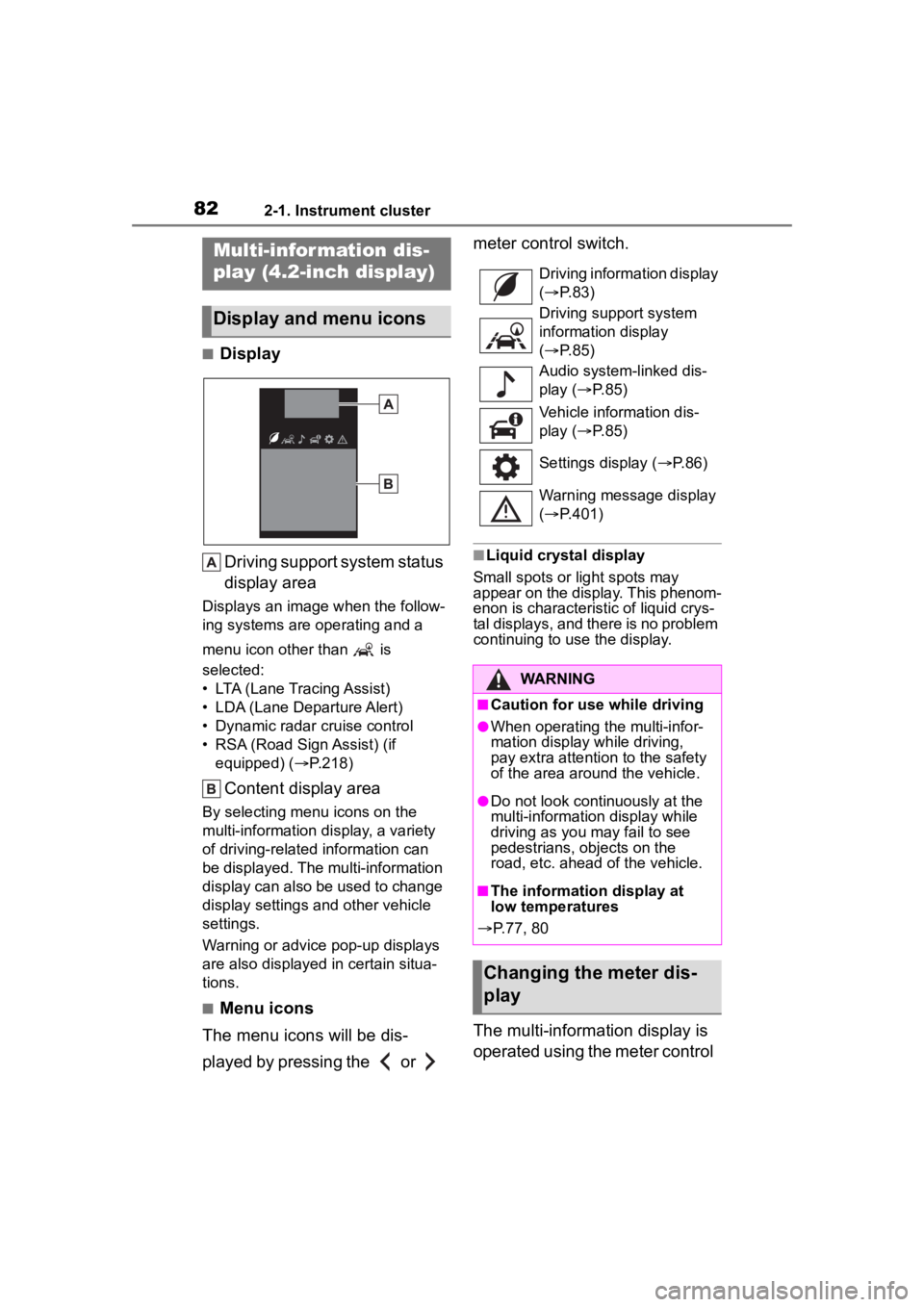
■DisplayDriving support system status
display area
Displays an image when the follow-
ing systems are operating and a
menu icon other than is
selected:
• LTA (Lane Tracing Assist)
• LDA (Lane Departure Alert)
• Dynamic radar cruise control
• RSA (Road Sign Assist) (if equipped) ( P.218)
Content display area
By selecting menu icons on the
multi-information display, a variety
of driving-related information can
be displayed. The multi-information
display can also be used to change
display settings and other vehicle
settings.
Warning or advice pop-up displays
are also displayed in certain situa-
tions.
■Menu icons
The menu icons will be dis-
played by pressing the or meter control switch.
■Liquid crystal display
Small spots or light spots may
appear on the display. This phenom-
enon is characteristic of liquid crys-
tal displays, and there is no problem
continuing to use the display.
The multi-information display is
operated using the meter control
Multi-infor mation dis-
play (4.2-inch display)
Display and menu icons
Driving information display
( P. 8 3 )
Driving support system
information display
( P. 8 5 )
Audio system-linked dis-
play ( P. 8 5 )
Vehicle information dis-
play ( P. 8 5 )
Settings display ( P.86)
Warning message display
( P.401)
WARNING
■Caution for use while driving
●When operating the multi-infor-
mation display while driving,
pay extra attention to the safety
of the area around the vehicle.
●Do not look continuously at the
multi-informatio n display while
driving as you may fail to see
pedestrians, objects on the
road, etc. ahead of the vehicle.
■The information display at
low temperatures
P.77, 80
Changing the meter dis-
play
Page 85 of 500
852-1. Instrument cluster
2
Vehicle status information and indicators
This distance is computed based
on your average fuel consumption.
As a result, the actual distance that
can be driven may differ from that
displayed.
When only a small amount of fuel is
added to the tank, the display may
not be updated.
When refueling, turn the engine
switch off. If the vehicle is refueled
without turning the engine switch
off, the display may not be updated.
■Eco Driving Indicator
Eco Driving Indica tor will not oper-
ate under the following conditions:
●The shift lever is in any position
other than D.
●The vehicle speed is approxi-
mately 80 mph (130 km/h) or
higher.
■Driving support system
information
Select to display the operational
status of the following systems:
LTA (Lane Tracing Assist)
( P.208)
LDA (Lane Departure Alert)
( P.213)
PCS (Pre-Collision System)
( P.198)
Dynamic radar cruise control
( P.220)
RSA (Road Sign Assist) (if
equipped) ( P.218)
■Navigation system-linked
display (if equipped)
Select to display the following
navigation system-linked infor-
mation:
Route guidance to destination
Compass display (head-
ing-up display)
Select to enable selection of an
audio source or track on the
meter using the meter control
switches.
This menu icon can be set to be
displayed/not displayed in .
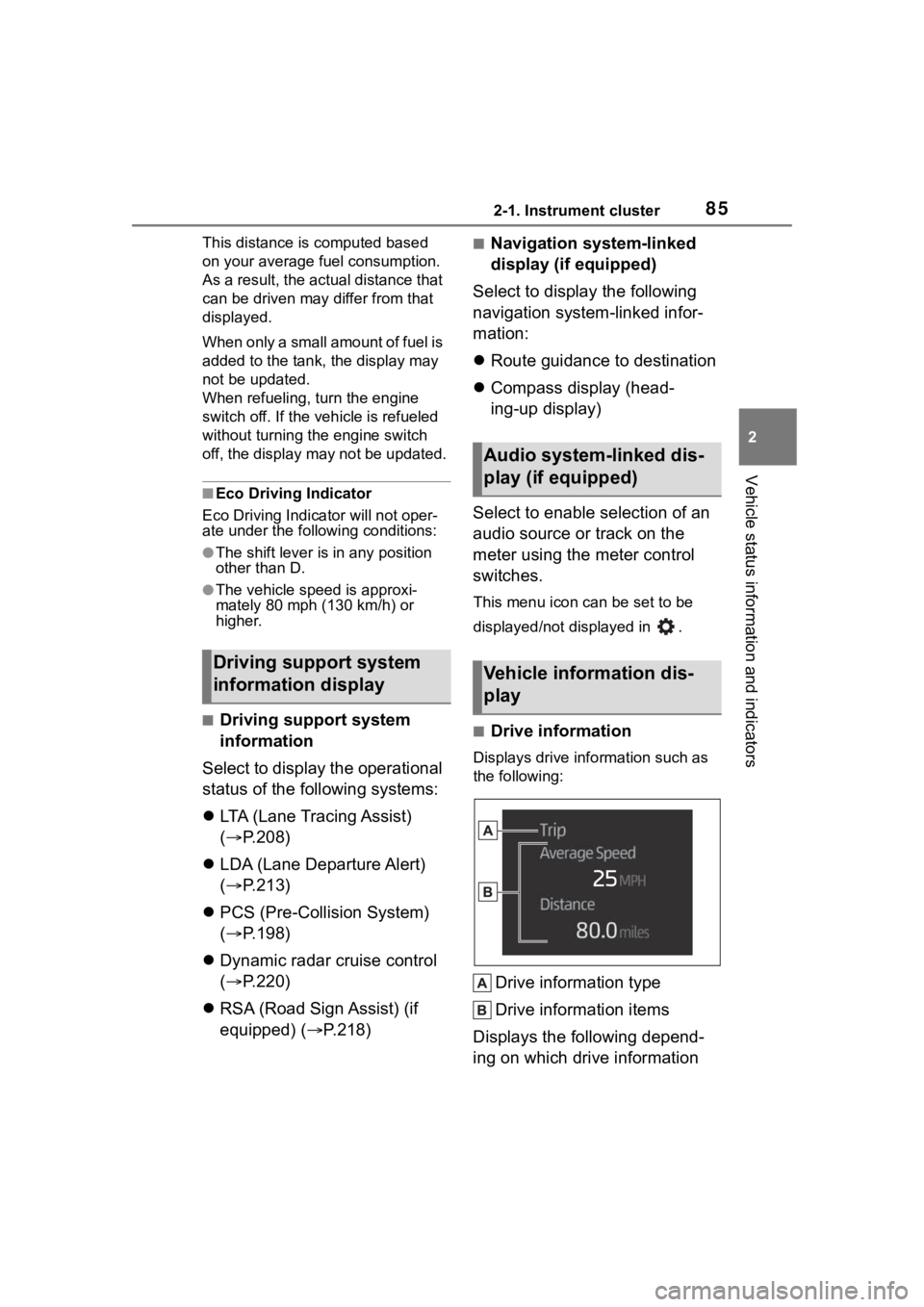
■Drive information
Displays drive info rmation such as
the following:
Drive information type
Drive information items
Displays the following depend-
ing on which drive information
Driving support system
information display
Audio system-linked dis-
play (if equipped)
Vehicle information dis-
play