2023 TOYOTA COROLLA CROSS Multi function
[x] Cancel search: Multi functionPage 172 of 500
1724-2. Driving procedures
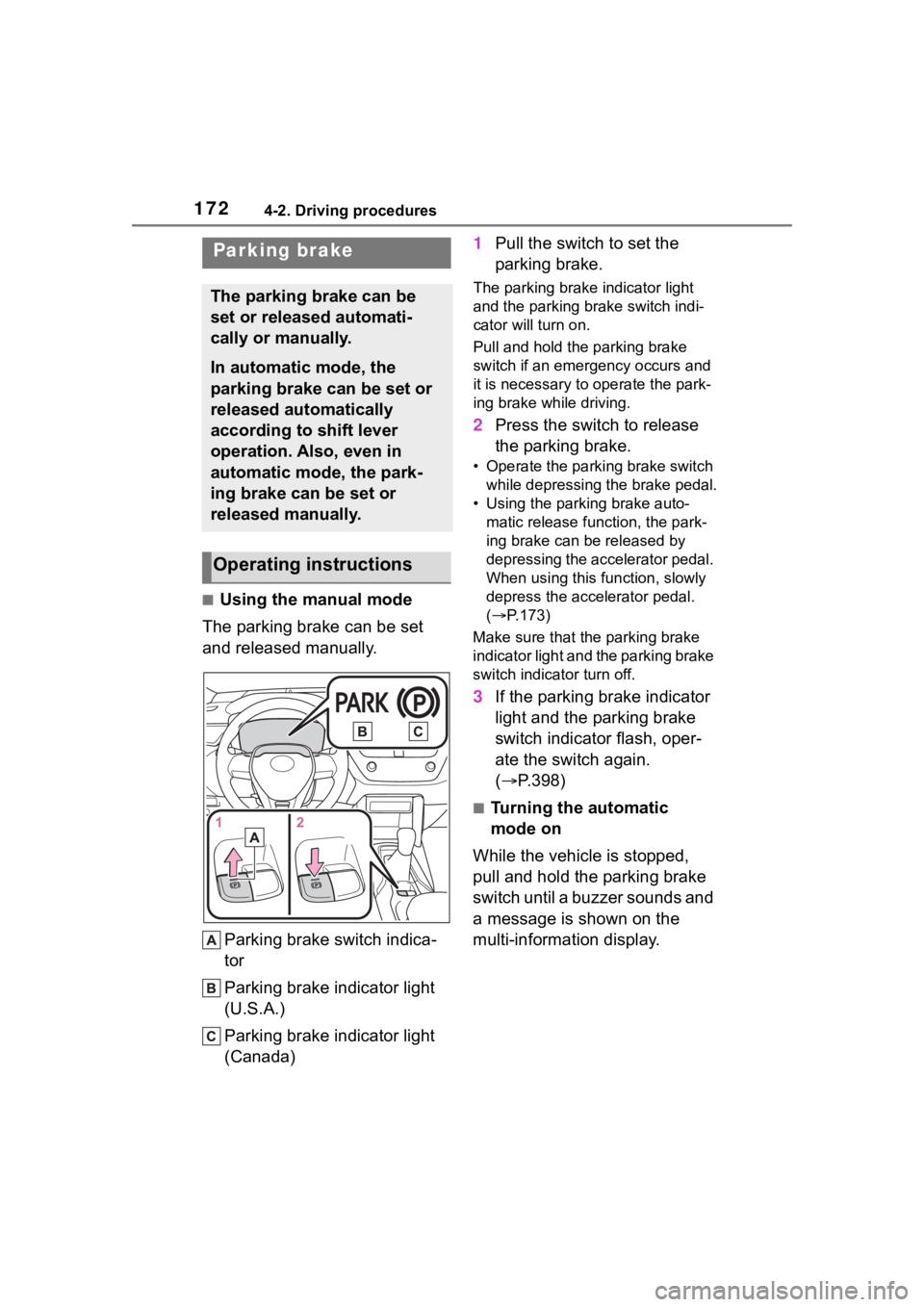
■Using the manual mode
The parking brake can be set
and released manually.
Parking brake switch indica-
tor
Parking brake indicator light
(U.S.A.)
Parking brake indicator light
(Canada) 1
Pull the switch to set the
parking brake.
The parking brake indicator light
and the parking brake switch indi-
cator will turn on.
Pull and hold the parking brake
switch if an emergency occurs and
it is necessary to operate the park-
ing brake while driving.
2 Press the switch to release
the parking brake.
• Operate the parking brake switch
while depressing the brake pedal.
• Using the parking brake auto- matic release function, the park-
ing brake can be released by
depressing the accelerator pedal.
When using this function, slowly
depress the accelerator pedal.
( P.173)
Make sure that the parking brake
indicator light and the parking brake
switch indicator turn off.
3 If the parking brake indicator
light and the parking brake
switch indicator flash, oper-
ate the switch again.
( P.398)
■Turning the automatic
mode on
While the vehicle is stopped,
pull and hold the parking brake
switch until a buzzer sounds and
a message is shown on the
multi-information display.
Parking brake
The parking brake can be
set or released automati-
cally or manually.
In automatic mode, the
parking brake can be set or
released automatically
according to shift lever
operation. Also, even in
automatic mode, the park-
ing brake can be set or
released manually.
Operating instructions
Page 173 of 500
1734-2. Driving procedures
4
Driving
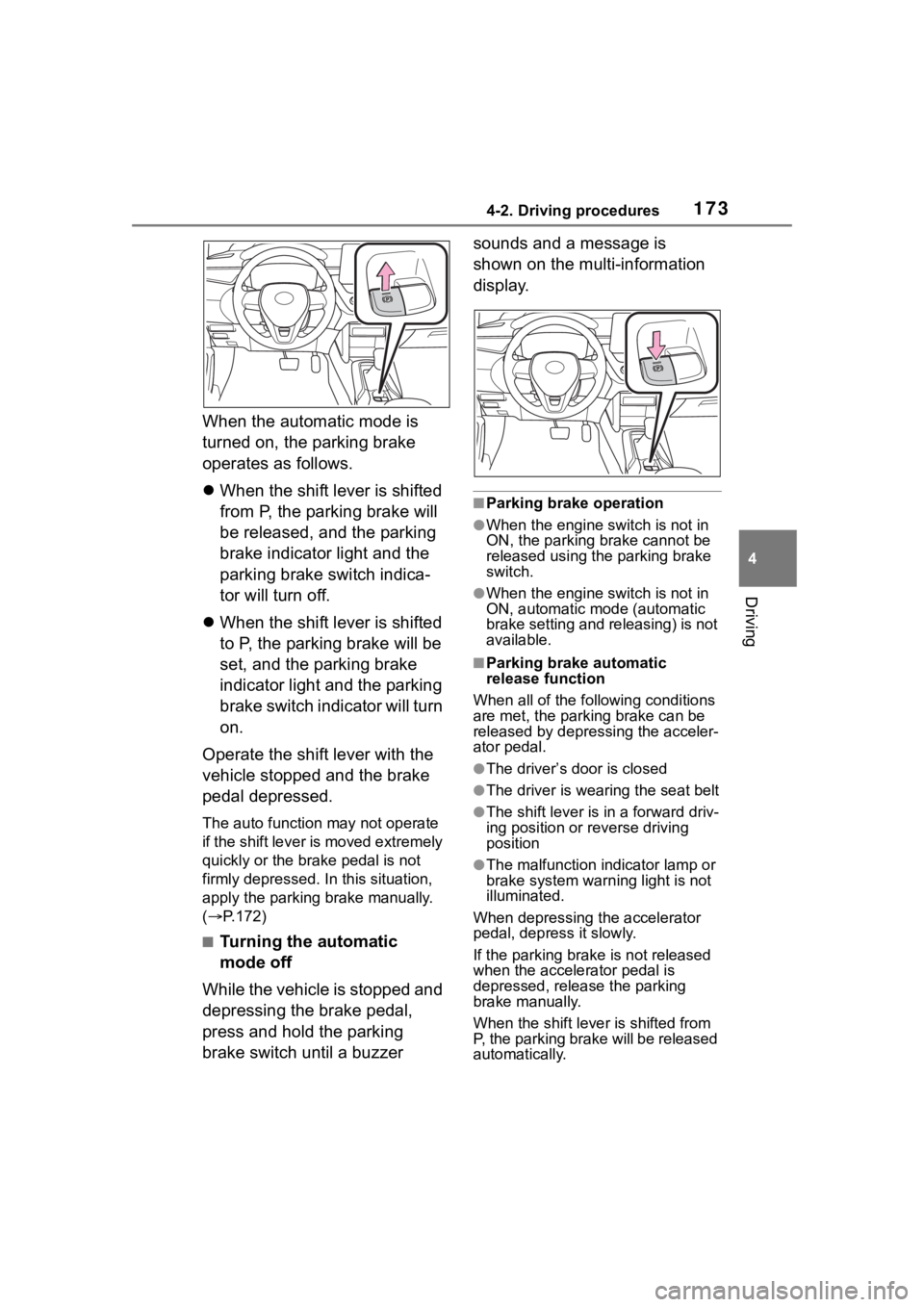
When the automatic mode is
turned on, the parking brake
operates as follows.
When the shift lever is shifted
from P, the parking brake will
be released, and the parking
brake indicator light and the
parking brake switch indica-
tor will turn off.
When the shift lever is shifted
to P, the parking brake will be
set, and the parking brake
indicator light and the parking
brake switch indicator will turn
on.
Operate the shift lever with the
vehicle stopped and the brake
pedal depressed.
The auto function may not operate
if the shift lever is moved extremely
quickly or the brake pedal is not
firmly depressed. In this situation,
apply the parking brake manually.
( P.172)
■Turning the automatic
mode off
While the vehicle is stopped and
depressing the brake pedal,
press and hold the parking
brake switch until a buzzer sounds and a message is
shown on the multi-information
display.
■Parking brake operation
●When the engine switch is not in
ON, the parking brake cannot be
released using the parking brake
switch.
●When the engine switch is not in
ON, automatic mode (automatic
brake setting and releasing) is not
available.
■Parking brake automatic
release function
When all of the fo llowing conditions
are met, the parking brake can be
released by depressing the acceler-
ator pedal.
●The driver’s door is closed
●The driver is wearing the seat belt
●The shift lever is in a forward driv-
ing position or reverse driving
position
●The malfunction in dicator lamp or
brake system warning light is not
illuminated.
When depressing the accelerator
pedal, depress it slowly.
If the parking brak e is not released
when the accelerator pedal is
depressed, release the parking
brake manually.
When the shift lever is shifted from
P, the parking brake will be released
automatically.
Page 174 of 500
1744-2. Driving procedures
■Parking brake automatic lock
function
The parking brake will be set auto-
matically under the following condi-
tions:
●The brake pedal is not depressed
●The driver’s door is open
●The driver’s seat belt is not fas-
tened
●The shift lever is in a position
other than P or N
●The malfunction indicator lamp
and brake system warning light
are not illuminated
■If “Parking Brake Temporarily
Unavailable” i s displayed on
the multi-information display
If the parking brake is operated
repeatedly over a short period of
time, the system may restrict opera-
tion to prevent overheating. If this
happens, refrain from operating the
parking brake. Nor mal operation will
return after about 1 minute.
■If “Parking Brake Unavailable”
is displayed on the multi-infor-
mation display
Operate the parking brake switch. If
the message does not disappear
after operating the switch several
times, the system may be malfunc-
tioning. Have the vehicle inspected
by your Toyota dealer.
■Parking brake operation sound
When the parking brake operates, a
motor sound (whirring sound) may
be heard. This does not indicate a
malfunction.
■Parking brake indicator light
and Parking brake switch indi-
cator
●Depending on the engine switch
position/mode, the parking brake
indicator light and the parking
brake switch indicator will turn on
and stay on as described below:
ON: Comes on until the parking
brake is released. Not in ON: Stays
on for approxi-
mately 15 seconds.
●When the engine switch is turned
off with the parking brake set, the
parking brake indicator light and
the parking brake switch indicator
will stay on for abo ut 15 seconds.
This does not indicate a malfunc-
tion.
■When the parking brake switch
malfunctions
Automatic mode (automatic brake
setting and releas ing) will be turned
on automatically.
■Parking the vehicle
P.141
■Parking brake engaged warning
buzzer
A buzzer will sound if the vehicle is
driven with the parking brake
engaged. “Parking Brake ON” is dis-
played on the multi-information dis-
play (with the vehicle reaching a
speed of 3 mph [5 km/h]).
■If the brake system warning
light comes on
P.391
■Usage in winter time
P.279
WARNING
■When parking the vehicle
Do not leave a child in the vehicle
alone. The parking brake may be
released unintentionally by a child
and there is the danger of the
vehicle moving that may lead to
an accident resulting in death or
serious injury.
■Parking brake switch
Do not set any objects near the
parking brake switch. Objects
may interfere with the switch and
may lead the parking brake to
unexpectedly operate.
Page 176 of 500
1764-2. Driving procedures
●The parking brake is engaged.
If any of the conditions above are
detected when the brake hold sys-
tem is enabled, the system will turn
off and the brake hold standby indi-
cator light will go of f. In addition, if
any of the conditions are detected
while the system is holding the
brake, a warning buzzer will sound
and a message will be shown on the
multi-information display. The park-
ing brake will then be set automati-
cally.
■Brake hold function
●If the brake pedal is left released
for a period of about 3 minutes
after the system has started hold-
ing the brake, the parking brake
will be set automatically. In this
case, a warning buzzer sounds
and a message is shown on the
multi-informat ion display.
●To turn the system off while the
system is holding the brake, firmly
depress the brake pedal and
press the button again.
●The brake hold function may not
hold the vehicle when the vehicle
is on a steep inclin e. In this situa-
tion, it may be necessary for the
driver to apply the brakes. A warn-
ing buzzer will sound and the
multi-informatio n display will
inform the driver of this situation. If
a warning message is shown on
the multi-information display, read
the message and follow the
instructions.
●When do not wish for the parking
brake to operate automatically,
press and hold the brake hold
switch until the standby indicator
(green) turns off, and then turn the
engine switch off.
■When the parking brake is set
automatically while the system
is holding the brakes
Perform any of the following opera-
tions to release the parking brake.
●Depress the accelerator pedal. (The parking brake will not be
released automatically if the seat
belt is not fastened.)
●Operate the parking brake switch
with the brake pedal depressed.
Make sure that the parking brake
indicator light goes off. ( P.172)
■When an inspection at your
Toyota dealer is necessary
When the brake hold standby indi-
cator (green) does not illuminate
even when the brake hold switch is
pressed with the brake hold system
operating conditions met, the sys-
tem may be malf unctioning. Have
the vehicle inspected at your Toyota
dealer.
■If “Brake Hold Malfunction
Press Brake to Deactivate Visit
Your Dealer” or “Brake Hold
Malfunction Visit Your Dealer”
is displayed on the multi-infor-
mation display
The system may be malfunctioning.
Have the vehicle inspected by your
Toyota dealer.
■Warning messages and buzzers
Warning messages and buzzers are
used to indicate a system malfunc-
tion or to inform the driver of the
need for caution. If a warning mes-
sage is shown on the multi-informa-
tion display, read the message and
follow the instructions.
■If the brake hold operated indi-
cator flashes
P.398
WARNING
■When the vehicle is on a
steep incline
Take care when using the brake
hold system on a steep incline,
exercise caution. The brake hold
function may not hold brakes in
such situations. Also, the system
may not activate depending on
the angle of the slope.
Page 199 of 500
1994-5. Using the driving support systems
4
Driving
Motorcycles*
*: Detected as a detectable object
only when being ridden.
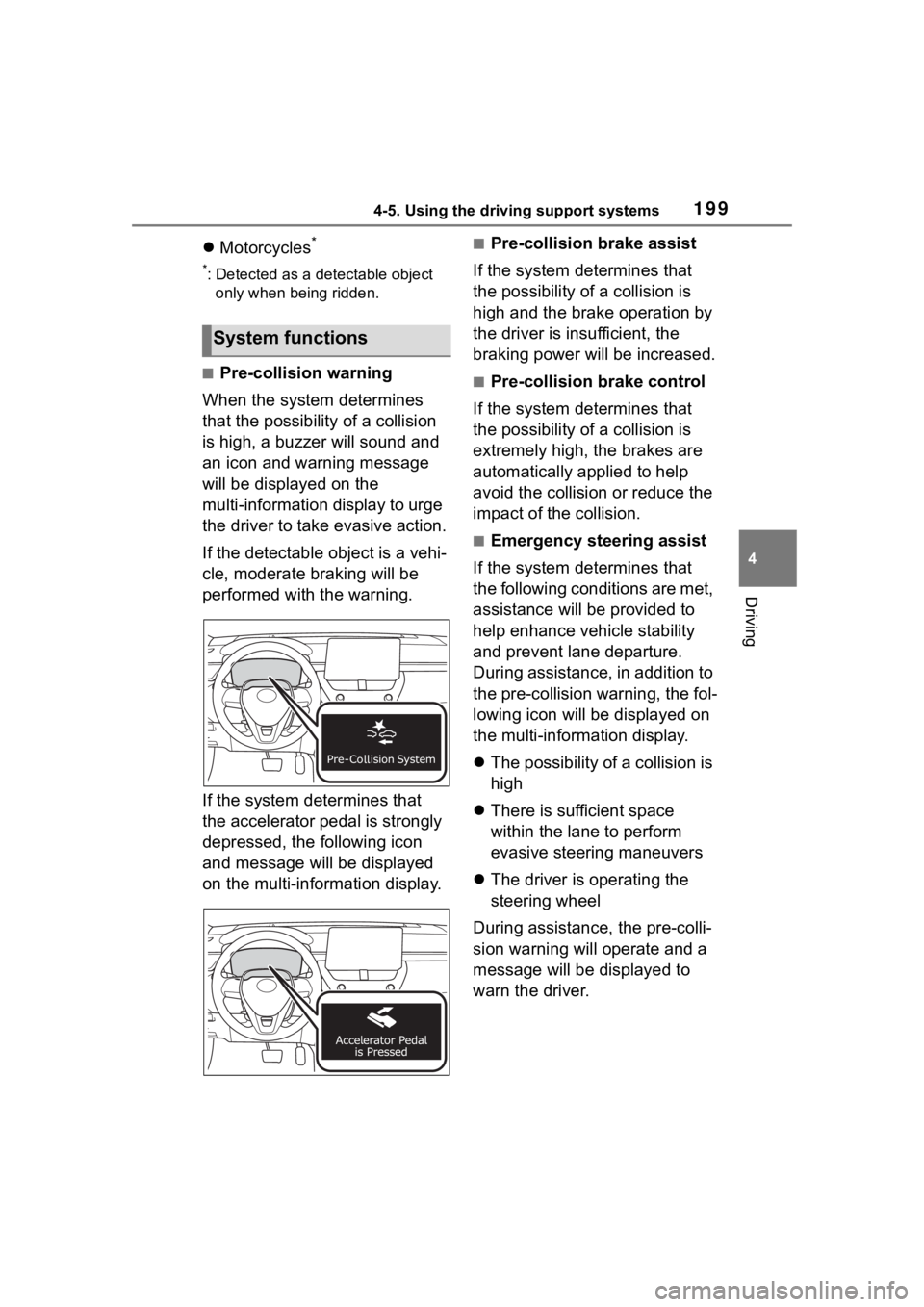
■Pre-collision warning
When the system determines
that the possibility of a collision
is high, a buzzer will sound and
an icon and warning message
will be displayed on the
multi-information display to urge
the driver to take evasive action.
If the detectable object is a vehi-
cle, moderate braking will be
performed with the warning.
If the system determines that
the accelerator pedal is strongly
depressed, the following icon
and message will be displayed
on the multi-information display.
■Pre-collision brake assist
If the system determines that
the possibility of a collision is
high and the brake operation by
the driver is insufficient, the
braking power will be increased.
■Pre-collision brake control
If the system determines that
the possibility of a collision is
extremely high, the brakes are
automatically applied to help
avoid the collision or reduce the
impact of the collision.
■Emergency steering assist
If the system determines that
the following conditions are met,
assistance will be provided to
help enhance vehicle stability
and prevent lane departure.
During assistance, in addition to
the pre-collision warning, the fol-
lowing icon will be displayed on
the multi-information display.
The possibility of a collision is
high
There is sufficient space
within the lane to perform
evasive steering maneuvers
The driver is operating the
steering wheel
During assistance, the pre-colli-
sion warning will operate and a
message will be displayed to
warn the driver.
System functions
Page 201 of 500
2014-5. Using the driving support systems
4
Driving
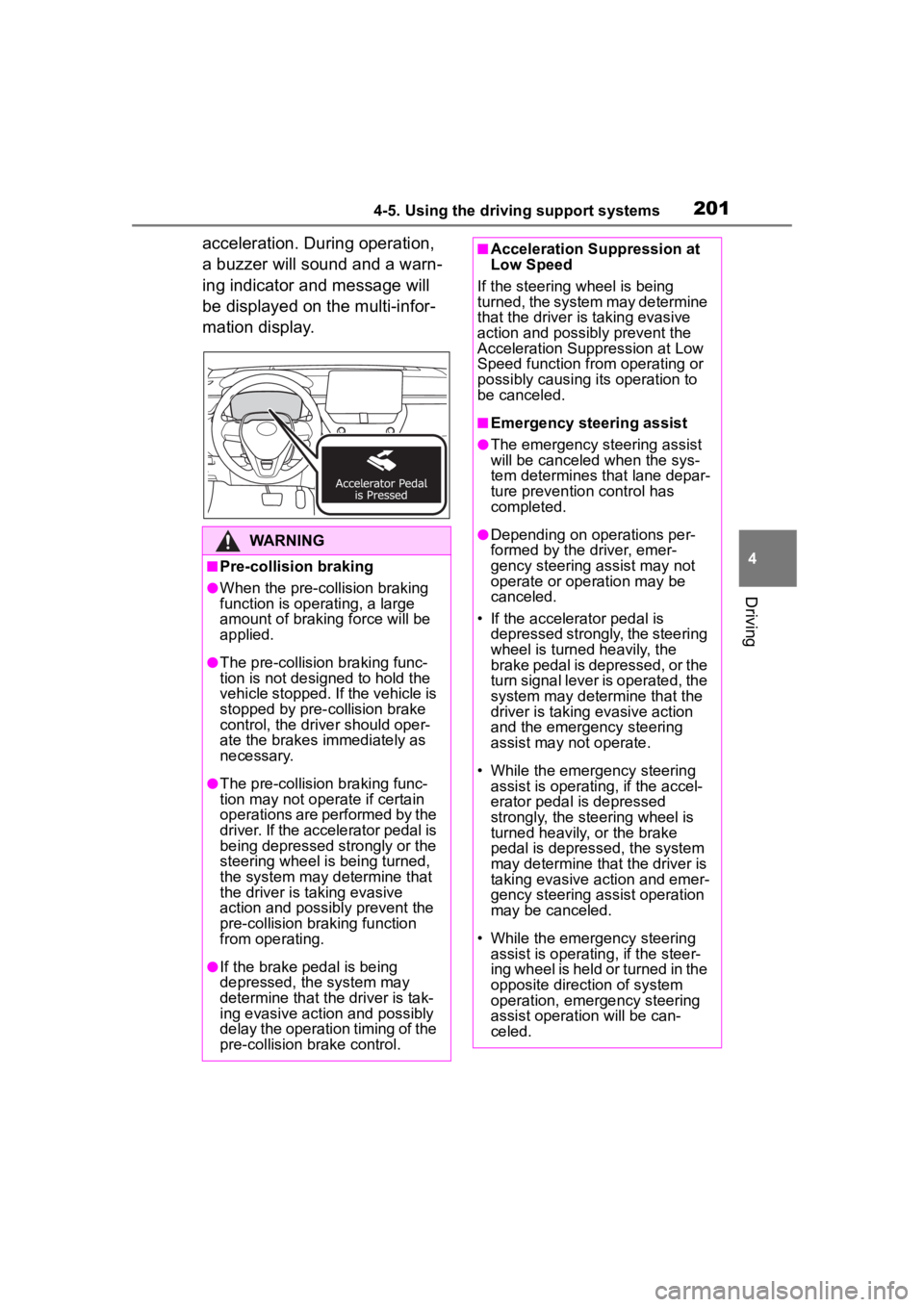
acceleration. During operation,
a buzzer will sound and a warn-
ing indicator and message will
be displayed on the multi-infor-
mation display.
WARNING
■Pre-collision braking
●When the pre-collision braking
function is operating, a large
amount of braking force will be
applied.
●The pre-collision braking func-
tion is not designed to hold the
vehicle stopped. If the vehicle is
stopped by pre-collision brake
control, the driver should oper-
ate the brakes immediately as
necessary.
●The pre-collision braking func-
tion may not operate if certain
operations are performed by the
driver. If the accelerator pedal is
being depressed strongly or the
steering wheel is being turned,
the system may determine that
the driver is taking evasive
action and possibly prevent the
pre-collision braking function
from operating.
●If the brake pedal is being
depressed, the system may
determine that the driver is tak-
ing evasive action and possibly
delay the operation timing of the
pre-collision brake control.
■Acceleration Suppression at
Low Speed
If the steering wheel is being
turned, the system may determine
that the driver is taking evasive
action and possibly prevent the
Acceleration Suppression at Low
Speed function from operating or
possibly causing its operation to
be canceled.
■Emergency steering assist
●The emergency steering assist
will be canceled when the sys-
tem determines that lane depar-
ture prevention control has
completed.
●Depending on operations per-
formed by the driver, emer-
gency steering assist may not
operate or operation may be
canceled.
• If the accelerator pedal is depressed strongly, the steering
wheel is turned heavily, the
brake pedal is depressed, or the
turn signal lever is operated, the
system may determine that the
driver is taking evasive action
and the emergency steering
assist may n ot operate.
• While the emergency steering assist is operating, if the accel-
erator pedal is depressed
strongly, the steering wheel is
turned heavily, or the brake
pedal is depressed, the system
may determine that the driver is
taking evasive action and emer-
gency steering assist operation
may be canceled.
• While the emergency steering assist is operating, if the steer-
ing wheel is held or turned in the
opposite direction of system
operation, emergency steering
assist operation will be can-
celed.
Page 210 of 500
2104-5. Using the driving support systems
the following conditions are met:
●The LTA system detects lane lines
or the path of preceding or sur-
rounding vehicles.
●The dynamic radar cruise control
is operating.
●The lane width is approximately
10 to 13 ft. (3 to 4 m).
●The turn signal le ver is not being
operated.
●The vehicle is not being driven
around a sharp curve.
●The vehicle is not accelerating or
decelerating more than a certain
amount.
●The steering wheel is not being
turned with a large force.
●The hands off steering wheel
warning ( P.210) is not operat-
ing.
●The vehicle is being driven in the
center of a lane.
■Temporary cancelation of func-
tions
●When the operating conditions are
no longer met, a function may be
temporarily canceled. However,
when the operation conditions are
met again, operation of the func-
tion will automatically be restored.
( P.209)
●If the operating conditions of a
function are no longer met while
the function is operating, a buzzer
may sound to indicate that the
function has been temporarily
canceled.
●The steering assist operation of
the function can be overridden by
the steering wheel operation of
the driver.
■Lane departure warning func-
tion when the LTA is operating
●Even if the LDA warning method is
changed to vibration of the steer-
ing wheel, if the vehicle deviates
from the lane while the LTA is
operating, the warning buzzer will sound to aler
t the driver.
●If steering wheel operation equiv-
alent to that necessary for a lane
change is detected, the system
will determine the vehicle is not
deviating from the lane and the
warning will not operate.
■Hands off steering wheel warn-
ing operation
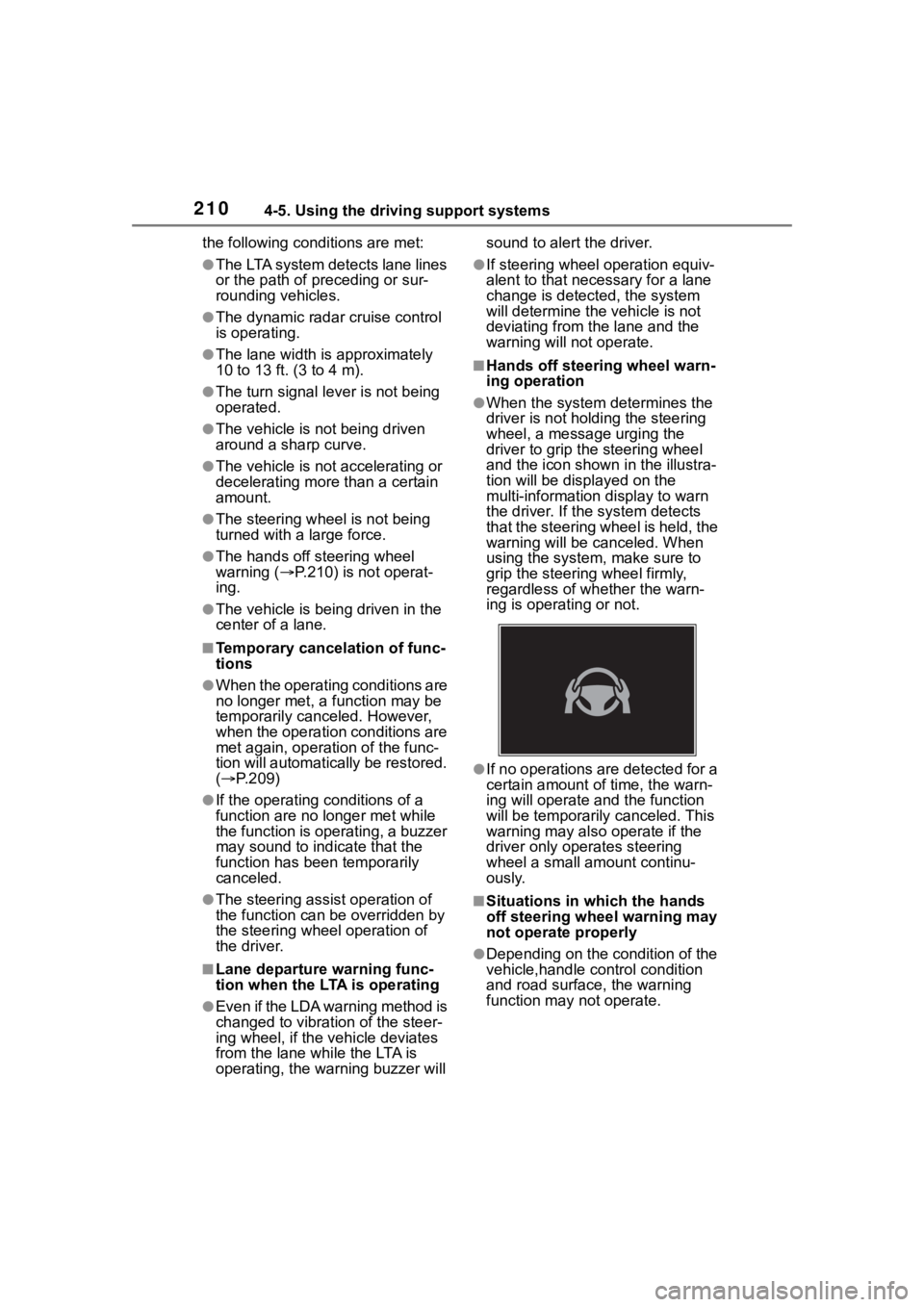
●When the system determines the
driver is not hold ing the steering
wheel, a message urging the
driver to grip the steering wheel
and the icon shown in the illustra-
tion will be dis played on the
multi-information display to warn
the driver. If the system detects
that the steering wheel is held, the
warning will be canceled. When
using the system, make sure to
grip the steering wheel firmly,
regardless of whether the warn-
ing is operating or not.
●If no operations are detected for a
certain amount of time, the warn-
ing will operate and the function
will be temporarily canceled. This
warning may also operate if the
driver only operates steering
wheel a small amount continu-
ously.
■Situations in which the hands
off steering wheel warning may
not operate properly
●Depending on the condition of the
vehicle,handle control condition
and road surface, the warning
function may not operate.
Page 218 of 500

2184-5. Using the driving support systems
*: If equipped
When the front camera detects a sign or information
of a sign is available from the
navigation system, the sign
will be displayed on the dis-
p l a y.
Multiple signs can be dis-
played.
Depending on the specifications of
the vehicle, the number of dis-
played signs may be limited.
■Operating conditions of sign
display
Signs will be displayed when the fol-
lowing conditions are met:
●The system has detected a sign
In the following si tuations, a dis-
played sign may stop being dis-
played:
●When a new sign has not been
detected for a certain distance
●When the system determines that
the road being driven on has
changed, such as after a left or
right turn
■Situations in which the display
function may not operate prop-
erly
In the following situ ations, the RSA
system may not operate properly
and may not detect signs or may
display the incorrect sign. However,
this does not indicate a malfunction.
●When a sign is dirty, faded, tilted
or bent
●When the contrast of an electronic
sign is low
●When all or part of a sign is hidden
by a tree, utility pole, etc.
●When a sign is d etected by the
front camera for a short amount of
time
●When the driving state (turning,
changing lanes, etc.) is judged
incorrectly
RSA (Road Sign
Assist)*
The RSA system detects
specific road signs using
the front camera and/or nav-
igation system (when speed
limit information is avail-
able) and warns the driver
via displays and buzzers.
WARNING
■For safe use
●Driving safely is solely the
responsibility of the driver. Pay
careful attention to the sur-
rounding conditions in order to
ensure safe driving.
●Do not rely solely upon the
RSA. The RSA assists the
driver by providing road sign
information, but it is not a
replacement for the driver’s own
vision and awareness. Driving
safely is solely the responsibility
of the driver. Pay careful atten-
tion to the surrounding condi-
tions in order to ensure safe
driving.
■Situations in which the RSA
should not be used
●When it is necessary to disable
the system: P. 1 9 2
■Situations in which the sys-
tem may not operate properly
●Situations in wh ich the sensors
may not operate properly:
P. 1 9 6
Display Function