Page 242 of 608
2424-5. Using the driving support systems
4RUNNER (U)■
Enabling/disabling th
e pre-collision system
The pre-collision sy stem can be enabled/disabled on ( P. 9 6 )
of the multi-information display.
The system is automatically enabled each time the engine switch is
turned to IGNITION ON mode.
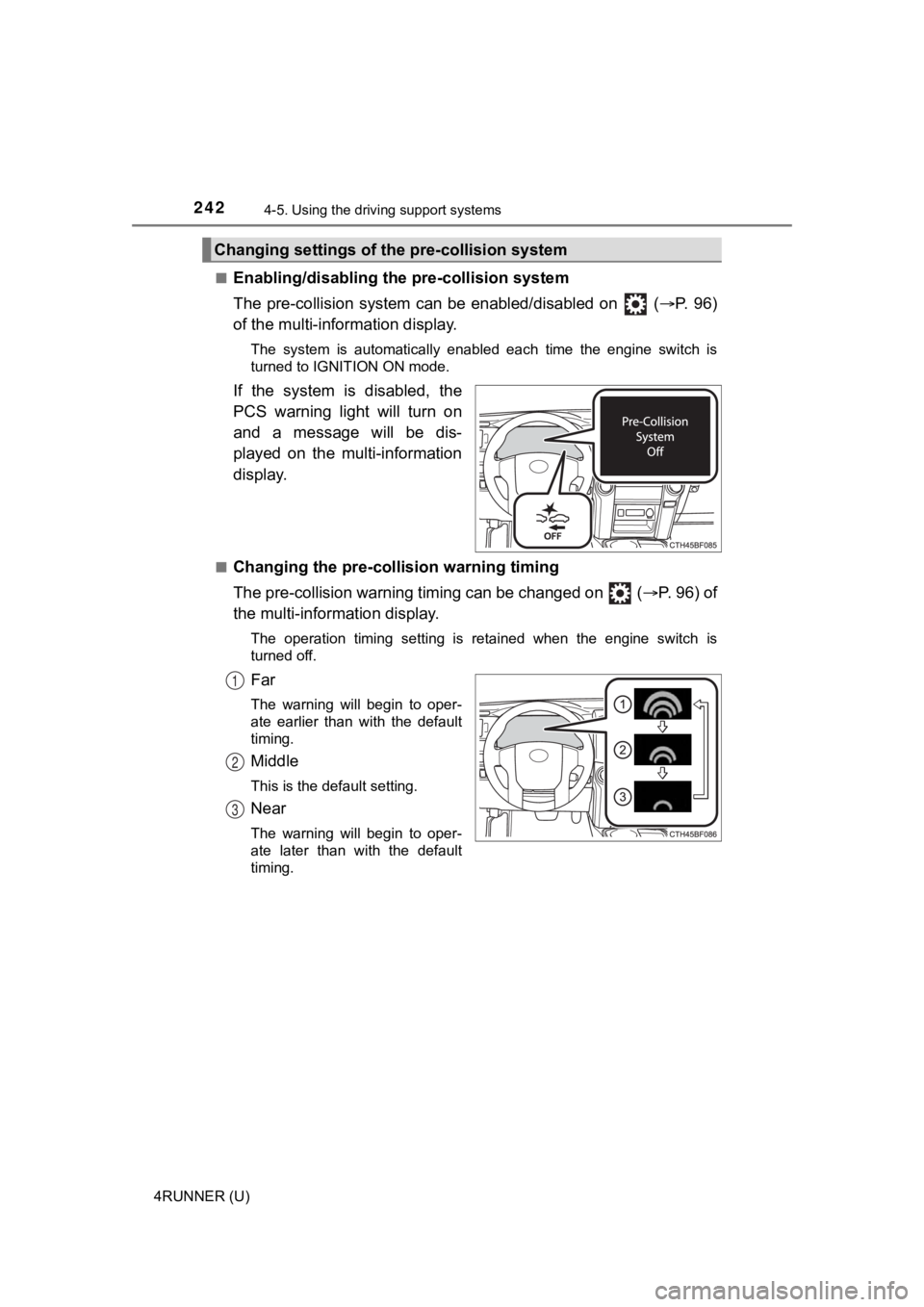
If the system is disabled, the
PCS warning light will turn on
and a message will be dis-
played on the multi-information
display.
■Changing the pre-colli sion warning timing
The pre-collision warning timing can be changed on ( P. 96) of
the multi-inform ation display.
The operation timing setting is retained when the engine switch is
turned off.
Far
The warning will begin to oper-
ate earlier than with the default
timing.
Middle
This is the default setting.
Near
The warning will begin to oper-
ate later than with the default
timing.
Changing settings of the pre-collision system
1
2
3
Page 247 of 608

2474-5. Using the driving support systems
4
Driving
4RUNNER (U)• If a vehicle ahead makes an abrupt maneuver (such as sudden sw
erving,
acceleration or deceleration)
• When suddenly cutting behind a preceding vehicle
• When driving in inclement weather such as heavy rain, fog, snow or a
sandstorm
• When the vehicle is hit by water, snow, dust, etc. from a vehicle ahead
• When driving through steam or smoke
• When driving in a place where the surrounding brightness changes sud- denly, such as at the entrance or exit of a tunnel
• When a very bright light, such as the sun or the headlights of oncoming
traffic, shines directly into the front camera
• When the surrounding area is dim, such as at dawn or dusk, or while at
night or in a tunnel
• After the engine has started the vehicle has not been driven for a certain amount of time
• While making a left/right turn and for a few seconds after mak ing a left/
right turn
• While driving on a curve and for a few seconds after driving o n a curve
• If your vehicle is skidding
• If the wheels are misaligned
• If a wiper blade is blocking the front camera
• The vehicle is wobbling.
• The vehicle is being driven at extremely high speeds.
• When driving on a hill
• If the radar sensor or front camera is misaligned • When a vehicle ahead is not directly in front of your vehicle
• If the front of the vehicle is raised or lowered
Page 261 of 608

2614-5. Using the driving support systems
4
Driving
4RUNNER (U)
This mode employs a radar sensor to detect the presence of vehicles
up to approximately 320 ft. (100 m) ahead, determines the curre nt
vehicle-to-vehicle following distance, and operates to maintain a suit-
able following distance from the vehicle ahead.
Note that vehicle-to-vehicle distance will close in when traveling on long
downhill slopes.
Example of constant speed cruising
When there are no vehicles ahead
The vehicle travels at the speed set by the driver. The desired vehicle-to-
vehicle distance can also be set by operating the vehicle-to-ve hicle dis-
tance switch.
Example of deceleration crui sing and follow-up cruising
When a preceding vehicle driving slower than the set speed
appears
When a vehicle is detected running ahead of you, the system automatically
decelerates your vehicle. When a greater reduction in vehicle s peed is
necessary, the system applies the brakes (the stop lights will come on at
this time). The system will respond to changes in the speed of the vehicle
ahead in order to maintain the vehicle-to-vehicle distance set by the driver.
Approach warning warns you when the system cannot decelerate su ffi-
ciently to prevent your vehicle fr om closing in on the vehicle ahead.
Example of acceleration
When there are no longer any preceding vehicles driving slower
than the set speed
The system accelerates until the set speed is reached. The syst em then
returns to constant speed cruising.
Driving in vehicle-to-vehi cle distance control mode
1
2
3
Page 263 of 608
2634-5. Using the driving support systems
4
Driving
4RUNNER (U)
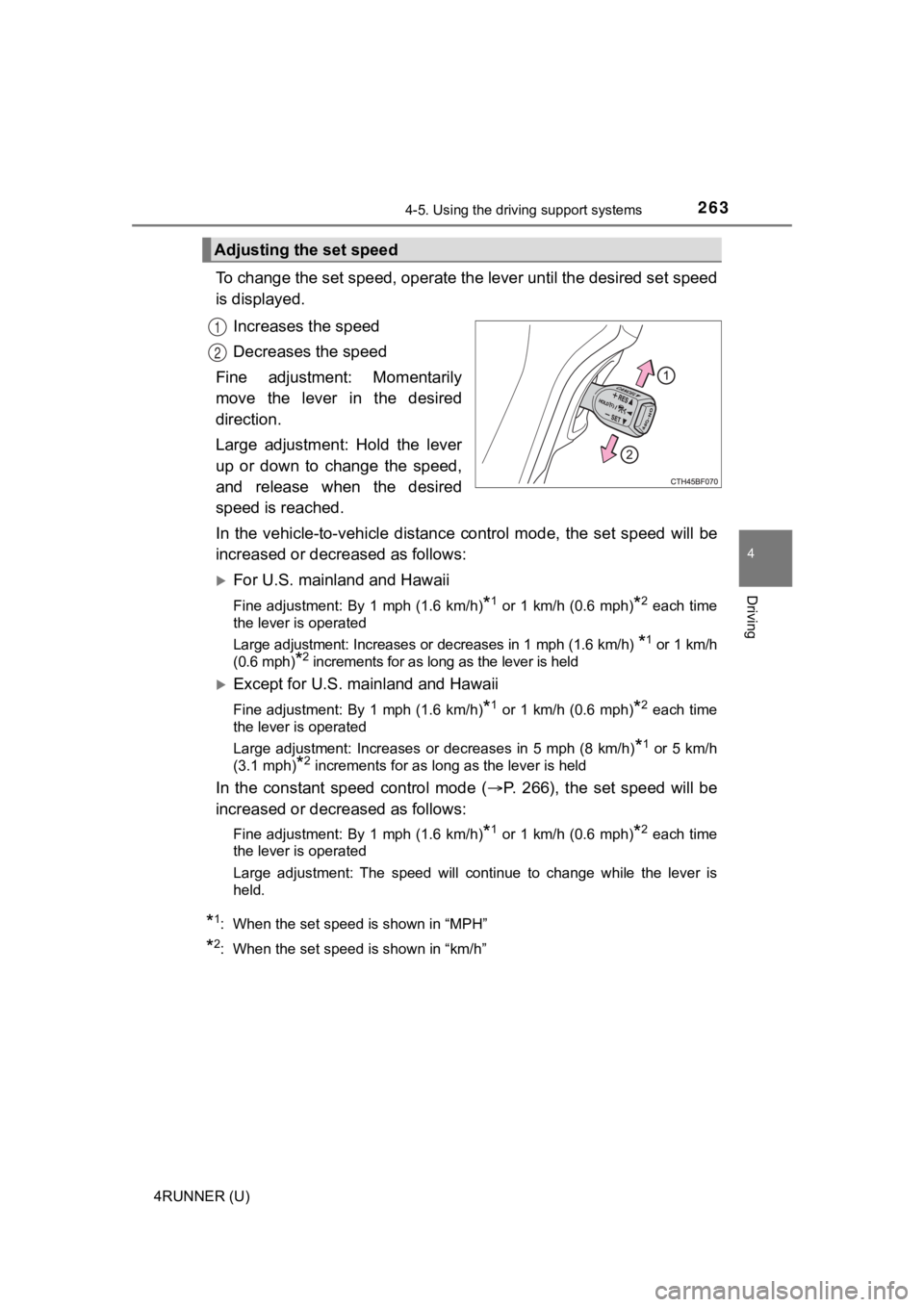
To change the set speed, operate the lever until the desired set speed
is displayed.
Increases the speed
Decreases the speed
Fine adjustment: Momentarily
move the lever in the desired
direction.
Large adjustment: Hold the lever
up or down to change the speed,
and release when the desired
speed is reached.
In the vehicle-to-vehicle distance control mode, the set speed will be
increased or decreased as follows:
For U.S. mainland and Hawaii
Fine adjustment: By 1 mph (1.6 km/h)*1 or 1 km/h (0.6 mph)*2 each time
the lever is operated
Large adjustment: Increases or decreases in 1 mph (1.6 km/h)
*1 or 1 km/h
(0.6 mph)
*2 increments for as long as the lever is held
Except for U.S. mainland and Hawaii
Fine adjustment: By 1 mph (1.6 km/h)*1 or 1 km/h (0.6 mph)*2 each time
the lever is operated
Large adjustment: Increases or decreases in 5 mph (8 km/h)
*1 or 5 km/h
(3.1 mph)
*2 increments for as long as the lever is held
In the constant speed control mode ( P. 266), the set speed will be
increased or decreased as follows:
Fine adjustment: By 1 mph (1.6 km/h)*1 or 1 km/h (0.6 mph)*2 each time
the lever is operated
Large adjustment: The speed will continue to change while the l ever is
held.
*1: When the set speed is shown in “MPH”
*2: When the set speed is shown in “km/h”
Adjusting the set speed
1
2
Page 270 of 608
2704-5. Using the driving support systems
4RUNNER (U)
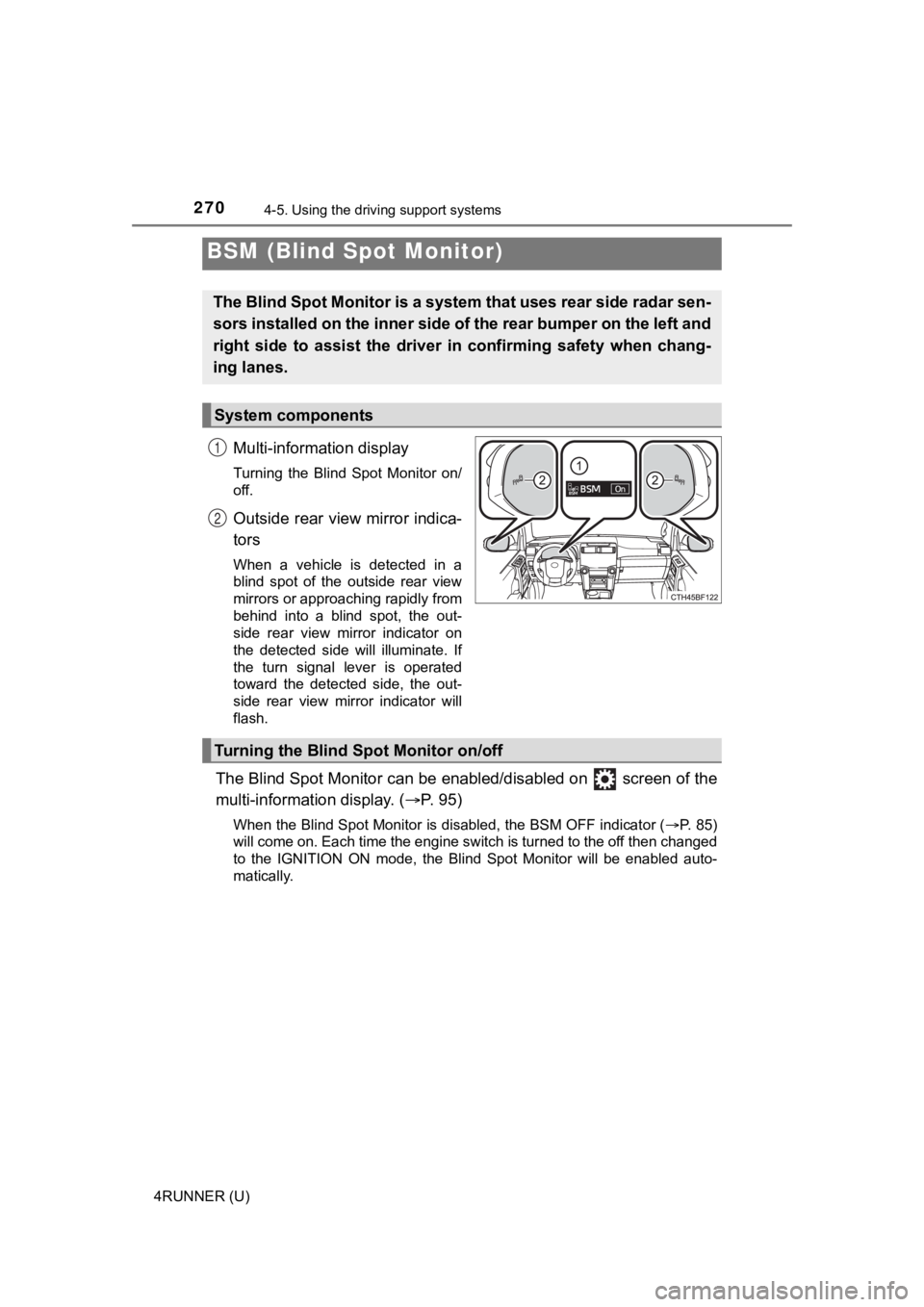
Multi-information display
Turning the Blind Spot Monitor on/
off.
Outside rear view mirror indica-
tors
When a vehicle is detected in a
blind spot of the outside rear view
mirrors or approaching rapidly from
behind into a blind spot, the out-
side rear view mirror indicator on
the detected side will illuminate. If
the turn signal lever is operated
toward the detected side, the out-
side rear view mirror indicator will
flash.
The Blind Spot Monitor can be enabled/disabled on screen of th e
multi-information display. ( P. 9 5 )
When the Blind Spot Monitor is disabled, the BSM OFF indicator (P. 85)
will come on. Each time the engine switch is turned to the off then changed
to the IGNITION ON mode, the Blind Spot Monitor will be enabled auto-
matically.
BSM (Blind Spot Monitor)
The Blind Spot Monitor is a system that uses rear side radar se n-
sors installed on the inner side of the rear bumper on the left and
right side to assist the driver in confirming safety when chang-
ing lanes.
System components
1
2
Turning the Blind S pot Monitor on/off
Page 277 of 608
2774-5. Using the driving support systems
4
Driving
4RUNNER (U)
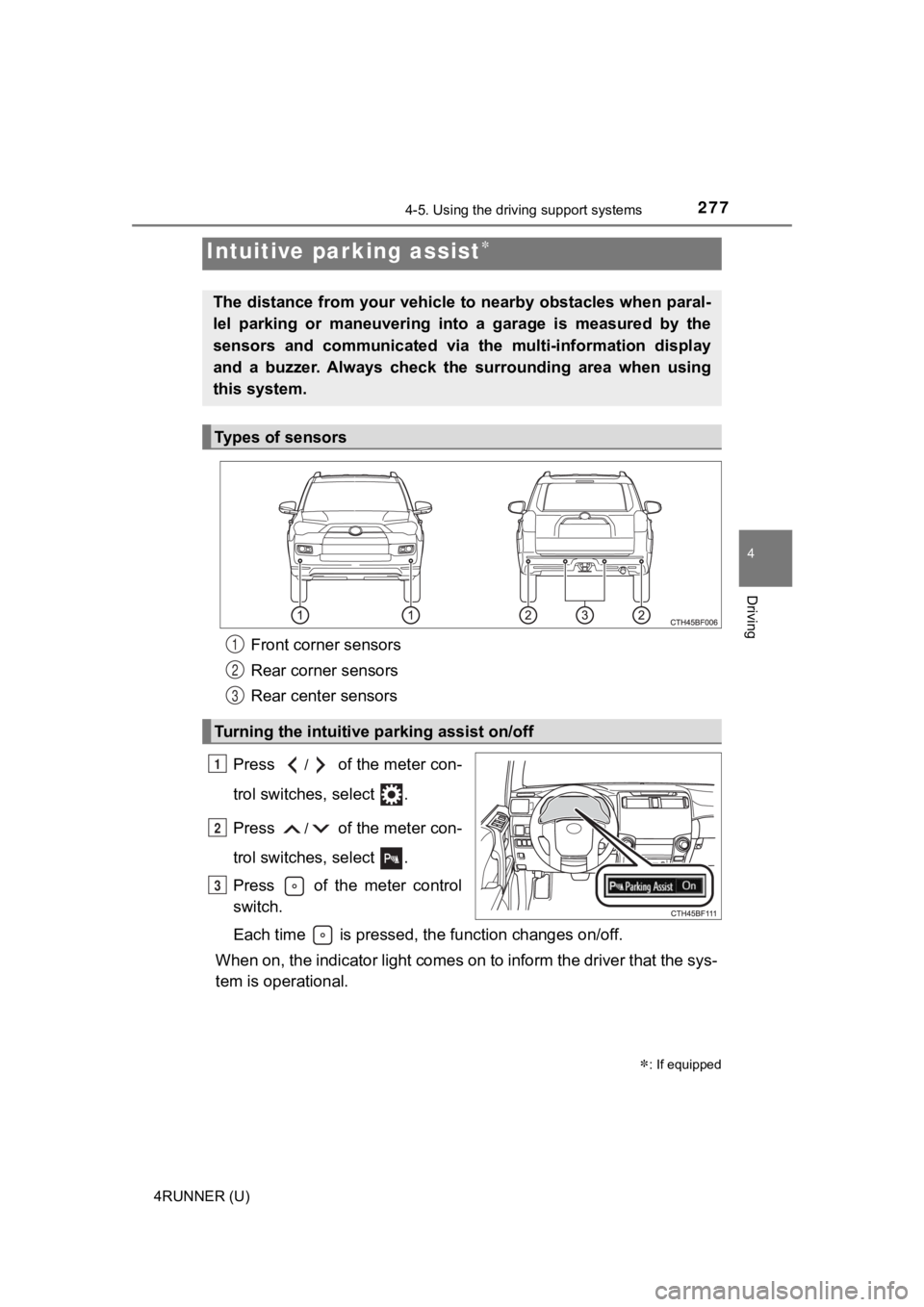
Front corner sensors
Rear corner sensors
Rear center sensors
Press
/ of the meter con-
trol switches, select .
Press
/ of the meter con-
trol switches, select .
Press of the meter control
switch.
Each time is pressed, the function changes on/off.
When on, the indicator light comes on to inform the driver that the sys-
tem is operational.
Intuitive parking assist
: If equipped
The distance from your vehicle to nearby obstacles when paral-
lel parking or maneuvering into a garage is measured by the
sensors and communicated via t he multi-information display
and a buzzer. Always check the surrounding area when using
this system.
Types of sensors
Turning the intuitive parking assist on/off
1
2
3
1
2
3
Page 286 of 608
2864-5. Using the driving support systems
4RUNNER (U)
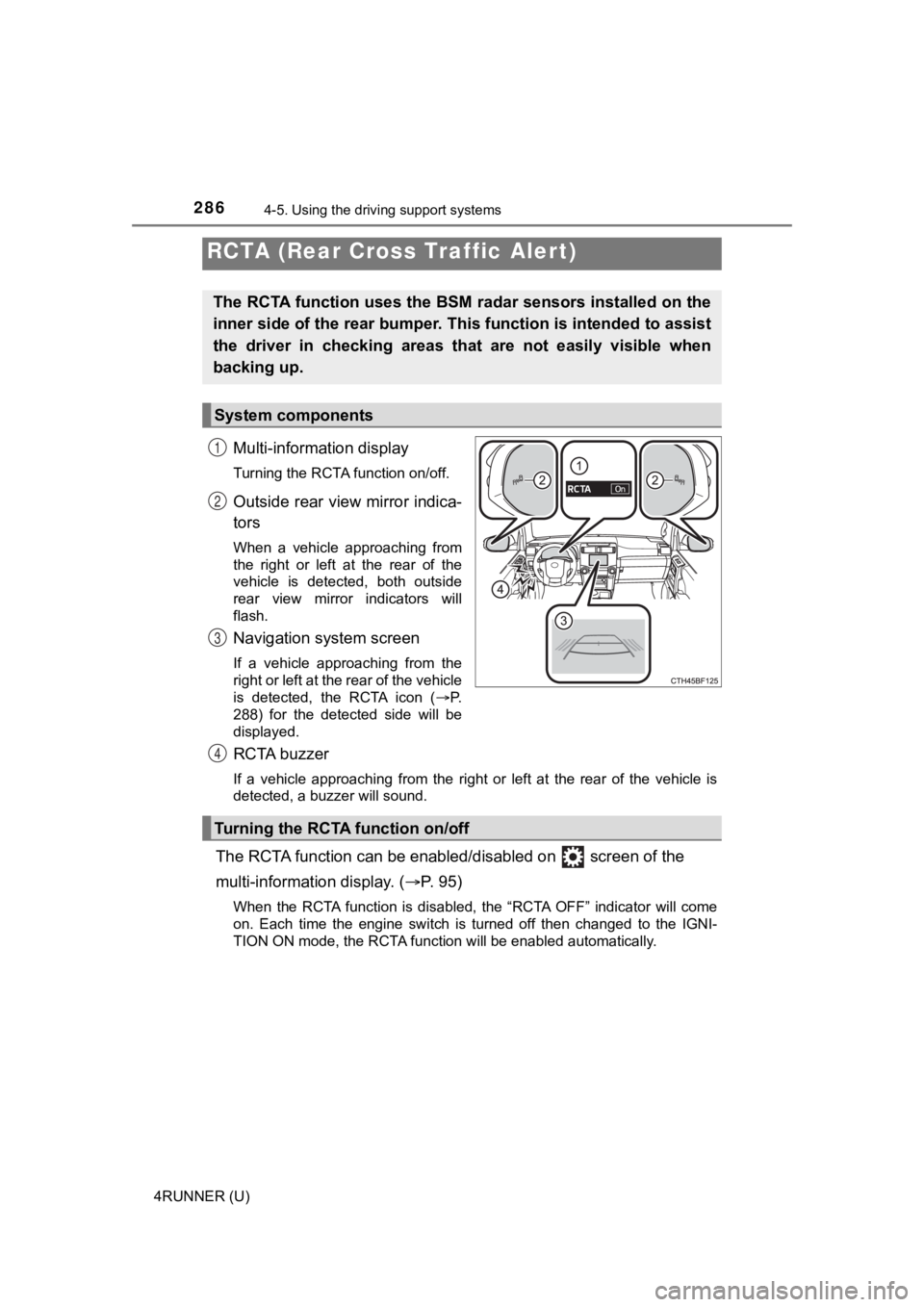
Multi-information display
Turning the RCTA function on/off.
Outside rear view mirror indica-
tors
When a vehicle approaching from
the right or left at the rear of the
vehicle is detected, both outside
rear view mirror indicators will
flash.
Navigation system screen
If a vehicle approaching from the
right or left at the rear of the vehicle
is detected, the RCTA icon ( P.
288) for the detected side will be
displayed.
RCTA buzzer
If a vehicle approaching from the right or left at the rear of the vehicle is
detected, a buzzer will sound.
The RCTA function can be enabl ed/disabled on screen of the
multi-information display. ( P. 9 5 )
When the RCTA function is disabled, the “RCTA OFF” indicator wi ll come
on. Each time the engine switch is turned off then changed to t he IGNI-
TION ON mode, the RCTA function will be enabled automatically.
RCTA (Rear Cross Traffic Alert)
The RCTA function uses the BSM radar sensors installed on the
inner side of the rear bumper. This function is intended to ass ist
the driver in checking areas that are not easily visible when
backing up.
System components
1
2
3
Turning the RCTA function on/off
4
Page 343 of 608
3435-1. Using the air conditioning system and defogger
5
Interior features
4RUNNER (U)■
Fan speed setting
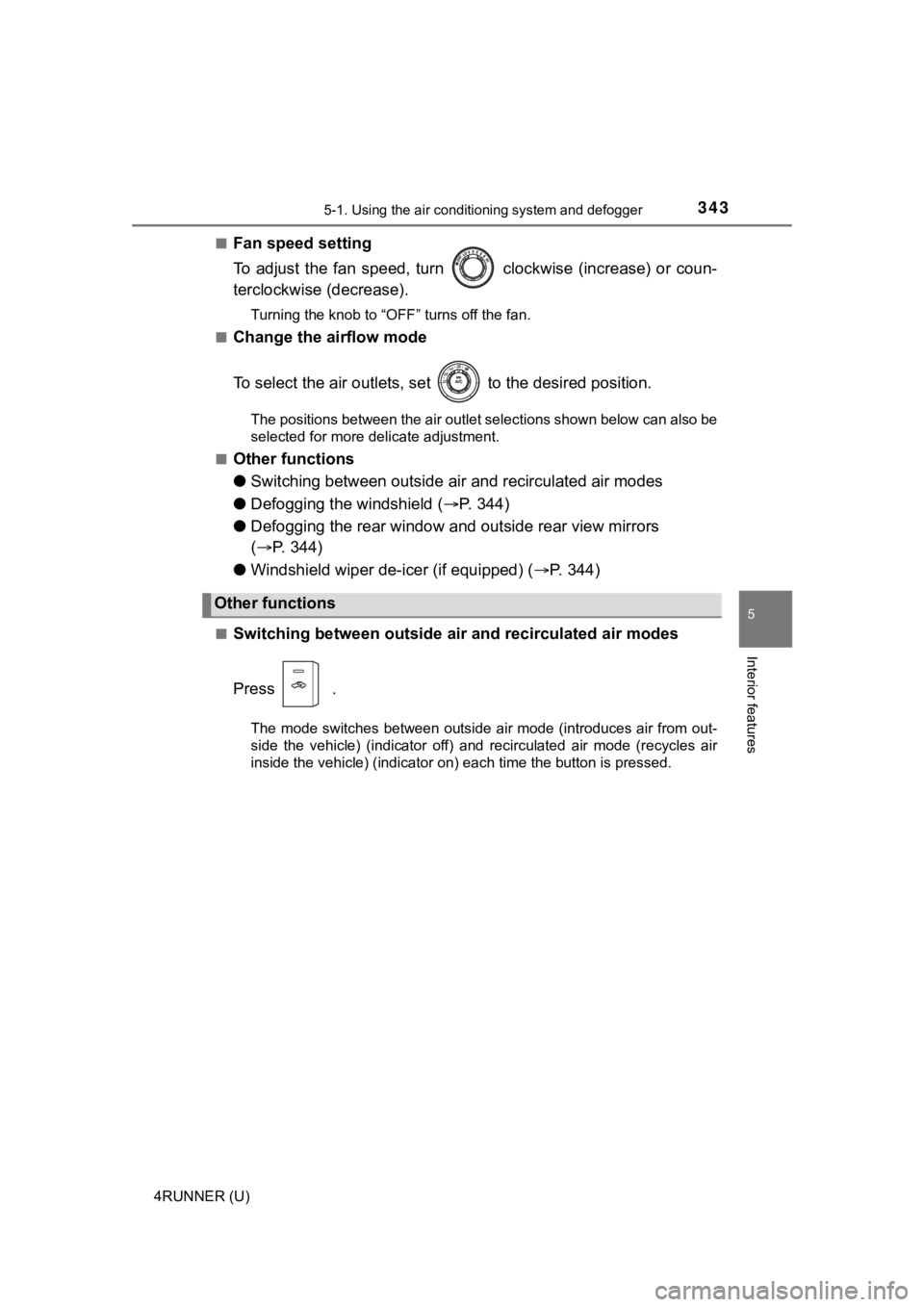
To adjust the fan speed, turn clockwise (increase) or coun-
terclockwise (decrease).
Turning the knob to “OFF” turns off the fan.
■
Change the airflow mode
To select the air outlets, set to the desired position.
The positions between the air outlet selections shown below can also be
selected for more delicate adjustment.
■
Other functions
● Switching between outside a ir and recirculated air modes
● Defogging the windshield ( P. 3 4 4 )
● Defogging the rear window and outside rear view mirrors
( P. 344)
● Windshield wiper de-icer (if equipped) ( P. 3 4 4 )
■Switching between outside air and recirculated air modes
Press .
The mode switches between outside air mode (introduces air from out-
side the vehicle) (indicator off) and recirculated air mode (re cycles air
inside the vehicle) (indicator on) each time the button is pressed.
Other functions