Page 359 of 608
3595-1. Using the air conditioning system and defogger
5
Interior features
4RUNNER (U)
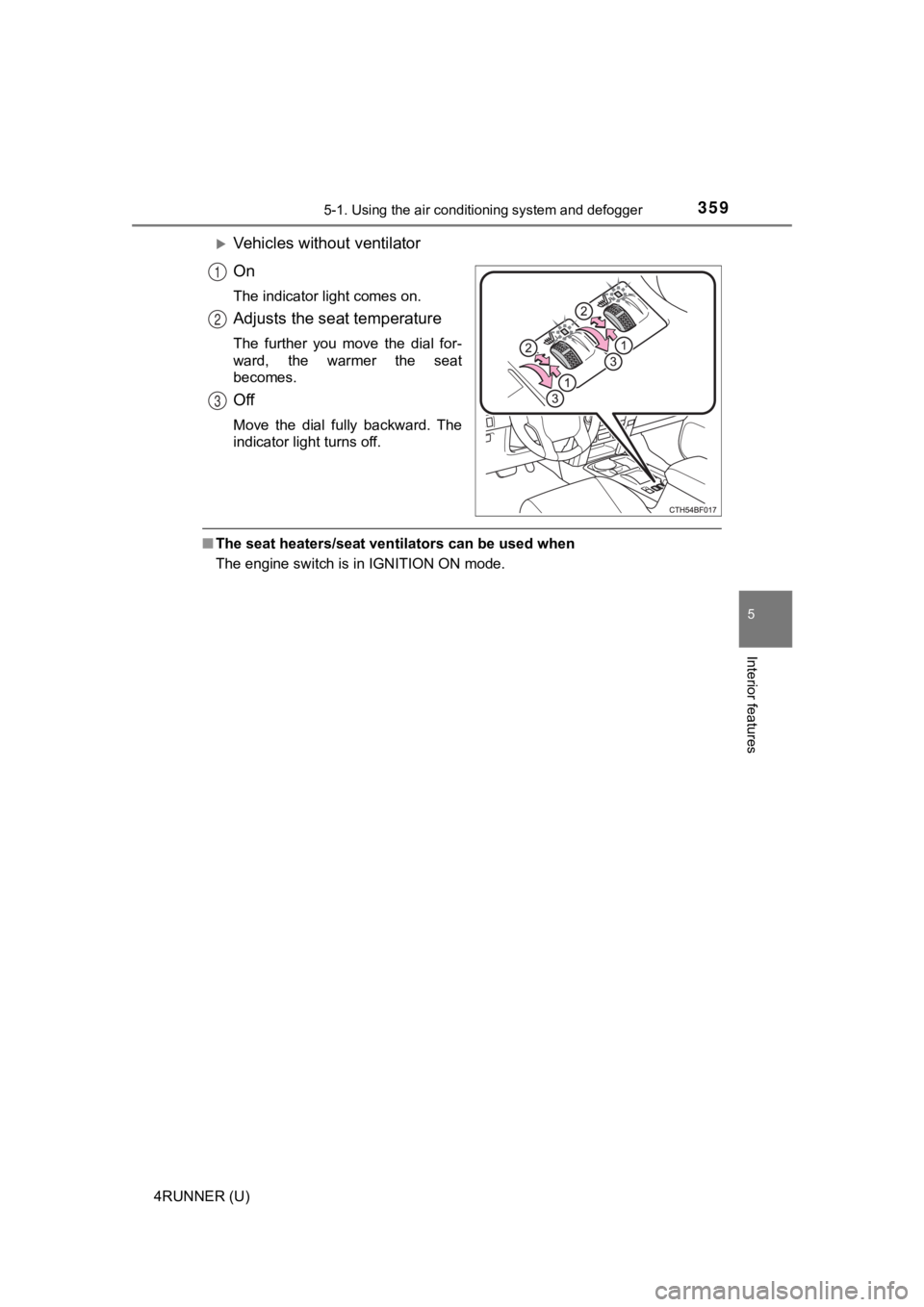
Vehicles without ventilator
On
The indicator light comes on.
Adjusts the seat temperature
The further you move the dial for-
ward, the warmer the seat
becomes.
Off
Move the dial fully backward. The
indicator light turns off.
■The seat heaters/seat ventilators can be used when
The engine switch is in IGNITION ON mode.
1
2
3
Page 360 of 608
360
4RUNNER (U)
5-2. Using the interior lights
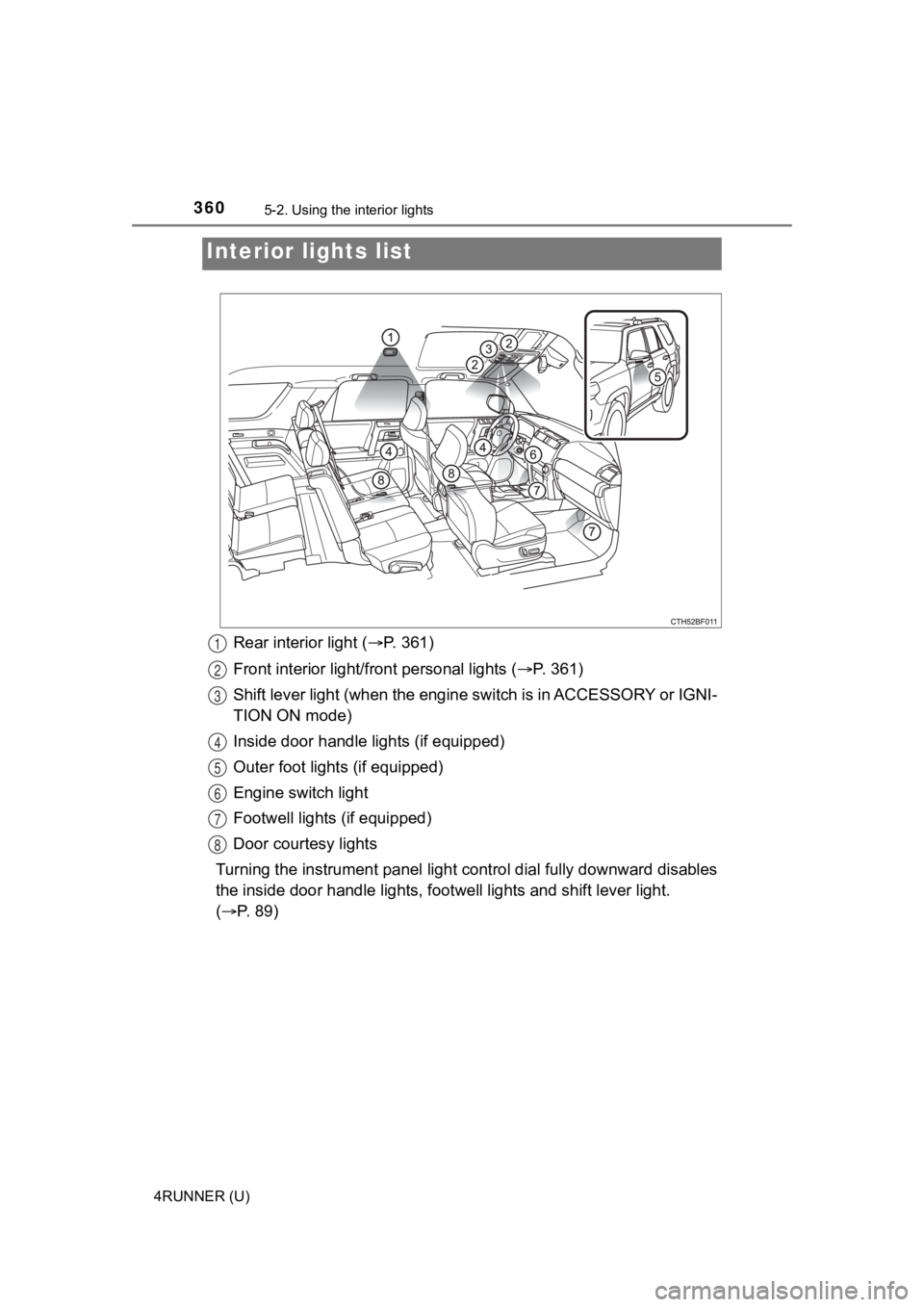
Rear interior light (P. 361)
Front interior light/fr ont personal lights ( P. 3 6 1 )
Shift lever light (when the eng ine switch is in ACCESSORY or IG NI-
TION ON mode)
Inside door handle lights (if equipped)
Outer foot lights (if equipped)
Engine switch light
Footwell lights (if equipped)
Door courtesy lights
Turning the instrument panel light control dial fully downward disables
the inside door handle lights, f ootwell lights and shift lever light.
( P. 89)
Interior li ghts list
1
2
3
4
5
6
7
8
Page 362 of 608
3625-2. Using the interior lights
4RUNNER (U)
■Illuminated entry system
The lights automatically turn on/off according to engine switch mode, the
presence of the electronic key, whether the doors are locked/unlocked, and
whether the doors are opened/closed.
■ To prevent battery discharge
If the following lights remain on, the lights will go off automatically after 20
minutes:
●Engine switch light
● Front interior light
● Rear interior light
● Personal lights
● Footwell lights
● Inside door handle lights
● Door courtesy lights
■ Customization
Setting (e.g. the time elapsed before lights turn off) can be c hanged.
(Customizable features: P. 549)
NOTICE
■ To prevent battery discharge
Do not leave the lights on longer than necessary when the engin e is not
running.
Page 375 of 608
375
5
Interior features
4RUNNER (U)
5-4. Other interior features
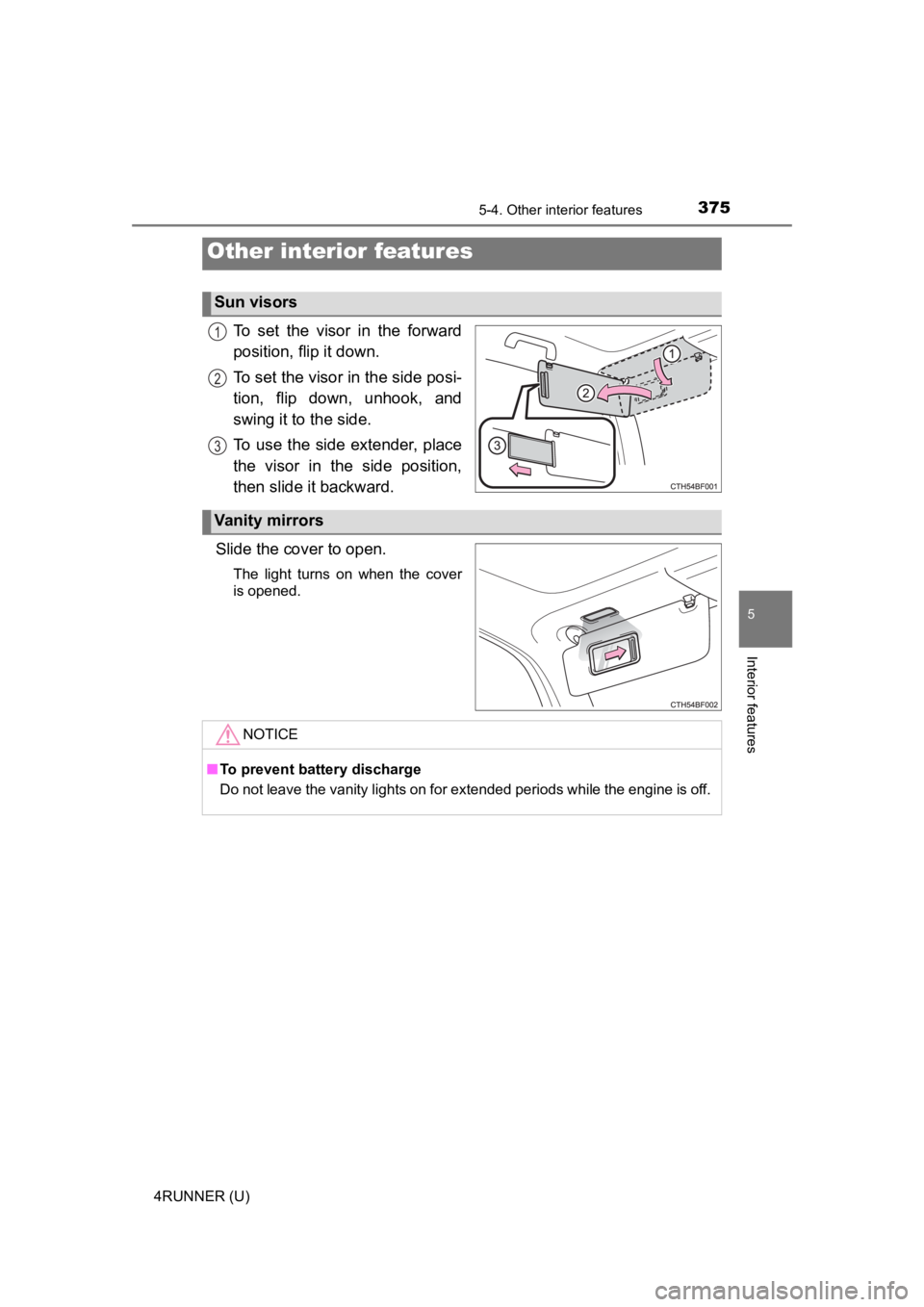
To set the visor in the forward
position, flip it down.
To set the visor in the side posi-
tion, flip down, unhook, and
swing it to the side.
To use the side extender, place
the visor in the side position,
then slide it backward.
Slide the cover to open.
The light turns on when the cover
is opened.
Other interior features
Sun visors
1
2
3
Vanity mirrors
NOTICE
■ To prevent battery discharge
Do not leave the vanity lights on for extended periods while th e engine is off.
Page 376 of 608
3765-4. Other interior features
4RUNNER (U)
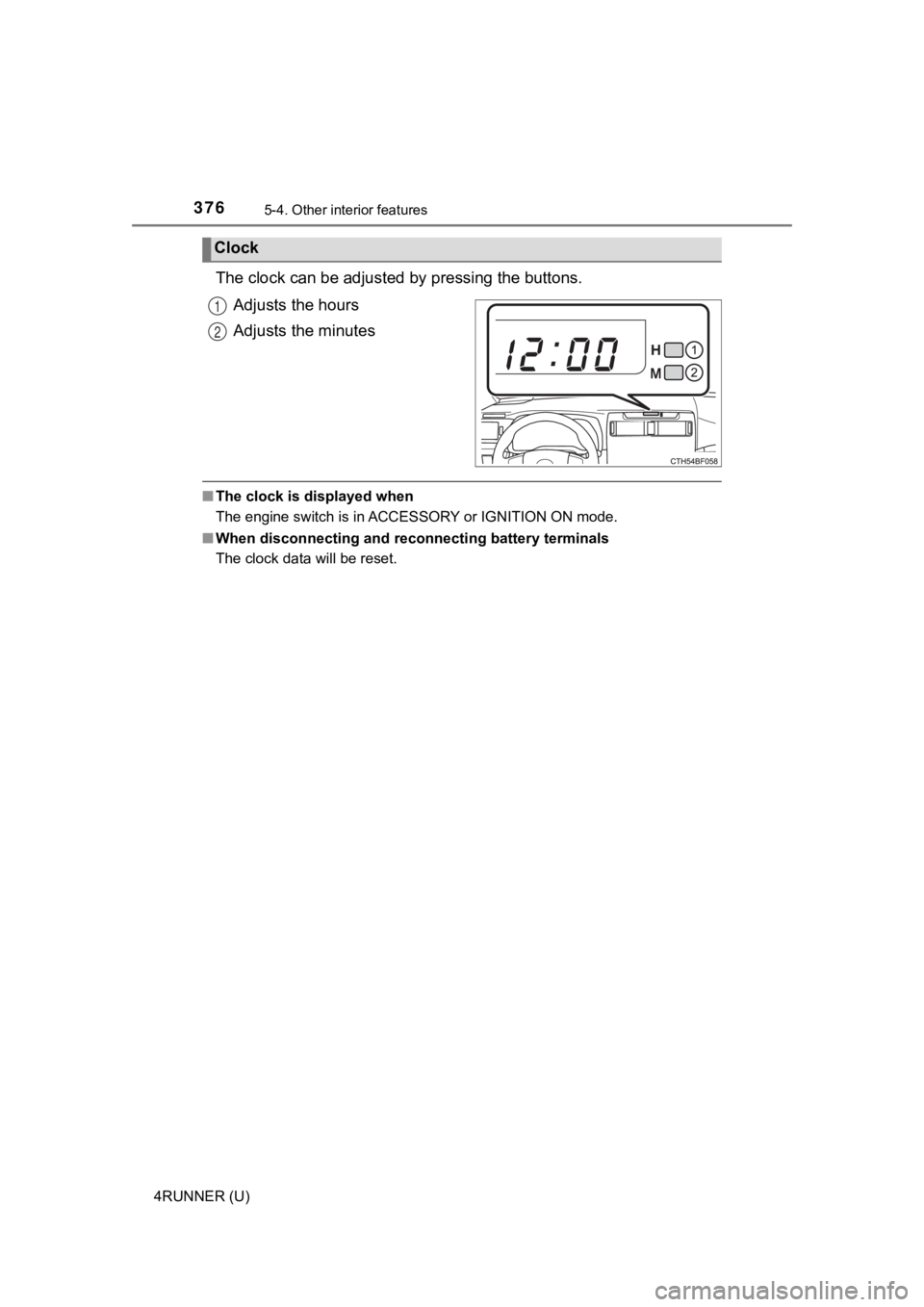
The clock can be adjusted by pressing the buttons.
Adjusts the hours
Adjusts the minutes
■ The clock is displayed when
The engine switch is in ACCESSORY or IGNITION ON mode.
■ When disconnecting and reco nnecting battery terminals
The clock data will be reset.
Clock
1
2
Page 378 of 608

3785-4. Other interior features
4RUNNER (U)
■The power outlet can be used when
The engine is running.
■ The indicator light changes acco rding to the maximum available capac-
ity as follows:
■ When the power outle t is in operation
The sound of the cooling fan may be heard from the right side o f the luggage
compartment. This is normal and does not indicate a malfunction .
■ If the engine is started with th e power outlet main switch on
The maximum capacity of the power supply may decrease to below the stan-
dard, or may be cut off completely, even when the vehicle is st ationary.
■ The protection circuit may be act ivated to cut the power supply if any of
the following conditions apply:
● The engine is started with the power outlet main switch on.
● Use of electrical appliances exceeding the maximum capacity is attempted.
A sound may be heard when the protection circuit is activated. This is nor-
mal and does not indicate a malfunction.
● Electrical appliances, which consume power exceeding 100 W, have been
used continuously for a long time period.
● The total power usage by all electrical features (headlights, a ir conditioning,
etc.) has exceeded the total vehicle maximum for an extended period of
time.
■ If the protection circuit is act ivated and the power supply is cut, conduct
the following procedure:
Park the vehicle in a safe place, and then securely apply the p arking brake.
Check and ensure that the shift lever is in P or N.
Make sure that the power consumption of the electric appliance is within
the maximum capacity of the power outlet and the appliance is n ot broken.
Press the power outlet main switch again.
When the cabin temperature is high, open the windows to cool th e tempera-
ture down. Once it reaches the normal temperature, turn the pow er outlet
main switch on again.
If the power supply does not resume even after the above procedure has
been performed, have the vehicle inspected by your Toyota deale r.
120 V AC/400 W
120 V AC/100 W
1
2
1
2
3
4
Page 383 of 608
3835-4. Other interior features
5
Interior features
4RUNNER (U)
■The power outlets can be used when
The engine switch is in ACCESSORY or IGNITION ON mode.
■ When turning the engine switch off
Disconnect electrical devices with charging functions, such as mobile battery
packs.
If such devices are left connected, the engine switch may not b e turned off
normally.
NOTICE
■To avoid damaging the power outlets
Close the power outlet lids when the power outlets are not in use.
Foreign objects or liquids that enter the power outlets may cau se a short cir-
cuit.
■ To prevent battery discharge
Do not use the power outlets longer than necessary when the eng ine is off.
Page 384 of 608
3845-4. Other interior features
4RUNNER (U)
The USB charging ports are used to supply 3.0 A of electricity at 5 V
to external devices (power consumption of 15 W).
The USB charging ports are for charging only. They are not desi gned
for data transfer or other purposes.
Depending on the external device, it may not charge properly. R efer to
the manual included with the dev ice before using a USB charging
port.
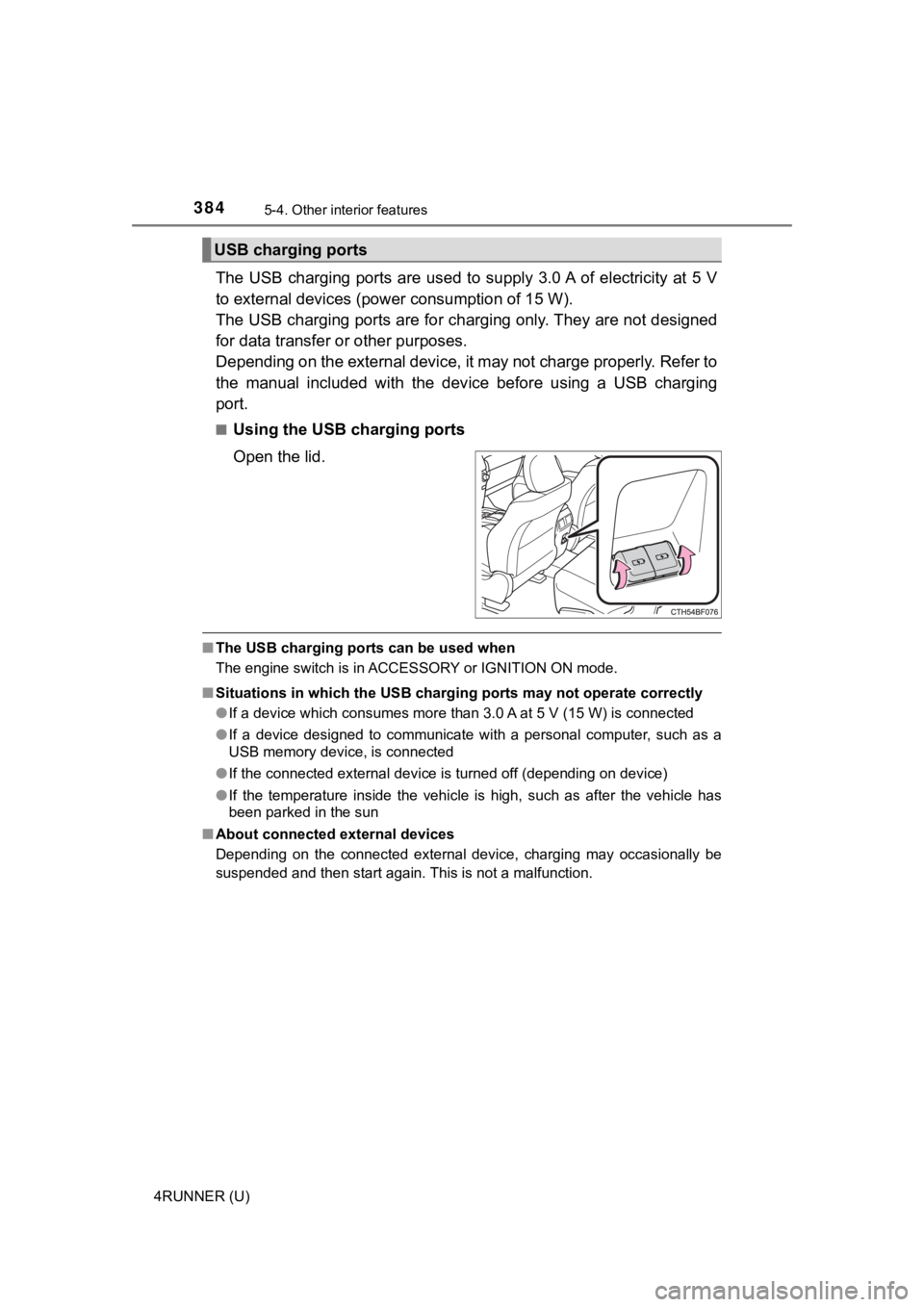
■Using the USB charging ports
Open the lid.
■ The USB charging ports can be used when
The engine switch is in ACCESSORY or IGNITION ON mode.
■ Situations in which the USB charg ing ports may not operate correctly
● If a device which consumes more than 3.0 A at 5 V (15 W) is con nected
● If a device designed to communicate with a personal computer, s uch as a
USB memory device, is connected
● If the connected external device is turned off (depending on de vice)
● If the temperature inside the vehicle is high, such as after the vehicle has
been parked in the sun
■ About connected external devices
Depending on the connected external device, charging may occasi onally be
suspended and then start again. This is not a malfunction.
USB charging ports