2023 SUBARU SOLTERRA load
[x] Cancel search: loadPage 3 of 628

3TABLE OF CONTENTS
Owners Manual_USA_M42C01_en
1
2
3
4
5
6
8 7
9
10
4-2. Opening, closing and lock- ing the doors
Side doors ..................... 167
Back door ...................... 172
Smart key system ......... 187
4-3. Adjusting the seats Front seats .................... 192
Rear seats..................... 193
Head restraints.............. 196
4-4. Adjusting the steering wheel and mirrors
Steering wheel .............. 199
Inside rear view mirror .. 200
Digital Rear-view Mirror 201
Outside rear view mirrors .................................... 210
4-5. Opening, closing the win- dows
Power windows ............. 212
4-6. Favorite settings My Settings ................... 2155-1. Before driving
Driving the vehicle ......... 219
Cargo and luggage ........ 225
Vehicle load limits .......... 228
Trailer towing ................. 229
Dinghy towing ................ 230
5-2. Driving procedures Power (ignition) switch .. 231
Transmission ................. 236
Turn signal lever ............ 242
Parking brake ................ 243
Brake Hold..................... 246
5-3. Operating the lights and wipers
Headlight switch ............ 248
AHB (Automatic High Beam) .................................... 250
Windshield wipers and washer ......................... 253
5Driving
Page 45 of 628
451-1. For safe use
Owners Manual_USA_M42C01_en
1
For safety and security
WARNING
●Make sure the “AIR BAG OFF”
indicator light is not illuminated
when using the seat belt
extender for the front passenger
seat. If the “AIR BAG OFF” indi-
cator light is illuminated, discon-
nect the extender tongue from
the seat belt buckle, and recon-
nect the seat belt. Reconnect
the seat belt extender after
making sure the “AIR BAG ON”
indicator light is illuminated. If
you use the seat belt extender
while the “AIR BAG OFF” indi-
cator light is illuminated, the
SRS airbags for the front pas-
senger will not activate, which
could cause death or serious
injury in the ev ent of a collision.
●Do not apply a heavy load to the
front passenger seat or equip-
ment (e.g. seatback pocket).
●Do not put weight on the front
passenger seat by putting your
hands or feet on the front pas-
senger seat seatback from the
rear passenger seat.
●Do not let a rea r passenger lift
the front passenger seat with
their feet or press on the seat-
back with their legs.
●Do not put objects under the
front passenger seat.
●Do not recline t he front passen-
ger seatback so far that it
touches a rear seat. This may
cause the “AIR BAG OFF” indi-
cator light to be illuminated,
which indicates that the SRS
airbags for the front passenger
will not activate in the event of a
severe accident. If the seatback
touches the rear seat, return the
seatback to a position where it
does not touch the rear seat.
Keep the front passenger seat-
back as upright as possible
when the vehicle is moving.
Reclining the seatback exces-
sively may lessen the effective-
ness of the seat belt system.
●If an adult sits i n the front pas-
senger seat, the “AIR BAG ON”
indicator light i s illuminated. If
the “AIR BAG OFF” indicator is
illuminated, ask the passenger
to sit up straight, well back in
the seat, feet on the floor, and
with the seat belt worn correctly.
If the “AIR BAG OFF” indicator
still remains illumi nated, either
ask the passenger to move to
the rear seat, or if that is not
possible, move the front pas-
senger seat fully rearward.
●When it is unavoidable to install
a forward-facing child restraint
system on the front passenger
seat, install the child restraint
system on the front passenger
seat in the proper order.
( P. 5 2 )
●Do not modify or remove the
front seats.
Page 88 of 628
882-2. Charging
Owners Manual_USA_M42C01_en
WARNING
●Do not bring the AC charging
cable to a high-temperature
item such as a heating device.
●Do not apply a load to the AC
charging cable and plug-cord
(such as wrapping the AC
charging cable around the CCID
(Charging Circuit Interrupting
Device) and the charging con-
nector).
●Do not use or leave the AC
charging cable in situations
where a load is applied to the
outlet and the plug (such as
when the CCID (Charging Cir-
cuit Interrupting Device) is
hanging in the air without con-
tacting the ground).
NOTICE
■Precautions when handling
AC charging cable
Make sure to observe the follow-
ing precautions. Failure to
observe these precautions may
result in damage to the AC
charging cable and AC charging
inlet.
●Insert the charging connector
straight into the AC charging
inlet.
●After inserting the charging con-
nector, do not apply excessive
force to or twist the connector.
Also, do not lean on the connec-
tor or hang any objects from it.
●Do not step on or trip over the
AC charging cable.
●Before removing the charging
connector, make sure that it is
unlocked. ( P. 9 3 )
●After removing the AC charging
cable, promptly return it to its
proper location.
●After removing the charging
connector, securely install the
AC charging inlet cap.
■When using the AC charging
cable and related parts
P. 1 0 5
■Precautions for low tempera-
tures
In low temperatures, the AC
charging cable and plug-cord may
become hard. Therefore, make
sure to not apply excessive force
when they are hard. If excessive
force is applied to the hardened
AC charging cable and plug-cord,
they may be damaged.
Page 104 of 628

1042-2. Charging
Owners Manual_USA_M42C01_en
●Avoid frequent DC charging
Also, if the capacit y of the traction
battery capacity reduces, the dis-
tance that can be driven decreases.
However, vehicle performance does
not significantly become worse.
■When the remaining charge of
the traction battery is low after
charging
In the following situations, the
remaining charge of the traction bat-
tery after charging completes may
be less than normal in order to pro-
tect the traction bat tery (the driving
range after the battery is fully
charged may be shorter).
*
●Charging is perf ormed when the
outside temperature is low or high
●Charging is perf ormed immedi-
ately after high-l oad driving or in
extreme heat
In any other situati on, if the remain-
ing charge of the traction battery is
significantly lower than normal after
charging completes, have the vehi-
cle inspected by your Toyota dealer.
*: When this occurs, even if the remaining charge display of the
traction battery shows that it is
fully charged, the remaining
charge rapidly decreases faster
than normal.
■When the charging amount sent
to the traction battery
decreases
When the amount of power supplied
by the charger is low or operation of
the battery heater, etc., reduces the
charging power sent to the traction
battery, the charging amount sent to
the traction battery may decrease.
■Certification
This device complies with Part 15 of
the FCC Rules. Operation is subject
to the following two conditions:
(1) this device may not cause harm- ful interference, and (2) this device
must accept any interference
received, including interference that
may cause undesired operation.
■Charging time may increase
In the following situ ations, charging
time may become longer than nor-
mal:
●In very hot or very cold tempera-
tures.
●When the traction battery
becomes hot, such as immedi-
ately after high-load driving.
●The vehicle is consuming a lot of
electricity, for e xample, when the
headlights are on, etc.
●When using “My Room Mode”.
( P.129)
●There is a power outage during
charging.
●There is an interruption in the
electrical supply.
●There is a drop in the voltage of
external power source.
●The charge in the 12-volt battery
is low, for example due to the
vehicle being left unused for a
long period of time.
●When the upper limit of charging
current is changed in the charging
current setting of the vehicle
( P.108)
●When the battery heater operates.
( P. 9 9 )
●When the “Battery Cooler” is oper-
ated before charging. ( P. 9 9 )
●When the plug generates heat
due to a loose outlet connection,
etc.
●When adjusting the power supply
with the charger.
●When frequently and repeatedly
using DC charging.
●When selecting “DC charging
power” setting other than “MAX”.
●When the temperature of
charging-related parts is high.
Page 106 of 628
1062-2. Charging
Owners Manual_USA_M42C01_en
P.102
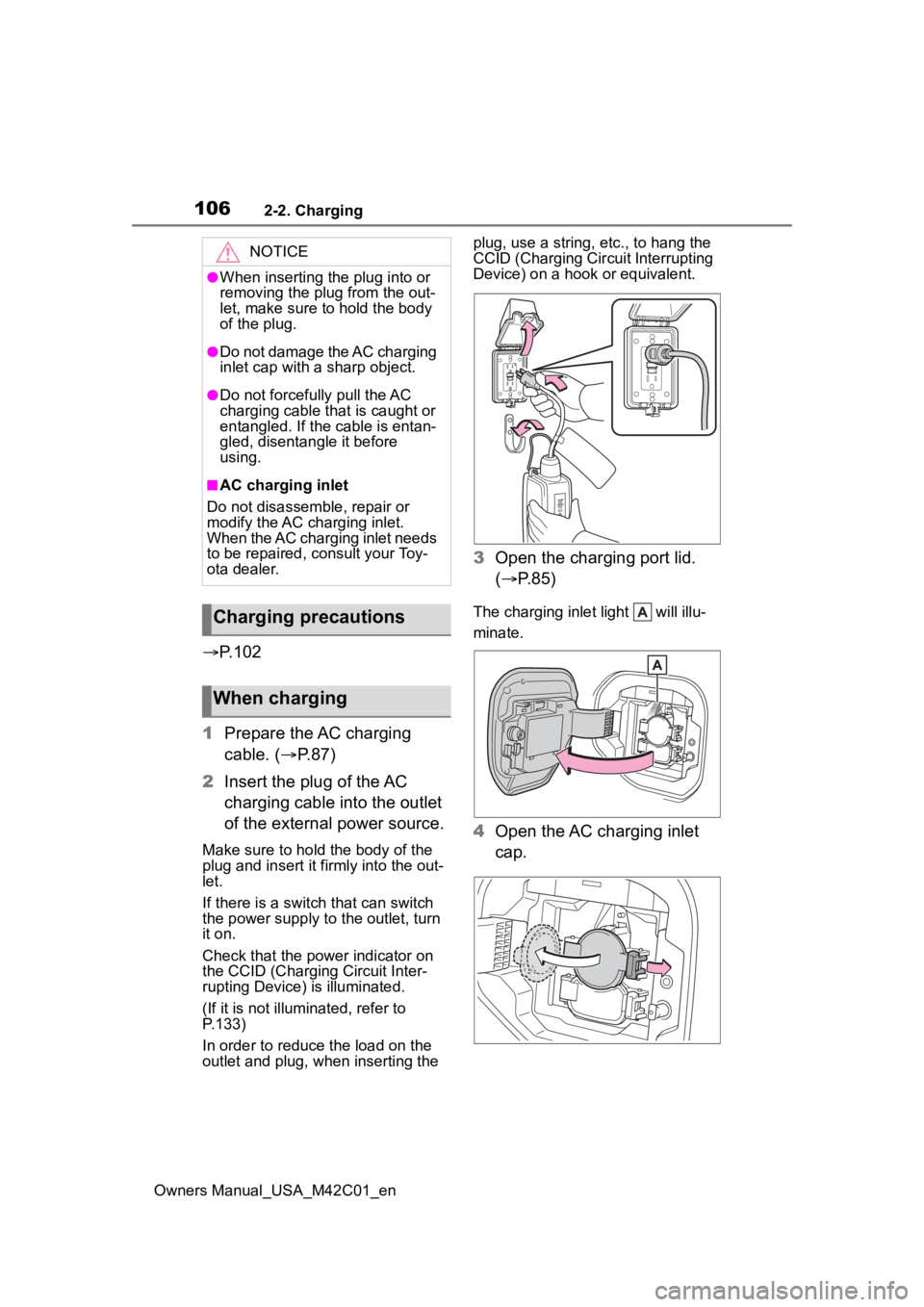
1 Prepare the AC charging
cable. ( P.87)
2 Insert the plug of the AC
charging cable into the outlet
of the external power source.
Make sure to hold the body of the
plug and insert it firmly into the out-
let.
If there is a switch that can switch
the power supply to the outlet, turn
it on.
Check that the power indicator on
the CCID (Charging Circuit Inter-
rupting Device) is illuminated.
(If it is not illuminated, refer to
P.133)
In order to reduce the load on the
outlet and plug, when inserting the plug, use a string, e
tc., to hang the
CCID (Charging Cir cuit Interrupting
Device) on a hook or equivalent.
3 Open the charging port lid.
( P.85)
The charging inlet light will illu-
minate.
4Open the AC charging inlet
cap.
NOTICE
●When inserting the plug into or
removing the plug from the out-
let, make sure to hold the body
of the plug.
●Do not damage the AC charging
inlet cap with a sharp object.
●Do not forcefully pull the AC
charging cable that is caught or
entangled. If the cable is entan-
gled, disentangle it before
using.
■AC charging inlet
Do not disassemble, repair or
modify the AC charging inlet.
When the AC charging inlet needs
to be repaired, consult your Toy-
ota dealer.
Charging precautions
When charging
Page 142 of 628
1422-2. Charging
Owners Manual_USA_M42C01_en
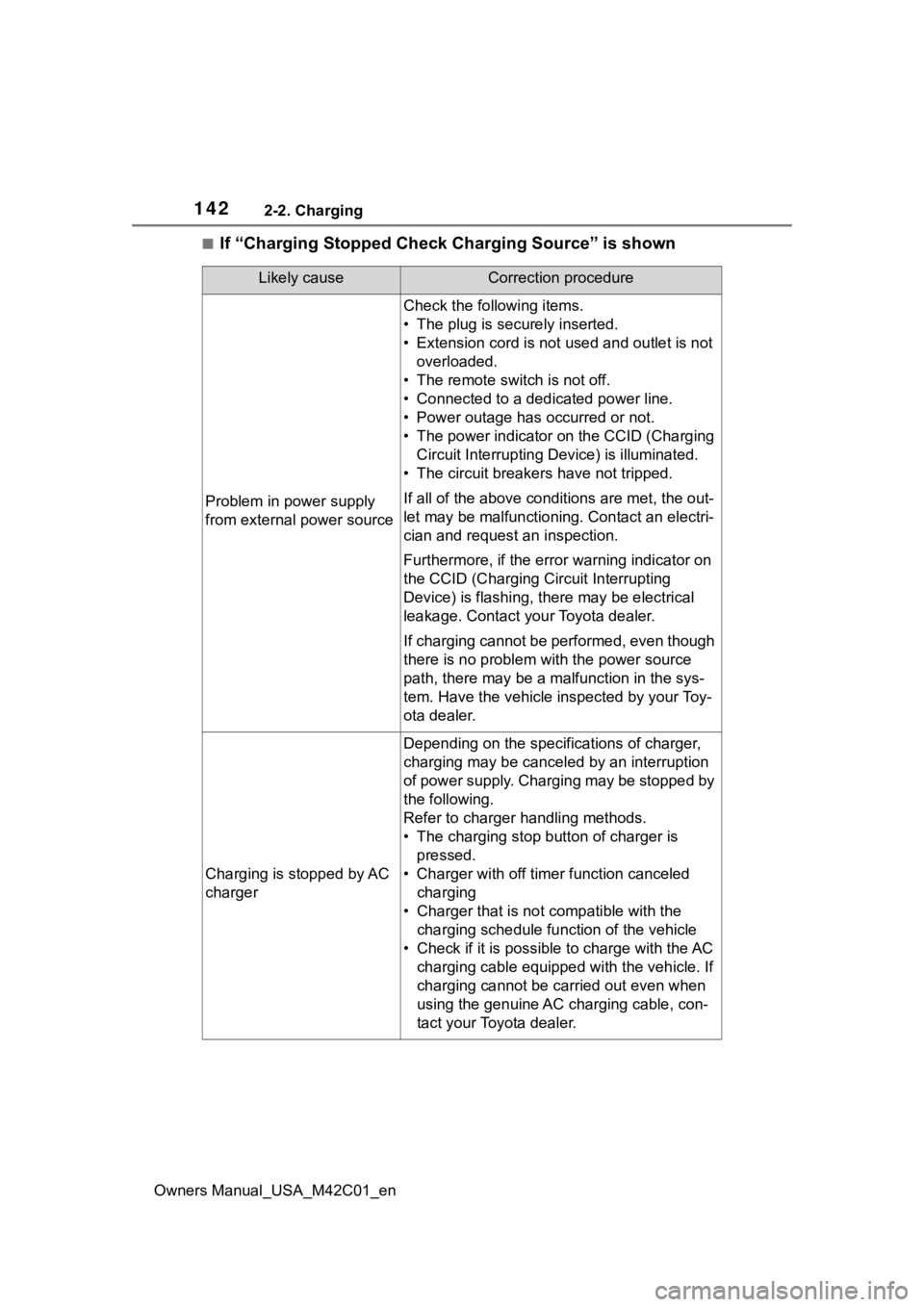
■If “Charging Stopped Check Charging Source” is shown
Likely causeCorrection procedure
Problem in power supply
from external power source
Check the following items.
• The plug is securely inserted.
• Extension cord is not used and outlet is not overloaded.
• The remote switch is not off.
• Connected to a dedicated power line.
• Power outage has occurred or not.
• The power indicator on the CCID (Charging Circuit Interrupting D evice) is illuminated.
• The circuit breakers have not tripped.
If all of the above condit ions are met, the out-
let may be malfunctioni ng. Contact an electri-
cian and request an inspection.
Furthermore, if the error warning indicator on
the CCID (Charging Circuit Interrupting
Device) is flash ing, there may be electrical
leakage. Contact your Toyota dealer.
If charging cannot be performed, even though
there is no problem with the power source
path, there may be a malfunction in the sys-
tem. Have the vehicle inspected by your Toy-
ota dealer.
Charging is stopped by AC
charger
Depending on the specifications of charger,
charging may be canceled by an interruption
of power supply. Charging may be stopped by
the following.
Refer to charger handling methods.
• The charging stop bu tton of charger is
pressed.
• Charger with off timer function canceled charging
• Charger that is not compatible with the charging schedule function of the vehicle
• Check if it is possible to charge with the AC charging cable equipped with the vehicle. If
charging cannot be carried out even when
using the genuine AC charging cable, con-
tact your Toyota dealer.
Page 172 of 628
1724-2. Opening, closing and locking the doors
Owners Manual_USA_M42C01_en
Back door
The back door can be
locked/unlocked and
opened/closed by the fol-
lowing procedures.
WARNING
Observe the following precau-
tions.
Failure to do so may result in
death or serious injury.
■Before driving
●Make sure that the back door is
fully closed.
If the back door is not fully
closed, it may open unexpect-
edly while driving and hit near-
by objects or luggage in the lug-
gage compartment may be
thrown out, causing an acci-
dent.
●Do not allow child ren to play in
the luggage compartment.
If a child is accidentally locked
in the luggage compartment,
they could get heat exhaustion
or other injuries.
●Do not allow a child to open or
close the back door.
Doing so may cause the back
door to operate unexpectedly,
or cause the child’s hands,
head, or neck to be caught by
the closing back door.
■Important points while driving
●Keep the back door closed
while driving.
If the back door is left open, it
may hit near-by objects or lug-
gage in the luggage compart-
ment may be thrown out,
causing an accident.
●Never let anyone sit in the lug-
gage compartment.
In the event of sudden braking,
sudden swerving or a collision,
they are susceptible to death or
serious injury.
■Back door handles
Do not hang any object to the
back door handles.
If any object is hung, the back
door may suddenly shut, causing
parts of the body to be caught,
resulting in death o r serious injury.
■Operating the back door
Observe the following precau-
tions.
Failure to do so may cause parts
of the body to be caught, resulting
in death or serious injury.
●Remove any heavy loads, such
as snow and ice, from the back
door before opening it. Failure
to do so may cause the back
door to suddenly shut again
after it is opened.
●When opening or closing the
back door, thoroughly check to
make sure the surrounding area
is safe.
●If anyone is in the vicinity, make
sure they are safe and let them
know that the back door is
about to open or close.
●Use caution when opening or
closing the back door in windy
weather as it may move
abruptly in strong wind.
Page 184 of 628

1844-2. Opening, closing and locking the doors
Owners Manual_USA_M42C01_en
WARNING
●When putting your foot near the
lower center part of the rear
bumper and moving it from the
rear bumper, be careful not to
touch the exhaust pipes until
they have cooled down suffi-
ciently, as touching hot exhaust
pipes can cause burns.
●Do not leave the electronic key
within the eff ective range
(detection area) of the luggage
compartment.
NOTICE
■Back door spindles
The back door is equipped with
spindles that hold the back door in
place.
Observe the following precau-
tions.
Failure to do so may cause dam-
age to the back door spindle,
resulting in malfunction.
●Do not attach any foreign
objects, such as stickers, plastic
sheets, or adhesives to the
spindle rod.
●Do not touch the spindle rod
with gloves or other fabric items.
●Do not attach any accessories
other than genuine Toyota parts
to the back door.
●Do not place your hand on the
spindle or apply lateral forces to
it.
■To prevent back door closer
malfunction
Do not apply excessive force to
the back door while the back door
closer is operating. Applying
excessive force may cause the
back door closer t o malfunction.
■To prevent damage to the
power back door
●Make sure that there is no ice
between the back door and
frame that would prevent move-
ment of the back door. Operat-
ing the power back door when
excessive load is present on the
back door may cause a mal-
function.
●Do not apply excessive force to
the back door while the power
back door is operating.
●Take care not to damage the
sensors (installed on the right
and left edges of the power
back door) with a knife or other
sharp object. If the sensor is
disconnected, the power back
door will not close automatically.
■Close & lock function
When closing the power back
door using the close & lock func-
tion, a different b uzzer than the
normal one will so und before the
operation begins.
To check that the operation has
started correctly, check that a dif-
ferent buzzer than the normal one
has sounded.
Additionally, when the power back
door is fully closed and locked,
operation signals will indicate that
all of the doors have been locked.
Before leaving the vehicle, make
sure that the operation signals
have operated and that all of the
doors are locked.