2023 SUBARU SOLTERRA load
[x] Cancel search: loadPage 332 of 628

3325-4. Using the driving support systems
Owners Manual_USA_M42C01_en
■Pedestrians Rear of the
Vehicle (if equipped)
P.342
■Static Objects Around the
Vehicle (vehicles with
Advanced Park)
P.340
WARNING
■Cautions regarding the use of
the system
Do not overly rely on the system,
as doing so may lead to an acci-
dent.
Always drive while checking the
safety of the surroundings of the
vehicle.
Depending on the vehicle and
road conditions, weather, etc., the
system may not operate.
The detection capa bilities of sen-
sors and radars are limited.
Always drive while checking the
safety of the surroundings of the
vehicle.
●The driver is solely responsible
for safe driving. Always drive
carefully, taking care to observe
your surroundings. The Parking
Support Brake system is
designed to provide support to
lessen the severity of collisions.
However, it may not operate in
some situations.
●The Parking Support Brake sys-
tem is not designed to stop the
vehicle completely. Additionally,
even if the system has stopped
the vehicle, it is necessary to
depress the brake pedal imme-
diately as brake control will be
canceled after approximately 2
seconds.
●It is extremely dangerous to
check the system operations by
intentionally driving the vehicle
into the direction of a wall, etc.
Never attempt such actions.
■When to disable the Parking
Support Brake
In the following situations, disable
the Parking Suppor t Brake as the
system may opera te even though
there is no possibility of a colli-
sion.
●When inspecting the vehicle
using a chassis roller, chassis
dynamo or free roller
●When loading the vehicle onto a
boat, truck or other transport
vessel
●If the suspension has been
modified or tires of a size other
than specified are installed
●If the front of the vehicle is
raised or lowered due to the
carried load
●When equipment that may
obstruct a sensor is installed,
such as a towing eyelet, bumper
protector (an additional trim
strip, etc.), bicycle carrier, or
snow plow
●When using automatic car
washing devices
●If the vehicle cannot be driven in
a stable manner, such as when
the vehicle has been in an acci-
dent or is malfunctioning
●When the vehicle is driven in a
sporty manner or off-road
●When the tires are not properly
inflated
●When the tires are very worn
Page 373 of 628

3735-4. Using the driving support systems
Owners Manual_USA_M42C01_en
5
Driving
5 Exit the vehicle while carrying
the electronic key and smart-
phone, and then start the
Remote Park app on the
smartphone.
The detection area of the electronic
key is within approximately 9.8 ft. (3
m) around the vehicle.
6From outside of the vehicle,
confirm the direction of travel
on the screen of the smart-
phone and then select the
start button.
Start operation of Remote control
function while standing approxi-
mately 1.6 ft. (50 cm) or more from
the vehicle and out of the path of
the vehicle. The d etection area of
the electronic key is within approxi-
mately 9.8 ft. (3 m) around the vehi-
cle.
7 Checking the safety of the
area around the vehicle,
trace the operation area on
the screen of the smartphone
continuously, the vehicle will
move and parking assis-
tance will be performed.
If operation of the screen of the
smartphone is stopped, assistance
can be suspended and the vehicle
can be stopped. After assistance
has been started, it can be stopped
part way or the direction of travel of
the vehicle can be changed.
8 Select the power button on
the screen of the smart-
phone. The power switch will
then turn OFF and the doors
will lock automatically.
■Changing the direction of travel
While assistance is being per- formed, the directio
n of travel of the
vehicle can be changed by the for-
ward and reverse movement func-
tion. When there is a wall behind the
vehicle, etc., by operating the direc-
tion of travel changing button on the
screen of the smartphone, the vehi-
cle can be slightly moved forward to
allow loading of items and then
moved back to its original position.
Assistance can be provided to
exit from a perpendicular or par-
allel parking space when the
power switch OFF. When for-
ward and backward movement
is selected, the maximum dis-
tance the vehicle can move is
23.0 ft. (7 m) from the starting
point and possible to change the
direction of travel.
1 While near the parked vehi-
cle, unlock the doors using
the electronic key, and then
start the Remote Park app on
the smartphone.
If the smartphone cannot connect
to the vehicle, using the electronic
key, unlock the doors again.
2 Select the start button on the
screen of the smartphone.Exiting using Remote con-
trol function
Page 375 of 628

3755-4. Using the driving support systems
Owners Manual_USA_M42C01_en
5
Driving
Remote Park app on the
smartphone.
The detection area of the electronic
key is within approximately 9.8 ft. (3
m) around the vehicle. If there is a
cone or other obstruction in the
path of the vehicle, move it after
exiting the vehicle.
6 From outside of the vehicle,
confirm the parking space on
the screen of the smartphone
and then select the start but-
ton.
Start operation of Remote control
function while standing approxi-
mately 1.6 ft. (50 cm) or more from
the vehicle and out of the path of
the vehicle.
7 Checking the safety of the
area around the vehicle,
trace the operation area on
the screen of the smartphone
continuously, the vehicle will
move and parking assis-
tance will be performed.
If operation of the screen of the
smartphone is stopped, assistance
can be suspended and the vehicle
can be stopped. T he doors are
automatically locked before the
vehicle starts moving.
8 When the parking space is
reached, after the vehicle is
stopped by the parking
brake, the shift position will
be changed to P, the power
switch will be turned off, the
doors will be locked and the
mirrors will be closed.
A completion screen will then be
displayed on the smartphone.
Make sure to perform the follow-
ing before using Remote control
function:
1Download the Remote Park
app from the app store.
2 Turn the power switch to ON
and register the smartphone
as a Bluetooth device to the
multimedia system. For
details on registering a Blue-
tooth device, refer to the
“MULTIMEDIA OWNER’S
MANUAL”.
3 Setup the Remote Park app
and register the vehicle.
4 The registered vehicle will be
displayed on the screen of
the smartphone.
Select the vehicle.
The name and image of the vehicle
can be changed on the new vehicle
registration screen.
Vehicles can be added through the
menu screen.
1Select and then select
“Advanced Park” on the Mul-
timedia display.
2 Select “Remote Park” to turn
it on/off. (The default setting
is on.)Preparation before using
Remote control function
Preparation before using
Remote control function
on/off
Page 391 of 628

3915-4. Using the driving support systems
Owners Manual_USA_M42C01_en
5
Driving
WARNING
●Unlike the parking brake, hill-
start assist control is not
intended to hold the vehicle sta-
tionary for an extended period
of time. Do not attempt to use
hill-start assist control to hold
the vehicle on an incline, as
doing so may lead to an acci-
dent.
■When the
TRAC/ABS/VSC/Trailer Sway
Control is activated
The slip indicator light flashes.
Always drive carefully. Reckless
driving may cause an accident.
Exercise particular care when the
indicator light flashes.
■When the TRAC/VSC/Trailer
Sway Control systems are
turned off
Be especially careful and drive at
a speed appropriate to the road
conditions. As these are the sys-
tems to help ensure vehicle stabil-
ity and driving force, do not turn
the TRAC/VSC/Trailer Sway Con-
trol systems off unless necessary.
Trailer Sway Control is part of the
VSC system and will not operate
if VSC is turned off or experiences
a malfunction.
■Replacing tires
Make sure that all tires are of the
specified size, brand, tread pat-
tern and total load capacity. In
addition, make sure that the tires
are inflated to the recommended
tire inflation pressure level.
The ABS, TRAC, VSC and Trailer
Sway Control systems will not
function correctly if different tires
are installed on the vehicle.
Contact your Toyota dealer for fur-
ther information when replacing
tires or wheels.
■Handling of tires and the sus-
pension
Using tires with any kind of prob-
lem or modifying the suspension
will affect the driving assist sys-
tems, and may cause a system to
malfunction.
■Trailer Sway Control precau-
tion
The Trailer Sway Control system
is not able to red uce trailer sway
in all situations. Depending on
many factors such as the condi-
tions of the vehicle, trailer, road
surface and driving environment,
the Trailer Sway Control system
may not be effective. Refer to
your trailer owner’s manual for
information on how to tow your
trailer properly.
■If trailer sway occurs
Observe the following precau-
tions.
Failing to do so may cause death
or serious injury.
●Firmly grip the steering wheel.
Steer straight ahead. Do not try
to control trailer swaying by
turning the steering wheel.
●Begin releasing the accelerator
pedal immediately but very
gradually to reduce speed.
Do not increase speed. Do not
apply vehicle brakes.
If you make no extreme correction
with the steering or brakes, your
vehicle and traile r should stabi-
lize. ( P.229)
Page 396 of 628
3965-5. Driving tips
Owners Manual_USA_M42C01_en
Specific design characteris-
tics give it a higher center of
gravity than ordinary passen-
ger cars. This vehicle design
feature causes this type of
vehicle to be more likely to
rollover. And, utility vehicles
have a significantly higher
rollover rate than other types
of vehicles.
An advantage of the higher
ground clearance is a better
view of the road allowing you
to anticipate problems.
It is not designed for corner-
ing at the same speeds as
ordinary passenger cars any
more than low-slung sports
cars are designed to perform
satisfactorily under off-road
conditions. Therefore, sharp
turns at excessive speeds
may cause the vehicle to roll-
over.
When driving your vehicle off-
Utility vehicle precau-
tions
This vehicle belongs to the
utility vehicle class, which
has higher ground clear-
ance and narrower tread in
relation to the height of its
center of gravity to make it
capable of performing in a
wide variety of off-road
applications.
Utility vehicle feature
WARNING
■Utility vehicle precautions
Always observe t he following pre-
cautions to minim ize the risk of
death, serious injury or damage to
your vehicle:
●In a rollover crash, an unbelted
person is significantly more
likely to die than a person wear-
ing a seat belt. Therefore, the
driver and all passengers
should always fasten their seat
belts.
●Avoid sharp turns or abrupt
maneuvers, if at all possible.
Failure to operat e this vehicle
correctly may result in loss of
control or vehicle rollover caus-
ing death or serious injury.
●Loading cargo on the roof lug-
gage carrier (if equipped) will
make the center of the vehicle
gravity higher. Avoid high
speeds, sudden starts, sharp
turns, sudden braking or abrupt
maneuvers, otherwise it may
result in loss of control or vehi-
cle rollover du e to failure to
operate this vehicle correctly.
●Always slow down in gusty
crosswinds. Because of its pro-
file and higher ce nter of gravity,
your vehicle is more sensitive to
side winds than an ordinary
passenger car. Slowing down
will allow you to have better
control.
●Do not drive horizontally across
steep slopes. Driving straight up
or straight down is preferred.
Your vehicle (or any similar off-
road vehicle) can tip over side-
ways much more easily than
forward or backward.
Off-road driving
Page 437 of 628
4376-4. Using the other interior features
Owners Manual_USA_M42C01_en
6
Interior features
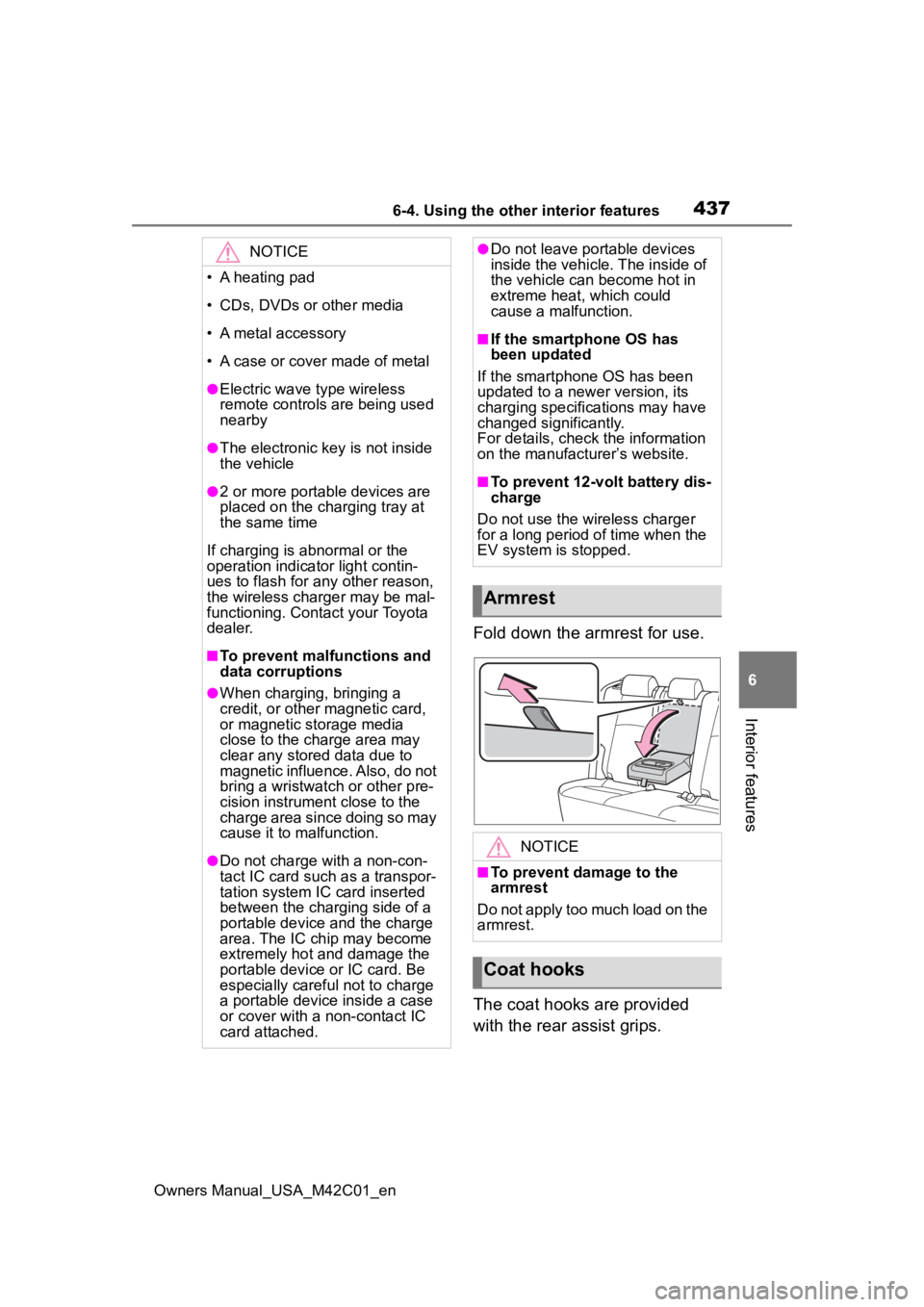
Fold down the armrest for use.
The coat hooks are provided
with the rear assist grips.
NOTICE
• A heating pad
• CDs, DVDs or other media
• A metal accessory
• A case or cover made of metal
●Electric wave type wireless
remote controls are being used
nearby
●The electronic key is not inside
the vehicle
●2 or more portable devices are
placed on the charging tray at
the same time
If charging is abnormal or the
operation indicator light contin-
ues to flash for any other reason,
the wireless charger may be mal-
functioning. Contact your Toyota
dealer.
■To prevent malfunctions and
data corruptions
●When charging, bringing a
credit, or other magnetic card,
or magnetic storage media
close to the charge area may
clear any stored data due to
magnetic influence. Also, do not
bring a wristwatch or other pre-
cision instrument close to the
charge area since doing so may
cause it to malfunction.
●Do not charge with a non-con-
tact IC card such as a transpor-
tation system IC card inserted
between the charging side of a
portable device and the charge
area. The IC chip may become
extremely hot and damage the
portable device or IC card. Be
especially careful not to charge
a portable device inside a case
or cover with a non-contact IC
card attached.
●Do not leave portable devices
inside the vehicle. The inside of
the vehicle can become hot in
extreme heat, which could
cause a malfunction.
■If the smartphone OS has
been updated
If the smartphone OS has been
updated to a newer version, its
charging specifications may have
changed significantly.
For details, check the information
on the manufacturer’s website.
■To prevent 12-volt battery dis-
charge
Do not use the wireless charger
for a long period of time when the
EV system is stopped.
Armrest
NOTICE
■To prevent damage to the
armrest
Do not apply too much load on the
armrest.
Coat hooks
Page 438 of 628
4386-4. Using the other interior features
Owners Manual_USA_M42C01_en
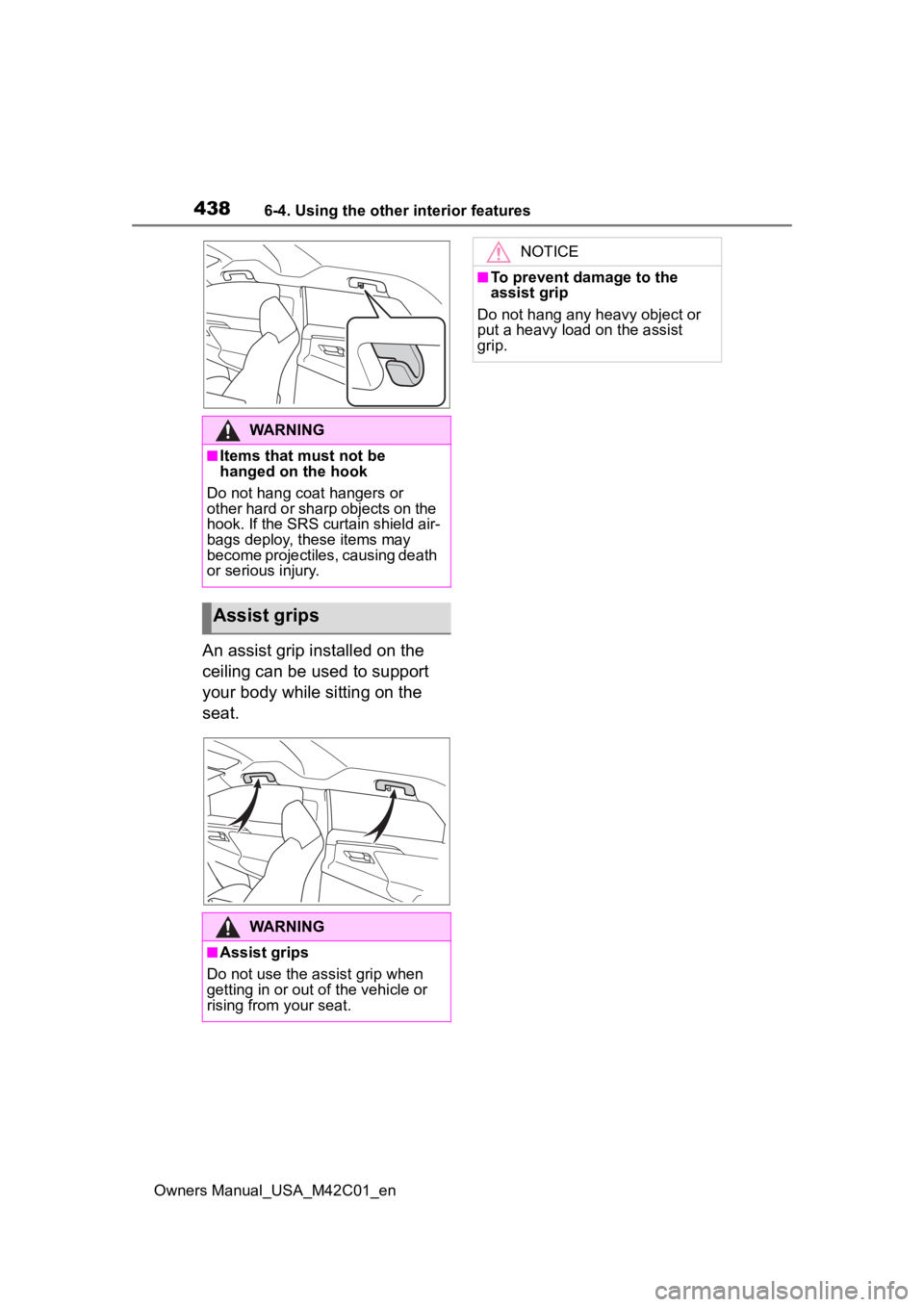
An assist grip installed on the
ceiling can be used to support
your body while sitting on the
seat.
WARNING
■Items that must not be
hanged on the hook
Do not hang coat hangers or
other hard or sharp objects on the
hook. If the SRS curtain shield air-
bags deploy, these items may
become projectiles, causing death
or serious injury.
Assist grips
WARNING
■Assist grips
Do not use the assist grip when
getting in or out o f the vehicle or
rising from your seat.
NOTICE
■To prevent damage to the
assist grip
Do not hang any heavy object or
put a heavy load on the assist
grip.
Page 472 of 628

4727-3. Do-it-yourself maintenance
Owners Manual_USA_M42C01_en
Check if the treadwear indica-
tors are showing on the tires.
Also check the tires for uneven
wear, such as excessive wear
on one side of the tread.
New tread
Worn tread
Treadwear indicator
The location of treadwear indicators
is shown by a “TWI” or “ ” mark,
etc., molded into the sidewall of
each tire. Replace the tires if the treadwear
indicators are s
howing on a tire.
■When to replace your vehicle’s
tires
Tires should be replaced if:
●The treadwear indicators are
showing on a tire.
●You have tire damage such as
cuts, splits, cracks deep enough
to expose the fabric, and bulges
indicating internal damage.
●A tire goes flat repeatedly or can-
not be properly repaired due to the
size or location of a cut or other
damage.
If you are not sure, consult with your
Toyota dealer.
■Tire life
Any tire over 6 years old must be
checked by a qualified technician
even if it has seldom or never been
used or damage is not obvious.
■Maximum load of tire
Check that the n umber given by
dividing the maximum load by 1.10
of the replacement tire is greater
than 1/2 of the Gross Axle Weight
Ratings (GAWR) of either the front
axle or the rear axle, whichever is
greater.
For the GAWR, see the Certification
Regulation Label. For the maximum
load of the tire, see the load limit at
maximum cold tire in flation pressure
mentioned on the sidewall of the
tire. ( P.556)
■Tire types
●Summer tires
Tires
Replace or rotate tires in
accordance with mainte-
nance schedules and tread-
wear.
Checking tires