Page 215 of 665
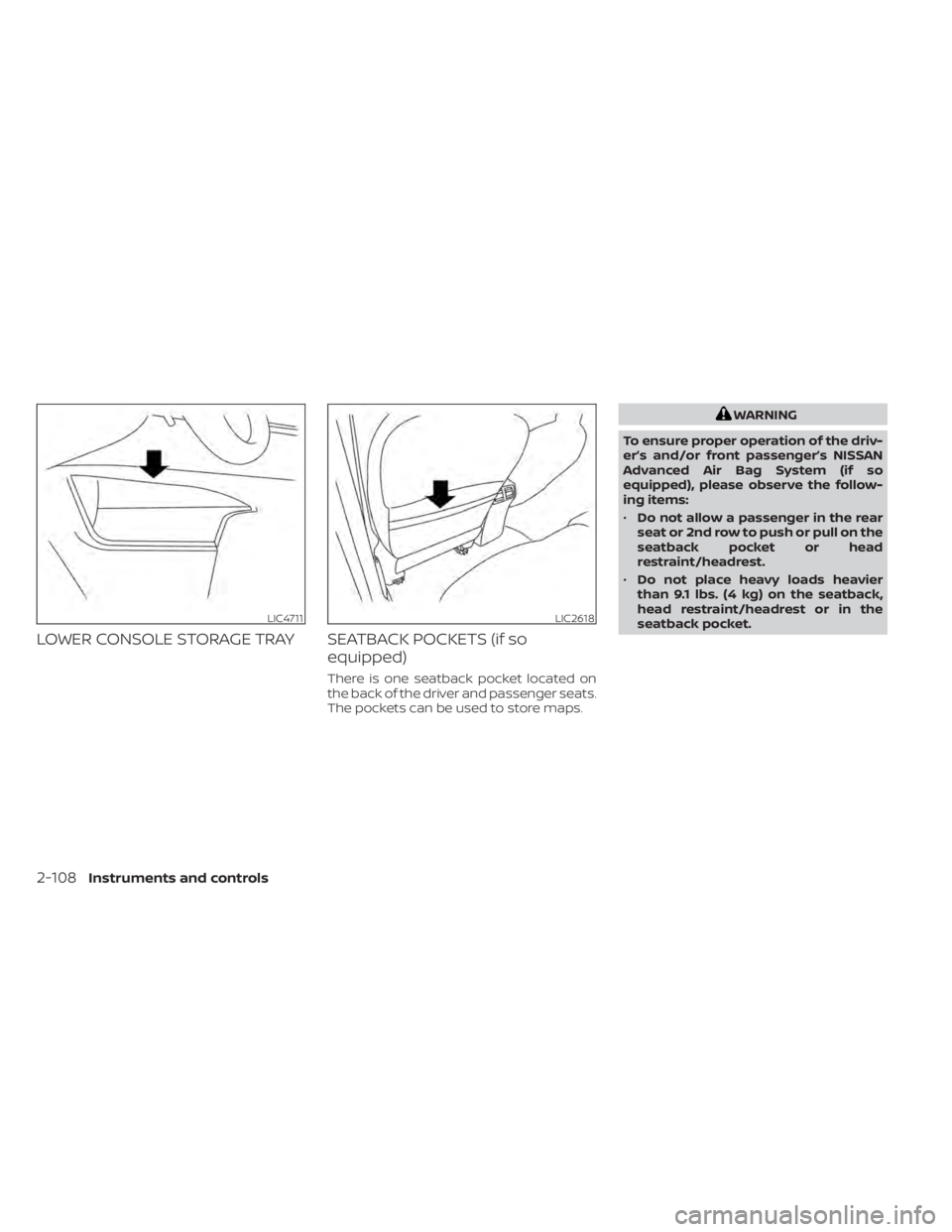
LOWER CONSOLE STORAGE TRAY SEATBACK POCKETS (if soequipped)
There is one seatback pocket located on
the back of the driver and passenger seats.
The pockets can be used to store maps.
WARNING
To ensure proper operation of the driv-
er’s and/or front passenger’s NISSAN
Advanced Air Bag System (if so
equipped), please observe the follow-
ing items:
• Do not allow a passenger in the rear
seat or 2nd row to push or pull on the
seatback pocket or head
restraint/headrest.
• Do not place heavy loads heavier
than 9.1 lbs. (4 kg) on the seatback,
head restraint/headrest or in the
seatback pocket.
LIC4711LIC2618
2-108Instruments and controls
Page 216 of 665
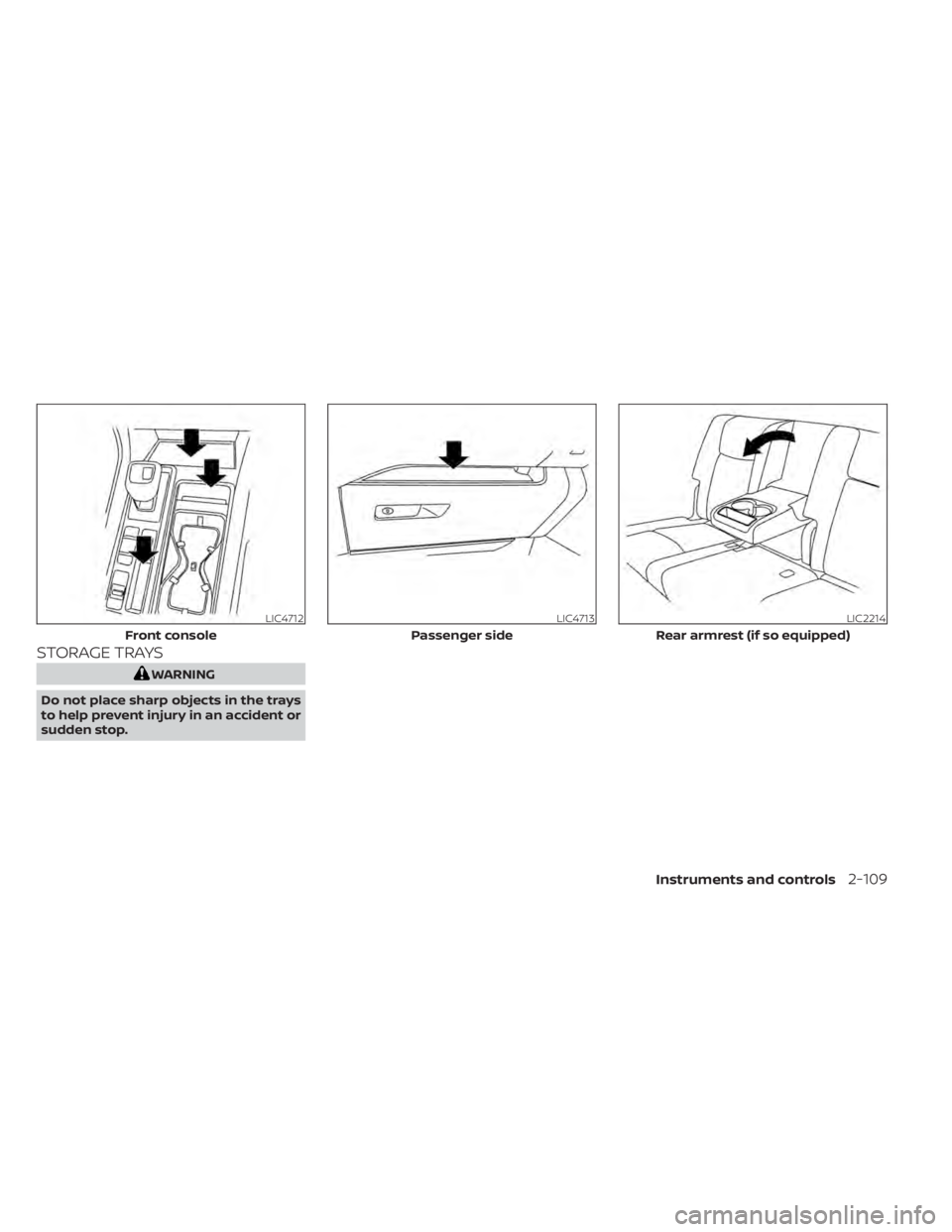
STORAGE TRAYS
WARNING
Do not place sharp objects in the trays
to help prevent injury in an accident or
sudden stop.
LIC4712
Front console
LIC4713
Passenger side
LIC2214
Rear armrest (if so equipped)
Instruments and controls2-109
Page 217 of 665
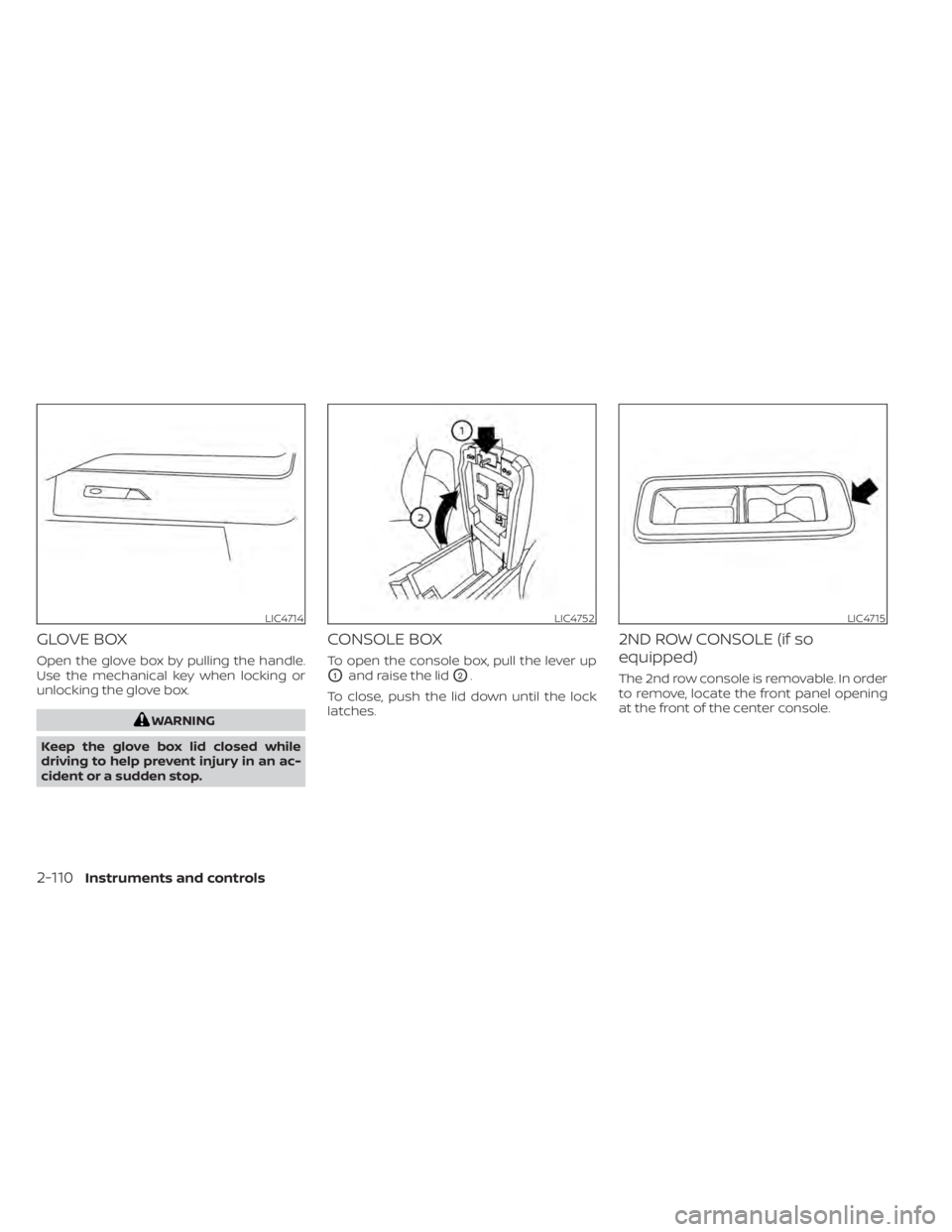
GLOVE BOX
Open the glove box by pulling the handle.
Use the mechanical key when locking or
unlocking the glove box.
WARNING
Keep the glove box lid closed while
driving to help prevent injury in an ac-
cident or a sudden stop.
CONSOLE BOX
To open the console box, pull the lever up
O1and raise the lidO2.
To close, push the lid down until the lock
latches.
2ND ROW CONSOLE (if so
equipped)
The 2nd row console is removable. In order
to remove, locate the front panel opening
at the front of the center console.
LIC4714LIC4752LIC4715
2-110Instruments and controls
Page 218 of 665
Remove the front panel of the center
console.Pull up on the lever and lif t up to remove
center console.OVERHEAD SUNGLASSES
STORAGE
To open the sunglasses holder, push and
release.
Only store one pair of sunglasses in the
holder.
WARNING
Keep the sunglasses holder closed
while driving to avoid obstructing the
driver’s view and to help prevent an
accident.
LIC4716LIC4717LIC4034
Instruments and controls2-111
Page 222 of 665
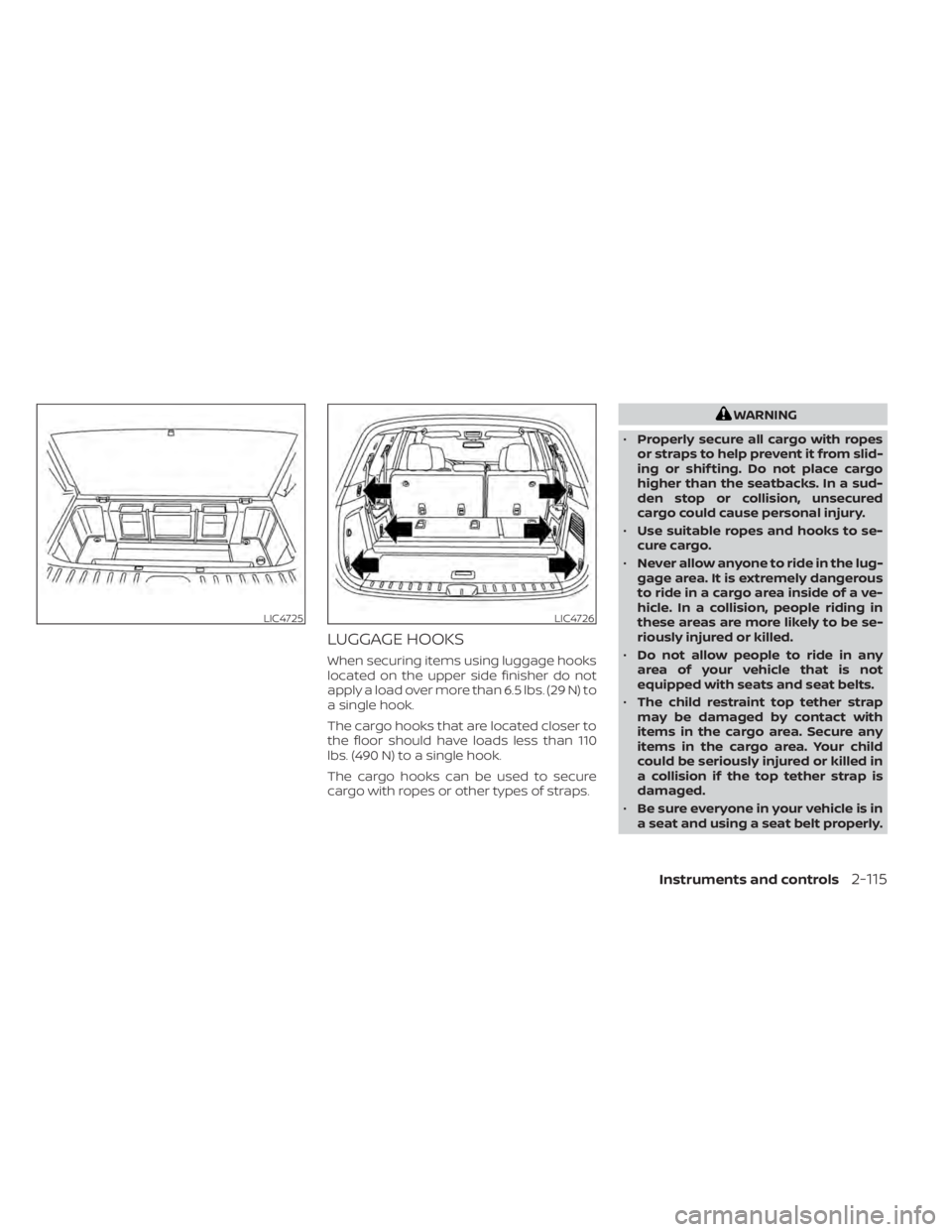
LUGGAGE HOOKS
When securing items using luggage hooks
located on the upper side finisher do not
apply a load over more than 6.5 lbs. (29 N) to
a single hook.
The cargo hooks that are located closer to
the floor should have loads less than 110
lbs. (490 N) to a single hook.
The cargo hooks can be used to secure
cargo with ropes or other types of straps.
WARNING
• Properly secure all cargo with ropes
or straps to help prevent it from slid-
ing or shif ting. Do not place cargo
higher than the seatbacks. In a sud-
den stop or collision, unsecured
cargo could cause personal injury.
• Use suitable ropes and hooks to se-
cure cargo.
• Never allow anyone to ride in the lug-
gage area. It is extremely dangerous
to ride in a cargo area inside of a ve-
hicle. In a collision, people riding in
these areas are more likely to be se-
riously injured or killed.
• Do not allow people to ride in any
area of your vehicle that is not
equipped with seats and seat belts.
• The child restraint top tether strap
may be damaged by contact with
items in the cargo area. Secure any
items in the cargo area. Your child
could be seriously injured or killed in
a collision if the top tether strap is
damaged.
• Be sure everyone in your vehicle is in
a seat and using a seat belt properly.
LIC4725LIC4726
Instruments and controls2-115
Page 223 of 665
ROOF RACK (if so equipped)
WARNING
• Always install the crossbars onto the
roof side rails before loading cargo of
any kind. Loading cargo directly onto
the roof side rails or the vehicle’s roof
may cause vehicle damage.
• Roof rack cross bars should be evenly
distributed.
• Do not exceed maximum roof rack
crossbars load capacity and always
distribute the load uniformly. •
Heavy loading of the crossbars has
the potential to affect the vehicle
stability and handling during sudden
or unusual handling maneuvers.
• Properly secure all cargo with ropes
or straps to help prevent it from slid-
ing or shif ting. In a sudden stop or
collision, unsecured cargo could
cause personal injury.
• Drive extra carefully when the vehicle
is loaded at or near the cargo carry-
ing capacity, especially if the signifi-
cant portion of that load is carried on
the crossbars.CAUTION
• Use care when placing or removing
items from the roof rack. If you can-
not comfortably lif t the items onto
the roof rack from the ground, use a
ladder or a stool.
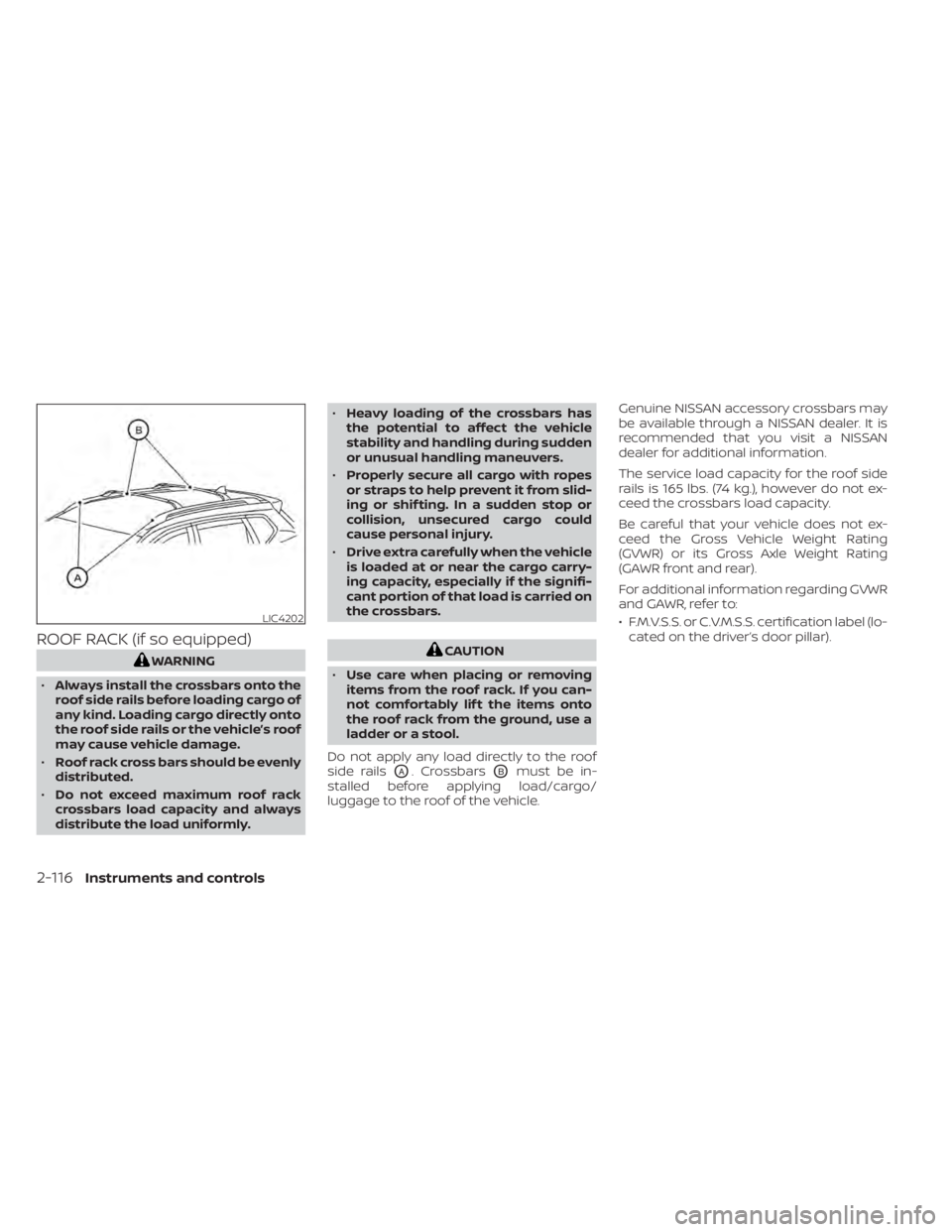
Do not apply any load directly to the roof
side rails
OA. CrossbarsOBmust be in-
stalled before applying load/cargo/
luggage to the roof of the vehicle. Genuine NISSAN accessory crossbars may
be available through a NISSAN dealer. It is
recommended that you visit a NISSAN
dealer for additional information.
The service load capacity for the roof side
rails is 165 lbs. (74 kg.), however do not ex-
ceed the crossbars load capacity.
Be careful that your vehicle does not ex-
ceed the Gross Vehicle Weight Rating
(GVWR) or its Gross Axle Weight Rating
(GAWR front and rear).
For additional information regarding GVWR
and GAWR, refer to:
• F.M.V.S.S. or C.V.M.S.S. certification label (lo-
cated on the driver’s door pillar).
LIC4202
2-116Instruments and controls
Page 224 of 665
Installing Crossbars (if so
equipped)
WARNING
• It is recommended that you have the
roof rack crossbars installed by a
NISSAN dealer.
• Protect the painted area on the ve-
hicle roof under the crossbars by
placing a piece of cloth under the
cross bars to prevent scratch
damage.
• Make sure the moonroof (if so
equipped) is in the closed position
during the installation process.
POWER WINDOWS
WARNING
• Make sure that all passengers have
their hands, etc., inside the vehicle
while it is in motion and before clos-
ing the windows. Use the window
lock switch to prevent unexpected
use of the power windows.
• To help avoid risk of injury or death
through unintended operation of the
vehicle and/or its systems, including
entrapment in windows or inadver-
tent door lock activation, do not
leave children, people who require
the assistance of others or pets unat-
tended in your vehicle. Additionally,
the temperature inside a closed ve-
hicle on a warm day can quickly be-
come high enough to cause a signifi-
cant risk of injury or death to people
and pets.
The power windows operate when the ig-
nition switch is placed in the ON position or
for a period of time af ter the ignition switch
is placed in the OFF position. If the driver's
or passenger's door is opened during this
period of time, the power to the windows is
canceled.
Driver's side power window
switch
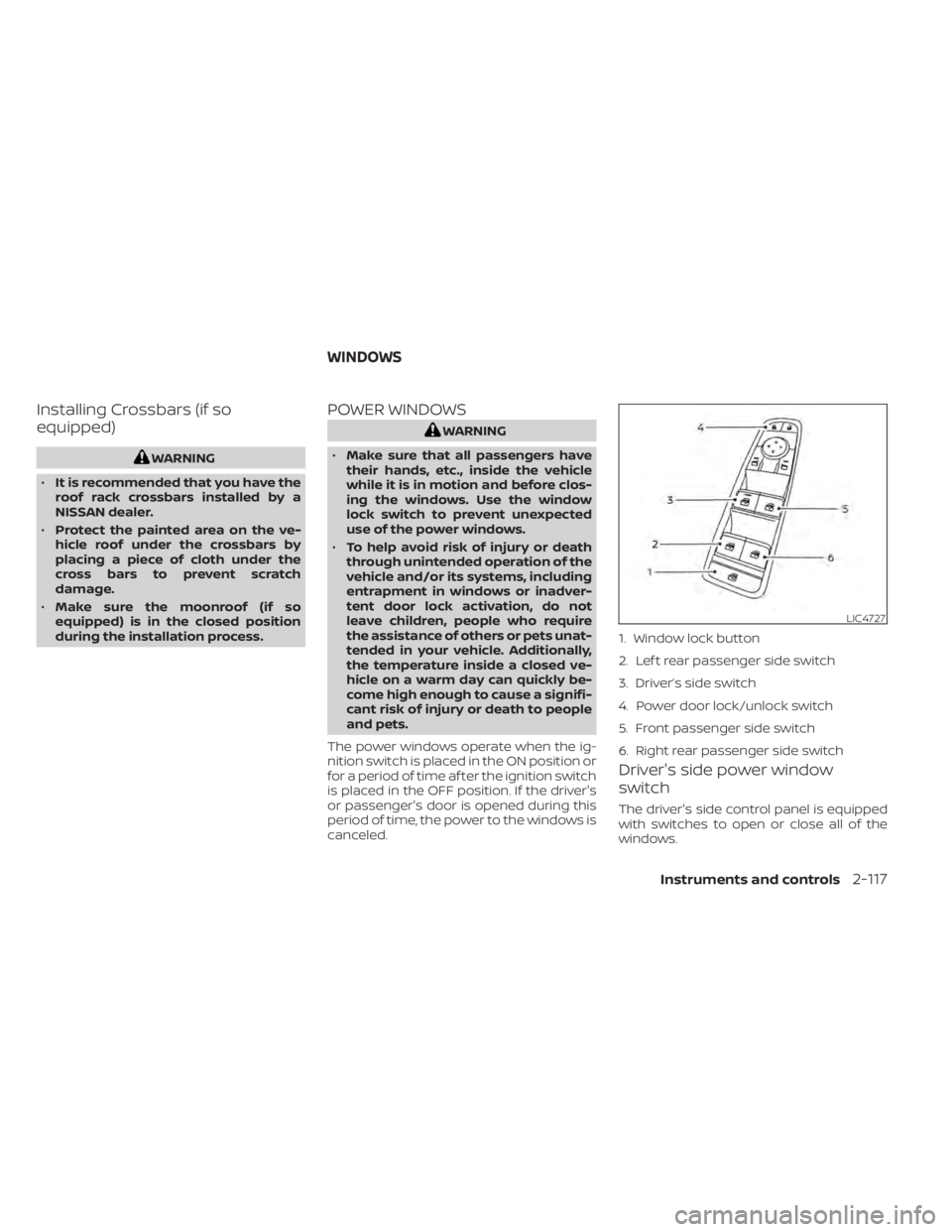
The driver's side control panel is equipped
with switches to open or close all of the
windows.
LIC4727
1. Window lock button
2. Lef t rear passenger side switch
3. Driver’s side switch
4. Power door lock/unlock switch
5. Front passenger side switch
6. Right rear passenger side switch
WINDOWS
Instruments and controls2-117
Page 226 of 665

Automatic operation
To fully open a window equipped with au-
tomatic operation, push the window
switch down to the second detent and re-
lease it; it need not be held. The window
automatically opens all the way. To stop
the window, lif t the switch up while the win-
dow is opening.
Auto-reverse function
The auto-reverse function can be acti-
vated when a window is closed by auto-
matic operation.Depending on the environment or driv-
ing conditions, the auto-reverse func-
tion may be activated if an impact or
load similar to something being caught
in the window occurs.
WARNING
There are some small distances imme-
diately before the closed position
which cannot be detected. Make sure
that all passengers have their hands,
etc., inside the vehicle before closing
the window.
If the vehicle's battery is disconnected, re-
placed, or jump started, the power window
auto-reverse function may not operate
properly. If this occurs, please contact the
dealer to re-initialize the power window
auto-reverse system.
If the control unit detects something
caught in a window equipped with auto-
matic operation, as it is closing, the window
will be immediately lowered.
When power window switch does
not operate
If the power window automatic function
(closing only) does not operate properly, perform the following procedure to initial-
ize the power window system:
1. Place the ignition switch in the ON
position.
2. Open the window more than half way by operating the power window switch.
3. Pull the power window switch and hold it to close the window, and then hold the
switch more than 3 seconds af ter the
window is closed.
4. Release the power window switch. Op- erate the window by the automatic
function to confirm the initialization is
complete. The power window automati-
cally opens or closes depending on if the
automatic down or up function is
selected.
5. Perform steps 2 through 4 above for other windows.
If the power window function does not op-
erate properly af ter performing the above
procedure have the system checked and
repaired. It is recommended that you visit a
NISSAN dealer for this service.
LIC4730
Instruments and controls2-119