2023 NISSAN MICRA engine
[x] Cancel search: enginePage 223 of 346
– When replacing tires, install thespecified size of tires on all four
wheels.
– When installing a spare tire, make sure that it is the proper size and
type as specified on the Tire and
Loading Information label. For ad-
ditional information, refer to “Tire
and Loading Information label” in
the “Technical and consumer infor-
mation” section of this manual.
– For additional information, refer to “Wheels and tires” in the “Do-it-
yourself ” section of this manual.
The ABS controls the brakes so the wheels
do not lock during hard braking or when
braking on slippery surfaces. The system
detects the rotation speed at each wheel
and varies the brake fluid pressure to pre-
vent each wheel from locking and sliding.
By preventing each wheel from locking, the
system helps the driver maintain steering
control and helps to minimize swerving
and spinning on slippery surfaces.
Using the system
Depress the brake pedal and hold it down.
Depress the brake pedal with firm steady
pressure, but do not pump the brakes. The Anti-lock Braking System will operate to
prevent the wheels from locking up. Steer
the vehicle to avoid obstacles.
WARNING
Do not pump the brake pedal. Doing so
may result in increased stopping
distances.
Self-test feature
The Anti-lock Braking System (ABS) in-
cludes electronic sensors, electric pumps,
hydraulic solenoids and a computer. The
computer has a built-in diagnostic feature
that tests the system each time you start
the engine and move the vehicle at a low
speed in forward or reverse. When the self-
test occurs, you may hear a “clunk” noise
and/or feel a pulsation in the brake pedal.
This is normal and does not indicate a mal-
function. If the computer senses a mal-
function, it switches the ABS off and illumi-
nates the ABS warning light on the
instrument panel. The brake system then
operates normally but without anti-lock
assistance.
If the ABS warning light illuminates during
the self-test or while driving, have the ve-
hicle checked. It is recommended that you
visit a NISSAN dealer for this service.
Normal operation
The Anti-lock Braking System (ABS) oper-
ates at speeds abov
e5-10km/h (3 -
6 mph). The speed varies according to road
conditions.
When the ABS senses that one or more
wheels are close to locking up, the actuator
rapidly applies and releases hydraulic pres-
sure. This action is similar to pumping the
brakes very quickly. You may feel a pulsa-
tion in the brake pedal and hear a noise
from under the hood or feel a vibration
from the actuator when it is operating. This
is normal and indicates that the ABS is op-
erating properly. However, the pulsation
may indicate that road conditions are haz-
ardous and extra care is required while
driving.
BRAKE ASSIST
When the force applied to the brake pedal
exceeds a certain level, the Brake Assist is
activated generating greater braking force
than a conventional brake booster even
with light pedal force.
5-24Starting and driving
Page 224 of 346
WARNING
The Brake Assist is only an aid to assist
braking operation and is not a collision
warning or avoidance device. It is the
driver’s responsibility to stay alert, drive
safely and be in control of the vehicle at
all times.The VDC system uses various sensors to
monitor driver inputs and vehicle motion.
Under certain driving conditions, the VDC
system helps to perform the following
functions:
∙ Controls brake pressure to reduce wheel slip on one slipping drive wheel
so power is transferred to a non slipping
drive wheel on the same axle.
∙ Controls brake pressure and engine output to reduce drive wheel slip based
on vehicle speed (traction control func-
tion).
∙ Controls brake pressure at individual wheels and engine output to help the
driver maintain control of the vehicle in
the following conditions:
– Understeer (vehicle tends to not fol- low the steered path despite in-
creased steering input)
– Oversteer (vehicle tends to spin due to certain road or driving conditions)
The VDC system can help the driver to
maintain control of the vehicle, but it can-
not prevent loss of vehicle control in all driv-
ing situations. When the VDC system operates, theindicator light in the instrument panel
flashes so note the following:
∙ The road may be slippery or the system may determine some action is required
to help keep the vehicle on the steered
path.
∙ You may feel a pulsation in the brake pedal and hear a noise or vibration from
under the hood. This is normal and indi-
cates that the VDC system is working
properly.
∙ Adjust your speed and driving to the road conditions.
For additional information, refer to “Slip in-
dicator light” and “Vehicle Dynamic Control
(VDC) OFF indicator light” in the “Instru-
ments and controls” section of this manual.
If a malfunction occurs in the system,
the
andindicator lights come
on in the instrument panel. The VDC sys-
tem automatically turns off when these in-
dicator lights are on.
The VDC OFF switch is used to turn off the
VDC system. The
indicator light illu-
minates to indicate the VDC system is off.
When the VDC OFF switch is used to turn off
the system, the VDC system still operates
VEHICLE DYNAMIC CONTROL (VDC)
SYSTEM
Starting and driving5-25
Page 225 of 346
to prevent one drive wheel from slipping by
transferring power to a non slipping drive
wheel. The
indicator light flashes if
this occurs. All other VDC functions are off
and the
indicator light will not flash.
The VDC system is automatically reset to
on when the ignition switch is placed in the
off position then back to the on position.
The computer has a built-in diagnostic fea-
ture that tests the system each time you
start the engine and move the vehicle for-
ward or in reverse at a slow speed. When
the self-test occurs, you may hear a clunk
noise and/or feel a pulsation in the brake
pedal. This is normal and is not an indica-
tion of a malfunction.
WARNING
∙ The VDC system is designed to help the driver maintain stability but does
not prevent accidents due to abrupt
steering operation at high speeds or
by careless or dangerous driving
techniques. Reduce vehicle speed and
be especially careful when driving and
cornering on slippery surfaces and al-
ways drive carefully. ∙ Do not modif y the vehicle’s suspen-
sion. If suspension parts such as
shock absorbers, struts, springs, sta-
bilizer bars, bushings and wheels are
not NISSAN recommended for your
vehicle or are extremely deteriorated,
the VDC system may not operate
properly. This could adversely affect
vehicle handling performance and
the
indicator light may flash.
∙ If brake related parts such as brake pads, rotors and calipers are not
NISSAN recommended or are ex-
tremely deteriorated, the VDC system
may not operate properly and
the
indicator light may
illuminate.
∙ If engine control related parts are not NISSAN recommended or are ex-
tremely deteriorated, the
indica-
tor light may illuminate.
∙ When driving on extremely inclined surfaces such as higher banked cor-
ners, the VDC system may not operate
properly and the
indicator light
may flash or the
indicator light
may illuminate. Do not drive on these
types of roads. ∙ When driving on an unstable surface
such as a turntable, ferry, elevator or
ramp, the
indicator light may
flash or the
indicator light may
illuminate. This is not a malfunction.
Restart the engine af ter driving onto
a stable surface.
∙ If wheels or tires other than the NISSAN recommended ones are used,
the VDC system may not operate
properly and the
indicator light
may flash and the
indicator light
may illuminate.
∙ The VDC system is not a substitute for winter tires or tire chains on a snow
covered road.
BRAKE FORCE DISTRIBUTION
During braking while driving through turns,
the system optimizes the distribution of
force to each of the front and rear wheels
depending on the radius of the turn.
5-26Starting and driving
Page 226 of 346
WARNING
∙ The VDC system is designed to helpthe driver maintain stability but does
not prevent accidents due to abrupt
steering operation at high speeds or
by careless or dangerous driving
techniques. Reduce vehicle speed and
be especially careful when driving and
cornering on slippery surfaces and al-
ways drive carefully.
∙ Do not modif y the vehicle’s suspen- sion. If suspension parts such as
shock absorbers, struts, springs, sta-
bilizer bars, bushings and wheels are
not NISSAN recommended for your
vehicle or are extremely deteriorated,
the VDC system may not operate
properly. This could adversely affect
vehicle handling performance, and
the
indicator light may flash.
∙ If brake related parts such as brake pads, rotors and calipers are not
NISSAN recommended or are ex-
tremely deteriorated, the VDC system
may not operate properly and
the
indicator light may
illuminate. ∙ If engine control related parts are not
NISSAN recommended or are ex-
tremely deteriorated, the
indica-
tor light may illuminate.
∙ When driving on extremely inclined surfaces such as higher banked cor-
ners, the VDC system may not operate
properly and the
indicator light
may flash or the
indicator light
may illuminate. Do not drive on these
types of roads.
∙ When driving on an unstable surface such as a turntable, ferry, elevator or
ramp, the
indicator light may
flash or the
indicator light may
illuminate. This is not a malfunction.
Restart the engine af ter driving onto
a stable surface.
∙ If wheels or tires other than the NISSAN recommended ones are used,
the VDC system may not operate
properly and the
indicator light
may flash and the
indicator light
may illuminate.
∙ The VDC system is not a substitute for winter tires or tire chains on a snow
covered road.
FREEING A FROZEN DOOR LOCK
To prevent a door lock from freezing, apply
de-icer through the key hole. If the lock
becomes frozen, heat the key before in-
serting it into the key hole or use the re-
mote keyless entry key fob (if so equipped).
ANTIFREEZE
In the winter when it is anticipated that the
temperature will drop below 0°C (32°F),
check the antifreeze to assure proper win-
ter protection. For additional information,
refer to “Engine cooling system” in the “Do-
it-yourself ” section of this manual.
BATTERY
This vehicle is equipped with a sealed
maintenance free battery. It is recom-
mended that you visit a NISSAN dealer for
service.
DRAINING OF COOLANT WATER
If the vehicle is to be lef t outside without
antifreeze, drain the cooling system, includ-
ing the engine block. Refill before operating
the vehicle. For additional information, refer
to “Changing engine coolant” in the “Do-it-
yourself ” section of this manual.
COLD WEATHER DRIVING
Starting and driving5-27
Page 228 of 346
ENGINE BLOCK HEATER (if so
equipped)
Engine block heaters are used to assist
with cold temperature starting.
The engine block heater should be used
when the outside temperature is -7°C (20°F)
or lower.
WARNING
∙ Do not use your engine block heaterwith an ungrounded electrical system
or a 2-pronged adapter. You can be
seriously injured by an electrical
shock if you use an ungrounded
connection.
∙ Disconnect and properly store the en- gine block heater cord before starting
the engine. Damage to the cord could
result in an electrical shock and can
cause serious injury. ∙ Use a heavy-duty 3-wire, 3-pronged
extension cord rated for at least 10 A.
Plug the extension cord into a Ground
Fault Interrupt (GFI) protected,
grounded 110-VAC outlet. Failure to
use the proper extension cord or a
grounded outlet can result in a fire or
electrical shock and cause serious
personal injury.
To use the engine block heater: 1. Turn the engine off.
2. Open the hood and unwrap the engine block heater cord.
3. Plug the engine block heater cord into a grounded 3-wire, 3-pronged exten-
sion cord.
4. Plug the extension cord into a Ground Fault Interrupt (GFI) protected,
grounded 110-volt AC (VAC) outlet.
5. The engine block heater must be plugged in for at least2-4hours, de-
pending on outside temperatures, to
properly warm the engine coolant. Use
an appropriate timer to turn the engine
block heater on. 6. Before starting the engine, unplug and
properly store the cord to keep it away
from moving parts.
Starting and driving5-29
Page 231 of 346
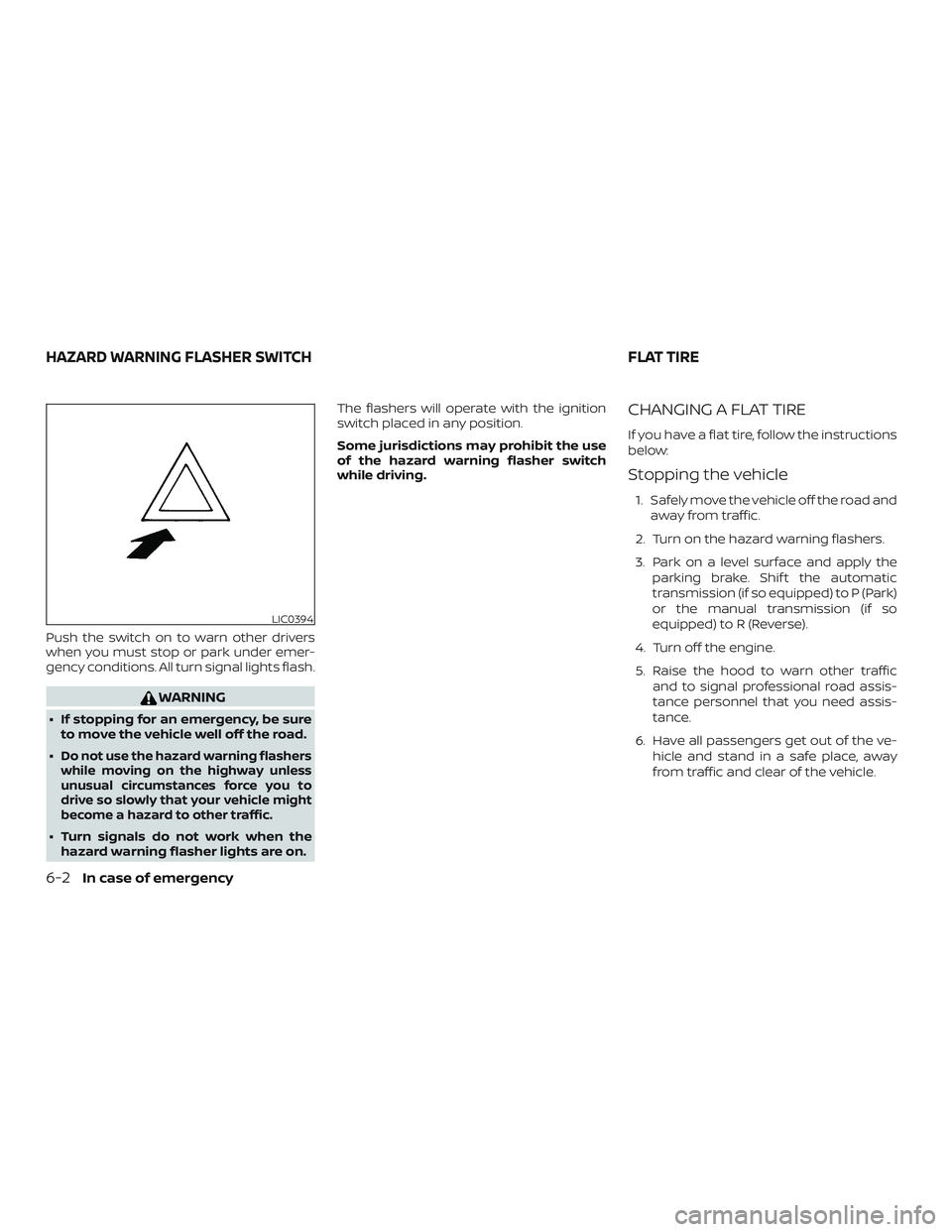
Push the switch on to warn other drivers
when you must stop or park under emer-
gency conditions. All turn signal lights flash.
WARNING
∙ If stopping for an emergency, be sureto move the vehicle well off the road.
∙
Do not use the hazard warning flashers
while moving on the highway unless
unusual circumstances force you to
drive so slowly that your vehicle might
become a hazard to other traffic.
∙ Turn signals do not work when the hazard warning flasher lights are on. The flashers will operate with the ignition
switch placed in any position.
Some jurisdictions may prohibit the use
of the hazard warning flasher switch
while driving.
CHANGING A FLAT TIRE
If you have a flat tire, follow the instructions
below:
Stopping the vehicle
1. Safely move the vehicle off the road and
away from traffic.
2. Turn on the hazard warning flashers.
3. Park on a level surface and apply the parking brake. Shif t the automatic
transmission (if so equipped) to P (Park)
or the manual transmission (if so
equipped) to R (Reverse).
4. Turn off the engine.
5. Raise the hood to warn other traffic and to signal professional road assis-
tance personnel that you need assis-
tance.
6. Have all passengers get out of the ve- hicle and stand in a safe place, away
from traffic and clear of the vehicle.
LIC0394
HAZARD WARNING FLASHER SWITCH FLAT TIRE
6-2In case of emergency
Page 235 of 346
∙ Use the correct jack-up points. Neveruse any other part of the vehicle for
jack support.
∙ Never jack up the vehicle more than necessary.
∙ Never use blocks on or under the jack.
∙ Do not start or run the engine while vehicle is on the jack. It may cause the
vehicle to move. This is especially true
for vehicles with limited slip
differentials.
∙ Do not allow passengers to stay in the vehicle while it is on the jack.
∙ Never run the engine with a wheel(s) off the ground. It may cause the ve-
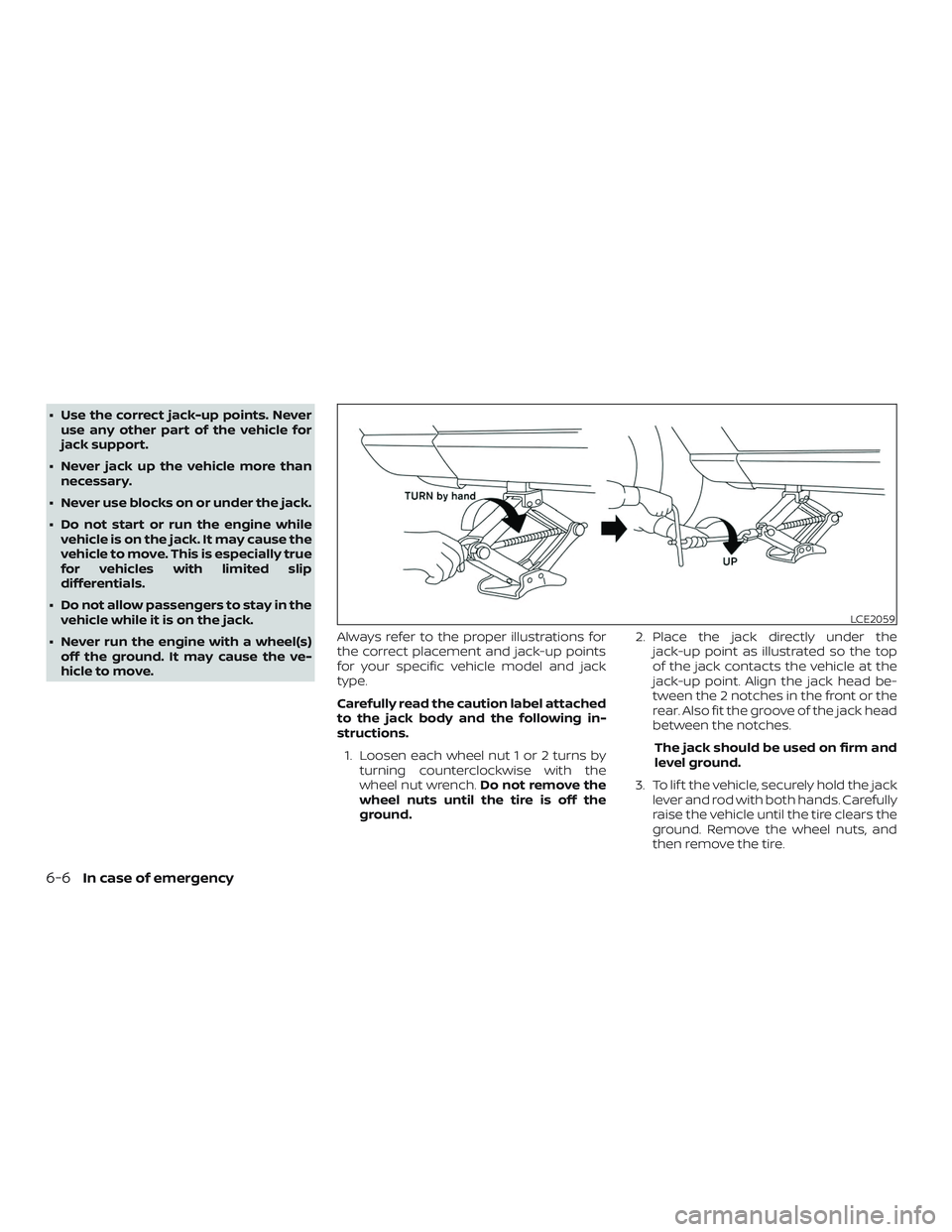
hicle to move. Always refer to the proper illustrations for
the correct placement and jack-up points
for your specific vehicle model and jack
type.
Carefully read the caution label attached
to the jack body and the following in-
structions.
1. Loosen each wheel nut 1 or 2 turns by turning counterclockwise with the
wheel nut wrench. Do not remove the
wheel nuts until the tire is off the
ground. 2. Place the jack directly under the
jack-up point as illustrated so the top
of the jack contacts the vehicle at the
jack-up point. Align the jack head be-
tween the 2 notches in the front or the
rear. Also fit the groove of the jack head
between the notches.
The jack should be used on firm and
level ground.
3. To lif t the vehicle, securely hold the jack lever and rod with both hands. Carefully
raise the vehicle until the tire clears the
ground. Remove the wheel nuts, and
then remove the tire.
LCE2059
6-6In case of emergency
Page 240 of 346
To start your engine with a booster battery,
the instructions and precautions below
must be followed.
WARNING
∙ If done incorrectly, jump starting canlead to a battery explosion, resulting
in severe injury or death. It could also
damage your vehicle.
∙ Explosive hydrogen gas is always present in the vicinity of the battery.
Keep all sparks and flames away from
the battery.
∙ Do not allow battery fluid to come into contact with eyes, skin, clothing or
painted surfaces. Battery fluid is a
corrosive sulfuric acid solution which
can cause severe burns. If the fluid
should come into contact with any-
thing, immediately flush the con-
tacted area with water.
∙ Keep battery out of the reach of children.
∙ The booster battery must be rated at 12 volts. Use of an improperly rated
battery can damage your vehicle. ∙ Whenever working on or near a bat-
tery, always wear suitable eye protec-
tors (for example, goggles or indus-
trial safety spectacles) and remove
rings, metal bands, or any other jew-
elry. Do not lean over the battery
when jump starting.
∙ Do not attempt to jump start a frozen battery. It could explode and cause
serious injury.
∙ Your vehicle has an automatic engine cooling fan. It could come on at any
time. Keep hands and other objects
away from it.
JUMP STARTING
In case of emergency6-11