2023 NISSAN LEAF tow mode
[x] Cancel search: tow modePage 125 of 612
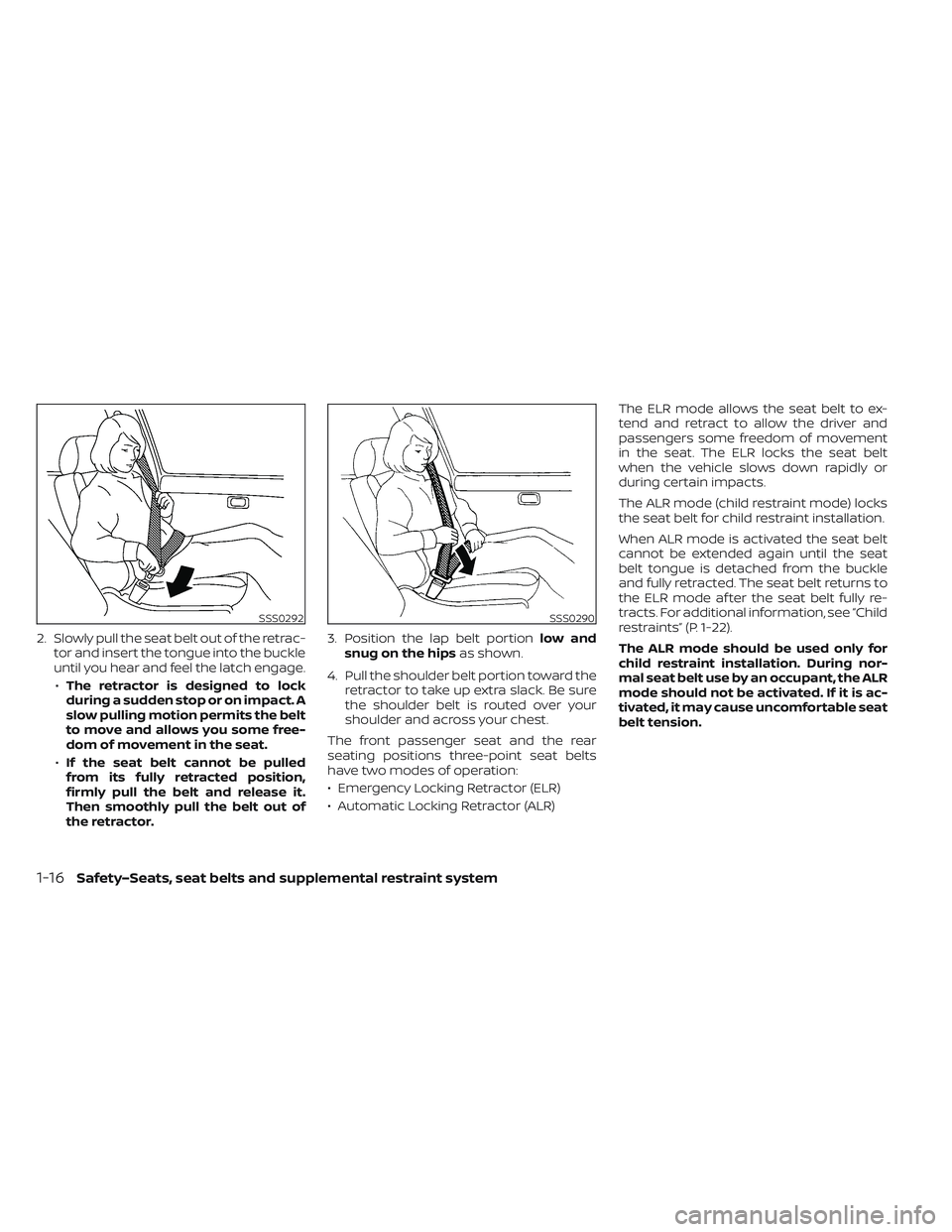
2. Slowly pull the seat belt out of the retrac-tor and insert the tongue into the buckle
until you hear and feel the latch engage.
• The retractor is designed to lock
during a sudden stop or on impact. A
slow pulling motion permits the belt
to move and allows you some free-
dom of movement in the seat.
• If the seat belt cannot be pulled
from its fully retracted position,
firmly pull the belt and release it.
Then smoothly pull the belt out of
the retractor. 3. Position the lap belt portion
low and
snug on the hips as shown.
4. Pull the shoulder belt portion toward the retractor to take up extra slack. Be sure
the shoulder belt is routed over your
shoulder and across your chest.
The front passenger seat and the rear
seating positions three-point seat belts
have two modes of operation:
• Emergency Locking Retractor (ELR)
• Automatic Locking Retractor (ALR) The ELR mode allows the seat belt to ex-
tend and retract to allow the driver and
passengers some freedom of movement
in the seat. The ELR locks the seat belt
when the vehicle slows down rapidly or
during certain impacts.
The ALR mode (child restraint mode) locks
the seat belt for child restraint installation.
When ALR mode is activated the seat belt
cannot be extended again until the seat
belt tongue is detached from the buckle
and fully retracted. The seat belt returns to
the ELR mode af ter the seat belt fully re-
tracts. For additional information, see “Child
restraints” (P. 1-22).
The ALR mode should be used only for
child restraint installation. During nor-
mal seat belt use by an occupant, the ALR
mode should not be activated. If it is ac-
tivated, it may cause uncomfortable seat
belt tension.
SSS0292SSS0290
1-16Safety–Seats, seat belts and supplemental restraint system
Page 178 of 612
Immediate Charge switch......................2-61
Dynamic driver assistance switch
(for vehicles without ProPILOT Assist)
(if so equipped) ................................. 2-61
Steering Assist switch (for models with
ProPILOT Assist) (if so equipped) ................2-62
Rear Door Alert ................................. 2-62
Power outlet ................................... 2-64
USB/iPod® charging ports ......................2-64
Storage ........................................ 2-65
Seatback Pocket (if so equipped) ............2-65
Storagetray................................. 2-65
Glovebox ................................... 2-66Console box
................................. 2-66
Overhead sunglasses storage ...............2-66
Cup holders ................................. 2-67
Tonneau cover (if so equipped) ..............2-68
Stowing golf bags ........................... 2-69
Windows ....................................... 2-69
Power windows ............................. 2-69
Interior lights ................................... 2-72
Console light (if so equipped) ................2-72
Map lights ................................... 2-73
Room light .................................. 2-73
Cargo light .................................. 2-73
Page 194 of 612
NOTE:
• If the vehicle does not go into theREADY to drive position (when the
power switch is pushed and the brake
pedal is depressed), jump-start the ve-
hicle to place the power switch in the
READY to drive position. For additional
information, see “Jump starting”
(P. 6-10).
• Do not jump-start the vehicle if the conditions below occur. Have the sys-
tem checked. It is recommended that
you visit a NISSAN certified LEAF dealer
for this service:– If the 12-volt charge warning light turns off when the vehicle is in the
READY to drive mode, the 12-volt bat-
tery may be discharged or there may
be a malfunction in the 12-volt bat-
tery related system.
– If the 12-volt charge warning light continues to illuminate when the ve-
hicle is in the READY to drive mode,
there may be a malfunction in the
DC/DC converter. Have the system
checked. It is recommended that you
visit a NISSAN certified LEAF dealer
for this service.
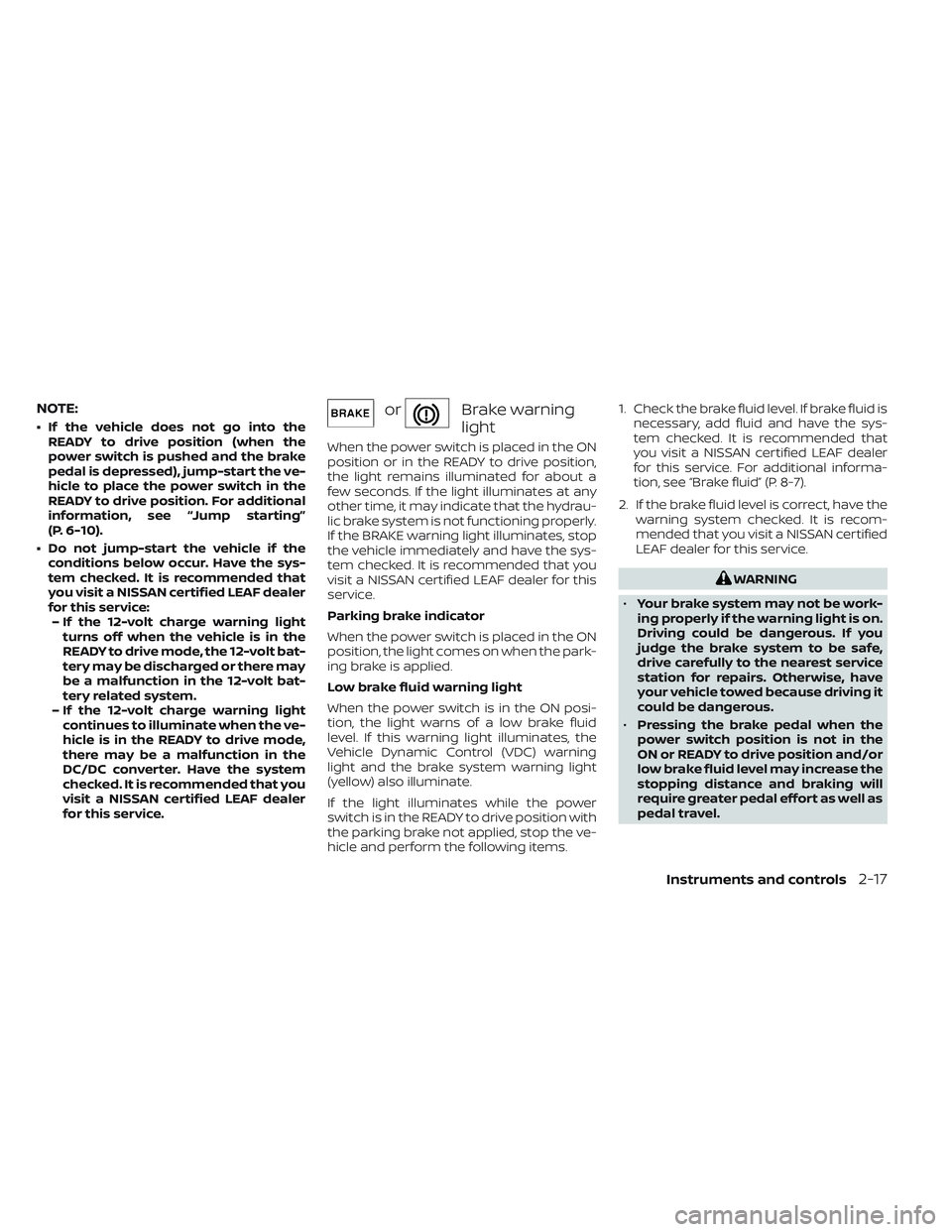
orBrake warning
light
When the power switch is placed in the ON
position or in the READY to drive position,
the light remains illuminated for about a
few seconds. If the light illuminates at any
other time, it may indicate that the hydrau-
lic brake system is not functioning properly.
If the BRAKE warning light illuminates, stop
the vehicle immediately and have the sys-
tem checked. It is recommended that you
visit a NISSAN certified LEAF dealer for this
service.
Parking brake indicator
When the power switch is placed in the ON
position, the light comes on when the park-
ing brake is applied.
Low brake fluid warning light
When the power switch is in the ON posi-
tion, the light warns of a low brake fluid
level. If this warning light illuminates, the
Vehicle Dynamic Control (VDC) warning
light and the brake system warning light
(yellow) also illuminate.
If the light illuminates while the power
switch is in the READY to drive position with
the parking brake not applied, stop the ve-
hicle and perform the following items. 1. Check the brake fluid level. If brake fluid is
necessary, add fluid and have the sys-
tem checked. It is recommended that
you visit a NISSAN certified LEAF dealer
for this service. For additional informa-
tion, see “Brake fluid” (P. 8-7).
2. If the brake fluid level is correct, have the warning system checked. It is recom-
mended that you visit a NISSAN certified
LEAF dealer for this service.
WARNING
• Your brake system may not be work-
ing properly if the warning light is on.
Driving could be dangerous. If you
judge the brake system to be safe,
drive carefully to the nearest service
station for repairs. Otherwise, have
your vehicle towed because driving it
could be dangerous.
• Pressing the brake pedal when the
power switch position is not in the
ON or READY to drive position and/or
low brake fluid level may increase the
stopping distance and braking will
require greater pedal effort as well as
pedal travel.
Instruments and controls2-17
Page 503 of 612

•When using a wheel without the
TPMS such as the spare tire, the TPMS
will not function and the low tire
pressure warning light will flash for
approximately 1 minute. The light will
remain on af ter 1 minute. Have your
tires replaced and/or TPMS system
reset as soon as possible. It is recom-
mended that you visit a NISSAN cer-
tified LEAF dealer for these services.
• Replacing tires with those not origi-
nally specified by NISSAN could af-
fect the proper operation of the
TPMS.
• The Genuine NISSAN Emergency Tire
Repair Sealant or equivalent can be
used for temporarily repairing a tire.
Do not inject any other tire liquid or
aerosol tire sealant into the tires, as
this may cause a malfunction of tire
pressure sensors. •
NISSAN recommends using only
Genuine NISSAN Emergency Tire
Sealant provided with your vehicle.
Other tire sealants may damage the
valve stem seal which can cause the
tire to lose air pressure. It is recom-
mended that you visit a NISSAN cer-
tified LEAF dealer as soon as possible
af ter using tire repair sealant (for
models equipped with the emer-
gency tire puncture repair kit).
REPAIRING FLAT TIRE
WARNING
• Af ter using Genuine NISSAN Emer-
gency Tire Sealant to repair a minor
tire puncture, do not drive the vehicle
at speeds faster than 50 mph (80
km/h).
• Immediately af ter using the Genuine
NISSAN Emergency Tire Sealant to
repair a minor tire puncture, it is rec-
ommended that you visit a NISSAN
certified LEAF dealer. The Genuine
NISSAN Emergency Tire Sealant can-
not permanently seal a punctured
tire. Continuing operation of the ve-
hicle without a permanent tire repair
can lead to a crash. •
If you used the Genuine NISSAN
Emergency Tire Sealant to repair a
minor tire puncture, it is recom-
mended that you visit a NISSAN cer-
tified LEAF dealer to replace the
TPMS sensor in addition to repairing
or replacing the tire.
• NISSAN recommends using only
Genuine NISSAN Emergency Tire
Sealant provided with your vehicle.
Other tire sealants may damage the
valve stem seal which can cause the
tire to lose air pressure.
This vehicle does not have a spare tire. The
emergency tire puncture repair kit
(Genuine NISSAN Emergency Tire Sealant)
is supplied with the vehicle instead of a
spare tire. It can be used to temporarily
repair minor tire punctures.
If possible, have the vehicle towed to a fa-
cility that can repair or replace the flat tire.
Using the emergency tire puncture repair
kit may cause a malfunction of the tire
pressure sensor and cause the low tire
pressure warning light to illuminate.
6-4In case of emergency
Page 578 of 612

10 Technical and consumer information
Recommended fluids/lubricants and
capacities...................................... 10-2
Air conditioning system refrigerant and
lubricant recommendations ................10-3
Specifications .................................. 10-4
Charging system ............................ 10-4
Motor ....................................... 10-5
Wheels and tires ............................ 10-5
Dimensions and weights ....................10-6
When traveling or registering in another
country ........................................ 10-7
Vehicle identification ........................... 10-7
Vehicle Identification Number (VIN)
plate ........................................ 10-7
Vehicle identification number
(chassis number) ............................ 10-7
Traction motor serial number ...............10-8
F.M.V.S.S./C.M.V.S.S Certification label .........10-8
Emission control information label ..........10-8
Tire and Loading Information label ..........10-9
Air conditioner specification label ...........10-9
Installing front license plate ...................10-10
Vehicle loading information ....................10-11Terms
....................................... 10-11
Vehicle load capacity ....................... 10-12
Loading tips ................................ 10-13
Measurement of weights ...................10-14
Towing a trailer ................................ 10-14
Flat towing .................................... 10-15
Uniform tire quality grading ...................10-15
Treadwear ................................. 10-15
Traction AA, A, B and C ......................10-15
Temperature A, B and C ....................10-15
Reporting safety defects ......................10-16
Telematics overview (models with Navigation
System) ....................................... 10-17
Telematic Control Unit Gen2K .................10-19
Event Data Recorders (EDR) ...................10-21
Additional data recording
(on vehicles equipped with optional
ProPILOT Assist) ............................ 10-21
Owner's Manual/Service Manual order
inf
ormation ................................... 10-22
Charging information ......................... 10-23
Cold tire pressures ............................ 10-25
Page 609 of 612
Repairing flat tire................6-4Repairing tire..................6-6Reporting safety defects (US only). . . .10-16Road accident precautions.........EV-9Roadside assistance program........6-2Rollover......................5-7Roof-mounted curtain side-impact
supplemental air bag system........1-61
S
Safety
Child safety rear door lock.........3-6Child seat belts...............1-19Reporting safety defects (US only). . .10-16Scene guideAt home af ter driving..........EV-22Before driving your vehicle
(models with navigation system). . .EV-14Charging the Li-ion battery......EV-12Driving the vehicle............EV-18Parking the vehicle............EV-21Starting your vehicle...........EV-17Seat beltChild safety.................1-19Infants....................1-20Injured person................1-15Larger children...............1-20Precautions on seat belt usage.....1-11Pregnant women..............1-15Rear center seat belt............1-18Seat belt cleaning..............7-6Seat belt extenders............1-18
Seat belt maintenance..........1-19Seat belt warning light..........2-18Seat belts...................1-11Seat belts with pretensioners......1-64Shoulder belt height adjustment. . . .1-18Small children................1-20Three-point type..............1-15Seat belt warning light............1-14Seats........................1-2Heated seats................2-58Security system................2-44Security system (NISSAN Vehicle Immobilizer
System), EV system start.......2-46, 5-13Servicing climate control..........4-43Shif tingElectric shif t control system.......5-14Shoulder belt height adjustment......1-18Shoulder belt height adjustment, For front
seats.......................1-18Speedometer................. .2-5Stability control................5-164Standard maintenance............9-7Starting
Before starting system..........5-13Jump starting................6-10Precautions when starting and
driving.................... .5-4Push starting................6-13Starting the traction motor.......5-14Status light, Front passenger
air bag...................1-55, 1-57Steering
Heated steering wheel..........2-60Power steering system.........5-161
Steering assist switch (models with
ProPILOT assist)................2-62Steering wheel.................3-22Stopping the vehicle..............6-5Storage.................... .2-65Stowing golf bags...............2-69Sun visors....................3-23Sunglasses holder..............2-66Supplemental air bag warning labels. . .1-65Supplemental air bag warning
light....................1-66, 2-18Supplemental restraint system
Precautions on supplemental restraint
system
................... .1-44Supplemental Restraint System (SRS). . .1-44Switch
Autolight switch..............2-51ECO switch................ .2-58Fog light switch..............2-57Hazard warning flasher switch......6-2Headlight switch..............2-50Immediate charge switch. . .CH-48, 2-61Instrument brightness control.....2-56Power door lock switch..........3-5Rear window and outside mirror defroster
switch................... .2-49Rear window wiper and washer
switches...................2-48Turn signal switch.............2-56Wiper and washer switch........2-47
11-6