2023 NISSAN LEAF steering
[x] Cancel search: steeringPage 188 of 612
![NISSAN LEAF 2023 Owners Manual • When the currently remaining Li-ion bat-tery level exceeds each percentage level,
the charging time will be displayed as
[---].
• When the Li-ion battery was fully charge, all the charging time](/manual-img/5/56727/w960_56727-187.png "NISSAN LEAF 2023 Owners Manual • When the currently remaining Li-ion bat-tery level exceeds each percentage level,
the charging time will be displayed as
[---].
• When the Li-ion battery was fully charge, all the charging time")
• When the currently remaining Li-ion bat-tery level exceeds each percentage level,
the charging time will be displayed as
[---].
• When the Li-ion battery was fully charge, all the charging time information will be
displayed as [---].
O3The currently selected electrical power
(supplied to the charger).
O4The estimated charge level of the Li-ion
battery to be reached when the remaining
charging time has passed.
O5The electrical power that is actually sup-
plied while quick charging.
O6The remaining charging time before the
quick charger is shut off.
When charging is not performed, pushing
the OKbutton on the steering wheel will
switch the display to the [Charge Time
Screen]. Select the electrical power that
you wish to show in the Estimated Charge
Time display.
NOTE:
• While charging, the estimated charg- ing time is calculated based on the
electrical power that is currently being
supplied to the charger.
• The electrical power for the normal charging is displayed at a fixed value.
Therefore, the displayed electrical
power may differ from the one that is
actually supplied.
• For the quick charging, the electrical power display will change to the actual
electrical power while charging. If the
charging is stopped or the power sup-
ply is stopped (unplugged, etc.), the
displayed electrical power returns to
the selected electrical power. • The displayed charging time on each
percentage level is the current estima-
tion, and the actual charging time will
vary depending on the conditions of
the vehicle or the state of charge.
• Right af ter starting or stopping charge, the estimated charging time
may differ from the actual charging
time. The actual charging time will be
displayed af ter a period of time.
LIC5003
While charging (quick charge)
Instruments and controls2-11
Page 192 of 612
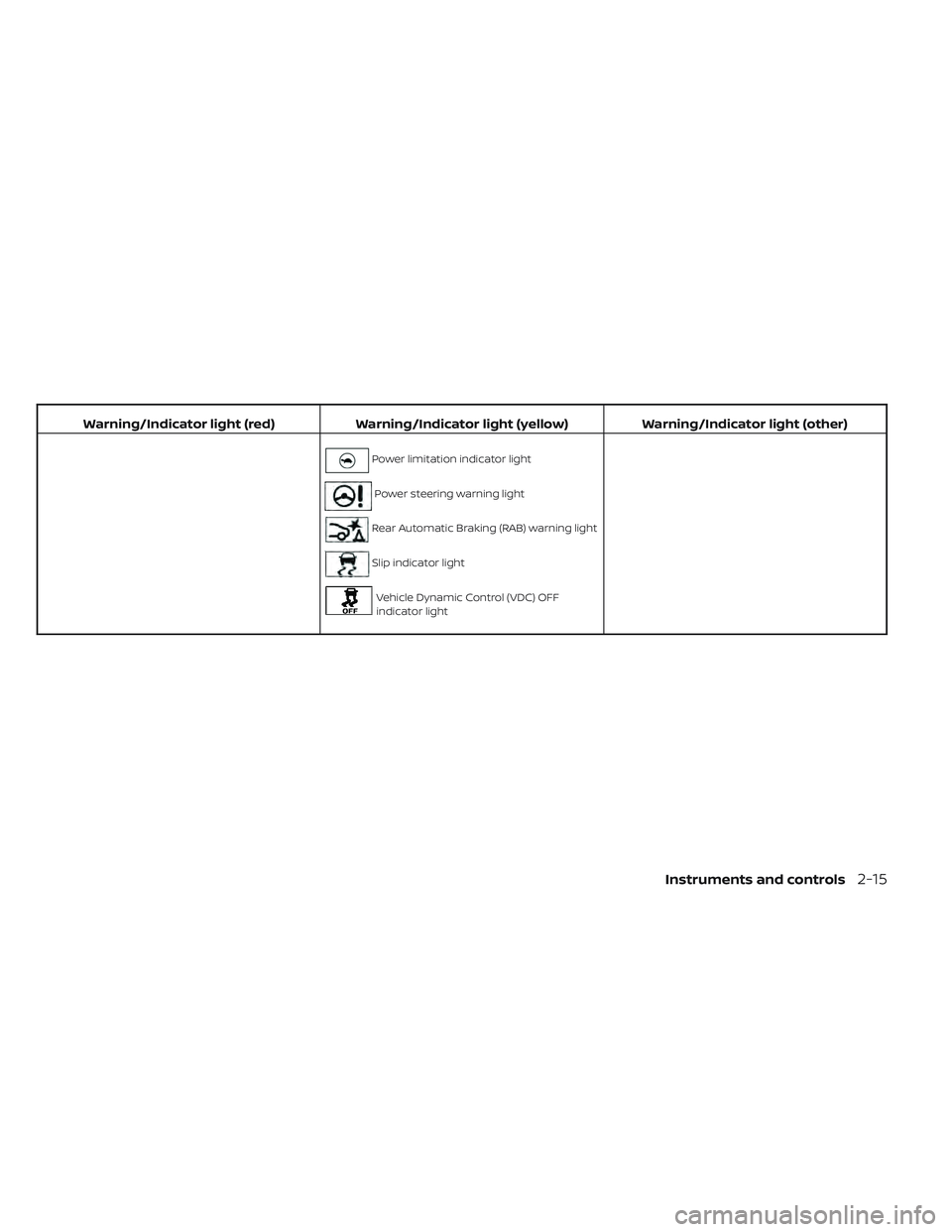
Warning/Indicator light (red)Warning/Indicator light (yellow) Warning/Indicator light (other)
Power limitation indicator light
Power steering warning light
Rear Automatic Braking (RAB) warning light
Slip indicator light
Vehicle Dynamic Control (VDC) OFF
indicator light
Instruments and controls2-15
Page 199 of 612
WARNING
• Radio waves could adversely affect
electric medical equipment. Those
who use a pacemaker should contact
the electric medical equipment
manufacturer for the possible influ-
ences before use.
• If the light does not illuminate when
the power switch is placed in the ON
position, have the vehicle checked. It
is recommended that you visit a
NISSAN certified LEAF dealer as soon
as possible for this service.
• If the light illuminates while driving,
avoid sudden steering maneuvers or
abrupt braking, reduce vehicle
speed, pull off the road to a safe loca-
tion and stop the vehicle as soon as
possible. Driving with under-inflated
tires may permanently damage the
tires and increase the likelihood of
tire failure. Serious vehicle damage
could occur and may lead to an acci-
dent and could result in serious per-
sonal injury or death. Check the tire
pressure for all four tires. Adjust the
tire pressure to the recommended
COLD tire pressure shown on the Tire
and Loading Information label to
turn the low tire pressure warning light OFF. If the light still illuminates
while driving af ter adjusting the tire
pressure, a tire may be flat or the
TPMS may be malfunctioning. If you
have a flat tire, replace it with a re-
placement tire as soon as possible. If
no tire is flat and all tires are properly
inflated, have the vehicle checked. It
is recommended that you visit a
NISSAN certified LEAF dealer for this
service.
• When using a wheel without the
TPMS such as a spare tire, the TPMS
will not function and the low tire
pressure warning light will flash for
approximately 1 minute. The light will
remain on af ter 1 minute. Have the
system checked. It is recommended
that you visit a NISSAN certified LEAF
dealer as soon as possible for tire re-
placement and/or system resetting.
• Replacing tires with those not origi-
nally specified by NISSAN could af-
fect the proper operation of the
TPMS.CAUTION
• The TPMS is not a substitute for the
regular tire pressure check. Be sure
to check the tire pressure regularly.
• If the vehicle is being driven at
speeds of less than 16 mph (25 km/h),
the TPMS may not operate correctly.
• Be sure to install the specified size of
tires to the four wheels correctly.
Master warning light
There are two types of master warning
lights: yellow and red. These lights illumi-
nate if any warning lights or indicator lights
are illuminated or if various vehicle infor-
mation warnings appear in the vehicle in-
formation display.
This light illuminates when a yellow
warning light within the vehicle information
display is illuminated or when a message is
displayed on the vehicle information
display.
2-22Instruments and controls
Page 200 of 612
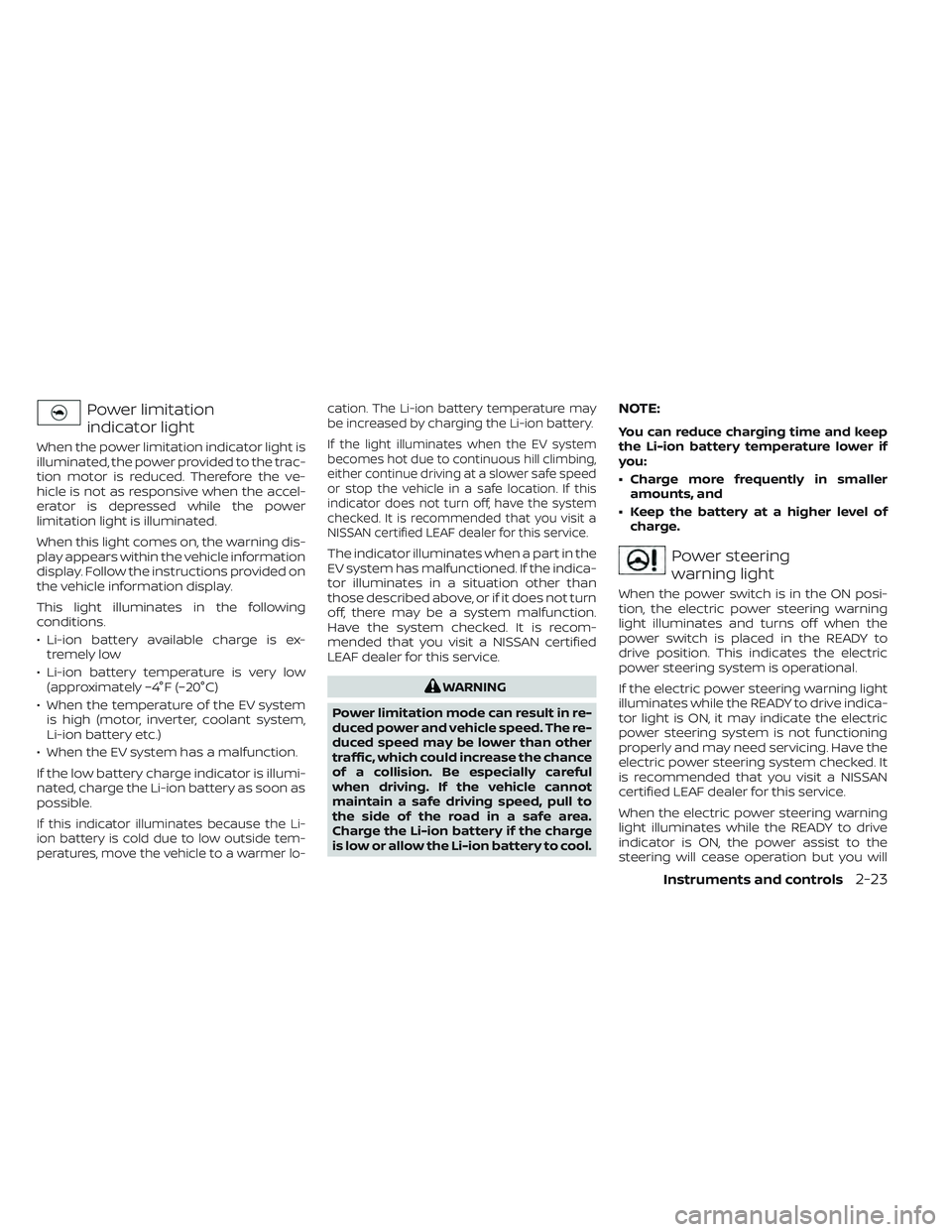
Power limitation
indicator light
When the power limitation indicator light is
illuminated, the power provided to the trac-
tion motor is reduced. Therefore the ve-
hicle is not as responsive when the accel-
erator is depressed while the power
limitation light is illuminated.
When this light comes on, the warning dis-
play appears within the vehicle information
display. Follow the instructions provided on
the vehicle information display.
This light illuminates in the following
conditions.
• Li-ion battery available charge is ex-tremely low
• Li-ion battery temperature is very low (approximately −4°F (−20°C)
• When the temperature of the EV system is high (motor, inverter, coolant system,
Li-ion battery etc.)
• When the EV system has a malfunction.
If the low battery charge indicator is illumi-
nated, charge the Li-ion battery as soon as
possible.
If this indicator illuminates because the Li-
ion battery is cold due to low outside tem-
peratures, move the vehicle to a warmer lo- cation. The Li-ion battery temperature may
be increased by charging the Li-ion battery.
If the light illuminates when the EV system
becomes hot due to continuous hill climbing,
either continue driving at a slower safe speed
or stop the vehicle in a safe location. If this
indicator does not turn off, have the system
checked. It is recommended that you visit a
NISSAN certified LEAF dealer for this service.
The indicator illuminates when a part in the
EV system has malfunctioned. If the indica-
tor illuminates in a situation other than
those described above, or if it does not turn
off, there may be a system malfunction.
Have the system checked. It is recom-
mended that you visit a NISSAN certified
LEAF dealer for this service.
WARNING
Power limitation mode can result in re-
duced power and vehicle speed. The re-
duced speed may be lower than other
traffic, which could increase the chance
of a collision. Be especially careful
when driving. If the vehicle cannot
maintain a safe driving speed, pull to
the side of the road in a safe area.
Charge the Li-ion battery if the charge
is low or allow the Li-ion battery to cool.
NOTE:
You can reduce charging time and keep
the Li-ion battery temperature lower if
you:
• Charge more frequently in smaller amounts, and
• Keep the battery at a higher level of charge.
Power steering
warning light
When the power switch is in the ON posi-
tion, the electric power steering warning
light illuminates and turns off when the
power switch is placed in the READY to
drive position. This indicates the electric
power steering system is operational.
If the electric power steering warning light
illuminates while the READY to drive indica-
tor light is ON, it may indicate the electric
power steering system is not functioning
properly and may need servicing. Have the
electric power steering system checked. It
is recommended that you visit a NISSAN
certified LEAF dealer for this service.
When the electric power steering warning
light illuminates while the READY to drive
indicator is ON, the power assist to the
steering will cease operation but you will
Instruments and controls2-23
Page 201 of 612
still have control of the vehicle. At this time,
greater steering efforts are required to op-
erate the steering wheel, especially in
sharp turns and at low speeds.
For additional information, see “Power
steering system” (P. 5-161).
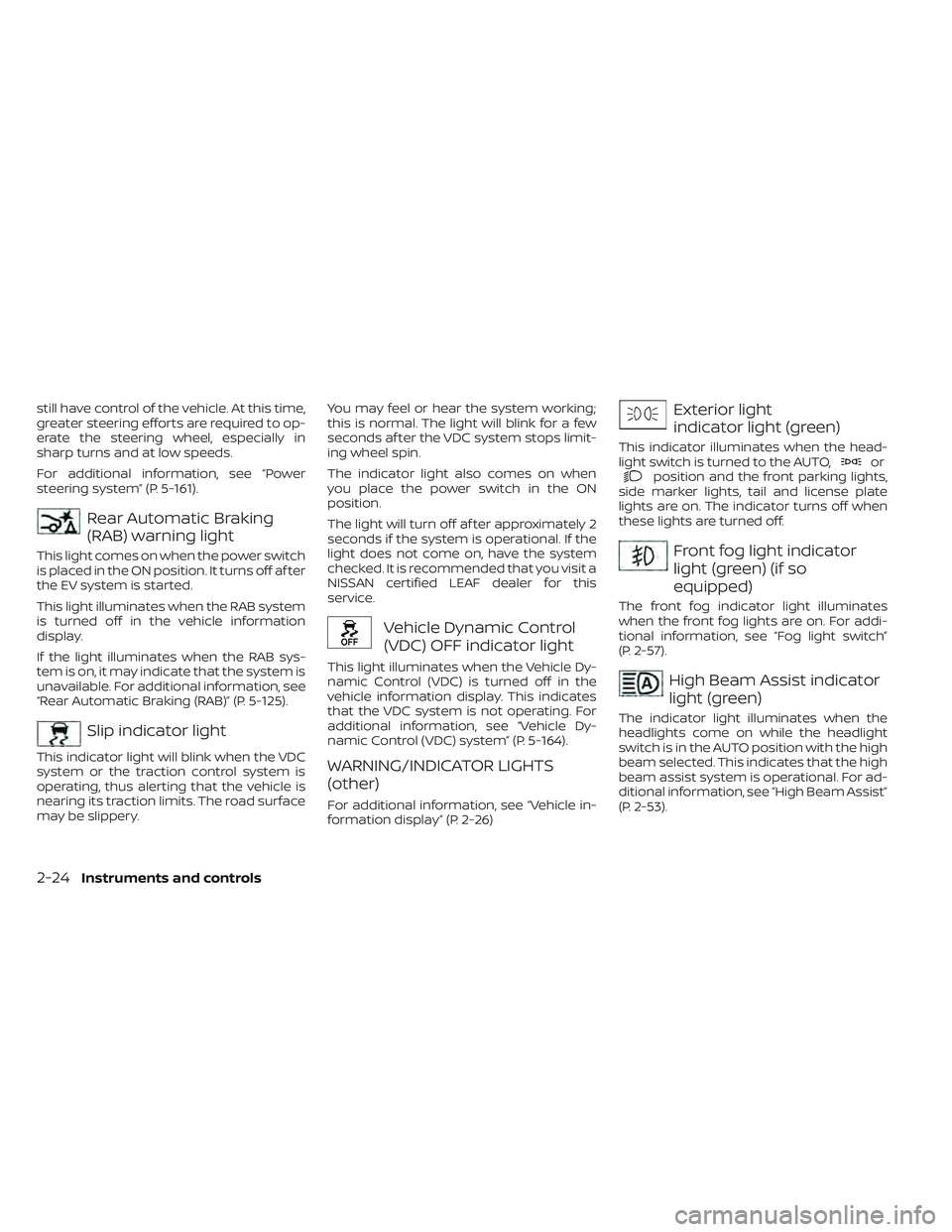
Rear Automatic Braking
(RAB) warning light
This light comes on when the power switch
is placed in the ON position. It turns off af ter
the EV system is started.
This light illuminates when the RAB system
is turned off in the vehicle information
display.
If the light illuminates when the RAB sys-
tem is on, it may indicate that the system is
unavailable. For additional information, see
“Rear Automatic Braking (RAB)” (P. 5-125).
Slip indicator light
This indicator light will blink when the VDC
system or the traction control system is
operating, thus alerting that the vehicle is
nearing its traction limits. The road surface
may be slippery.You may feel or hear the system working;
this is normal. The light will blink for a few
seconds af ter the VDC system stops limit-
ing wheel spin.
The indicator light also comes on when
you place the power switch in the ON
position.
The light will turn off af ter approximately 2
seconds if the system is operational. If the
light does not come on, have the system
checked. It is recommended that you visit a
NISSAN certified LEAF dealer for this
service.
Vehicle Dynamic Control
(VDC) OFF indicator light
This light illuminates when the Vehicle Dy-
namic Control (VDC) is turned off in the
vehicle information display. This indicates
that the VDC system is not operating. For
additional information, see “Vehicle Dy-
namic Control (VDC) system” (P. 5-164).
WARNING/INDICATOR LIGHTS
(other)
For additional information, see “Vehicle in-
formation display” (P. 2-26)
Exterior light
indicator light (green)
This indicator illuminates when the head-
light switch is turned to the AUTO,orposition and the front parking lights,
side marker lights, tail and license plate
lights are on. The indicator turns off when
these lights are turned off.
Front fog light indicator
light (green) (if so
equipped)
The front fog indicator light illuminates
when the front fog lights are on. For addi-
tional information, see “Fog light switch”
(P. 2-57).
High Beam Assist indicator
light (green)
The indicator light illuminates when the
headlights come on while the headlight
switch is in the AUTO position with the high
beam selected. This indicates that the high
beam assist system is operational. For ad-
ditional information, see “High Beam Assist”
(P. 2-53).
2-24Instruments and controls
Page 204 of 612
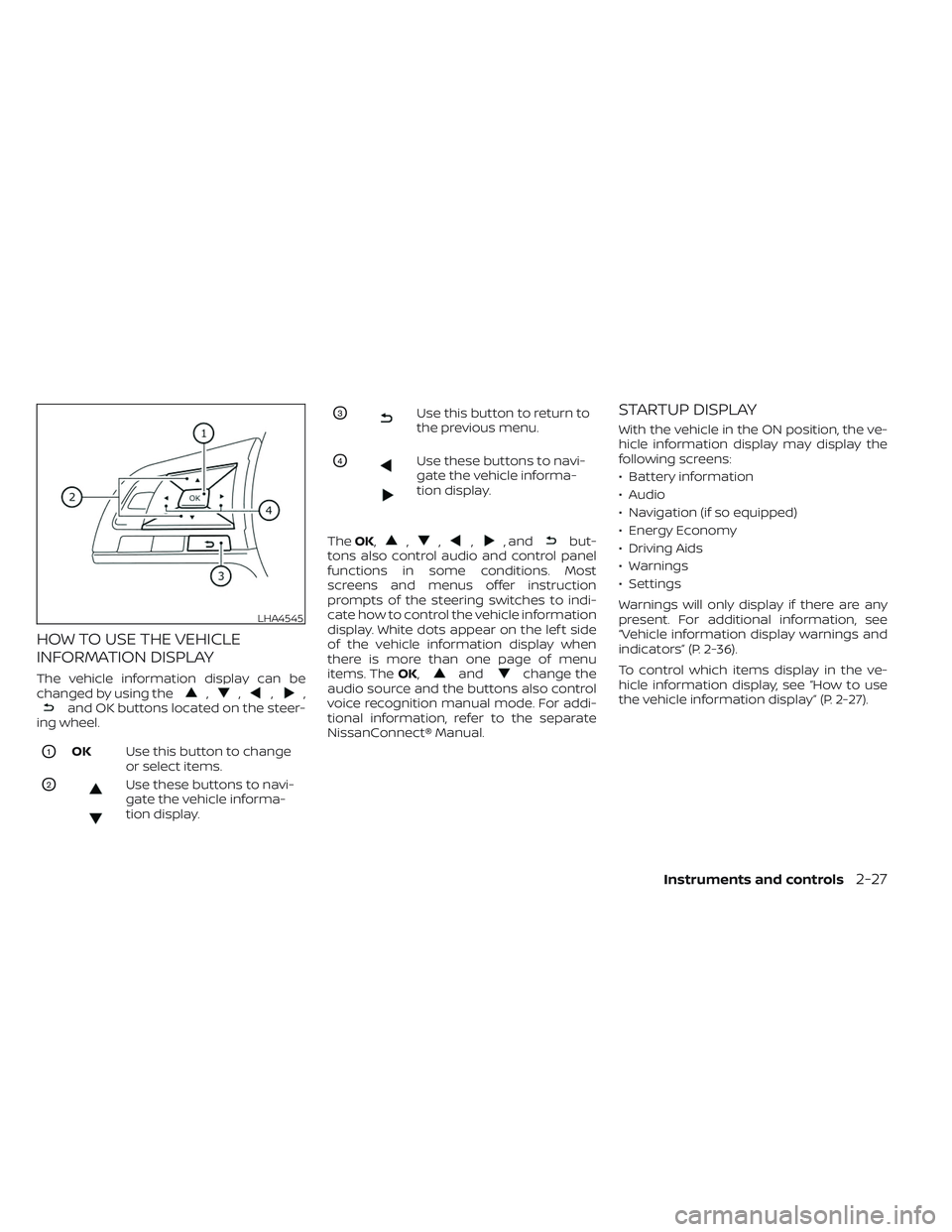
HOW TO USE THE VEHICLE
INFORMATION DISPLAY
The vehicle information display can be
changed by using the,,,,and OK buttons located on the steer-
ing wheel.
O1OK Use this button to change
or select items.
O2Use these buttons to navi-
gate the vehicle informa-
tion display.
O3Use this button to return to
the previous menu.
O4Use these buttons to navi-
gate the vehicle informa-
tion display.
The OK,
,,,, andbut-
tons also control audio and control panel
functions in some conditions. Most
screens and menus offer instruction
prompts of the steering switches to indi-
cate how to control the vehicle information
display. White dots appear on the lef t side
of the vehicle information display when
there is more than one page of menu
items. The OK,
andchange the
audio source and the buttons also control
voice recognition manual mode. For addi-
tional information, refer to the separate
NissanConnect® Manual.
STARTUP DISPLAY
With the vehicle in the ON position, the ve-
hicle information display may display the
following screens:
• Battery information
• Audio
• Navigation (if so equipped)
• Energy Economy
• Driving Aids
• Warnings
• Settings
Warnings will only display if there are any
present. For additional information, see
“Vehicle information display warnings and
indicators” (P. 2-36).
To control which items display in the ve-
hicle information display, see “How to use
the vehicle information display” (P. 2-27).
LHA4545
Instruments and controls2-27
Page 206 of 612
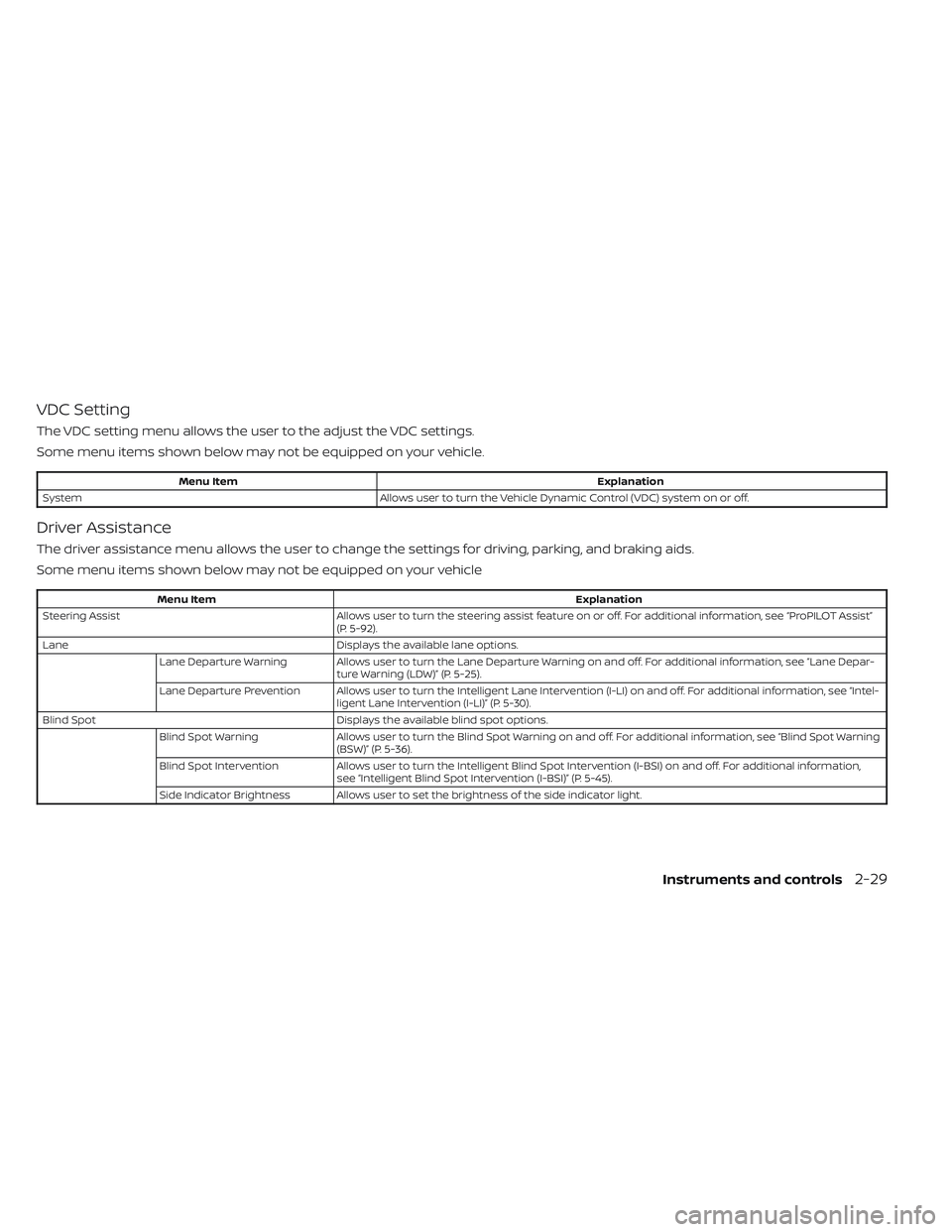
VDC Setting
The VDC setting menu allows the user to the adjust the VDC settings.
Some menu items shown below may not be equipped on your vehicle.
Menu ItemExplanation
System Allows user to turn the Vehicle Dynamic Control (VDC) system on or off.
Driver Assistance
The driver assistance menu allows the user to change the settings for driving, parking, and braking aids.
Some menu items shown below may not be equipped on your vehicle
Menu Item Explanation
Steering Assist Allows user to turn the steering assist feature on or off. For additional information, see “ProPILOT Assist”
(P. 5-92).
Lane Displays the available lane options.
Lane Departure Warning Allows user to turn the Lane Departure Warning on and off. For additional information, see “Lane Depar- ture Warning (LDW)” (P. 5-25).
Lane Departure Prevention Allows user to turn the Intelligent Lane Intervention (I-LI) on and off. For additional information, see “Intel- ligent Lane Intervention (I-LI)” (P. 5-30).
Blind Spot Displays the available blind spot options.
Blind Spot Warning Allows user to turn the Blind Spot Warning on and off. For additional information, see “Blind Spot Warning
(BSW)” (P. 5-36).
Blind Spot Intervention Allows user to turn the Intelligent Blind Spot Intervention (I-BSI) on and off. For additional information,
see “Intelligent Blind Spot Intervention (I-BSI)” (P. 5-45).
Side Indicator Brightness Allows user to set the brightness of the side indicator light.
Instruments and controls2-29
Page 214 of 612
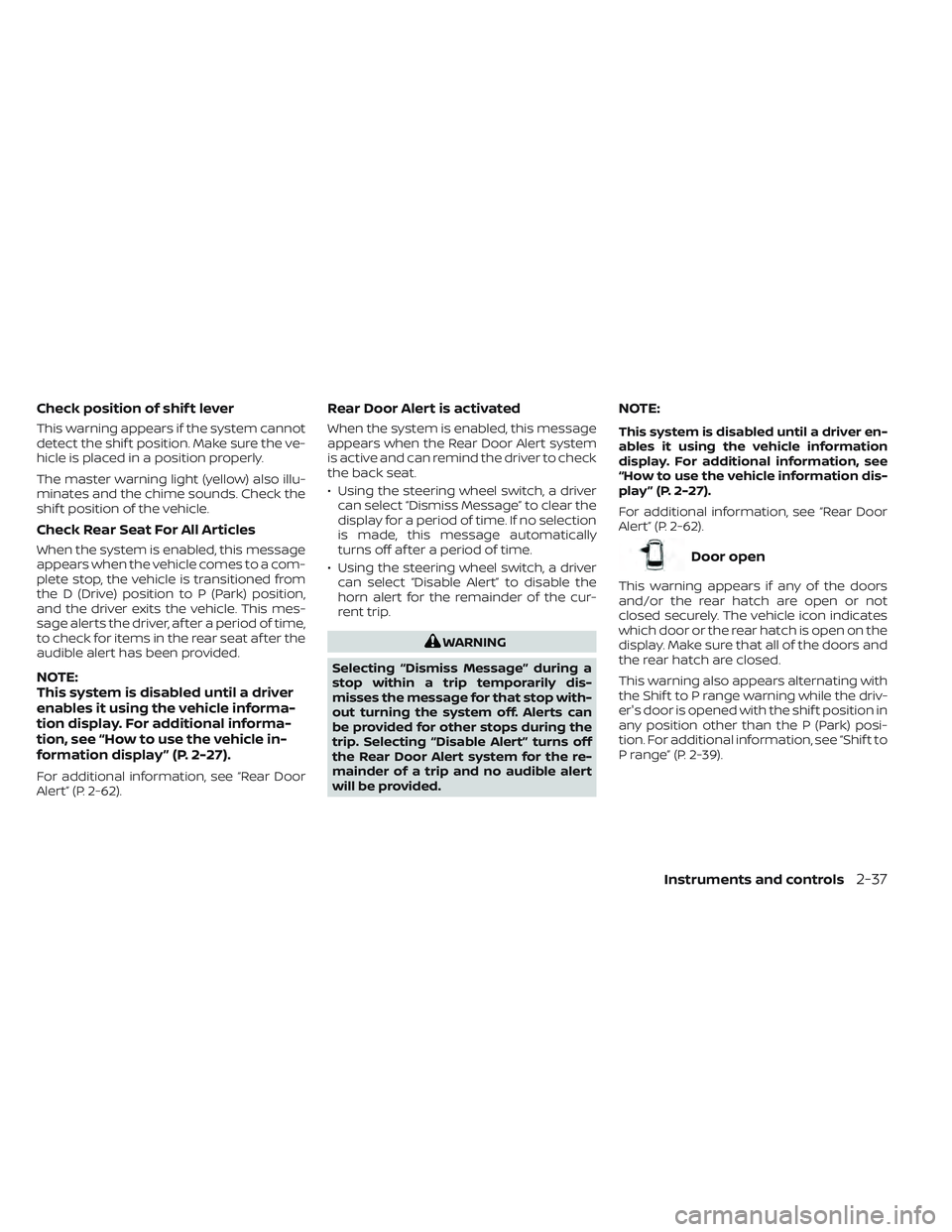
Check position of shif t lever
This warning appears if the system cannot
detect the shif t position. Make sure the ve-
hicle is placed in a position properly.
The master warning light (yellow) also illu-
minates and the chime sounds. Check the
shif t position of the vehicle.
Check Rear Seat For All Articles
When the system is enabled, this message
appears when the vehicle comes to a com-
plete stop, the vehicle is transitioned from
the D (Drive) position to P (Park) position,
and the driver exits the vehicle. This mes-
sage alerts the driver, af ter a period of time,
to check for items in the rear seat af ter the
audible alert has been provided.
NOTE:
This system is disabled until a driver
enables it using the vehicle informa-
tion display. For additional informa-
tion, see “How to use the vehicle in-
formation display ” (P. 2-27).
For additional information, see “Rear Door
Alert” (P. 2-62).
Rear Door Alert is activated
When the system is enabled, this message
appears when the Rear Door Alert system
is active and can remind the driver to check
the back seat.
• Using the steering wheel switch, a drivercan select “Dismiss Message” to clear the
display for a period of time. If no selection
is made, this message automatically
turns off af ter a period of time.
• Using the steering wheel switch, a driver can select “Disable Alert” to disable the
horn alert for the remainder of the cur-
rent trip.
WARNING
Selecting “Dismiss Message” during a
stop within a trip temporarily dis-
misses the message for that stop with-
out turning the system off. Alerts can
be provided for other stops during the
trip. Selecting “Disable Alert” turns off
the Rear Door Alert system for the re-
mainder of a trip and no audible alert
will be provided.
NOTE:
This system is disabled until a driver en-
ables it using the vehicle information
display. For additional information, see
“How to use the vehicle information dis-
play ” (P. 2-27).
For additional information, see “Rear Door
Alert” (P. 2-62).
Door open
This warning appears if any of the doors
and/or the rear hatch are open or not
closed securely. The vehicle icon indicates
which door or the rear hatch is open on the
display. Make sure that all of the doors and
the rear hatch are closed.
This warning also appears alternating with
the Shif t to P range warning while the driv-
er's door is opened with the shif t position in
any position other than the P (Park) posi-
tion. For additional information, see “Shif t to
P range” (P. 2-39).
Instruments and controls2-37