2023 NISSAN KICKS set clock
[x] Cancel search: set clockPage 113 of 558
To control what items display in the vehicle
information display, see to “Customize dis-
play” (P. 2-27).SETTINGS
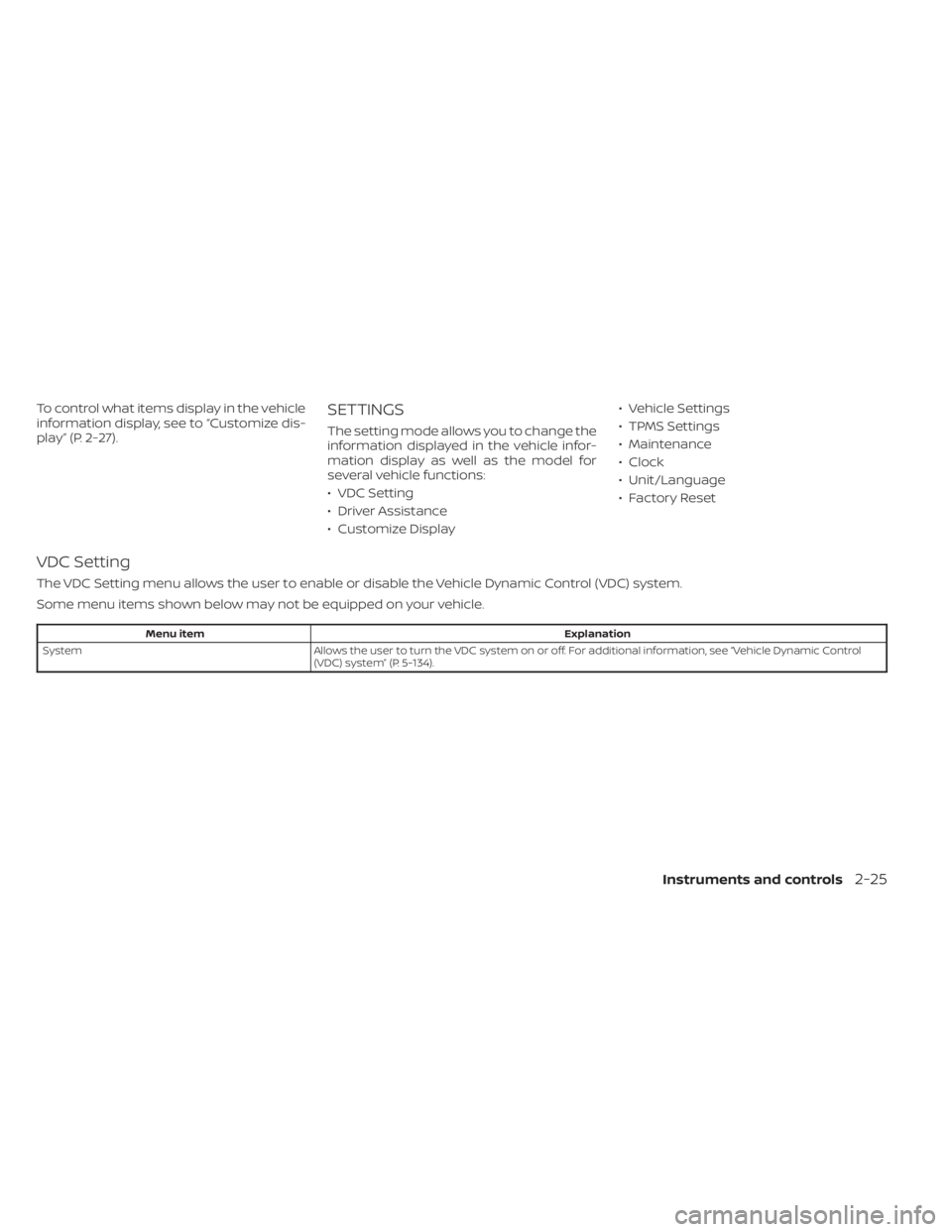
The setting mode allows you to change the
information displayed in the vehicle infor-
mation display as well as the model for
several vehicle functions:
• VDC Setting
• Driver Assistance
• Customize Display• Vehicle Settings
• TPMS Settings
• Maintenance
• Clock
• Unit/Language
• Factory Reset
VDC Setting
The VDC Setting menu allows the user to enable or disable the Vehicle Dynamic Control (VDC) system.
Some menu items shown below may not be equipped on your vehicle.
Menu item
Explanation
System Allows the user to turn the VDC system on or off. For additional information, see “Vehicle Dynamic Control
(VDC) system” (P. 5-134).
Instruments and controls2-25
Page 119 of 558
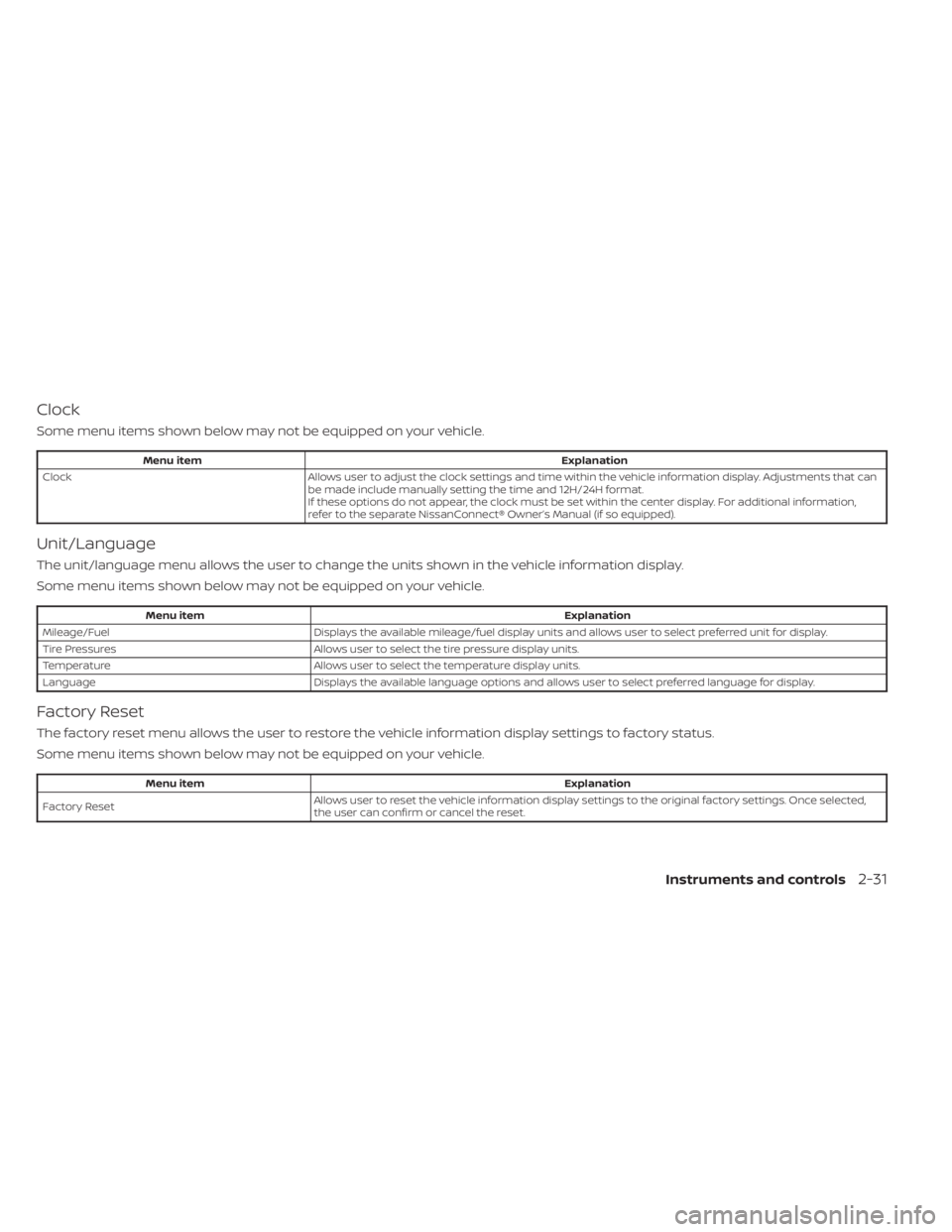
Clock
Some menu items shown below may not be equipped on your vehicle.
Menu itemExplanation
Clock Allows user to adjust the clock settings and time within the vehicle information display. Adjustments that can
be made include manually setting the time and 12H/24H format.
If these options do not appear, the clock must be set within the center display. For additional information,
refer to the separate NissanConnect® Owner’s Manual (if so equipped).
Unit/Language
The unit/language menu allows the user to change the units shown in the vehicle information display.
Some menu items shown below may not be equipped on your vehicle.
Menu item Explanation
Mileage/Fuel Displays the available mileage/fuel display units and allows user to select preferred unit for display.
Tire Pressures Allows user to select the tire pressure display units.
Temperature Allows user to select the temperature display units.
Language Displays the available language options and allows user to select preferred language for display.
Factory Reset
The factory reset menu allows the user to restore the vehicle information display settings to factory status.
Some menu items shown below may not be equipped on your vehicle.
Menu item Explanation
Factory Reset Allows user to reset the vehicle information display setti
ngs to the original factory settings. Once selected,
the user can confirm or cancel the reset.
Instruments and controls2-31
Page 202 of 558
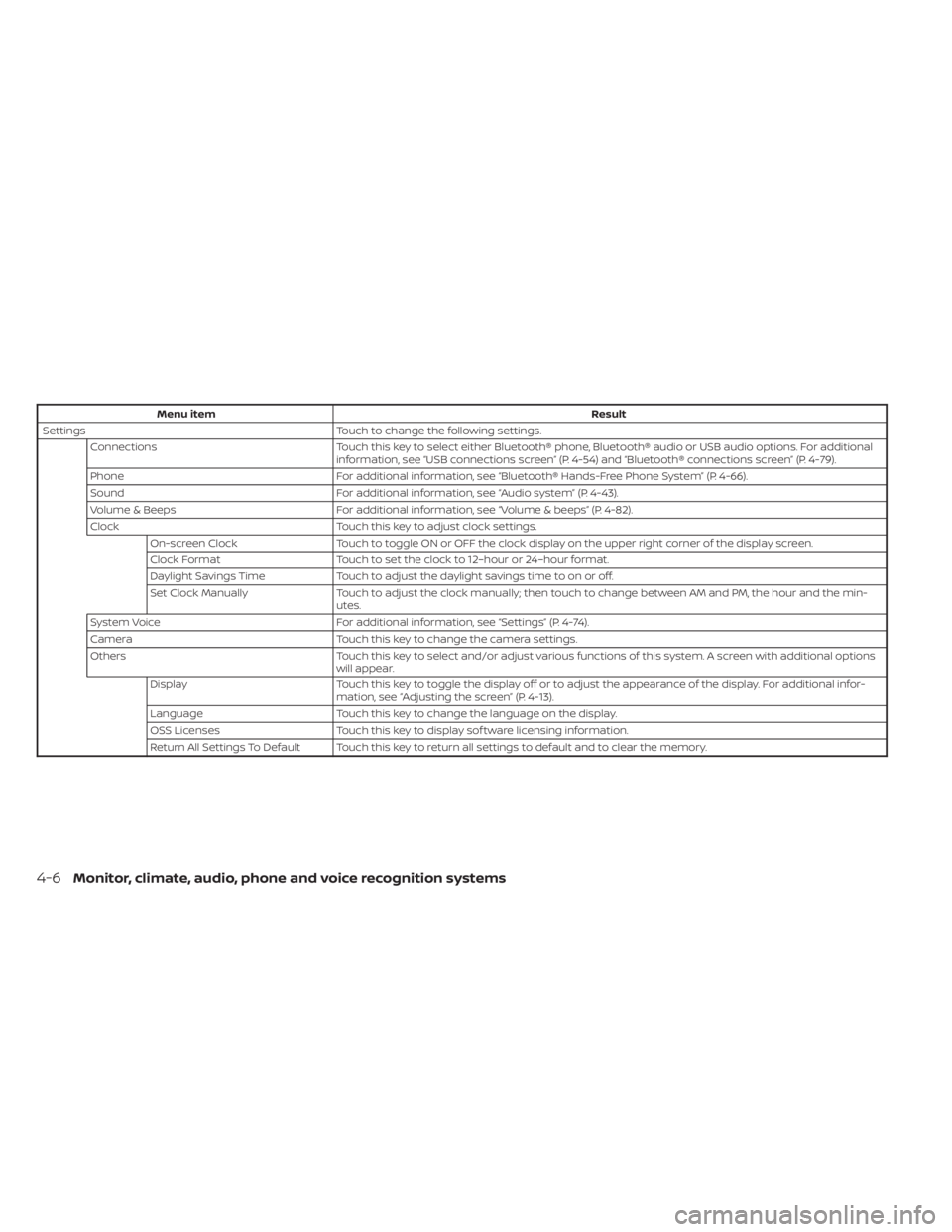
Menu itemResult
Settings Touch to change the following settings.
Connections Touch this key to select either Bluetooth® phone, Bluetooth® audio or USB audio options. For additional
information, see “USB connections screen” (P. 4-54) and “Bluetooth® connections screen” (P. 4-79).
Phone For additional information, see “Bluetooth® Hands-Free Phone System” (P. 4-66).
Sound For additional information, see “Audio system” (P. 4-43).
Volume & Beeps For additional information, see “Volume & beeps” (P. 4-82).
Clock Touch this key to adjust clock settings.
On-screen Clock Touch to toggle ON or OFF the clock display on the upper right corner of the display screen.
Clock Format Touch to set the clock to 12–hour or 24–hour format.
Daylight Savings Time Touch to adjust the daylight savings time to on or off.
Set Clock Manually Touch to adjust the clock manually; then touch to change between AM and PM, the hour and the min-
utes.
System Voice For additional information, see “Settings” (P. 4-74).
Camera Touch this key to change the camera settings.
Others Touch this key to select and/or adjust various functions of this system. A screen with additional options
will appear.
Display Touch this key to toggle the display off or to adjust the appearance of the display. For additional infor-
mation, see “Adjusting the screen” (P. 4-13).
Language Touch this key to change the language on the display.
OSS Licenses Touch this key to display sof tware licensing information.
Return All Settings To Default Touch this key to return all settings to default and to clear the memory.
4-6Monitor, climate, audio, phone and voice recognition systems
Page 458 of 558
WARNING
• Prolonged and repeated contact
with used engine oil may cause skin
cancer.
• Try to avoid direct skin contact with
used oil. If skin contact is made, wash
thoroughly with soap or hand
cleaner as soon as possible.
• Keep used engine oil out of reach of
children.
4.
Loosen the oil filter with an oil filter
wrench by turning it counterclockwise.
Remove the oil filter by turning it by hand.
5. Wipe the engine oil filter mounting sur- face with a clean rag.
CAUTION
Be sure to remove any old gasket ma-
terial remaining on the sealing surface
of the engine. Failure to do so could
lead to an oil leak and engine damage.
• The dipstick must be inserted in
place to prevent oil spillage from the
dipstick hole when filling the engine
with oil. 6. Coat the gasket on the new filter with
clean engine oil.
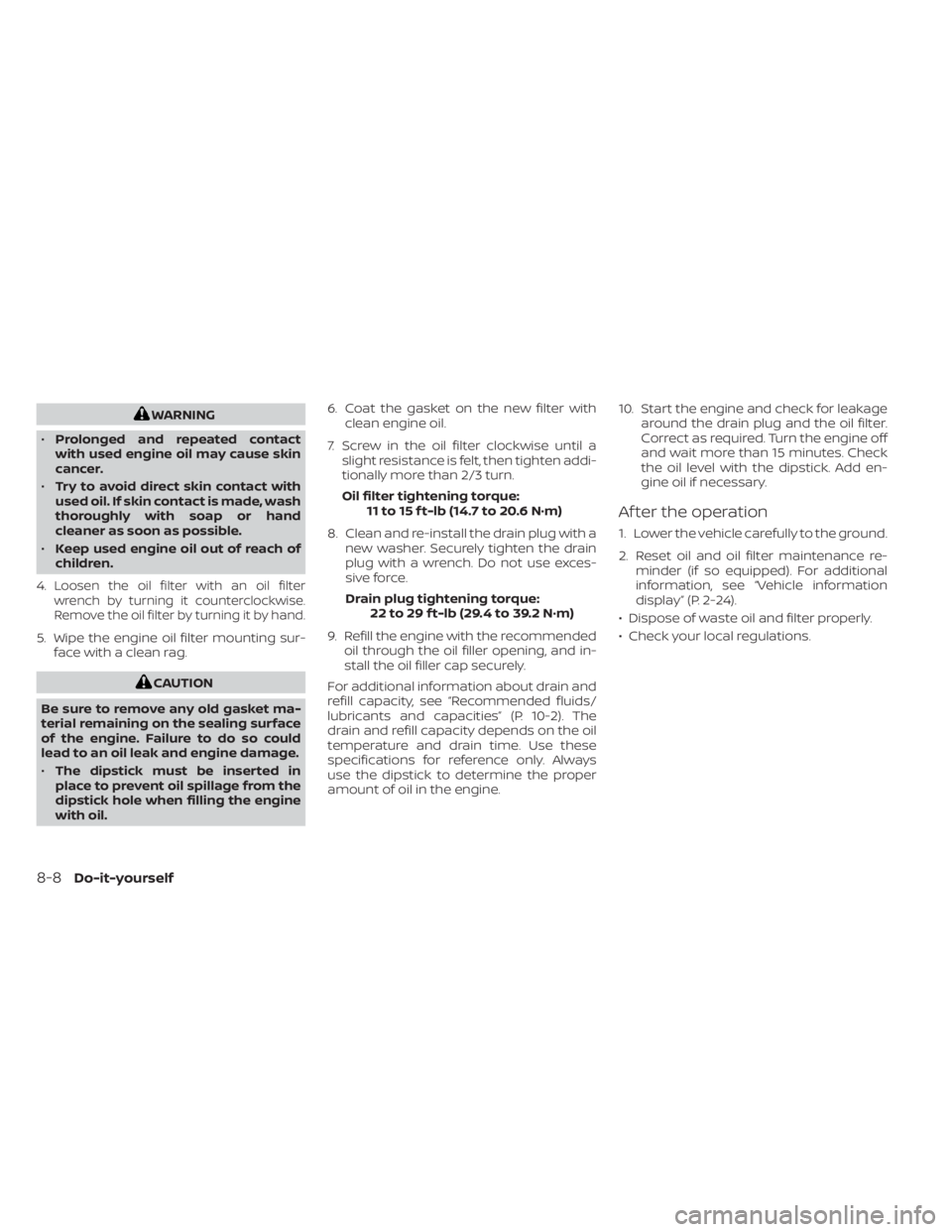
7. Screw in the oil filter clockwise until a slight resistance is felt, then tighten addi-
tionally more than 2/3 turn.
Oil filter tightening torque: 11 to 15 f t-lb (14.7 to 20.6 N·m)
8. Clean and re-install the drain plug with a new washer. Securely tighten the drain
plug with a wrench. Do not use exces-
sive force.
Drain plug tightening torque: 22 to 29 f t-lb (29.4 to 39.2 N·m)
9. Refill the engine with the recommended oil through the oil filler opening, and in-
stall the oil filler cap securely.
For additional information about drain and
refill capacity, see “Recommended fluids/
lubricants and capacities” (P. 10-2). The
drain and refill capacity depends on the oil
temperature and drain time. Use these
specifications for reference only. Always
use the dipstick to determine the proper
amount of oil in the engine. 10. Start the engine and check for leakage
around the drain plug and the oil filter.
Correct as required. Turn the engine off
and wait more than 15 minutes. Check
the oil level with the dipstick. Add en-
gine oil if necessary.
Af ter the operation
1. Lower the vehicle carefully to the ground.
2. Reset oil and oil filter maintenance re-minder (if so equipped). For additional
information, see “Vehicle information
display” (P. 2-24).
• Dispose of waste oil and filter properly.
• Check your local regulations.
8-8Do-it-yourself
Page 548 of 558
Bulb check/instrument panel........2-13Bulb replacement...............8-26
C
Capacities and recommended
fuel/lubricants.................10-2Car phone or CB radio............4-66Cargo
(See vehicle loading information).....10-14Cargo cover................. .2-66Chassis control................5-137Check tire pressure..............2-36Child restraint with top tether strap. . . .1-24Child restraints........1-17,1-18,1-19,1-21LATCH (Lower Anchors and Tethers for
CHildren) System..............1-21Precautions on child
restraints.........1-19,1-26,1-33, 1-38Top tether strap anchor point
locations...................1-24Child safety rear door lock..........3-6Cleaning exterior and interior......7-2,7-4Clock set.................... .4-5Cold weather driving............5-145Console box..................2-64Continuously Variable Transmission
(CVT).......................5-17Continuously Variable Transmission (CVT)
fluid..................... .8-9Driving with Continuously Variable
Transmission (CVT).............5-17
Transmission shif t selector lock
release....................5-20Control panel buttons.............4-3Brightness/contrast button........4-7Controls
Audio controls (steering wheel).....4-62Heater and air conditioner controls. .4-41Heater and air conditioner controls
(automatic)................ .4-40Heater and air conditioner controls
(manual).................. .4-32Coolant
Capacities and recommended
fuel/lubricants
...............10-2Changing engine coolant.........8-5Checking engine coolant level......8-5Corrosion protection..............7-7Cruise control................ .5-56Cup holders................. .2-64
D
Daytime Running Light System......2-49Defroster switch
Rear window and outside mirror defroster
switch
.............2-43, 4-34, 4-42Rear window defroster switch.....2-43Dimensions and weights..........10-9Dimmer switch for instrument panel. . .2-50DisplayInformation display............2-24Display controls (see control panel
buttons).................... .4-3
Door locks....................3-4Door open warning light...........2-14Drive belt....................8-13Drive Systems OFF switch..........2-54Driving
Cold weather driving...........5-145Driving with Continuously Variable
Transmission (CVT).............5-17Precautions when starting and
driving.................... .5-4Driving the vehicle...............5-17
E
Eco Drive Report................2-10Economy - fuel................5-129Emergency call (SOS) button........2-57Emergency engine shutoff.......5-13,6-2Emission control information label. . . .10-11Emission control system warranty. . . .10-21Engine
Before starting the engine........5-15Capacities and recommended
fuel/lubricants...............10-2Changing engine coolant.........8-5Changing engine oil............8-6Changing engine oil filter.........8-6Checking engine coolant level......8-5Checking engine oil level.........8-5Engine compartment check
locations.................. .8-3Engine cooling system...........8-4Engine oil...................8-5
11-2