Page 92 of 558
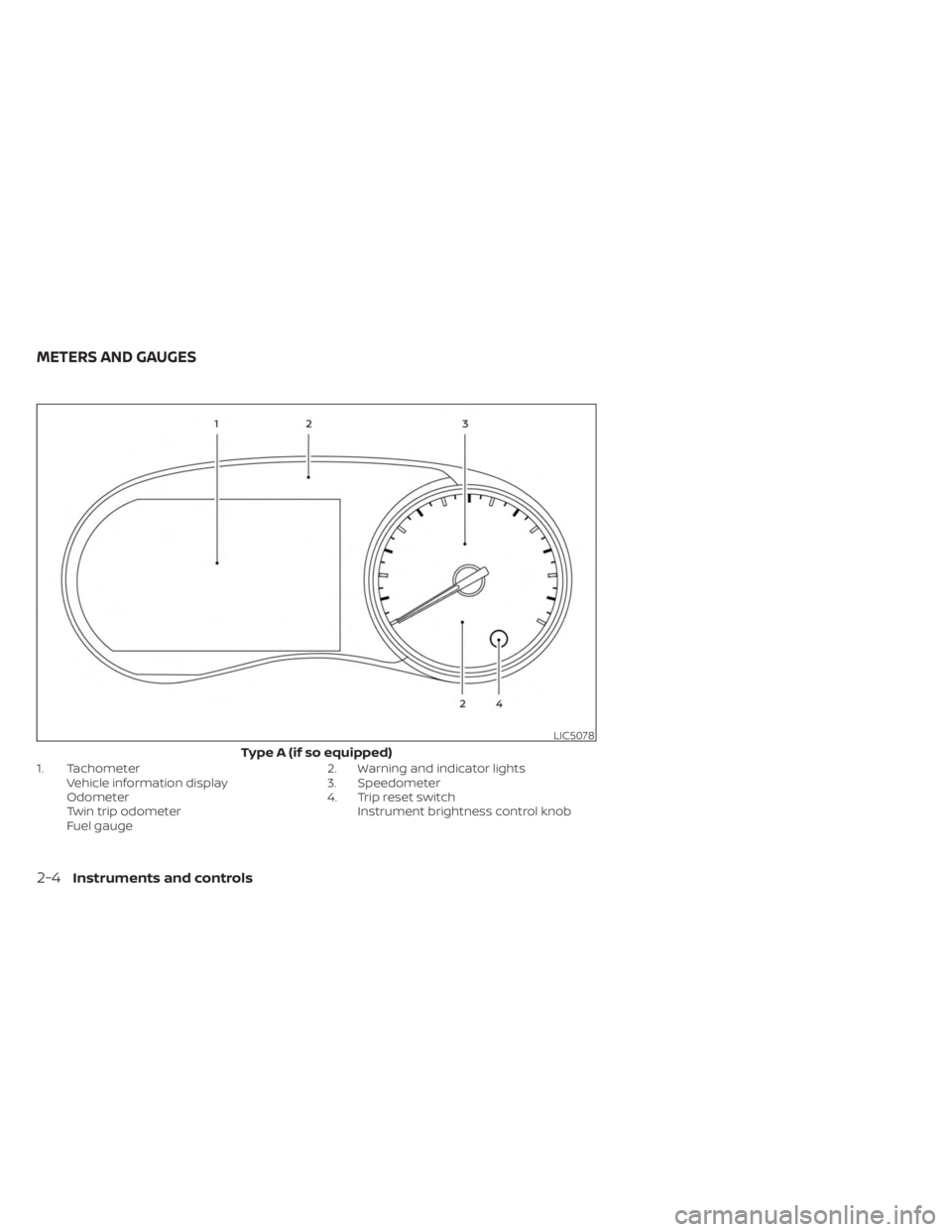
1. TachometerVehicle information display
Odometer
Twin trip odometer
Fuel gauge 2. Warning and indicator lights
3. Speedometer
4. Trip reset switch
Instrument brightness control knob
LIC5078
Type A (if so equipped)
METERS AND GAUGES
2-4Instruments and controls
Page 93 of 558
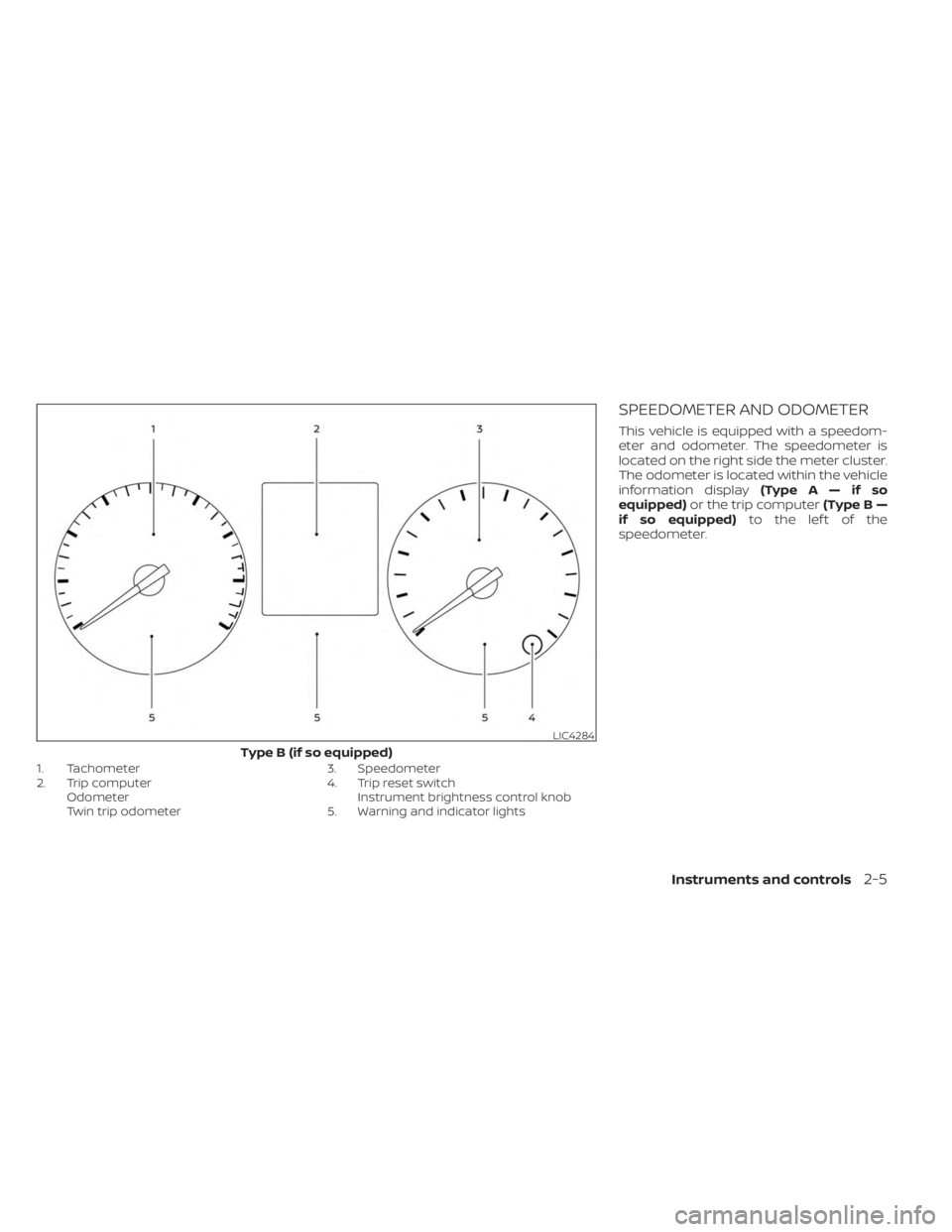
1. Tachometer
2. Trip computerOdometer
Twin trip odometer 3. Speedometer
4. Trip reset switch
Instrument brightness control knob
5. Warning and indicator lights
SPEEDOMETER AND ODOMETER
This vehicle is equipped with a speedom-
eter and odometer. The speedometer is
located on the right side the meter cluster.
The odometer is located within the vehicle
information display (TypeA—ifso
equipped) or the trip computer (Type B —
if so equipped) to the lef t of the
speedometer.
LIC4284
Type B (if so equipped)
Instruments and controls2-5
Page 95 of 558
TACHOMETER
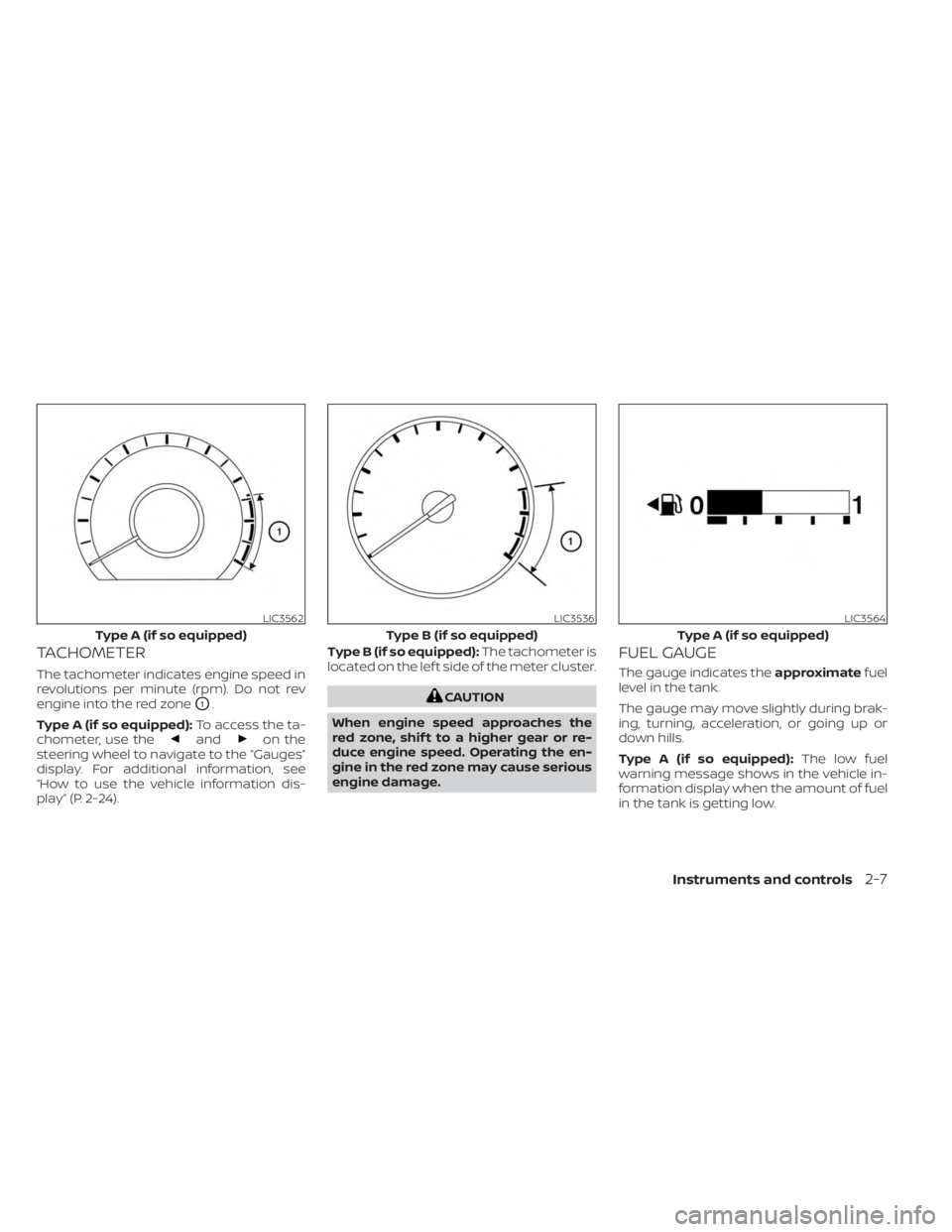
The tachometer indicates engine speed in
revolutions per minute (rpm). Do not rev
engine into the red zone
O1.
Type A (if so equipped): To access the ta-
chometer, use the
andon the
steering wheel to navigate to the “Gauges”
display. For additional information, see
“How to use the vehicle information dis-
play” (P. 2-24). Type B (if so equipped):
The tachometer is
located on the lef t side of the meter cluster.
CAUTION
When engine speed approaches the
red zone, shif t to a higher gear or re-
duce engine speed. Operating the en-
gine in the red zone may cause serious
engine damage.
FUEL GAUGE
The gauge indicates the approximatefuel
level in the tank.
The gauge may move slightly during brak-
ing, turning, acceleration, or going up or
down hills.
Type A (if so equipped): The low fuel
warning message shows in the vehicle in-
formation display when the amount of fuel
in the tank is getting low.
LIC3562
Type A (if so equipped)
LIC3536
Type B (if so equipped)
LIC3564
Type A (if so equipped)
Instruments and controls2-7
Page 96 of 558
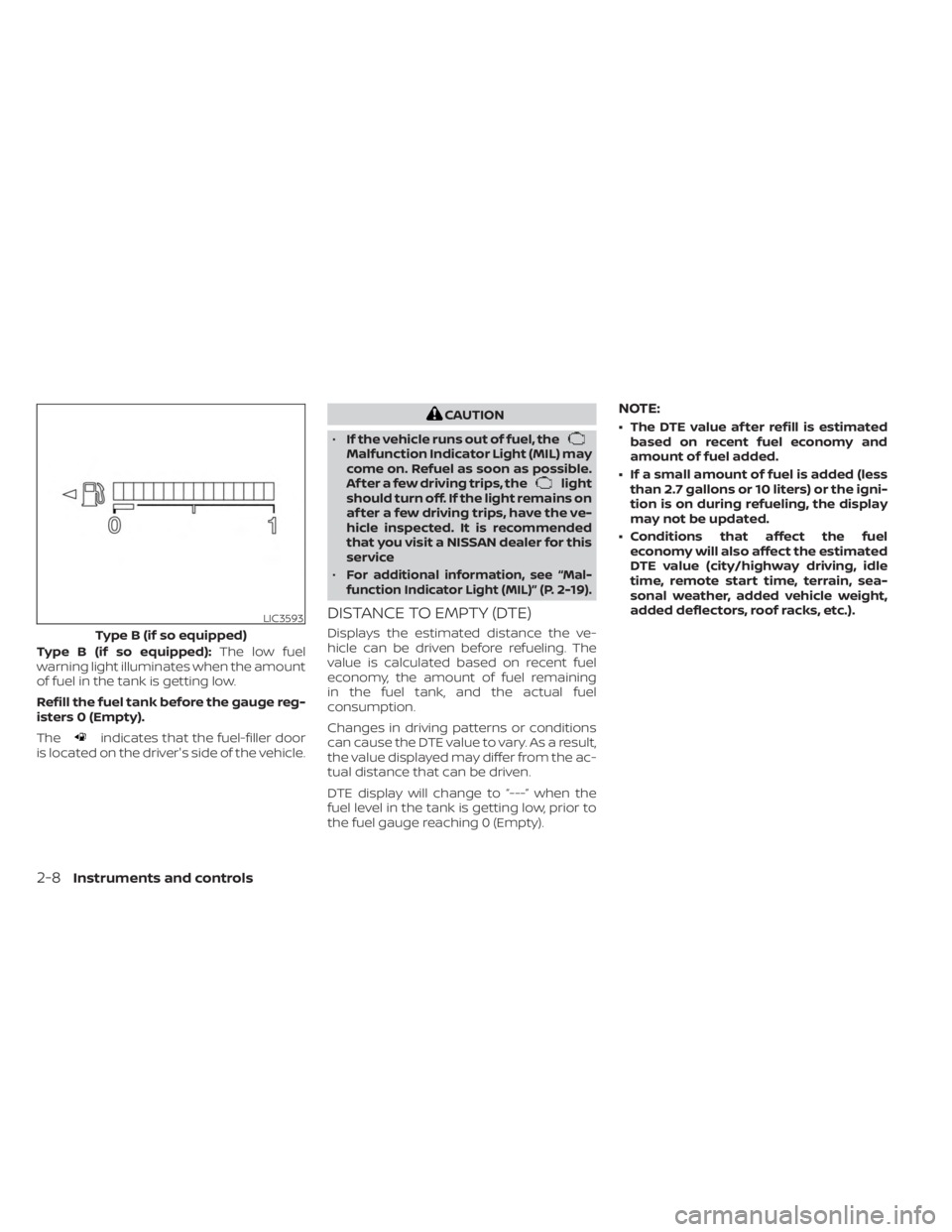
Type B (if so equipped):The low fuel
warning light illuminates when the amount
of fuel in the tank is getting low.
Refill the fuel tank before the gauge reg-
isters 0 (Empty).
The
indicates that the fuel-filler door
is located on the driver's side of the vehicle.
CAUTION
• If the vehicle runs out of fuel, the
Malfunction Indicator Light (MIL) may
come on. Refuel as soon as possible.
Af ter a few driving trips, the
light
should turn off. If the light remains on
af ter a few driving trips, have the ve-
hicle inspected. It is recommended
that you visit a NISSAN dealer for this
service
•
For additional information, see “Mal-
function Indicator Light (MIL)” (P. 2-19).
DISTANCE TO EMPTY (DTE)
Displays the estimated distance the ve-
hicle can be driven before refueling. The
value is calculated based on recent fuel
economy, the amount of fuel remaining
in the fuel tank, and the actual fuel
consumption.
Changes in driving patterns or conditions
can cause the DTE value to vary. As a result,
the value displayed may differ from the ac-
tual distance that can be driven.
DTE display will change to “---” when the
fuel level in the tank is getting low, prior to
the fuel gauge reaching 0 (Empty).
NOTE:
• The DTE value af ter refill is estimated based on recent fuel economy and
amount of fuel added.
• If a small amount of fuel is added (less than 2.7 gallons or 10 liters) or the igni-
tion is on during refueling, the display
may not be updated.
• Conditions that affect the fuel economy will also affect the estimated
DTE value (city/highway driving, idle
time, remote start time, terrain, sea-
sonal weather, added vehicle weight,
added deflectors, roof racks, etc.).
LIC3593
Type B (if so equipped)
2-8Instruments and controls
Page 97 of 558
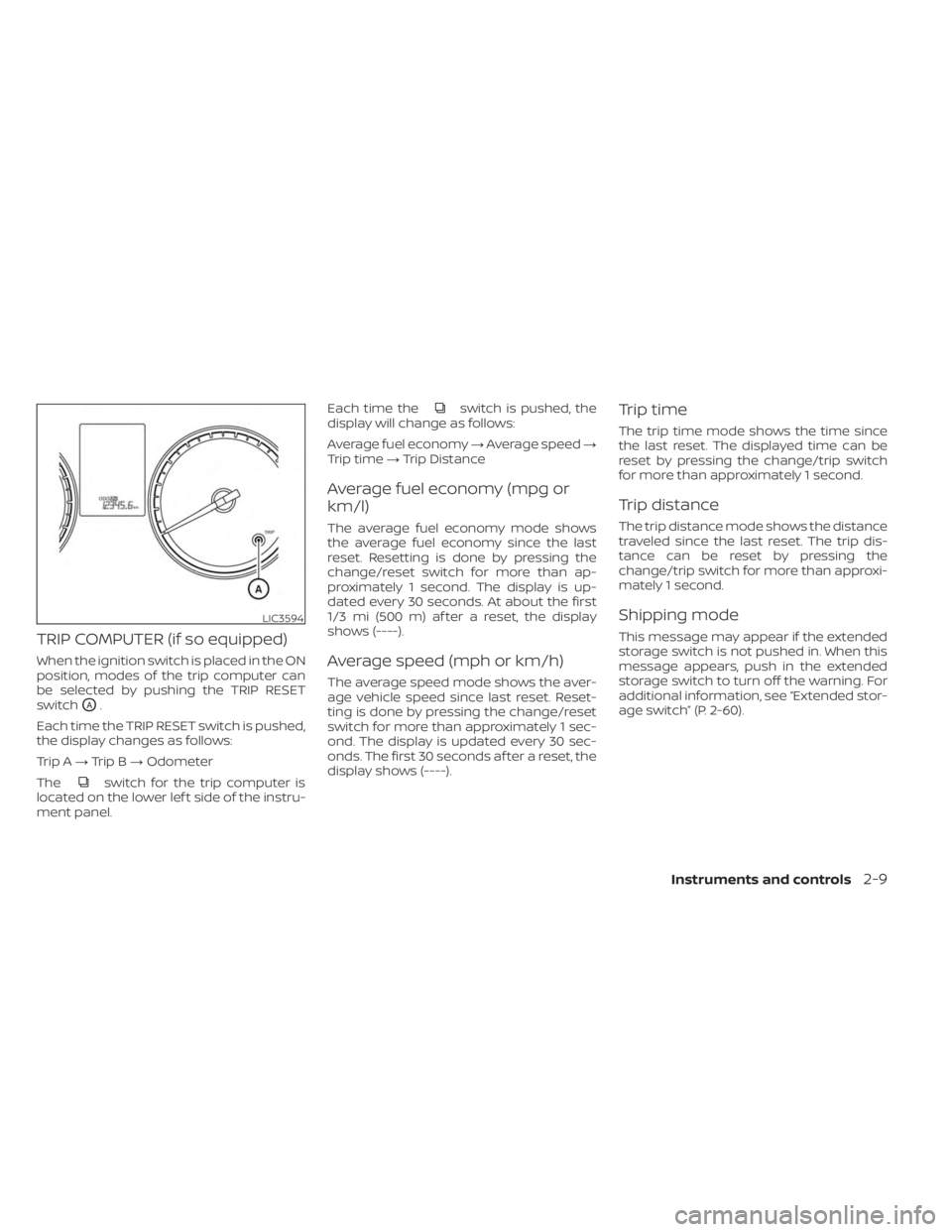
TRIP COMPUTER (if so equipped)
When the ignition switch is placed in the ON
position, modes of the trip computer can
be selected by pushing the TRIP RESET
switch
OA.
Each time the TRIP RESET switch is pushed,
the display changes as follows:
Trip A →Trip B →Odometer
The
switch for the trip computer is
located on the lower lef t side of the instru-
ment panel. Each time the
switch is pushed, the
display will change as follows:
Average fuel economy →Average speed →
Trip time →Trip Distance
Average fuel economy (mpg or
km/l)
The average fuel economy mode shows
the average fuel economy since the last
reset. Resetting is done by pressing the
change/reset switch for more than ap-
proximately 1 second. The display is up-
dated every 30 seconds. At about the first
1/3 mi (500 m) af ter a reset, the display
shows (----).
Average speed (mph or km/h)
The average speed mode shows the aver-
age vehicle speed since last reset. Reset-
ting is done by pressing the change/reset
switch for more than approximately 1 sec-
ond. The display is updated every 30 sec-
onds. The first 30 seconds af ter a reset, the
display shows (----).
Trip time
The trip time mode shows the time since
the last reset. The displayed time can be
reset by pressing the change/trip switch
for more than approximately 1 second.
Trip distance
The trip distance mode shows the distance
traveled since the last reset. The trip dis-
tance can be reset by pressing the
change/trip switch for more than approxi-
mately 1 second.
Shipping mode
This message may appear if the extended
storage switch is not pushed in. When this
message appears, push in the extended
storage switch to turn off the warning. For
additional information, see “Extended stor-
age switch” (P. 2-60).
LIC3594
Instruments and controls2-9
Page 99 of 558
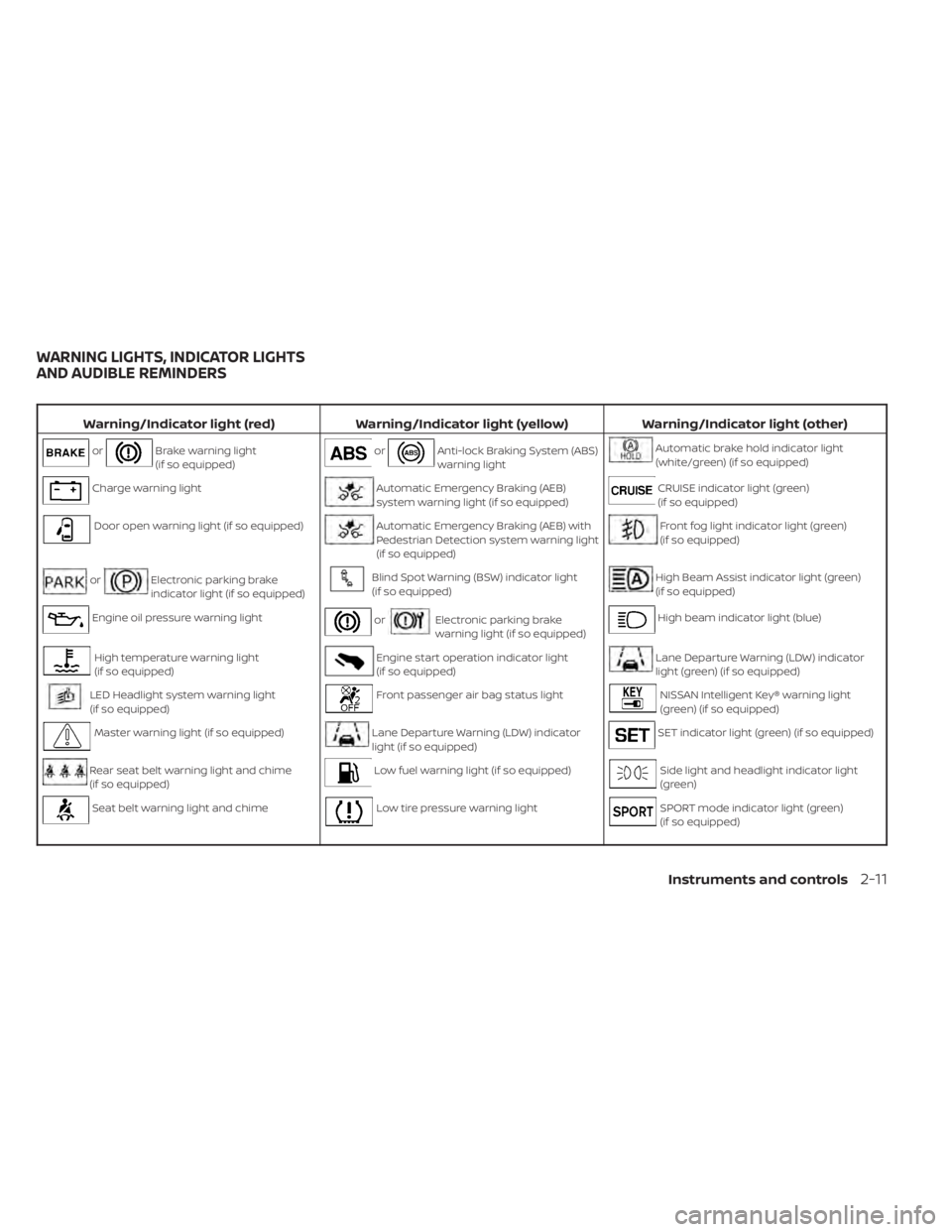
Warning/Indicator light (red)Warning/Indicator light (yellow) Warning/Indicator light (other)
orBrake warning light
(if so equipped)orAnti-lock Braking System (ABS)
warning lightAutomatic brake hold indicator light
(white/green) (if so equipped)
Charge warning lightAutomatic Emergency Braking (AEB)
system warning light (if so equipped)CRUISE indicator light (green)
(if so equipped)
Door open warning light (if so equipped)Automatic Emergency Braking (AEB) with
Pedestrian Detection system warning light
(if so equipped)Front fog light indicator light (green)
(if so equipped)
orElectronic parking brake
indicator light (if so equipped)Blind Spot Warning (BSW) indicator light
(if so equipped)High Beam Assist indicator light (green)
(if so equipped)
Engine oil pressure warning lightorElectronic parking brake
warning light (if so equipped)High beam indicator light (blue)
High temperature warning light
(if so equipped)Engine start operation indicator light
(if so equipped)Lane Departure Warning (LDW) indicator
light (green) (if so equipped)
LED Headlight system warning light
(if so equipped)Front passenger air bag status lightNISSAN Intelligent Key® warning light
(green) (if so equipped)
Master warning light (if so equipped)Lane Departure Warning (LDW) indicator
light (if so equipped)SET indicator light (green) (if so equipped)
Rear seat belt warning light and chime
(if so equipped)Low fuel warning light (if so equipped)Side light and headlight indicator light
(green)
Seat belt warning light and chimeLow tire pressure warning lightSPORT mode indicator light (green)
(if so equipped)
WARNING LIGHTS, INDICATOR LIGHTS
AND AUDIBLE REMINDERS
Instruments and controls2-11
Page 100 of 558
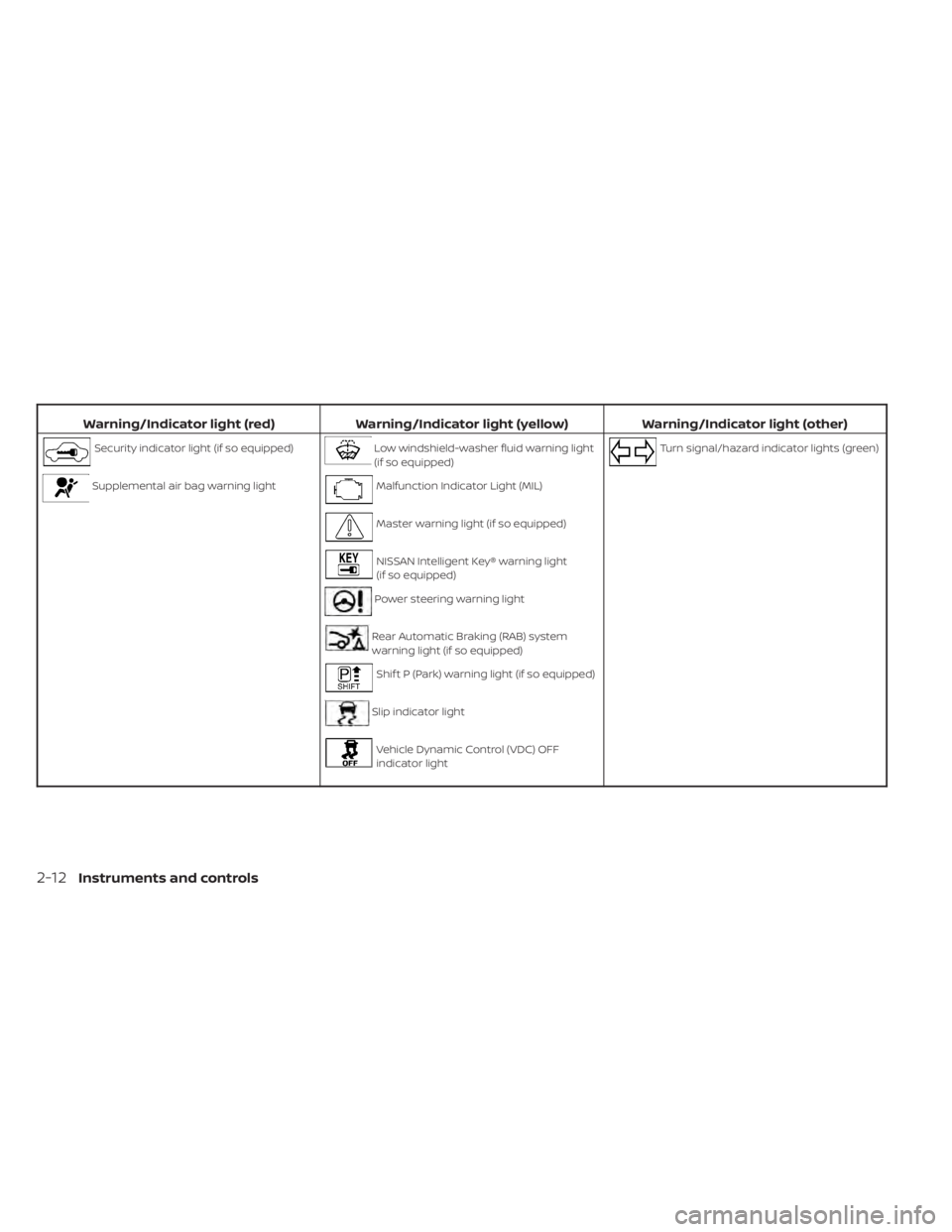
Warning/Indicator light (red)Warning/Indicator light (yellow) Warning/Indicator light (other)
Security indicator light (if so equipped)Low windshield-washer fluid warning light
(if so equipped)Turn signal/hazard indicator lights (green)
Supplemental air bag warning lightMalfunction Indicator Light (MIL)
Master warning light (if so equipped)
NISSAN Intelligent Key® warning light
(if so equipped)
Power steering warning light
Rear Automatic Braking (RAB) system
warning light (if so equipped)
Shif t P (Park) warning light (if so equipped)
Slip indicator light
Vehicle Dynamic Control (VDC) OFF
indicator light
2-12Instruments and controls
Page 101 of 558
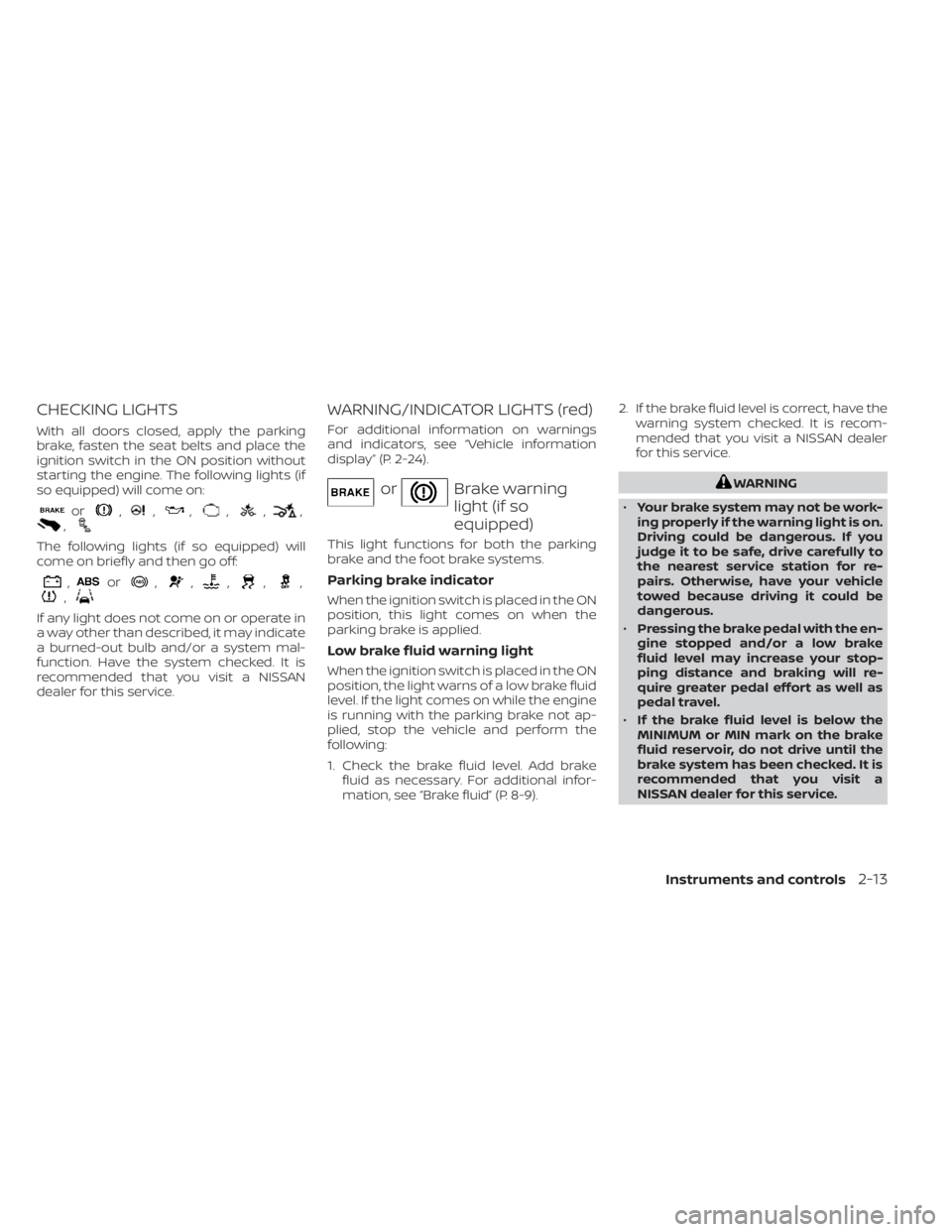
CHECKING LIGHTS
With all doors closed, apply the parking
brake, fasten the seat belts and place the
ignition switch in the ON position without
starting the engine. The following lights (if
so equipped) will come on:
or,,,,,,,
The following lights (if so equipped) will
come on briefly and then go off:
,or,,,,,,
If any light does not come on or operate in
a way other than described, it may indicate
a burned-out bulb and/or a system mal-
function. Have the system checked. It is
recommended that you visit a NISSAN
dealer for this service.
WARNING/INDICATOR LIGHTS (red)
For additional information on warnings
and indicators, see “Vehicle information
display” (P. 2-24).
orBrake warning
light (if so
equipped)
This light functions for both the parking
brake and the foot brake systems.
Parking brake indicator
When the ignition switch is placed in the ON
position, this light comes on when the
parking brake is applied.
Low brake fluid warning light
When the ignition switch is placed in the ON
position, the light warns of a low brake fluid
level. If the light comes on while the engine
is running with the parking brake not ap-
plied, stop the vehicle and perform the
following:
1. Check the brake fluid level. Add brakefluid as necessary. For additional infor-
mation, see “Brake fluid” (P. 8-9). 2. If the brake fluid level is correct, have the
warning system checked. It is recom-
mended that you visit a NISSAN dealer
for this service.
WARNING
• Your brake system may not be work-
ing properly if the warning light is on.
Driving could be dangerous. If you
judge it to be safe, drive carefully to
the nearest service station for re-
pairs. Otherwise, have your vehicle
towed because driving it could be
dangerous.
• Pressing the brake pedal with the en-
gine stopped and/or a low brake
fluid level may increase your stop-
ping distance and braking will re-
quire greater pedal effort as well as
pedal travel.
• If the brake fluid level is below the
MINIMUM or MIN mark on the brake
fluid reservoir, do not drive until the
brake system has been checked. It is
recommended that you visit a
NISSAN dealer for this service.
Instruments and controls2-13