Page 306 of 558
WARNING
Failure to follow the warnings and in-
structions for proper use of the LDW
system could result in serious injury or
death.
• This system is only a warning device
to inform the driver of a potential un-
intended lane departure. It will not
steer the vehicle or prevent loss of
control. It is the driver’s responsibility
to stay alert, drive safely, keep the
vehicle in the traveling lane, and be in
control of the vehicle at all times. The LDW system will operate when the ve-
hicle is driven at speeds of approximately
37 mph (60 km/h) and above, and only
when the lane markings are clearly visible
on the road.
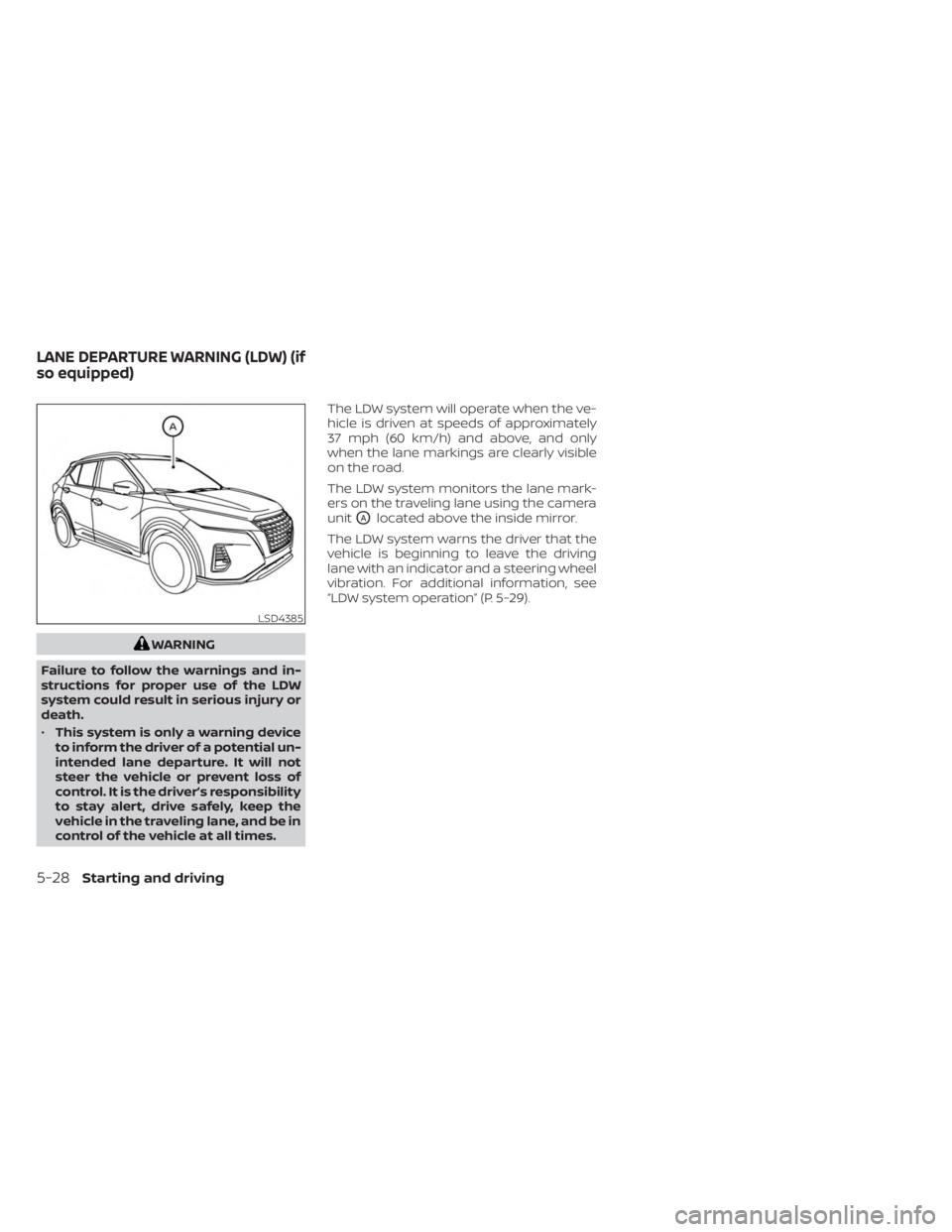
The LDW system monitors the lane mark-
ers on the traveling lane using the camera
unit
OAlocated above the inside mirror.
The LDW system warns the driver that the
vehicle is beginning to leave the driving
lane with an indicator and a steering wheel
vibration. For additional information, see
“LDW system operation” (P. 5-29).
LSD4385
LANE DEPARTURE WARNING (LDW) (if
so equipped)
5-28Starting and driving
Page 308 of 558
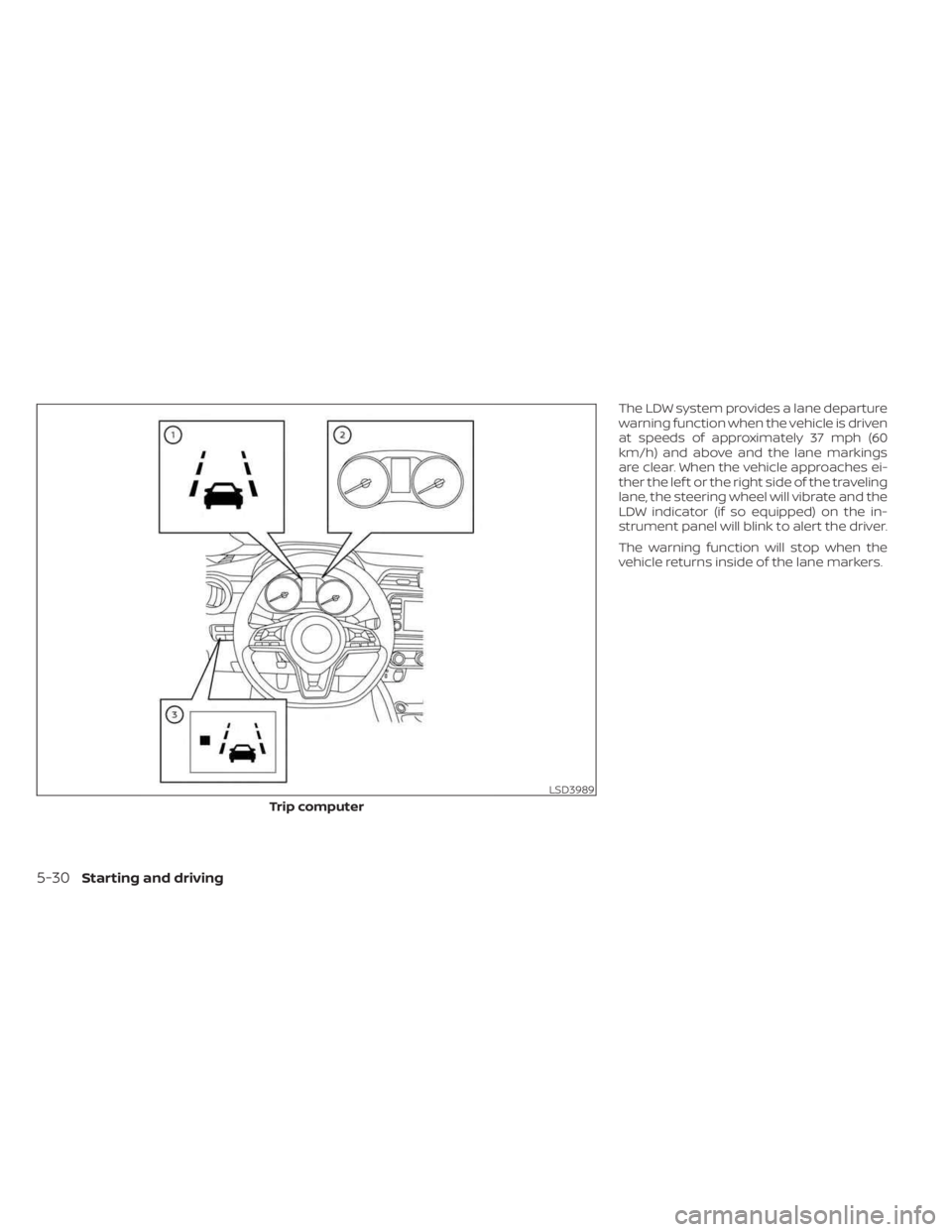
The LDW system provides a lane departure
warning function when the vehicle is driven
at speeds of approximately 37 mph (60
km/h) and above and the lane markings
are clear. When the vehicle approaches ei-
ther the lef t or the right side of the traveling
lane, the steering wheel will vibrate and the
LDW indicator (if so equipped) on the in-
strument panel will blink to alert the driver.
The warning function will stop when the
vehicle returns inside of the lane markers.
LSD3989
Trip computer
5-30Starting and driving
Page 341 of 558
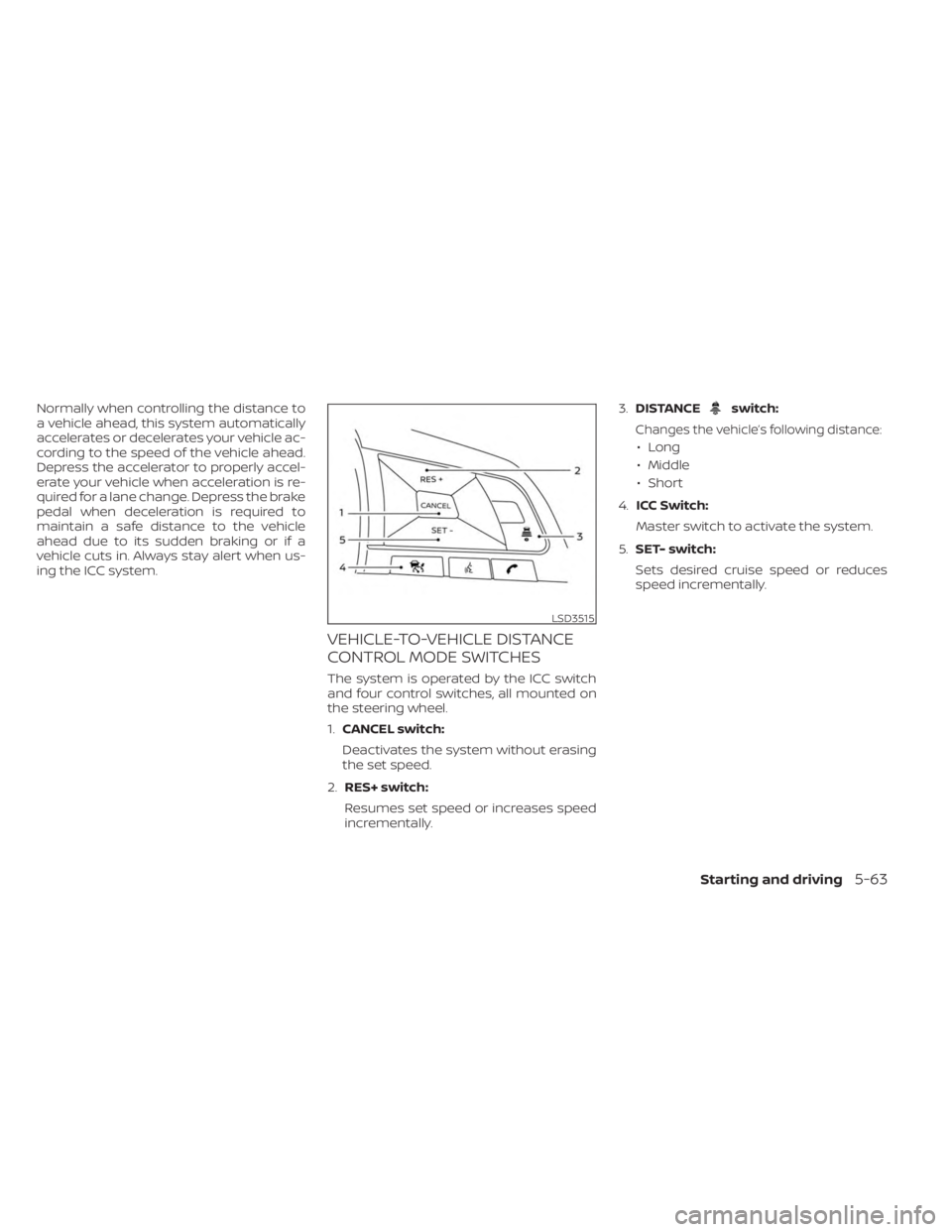
Normally when controlling the distance to
a vehicle ahead, this system automatically
accelerates or decelerates your vehicle ac-
cording to the speed of the vehicle ahead.
Depress the accelerator to properly accel-
erate your vehicle when acceleration is re-
quired for a lane change. Depress the brake
pedal when deceleration is required to
maintain a safe distance to the vehicle
ahead due to its sudden braking or if a
vehicle cuts in. Always stay alert when us-
ing the ICC system.
VEHICLE-TO-VEHICLE DISTANCE
CONTROL MODE SWITCHES
The system is operated by the ICC switch
and four control switches, all mounted on
the steering wheel.
1.CANCEL switch:
Deactivates the system without erasing
the set speed.
2. RES+ switch:
Resumes set speed or increases speed
incrementally. 3.
DISTANCE
switch:
Changes the vehicle’s following distance:
• Long
• Middle
• Short
4. ICC Switch:
Master switch to activate the system.
5. SET- switch:
Sets desired cruise speed or reduces
speed incrementally.
LSD3515
Starting and driving5-63
Page 347 of 558
NOTE:
The approach warning chime may sound
and the system display may blink when
the ICC sensor detects objects on the
side of the vehicle or on the side of the
road. This may cause the ICC system to
decelerate or accelerate the vehicle. The
ICC sensor may detect these objects
when the vehicle is driven on winding
roads, narrow roads, hilly roads, or when
entering or exiting a curve. In these
cases you will have to manually control
the proper distance ahead of your
vehicle.
Also, the sensor sensitivity can be affected
by vehicle operation (steering maneuver or
driving position in the lane) or traffic or ve-
hicle condition (for example, if a vehicle is
being driven with some damage).
Automatic cancellation
A chime sounds under the following condi-
tions and the control is automatically can-
celed:
• When the vehicle ahead is not detectedand your vehicle is traveling below the
speed of 15 mph (24 km/h)
• When the system judges the vehicle is at a standstill • When the shif t lever is not in the D (Drive)
position, Manual mode, or L (Low) range.
• When the parking brake system is applied
• When the VDC system is turned off
• When VDC operates
• When distance measurement becomes impaired due to adhesion of dirt or ob-
struction to the sensor
• When a wheel slips
• When the radar signal is temporarily interrupted
VEHICLE-TO-VEHICLE DISTANCE
CONTROL MODE LIMITATIONS
WARNING
Listed below are the system limitations
for the ICC system. Failure to operate
the vehicle in accordance with these
system limitations could result in seri-
ous injury or death.
• The ICC system is primarily intended
for use on straight, dry, open roads
with light traffic. It is not advisable to
use the ICC system in city traffic or
congested areas. •
The ICC system will not adapt auto-
matically to road conditions. This
system should be used in evenly
flowing traffic. Do not use the system
on roads with sharp curves, or on icy
roads, in heavy rain or in fog.
• As there is a performance limit to the
distance control function, never rely
solely on the ICC system. This system
does not correct careless, inattentive
or absentminded driving, or over-
come poor visibility in rain, fog, or
other bad weather. Decelerate the
vehicle speed by depressing the
brake pedal, depending on the dis-
tance to the vehicle ahead and the
surrounding circumstances in order
to maintain a safe distance between
vehicles.
• If the vehicle ahead comes to a stop,
the vehicle decelerates to a standstill
within the limitations of the system.
The system will cancel once it judges
that the vehicle has come to a stand-
still and sound a warning chime. To
prevent the vehicle from moving, the
driver must depress the brake pedal.
Starting and driving5-69
Page 350 of 558
When driving on some roads, such as wind-
ing, hilly, curved, narrow roads, or roads
which are under construction, the radar
sensor may detect vehicles in a different
lane, or may temporarily not detect a ve-
hicle traveling ahead. This may cause the
radar system to decelerate or accelerate
the vehicle.
The detection of vehicles may also be af-
fected by vehicle operation (steering ma-
neuver or traveling position in the lane, etc.)
or vehicle condition.If this occurs, the ICC system may warn
you by blinking the system indicator and
sounding the chime unexpectedly. You
will have to manually control the proper
distance away from the vehicle traveling
ahead.
SSD0253
5-72Starting and driving
Page 360 of 558
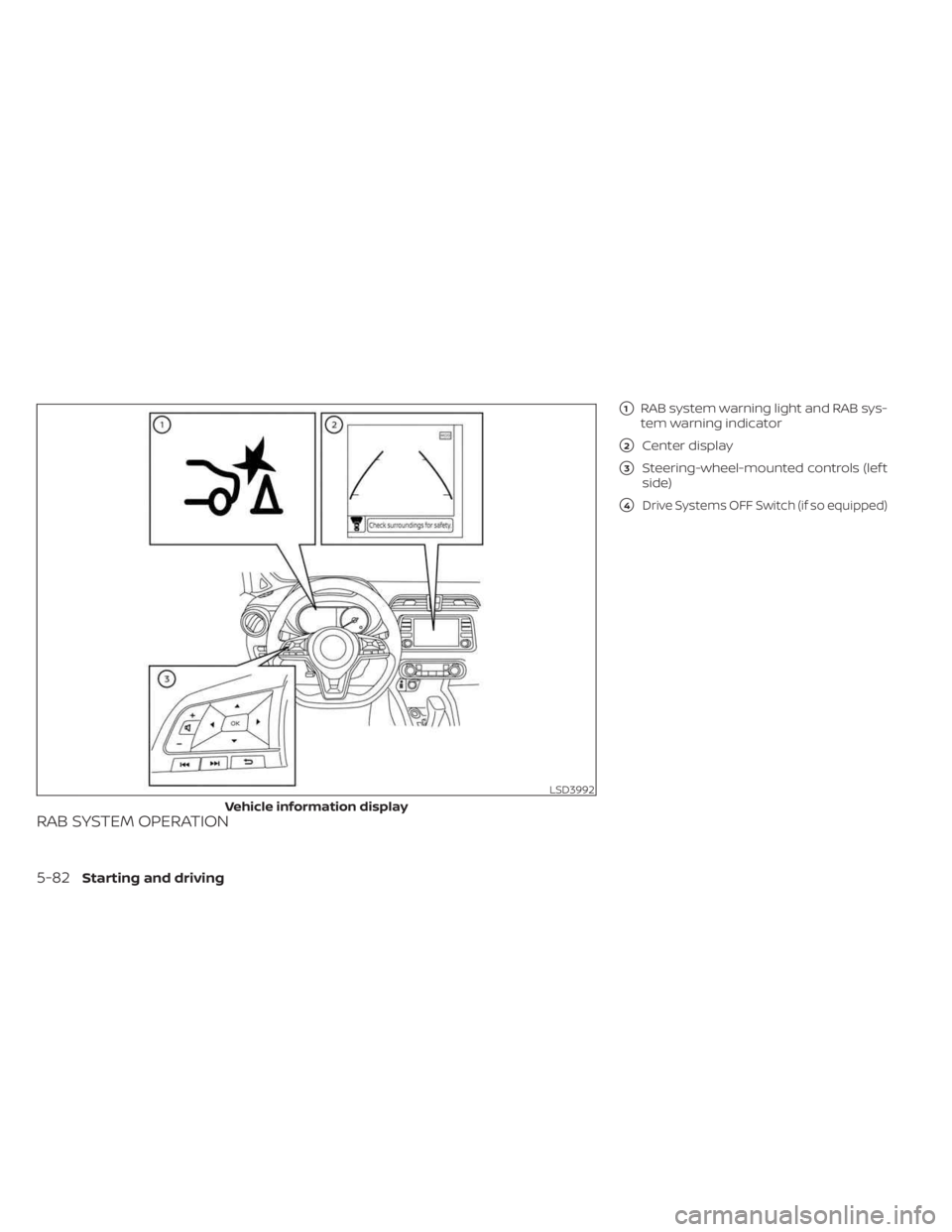
RAB SYSTEM OPERATION
�1RAB system warning light and RAB sys-
tem warning indicator
�2Center display
�3Steering-wheel-mounted controls (lef t
side)
�4Drive Systems OFF Switch (if so equipped)
LSD3992
Vehicle information display
5-82Starting and driving
Page 364 of 558
•When the vehicle approaches an ob-
stacle while the accelerator or brake
pedal is depressed, the function may
not operate or the start of operation
may be delayed. The RAB system may
not operate or may not perform suffi-
ciently due to vehicle conditions, driving
conditions, the traffic environment, the
weather, road surface conditions, etc.
Do not wait for the system to operate.
Operate the brake pedal by yourself as
soon as necessary.
• If it is necessary to override RAB op-
eration, strongly press the accelera-
tor pedal.
•
Always check your surroundings and
turn to check what is behind you be-
fore and while backing up. The RAB
system detects stationary objects be-
hind the vehicle. The RAB system does
not detect the following objects:
– Moving objects
– Low objects
– Narrow objects
– Wedge-shaped objects
– Objects close to the bumper (less
than approximately 1 f t [30 cm])
– Objects that suddenly appear
– Thin objects such as rope, wire,
chain, etc. •
The RAB system may not operate for
the following obstacles:
– Obstacles located high off the
ground
– Obstacles in a position offset from
your vehicle
– Obstacles, such as spongy materi-
als or snow, that have sof t outer
surfaces and can easily absorb a
sound wave
• The RAB system may not operate in
the following conditions:
– There is rain, snow, ice, dirt, etc.,
attached to the sonar sensors.
– A loud sound is heard in the area
around the vehicle.
– The surface of the obstacle is di-
agonal to the rear of the vehicle.
• The RAB system may unintentionally
operate in the following conditions:
– There is overgrown grass in the
area around the vehicle.
– There is a structure (e.g., a wall, toll
gate equipment, a narrow tunnel,
a parking lot gate) near the side of
the vehicle.
–
There are bumps, protrusions, or manhole covers on the road surface.
– The vehicle drives through a
draped flag or a curtain.
– There is an accumulation of snow
or ice behind the vehicle.
– An ultrasonic wave source, such as
another vehicle’s sonar, is near
the vehicle.
• Once the automatic brake control
operates, it does not operate again if
the vehicle approaches the same
obstacle.
• The automatic brake control can only
operate for a short period of time.
Therefore, the driver must depress
the brake pedal.
• In the following situations, the RAB
system may not operate properly or
may not function sufficiently:
–
The vehicle is driven in bad weather(rain, fog, snow, etc.).
–The vehicle is driven on a steep hill.
– The vehicle’s posture is changed
(e.g., when driving over a bump).
– The vehicle is driven on a slippery
road.
– The vehicle is turned sharply by
turning the steering wheel fully.
– Snow chains are used.
5-86Starting and driving
Page 368 of 558
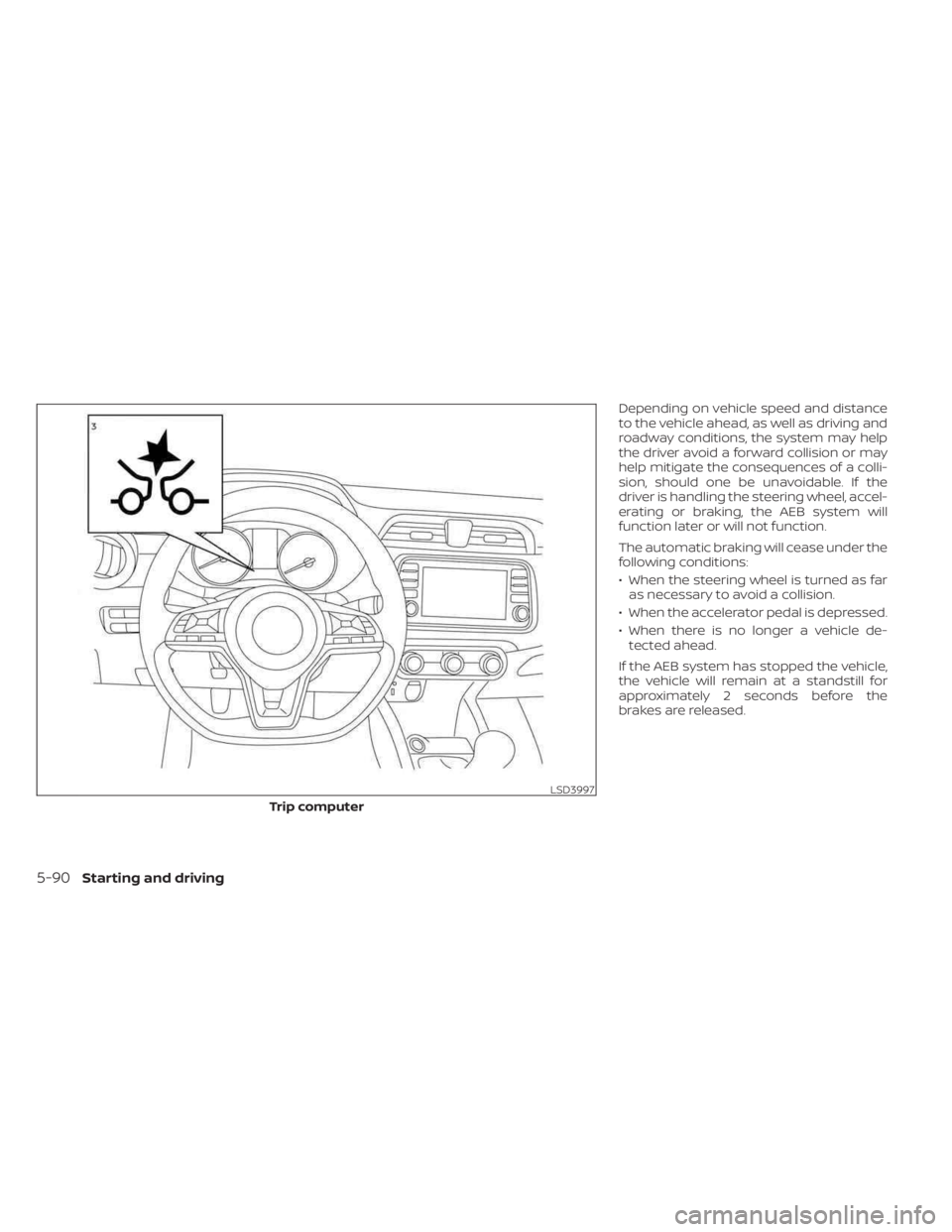
Depending on vehicle speed and distance
to the vehicle ahead, as well as driving and
roadway conditions, the system may help
the driver avoid a forward collision or may
help mitigate the consequences of a colli-
sion, should one be unavoidable. If the
driver is handling the steering wheel, accel-
erating or braking, the AEB system will
function later or will not function.
The automatic braking will cease under the
following conditions:
• When the steering wheel is turned as faras necessary to avoid a collision.
• When the accelerator pedal is depressed.
• When there is no longer a vehicle de- tected ahead.
If the AEB system has stopped the vehicle,
the vehicle will remain at a standstill for
approximately 2 seconds before the
brakes are released.
LSD3997
Trip computer
5-90Starting and driving