Page 316 of 558
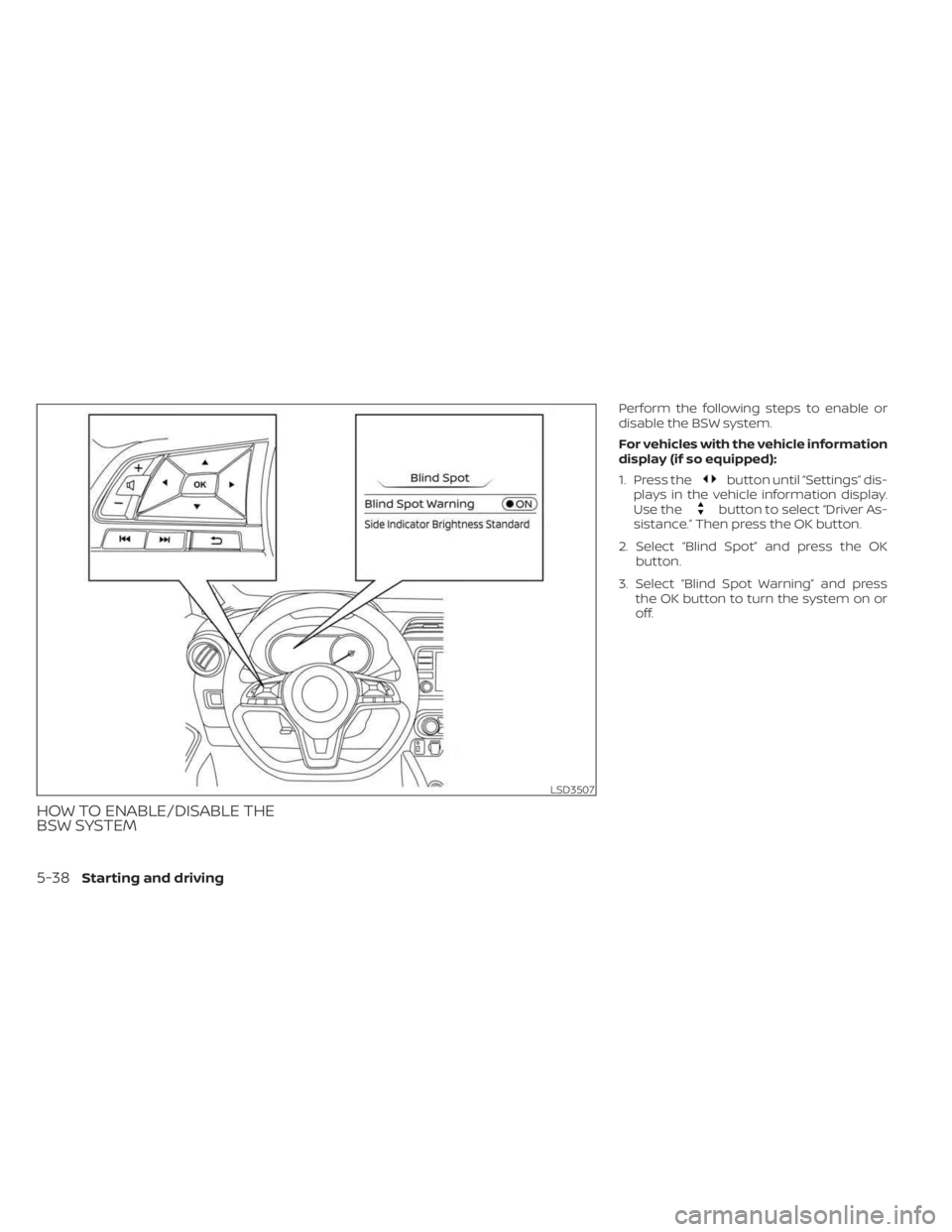
HOW TO ENABLE/DISABLE THE
BSW SYSTEM
Perform the following steps to enable or
disable the BSW system.
For vehicles with the vehicle information
display (if so equipped):
1. Press the
button until “Settings” dis-
plays in the vehicle information display.
Use the
button to select “Driver As-
sistance.” Then press the OK button.
2. Select “Blind Spot” and press the OK button.
3. Select “Blind Spot Warning” and press the OK button to turn the system on or
off.
LSD3507
5-38Starting and driving
Page 317 of 558
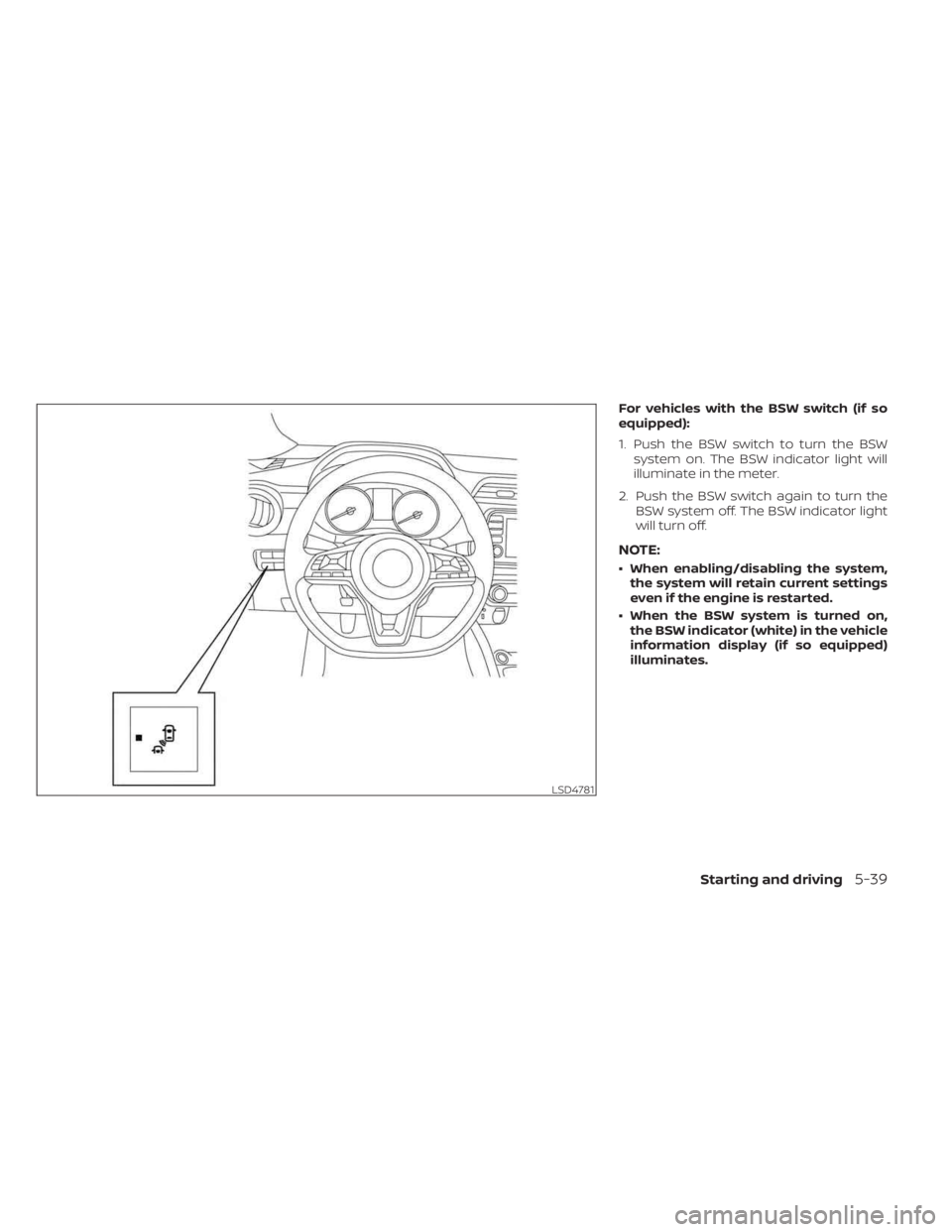
For vehicles with the BSW switch (if so
equipped):
1. Push the BSW switch to turn the BSWsystem on. The BSW indicator light will
illuminate in the meter.
2. Push the BSW switch again to turn the BSW system off. The BSW indicator light
will turn off.
NOTE:
• When enabling/disabling the system,the system will retain current settings
even if the engine is restarted.
• When the BSW system is turned on, the BSW indicator (white) in the vehicle
information display (if so equipped)
illuminates.
LSD4781
Starting and driving5-39
Page 322 of 558
SYSTEM TEMPORARILY
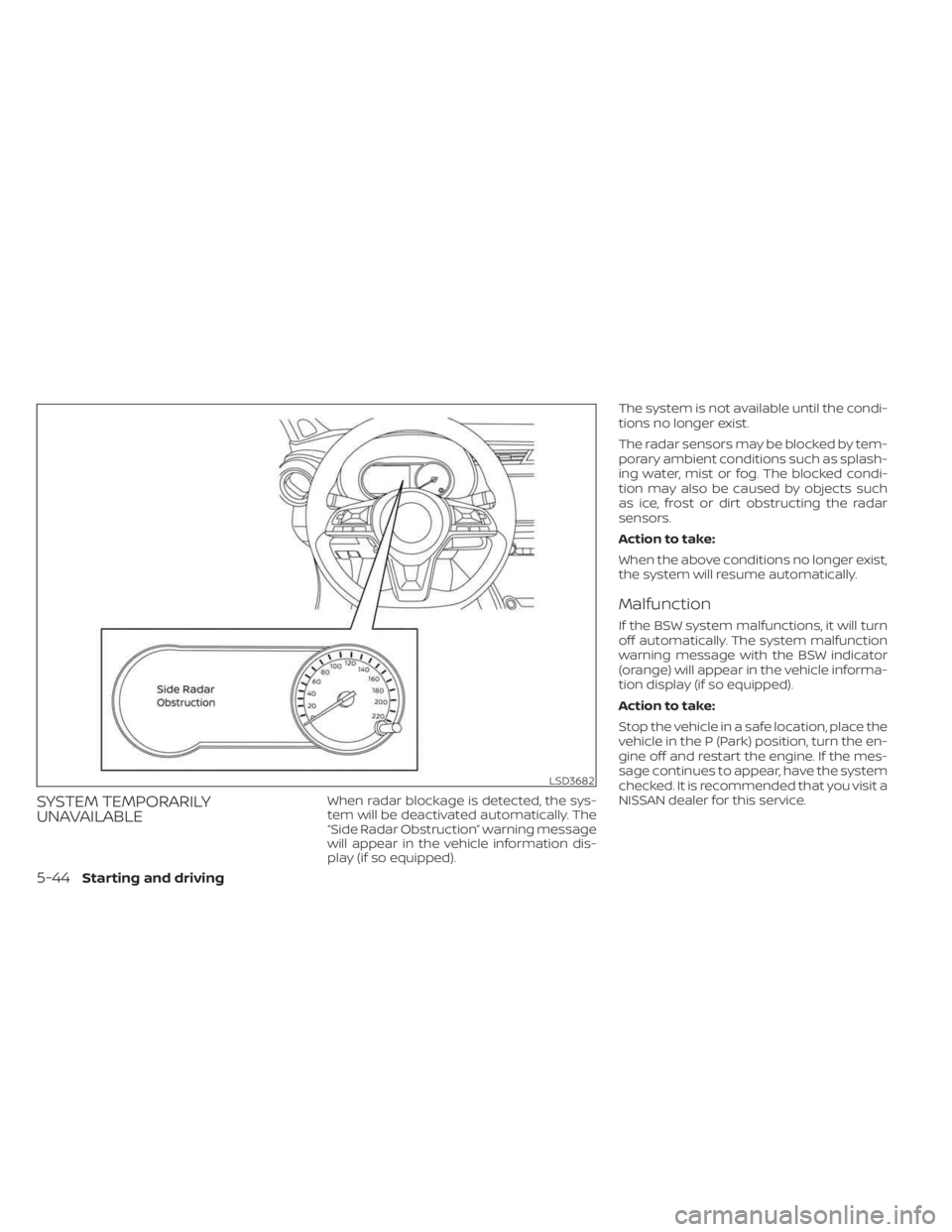
UNAVAILABLEWhen radar blockage is detected, the sys-
tem will be deactivated automatically. The
“Side Radar Obstruction” warning message
will appear in the vehicle information dis-
play (if so equipped).The system is not available until the condi-
tions no longer exist.
The radar sensors may be blocked by tem-
porary ambient conditions such as splash-
ing water, mist or fog. The blocked condi-
tion may also be caused by objects such
as ice, frost or dirt obstructing the radar
sensors.
Action to take:
When the above conditions no longer exist,
the system will resume automatically.
Malfunction
If the BSW system malfunctions, it will turn
off automatically. The system malfunction
warning message with the BSW indicator
(orange) will appear in the vehicle informa-
tion display (if so equipped).
Action to take:
Stop the vehicle in a safe location, place the
vehicle in the P (Park) position, turn the en-
gine off and restart the engine. If the mes-
sage continues to appear, have the system
checked. It is recommended that you visit a
NISSAN dealer for this service.
LSD3682
5-44Starting and driving
Page 325 of 558
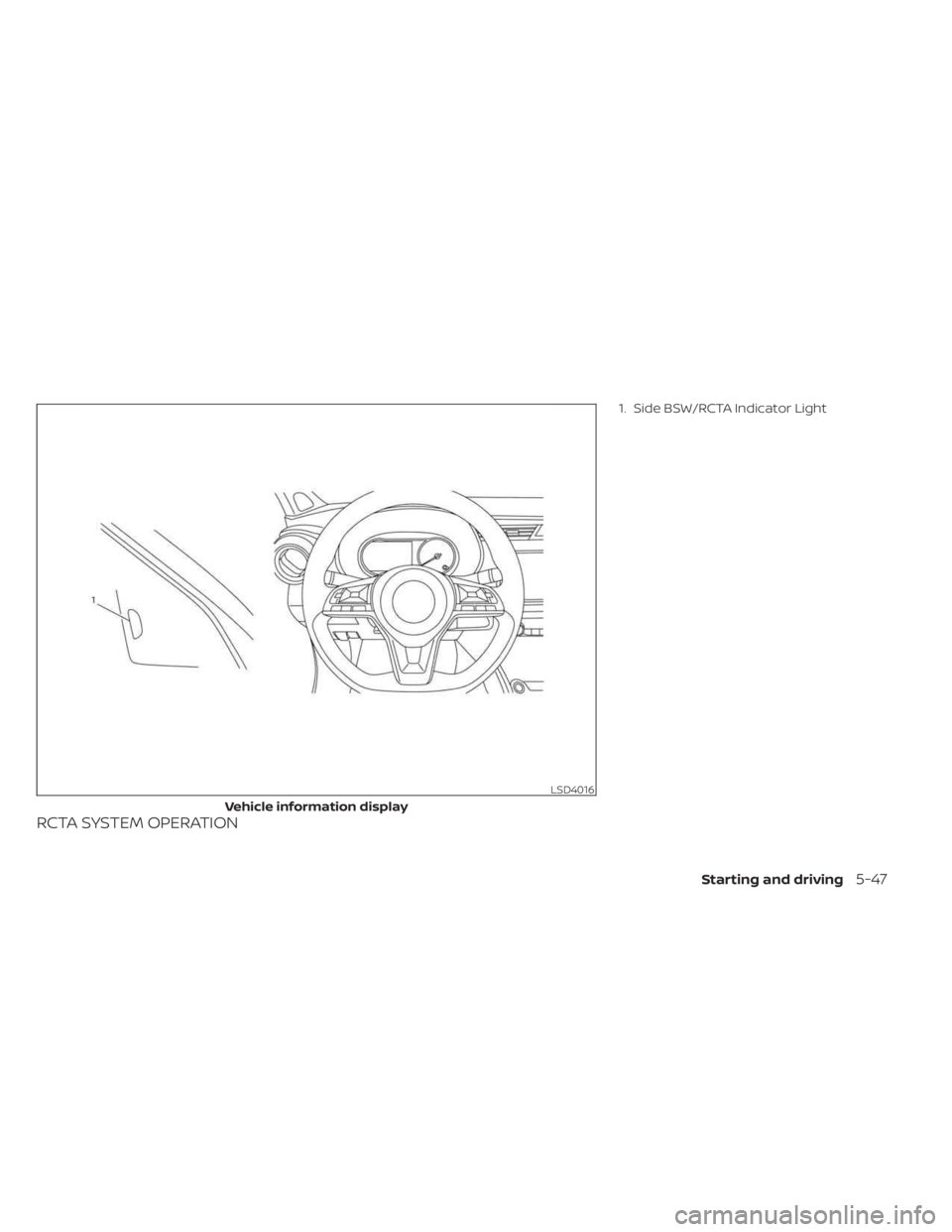
RCTA SYSTEM OPERATION
1. Side BSW/RCTA Indicator Light
LSD4016
Vehicle information display
Starting and driving5-47
Page 328 of 558
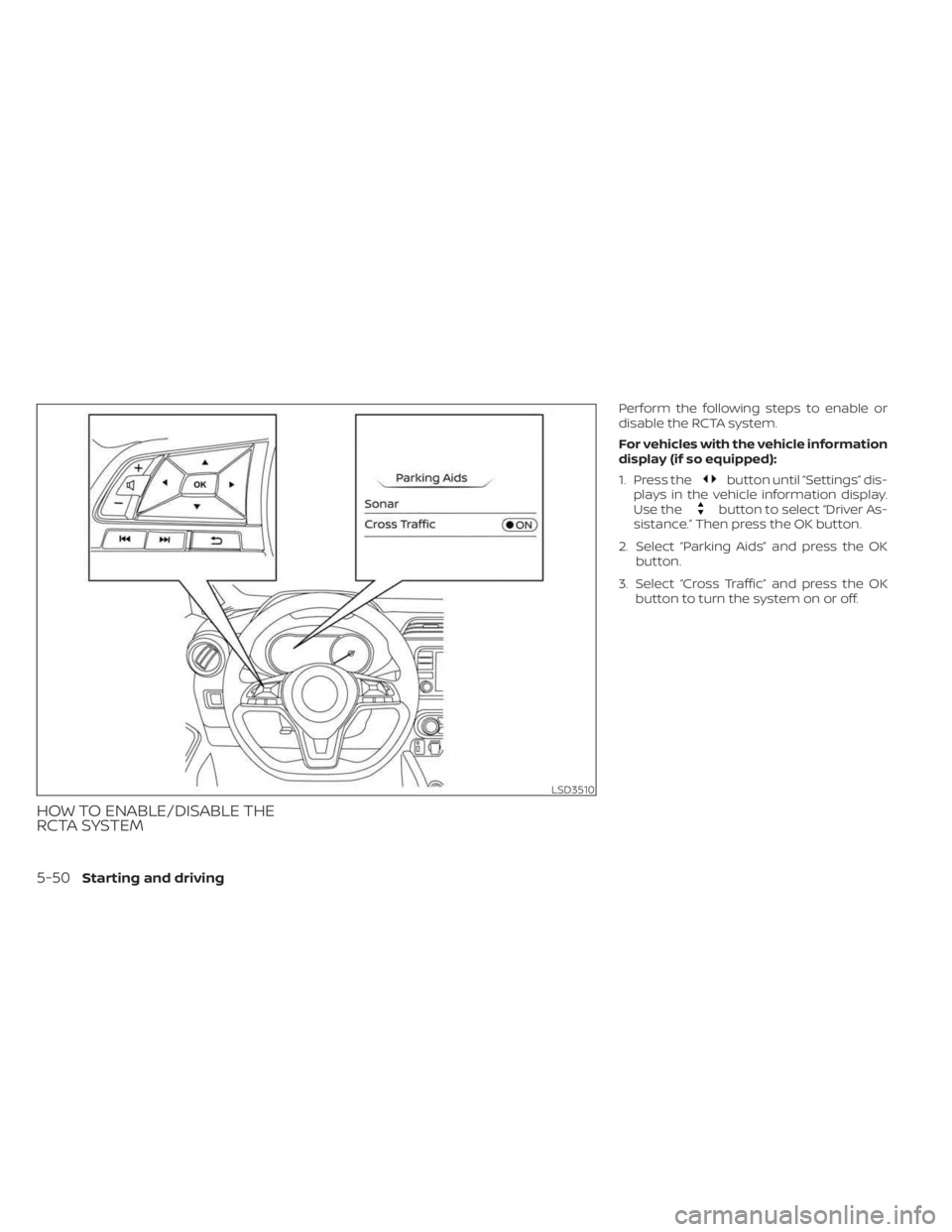
HOW TO ENABLE/DISABLE THE
RCTA SYSTEM
Perform the following steps to enable or
disable the RCTA system.
For vehicles with the vehicle information
display (if so equipped):
1. Press the
button until “Settings” dis-
plays in the vehicle information display.
Use the
button to select “Driver As-
sistance.” Then press the OK button.
2. Select “Parking Aids” and press the OK button.
3. Select “Cross Traffic” and press the OK button to turn the system on or off.
LSD3510
5-50Starting and driving
Page 333 of 558
Malfunction
When the RCTA system malfunctions, it will
turn off automatically. The system mal-
function warning message will appear in
the vehicle information display (if so
equipped).
NOTE:
If the BSW system stops working, the
RCTA system will also stop working.
Action to take:
Stop the vehicle in a safe location, place the
vehicle in the P (Park) position, turn the en-
gine off and restart the engine. If the mes-
sage continues to appear, have the system
checked. It is recommended that you visit a
NISSAN dealer for this service.
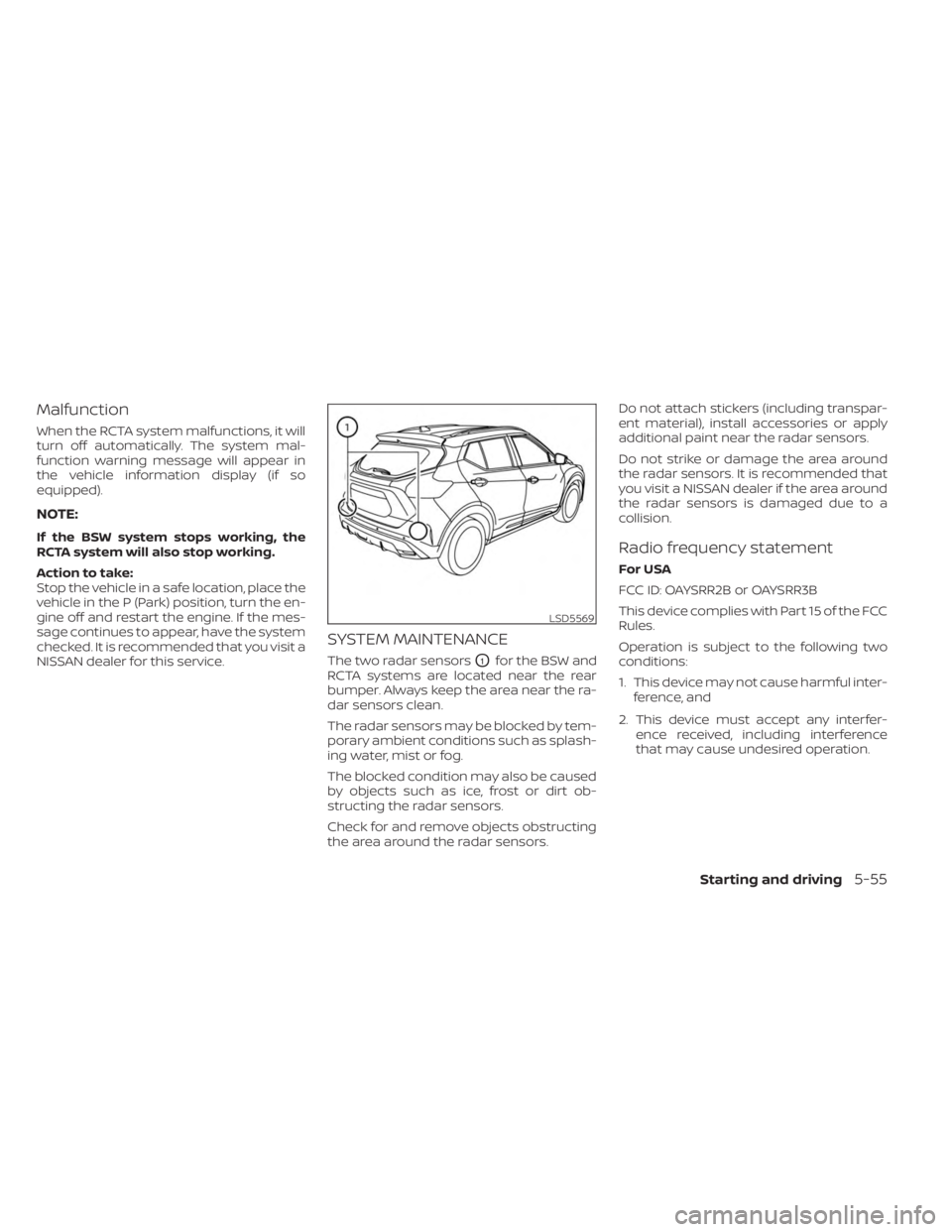
SYSTEM MAINTENANCE
The two radar sensorsO1for the BSW and
RCTA systems are located near the rear
bumper. Always keep the area near the ra-
dar sensors clean.
The radar sensors may be blocked by tem-
porary ambient conditions such as splash-
ing water, mist or fog.
The blocked condition may also be caused
by objects such as ice, frost or dirt ob-
structing the radar sensors.
Check for and remove objects obstructing
the area around the radar sensors. Do not attach stickers (including transpar-
ent material), install accessories or apply
additional paint near the radar sensors.
Do not strike or damage the area around
the radar sensors. It is recommended that
you visit a NISSAN dealer if the area around
the radar sensors is damaged due to a
collision.
Radio frequency statement
For USA
FCC ID: OAYSRR2B or OAYSRR3B
This device complies with Part 15 of the FCC
Rules.
Operation is subject to the following two
conditions:
1. This device may not cause harmful inter-
ference, and
2. This device must accept any interfer- ence received, including interference
that may cause undesired operation.
LSD5569
Starting and driving5-55
Page 337 of 558
•In the conventional (fixed speed)
cruise control mode, a warning
chime will not sound to warn you if
you are too close to the vehicle
ahead. Pay special attention to the
distance between your vehicle and
the vehicle ahead of you or a collision
could occur.
The ICC system maintains a selected dis-
tance from the vehicle in front of you within
the speed range of 0 to 90 mph (0 to 144
km/h) up to the set speed. The set speed
can be selected by the driver between 20 to
90 mph (32 to 144 km/h).
The vehicle travels at a set speed when the
road ahead is clear.
The ICC system can be set to one of two
cruise control modes:
• Vehicle-to-vehicle distance control
mode: For maintaining a selected dis-
tance between your vehicle and the ve-
hicle in front of you up to the preset speed •
Conventional (fixed speed) cruise con-
trol mode: For cruising at a preset speed
Push the ICC switch
OAto choose the
cruise control mode between the vehicle-
to-vehicle distance control mode and the
conventional (fixed speed) cruise control
mode.
Once a control mode is activated, it cannot
be changed to the other cruise control
mode. To change the mode, push the ICC
switch
OAonce to turn the system off. Then
push the ICC switch
OAagain to turn the
system back on and select the desired
cruise control mode.
Always confirm the setting in the ICC sys-
tem display.
For the vehicle-to-vehicle distance control
mode, see “Vehicle-to-vehicle distance
control mode” (P. 5-60).
For the conventional (fixed speed) cruise
control mode, see “Conventional (fixed
speed) cruise control mode” (P. 5-77).
Starting and driving5-59
Page 342 of 558
Vehicle-to-vehicle distance
control mode display and
indicators
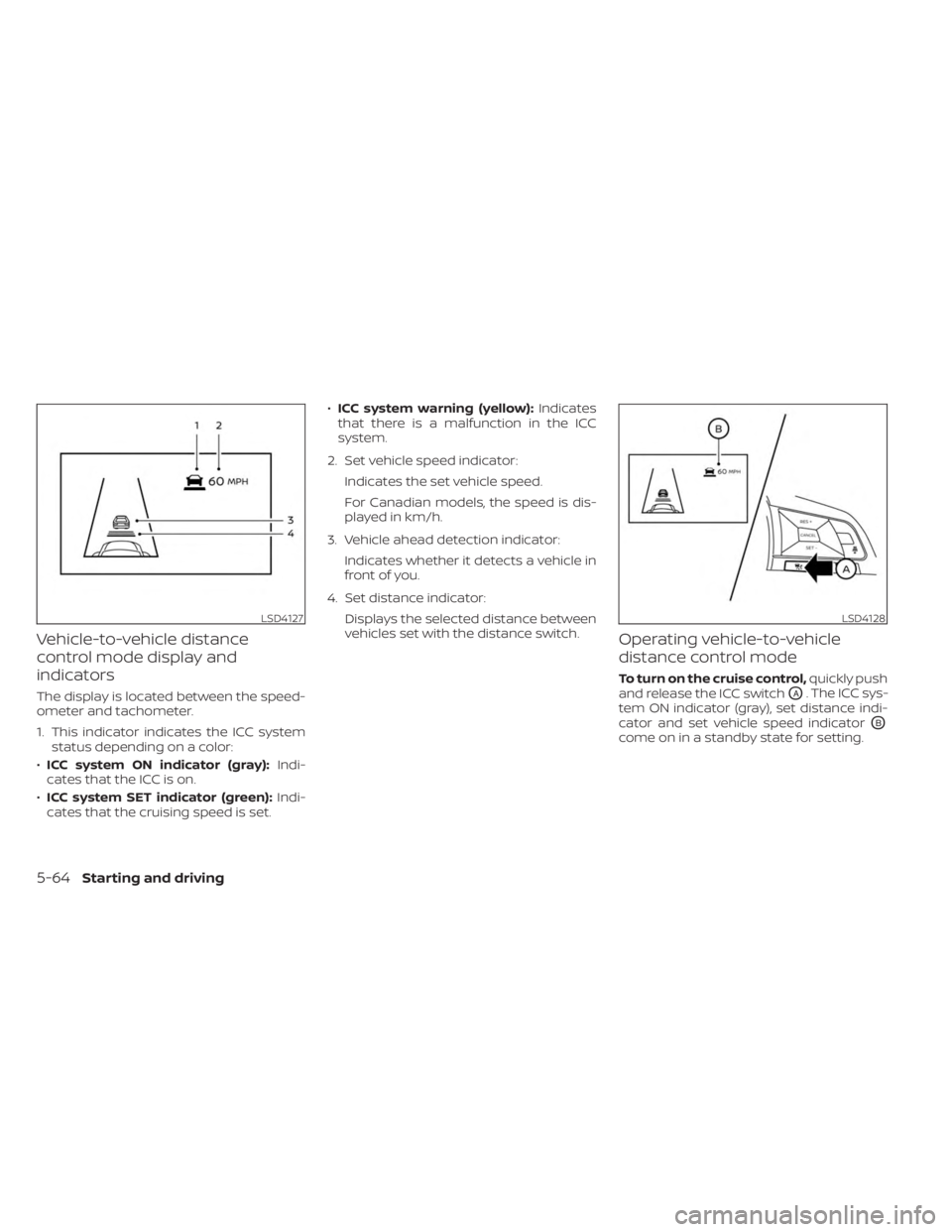
The display is located between the speed-
ometer and tachometer.
1. This indicator indicates the ICC systemstatus depending on a color:
• ICC system ON indicator (gray): Indi-
cates that the ICC is on.
• ICC system SET indicator (green): Indi-
cates that the cruising speed is set. •
ICC system warning (yellow): Indicates
that there is a malfunction in the ICC
system.
2. Set vehicle speed indicator: Indicates the set vehicle speed.
For Canadian models, the speed is dis-
played in km/h.
3. Vehicle ahead detection indicator: Indicates whether it detects a vehicle in
front of you.
4. Set distance indicator: Displays the selected distance between
vehicles set with the distance switch.
Operating vehicle-to-vehicle
distance control mode
To turn on the cruise control, quickly push
and release the ICC switch
OA. The ICC sys-
tem ON indicator (gray), set distance indi-
cator and set vehicle speed indicator
OB
come on in a standby state for setting.
LSD4127LSD4128
5-64Starting and driving