2023 NISSAN KICKS ignition
[x] Cancel search: ignitionPage 305 of 558
To start the vehicle from a
standstill
With the shif t lever not in the P (Park) or N
(Neutral) position, depress the accelerator
pedal while the brake force is maintained.
The brake force will automatically be re-
leased to restart the vehicle.
The automatic brake hold indicator light
(white) illuminates and the automatic
brake hold returns to standby.
Parking
When the shif t lever is in the P (Park) posi-
tion with the brake force maintained by the
automatic brake hold function, the parking
brake will automatically be applied and the
brake force of the automatic brake hold will
be released. The automatic brake hold in-
dicator light turns off. When the electronic
parking brake is applied with the brake
force maintained by the automatic brake
hold function, the brake force of the auto-
matic brake hold will be released. The au-
tomatic brake hold indicator light turns off.
NOTE:
• Under the following conditions, theelectronic parking brake will automati-
cally be applied and the brake force of
the automatic brake hold will be
released:– The braking force is applied by the automatic brake hold function for
3 minutes or longer.
– The shif t lever is in the P (Park) position.
– The driver's seat belt is unfastened.
– The ignition switch is placed in the OFF position.
–
The parking brake is applied manually.– If a malfunction occurs in the auto- matic brake hold function.
• When the vehicle stops, but the brake force is not automatically applied, de-
press the brake pedal firmly until the
automatic brake hold indicator light
(green) illuminates.Automatic brake hold function
display
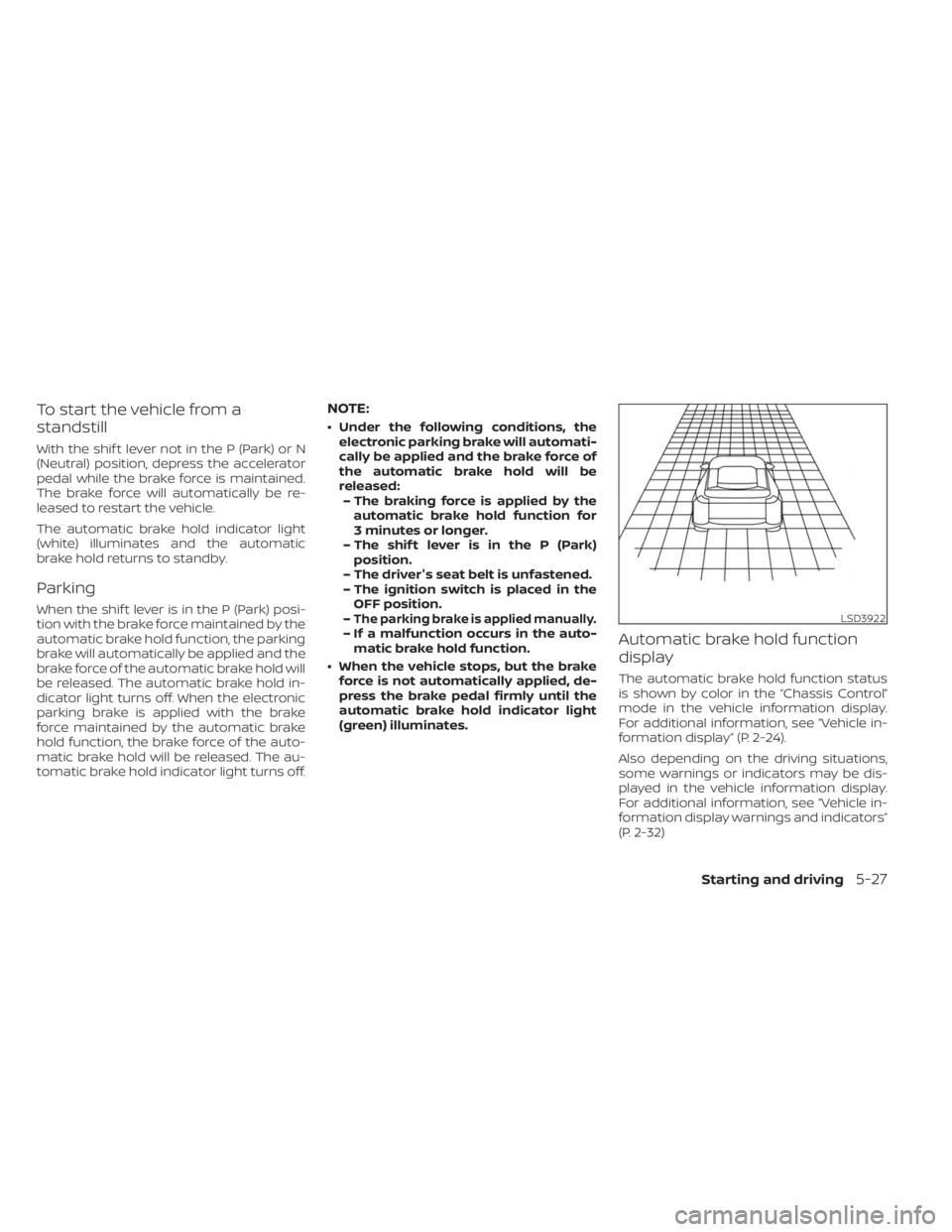
The automatic brake hold function status
is shown by color in the “Chassis Control”
mode in the vehicle information display.
For additional information, see “Vehicle in-
formation display” (P. 2-24).
Also depending on the driving situations,
some warnings or indicators may be dis-
played in the vehicle information display.
For additional information, see “Vehicle in-
formation display warnings and indicators”
(P. 2-32)
LSD3922
Starting and driving5-27
Page 315 of 558
BSW SYSTEM OPERATION
The BSW system operates above approxi-
mately 20 mph (32 km/h).
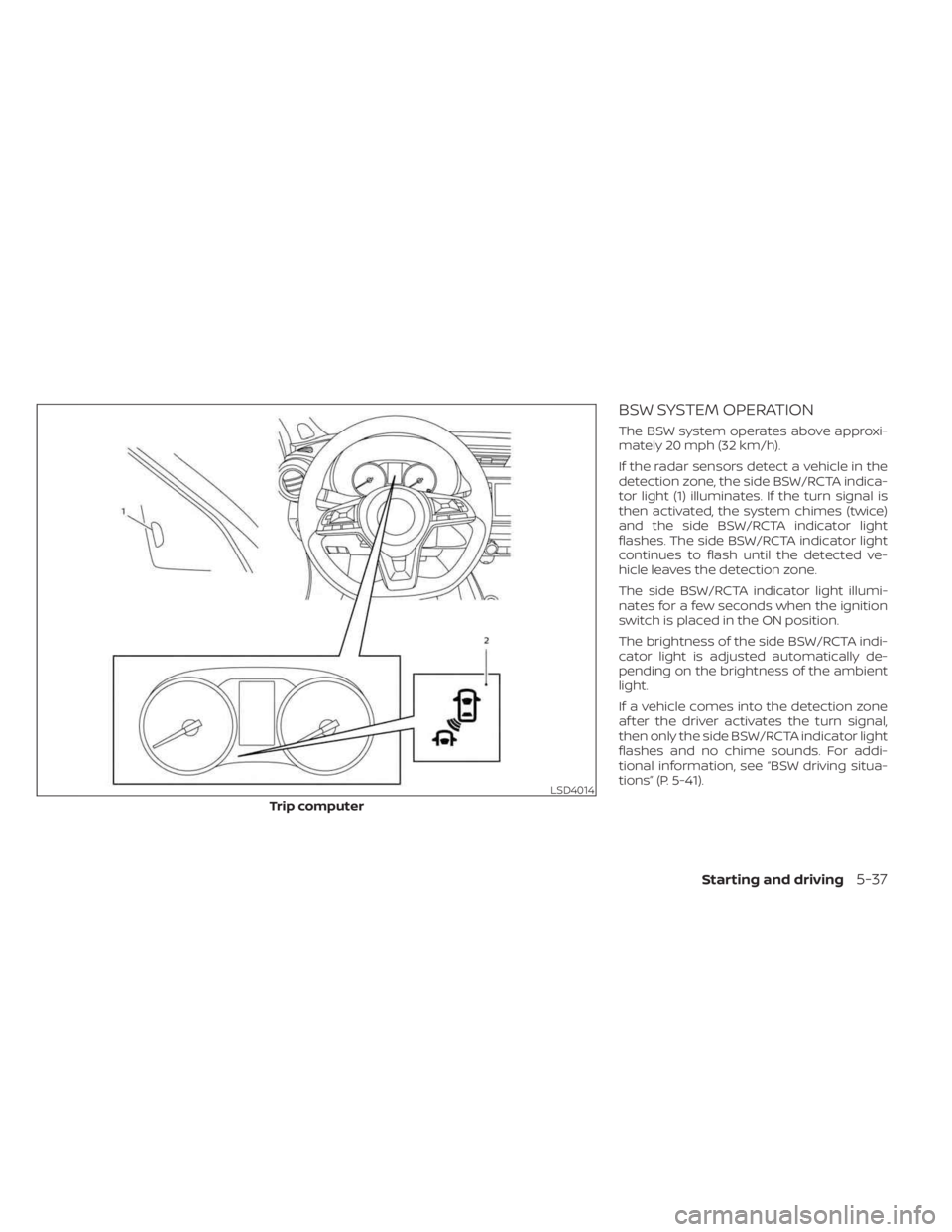
If the radar sensors detect a vehicle in the
detection zone, the side BSW/RCTA indica-
tor light (1) illuminates. If the turn signal is
then activated, the system chimes (twice)
and the side BSW/RCTA indicator light
flashes. The side BSW/RCTA indicator light
continues to flash until the detected ve-
hicle leaves the detection zone.
The side BSW/RCTA indicator light illumi-
nates for a few seconds when the ignition
switch is placed in the ON position.
The brightness of the side BSW/RCTA indi-
cator light is adjusted automatically de-
pending on the brightness of the ambient
light.
If a vehicle comes into the detection zone
af ter the driver activates the turn signal,
then only the side BSW/RCTA indicator light
flashes and no chime sounds. For addi-
tional information, see “BSW driving situa-
tions” (P. 5-41).
LSD4014
Trip computer
Starting and driving5-37
Page 357 of 558
completely off. When the ignition switch is
placed in the OFF position, the system is
also automatically turned off.
To use the ICC system again, quickly push
and release the ICC switch (vehicle-to ve-
hicle distance control mode) or push and
hold it (conventional cruise control mode)
again to turn it on.
CAUTION
To avoid accidentally engaging cruise
control, make sure to turn the ICC
switch off when not using the ICC
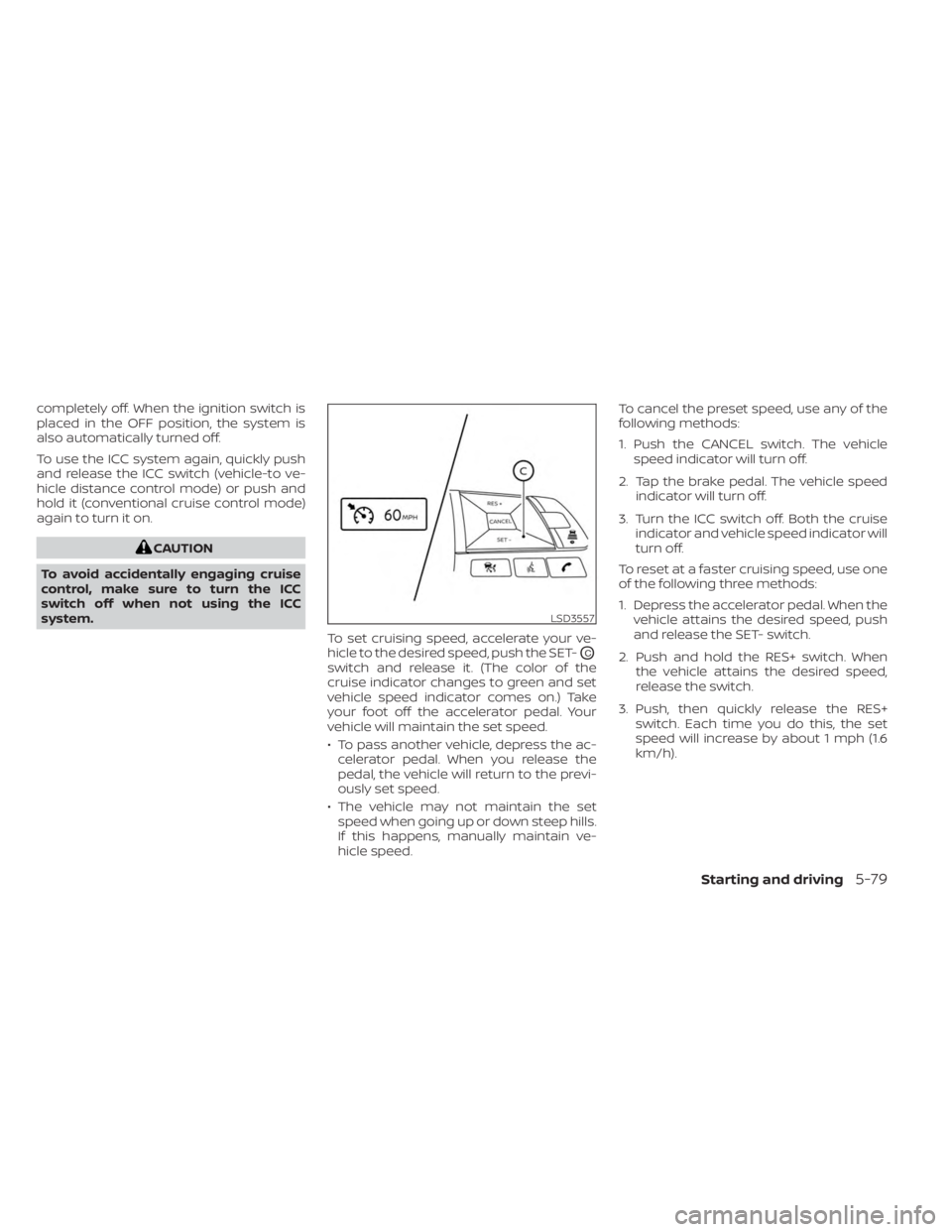
system. To set cruising speed, accelerate your ve-
hicle to the desired speed, push the SET-
OC
switch and release it. (The color of the
cruise indicator changes to green and set
vehicle speed indicator comes on.) Take
your foot off the accelerator pedal. Your
vehicle will maintain the set speed.
• To pass another vehicle, depress the ac-celerator pedal. When you release the
pedal, the vehicle will return to the previ-
ously set speed.
• The vehicle may not maintain the set speed when going up or down steep hills.
If this happens, manually maintain ve-
hicle speed. To cancel the preset speed, use any of the
following methods:
1. Push the CANCEL switch. The vehicle
speed indicator will turn off.
2. Tap the brake pedal. The vehicle speed indicator will turn off.
3. Turn the ICC switch off. Both the cruise indicator and vehicle speed indicator will
turn off.
To reset at a faster cruising speed, use one
of the following three methods:
1. Depress the accelerator pedal. When the vehicle attains the desired speed, push
and release the SET- switch.
2. Push and hold the RES+ switch. When the vehicle attains the desired speed,
release the switch.
3. Push, then quickly release the RES+ switch. Each time you do this, the set
speed will increase by about 1 mph (1.6
km/h).
LSD3557
Starting and driving5-79
Page 404 of 558
INTELLIGENT DRIVER ALERTNESS
SYSTEM OPERATION
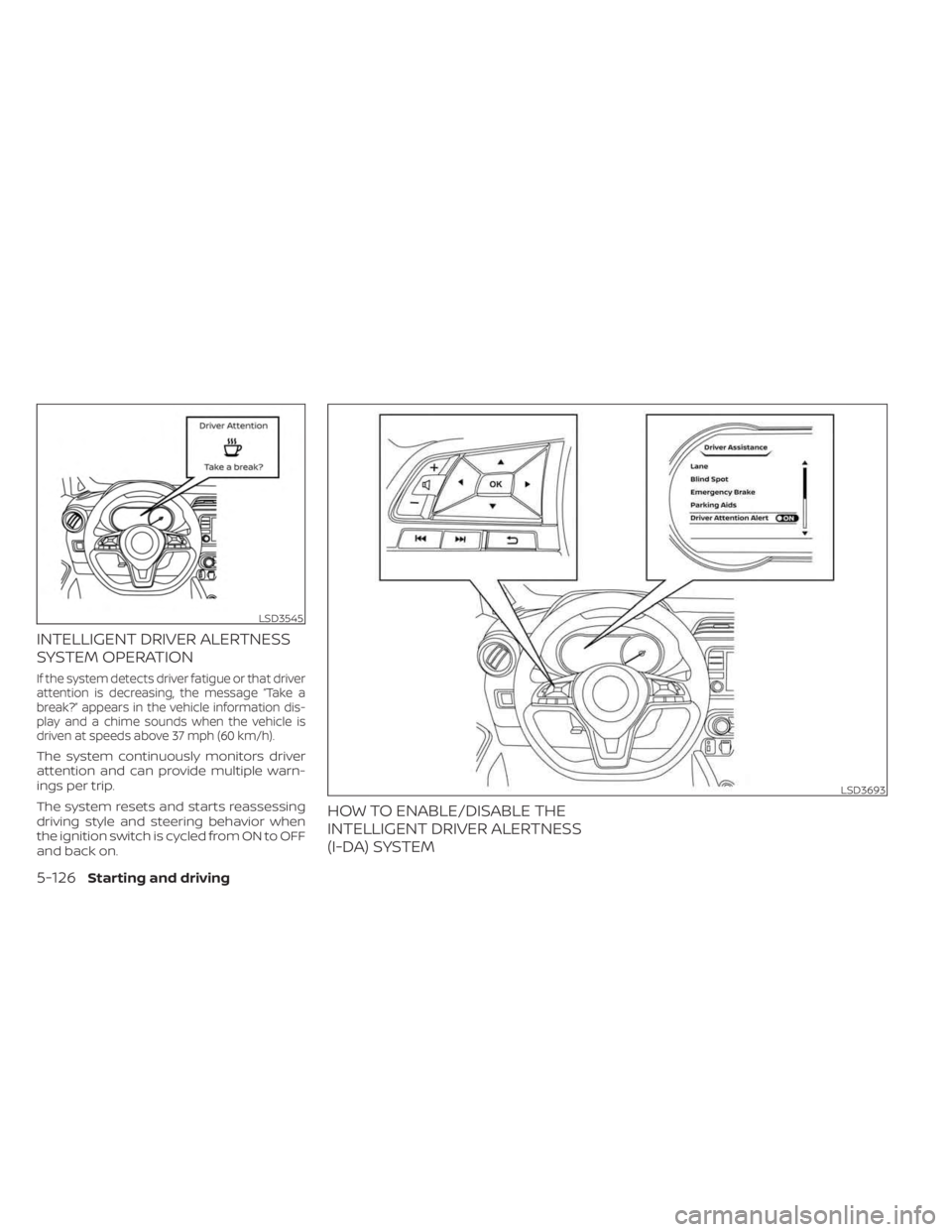
If the system detects driver fatigue or that driver
attention is decreasing, the message “Take a
break?” appears in the vehicle information dis-
play and a chime sounds when the vehicle is
driven at speeds above 37 mph (60 km/h).
The system continuously monitors driver
attention and can provide multiple warn-
ings per trip.
The system resets and starts reassessing
driving style and steering behavior when
the ignition switch is cycled from ON to OFF
and back on.
HOW TO ENABLE/DISABLE THE
INTELLIGENT DRIVER ALERTNESS
(I-DA) SYSTEM
LSD3545
LSD3693
5-126Starting and driving
Page 409 of 558
• HEADED UPHILL WITH CURBO2:
Turn the wheels away from the curb
and move the vehicle back until the
curb side wheel gently touches the
curb.
• HEADED UPHILL OR DOWNHILL, NO CURB
O3:
Turn the wheels toward the side of the
road so the vehicle will move away
from the center of the road if it moves.
4. Place the ignition switch in the LOCK po- sition and remove the key from the
vehicle.
WARNING
• If the engine is not running or is
turned off while driving, the power
assist for the steering will not work.
Steering will be harder to operate.
• When the power steering warning
light illuminates with the engine run-
ning, there will be no power assist for
the steering. You will still have control
of the vehicle but the steering will be
harder to operate. Have the power
steering system checked. It is recom-
mended that you visit a NISSAN
dealer for this service.
The power steering system is designed to
provide power assist while driving to oper-
ate the steering wheel with light force.
When the steering wheel is operated re-
peatedly or continuously while parking or
driving at a very low speed, the power as-
sist for the steering wheel will be reduced.
This is to prevent overheating of the power
steering system and protect it from getting
damaged. While the power assist is re-
duced, steering wheel operation will be-
come heavy. When the temperature of the
power steering system goes down, the
power assist level will return to normal. Avoid repeating such steering wheel op-
erations that could cause the power steer-
ing system to overheat.
You may hear a sound when the steering
wheel is operated quickly. However, this is
not a malfunction.
If the power steering warning light illumi-
nates while the engine is running, it may
indicate the power steering system is not
functioning properly and may need servic-
ing. Have the power steering system
checked. It is recommended that you visit a
NISSAN dealer for this service.
When the power steering warning light illu-
minates with the engine running, there will
be no power assist for the steering but you
will still have control of the vehicle. At this
time, greater steering effort is required to
operate the steering wheel, especially in
sharp turns and at low speeds.
For additional information, see “Power
steering warning light” (P. 2-20).
POWER STEERING
Starting and driving5-131
Page 413 of 558
When the VDC OFF switch, or the vehicle
information display, is used to turn off the
system, the VDC system still operates to
prevent one drive wheel from slipping by
transferring power to a non-slipping drive
wheel. The
indicator light flashes if this
occurs. All other VDC functions are off and
the
indicator light will not flash.
The VDC system is automatically reset to
on when the ignition switch is placed in the
OFF position then back to the ON position.
The computer has a built-in diagnostic fea-
ture that tests the system each time you
start the engine and move the vehicle for-
ward or in reverse at a slow speed. When
the self-test occurs, you may hear a clunk
noise and/or feel a pulsation in the brake
pedal. This is normal and is not an indica-
tion of a malfunction.
WARNING
• The VDC system is designed to help
the driver maintain stability but does
not prevent accidents due to abrupt
steering operation at high speeds or
by careless or dangerous driving
techniques. Reduce vehicle speed
and be especially careful when driv-
ing and cornering on slippery sur-
faces and always drive carefully.
• Do not modif y the vehicle's suspen-
sion. If suspension parts such as
shock absorbers, struts, springs, sta-
bilizer bars, bushings and wheels are
not NISSAN recommended for your
vehicle or are extremely deterio-
rated, the VDC system may not oper-
ate properly. This could adversely af-
fect vehicle handling performance,
and the
indicator light may flash
or illuminate.
•
If brake related parts such as brake
pads, rotors and calipers are not
NISSAN recommended or are extremely
deteriorated, the VDC system may not
operate properly and the
indicator
light may illuminate.
• If engine control related parts are not
NISSAN recommended or are ex-
tremely deteriorated, the
indi-
cator light may illuminate.
• When driving on extremely inclined
surfaces such as higher banked cor-
ners, the VDC system may not oper-
ate properly and the
indicator
light may flash or illuminate. Do not
drive on these types of roads.
• When driving on an unstable surface
such as a turntable, ferry, elevator or
ramp, the
indicator light may
flash or illuminate. This is not a mal-
function. Restart the engine af ter
driving onto a stable surface.
• If wheels or tires other than the
NISSAN recommended ones are
used, the VDC system may not oper-
ate properly and the
indicator
light may flash or illuminate.
• The VDC system is not a substitute
for winter tires or tire chains on a
snow covered road.
Starting and driving5-135
Page 420 of 558
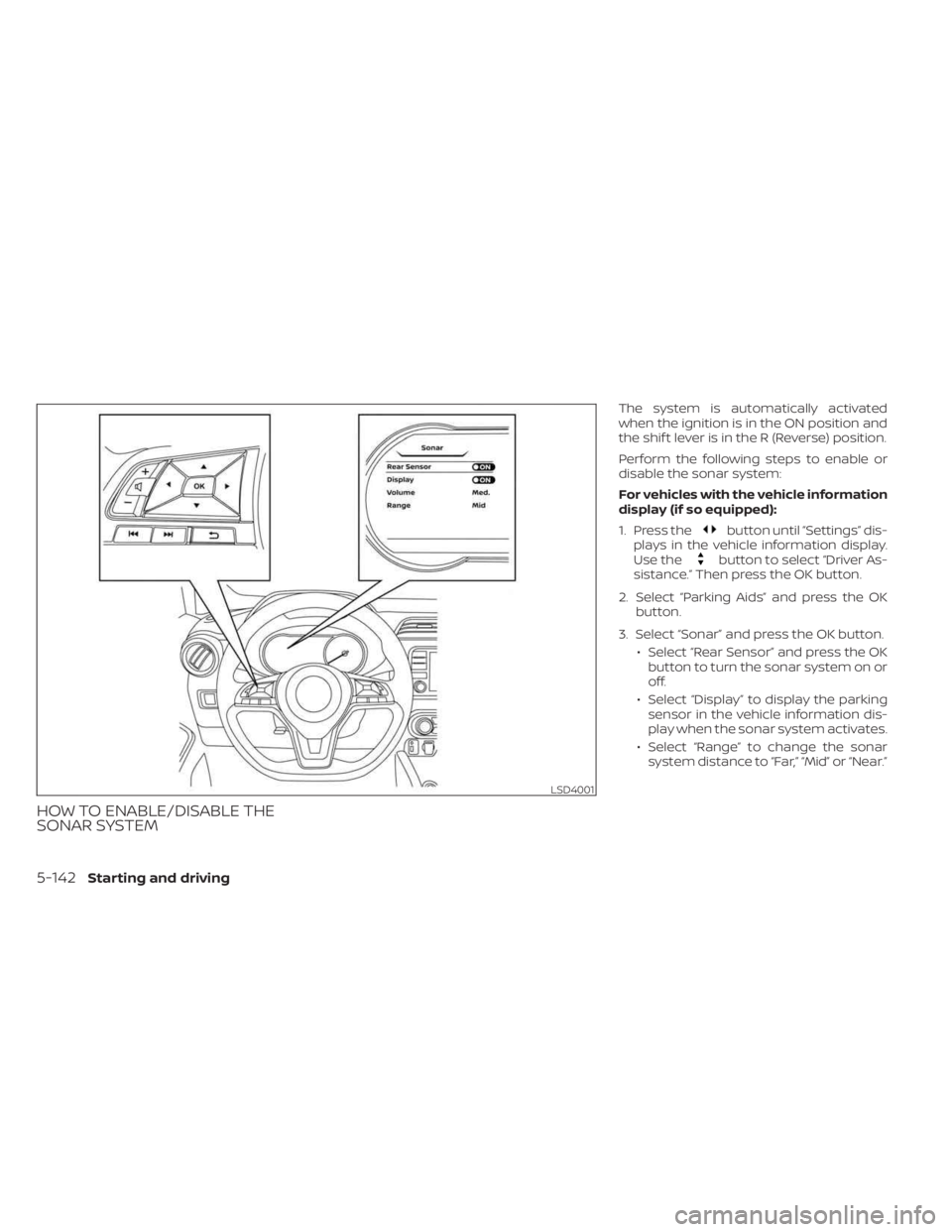
HOW TO ENABLE/DISABLE THE
SONAR SYSTEM
The system is automatically activated
when the ignition is in the ON position and
the shif t lever is in the R (Reverse) position.
Perform the following steps to enable or
disable the sonar system:
For vehicles with the vehicle information
display (if so equipped):
1. Press the
button until “Settings” dis-
plays in the vehicle information display.
Use the
button to select “Driver As-
sistance.” Then press the OK button.
2. Select “Parking Aids” and press the OK button.
3. Select “Sonar” and press the OK button. • Select “Rear Sensor” and press the OKbutton to turn the sonar system on or
off.
• Select “Display” to display the parking sensor in the vehicle information dis-
play when the sonar system activates.
• Select “Range” to change the sonar system distance to “Far,” “Mid” or “Near.”
LSD4001
5-142Starting and driving
Page 421 of 558
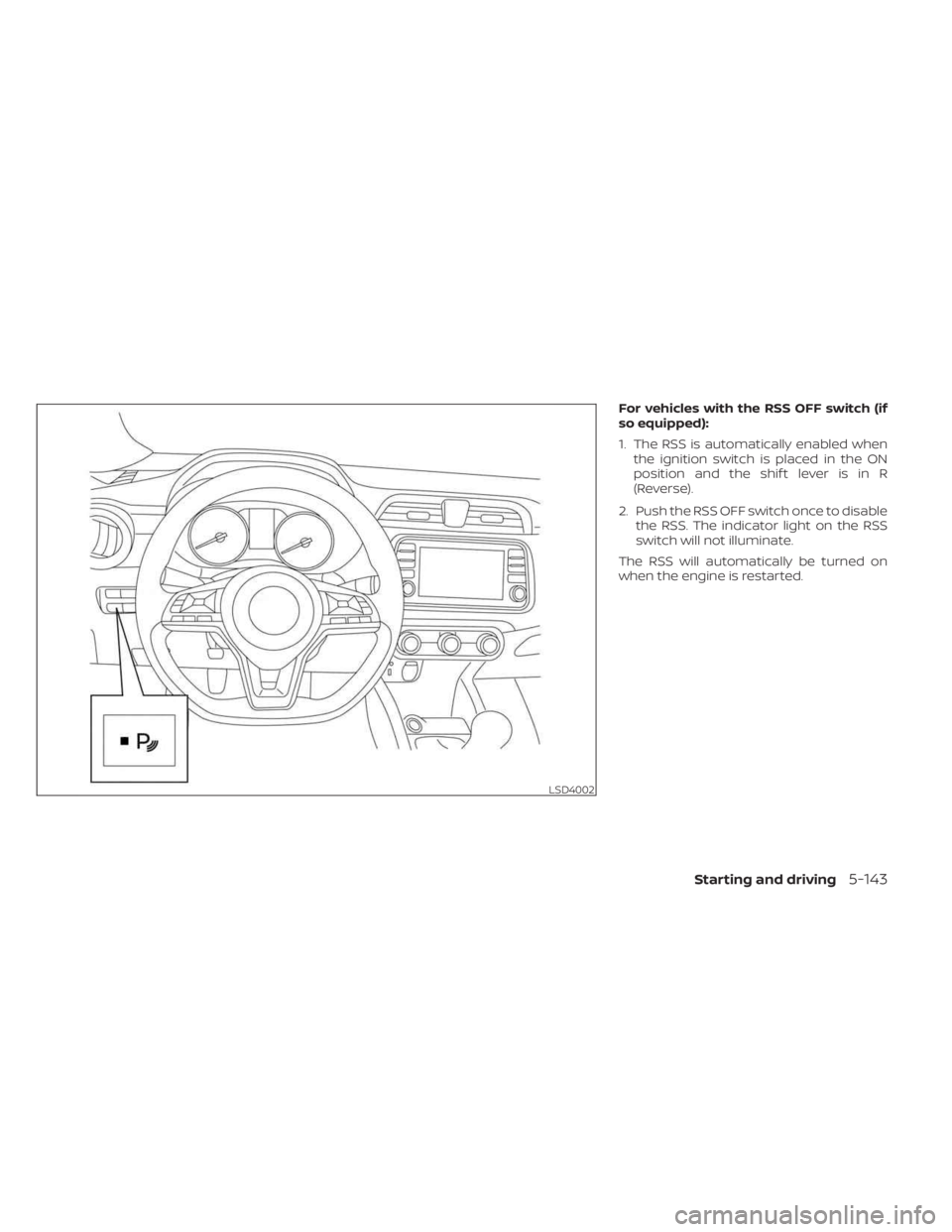
For vehicles with the RSS OFF switch (if
so equipped):
1. The RSS is automatically enabled whenthe ignition switch is placed in the ON
position and the shif t lever is in R
(Reverse).
2. Push the RSS OFF switch once to disable the RSS. The indicator light on the RSS
switch will not illuminate.
The RSS will automatically be turned on
when the engine is restarted.
LSD4002
Starting and driving5-143