Page 355 of 604
JVS0740X
Illustration 4 – Overtaking another vehicle
Illustration 4: If the driver activates the
turn signal while another vehicle is in the
detection zone, then the system chimes
(twice) and the side indicator light flashes.
NOTE:
.When overtaking several vehicles in
a row, the vehicles after the first
vehicle may not be detected if they
are traveling close together.
. The radar sensors may not detect
slower moving vehicles if they are
passed quickly.
. If the driver activates the turn signal
before a vehicle enters the detection
zone, the side indicator light will
flash but no chime will sound when the other vehicle is detected.
JVS0741X
Illustration 5 – Entering from the side
Entering from the side
Illustration 5: The side indicator light
illuminates if a vehicle enters the detec-
tion zone from either side.
Starting and driving5-43
Page 356 of 604

5-44Starting and driving
WAF0555X
Illustration 6 – Entering from the side
Illustration 6: If the driver activates the
turn signal while another vehicle is in the
detection zone, then the system chimes
(twice) and the side indicator light flashes.
NOTE:
.The radar sensors may not detect a
vehicle which is traveling at about
the same speed as your vehicle
when it enters the detection zone.
SYSTEM TEMPORARILY UNAVAIL-
ABLE
When radar blockage is detected, the BSW
system will be turned off automatically, a
chime will sound and the “Unavailable
Side Radar Obstruction” warning mes-
sage will appear in the vehicle informa-
tion display.
The system is not available until the
conditions no longer exist.
The radar sensors may be blocked by
temporary ambient conditions such as
splashing water, mist or fog. The blocked
condition may also be caused by objects
such as ice, frost or dirt obstructing the
radar sensors.
NOTE:
If the BSW system stops working, the
Intelligent Blind Spot Intervention (I-
BSI) and the Rear Cross Traffic Alert
(RCTA) systems will also stop working.
Action to take:
When the above conditions no longer
exist, the system will resume automati-
cally.
SYSTEM MALFUNCTION
When the BSW system malfunctions, it will
be turned off automatically, the BSW
indicator illuminates and the “Malfunc-
tion” warning message will appear in the
vehicle information display.
NOTE:
If the BSW system stops working, the
Intelligent Blind Spot Intervention (I-
BSI) (if so equipped) and Rear Cross
Traffic Alert (RCTA) systems will also
stop working.
Action to take:
Stop the vehicle in a safe location, turn
the engine off and restart the engine. If
the message continues to appear, have
the BSW system checked. It is recom-
mended that you visit a NISSAN dealer for
this service.
Page 359 of 604
SSD1030
Detection zone
The radar sensors can detect vehicles on
either side of your vehicle within the
detection zone shown as illustrated.
This detection zone starts from the out-
side mirror of your vehicle and extends
approximately 10 ft (3.0 m) behind the
rear bumper, and approximately 10 ft (3.0
m) sideways.
WAF0737X
Side indicator lightI-BSI ON indicator light (on the vehicle
information display)
I-BSI indicator (on the vehicle information
display)
Vehicle information displayDynamic driver assistance switch
I-BSI SYSTEM OPERATION
The I-BSI system operates above approxi-
mately 37 MPH (60 km/h).
If the radar sensors detect a vehicle in the
detection zone, the side indicator light
illuminates.
If the turn signal is then activated, the
Starting and driving5-47
Page 360 of 604
5-48Starting and driving
system chimes (twice) and the side in-
dicator light flashes. The side indicator
light continues to flash until the detected
vehicle leaves the detection zone.
If the I-BSI system is ON and your vehicle
approaches a lane marker while another
vehicle is in the detection zone, the
system chimes (three times) and the side
indicator light flashes. Then the I-BSI
system slightly applies the brakes to help
return the vehicle back to the center of
the driving lane. The I-BSI system oper-
ates regardless of turn signal usage.
NOTE:
.I-BSI warning and system applica-
tion will only be activated if the side
indicator light is already illuminated
when your vehicle approaches a
lane marker. If another vehicle
comes into the detection zone after
your vehicle has crossed a lane
marker, no I-BSI warning or system
application will be activated. (See “I-
BSI driving situations” (P.5-51).)
. The I-BSI system is typically acti-
vated earlier than the Intelligent
Lane Intervention (I-LI) system when
your vehicle is approaching a lane
marker.
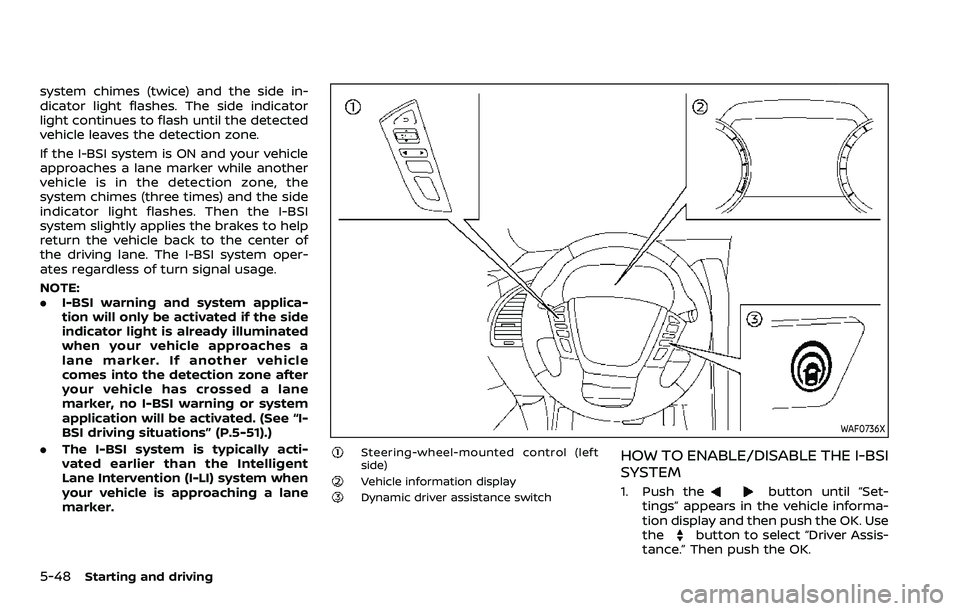
WAF0736X
Steering-wheel-mounted control (left
side)
Vehicle information displayDynamic driver assistance switch
HOW TO ENABLE/DISABLE THE I-BSI
SYSTEM
1. Push thebutton until “Set-
tings” appears in the vehicle informa-
tion display and then push the OK. Use
the
button to select “Driver Assis-
tance.” Then push the OK.
Page 363 of 604
I-BSI DRIVING SITUATIONS
Indicator on
Indicator off
Indicator flashing
JVS0737X
Illustration 1 - Approaching from behind
Another vehicle approaching from
behind
Illustration 1: The side indicator light
illuminates if a vehicle enters the detec-
tion zone from behind in an adjacent lane.
JVS0738X
Illustration 2 - Approaching from behind
Illustration 2: If the driver activates the
turn signal then the system chimes
(twice) and the side indicator light flashes.
Starting and driving5-51
Page 364 of 604
5-52Starting and driving
JVS0760X
Illustration 3 - Approaching from behind
Illustration 3: If the I-BSI system is on and
your vehicle approaches a lane marker
while another vehicle is in the detection
zone, the system chimes (three times)
and the side indicator light flashes. Then
the I-BSI system slightly applies the
brakes to help return the vehicle back to
the center of the driving lane.
NOTE:
.The radar sensors may not detect
vehicles which are approaching ra-
pidly from behind.
JVS0739X
Illustration 4 - Overtaking another vehicle
Overtaking another vehicle
Illustration 4: The side indicator light
illuminates if you overtake a vehicle and
that vehicle stays in the detection zone
for approximately 3 seconds.
JVS0740X
Illustration 5 - Overtaking another vehicle
Illustration 5: If the driver activates the
turn signal while another vehicle is in the
detection zone, then the system chimes
(twice) and the side indicator light flashes.
Page 365 of 604

JVS0761X
Illustration 6 - Overtaking another vehicle
Illustration 6: If the I-BSI system is on and
your vehicle approaches a lane marker
while another vehicle is in the detection
zone, the system chimes (three times)
and the side indicator light flashes. The I-
BSI system activates to help return the
vehicle back to the center of the driving
lane.
NOTE:
.When overtaking several vehicles in
a row, the vehicles after the first
vehicle may not be detected if they
are traveling close together.
. The radar sensors may not detect
slower moving vehicles if they are
passed quickly.
JVS0741X
Illustration 7 - Entering from the side
Entering from the side
Illustration 7: The side indicator light
illuminates if a vehicle enters the detec-
tion zone from either side.
NOTE:
The radar sensors may not detect a
vehicle which is traveling at about the
same speed as your vehicle when it
enters the detection zone.
WAF0555X
Illustration 8 - Entering from the side
Illustration 8: If the driver activates the
turn signal while another vehicle is in the
detection zone, then the side indicator
light flashes and a chime will sound twice.
NOTE:
If the driver activates the turn signal
before a vehicle enters the detection
zone, the side indicator light will flash
but no chime will sound when another
vehicle is detected.
Starting and driving5-53
Page 397 of 604

hilly roads or when entering or exiting a
curve. In these cases you will have to
manually control the proper distance
ahead of your vehicle.
Also, the sensor sensitivity can be af-
fected by vehicle operation (steering
maneuver or driving position in the lane)
or traffic or vehicle condition (for example,
if a vehicle is being driven with some
damage).
Acceleration when passing
When the ICC system is engaged above
44 MPH (70 km/h) and following a slower
vehicle (below the vehicle set speed), and
the turn signal is activated to the left, the
ICC system will automatically start to
accelerate the vehicle to help initiate
passing on the left and will begin to
reduce the distance to vehicle directly
ahead. Only the left side turn signal
operates this feature. As the driver steers
the vehicle and moves into the passing
lane, if no vehicle is detected ahead the
ICC system will continue to accelerate to
the vehicle set speed. If another vehicle is
detected ahead, then the vehicle will
accelerate up to the following speed of
that vehicle. If the vehicle is not steered
into the left lane to pass, the acceleration
will stop after a short time and regain the
set following distance. Acceleration can
be stopped at any point by depressingthe brake pedal or the CANCEL switch on
the steering wheel.
WARNING
In order to reduce the risk of a
collision that may result in serious
injury or death, please be aware of
the following:
.
This function is only activated
with the left turn signal and will
briefly accelerate the vehicle even
if a lane change is not initiated.
This can include non-passing si-
tuations such as left side exits.
. Ensure that when passing an-
other vehicle, the adjacent lane
is clear before initiating the pass.
Sudden changes in traffic may
occur while passing. Always
manually steer or brake as
needed. Never solely rely on the
system.
Automatic cancellation
A chime sounds under the following
conditions and the control is automati-
cally canceled.
.When the vehicle ahead is not de-
tected and your vehicle is traveling
below the speed of 15 MPH (25 km/h)
. When the system judges the vehicle is
at standstill
. When the shift lever is not in the D
(Drive) or manual shift mode
. When the parking brake is applied
. When the SNOW mode switch is
pushed on.
. When the 4WD shift switch is in the 4H
or 4L position (for 4WD models)
. When the VDC system is turned off
. When the VDC (including the traction
control system) operates
. When distance measurement be-
comes impaired due to adhesion of
dirt or obstruction to the sensor
. When a wheel slips
. When the radar signal is temporarily
interrupted
Starting and driving5-85