Page 146 of 644
The windshield wiper and washer operates
when the ignition switch is placed in the ON
position.
Push the lever down to operate the wiper
at the following speed:
�1Intermittent — intermittent operation
can be adjusted by turning the knob
toward
OA(faster) orOB(slower).
�2Low — continuous low speed operation
�3High — continuous high speed
operation
Push the lever up
O4to have one sweep
operation (MIST) of the wiper.
Pull the lever toward you
O5to operate the
washer. The wiper will also operate several
times.
NOTE:
The Wiper with Speed and Wiper Guid-
ance features may be disabled. For addi-
tional information, see “Vehicle informa-
tion display-5 inch (13 cm) Type A”
(P. 2-18) or “Vehicle information display-7
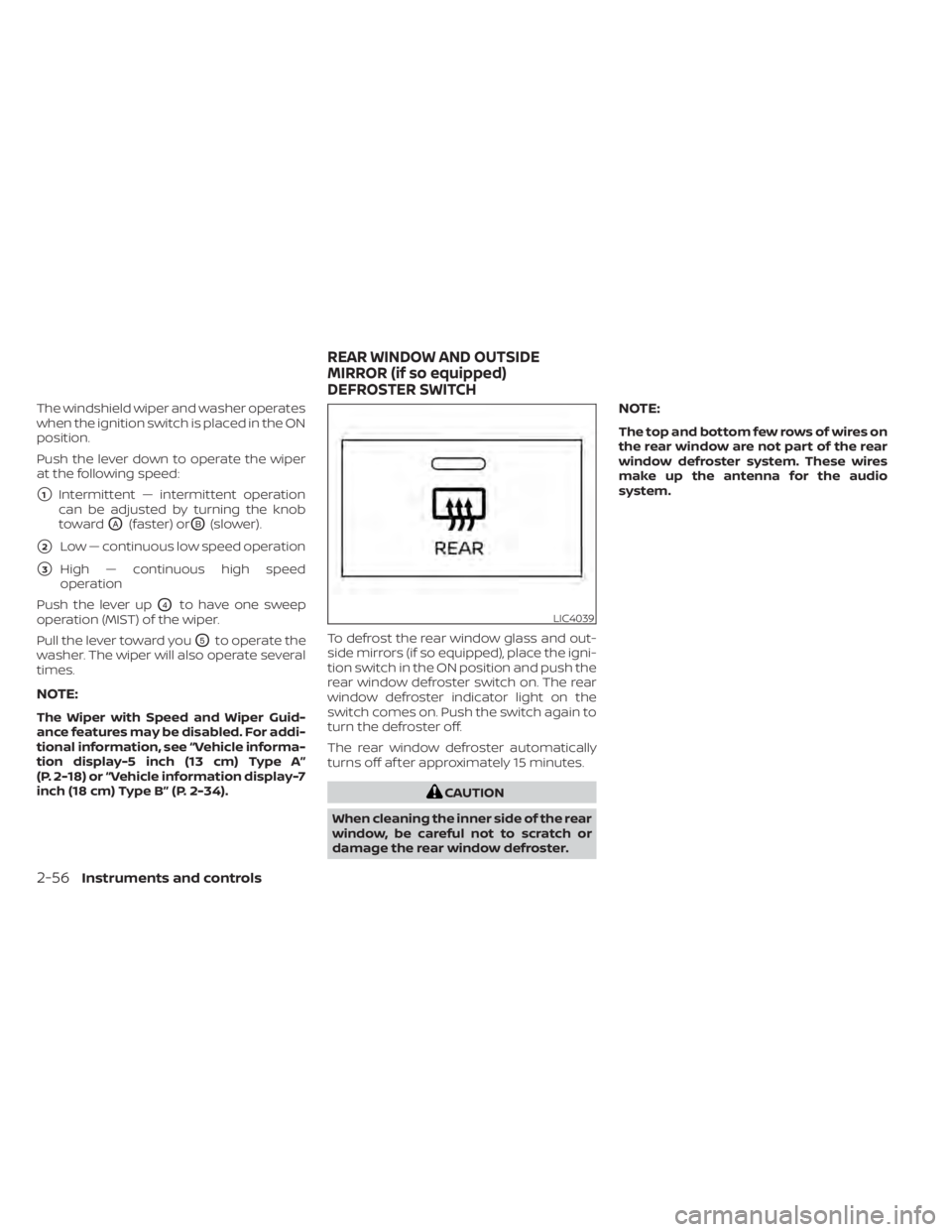
inch (18 cm) Type B” (P. 2-34). To defrost the rear window glass and out-
side mirrors (if so equipped), place the igni-
tion switch in the ON position and push the
rear window defroster switch on. The rear
window defroster indicator light on the
switch comes on. Push the switch again to
turn the defroster off.
The rear window defroster automatically
turns off af ter approximately 15 minutes.
CAUTION
When cleaning the inner side of the rear
window, be careful not to scratch or
damage the rear window defroster.
NOTE:
The top and bottom few rows of wires on
the rear window are not part of the rear
window defroster system. These wires
make up the antenna for the audio
system.
LIC4039
REAR WINDOW AND OUTSIDE
MIRROR (if so equipped)
DEFROSTER SWITCH
2-56Instruments and controls
Page 147 of 644
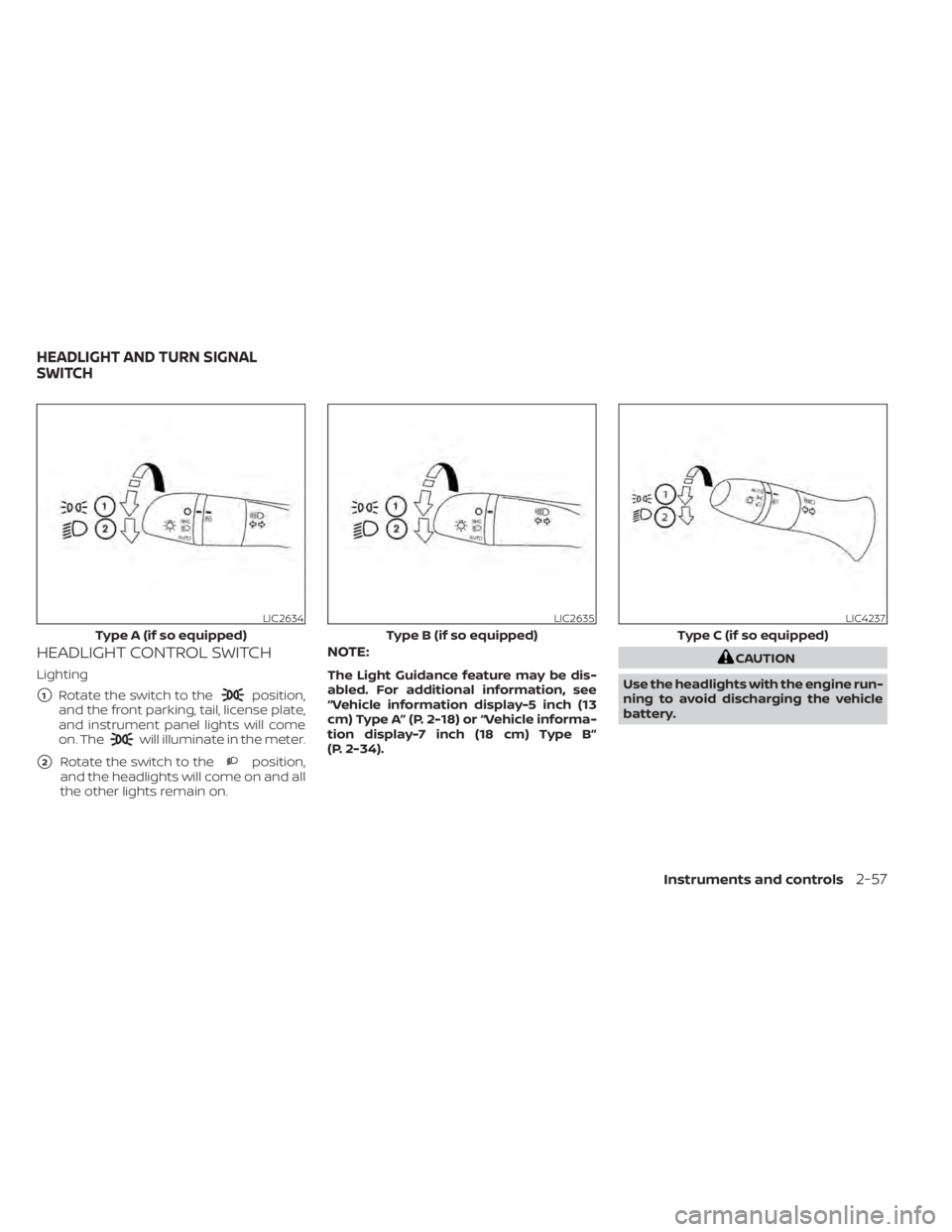
HEADLIGHT CONTROL SWITCH
Lighting
�1Rotate the switch to theposition,
and the front parking, tail, license plate,
and instrument panel lights will come
on. The
will illuminate in the meter.
�2Rotate the switch to theposition,
and the headlights will come on and all
the other lights remain on.
NOTE:
The Light Guidance feature may be dis-
abled. For additional information, see
“Vehicle information display-5 inch (13
cm) Type A” (P. 2-18) or “Vehicle informa-
tion display-7 inch (18 cm) Type B”
(P. 2-34).
CAUTION
Use the headlights with the engine run-
ning to avoid discharging the vehicle
battery.
LIC2634
Type A (if so equipped)
LIC2635
Type B (if so equipped)
LIC4237
Type C (if so equipped)
HEADLIGHT AND TURN SIGNAL
SWITCH
Instruments and controls2-57
Page 148 of 644
Autolight system
The autolight system allows the headlights
to turn on and off automatically. The auto-
light system can:
• Turn on the headlights, front parking, tail,license plate and instrument panel lights
automatically when it is dark.
• Turn off all the lights when it is light.
• Keep all the lights on for a period of time af ter you place the ignition switch in the
OFF position and all doors are closed.
NOTE:
Autolight activation sensitivity and the
time delay for autolight shutoff can be
adjusted.
For additional information, see “Vehicle
information display-5 inch (13 cm) Type
A” (P. 2-18) or “Vehicle information
display-7 inch (18 cm) Type B” (P. 2-34).
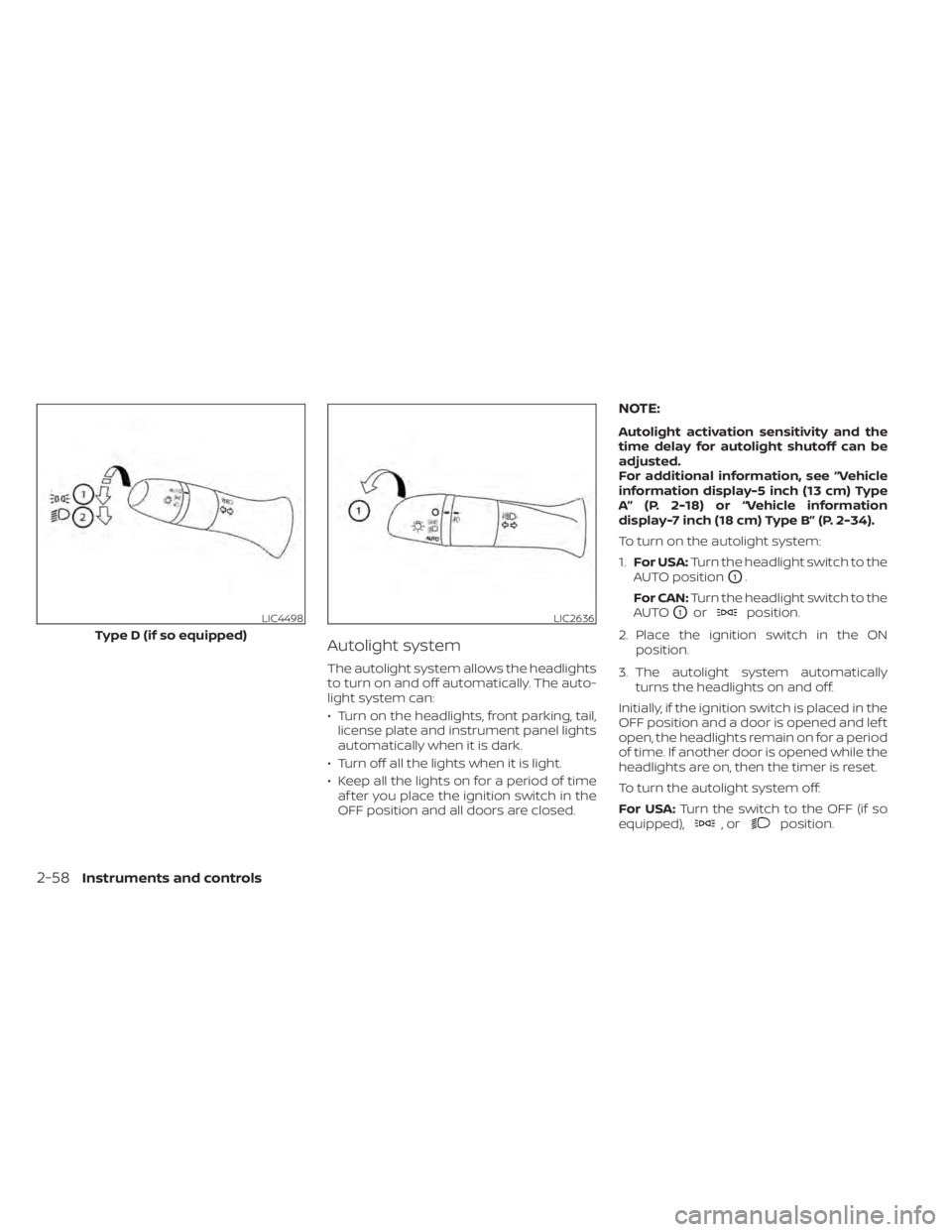
To turn on the autolight system:
1. For USA: Turn the headlight switch to the
AUTO position
O1.
For CAN: Turn the headlight switch to the
AUTO
O1orposition.
2. Place the ignition switch in the ON position.
3. The autolight system automatically turns the headlights on and off.
Initially, if the ignition switch is placed in the
OFF position and a door is opened and lef t
open, the headlights remain on for a period
of time. If another door is opened while the
headlights are on, then the timer is reset.
To turn the autolight system off:
For USA: Turn the switch to the OFF (if so
equipped),
,orposition.
LIC4498
Type D (if so equipped)
LIC2636
2-58Instruments and controls
Page 153 of 644
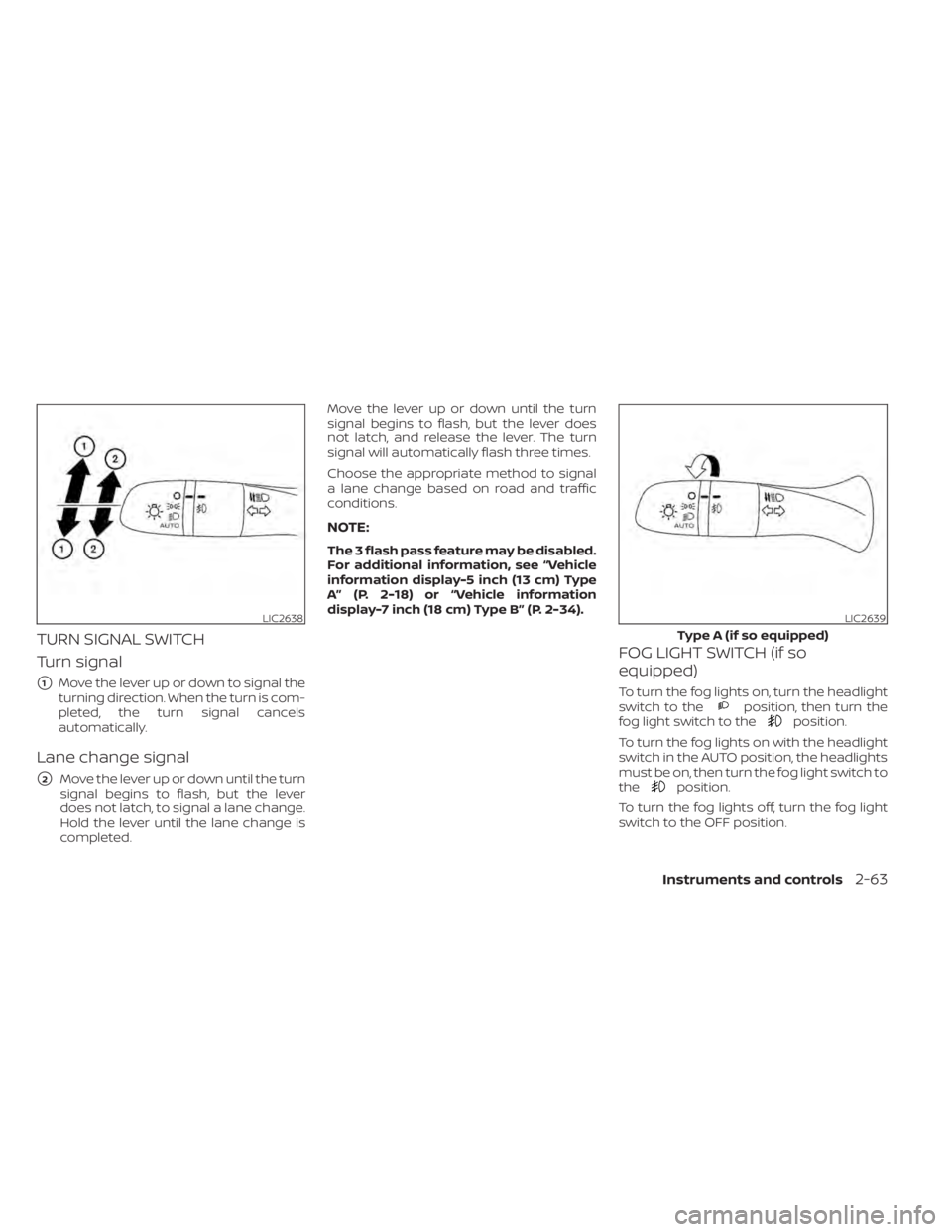
TURN SIGNAL SWITCH
Turn signal
�1Move the lever up or down to signal the
turning direction. When the turn is com-
pleted, the turn signal cancels
automatically.
Lane change signal
�2Move the lever up or down until the turn
signal begins to flash, but the lever
does not latch, to signal a lane change.
Hold the lever until the lane change is
completed. Move the lever up or down until the turn
signal begins to flash, but the lever does
not latch, and release the lever. The turn
signal will automatically flash three times.
Choose the appropriate method to signal
a lane change based on road and traffic
conditions.
NOTE:
The 3 flash pass feature may be disabled.
For additional information, see “Vehicle
information display-5 inch (13 cm) Type
A” (P. 2-18) or “Vehicle information
display-7 inch (18 cm) Type B” (P. 2-34).
FOG LIGHT SWITCH (if so
equipped)
To turn the fog lights on, turn the headlight
switch to theposition, then turn the
fog light switch to theposition.
To turn the fog lights on with the headlight
switch in the AUTO position, the headlights
must be on, then turn the fog light switch to
the
position.
To turn the fog lights off, turn the fog light
switch to the OFF position.
LIC2638LIC2639
Type A (if so equipped)
Instruments and controls2-63
Page 156 of 644
NOTE:
• Once activated, your heated steeringwheel will automatically turn on and
off to maintain a temperature above
68°F (20°C).
• When the temperature of the steering wheel is above 122°F (50°C) and the
heated steering wheel switch is turned
on, the system will not heat the steer-
ing wheel. This does not indicate a
malfunction.
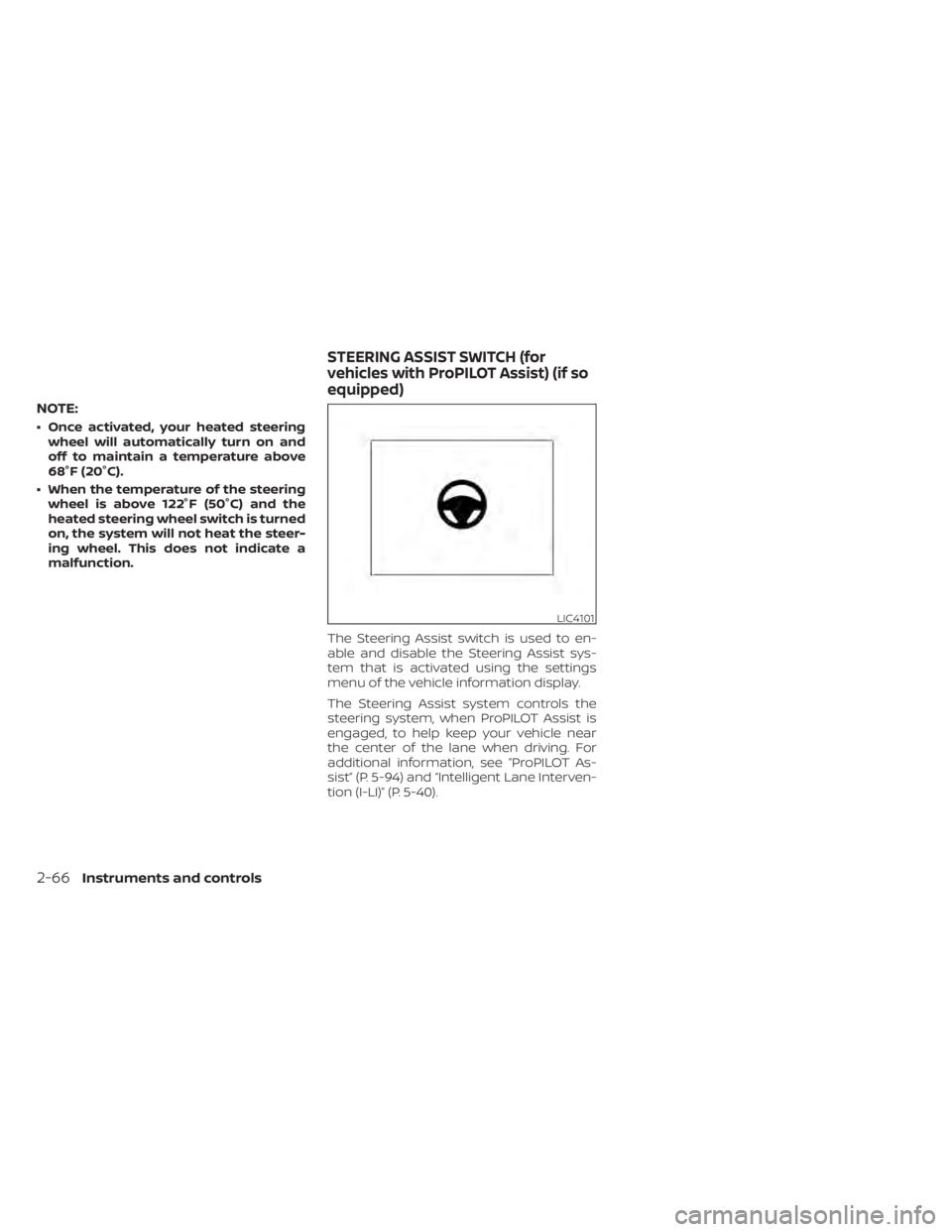
The Steering Assist switch is used to en-
able and disable the Steering Assist sys-
tem that is activated using the settings
menu of the vehicle information display.
The Steering Assist system controls the
steering system, when ProPILOT Assist is
engaged, to help keep your vehicle near
the center of the lane when driving. For
additional information, see ”ProPILOT As-
sist” (P. 5-94) and “Intelligent Lane Interven-
tion (I-LI)” (P. 5-40).
LIC4101
STEERING ASSIST SWITCH (for
vehicles with ProPILOT Assist) (if so
equipped)
2-66Instruments and controls
Page 157 of 644
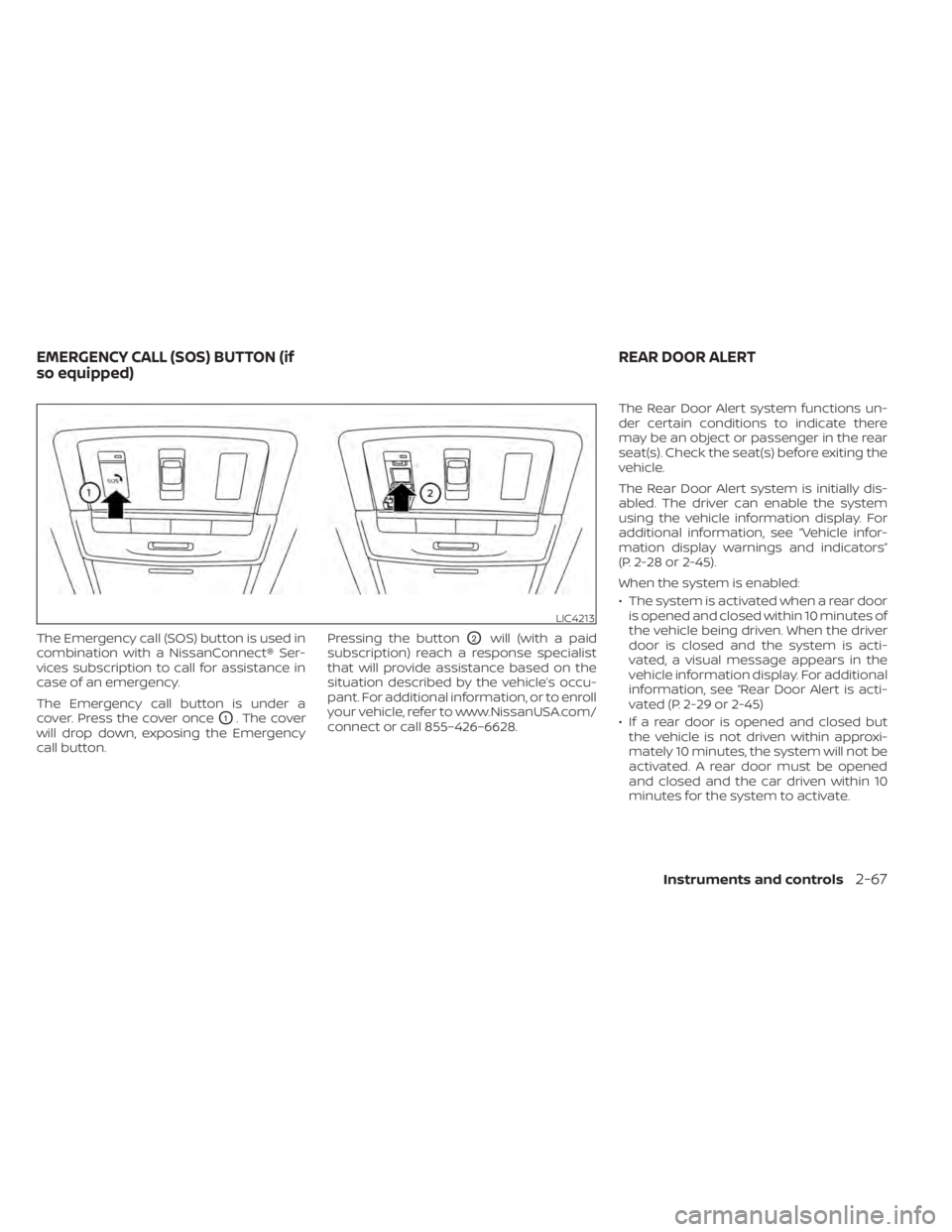
The Emergency call (SOS) button is used in
combination with a NissanConnect® Ser-
vices subscription to call for assistance in
case of an emergency.
The Emergency call button is under a
cover. Press the cover once
O1. The cover
will drop down, exposing the Emergency
call button. Pressing the button
O2will (with a paid
subscription) reach a response specialist
that will provide assistance based on the
situation described by the vehicle’s occu-
pant. For additional information, or to enroll
your vehicle, refer to www.NissanUSA.com/
connect or call 855–426–6628. The Rear Door Alert system functions un-
der certain conditions to indicate there
may be an object or passenger in the rear
seat(s). Check the seat(s) before exiting the
vehicle.
The Rear Door Alert system is initially dis-
abled. The driver can enable the system
using the vehicle information display. For
additional information, see “Vehicle infor-
mation display warnings and indicators”
(P. 2-28 or 2-45).
When the system is enabled:
• The system is activated when a rear door
is opened and closed within 10 minutes of
the vehicle being driven. When the driver
door is closed and the system is acti-
vated, a visual message appears in the
vehicle information display. For additional
information, see “Rear Door Alert is acti-
vated (P. 2-29 or 2-45)
• If a rear door is opened and closed but the vehicle is not driven within approxi-
mately 10 minutes, the system will not be
activated. A rear door must be opened
and closed and the car driven within 10
minutes for the system to activate.
LIC4213
EMERGENCY CALL (SOS) BUTTON (if
so equipped) REAR DOOR ALERT
Instruments and controls2-67
Page 158 of 644
When the Rear Door Alert system is acti-
vated:
• When the driver puts the vehicle in the P(Park) position, a notification message
appears in the vehicle information dis-
play with the options to “Dismiss Mes-
sage” or “Disable Alert” if desired.• Select “Disable Alert” to temporarily disable for that stop.
• No selection or ‘Dismiss Message” will keep the alert enabled for that stop.
• If the alert is enabled when a driver exits the vehicle, a message will appear in the
vehicle information display that states
“Check Back Seat For All Articles.”
If “Horn & Alert” setting is selected:
• An audible horn sound will occur af ter a short time unless a rear door is
opened and closed within a short time
to deactivate the alert.
• If the doors are locked before the alert is deactivated by opening a rear door,
the horn will sound.
• If the trunk is opened before a rear door is opened, the horn will be de-
layed until af ter the trunk is closed.NOTE:
If “Alert Only ” setting is selected, the
message alert will still be shown in the
vehicle information display but the horn
will not sound.
WARNING
• If the driver selects “Disable Alert”, no
audible alert will be provided regard-
less of rear door open/close status.
• There may be times when there is an
object or passenger in the rear
seat(s) but the audible alert does not
sound. For example, this may occur if
rear seat passengers enter or exit the
vehicle during a trip.
• The system does not directly detect
objects or passengers in the rear
seat(s). Instead, it can detect when a
rear door is opened and closed, indi-
cating that there may be something
in the rear seat(s).
NOTE:
There may be times when the horn
sounds but there are no objects or pas-
sengers in the rear seat(s). For additional information, see “Rear Door
Alert is activated (P. 2-29 or 2-45)
2-68Instruments and controls
Page 182 of 644
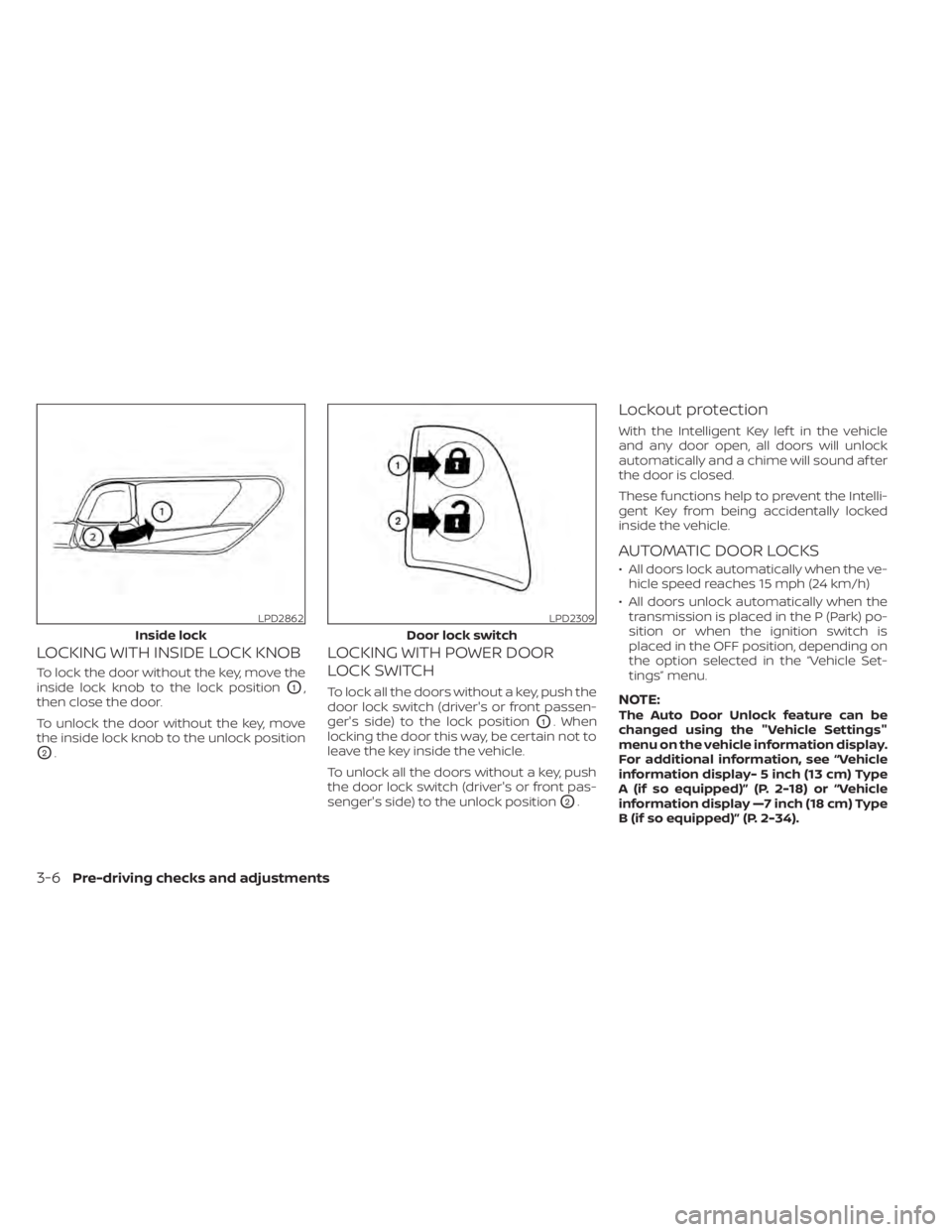
LOCKING WITH INSIDE LOCK KNOB
To lock the door without the key, move the
inside lock knob to the lock position
O1,
then close the door.
To unlock the door without the key, move
the inside lock knob to the unlock position
O2.
LOCKING WITH POWER DOOR
LOCK SWITCH
To lock all the doors without a key, push the
door lock switch (driver's or front passen-
ger's side) to the lock position
O1. When
locking the door this way, be certain not to
leave the key inside the vehicle.
To unlock all the doors without a key, push
the door lock switch (driver's or front pas-
senger's side) to the unlock position
O2.
Lockout protection
With the Intelligent Key lef t in the vehicle
and any door open, all doors will unlock
automatically and a chime will sound af ter
the door is closed.
These functions help to prevent the Intelli-
gent Key from being accidentally locked
inside the vehicle.
AUTOMATIC DOOR LOCKS
• All doors lock automatically when the ve- hicle speed reaches 15 mph (24 km/h)
• All doors unlock automatically when the transmission is placed in the P (Park) po-
sition or when the ignition switch is
placed in the OFF position, depending on
the option selected in the “Vehicle Set-
tings” menu.
NOTE:The Auto Door Unlock feature can be
changed using the "Vehicle Settings"
menu on the vehicle information display.
For additional information, see “Vehicle
information display- 5 inch (13 cm) Type
A (if so equipped)” (P. 2-18) or “Vehicle
information display —7 inch (18 cm) Type
B (if so equipped)” (P. 2-34).
LPD2862
Inside lock
LPD2309
Door lock switch
3-6Pre-driving checks and adjustments