Page 343 of 644
LSD3313
For vehicles with the 7 inch (18 cm) display
Starting and driving5-47
Page 344 of 644
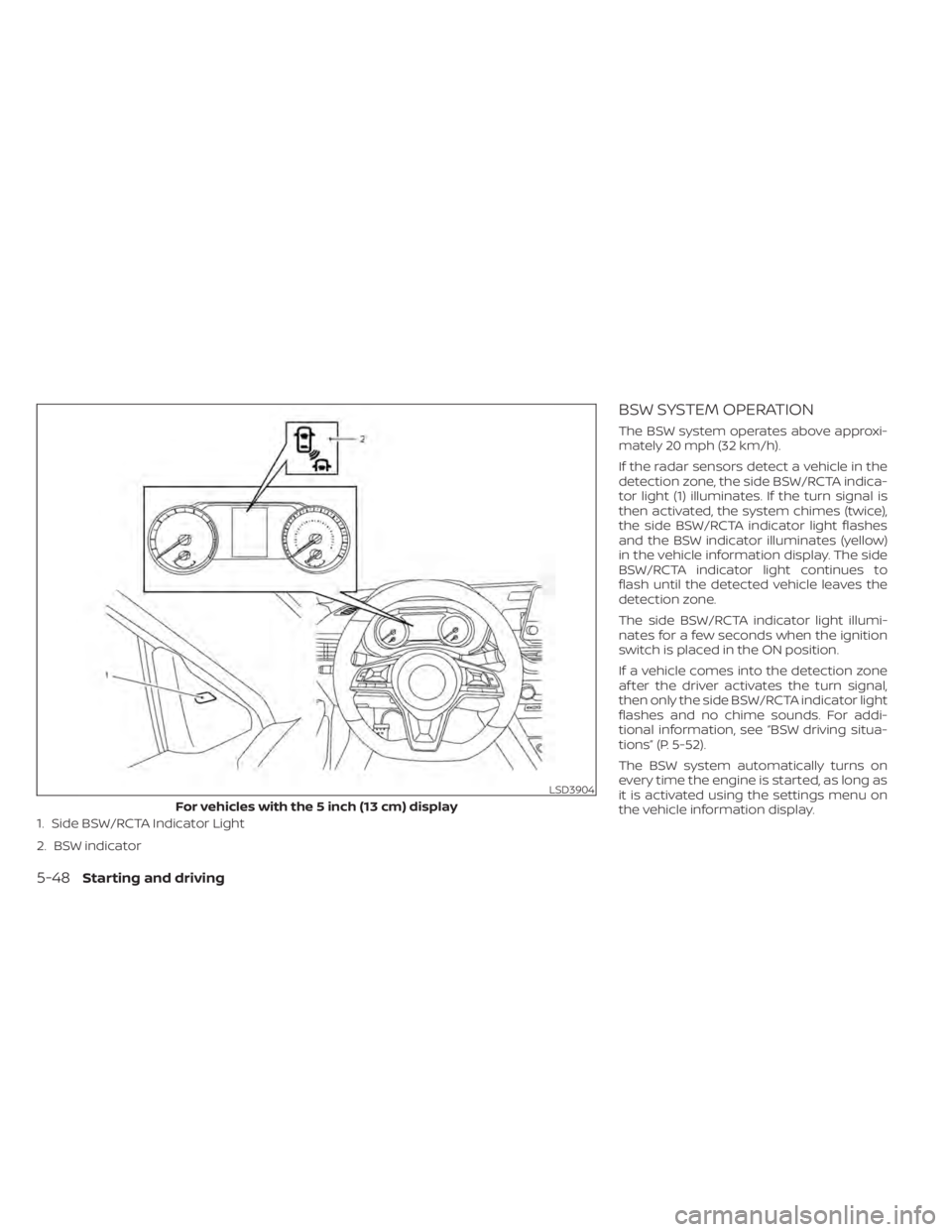
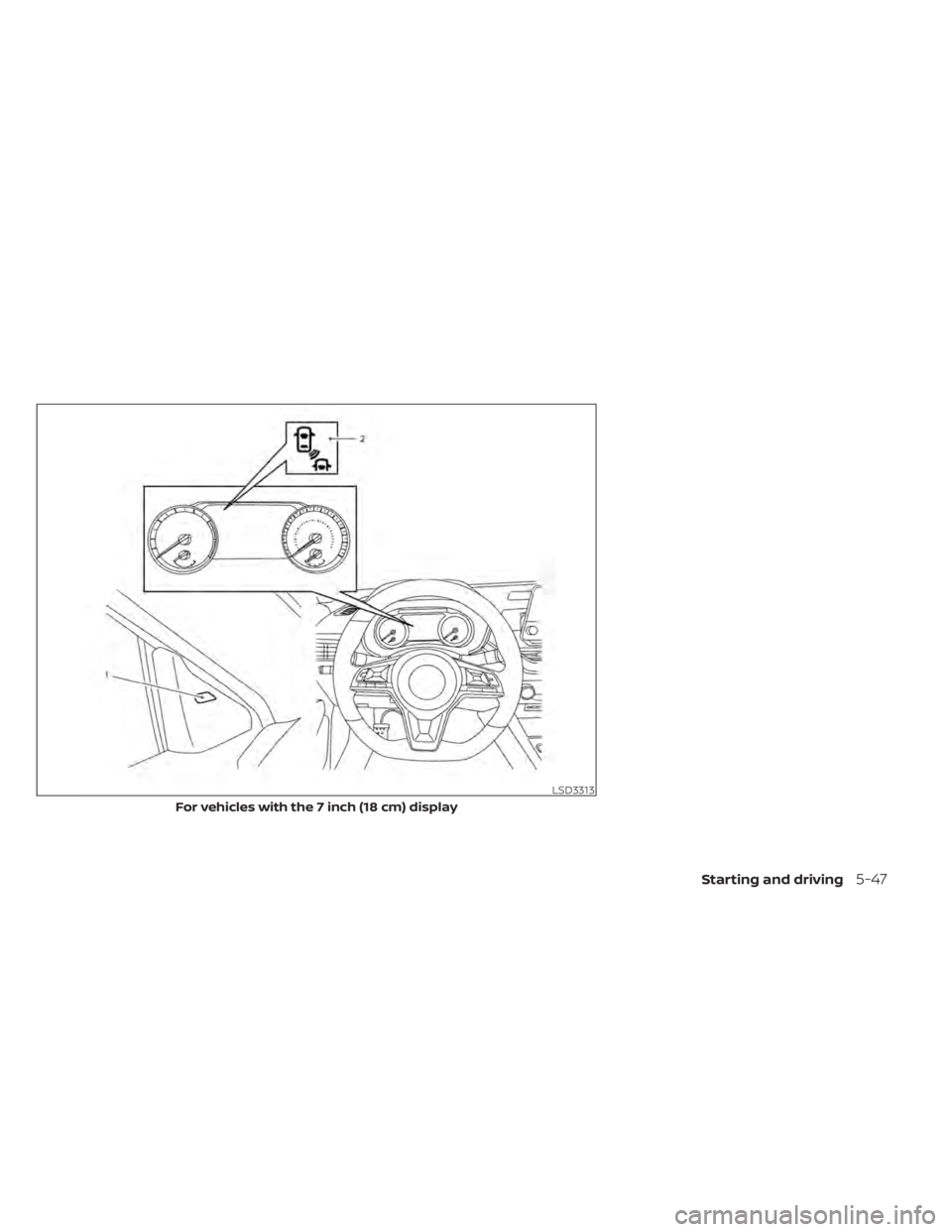
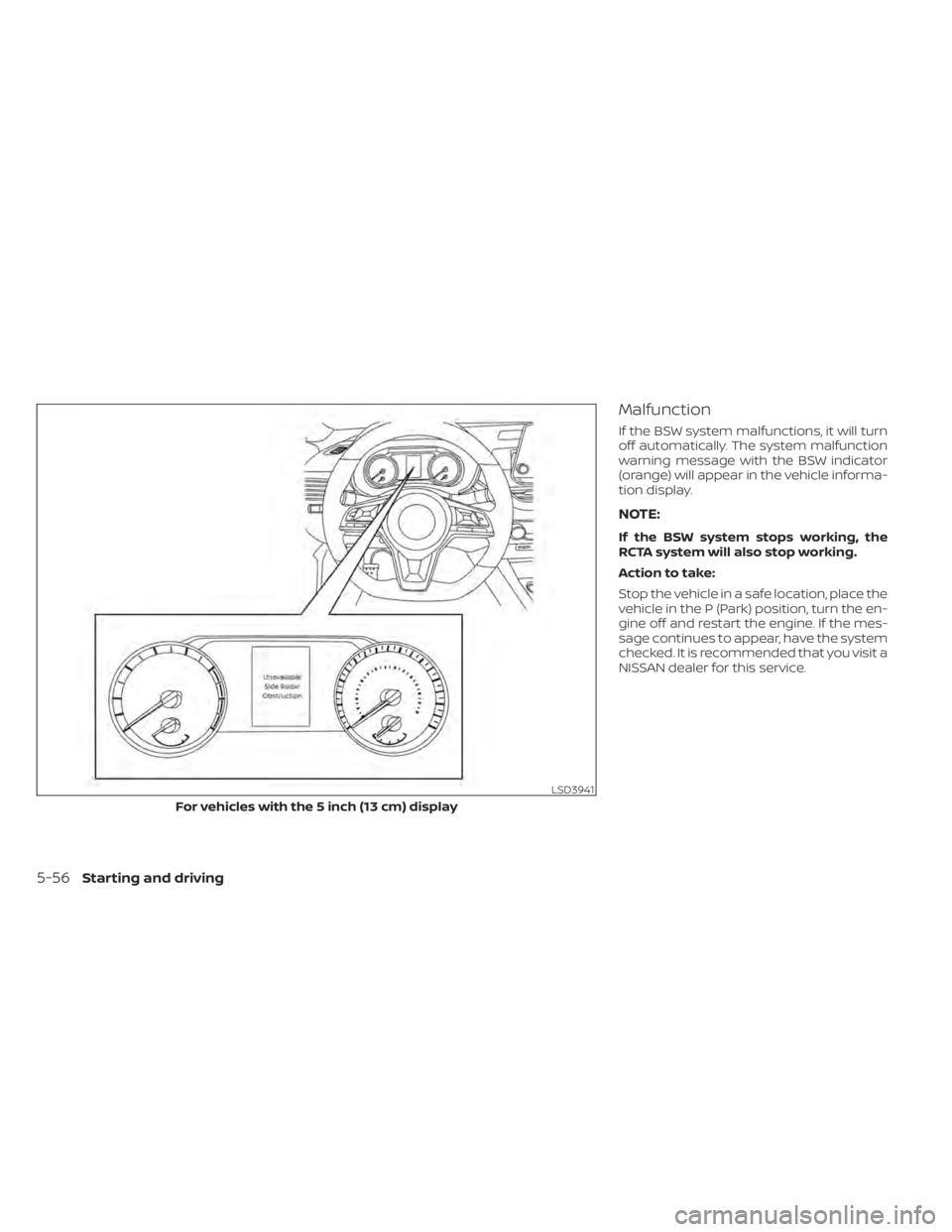
1. Side BSW/RCTA Indicator Light
2. BSW indicator
BSW SYSTEM OPERATION
The BSW system operates above approxi-
mately 20 mph (32 km/h).
If the radar sensors detect a vehicle in the
detection zone, the side BSW/RCTA indica-
tor light (1) illuminates. If the turn signal is
then activated, the system chimes (twice),
the side BSW/RCTA indicator light flashes
and the BSW indicator illuminates (yellow)
in the vehicle information display. The side
BSW/RCTA indicator light continues to
flash until the detected vehicle leaves the
detection zone.
The side BSW/RCTA indicator light illumi-
nates for a few seconds when the ignition
switch is placed in the ON position.
If a vehicle comes into the detection zone
af ter the driver activates the turn signal,
then only the side BSW/RCTA indicator light
flashes and no chime sounds. For addi-
tional information, see “BSW driving situa-
tions” (P. 5-52).
The BSW system automatically turns on
every time the engine is started, as long as
it is activated using the settings menu on
the vehicle information display.
LSD3904
For vehicles with the 5 inch (13 cm) display
5-48Starting and driving
Page 345 of 644
HOW TO ENABLE/DISABLE THE
BSW SYSTEM
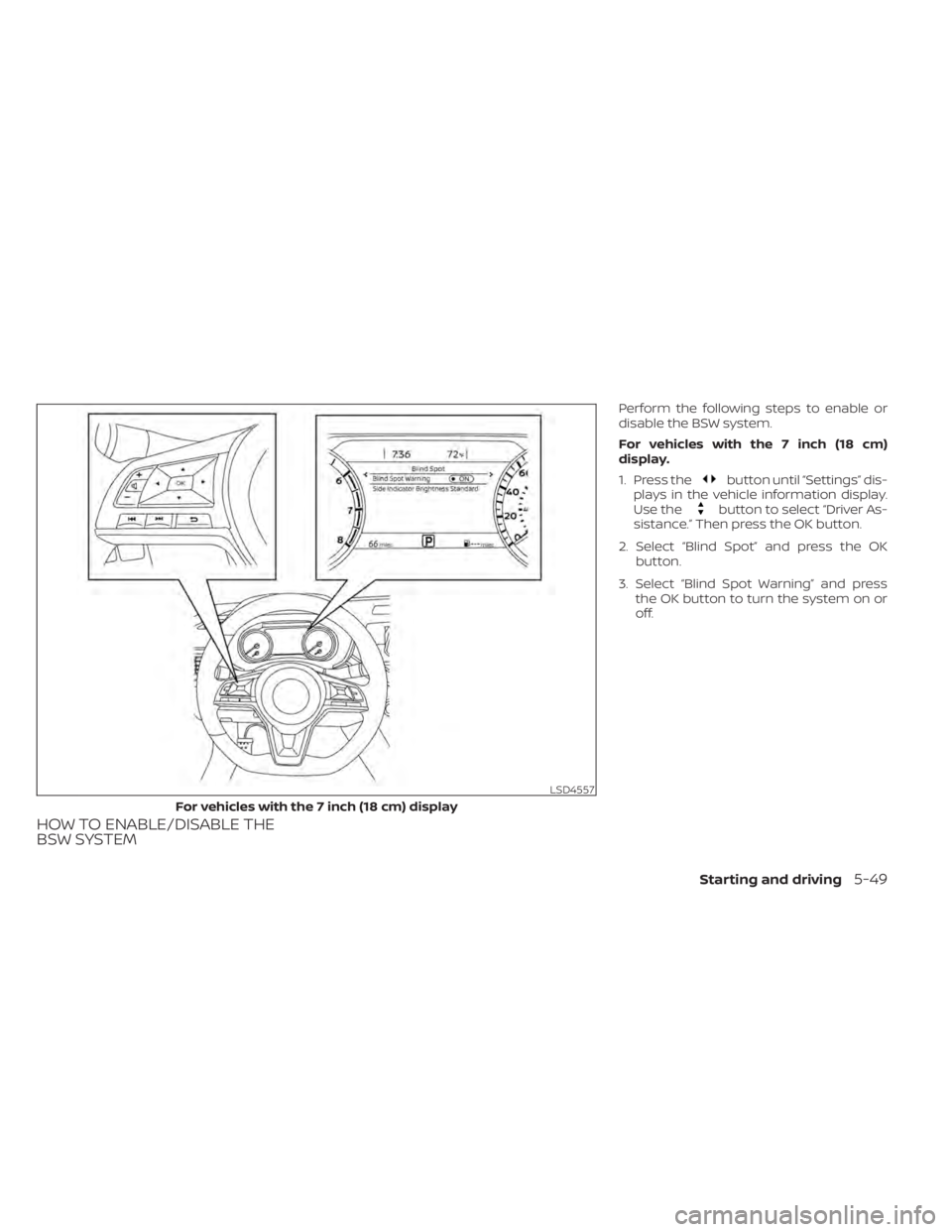
Perform the following steps to enable or
disable the BSW system.
For vehicles with the 7 inch (18 cm)
display.
1. Press the
button until “Settings” dis-
plays in the vehicle information display.
Use the
button to select “Driver As-
sistance.” Then press the OK button.
2. Select “Blind Spot” and press the OK button.
3. Select “Blind Spot Warning” and press the OK button to turn the system on or
off.
LSD4557
For vehicles with the 7 inch (18 cm) display
Starting and driving5-49
Page 346 of 644
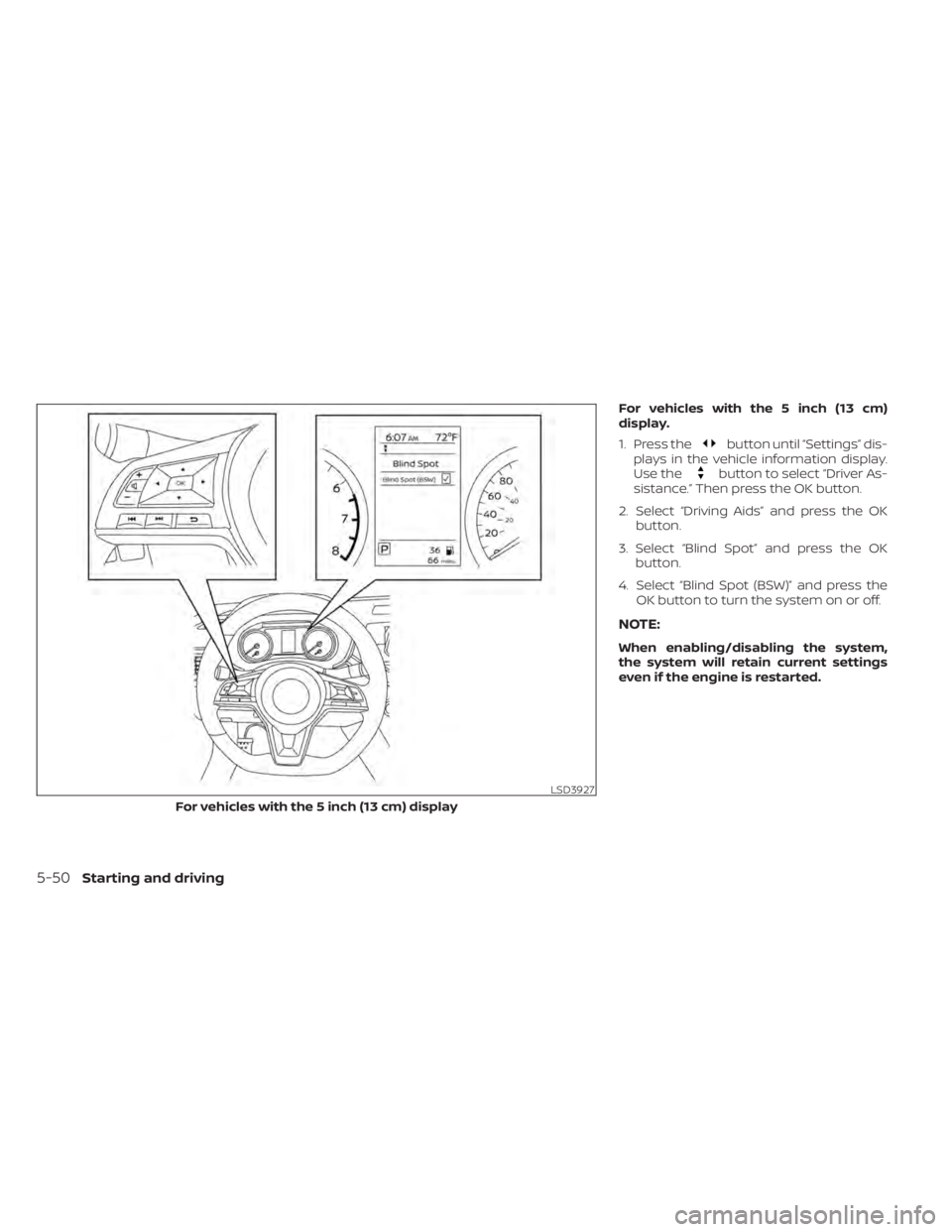
For vehicles with the 5 inch (13 cm)
display.
1. Press the
button until “Settings” dis-
plays in the vehicle information display.
Use the
button to select “Driver As-
sistance.” Then press the OK button.
2. Select “Driving Aids” and press the OK button.
3. Select “Blind Spot” and press the OK button.
4. Select “Blind Spot (BSW)” and press the OK button to turn the system on or off.
NOTE:
When enabling/disabling the system,
the system will retain current settings
even if the engine is restarted.
LSD3927
For vehicles with the 5 inch (13 cm) display
5-50Starting and driving
Page 351 of 644
SYSTEM TEMPORARILY
UNAVAILABLE
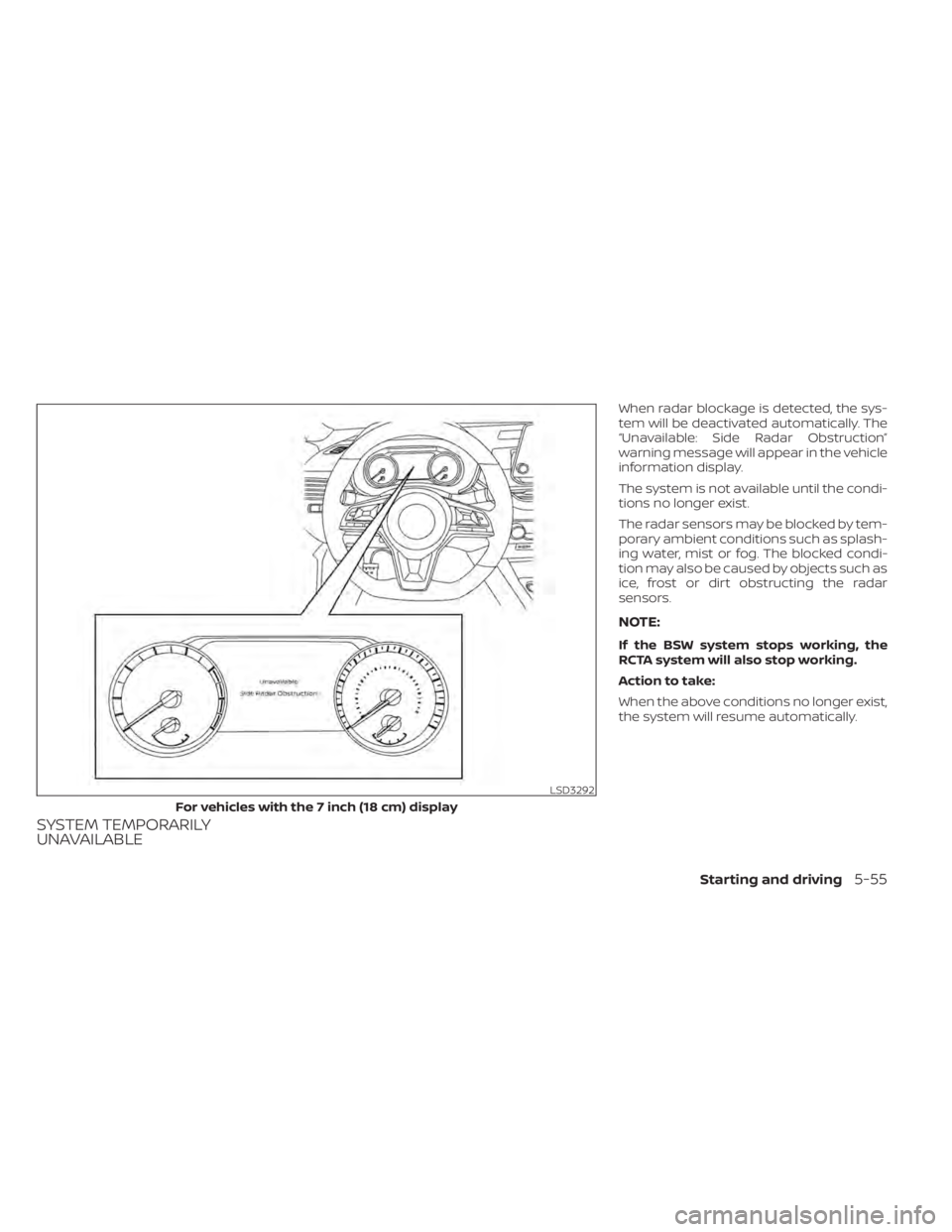
When radar blockage is detected, the sys-
tem will be deactivated automatically. The
“Unavailable: Side Radar Obstruction”
warning message will appear in the vehicle
information display.
The system is not available until the condi-
tions no longer exist.
The radar sensors may be blocked by tem-
porary ambient conditions such as splash-
ing water, mist or fog. The blocked condi-
tion may also be caused by objects such as
ice, frost or dirt obstructing the radar
sensors.
NOTE:
If the BSW system stops working, the
RCTA system will also stop working.
Action to take:
When the above conditions no longer exist,
the system will resume automatically.
LSD3292
For vehicles with the 7 inch (18 cm) display
Starting and driving5-55
Page 352 of 644
Malfunction
If the BSW system malfunctions, it will turn
off automatically. The system malfunction
warning message with the BSW indicator
(orange) will appear in the vehicle informa-
tion display.
NOTE:
If the BSW system stops working, the
RCTA system will also stop working.
Action to take:
Stop the vehicle in a safe location, place the
vehicle in the P (Park) position, turn the en-
gine off and restart the engine. If the mes-
sage continues to appear, have the system
checked. It is recommended that you visit a
NISSAN dealer for this service.
LSD3941
For vehicles with the 5 inch (13 cm) display
5-56Starting and driving
Page 354 of 644
WARNING
Failure to follow the warnings and in-
structions for proper use of the RCTA
could result in serious injury or death.
• The RCTA system is not a replace-
ment for proper driving procedures
and is not designed to prevent con-
tact with vehicles or objects. When
backing out of a parking space, al-
ways use the side and rear mirrors
and turn and look in the direction
your vehicle will move. Never rely
solely on the RCTA system.
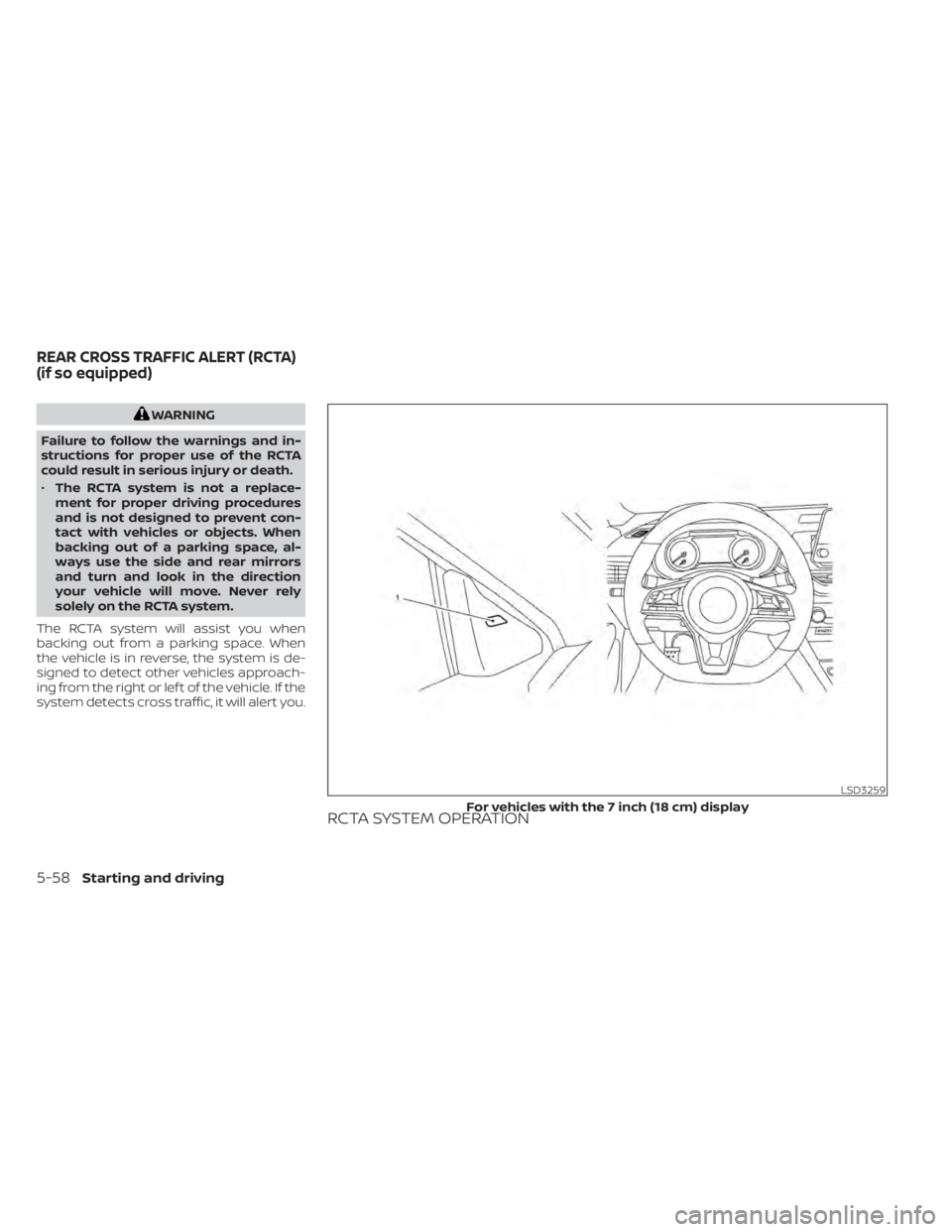
The RCTA system will assist you when
backing out from a parking space. When
the vehicle is in reverse, the system is de-
signed to detect other vehicles approach-
ing from the right or lef t of the vehicle. If the
system detects cross traffic, it will alert you.
RCTA SYSTEM OPERATION
LSD3259
For vehicles with the 7 inch (18 cm) display
REAR CROSS TRAFFIC ALERT (RCTA)
(if so equipped)
5-58Starting and driving
Page 355 of 644
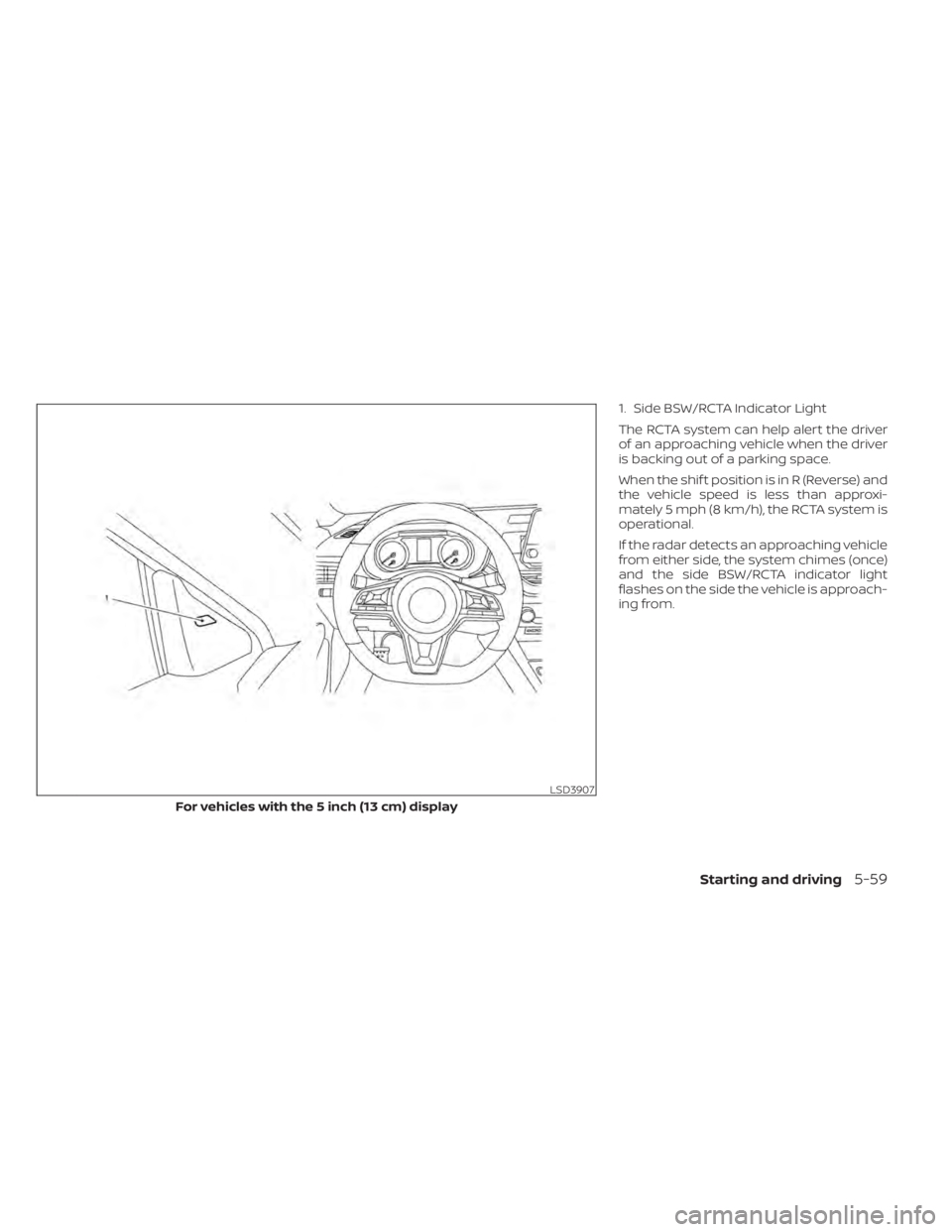
1. Side BSW/RCTA Indicator Light
The RCTA system can help alert the driver
of an approaching vehicle when the driver
is backing out of a parking space.
When the shif t position is in R (Reverse) and
the vehicle speed is less than approxi-
mately 5 mph (8 km/h), the RCTA system is
operational.
If the radar detects an approaching vehicle
from either side, the system chimes (once)
and the side BSW/RCTA indicator light
flashes on the side the vehicle is approach-
ing from.
LSD3907
For vehicles with the 5 inch (13 cm) display
Starting and driving5-59