Page 288 of 356
9-78
Link Bluetooth Devices
You can connect any registered Bluetooth device. > See "Connecting a Bluetooth device."
Reset User Account
You can initialize all account settings.
Configuring the user profile settings (Type2)
You can additionally set profiles for each driver after First Run Setup.
1 On the All Menus screen, press Setup >
User Profile.
2 Press the user to change its profile.
The User Profile Settings screen appears.
A
Press
>
Search for Settings or press and enter a keyword to search for a
setting item. You can also search for a setting item by voice.
A
Press Change User to switch to another user's profile.
A
When you log in as guest, you cannot set the profile items additionally. To set a different
profile, select another user.
Profile Settings
You can specify the details and operation environment for a registered user.
Name
You can specify the name of the user to display on the profile.
Profile Image
You can specify the image to display on the user profile.
Page 289 of 356
9-79
Link Kia Connect Account
You can use various services and convenient management features when linked to the
registered Kia Connect service.
A
Subscribe to Kia Connect to check the function.
> See "Subscribing to the service."
Link Bluetooth Devices
You can connect any registered Bluetooth device. > See "Connecting a Bluetooth device."
Delete Profile (if equipped)
All stored data and profile settings will be lost and the system will be reset.
Configuring the general system settings
(Type1)
You can configure general settings for date, time, language, and the like. You can also check
information of the system.
1 On the All Menus screen, press Setup >
General.
The general settings screen appears.
2 Configure the settings required:
A
Press Menu >
Search for Settings or press and enter a keyword to search for a
setting item. You can also search for a setting item by voice.
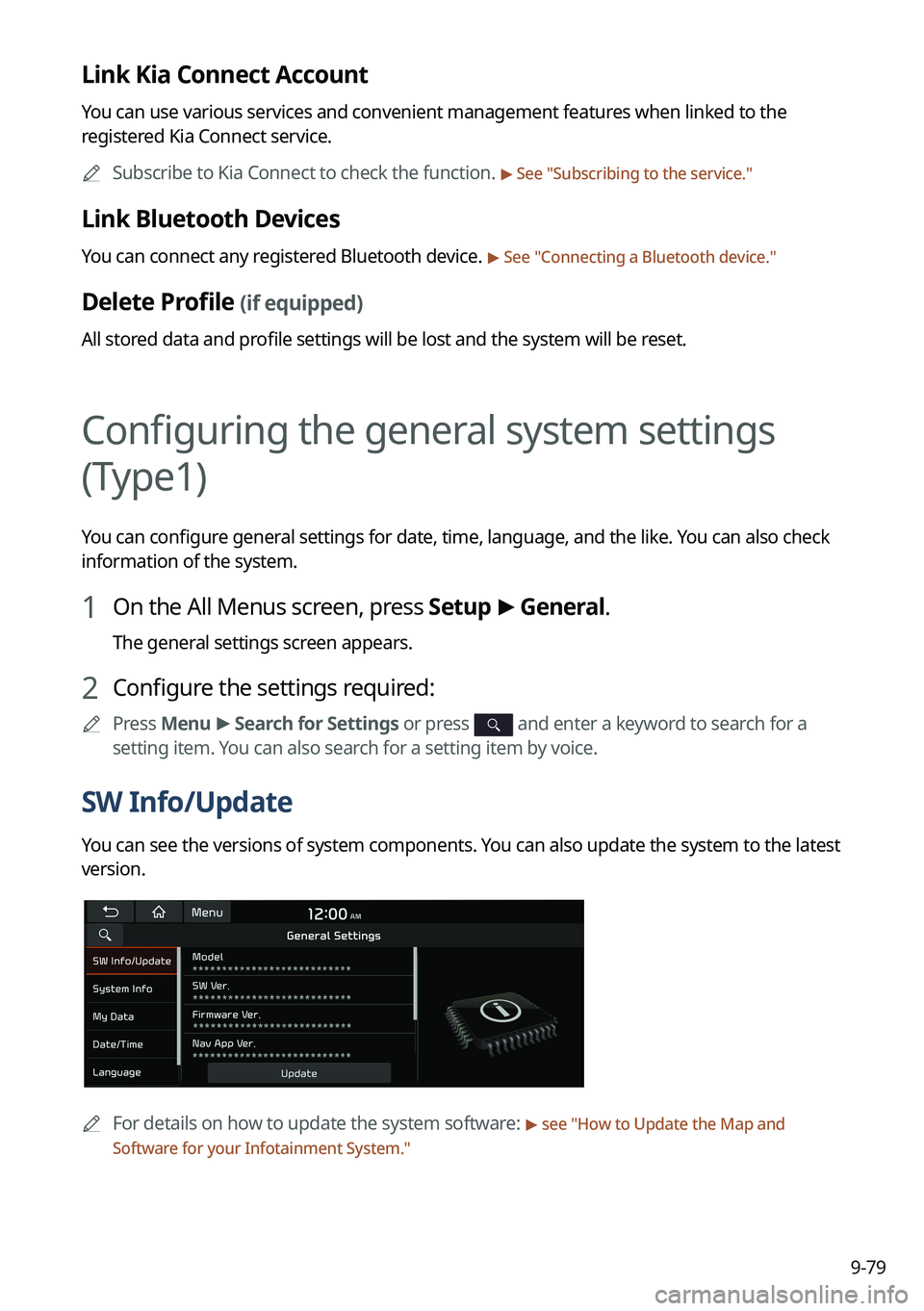
SW Info/Update
You can see the versions of system components. You can also update the system to the latest
version.
A
For details on how to update the system software: > see "How to Update the Map and
Software for your Infotainment System."
Page 292 of 356
9-82
GPS Time
After receiving the time from GPS, it sets the system date and time automatically.
A
To manually set the date and time, uncheck GPS Time, press the current date and time
below GPS Time, and then set the date and time.
24 Hours
The system time is displayed in the 24-hour format.
Daylight Saving Time
Displays the system time in the format of Daylight Saving Time.
Language
You can set the system display language.
A
Once the language has been changed, it takes a while to apply the new language to the
system. The notification pop-up window appears as soon as the new language is applied
to the system. When you wait a while or press anywhere outside the pop-up window, the
window automatically disappears.
A
When you change the system language, it does not affect the display of other unique
data such as MP3 music file name.
A
Depending on the system language, the Bluetooth phone message view and voice
recognition may not be supported.
Page 297 of 356
9-87
Language
You can set the system display language.
A
Once the language has been changed, it takes a while to apply the new language to the
system. The notification pop-up window appears as soon as the new language is applied
to the system. When you wait a while or press anywhere outside the pop-up window, the
window automatically disappears.
A
When you change the system language, it does not affect the display of other unique
data such as MP3 music file name.
A
Depending on the system language, the Bluetooth phone message view and voice
recognition may not be supported.
Keyboard
You can change the keyboard type for each language to use when entering the text.
English-Latin Keyboard Type
You can select the keyboard type to use when entering the English text.
Default Keyboard
You can select the default keyboard type.
Page 303 of 356
9-93
Blue Light Filter
Enable blue light filtering to adjust the screen light to reduce the level of eye strain.
Use Blue Light Filter
Enable or disable blue light filtering.
Blue Light Filter Settings
Set to activate blue light filtering automatically based on the ambient light or pick the time
range manually.
�Automatic: Enable blue light filtering based on the ambient light.
�Scheduled Time: Enable blue light filtering during the set time range.
Screen Saver
You can select the items to display on the screen saver in standby mode.
None
Displays nothing on the system screen saver.
Digital Clock
Displays the digital clock on the system screen saver.
Analog Clock
Displays the analog clock on the system screen saver.
A
Press
to choose the Analog Clock to show on the screen.
Page 308 of 356
9-98
Blue Light Filter
Enable blue light filtering to adjust the screen light to reduce the level of eye strain.
A
The screen may differ depending on the vehicle model and specifications.
Use Blue Light Filter
Enable or disable blue light filtering.
Blue Light Filter Settings
Set to activate blue light filtering automatically based on the ambient light or pick the time
range manually.
�Automatic: Enable blue light filtering based on the ambient light.
�Scheduled Time: Enable blue light filtering during the set time range.
Extend Rear Camera Use (if equipped)
You can set to display the rear camera display even when you change the shift position other
than "R" (Reverse) after reversing.
A
When you shift to "P" (Park) or drive at a predetermined speed or faster, the rear view
display disappears to display the previous screen.
Page 325 of 356
11-3
SymptomPossible causeSolution
The image quality is
poor. Screen adjustment
is required.On the All Menus screen, navigate to Setup
>
Display and use the settings menu to
adjust the display settings.
Vibration occurs in
the system. The images may get distorted when vibration
occurs in the system. This is not a system
failure. The system is restored as soon as the
vibration stops.
The display is aged
or the system
performance is
degraded. If the problem persists, contact your place of
purchase or dealer.
Small red, blue,
and green dots
are shown on the
screen. LCD has very high-density pixels. For this
reason, there may be dead pixels (that are
always off) or lit pixels (that are always on)
within 0.01 percent of the total pixels.
Page 327 of 356
11-5
Bluetooth connection
SymptomPossible causeSolution
The system is
not detected by a
Bluetooth device. Registration mode
needs to be run.
On the All Menus screen, navigate to Setup
>
Device Connections, run the device
registration mode and then perform search
again from the device.
> See " Connecting a
Bluetooth device."
The Bluetooth
device is not
connected. The Bluetooth
function should be
activated.Activate the Bluetooth function on the
Bluetooth device to connect.
Any error occurs
while using the
Bluetooth function.
� Turn the Bluetooth function OFF / ON on
the Bluetooth device and then connect
the device again.
�Turn the Bluetooth device off and on and
then connect the device again.
�Remove the battery from the Bluetooth
device and attach it back, turn on the
device, and then connect the device
again.
�Delete the system and Bluetooth device
from the registration lists respectively,
and then connect the device again.


