2023 JEEP COMPASS Front
[x] Cancel search: FrontPage 4 of 344

2
INTRODUCTION
SYMBOLS KEY ...........................................................9
ROLLOVER WARNING ............................................. 9
VEHICLE MODIFICATIONS/ALTERATIONS .......... 10
SYMBOL GLOSSARY.............................................. 10
GETTING TO KNOW YOUR VEHICLE
KEYS ....................................................................... 14 Key Fobs ..........................................................14
SENTRY KEY ........................................................... 17
IGNITION SWITCH .................................................. 17
Keyless Enter ‘n Go™ Ignition .........................17
REMOTE START — IF EQUIPPED ......................... 19
How To Use Remote Start ................................19
To Exit Remote Start Mode .............................20
Remote Start Front Defrost Activation —
If Equipped........................................................20
Remote Start Comfort Systems —
If Equipped .......................................................20
Remote Start Windshield Wiper De–Icer
Activation — If Equipped ..................................21
Remote Start Abort Message —
If Equipped........................................................21
VEHICLE SECURITY SYSTEM — IF EQUIPPED .... 21
To Arm The System .........................................21
To Disarm The System ....................................22
Rearming Of The System .................................22
Security System Manual Override ...................22 DOORS .....................................................................22
Manual Door Locks ..........................................22
Power Door Locks ............................................23
Keyless Enter ‘n Go™ — Passive Entry............23
Automatic Unlock Doors On Exit .....................25
Child-Protection Door Lock System —
Rear Doors ........................................................25
STEERING WHEEL .................................................26
Tilt/Telescoping Steering Column ...................26
Heated Steering Wheel —
If Equipped .......................................................27
DRIVER MEMORY SETTINGS — IF EQUIPPED .....27
Programming The Memory Feature ................28
Linking And Unlinking The Remote Keyless
Entry Key Fob To Memory ................................28
Memory Position Recall ...................................28
SEATS ......................................................................28
Manual Adjustment (Front Seats) —
If Equipped........................................................29
Manual Adjustment (Rear Seats) ....................30
Power Adjustment (Front Seats) —
If Equipped........................................................32
Heated Seats — If Equipped ............................33
Front Ventilated Seats —
If Equipped........................................................34
Head Restraints ...............................................34 UCONNECT VOICE RECOGNITION QUICK TIPS —
IF EQUIPPED .......................................................... 36
Introducing Voice Recognition ........................ 36
Basic Voice Commands ................................... 36
Get Started .......................................................36
Additional Information ..................................... 37
MIRRORS ............................................................... 37
Inside Rearview Mirror..................................... 37
Illuminated Vanity Mirrors ............................... 38
Outside Mirrors ................................................ 38
Power Adjustment Mirrors ............................... 39
Folding Mirrors .................................................39
Heated Mirrors — If Equipped ......................... 39
UNIVERSAL GARAGE DOOR OPENER
(HOMELINK®) — IF EQUIPPED ............................ 40
Before You Begin Programming
HomeLink® ...................................................... 40
Erasing All The HomeLink® Channels ............ 40
Identifying Whether You Have A Rolling Code
Or Non-Rolling Code Device ............................ 41
Programming HomeLink® To A Garage Door
Opener ..............................................................41
Programming HomeLink® To
A Miscellaneous Device ................................... 42
Reprogramming A Single HomeLink®
Button ............................................................... 42
Canadian/Gate Operator Programming ......... 42
22_MP_OM_EN_USC_t.book Page 2
Page 6 of 344

4
WARNING LIGHTS AND MESSAGES ................... 89 Red Warning Lights ..........................................89
Yellow Warning Lights ......................................92
Yellow Indicator Lights .....................................96
Green Indicator Lights......................................96
White Indicator Lights ......................................97
Blue Indicator Lights ........................................97
Gray Indicator Lights ........................................98
ONBOARD DIAGNOSTIC SYSTEM — OBD II ....... 98
Onboard Diagnostic System (OBD II)
Cybersecurity ....................................................98
EMISSIONS INSPECTION AND MAINTENANCE
PROGRAMS ............................................................ 99
STARTING AND OPERATING
STARTING THE ENGINE ....................................... 100
Normal Starting ............................................. 100
Cold Weather Operation
(Below –22°F Or −30°C) ............................ 101
Extended Park Starting ................................. 101After Starting — Warming Up The Engine..... 101
If Engine Fails To Start ................................. 101Stopping The Engine ..................................... 102
ENGINE BLOCK HEATER — IF EQUIPPED ......... 102 ENGINE BREAK-IN RECOMMENDATIONS ....... 102
PARK BRAKE ....................................................... 103
Electric Park Brake (EPB) ............................ 103
AUTOMATIC TRANSMISSION ............................. 106
Ignition Park Interlock ................................... 107Brake/Transmission Shift Interlock (BTSI)
System ........................................................... 107
6-Speed Or 9-Speed Automatic
Transmission ................................................ 107
FOUR-WHEEL DRIVE OPERATION —
IF EQUIPPED ........................................................ 112
Jeep® Active Drive ........................................ 112
SELEC-TERRAIN — IF EQUIPPED ....................... 113
Mode Selection Guide................................... 113
POWER STEERING .............................................. 114
STOP/START SYSTEM — IF EQUIPPED ............. 114
Autostop Mode .............................................. 114
Possible Reasons The Engine Does
Not Autostop .................................................. 115
To Start The Engine While In Autostop
Mode .............................................................. 115
To Manually Turn Off The Stop/Start
System ........................................................... 116
To Manually Turn On The Stop/Start
System ........................................................... 116
System Malfunction ...................................... 116 CRUISE CONTROL SYSTEMS —
IF EQUIPPED ........................................................ 116
Cruise Control................................................ 117
Adaptive Cruise Control (ACC) ...................... 118
TRAFFIC SIGN ASSIST SYSTEM —
IF EQUIPPED ......................................................... 127
Activation/Deactivation ................................ 127Traffic Sign Assist Modes ............................. 127Indications On The Display ........................... 128
HIGHWAY ASSIST SYSTEM — IF EQUIPPED ..... 129
Operation ....................................................... 129Turning Highway Assist On Or Off................. 130
Indications On The Display ........................... 131
System Status ............................................... 132System Operation/Limitations ..................... 132
PARKSENSE FRONT/REAR PARK ASSIST
SYSTEM — IF EQUIPPED ..................................... 133
ParkSense Sensors ....................................... 133
ParkSense Warning Display ......................... 133
ParkSense Display ........................................ 133
Enabling And Disabling ParkSense.............. 136
Service The ParkSense Park Assist
System ........................................................... 137
Cleaning The ParkSense System ................. 137
ParkSense System Usage Precautions........ 137Side Distance Warning (SDW) System......... 138
22_MP_OM_EN_USC_t.book Page 4
Page 7 of 344
5
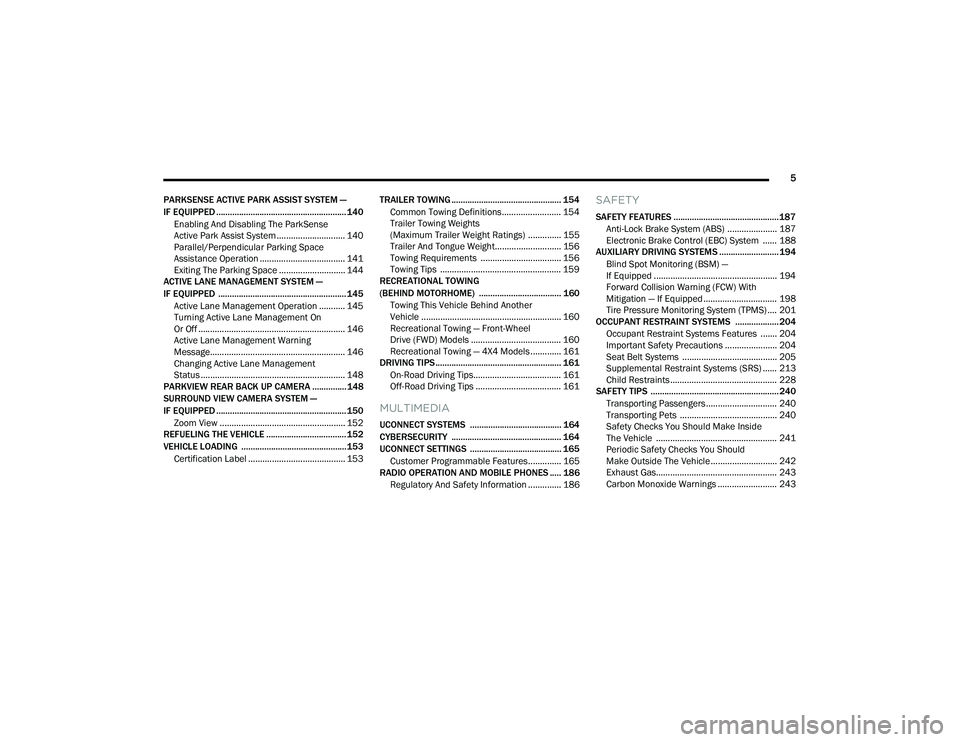
PARKSENSE ACTIVE PARK ASSIST SYSTEM —
IF EQUIPPED ......................................................... 140 Enabling And Disabling The ParkSense
Active Park Assist System ............................. 140
Parallel/Perpendicular Parking Space
Assistance Operation .................................... 141
Exiting The Parking Space ............................ 144
ACTIVE LANE MANAGEMENT SYSTEM —
IF EQUIPPED ........................................................ 145
Active Lane Management Operation ........... 145
Turning Active Lane Management On
Or Off .............................................................. 146
Active Lane Management Warning
Message......................................................... 146
Changing Active Lane Management
Status ............................................................. 148
PARKVIEW REAR BACK UP CAMERA ............... 148
SURROUND VIEW CAMERA SYSTEM —
IF EQUIPPED ......................................................... 150
Zoom View ..................................................... 152
REFUELING THE VEHICLE ................................... 152
VEHICLE LOADING .............................................. 153
Certification Label ......................................... 153 TRAILER TOWING ................................................ 154
Common Towing Definitions......................... 154
Trailer Towing Weights
(Maximum Trailer Weight Ratings) .............. 155Trailer And Tongue Weight............................ 156
Towing Requirements .................................. 156
Towing Tips ................................................... 159
RECREATIONAL TOWING
(BEHIND MOTORHOME) .................................... 160
Towing This Vehicle Behind Another
Vehicle ........................................................... 160
Recreational Towing — Front-Wheel
Drive (FWD) Models ...................................... 160
Recreational Towing — 4X4 Models ............. 161
DRIVING TIPS ....................................................... 161
On-Road Driving Tips..................................... 161
Off-Road Driving Tips .................................... 161
MULTIMEDIA
UCONNECT SYSTEMS ........................................ 164
CYBERSECURITY ................................................ 164
UCONNECT SETTINGS ........................................ 165Customer Programmable Features.............. 165
RADIO OPERATION AND MOBILE PHONES ..... 186
Regulatory And Safety Information .............. 186
SAFETY
SAFETY FEATURES .............................................. 187 Anti-Lock Brake System (ABS) ..................... 187Electronic Brake Control (EBC) System ...... 188
AUXILIARY DRIVING SYSTEMS .......................... 194
Blind Spot Monitoring (BSM) —
If Equipped .................................................... 194
Forward Collision Warning (FCW) With
Mitigation — If Equipped ............................... 198
Tire Pressure Monitoring System (TPMS) .... 201
OCCUPANT RESTRAINT SYSTEMS ................... 204
Occupant Restraint Systems Features ....... 204
Important Safety Precautions ...................... 204
Seat Belt Systems ........................................ 205
Supplemental Restraint Systems (SRS) ...... 213Child Restraints ............................................. 228
SAFETY TIPS ........................................................ 240
Transporting Passengers.............................. 240
Transporting Pets ......................................... 240
Safety Checks You Should Make Inside
The Vehicle ................................................... 241
Periodic Safety Checks You Should
Make Outside The Vehicle ............................ 242
Exhaust Gas................................................... 243
Carbon Monoxide Warnings ......................... 243
22_MP_OM_EN_USC_t.book Page 5
Page 8 of 344

6
IN CASE OF EMERGENCY
HAZARD WARNING FLASHERS ........................ 244
SOS MIRROR — IF EQUIPPED ............................ 244
JACKING AND TIRE CHANGING —
IF EQUIPPED ......................................................... 247
Preparations For Jacking ............................. 248
Jack Location/Spare Tire Stowage .............. 248
Jacking Instructions ..................................... 250
TIRE SERVICE KIT — IF EQUIPPED ..................... 252
JUMP STARTING................................................... 258
Preparations For Jump Start......................... 258Jump Starting Procedure .............................. 259
REFUELING IN EMERGENCY............................... 260
IF YOUR ENGINE OVERHEATS ........................... 261
GEAR SELECTOR OVERRIDE ............................. 262
FREEING A STUCK VEHICLE .............................. 262
TOWING A DISABLED VEHICLE .......................... 264 Without The Key Fob ..................................... 265
Front-Wheel Drive (FWD) Models —
With Key Fob.................................................. 265
4x4 Models .................................................... 265
Emergency Tow Hooks —
If Equipped .................................................... 266 ENHANCED ACCIDENT RESPONSE
SYSTEM (EARS) .................................................. 266
EVENT DATA RECORDER (EDR) ........................ 266
SERVICING AND MAINTENANCE
SCHEDULED SERVICING ................................... 267
Maintenance Plan ......................................... 268
ENGINE COMPARTMENT .................................... 271
2.4L Engine ................................................... 271
Checking Oil Level ......................................... 272
Adding Washer Fluid .................................... 272
Maintenance-Free Battery ............................ 272
Pressure Washing ......................................... 273
VEHICLE MAINTENANCE..................................... 273
Engine Oil ....................................................... 273
Engine Oil Filter ............................................. 274Engine Air Cleaner Filter ............................... 274
Air Conditioner Maintenance........................ 274
Body Lubrication ........................................... 275Wiper Blades ................................................ 275Exhaust System ............................................ 278
Cooling System .............................................. 279
Brake System ............................................... 282
Automatic Transmission —
If Equipped..................................................... 283Fuses.............................................................. 284
Bulb Replacement ........................................ 291 TIRES .................................................................... 298
Tire Safety Information ................................ 298Tires — General Information ........................ 306Tire Types....................................................... 309Spare Tires — If Equipped ............................ 310
Snow Traction Devices ................................. 311
Tire Rotation Recommendations ................ 313
DEPARTMENT OF TRANSPORTATION UNIFORM
TIRE QUALITY GRADES ...................................... 314
Treadwear...................................................... 314
Traction Grades ............................................. 314Temperature Grades..................................... 314
STORING THE VEHICLE ....................................... 315
BODYWORK .......................................................... 315
Protection From Atmospheric Agents .......... 315
Body And Underbody Maintenance ............. 315
Preserving The Bodywork ............................. 316
INTERIORS ........................................................... 317
Seats And Fabric Parts ................................. 317
Plastic And Coated Parts .............................. 318
Leather Surfaces........................................... 318
Glass Surfaces ............................................. 318
22_MP_OM_EN_USC_t.book Page 6
Page 15 of 344
13
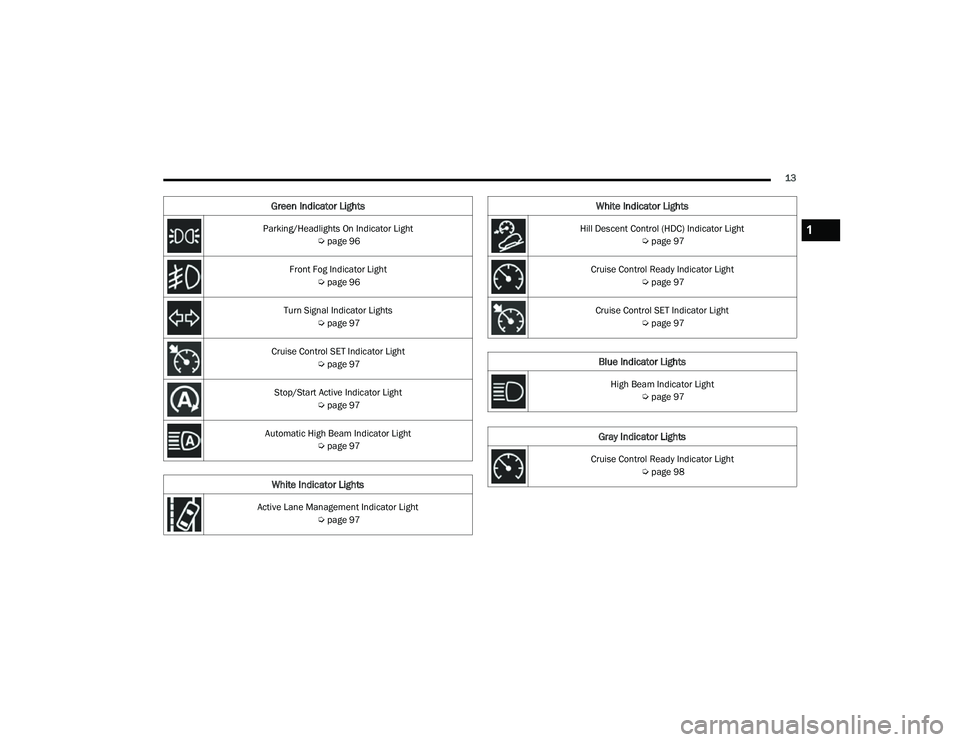
Parking/Headlights On Indicator Light Úpage 96
Front Fog Indicator Light Úpage 96
Turn Signal Indicator Lights Úpage 97
Cruise Control SET Indicator Light Úpage 97
Stop/Start Active Indicator Light Úpage 97
Automatic High Beam Indicator Light Úpage 97
White Indicator Lights
Active Lane Management Indicator Light
Úpage 97
Green Indicator Lights
Hill Descent Control (HDC) Indicator Light
Úpage 97
Cruise Control Ready Indicator Light Úpage 97
Cruise Control SET Indicator Light Úpage 97
Blue Indicator Lights
High Beam Indicator Light
Úpage 97
Gray Indicator Lights
Cruise Control Ready Indicator Light
Úpage 98
White Indicator Lights
1
22_MP_OM_EN_USC_t.book Page 13
Page 22 of 344

20GETTING TO KNOW YOUR VEHICLE
TO EXIT REMOTE START MODE
To drive the vehicle after starting the Remote Start
system, push and release the START/STOP ignition
button prior to the end of the 15 minute cycle.
The Remote Start system will turn the engine off if
the Remote Start button on the key fob is pushed
again, or if the engine is allowed to run for the
entire 15 minute cycle. Once the ignition is placed
in the ON/RUN position, the climate controls will
resume previously set operations (temperature,
blower control, etc.).
NOTE:
For vehicles not equipped with the Keyless
Enter ‘n Go™ — Passive Entry feature, the igni -
tion switch must be in the ON/RUN position in
order to drive the vehicle.
For vehicles equipped with the Keyless
Enter ‘n Go™ — Passive Entry feature, the
message “Remote Start Active — Push Start
Button” will show in the instrument cluster
display until you push the START/STOP ignition
button.
To avoid unintentional shutdowns, the system
will disable for two seconds after receiving a
valid Remote Start request.
REMOTE START FRONT DEFROST
A
CTIVATION — IF EQUIPPED
When Remote Start is active, and the outside
ambient temperature is 40°F (4.5°C) or below, the
system will automatically activate front defrost for
15 minutes or less. The timing is dependent on the
ambient temperature. Once the timer expires, the
system will automatically adjust the settings
depending on ambient conditions. See “Remote
Start Comfort Systems — If Equipped” in the next
section for detailed operation.
REMOTE START COMFORT SYSTEMS —
I
F EQUIPPED
When Remote Start is activated, the front and rear
defrost will automatically turn on in cold weather.
The heated steering wheel and driver heated seat
feature will turn on if programmed in the comfort
menu screen within Uconnect Settings
Ú page 165. In warm weather, the driver vented
seat feature will automatically turn on when
Remote Start is activated, if programmed in the
comfort menu screen. The vehicle will adjust the
climate control settings depending on the outside
ambient temperature. Automatic Temperature Control (ATC) —
If Equipped
The climate controls will automatically adjust to
the optimal temperature and mode settings
depending on the outside ambient temperature.
This will occur until the ignition is placed in the
ON/RUN position where the climate controls will
resume their previous settings.
Manual Temperature Control (MTC) — If Equipped
In ambient temperatures of 40°F (4.5°C) or
below, the climate settings will default to
maximum heat, with fresh air entering the
cabin. If the front defrost timer expires, the
vehicle will enter Mix mode.
In ambient temperatures from 40°F (4.5°C) to
78°F (26°C), the climate settings will be based
on the last settings selected by the driver.
In ambient temperatures of 78°F (26°C) or
above, the climate settings will default to
MAX A/C, Bi-Level mode, with Recirculation on.
For more information on ATC, MTC, and climate
control settings, see Ú page 50.
NOTE:
These features will stay on through the duration of
Remote Start, or until the ignition is placed in the
ON/RUN position. The climate control settings will
change, and exit the automatic defaults, if manually
Keep key fobs away from children. Operation
of the Remote Start system, windows, door
locks or other controls could cause serious
injury or death.
WARNING!
22_MP_OM_EN_USC_t.book Page 20
Page 24 of 344

22GETTING TO KNOW YOUR VEHICLE
NOTE:If the system is armed by pushing the lock button
on the interior door panel, the Vehicle Security
Light will flash rapidly for about 15 seconds once
the door is closed, then slow down to every three
seconds.
TO DISARM THE SYSTEM
The Vehicle Security system can be disarmed using
any of the following methods:
Push the unlock button on the key fob.
Grab the Passive Entry door handle to unlock
the door Úpage 23.
Cycle the ignition out of the OFF position to
disarm the system.
NOTE:
The driver's door key cylinder and the liftgate
button on the key fob cannot arm or disarm the
Vehicle Security system.
The Vehicle Security system remains armed
during power liftgate entry. Pushing the liftgate
button will not disarm the Vehicle Security
system. If someone enters the vehicle through
the liftgate and opens any door, the alarm will
sound.
When the Vehicle Security system is armed, the
interior power door lock switches will not unlock
the doors. The Vehicle Security system is designed to protect
your vehicle. However, you can create conditions
where the system will give you a false alarm. If one
of the previously described arming sequences has
occurred, the Vehicle Security system will arm
regardless of whether you are in the vehicle or not.
If you remain in the vehicle and open a door, the
alarm will sound. If this occurs, disarm the Vehicle
Security system.
If the Vehicle Security system is armed and the
battery becomes disconnected, the Vehicle
Security system will remain armed when the
battery is reconnected; the exterior lights will flash,
and the horn will sound. If this occurs, disarm the
Vehicle Security system.
REARMING OF THE SYSTEM
If something triggers the alarm, and no action is
taken to disarm it, the Vehicle Security system will
turn the horn off after approximately 90 seconds,
and then the Vehicle Security system will rearm
itself.
SECURITY SYSTEM MANUAL OVERRIDE
The Vehicle Security system will not arm if you lock
the doors using the manual door lock.
DOORS
MANUAL DOOR LOCKS
The door locks can be manually locked from inside
the vehicle by using the door lock knob.
Manual Door Lock Knob
To lock each door, rotate the door lock knob on
each door trim panel forward until the lock
indicator is shown. To unlock the front doors, pull
the inside door handle to the first detent or rotate
the door lock button until the lock indicator is
hidden. To unlock the rear doors, rotate the door
lock button until the lock indicator is hidden. If the
door lock button is locked (lock indicator visible)
when you shut the door, the door will remain
locked. Therefore, make sure the key fob is not
inside the vehicle before closing the door.
22_MP_OM_EN_USC_t.book Page 22
Page 25 of 344
GETTING TO KNOW YOUR VEHICLE23
(Continued)
NOTE:
Manually locking the vehicle will not arm the
Vehicle Security system.
The manual door locks will not lock or unlock the
liftgate.
POWER DOOR LOCKS
The power door lock switches are located on each
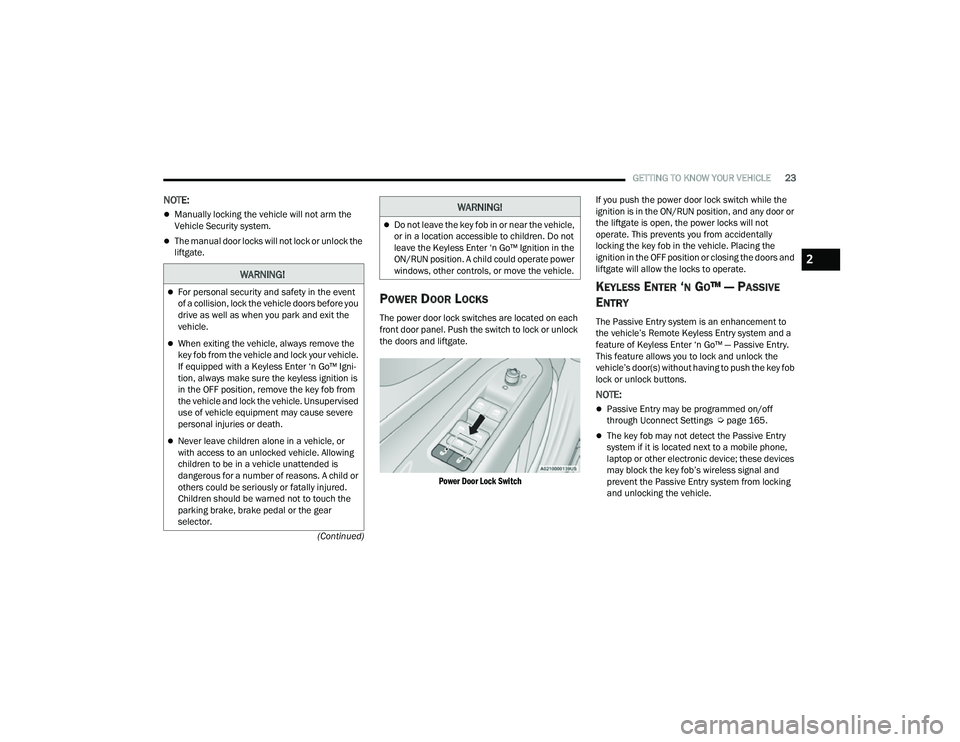
front door panel. Push the switch to lock or unlock
the doors and liftgate.
Power Door Lock Switch
If you push the power door lock switch while the
ignition is in the ON/RUN position, and any door or
the liftgate is open, the power locks will not
operate. This prevents you from accidentally
locking the key fob in the vehicle. Placing the
ignition in the OFF position or closing the doors and
liftgate will allow the locks to operate.
KEYLESS ENTER ‘N GO™ — PASSIVE
E
NTRY
The Passive Entry system is an enhancement to
the vehicle’s Remote Keyless Entry system and a
feature of Keyless Enter ‘n Go™ — Passive Entry.
This feature allows you to lock and unlock the
vehicle’s door(s) without having to push the key fob
lock or unlock buttons.
NOTE:
Passive Entry may be programmed on/off
through Uconnect Settings Ú page 165.
The key fob may not detect the Passive Entry
system if it is located next to a mobile phone,
laptop or other electronic device; these devices
may block the key fob’s wireless signal and
prevent the Passive Entry system from locking
and unlocking the vehicle.
WARNING!
For personal security and safety in the event
of a collision, lock the vehicle doors before you
drive as well as when you park and exit the
vehicle.
When exiting the vehicle, always remove the
key fob from the vehicle and lock your vehicle.
If equipped with a Keyless Enter ‘n Go™ Igni -
tion, always make sure the keyless ignition is
in the OFF position, remove the key fob from
the vehicle and lock the vehicle. Unsupervised
use of vehicle equipment may cause severe
personal injuries or death.
Never leave children alone in a vehicle, or
with access to an unlocked vehicle. Allowing
children to be in a vehicle unattended is
dangerous for a number of reasons. A child or
others could be seriously or fatally injured.
Children should be warned not to touch the
parking brake, brake pedal or the gear
selector.
Do not leave the key fob in or near the vehicle,
or in a location accessible to children. Do not
leave the Keyless Enter ‘n Go™ Ignition in the
ON/RUN position. A child could operate power
windows, other controls, or move the vehicle.
WARNING!
2
22_MP_OM_EN_USC_t.book Page 23