2023 HYUNDAI TUCSON Driver assist
[x] Cancel search: Driver assistPage 328 of 638
06
6-43
Good braking practices
WARNING
Whenever leaving the vehicle or
parking, always come to a complete
stop and continue to depress the brake
pedal. Shift the gear to the P (Park)
position, then apply the parking brake,
and press the Engine Start/Stop button
to the OFF position.
Vehicles parked with the parking brake
not applied or not fully engaged may
roll inadvertently and may cause injury
to the driver and others. ALWAYS apply
the parking brake before exiting the
vehicle.Wet brakes can be dangerous! The
brakes may get wet if the vehicle is
driven through standing water or if it
is washed. Your vehicle will not stop as
quickly if the brakes are wet. Wet brakes
may cause the vehicle to pull to one side.
To dry the brakes, apply the brakes
lightly until the braking action returns to
normal. If the braking action does not
return to normal, stop as soon as it is safe
to do so and we recommend that you
call an authorized HYUNDAI dealer for
assistance.
DO NOT drive with your foot resting on
the brake pedal. Even light, but constant
pedal pressure can result in the brakes
overheating, brake wear, and possibly
even brake failure.
If a tire goes flat while you are driving,
apply the brakes gently and keep the
vehicle pointed straight ahead while you
slow down. When you are moving slowly
enough for it to be safe to do so, pull off
the road and stop in a safe location.
Keep your foot firmly on the brake pedal
when the vehicle is stopped to prevent
the vehicle from rolling forward.
Page 356 of 638
06
6-71
Backing up
Hold the bottom of the steering wheel
with one hand. Then, to move the trailer
to the left, move your hand to the left. To
move the trailer to the right, move your
hand to the right. Always back up slowly
and, if possible, have someone guide
you.
Making turns
When you’re turning with a trailer, make
wider turns than normal. Do this so your
trailer won’t strike soft shoulders, curbs,
road signs, trees, or other objects. Avoid
jerky or sudden maneuvers. Signal well in
advance.
Turn signals
When you tow a trailer, your vehicle has
to have a different turn signal flasher and
extra wiring. The green arrows on your
instrument panel will flash whenever you
signal a turn or lane change. Properly
connected, the trailer lights will also flash
to alert other drivers you’re about to turn,
change lanes, or stop.
When towing a trailer, the green arrows
on your instrument panel will flash for
turns even if the bulbs on the trailer
are burned out. Thus, you may think
drivers behind you are seeing your
signals when, in fact, they are not. It’s
important to check occasionally to be
sure the trailer bulbs are still working.
You must also check the lights every time
you disconnect and then reconnect the
wires.
WARNING
Do not connect a trailer lighting system
directly to your vehicle’s lighting
system. Use an approved trailer wiring
harness. Failure to do so could result in
damage to the vehicle electrical system
and/or personal injury. We recommend
that you consult an authorized
HYUNDAI dealer for assistance.
Driving on hills
Reduce speed and shift to a lower gear
before you start down a long or steep
downgrade. If you don’t shift down, you
might have to use your brakes so much
that they would get overheated and may
not operate efficiently.
On a long uphill grade, shift down and
reduce your speed to around 45 mph (70
km/h) to reduce the possibility of engine
and transmission overheating.
If your trailer weighs more than the
maximum trailer weight without trailer
brakes and you have a automatic
transmission, you should drive in D
(Drive) when towing a trailer.
Operating your vehicle in D (Drive)
when towing a trailer will minimize heat
build-up and extend the life of your
transmission.
Page 364 of 638
Driving SafetyForward Collision–Avoidance Assist (FCA) (Front view camera only) ...................7-2
Forward Collision–Avoidance Assist (FCA) (Sensor fusion) ...................................7-15
Lane Keeping Assist (LKA) ........................................................................\
...............7-31
Blind-Spot Collision-Avoidance Assist (BCA) ........................................................7-37
Safe exit warning ( SEW) ........................................................................\
..................7-51
Manual Speed Limit Assist (MSLA) ........................................................................\
7-57
Intelligent speed limit assist (ISLA ) ........................................................................\
7-60
Driver Attention Warning (DAW) ........................................................................\
....7-65
Blind-Spot View Monitor (BVM) ........................................................................\
.......7-7 1
Driving ConvenienceCruise Control (CC) ........................................................................\
.........................7-7 3
Smart Cruise Control (SCC) ........................................................................\
.............7-7 7
Navigation-Based Smart Cruise Control (NSCC) ..................................................7-94
Lane Following Assist (LFA) ........................................................................\
............7-101
Highway Driving Assist (HDA) ........................................................................\
.......7-105
Parking SafetyRear View Monitor (RVM) ........................................................................\
...............7-112
Surround View Monitor (SVM) ........................................................................\
......7-116
Rear Cross-Traffic Collision-Avoidance Assist (RCCA) ........................................7-122
Reverse Parking Distance Warning (PDW) ............................................................7-133
Forward/Reverse Parking Distance Warning (PDW) ...........................................7-136
Reverse Parking Collision-Avoidance Assist (PCA) ..............................................7-141
Remote Smart Parking Assist (RSPA) ....................................................................7-149
Declaration of conformity ........................................................................\
...................7-163
7. Driver assistance system
Driver assistance system
7
Page 365 of 638
Driver assistance system
7-2
Basic function
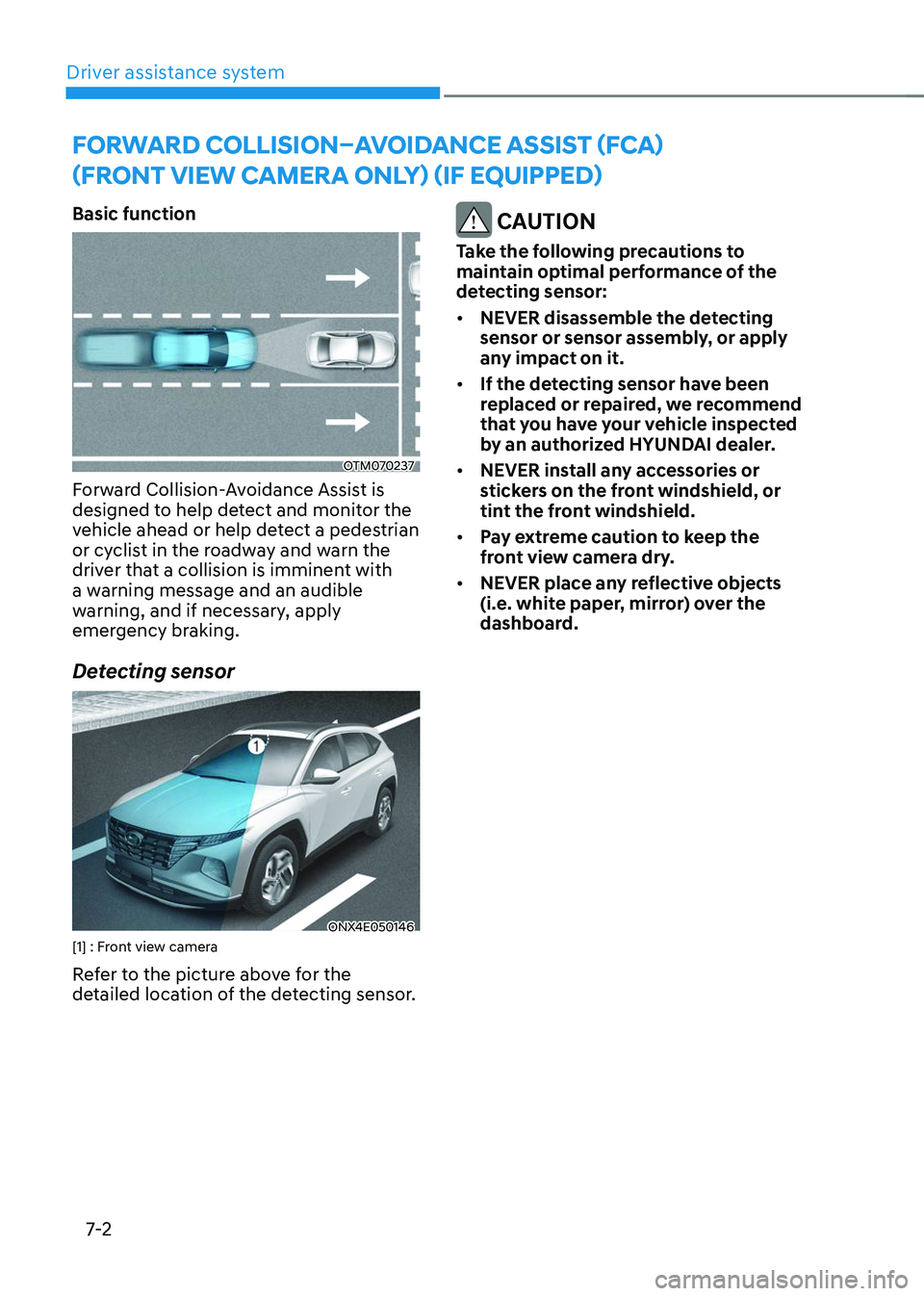
OTM070237
Forward Collision-Avoidance Assist is
designed to help detect and monitor the
vehicle ahead or help detect a pedestrian
or cyclist in the roadway and warn the
driver that a collision is imminent with
a warning message and an audible
warning, and if necessary, apply
emergency braking.
Detecting sensor
ONX4E050146[1] : Front view camera
Refer to the picture above for the
detailed location of the detecting sensor.
CAUTION
Take the following precautions to
maintain optimal performance of the
detecting sensor:
• NEVER disassemble the detecting
sensor or sensor assembly, or apply
any impact on it.
• If the detecting sensor have been
replaced or repaired, we recommend
that you have your vehicle inspected
by an authorized HYUNDAI dealer.
• NEVER install any accessories or
stickers on the front windshield, or
tint the front windshield.
• Pay extreme caution to keep the
front view camera dry.
• NEVER place any reflective objects
(i.e. white paper, mirror) over the
dashboard.
FORWARD COLLISION–AVOIDANCE ASSIST (FCA)
(FRONT VIEW CAMERA ONLY) (IF EQUIPPED)
Page 366 of 638
07
7-3
Forward Collision-Avoidance
Assist Settings
Setting features
OTM070090N
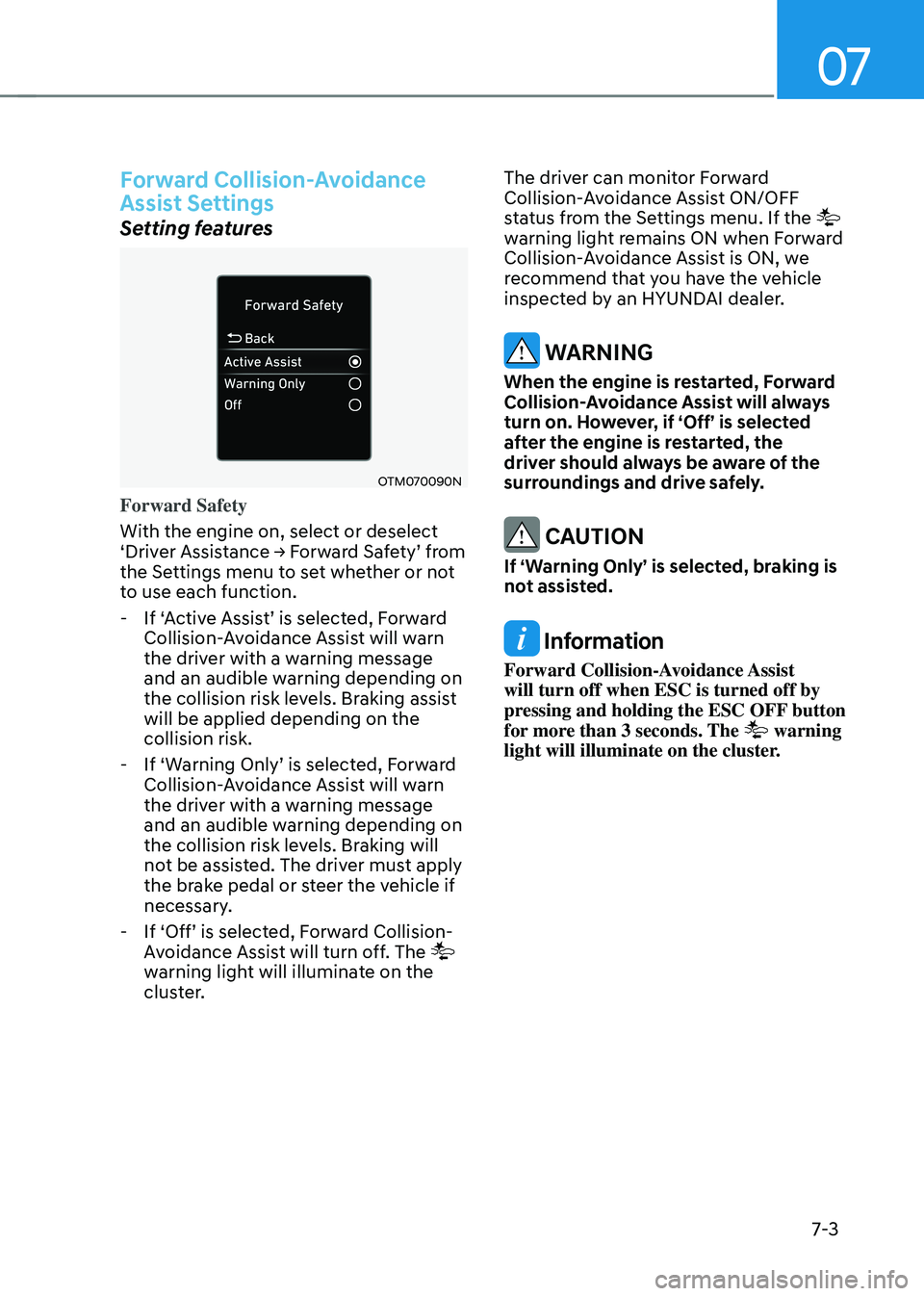
Forward Safety
With the engine on, select or deselect
‘Driver Assistance → Forward Safety’ from the Settings menu to set whether or not
to use each function.
-If ‘Active Assist’ is selected, Forward Collision-Avoidance Assist will warn
the driver with a warning message
and an audible warning depending on
the collision risk levels. Braking assist
will be applied depending on the
collision risk.
-If ‘Warning Only’ is selected, Forward Collision-Avoidance Assist will warn
the driver with a warning message
and an audible warning depending on
the collision risk levels. Braking will
not be assisted. The driver must apply
the brake pedal or steer the vehicle if
necessary.
-If ‘Off’ is selected, Forward Collision-Avoidance Assist will turn off. The
warning light will illuminate on the
cluster. The driver can monitor Forward
Collision-Avoidance Assist ON/OFF
status from the Settings menu. If the
warning light remains ON when Forward
Collision-Avoidance Assist is ON, we
recommend that you have the vehicle
inspected by an HYUNDAI dealer.
WARNING
When the engine is restarted, Forward
Collision-Avoidance Assist will always
turn on. However, if ‘Off’ is selected
after the engine is restarted, the
driver should always be aware of the
surroundings and drive safely.
CAUTION
If ‘Warning Only’ is selected, braking is
not assisted.
Information
Forward Collision-Avoidance Assist
will turn off when ESC is turned off by
pressing and holding the ESC OFF button
for more than 3 seconds. The
warning
light will illuminate on the cluster.
Page 367 of 638
Driver assistance system
7-4
OTM070140N
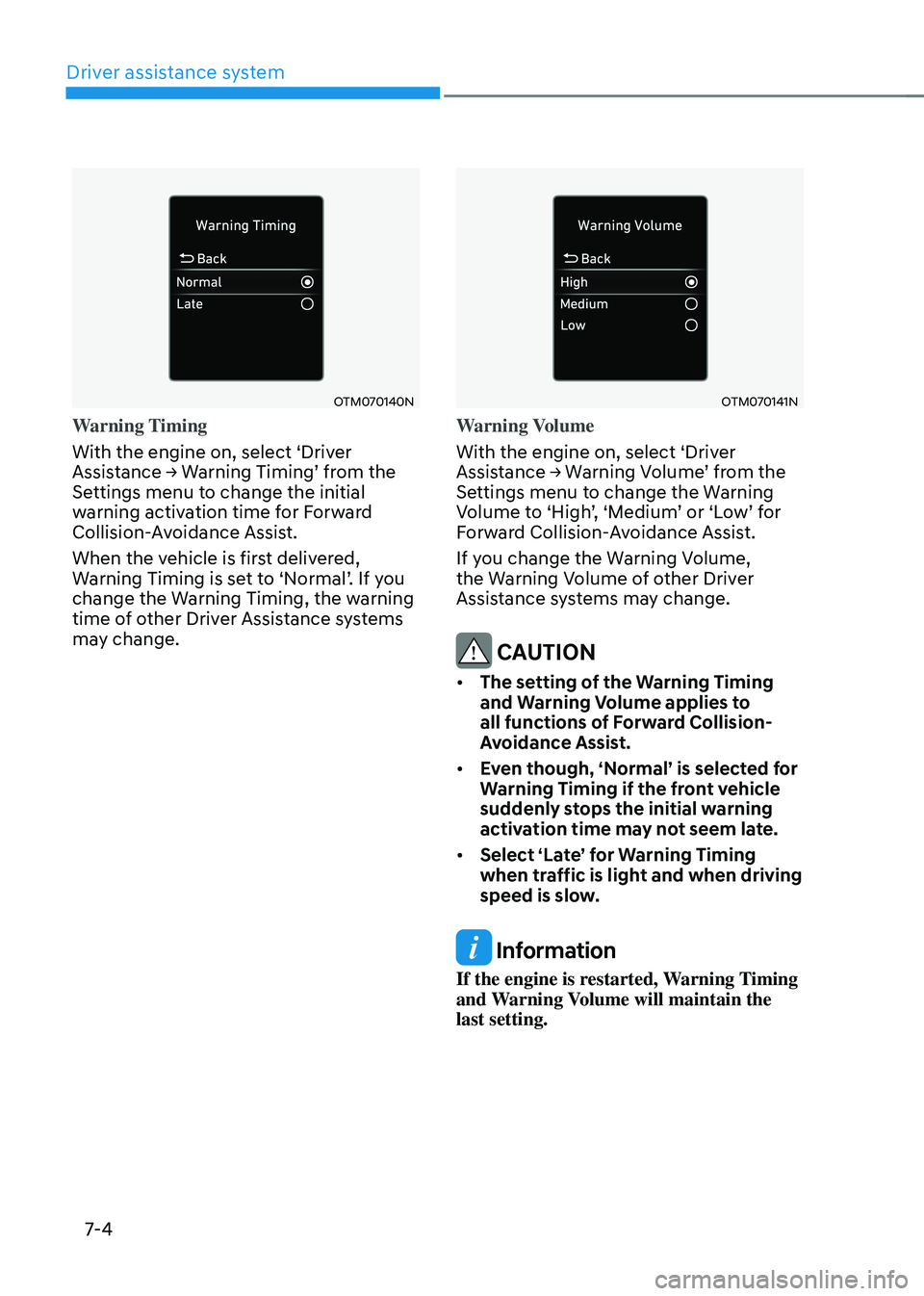
Warning Timing
With the engine on, select ‘Driver
Assistance → Warning Timing’ from the Settings menu to change the initial
warning activation time for Forward
Collision-Avoidance Assist.
When the vehicle is first delivered,
Warning Timing is set to ‘Normal’. If you change the Warning Timing, the warning
time of other Driver Assistance systems
may change.
OTM070141N
Warning Volume
With the engine on, select ‘Driver
Assistance → Warning Volume’ from the Settings menu to change the Warning Volume to ‘High’, ‘Medium’ or ‘Low’ for Forward Collision-Avoidance Assist.
If you change the Warning Volume,
the Warning Volume of other Driver
Assistance systems may change.
CAUTION
• The setting of the Warning Timing
and Warning Volume applies to
all functions of Forward Collision-
Avoidance Assist.
• Even though, ‘Normal’ is selected for
Warning Timing if the front vehicle
suddenly stops the initial warning
activation time may not seem late.
• Select ‘Late’ for Warning Timing
when traffic is light and when driving
speed is slow.
Information
If the engine is restarted, Warning Timing
and Warning Volume will maintain the
last setting.
Page 368 of 638
07
7-5
Forward Collision-Avoidance
Assist Operation
Basic function
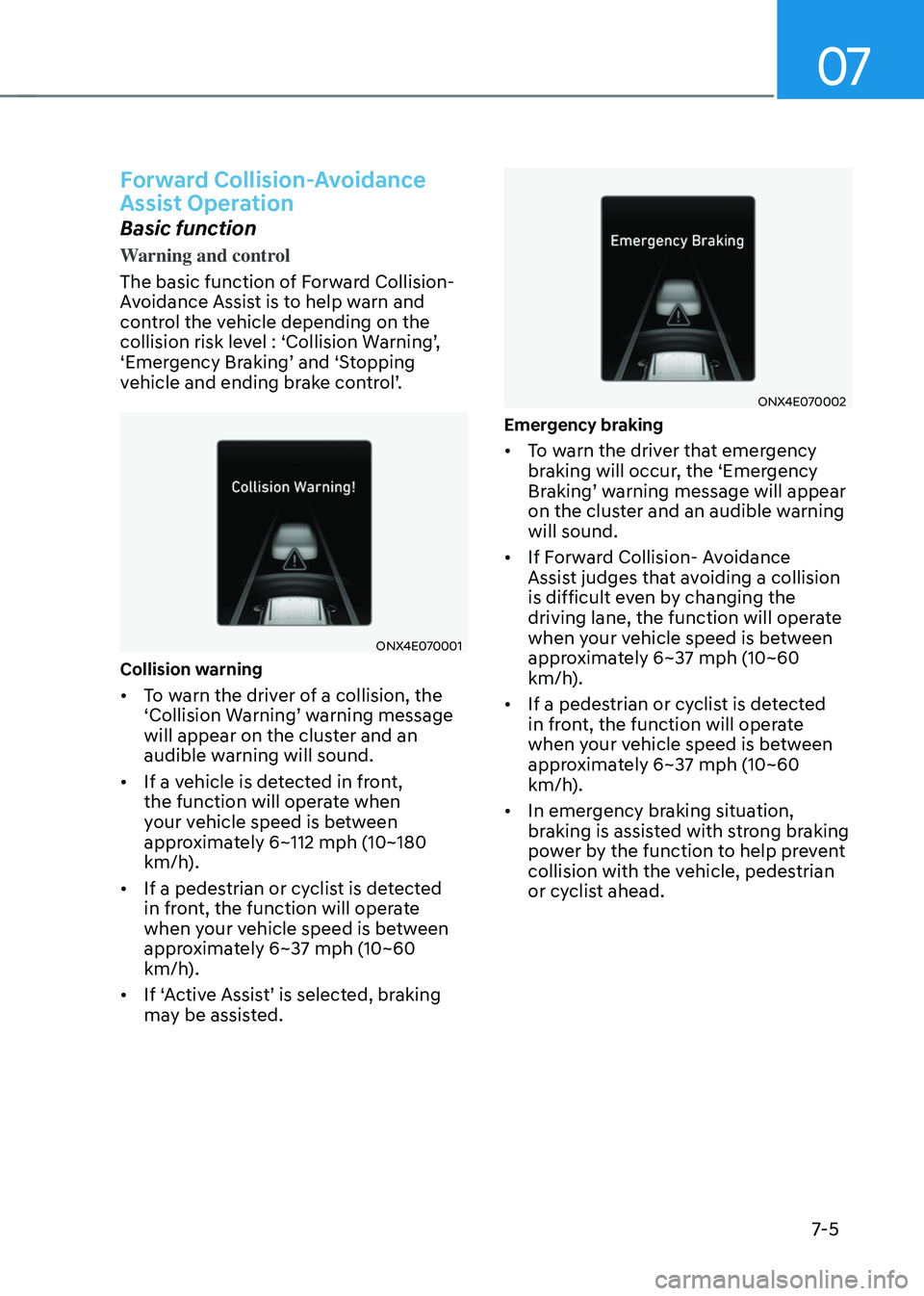
Warning and control
The basic function of Forward Collision-
Avoidance Assist is to help warn and
control the vehicle depending on the
collision risk level : ‘Collision Warning’, ‘Emergency Braking’ and ‘Stopping vehicle and ending brake control’.
ONX4E070001
Collision warning
• To warn the driver of a collision, the ‘Collision Warning’ warning message will appear on the cluster and an
audible warning will sound.
• If a vehicle is detected in front,
the function will operate when
your vehicle speed is between
approximately 6~112 mph (10~180
km/h).
• If a pedestrian or cyclist is detected
in front, the function will operate
when your vehicle speed is between
approximately 6~37 mph (10~60
km/h).
•
If ‘Active Assist’ is selected, braking may be assisted.
ONX4E070002
Emergency braking
• To warn the driver that emergency
braking will occur, the ‘Emergency
Braking’ warning message will appear on the cluster and an audible warning
will sound.
• If Forward Collision- Avoidance
Assist judges that avoiding a collision
is difficult even by changing the
driving lane, the function will operate
when your vehicle speed is between
approximately 6~37 mph (10~60
km/h).
• If a pedestrian or cyclist is detected
in front, the function will operate
when your vehicle speed is between
approximately 6~37 mph (10~60
km/h).
• In emergency braking situation,
braking is assisted with strong braking
power by the function to help prevent
collision with the vehicle, pedestrian
or cyclist ahead.
Page 369 of 638
Driver assistance system
7-6
ONX4E070003
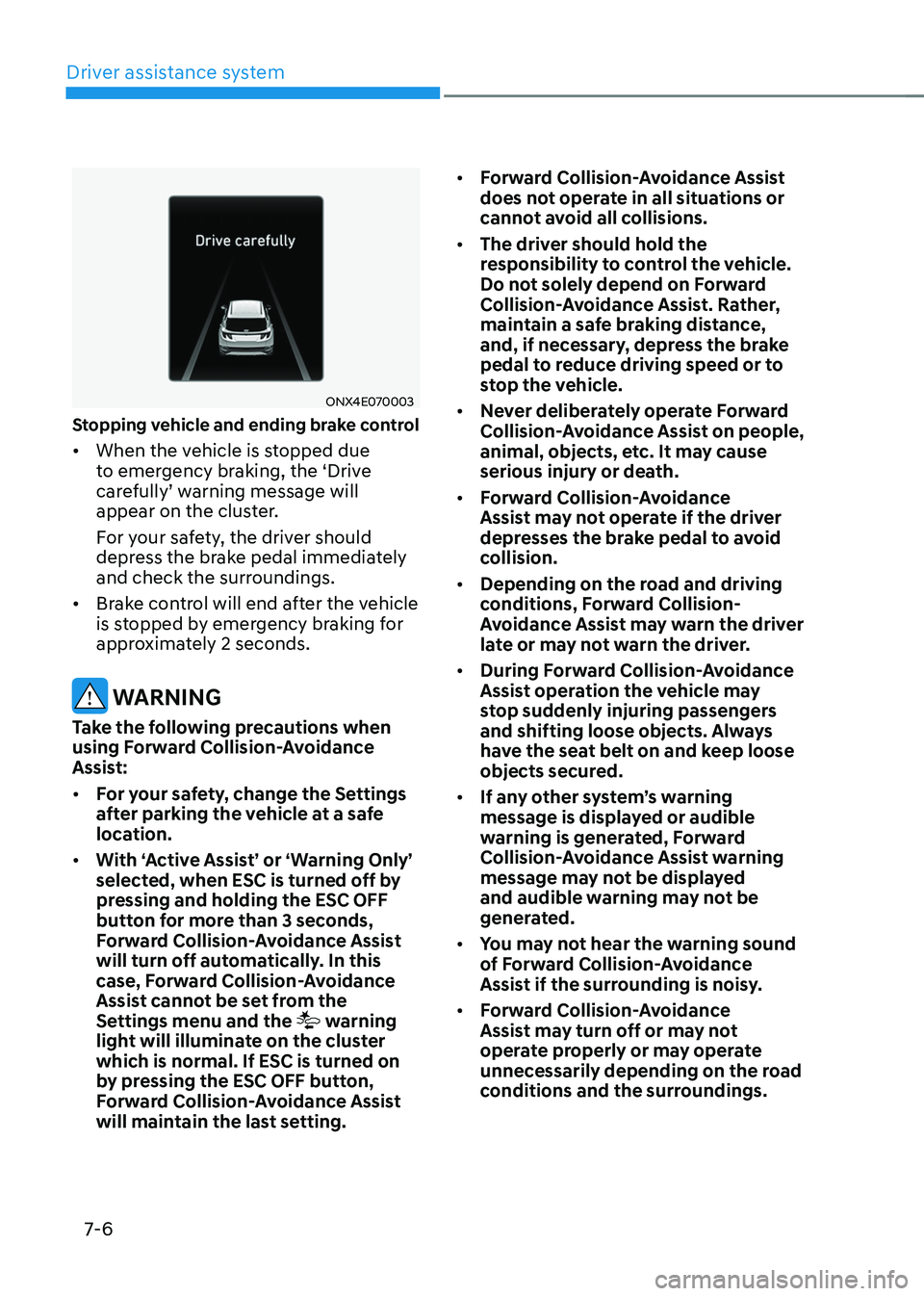
Stopping vehicle and ending brake control
• When the vehicle is stopped due
to emergency braking, the ‘Drive
carefully’ warning message will appear on the cluster.
For your safety, the driver should
depress the brake pedal immediately
and check the surroundings.
• Brake control will end after the vehicle
is stopped by emergency braking for
approximately 2 seconds.
WARNING
Take the following precautions when
using Forward Collision-Avoidance
Assist:
• For your safety, change the Settings
after parking the vehicle at a safe
location.
• With ‘Active Assist’ or ‘Warning Only’
selected, when ESC is turned off by
pressing and holding the ESC OFF
button for more than 3 seconds,
Forward Collision-Avoidance Assist
will turn off automatically. In this
case, Forward Collision-Avoidance
Assist cannot be set from the
Settings menu and the
warning
light will illuminate on the cluster
which is normal. If ESC is turned on
by pressing the ESC OFF button,
Forward Collision-Avoidance Assist
will maintain the last setting. •
Forward Collision-Avoidance Assist
does not operate in all situations or
cannot avoid all collisions.
• The driver should hold the
responsibility to control the vehicle.
Do not solely depend on Forward
Collision-Avoidance Assist. Rather,
maintain a safe braking distance,
and, if necessary, depress the brake
pedal to reduce driving speed or to
stop the vehicle.
• Never deliberately operate Forward
Collision-Avoidance Assist on people,
animal, objects, etc. It may cause
serious injury or death.
• Forward Collision-Avoidance
Assist may not operate if the driver
depresses the brake pedal to avoid
collision.
• Depending on the road and driving
conditions, Forward Collision-
Avoidance Assist may warn the driver
late or may not warn the driver.
• During Forward Collision-Avoidance
Assist operation the vehicle may
stop suddenly injuring passengers
and shifting loose objects. Always
have the seat belt on and keep loose
objects secured.
• If any other system’s warning
message is displayed or audible
warning is generated, Forward
Collision-Avoidance Assist warning
message may not be displayed
and audible warning may not be
generated.
• You may not hear the warning sound
of Forward Collision-Avoidance
Assist if the surrounding is noisy.
• Forward Collision-Avoidance
Assist may turn off or may not
operate properly or may operate
unnecessarily depending on the road
conditions and the surroundings.